1
Page 4
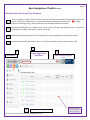
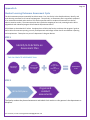
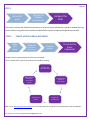
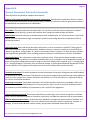
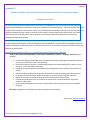
Basic Navigation of TracDat v.5.0.43
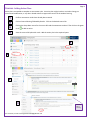
Disciplines/Courses: Home Page Summary
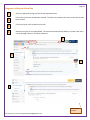
1
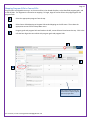
The Home Page view shows how many course SLOs are entered into the database, SLO assessment plans, and
results, action plans, and follow-up. A green check indicates a complete assessment plan.
A red flag
indicates something missing. Roll the mouse over the red flag for detailed information.
2
Disciplines and programs are in separate units. Access them by clicking on the dropdown menu. The name of
the discipline or program will appear in the field at the top.
3
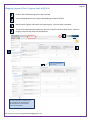
The Main Menu allows you to access to the pathways for entering, editing, and reviewing information.
4
To quickly view SLO assessment plans, click on any of the links within the Course SLO Summary Table.
1
3
Home Page View
Discipline
Main Menu
4
Course SLO Summary Table
For assistance, contact [email protected]
2
Select Specific Discipline
Here
The red flag indicates, In
this case, one of the SLOs
is missing an assessment.