1
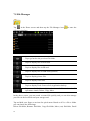
7.5 File Manager
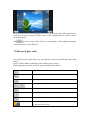
Tap
in the Home screen and then tap the File Manager icon
to enter the
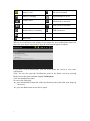
following interface:
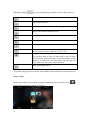
Tap to go back to the previous file folder.
Tap it to display files in local disk.
Tap it to display files in SD card.
Tap it to display files in USB disk (optional)
Tap it to display picture files
Tap it to display video files
Tap it to display Tools: Process Info, Application backup
Tap to enable/disable multiple selections of files and make file
operations: Attach, Delete, Copy, Move
In the above screen, you can search a wanted file quickly and you can also manage
your files in the local disk and your storage card:
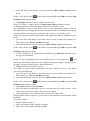
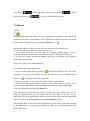
Tap and hold your finger on an item for quick menu. Based on if it’s a file or folder
you can choose the followings:
Delete file/folder, Rename file/folder, Copy file/folder, Move (cut) file/folder, Email
20