1
AT Command Manual for GR64 & GS64
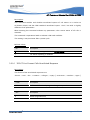
8.6
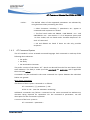
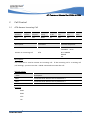
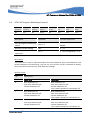
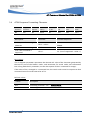
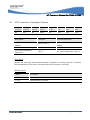
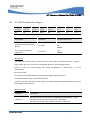
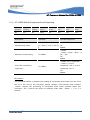
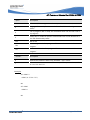
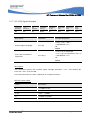
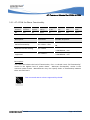
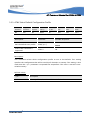
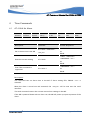
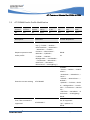
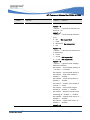
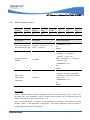
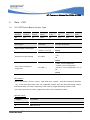
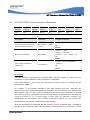
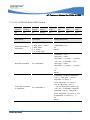
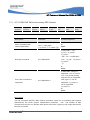
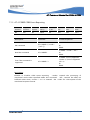
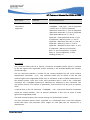
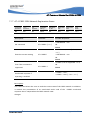
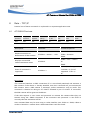
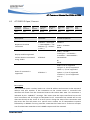
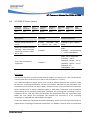
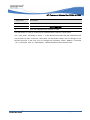
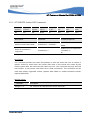
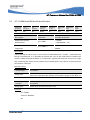
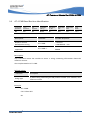
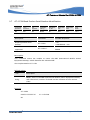
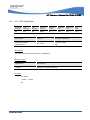
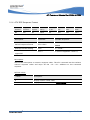
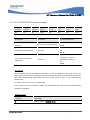
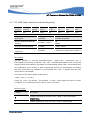
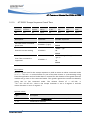
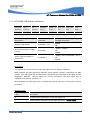
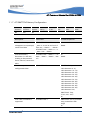
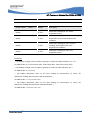
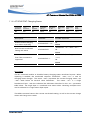
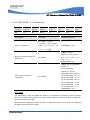
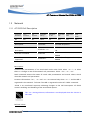
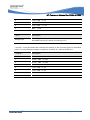
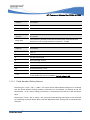
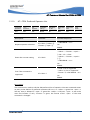
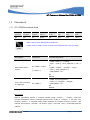
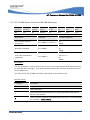
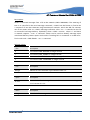
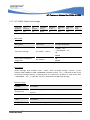
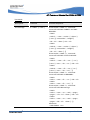
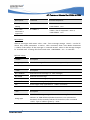
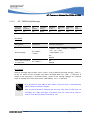
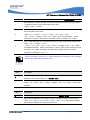
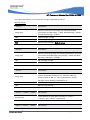
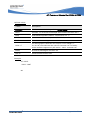
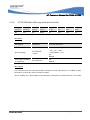
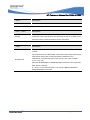
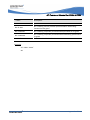
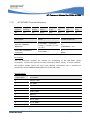
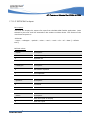
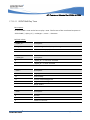
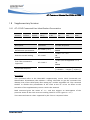
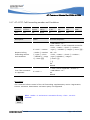
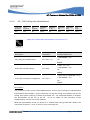
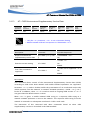
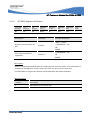
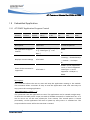
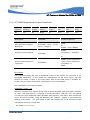
AT*E2IPL IP listen (server)
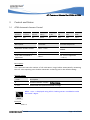
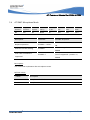
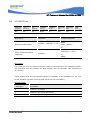
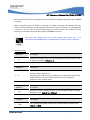
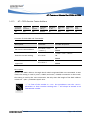
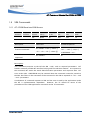
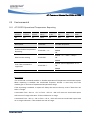
Command
Long
SIM
Parameter
Affected by
Works with
Works with
CFUN
Abortable
Execution
Required
Setting
&F, &W
USB
MUX
Modes
Yes
Yes
Yes
None
None
Yes
Yes
1
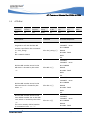
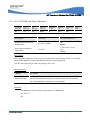
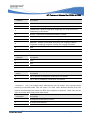
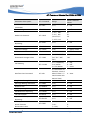
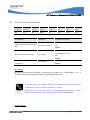
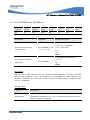
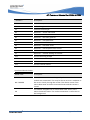
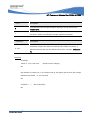
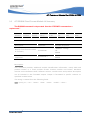
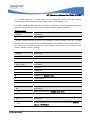
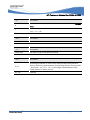
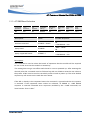
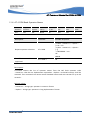
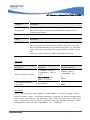
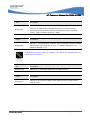
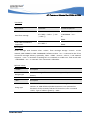
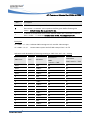
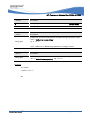
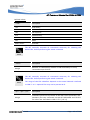
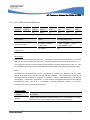
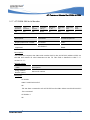
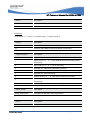
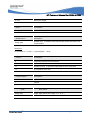
Description
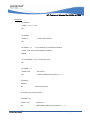
Command
Possible Responses
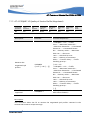
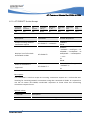
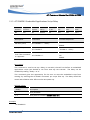
Set the unit to behave as a
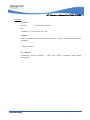
AT*E2IPL=<SocketId>,<IPty
Listening on port <IPport>
server
pe>,<IPport>,<to>,<cid>
ERROR
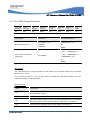
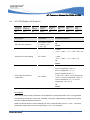
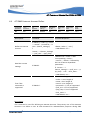
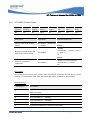
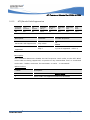
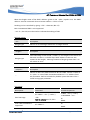
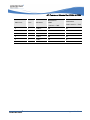
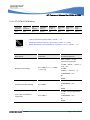
Shows all sockets currently
listening. (Does not show
connected sockets, either
*E2IPL:
AT*E2IPL?
MO or MT)
<SocketId>,<localListeningI
p>,<localListeningPort>
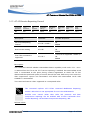
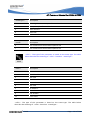
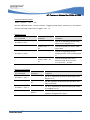
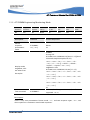
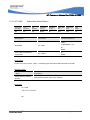
*E2IPL: list of supported
<SocketId>, list of
Test if the command is
supported
AT*E2IPL=?
supported <IPtype>, list of
supported <IPport>, list of
supported <to>
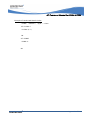
+CME ERROR <err>
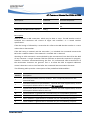
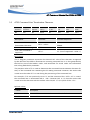
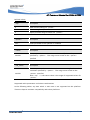
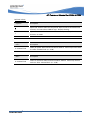
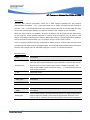
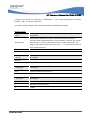
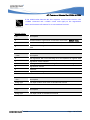
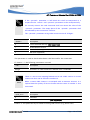
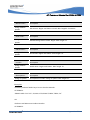
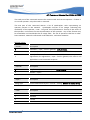
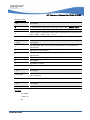
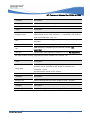
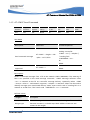
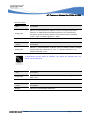
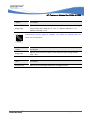
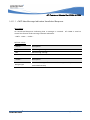
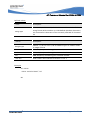
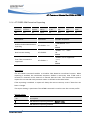
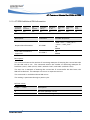
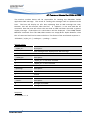
Description
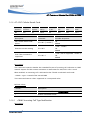
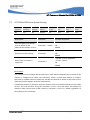
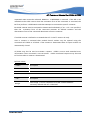
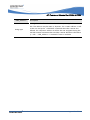
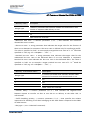
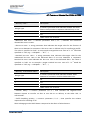
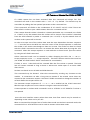
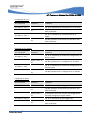
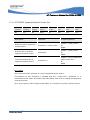
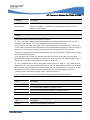
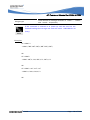
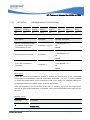
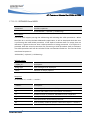
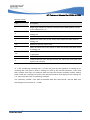
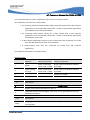
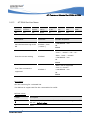
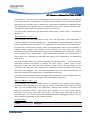
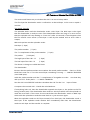
The IP listen function is used to allow other IP address to connect to it. The command will
only succeed when an IP Session is Active (see AT*E2IPA or +CGACT).
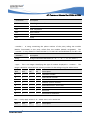
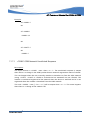
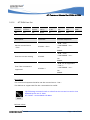
This command opens a socket, binds it to a local IP address and puts the socket in state
to listen for incoming connections on the port number specified on the command. This
command can be used in two ways. With a timeout of zero, the command will return the
serial channel back to online command state so that other commands may be entered
while waiting for an incoming connection. The other way of using this command is to use
a timeout. In this case, the command interface will be blocked from any commands until
either the user aborts the command, the timeout has occurred or if an incoming
connection is detected and automatically accepted.
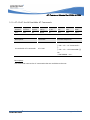
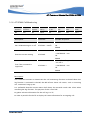
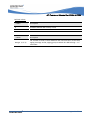
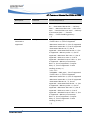
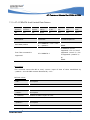
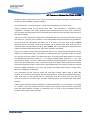
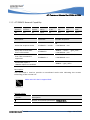
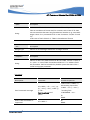
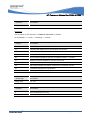
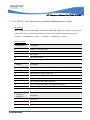
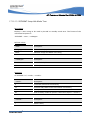
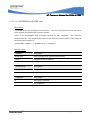
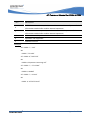
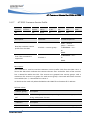
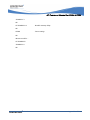
In the case where the command returned immediately, there are a few commands that are
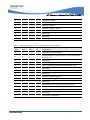
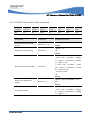
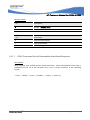
important for accepting incommand connections. AT*E2IPEV is used to turn on unsolicited
© 2006
Page : 220 of 504