1
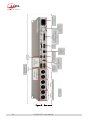
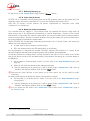
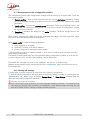
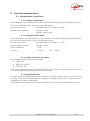
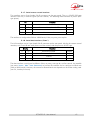
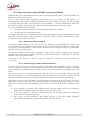
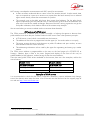
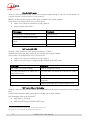
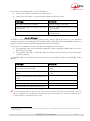
3.2.2. Rear panel All connections are done on the rear panel of the codec. The characteristics of the interfaces and layout of the sockets are detailed in chapter 5.1, Characteristics of interfaces. The following elements are available (numbers such as [17] refer to the following Figure 3 – Rear panel): Mains power socket [13] This is an IEC type power socket. The unit starts up as soon as power is applied. See details in 5.1.13 and 5.4 (Power supply). DC 12V power socket [12] This 4 pin male XLR is optional. See details in 5.1.14, DC power supply (option). Audio inputs/outputs Analog inputs/outputs [5]: at the input, plug the audio cables into the female XLR sockets. At the output, plug the audio cables into the male XLR sockets. In mono mode, only “A” channel is used. Digital inputs/outputs [1]: a digital input (mono or stereo) in AES/EBU format (or SPDIF) can be connected on the female XLR socket, and a digital output in AES/EBU format is available on a male XLR socket. It is possible to select which input (analog inputs or digital input) is fed to the encoder for transmission. On the receiving side, the decoded signals are output both on the analog and digital outputs. Ethernet interface [9] This socket is a 100BaseT/10BaseT port, used for audio transmission over IP and/or for remote controlling the unit. This RJ45 socket is devised for a normal “straight” cable to an Ethernet hub or switch. The two integrated LEDs show the presence and activity of the network (green LED) and the interface mode: half-duplex (yellow LED off) or full-duplex (yellow LED on). The configuration of the interface is described in 3.4, Initial setup of the Ethernet interface. Main LL interface (marked “X24/V11/V35”) [6] This socket is used for the connection to data transmission equipment in the “leased line” mode. The connector is 15-point male, Sub-D type. It is possible, if needed, to select the other LL port. Details on this interface: refer to 5.1.4 - Ethernet. Secondary LL interface and alarms (marked “ALARM + X24/V11”) [2] The 15-point male, Sub-D type connector includes two “form C” relays, signalling alarm conditions: “Internal alarm” contact; “External alarm” contact. This port can be used as an alternative interface for connecting the codec to transmission equipment in “leased line” mode. See the wiring in: 5.1.6 - “Alarm + X24/X21” interface. SCOOP 5 IP - User Manual 19