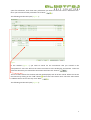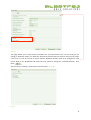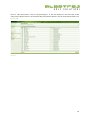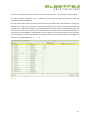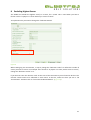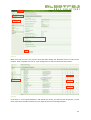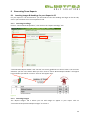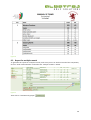
1
Instruction Manual Albatros Tournament Management System: SP Teams Version 3 / Date: November 2014 1 Contents Introduction ........................................................................................................................................... 3 1 Login ................................................................................................................................................ 4 2 Creating an SP Teams Tournament ................................................................................................. 5 2.1 Creating a Tournament in Competitions .................................................................................. 5 2.2 Creating the Team Tournament ............................................................................................... 5 3 Entering Players ............................................................................................................................... 9 4 Creating Teams .............................................................................................................................. 12 5 Editing Player Ranks ...................................................................................................................... 16 6 Entering Scores .............................................................................................................................. 18 7 Calculating Results ........................................................................................................................ 19 8 Excluding Highest Scores ............................................................................................................... 21 9 Generating Team Reports ............................................................................................................. 23 9.1 Inserting Images & Headings for your Report in SP ............................................................... 23 9.1.1 Inserting Headings ........................................................................................................... 23 9.1.2 Inserting Images .............................................................................................................. 23 9.2 Report for single round .......................................................................................................... 25 9.3 Report for multiple rounds ..................................................................................................... 26 9.4 Press Report ........................................................................................................................... 28 10 Frequently Asked Questions ....................................................................................................... 30 2 Introduction The SP Teams component of the ATMS is used in the event of a team strokeplay. It is designed so that you run your individual event in the “Competitions” side of the ATMS, while running the team component from the “SP Tournaments side”. This manual merely covers the SP Teams component. The user should be familiar with the basic strokeplay tournament on the ATMS. 3 1 Login Login in to the ATMS (Albatros Tournament Management System) by entering the following URL into your browser https://tournament.handicaps.co.za/albport/index.jsp?sid=AAF595C377ABDEC28277176B&languag e=en_ZA and then search. Figure 1 Enter the login and password details, given to you, in the space provided. Figure 2 4 2 Creating an SP Teams Tournament 2.1 Creating a Tournament in Competitions For an SP Team event you need to first create the tournament in the “Competitions” side of the ATMS. To do this you need to click on “Competitions” and then click on “New competition” Figure 3 Enter all the parameters for the tournament. Players need to be added and a draw done. If you require any assistance in setting up a tournament please consult the ATMS User Manual. 2.2 Creating the Team Tournament Once you have created the tournament in competitions, click on “SP Tournaments”. Then click on “New Tournament”. (Figure 4) Figure 4 5 The following window will open (Figure 5): Figure 5 Enter the name of the tournament next to “Name”. If you have a comment, enter it in the box next to “Comment”. Once this is complete, click “Next”. (Figure 5) The following window will open (Figure 6): Figure 6 Select the option “Teams”. Then select “Manual tieing” under “Tie gross” and “Tie net”. Enter the number of players that you will have per team in the block next to “Team size”. If you wish to have a 6 space for substitutes, enter how many substitutes you want into the box next to “Substitute size”. Once you have entered the parameters click “Next” . The following window will open (Figure 7): Figure 7 In this window (Figure 7) you need to search for the tournament that you created in the “Competitions” side. This will link the Team Tournament to the Strokeplay Tournament. To do this select the date that you created the tournament and then click “Search” . The list of tournaments for the date will then be displayed, with all of the rounds. Select the correct tournament by clicking on the “Add” button next to the tournament name. Once the tournament is added it will be sent to the top. Click “Next” . The following window will open (Figure 8): 7 Figure 8 This page allows you to view certain parameters for your tournament. The only one that you can change is “Relevant results”, for what this does please consult Step 8 in manual. Here you can select 3 out of 4 or 5 out of 6 scores to count. NB The “Relevant Results” need to be changed for each round. Click on the dropdown and select the next round to change the “Relevant Results“. Click Next” . The final step in creating a tournament will now open (Figure 9): Figure 9 8 This option allows you to select which players you wish to add to the SP Teams side of the tournament. Once you have selected the correct option, click “Create tournament” . Your tournament will now appear on the Tournament List in SP Tournaments (Figure 10) Figure 10 3 Entering Players Players need to be entered on the “Competitions” side. Click on “Competitions<Players<Players”, then click the button “Add Player”. Add the players to your tournament. If you need any further assistance please consult the ATMS User Manual. Figure 11 Once you have added the players in the “Competitions” side, you need to change over to “SP Tournaments” . 9 Once in “SP Tournaments”, click on “Players<Players”. If ‘All’ was selected in the final step of the setup, all the players that are in the Stroke Play tournament will be in the SP Tournament Players List (Figure 12) Figure 12 10 You can now allocate the players to their teams in the Team Editor – see (4 Creating Teams) below. If a team member withdraws and is replaced you will need to make the change in both SP Tournaments and Competitions. Go to SP Tournaments and remove the player from the applicable team. See below for creating and editing teams. Then go to Compettions remove the player from the draw and delete the player from the players list. Add the new player to the Stroke Play Tournament. (Consult the ATMS Manual if you are not sure how to do this). Go back to SP Tournaments and under Players click on the ‘Edit’ button. The player you have added in ‘Competitions’ will now appear on the right hand side. Click the green arrow to add him to the SP Tourmament. Then proceed to Team Tournament and the Team Editor to add him to the applicable team. (Figure 13) Figure 13 11 4 Creating Teams To create the teams for your tournament, make sure that you are in “SP Tournaments” and then click on “Players<Team-‐Tournament”. Figure 14 Click on the “Team editor” button. The following window will open (Figure 15): 12 Figure 15 To create a team click on the “Add Team” button . Enter the “Name” and “Short name. If there is a manager/captain then their name and contact details. Figure 16 Once all details have been entered, click on “Insert”. Follow this process until all the teams have been entered. Once all the teams have been created (Figure 16) you need to enter the players into the teams. To do this click on the team, then move the players from the list into the team. Use the arrows to move players in and out of the teams. 13 Figure 17 Once the correct players have been allocated to a team, click on another team and add the players to that team. Once all players have been added, click on “Save & leave” . Figure 18 14 The players will now be displayed in their allotted teams (Figure 19) Figure 19 15 5 Editing Player Ranks If you wish to edit the ranking within the team, make sure that you are in “SP Tournaments”, then click on “Players<Team-‐Round”. Figure 20 Then click on “Rank Editor” . The following window will open (Figure 21): Figure 21 16 You can move the players up and down using the arrows . (Figure 22) Figure 22 Change between the teams at the top of Figure 21. When complete click “Save & leave”. (Figure 21) 17 6 Entering Scores For an SP Teams tournament all scores need to be entered in the “Competitions” side. Click on “Players<Draw” and then enter the scores. Please consult the ATMS User Manual for further instruction, if required. Figure 23 18 7 Calculating Results Once all the results have been calculated, click on “Competition<Preparation<Publish”. (Figure 24) Figure 24 Then make sure to “Generate” everything. You can obtain the individual results by clicking on “Final Results<Result list”. Once complete change over to “SP Tournaments” . Figure 25 Click on “Final results<Statistic”. Click the dropdown tab next to scoring and select the type of scoring you want displayed. “Medal” is if you played a strokeplay event. Figure 26 19 Once you have selected the type, click “Calculate (Figure 25). The team scores will now be displayed. (Figure 27) Figure 27 To display scores for multiple rounds select the box next to “Multiple rounds”. 20 8 Excluding Highest Scores The ATMS can exclude the highest score/s in a team, for a round. This is used when you have a format such as “6 players in a team with only 5 scores to count”. To implement this you need to change the “Relevant Results” Figure 28 When setting up your tournament, in step 4, change the “Relevant results” to reflect the number of scores you want to count. For example: If the format is “6 players in a team, with 5 scores to count”, change the “Relevant results” to 5. If you did not enter the relevant result at the start of the tournament you will need to do this. The relevant results need to be reflected in each round. To do this, make sure that you are in “SP Tournaments” and then click on “Tournaments<Round details”. (Figure 29) 21 Figure 29 Make sure that you are in the correct round and then change the “Relevant results” to the correct number. Once complete click “Save”. Then change over to round 2 and restart the process. Figure 30 If you click on “Final results<Statistics” and review the results, you will see that the players, in each team, have been ranked from best to worst, with the worst score being excluded. 22 9 Generating Team Reports 9.1 Inserting Images & Headings for your Report in SP For your reports in “SP Tournaments” you will need to insert the headings and logos on the SP side, even if you have done it on the competitions side. 9.1.1 Inserting Headings Click on “Tournaments<Preparation”, then click on the “Report Headings” tab. “Venue & Date Report Header” and “Format” are merely guidelines on what to enter. You can enter whatever you like in the boxes. What you fill in next to “Venue & Date Report Header” will appear here and what you will fill in next to “Format” will appear here. Figure 31 9.1.2 Inserting Images The “Report Images” tab is where you can add images to appear in your report. Click on “Tournaments<Preparation<Report Images” to access it. 23 Figure 32 Image 1 will appear in the top left of the report, Image 2 will appear in the top right and Image 3 will appear in the bottom centre of the report. (See Figure 33) To add an image, click on the edit button, next to the image number. To delete an image, click on the delete button. If you require any further information on this please consult the ATMS User Manual. Figure 33 24 9.2 Report for single round To generate a report for a single round, make sure that you are in “SP Tournaments”, then click on “Final results<Statistic”. Figure 34 Click on “Round Evaluation” (Figure 34). The following window will open (Figure 35). Scroll to the bottom and select the report “ZA_SAGA_SP Team Results.lst and click “Print” Figure 35 Click on the tab “Click here to download”. The report will now open (Figure 36): 25 Figure 36 9.3 Report for multiple rounds To generate the report for multiple rounds, make sure you are in the final round of the competiton, click on “Final results<Statistic” and make sure ‘multiple rounds’ is ticked. Figure 37 Then click on “Evaluation by player” . 26 The following window will open (Figure 38) Figure 38 Select the report “ZA_SAGA_SP Team Results” and click “Print”. Click on the tab “Click here to download”. The report will now open (Figure 39): 27 Figure 39 9.4 Press Report To generate the “Press Report”, make sure that you are in “SP Tournaments” and then click on “Final Results<Statistics”. Figure 40 Click on the button “Press report” . The following window will open (Figure 41): 28 Figure 41 You will be asked if you wish to generate results, if you see no results in the background then click “Yes”. However, if there are results there, as in Figure 41, then click “No”. You will now be able to generate the report to an rtf (word document) or pdf file (Figure 42) Figure 42 Once you have your press report, click “Cancel” to return. 29 10 Frequently Asked Questions Questions Answers Q1. What happens if a player withdraws from a A1. Remove the player from the Team. Go to team and is replaced by another player? ‘competitions’ and remove the player from the Draw and the Players List. Add the new player. Generate the Start list and Livescoring again. Go to SP Tournaments. Go to ‘Players’ and click on the ‘Edit’ button. Move the player into the Players list. Go to the ‘Team Editor’ and add the player to the correct team. Go to ‘Preparation’ and ‘Publish’ and ‘Reload GCTV Info’ Q2. What do I do if I have entered a player into A2. Contact the Administrator who will have to the incorrect team and play has already started. make the correction. Q3. Can a team consist of less than the required A3. If the format is for example, 3 out of 4 or 5 players per team. out of 6 scores to count, a team may consist of the minimum required number ie 3 or 5. What will happen is that all team members’ scores will count towards the team results and no score will be excluded. Q4. What happens if more players than the A4. The team will automatically be disqualified. required relevant results, withdraw. However, if there is a stroke play component relevant to the competition, the remaining team members may still compete in the individual competition. 30