1
Section 3 - Configuration
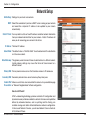
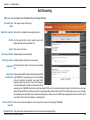
Add Event
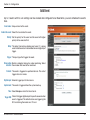
Up to 3 events with its own settings can be created and configured here. Meanwhile, you can schedule the events
here.
Event name: Unique name for the event.
Enable this event: Select this to activate this event.
Priority: Set the priority for this event and the event with higher
priority will be executed first.
Delay: The delay time before checking next event. It is being
used for both events of motion detection and digital input
trigger.
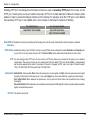
Trigger: The input type that triggers the event.
Video motion Motion is detected during live video monitoring. Select
detection: the windows that need to be monitored.
Periodic: The event is triggered in specified intervals. The unit of
trigger interval is minute.
Digital input: External trigger input to the camera.
System boot: The event is triggered when the system boot up.
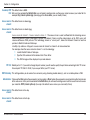
Time: Select Always or enter the time interval.
Trigger D/O: Check it to trigger digital output for specific seconds when
event is triggered. The default actions are triggering the
D/O and storing the media on a CF card.
D-Link DCS-6110 User Manual
57