1
Contents
Figures
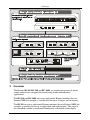
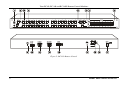
Figure 1: RC-80 Remote Control
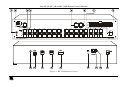
Figure 2: RC-160 Remote Control
Figure 3: RC-160L Remote Control
Figure 4: Connecting the RC-160 Remote Control
Figure 5: Connecting a Device without using a Null-modem Adapter
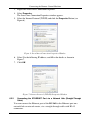
Figure 6: Local Area Connection Properties Window
Figure 7: Internet Protocol (TCP/IP) Properties Window
Figure 8: Controlling via RS-485
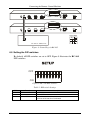
Figure 9: RC-160 DIP-switches
Figure 10: RC-160 Display
Figure 11: The JTG Sender Window
5
6
7
12
13
14
14
16
16
18
23
Tables
Table 1: Terminology Used in this User Manual
Table 2: Front Panel RC-80/RC-160/RC-160L Remote Control Features
Table 3: Rear Panel RC-80/RC-160/RC-160L Remote Control Features
Table 4: Remote Control Configurations
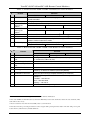
Table 5: DIP-switch Settings
Table 6: Machine # DIP-switch Settings
Table 7: Technical Specifications of the RC-80, RC-160 and RC-160L
Table 8: Protocol Definitions
Table 9: Instruction Codes for Protocol 2000
ii
4
8
8
10
16
17
24
25
26
KRAMER: SIMPLE CREATIVE TECHNOLOGY