1
HotSpot Printer Operator’s Guide
Administrators Cont.
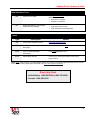
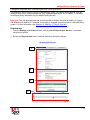
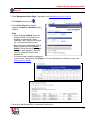
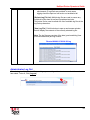
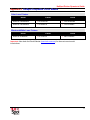
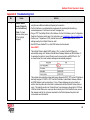
URL
Check service status
http://PrinterIPAddress:8080/printeron/PDSJSP
Default credentials:
• User Name = hotspot
• Password = printeron
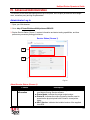
URL
Web Image Monitor (view/change
HotSpot Printer settings)
http://PrinterIPAddress. Default credentials:
• Login User Name: admin
• Login Password: leave field blank
Users
Type
Description
Details
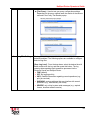
URL
Locate active HotSpot Printers
http://www.printspots.com
URL
Print via Web upload (document or
Web page)
www.printeron.net/ricoh/xxxxx*
Email
Print via email (message/
attachment)
[email protected]*
Email
Subscription renewal
Contact your authorized HotSpot Printer sales
representative
* Note: xxxxx is the unique 5- or 6-digit HotSpot Printer ID located on the labels supplied with the device, as well
as the Mobile Printing subscription certificate. See Your Subscription Certificate.
Ricoh Help Desk
United States: 1-800-RICOH38 (1-800-742-6438)
Canada: 1-800-263-0815
8