1
References
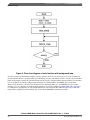
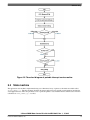
12. Start the application by clicking the On/Off button on the FreeMaster control page, or by positioning RUN/STOP
switch (SW4 on MPC5604P controller board) to RUN position (transition from STOP to RUN in case the switch was
in RUN state when the fault event occurred).
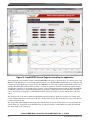
13. Enter required speed by assigning this value to "Nreq" variable in the variables watch window, or use the speed gauge
in the PMSM Control Page that responds to a mouse click. Value is in revolutions per minute. Alternatively, rotor
speed can be increased/decreased by pressing UP/DOWN switches on MPC5604P controller board. RUN/STOP switch
(SW4 on MPC5604P controller board) must be in START position.
14. Stop the application by clicking the On/Off button on the FreeMaster control page, or by positioning RUN/STOP
switch (SW4 on MPC5604P controller board) to STOP position.
15. RESET the application at any time by entering the value "1" to the switchAppReset variable in the Variable Watch
window.
7 References
1.
2.
3.
4.
5.
6.
7.
MPC560xP Controller Data sheet (document MPC5604P )
MPC560xP Controller Board User's Guide (document MPC5604PMCBUG )
FreeMASTER Run-Time Debugging Tool (www.freescale.com/FREEMASTER )
Automotive Math and Motor Control Library Set (www.freescale.com/AutoMCLib )
MC33937 Three Phase Pre-driver Data Sheet (document MC33937 )
Motor Control Application Tuning (MCAT) Tool for 3-Phase PMSM (document AN4642 )
Motor Control Application Tuning (MCAT) Tool (www.freescale.com/MCAT )
8 Revision history
This section documents the changes done to this document.
Table 2. Revision history
Revision
Date
Substantive changes
0
10/2012
Initial release.
1
11/2015
Updated Figure 15. Updated Sections 1, 2, 6, and 7.
3-Phase PMSM Motor Control Kit with the MPC5604P, Rev. 1, 11/2015
26
Freescale Semiconductor, Inc.