1
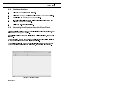
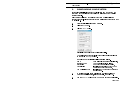
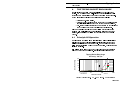
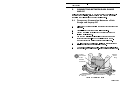
Connection Rainfall Logging System User Manual 5.2 Permanent Connection Between a Rain Gauge and PC For permanaent connection, the user can extend the communication cable up to a maximum length of 25 m. Use a suitable screened cable such as -W4/0724 and a junction box configuration. 1. Use an extended version of the communications cable, long enough to connect between the output socket on the logging module and the 9-lead communication port on your PC. 2. Release the two catches securing the outer cover to the base of the rain gauge. 3. Carefully lift off the cover and stand it in a safe place. 4. Remove and split the rubber gromet shown in Figure 3. 5. Pass the smaller connector of the extended communications cable through the grommet hole in the base plate to reach the output connector on the logging unit. 6. 7. Fit the the split grommet around the cable. Refit the grommet in its hole in the base plate, and seal it with silicone rubber compound. 8. Unscrew the captive cover plug from the output socket on the logging module (Figure 3). 9. Connect the cable to the output socket on the logging module. The output socket has a pip to ensure correct alignment. 10. Seal all weather connections using a silicone rubber compound. 11. Replace and re-secure the rain gauge outer cover. 12. Connect the other end of the extended cable to the 9-lead communication port on the PC. 13. Download data from the rain gauge, display the current status and initialise the rain gauge as described in Chapter 6. Page 14 of 24