1
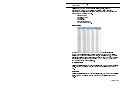
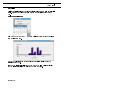
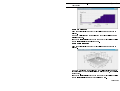
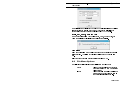
Operation Rainfall Logging System User Manual The application then calculates the maximum hourly rainfall rate and displays it together with the start time of the hour. To repeat the calculation for another period change the search period and click Calculate again. Totals, Day, Week, Month and Year These menu options allow you to select a day, week, month or year, for which the application will calculate the total recorded rainfall. View Range This menu option allows you to select the range of the data in the currently active data view. The dialog box displayed will depend on the active view type. Select the date or date/time range required and click on 6.5 OK. File Menu Options The following additional options are available from the File menu: Export Allows the current file to be exported to other software in CSV (comma separated values) format. Import Allows data from the earlier Casellas RLS software to be merged with the data in the currently active rain gauge file. Page 21 of 24