1
engineering
mannesmann
Rexroth
ECODRIVE03
Drive for General Automation
With SERCOS-, Analog- and Parallelinterface
Functional Description: SGP 01VRS
DOK-ECODR3-SGP-01VRS**-FKB1-EN-P
279095
Indramat
About this documentation
Title
Type of Documentation
Dokumentation Type
Internal Filing Notation
ECODRIVE03 SGP-01VRS
ECODRIVE03 Drive for General Automation With SERCOS-, Analog- and
Parallelinterface
Functional Description
DOK-ECODR3-SGP-01VRS**-FKB1-EN-P
• Mappe 72-01V-EN
• Based on: SGP 01VRS
• 209-0088-4322-01
What is the purpose of this
documentation?
The following documentation describes the functions of the firmware
FWA-ECODR3-SGP-01VRS.
This documentation serves:
• for Description of all functional features
• for parameterization of the drive controller
• for data security of the drive parameter
• for error diagnosis and error removal
Cource of modification
Copyright
Document identification of
previous and presend output
Release
Date
Remarks
DOK-ECODR3-SGP-01VRS**-FKB1-EN-P
01.99
First edition
INDRAMAT GmbH, 1999
Transmission as well as reproduction of this documentation, commercial
use or communication of its contents will not be permitted without
expressed written permission. Violation of these stipulations will require
compensation. All rights reserved for the issuance of the patent or
registered design. (DIN 34-1)
Validity
Published by
All rights are reserved with respect to the content of this documentation
and the availability of the product.
INDRAMAT GmbH • Bgm.-Dr.-Nebel-Str. 2 • D-97816 Lohr a. Main
Telephone 09352/40-0 • Tx 689421 • Fax 09352/40-4885
Dept. END (OS/TH)
Note
This document is printed on chlorine-free bleached paper.
DOK-ECODR3-SGP-01VRS**-FKB1-EN-P
ECODRIVE03 SGP-01VRS
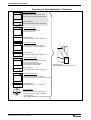
Summary of Documentation - Overview
Functional Description:
Description of all implemented Function
based on SERCOS SERCOS-Parameters
FKB
Order designation:
DOK-ECODR3-SGP-01VRS**-FKB1-EN-P
282801
Parameter Description:
A description of all parameters
used in the firmware
PAR
Order designation:
DOK-ECODR3-SGP-01VRS**-PAR1-EN-P
282801
Troubleshooting Guide:
-Explanation of the diagnostic states
-How to proceed when eliminating faults
WAR
Order designation:
DOK-ECODR3-SGP-01VRS**-WAR1-EN-P
282801
Firmware Version Notes:
FVN
Description of new and changed functions
in terms of the derivatives:
-FWA-ECODR3-SMT01VRS-MS
-FWA-DIAX04-ELS05VRS-MS
Order designation:
DOK-ECODR3-SGP-01VRS**-FVN1-EN-P
282801
Project Planning Manual:
-Planning conbtrol cabinet construction
-Planning the electric layout in the control cabinet
PRJ
Order designation:
DOK-ECODR3-DKC**.3****-PRJ1-EN-P
282801
CD: DRIVEHELP
Win3.1 and
Win95&NT
part
e
V
282411
01
rsion:
number:
(6-:),)04
Collection of Windows help systems which
contain documents on firmware derivatives
Order designation:
DOK-GENERL-DRIVEHELP**-GEN1-MS-D0600
DOK-ECODR3-SGP-01VRS**-FKB1-EN-P
Order designation
DOK-ECODR3-SGP-01VRS**-7201-EN-P
About this documentation
ECODRIVE03 SGP-01VRS
DOK-ECODR3-SGP-01VRS**-FKB1-EN-P
ECODRIVE03 SGP-01VRS
Contents I
Contents
1 System Overview
1-1
1.1 ECODRIVE03 - the Universal Drive Solution for Automation .............................................................. 1-1
1.2 ECODRIVE03 - a Drive Family ............................................................................................................ 1-1
1.3 Drive Controllers and Motors ............................................................................................................... 1-2
1.4 Function Overview: FWA-ECODR3-SGP-01VRS-MS ......................................................................... 1-3
Command Communications Interface .......................................................................................... 1-3
Possible Operating Modes ............................................................................................................ 1-3
Supported Types of Motors........................................................................................................... 1-3
Supported Measuring Systems ..................................................................................................... 1-3
General Functions......................................................................................................................... 1-4
2 Safety Instructions for Electrical Drives
2-1
2.1 Introduction .......................................................................................................................................... 2-1
2.2 Hazards by improper use..................................................................................................................... 2-2
2.3 General ................................................................................................................................................ 2-3
2.4 Protection against contact with electrical parts and not grounded enclosures .................................... 2-4
2.5 Protection by protective low voltage (PELV) against electrical shock............................................ 2-5
2.6 Protection against dangerous movements........................................................................................... 2-6
2.7 Protection against magnetic and electromagnetic fields during operations and mounting .................. 2-7
2.8 Protection against contact with hot parts ............................................................................................. 2-8
2.9 Protection during handling and installation .......................................................................................... 2-8
2.10 Battery safety ..................................................................................................................................... 2-9
3 General Instructions for Installation
3-1
3.1 Definition of Terms, Introduction .......................................................................................................... 3-1
Parameter ..................................................................................................................................... 3-1
Data Storage ................................................................................................................................. 3-2
Password....................................................................................................................................... 3-4
Commands .................................................................................................................................... 3-6
Operating Modes........................................................................................................................... 3-8
Warnings ....................................................................................................................................... 3-8
Error .............................................................................................................................................. 3-9
IDN List of Parameters................................................................................................................ 3-10
3.2 Parametrization Mode - Operating Mode........................................................................................... 3-11
Checks in the Transition Commands .......................................................................................... 3-12
3.3 Commissioning Guidelines ................................................................................................................ 3-16
3.4 Diagnostic Configurations .................................................................................................................. 3-20
Overview of Diagnostic Configurations ....................................................................................... 3-20
Drive-Internal Diagnostics ........................................................................................................... 3-20
Diagnostic Message Composition............................................................................................... 3-21
Permanently-Configured Collective Indication ............................................................................ 3-23
DOK-ECODR3-SGP-01VRS**-FKB1-EN-P
II Contents
ECODRIVE03 SGP-01VRS
3.5 Language Selection ........................................................................................................................... 3-27
3.6 Firmware Update with the Dolfi Program ........................................................................................... 3-27
Error Message in the Firmware Loader....................................................................................... 3-27
Additional Problems when Loading Firmware............................................................................. 3-30
4 Communication Through the SERCOS-interface
4-1
4.1 Overview of SERCOS Communication................................................................................................ 4-1
4.2 Data Transfer Cycle through SERCOS................................................................................................ 4-1
Master Control Word ..................................................................................................................... 4-2
Drive enable .................................................................................................................................. 4-2
Drive Status Word ......................................................................................................................... 4-3
Acknowledge of the Drive Enable ................................................................................................. 4-4
4.3 Real-Time Control and Status Bits....................................................................................................... 4-5
4.4 Transmission of non-cyclical Data through SERCOS.......................................................................... 4-5
4.5 Startup for the SERCOS Interface ....................................................................................................... 4-5
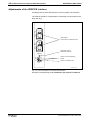
Adjustments of the SERCOS Interface ......................................................................................... 4-6
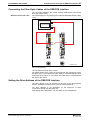
Connecting the Fiber Optic Cables of the SERCOS Interface...................................................... 4-7
Setting the Drive Address of the SERCOS Interface .................................................................... 4-7
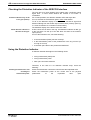
Checking the Distortion Indicator of the SERCOS Interface ......................................................... 4-8
Using the Distortion Indicator ........................................................................................................ 4-8
Transmission Rate of the SERCOS interface ............................................................................... 4-9
Setting the optical Transmission Power ...................................................................................... 4-10
Checking the Fiber Optics........................................................................................................... 4-10
4.6 SERCOS Telegram Configuration ..................................................................................................... 4-10
Configuration of the Telegram Send and Receive Times ........................................................... 4-10
Configuration of Telegram Contents ........................................................................................... 4-11
4.7 SERCOS Interface Error.................................................................................................................... 4-12
Diagnostic of the interface Status ............................................................................................... 4-12
Error Count for Telegram Interrupts ............................................................................................ 4-12
4.8 Multiplex Channel............................................................................................................................... 4-12
Overview ..................................................................................................................................... 4-12
Pertinent Parameters .................................................................................................................. 4-13
Functional Principle Multiplex Channel ....................................................................................... 4-13
Diagnostic Messages .................................................................................................................. 4-16
5 Command Communications with Analog Interface
5-1
5.1 Overview .............................................................................................................................................. 5-1
5.2 Pertinent Parameters ........................................................................................................................... 5-1
5.3 How it works......................................................................................................................................... 5-1
Digital inputs.................................................................................................................................. 5-1
Digital Outputs............................................................................................................................... 5-2
Acknowledge of the Drive Enable ................................................................................................. 5-2
5.4 Connecting Signals to DKCxx.3........................................................................................................... 5-3
6 Command Communication Using Parallel Interface
6-1
6.1 Overview .............................................................................................................................................. 6-1
6.2 Pertinent Parameters ........................................................................................................................... 6-1
DOK-ECODR3-SGP-01VRS**-FKB1-EN-P
ECODRIVE03 SGP-01VRS
Contents III
6.3 How it works......................................................................................................................................... 6-1
Configurable outputs ..................................................................................................................... 6-1
Configurable Inputs ....................................................................................................................... 6-2
Application: Stepper Motor Mode with Parallel Interface............................................................... 6-2
Application: Positioning Block Mode with Parallel Interface.......................................................... 6-2
Application: Analog Main Spindle with Parallelinterface................................................................ 6-3
7 Motor Configuration
7-1
7.1 Characteristics of the Different Motor Types........................................................................................ 7-1
Motor Feedback-Data Memory ..................................................................................................... 7-2
Linear-Rotational........................................................................................................................... 7-2
Synchronous-Asynchronous ......................................................................................................... 7-3
Temperature Monitoring................................................................................................................ 7-3
Load Default Feature .................................................................................................................... 7-4
7.2 Setting the Motor Type......................................................................................................................... 7-4
Automatic Setting of the Motor Type for Motors with Feedback Memory ..................................... 7-4
Setting of the Motor Type through P-0-4014, Motor Type............................................................. 7-4
7.3 Asynchronous Motors .......................................................................................................................... 7-5
Basics for the Asynchronous Motor .............................................................................................. 7-5
Torque Evaluation ......................................................................................................................... 7-6
User-defined Settings for the Asynchronous Motor ...................................................................... 7-7
7.4 Synchronous Motors ............................................................................................................................ 7-8
Determining the commutation offset ............................................................................................. 7-9
7.5 Motor Holding Brake .......................................................................................................................... 7-13
Setting the Motor Brake Type...................................................................................................... 7-13
Setting the Motor Brake Integral Action Time ............................................................................. 7-14
Setting Maximum Decel Time ..................................................................................................... 7-14
Connecting the Motor Holding Brake .......................................................................................... 7-15
8 Operating Modes
8-1
8.1 Setting the Operating Mode Parameters ............................................................................................. 8-1
8.2 Determining/detecting the active mode................................................................................................ 8-1
8.3 Operating Mode: Torque Control ......................................................................................................... 8-2
Pertinent Parameters .................................................................................................................... 8-2
Torque Control .............................................................................................................................. 8-2
Diagnostic Messages .................................................................................................................... 8-3
Torque Control with Analog Command Communications ............................................................. 8-3
8.4 Mode: Velocity Control......................................................................................................................... 8-4
Pertinent Parameters .................................................................................................................... 8-4
Command value processing Velocity control ................................................................................ 8-4
Velocity Controller ......................................................................................................................... 8-5
Current Controller.......................................................................................................................... 8-6
Diagnostic Messages .................................................................................................................... 8-6
Velocity Control with Analog Command Communications ............................................................ 8-7
8.5 Mode: Position Control......................................................................................................................... 8-7
Command value processing : Position Control ............................................................................. 8-8
Position Controller......................................................................................................................... 8-8
DOK-ECODR3-SGP-01VRS**-FKB1-EN-P
IV Contents
ECODRIVE03 SGP-01VRS
Position Command Value Monitoring............................................................................................ 8-9
Setting Position Command Value Monitoring.............................................................................. 8-10
8.6 Operating Mode: Drive Internal Interpolation ..................................................................................... 8-11
Functional principle Drive Internal Interpolation .......................................................................... 8-11
Monitoring in mode: "Drive-internal interpolation" ....................................................................... 8-12
Status messages during operating mode "Drive-internal interpolation" ...................................... 8-12
8.7 Mode: Relative drive-internal interpolation......................................................................................... 8-14
Pertinent Parameters .................................................................................................................. 8-14
Function principle: Relative drive-internal interpolation............................................................... 8-15
Diagnostic Messages .................................................................................................................. 8-15
Status messages during operating mode "Relative drive-internal interpolation"......................... 8-16
8.8 Positioning Block Mode...................................................................................................................... 8-16
Pertinent Parameters .................................................................................................................. 8-17
How it works ................................................................................................................................ 8-17
Activating Positioning Blocks....................................................................................................... 8-18
Positioning Block Modes ............................................................................................................. 8-18
Parametrization notes for positioning blocks............................................................................... 8-33
Acknowledge positioning block selected..................................................................................... 8-35
Status Messages in "Positioning Block Mode"............................................................................ 8-36
Positioning block mode with parallel interface ............................................................................ 8-36
Diagnostic messages .................................................................................................................. 8-37
8.9 Operating Mode: Stepper Motor Operations...................................................................................... 8-37
Pertinent Parameters .................................................................................................................. 8-38
Stepper motor signal processing................................................................................................. 8-38
Diagnostic Messages .................................................................................................................. 8-39
Connecting the Parallel Interface ................................................................................................ 8-39
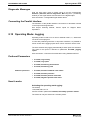
8.10 Operating Mode: Jogging................................................................................................................. 8-39
Pertinent Parameters .................................................................................................................. 8-39
How it works ................................................................................................................................ 8-39
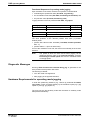
Diagnostic Messages .................................................................................................................. 8-40
Hardware Requirements for operating mode jogging ................................................................. 8-40
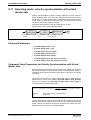
8.11 Operating mode: velocity synchronization with virtual master axis.................................................. 8-41
Pertinent Parameters .................................................................................................................. 8-41
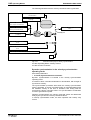
Command Value Preparation for Velocity Synchronization with Virtual Master Axis.................. 8-41
8.12 Operating mode: velocity synchronization with real master axis...................................................... 8-43
Pertinent Parameters .................................................................................................................. 8-43
Functional Principle..................................................................................................................... 8-43
8.13 Operating mode: phase synchronization with virtual master axis.................................................... 8-44
Pertinent Parameters .................................................................................................................. 8-44
Command value preparation with phase synchronization with virtual master axis ..................... 8-44
8.14 Operating mode: phase synchronization with real master axis........................................................ 8-50
Pertinent Parameters .................................................................................................................. 8-50
Functional Principle..................................................................................................................... 8-50
8.15 Operating mode: electronic cam shaft with virtual master axis........................................................ 8-51
Pertinent Parameters .................................................................................................................. 8-51
Command Value Preparation for Electronic Cam ....................................................................... 8-52
8.16 Operating mode: electronic cam shaft with real master axis ........................................................... 8-55
DOK-ECODR3-SGP-01VRS**-FKB1-EN-P
ECODRIVE03 SGP-01VRS
Contents V
Pertinent Parameters .................................................................................................................. 8-55
Functional Principle..................................................................................................................... 8-55
9 Basic Drive Functions
9-1
9.1 Physical Values Display Format........................................................................................................... 9-1
Adjustable Scaling for Position, Velocity, and Acceleration Data.................................................. 9-1
Display Format of Position Data.................................................................................................... 9-2
Velocity Data Display Format........................................................................................................ 9-4
Acceleration Data Display Format................................................................................................. 9-5
Command Polarities and Actual Value Polarities.......................................................................... 9-5
Mechanical Transmission Elements ............................................................................................. 9-7
Modulo Feature ............................................................................................................................. 9-8
9.2 Setting the Measurement System...................................................................................................... 9-10
Motor Encoder............................................................................................................................. 9-12
Optional encoder......................................................................................................................... 9-15
Actual Feedback Values of Non-Absolute Measurement Systems After Initialization ................ 9-19
Drive-internal format of position data .......................................................................................... 9-20
9.3 Other Settings for Absolute Measurement Systems .......................................................................... 9-24
Encoder Types and Pertinent Interfaces..................................................................................... 9-24
Absolute encoder range and absolute encoder evaluation......................................................... 9-25
Absolute Encoder Monitoring ...................................................................................................... 9-26
Moduleo Analysis with two absolute encoders............................................................................ 9-27
Actual Feedback Values of Absolute Measurement Systems After Initialization ........................ 9-28
9.4 Drive Limitations................................................................................................................................. 9-28
Current Limit................................................................................................................................ 9-28
Torque Limit ................................................................................................................................ 9-32
Limiting Velocity .......................................................................................................................... 9-34
Travel Range Limits .................................................................................................................... 9-35
9.5 Master Axis Feedback Analysis ......................................................................................................... 9-39
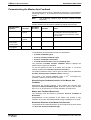
The Functional Principle of Master Axis Feedback Analysis....................................................... 9-39
Parameterizing the Master Axis Feedback ................................................................................. 9-40
Referencing the master axis encoder ......................................................................................... 9-41
9.6 Drive Error Reaction........................................................................................................................... 9-43
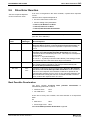
Best Possible Deceleration ......................................................................................................... 9-43
Power off on error ....................................................................................................................... 9-49
NC Response in Error Situation .................................................................................................. 9-51
Emergency stop feature .............................................................................................................. 9-51
9.7 Control Loop Settings......................................................................................................................... 9-53
General Information for Control Loop Settings............................................................................ 9-53
Load Default ................................................................................................................................ 9-55
Setting the Current Controller...................................................................................................... 9-57
Setting the Velocity Controller..................................................................................................... 9-57
Velocity Control Loop Monitoring ................................................................................................ 9-62
Setting the position controller...................................................................................................... 9-63
Position Control Loop Monitoring ................................................................................................ 9-64
Setting the Acceleration Feed Forward....................................................................................... 9-65
Setting the Velocity Mix Factor.................................................................................................... 9-67
DOK-ECODR3-SGP-01VRS**-FKB1-EN-P
VI Contents
ECODRIVE03 SGP-01VRS
9.8 Automatic Control Loop Settings ....................................................................................................... 9-68
General Preliminary Comments .................................................................................................. 9-68
Prerequisites for Starting Automatic Control Loop Settings ........................................................ 9-68
Executing Automatic Control Loop Settings................................................................................ 9-70
Chronological Sequence for Automatic Control Loop Settings ................................................... 9-72
The Results of the Automatic Control Loop Setting .................................................................... 9-73
9.9 Drive Halt ........................................................................................................................................... 9-74
Pertinent Parameters .................................................................................................................. 9-74
The Functional Principle of Drive Halt......................................................................................... 9-74
Connecting the drive halt input.................................................................................................... 9-76
9.10 Drive-Controlled Homing.................................................................................................................. 9-76
Pertinent Parameter .................................................................................................................... 9-76
Setting the referencing parameters............................................................................................. 9-77
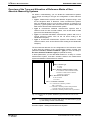
Overview of the Type and Allocation of Reference Marks of Non-Absolute Measuring Systems9-78
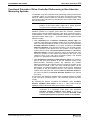
Functional Principle of Drive-Controlled Referencing in Non-Absolute Measuring Systems ...... 9-79
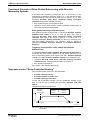
Functional Principle of Drive-Guided Referencing with Absolute Measuring Systems ............... 9-80
Sequence control "Drive-Controlled Homing" ............................................................................. 9-80
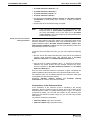
Commissioning with "Evaluation of reference marker/home switch edge" ................................. 9-82
Commissioning with "Evaluation of distance-coded reference marker" ...................................... 9-89
Functions of the Control During "Drive-Controlled Homing" ....................................................... 9-92
Possible Error Messages During "Drive-Controlled Homing"...................................................... 9-92
Configuration of the Home switch ............................................................................................... 9-92
Connection of the Home switch .................................................................................................. 9-93
Homing of Gantry axis................................................................................................................. 9-94
9.11 Set Absolute Measuring................................................................................................................. 9-100
Function Principle Set Absolute Measuring............................................................................... 9-100
Diagnostic messages ................................................................................................................ 9-102
10 Optional Drive Functions
10-1
10.1 Configurable Signal Status Word..................................................................................................... 10-1
Pertinent Parameters .................................................................................................................. 10-1
Configuration of the Signal Status Words ................................................................................... 10-1
Diagnostic / Error Messages ....................................................................................................... 10-2
Hardware Dependencies............................................................................................................. 10-3
10.2 Configurable Signal Control Word ................................................................................................... 10-3
Involved Parameters ................................................................................................................... 10-3
Configuring the Signal Control Word........................................................................................... 10-4
Diagnostic / Error Messages ....................................................................................................... 10-5
10.3 Analog Output .................................................................................................................................. 10-6
Possible output functions ............................................................................................................ 10-6
Direct analog outputs .................................................................................................................. 10-6
Analog output of existing parameters.......................................................................................... 10-7
Outputting pre-set signals ........................................................................................................... 10-7
Bit and byte outputs of the data memory..................................................................................... 10-8
Terminal assignment - analog output.......................................................................................... 10-9
10.4 Analog Inputs ................................................................................................................................... 10-9
Pertinent Parameters .................................................................................................................. 10-9
DOK-ECODR3-SGP-01VRS**-FKB1-EN-P
ECODRIVE03 SGP-01VRS
Contents VII
Functional principle of the analog inputs................................................................................... 10-10
Analog Inputs - Connection....................................................................................................... 10-11
10.5 Oscilloscope Feature ..................................................................................................................... 10-11
Main Functions of the Oscilloscope Feature ............................................................................. 10-12
Parameterizing the Oscilloscope Feature ................................................................................. 10-12
10.6 Probe Input Feature ....................................................................................................................... 10-19
Main Function of the Probe Analysis......................................................................................... 10-20
Signal Edge Selection for the Probe Inputs............................................................................... 10-21
Signal Selection for the Probe Inputs........................................................................................ 10-22
Connecting the Probe Inputs..................................................................................................... 10-22
10.7 Command - detect marker position................................................................................................ 10-23
Functional principle of command detect marker position .......................................................... 10-23
10.8 Command Parking Axis ................................................................................................................. 10-23
The functional principle of the command parking axis .............................................................. 10-24
10.9 Programmable Limit Switch ........................................................................................................... 10-24
Pertinent Parameters ................................................................................................................ 10-24
Function diagram for the Programmable Limit Switch .............................................................. 10-24
Parameterizing the Programmable Limit Switch ...................................................................... 10-27
10.10 Encoder Emulation....................................................................................................................... 10-27
Pertinent Parameters ................................................................................................................ 10-28
Activating Encoder Emulation ................................................................................................... 10-28
Functional principle: Incremental Encoder Emulation ............................................................... 10-28
Diagnostic Messages with Incremental Encoder Emulation ..................................................... 10-30
Functional Principle: Absolute Encoder Emulation ................................................................... 10-31
10.11 Measuring wheel operation mode................................................................................................ 10-33
Pertinent Parameters ................................................................................................................ 10-33
How it Works ............................................................................................................................. 10-33
Diagnostic Messages ................................................................................................................ 10-34
11 Glossary
11-1
12 Index
12-1
Supplement A: Serial Communications
Sales & Service Facilities
DOK-ECODR3-SGP-01VRS**-FKB1-EN-P
8 Contents
ECODRIVE03 SGP-01VRS
Notes
DOK-ECODR3-SGP-01VRS**-FKB1-EN-P
ECODRIVE03 SGP-01VRS
System Overview
1
System Overview
1.1
ECODRIVE03 - the Universal Drive Solution for
Automation
1-1
The universal automation system ECODRIVE03 is an especially costeffective solution for drive and control tasks.
Exceptional power data, extensive functions and an excellent priceperformance ratio are characteristic of this system.
Further features of ECODRIVE03 are its easy assembly and installation,
extreme machine accessing and the elimination of system components.
ECODRIVE03 can be used to implement numerous drive tasks in the
most varying of applications. Typical applications are:
• machine tools
• printing and paper processing machines
• handling systems
• packaging and food processing machines
• handling and assembly systems
1.2
ECODRIVE03 - a Drive Family
There are three application-related firmware variants available for the
ECODRIVE03 family:
FWA-ECODR3-SMT-0xVRS-MS
• Drive for Machine Tool Applications With SERCOS-, Analog- and
Parallelinterface
FWA-ECODR3-SGP-0xVRS-MS
• Drive for General Automation With SERCOS-, AnalogParallelinterface
and
FWA-ECODR3-FGP-0xVRS-MS
• Drive for General
Fieldbusinterface
with
Automation
With
Profibus-Interface
The following function description relates to the firmware variant:
FWA-ECODR3-SGP-01VRS-MS
• Drive for General Automation With SERCOS-, AnalogParallelinterface
For each listed variant, there is individual documentation.
DOK-ECODR3-SGP-01VRS**-FKB1-EN-P
and
1-2 System Overview
1.3
ECODRIVE03 SGP-01VRS
Drive Controllers and Motors
Available controllers
The drive controller family of the ECODRIVE03 generation is at present
made up of four different units. These differentiate primarily in terms of
which interface is used command communications.
• DKC 1.3
Parallel interface
• DKC 2.3
SERCOS interface
• DKC 3.3
Profibus interface
• DKC 11.3
analog interface
Each of these drive controllers is, in turn, available in a 40 A or a 100 A
version.
Supported motor types
With ECODRIVE03 firmware it is possible to operate
• synchronous motors for standard applications up to 48 Nm.
• synchronous motors for increased demands of up to 64 Nm.
• asynchronous motors for main spindle applications
• asynchronous kit motors
• linear synchronous and asynchronous motors
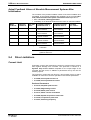
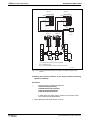
Fig. 1-1:
Units and motors supported by the ECODRIVE03 family
DOK-ECODR3-SGP-01VRS**-FKB1-EN-P
ECODRIVE03 SGP-01VRS
1.4
System Overview
1-3
Function Overview: FWA-ECODR3-SGP-01VRS-MS
Command Communications Interface
• SERCOS-Interface
• Parallel-Interface
• Analog-Interface.
Possible Operating Modes
• torque control
• velocity control
• Velocity Control
• position control
• drive-internal interpolation
• relative drive-internal interpolation
• jogging
• positioning block mode
• Stepper motor mode
• Velocity synchronization with real or virtuel master axis
• Phase synchronization with real or virtuel master axis
• Electronic cam shaft with real or virtuel master axis
Supported Types of Motors
•
•
•
•
•
•
MKD
2AD
1MB
LAF
MKE
Rotary synchronous kit motor
•
•
•
•
MHD
ADF
MBW
LAR
• Linear synchronous kit motor
Supported Measuring Systems
• HSF/LSF
• resolver
• sine encoder with 1Vss signals
• encoder with EnDat-Interface
• resolver without feedback data memory
• resolver without feedback data memory with incremental sine encoder
• gearwheel encoder with 1Vss signals
Which combination is possible, is outlined in section: "Setting the
Measurement System"
DOK-ECODR3-SGP-01VRS**-FKB1-EN-P
1-4 System Overview
ECODRIVE03 SGP-01VRS
General Functions
• Extensive diagnostics options
• Basic parameter block that can be activated for a defined setting of
the drive parameters to default values.
• Customer passwords
• Error memory and operating hour counter
• Supports five (5) languages for parameter names and units and
diagnoses (S-0-0095)
• German
• English
• French
• Spanish
• Italian
• comfortable tool to upload the firmware
• Settable drive-internal position resolution
• Evaluation of option (load-side) encoder for position and/or velocity
control
• Master axis feedback analysis
• Evaluates absolute measuring system with setting of absolute
dimension
• Modulo function
• Parametrizable torque limit
• Current limit
• Velocity limit
• Travel range limit:
via travel range limit switch and/or position limit values
• Drive-side error reactions:
error reaction "return limit"
bet possible standstill "velocity command to zero"
best possible standstill "Torque free"
best possible standstill "velocity command to zero with
ramp and filter
power shutdown with fault
NC reaction with fault
E-Stop function
• Control loop settings
base load function
acceleration precontrol
velocity mix factor
velocity precontrol
automatic control loop settings
• Velocity control loop monitor
• Positoin control loop monitor
• Drive halt
DOK-ECODR3-SGP-01VRS**-FKB1-EN-P
ECODRIVE03 SGP-01VRS
System Overview
• Command "Drive-Controlled Homing"
• Command "Set Absolute Measuring"
• Free configurable signal status word
• Free configurable signal control word
• Analog output
• Analog input
• Oscilloscope function
• Probe function
• Command "Detect marker position“
• Command "Parking axis"
• Programmable Limit Switch
• Encoder emulation
absolute encoder emulation (SSI format)
incremental encoder emulation
• Measuring wheel operation mode
DOK-ECODR3-SGP-01VRS**-FKB1-EN-P
1-5
1-6 System Overview
ECODRIVE03 SGP-01VRS
Notes
DOK-ECODR3-SGP-01VRS**-FKB1-EN-P
Safety Instructions for Electrical Drives 2-1
ECODRIVE03 SGP-01VRS
2
Safety Instructions for Electrical Drives
2.1
Introduction
These instructions must be read and understood before the equipment is
used to minimize the risk of personal injury and / or property damage.
Follow these safety instructions at all times.
Do not attempt to install, use or service this equipment without first
reading all documentation provided with the product. Please read and
understand these safety instructions, and all user documentation of the
equipment, prior to working with the equipment at any time. You must
contact your local Indramat representative if you cannot locate the user
documentation for your equipment. A listing of Indramat offices is
supplied in the back of this manual. Request that your representative
send this documentation immediately to the person or persons
responsible for the safe operation of this equipment.
If the product is resold, rented and/or otherwise transferred or passed on
to others, then these safety instructions must accompany it.
WARNING
DOK-ECODR3-SGP-01VRS**-FKB1-EN-P
Improper use of this equipment, failure to follow the
attached safety instructions, or tampering with the
product, including disabling of safety device, may
result in personal injury, severe electrical shock,
death, or property damage!
2-2 Safety Instructions for Electrical Drives
2.2
ECODRIVE03 SGP-01VRS
Hazards by improper use
High voltage and high discharge current!
Danger to life, risk of severe electrical shock and risk of
injury!
DANGER
Dangerous movements!
Danger to life and risk of injury or equipment damage by
unintentional motor movements!
DANGER
High
electrical
connections!
WARNING
voltages
due
to
incorrect
Danger to life, severe electrical shock and serious bodily
injury!
Health hazard for persons with heart pacemakers,
metal implants and hearing aids in proximity to
electrical equipment!
WARNING
Surface of machine housing could be extremely hot!
Danger of injury! Danger of burns!
CAUTION
Risk of injury due to incorrect handling!
Bodily injury caused by crushing, shearing, cutting and
thrusting movements!
CAUTION
Risk of injury due to incorrect handling of batteries!
CAUTION
DOK-ECODR3-SGP-01VRS**-FKB1-EN-P
ECODRIVE03 SGP-01VRS
2.3
Safety Instructions for Electrical Drives 2-3
General
• INDRAMAT GmbH is not liable for damages resulting from failure to
observe the warnings given in these instructions.
• Operating, maintenance and safety instructions in English must be
ordered and received before initial start-up, if the instructions in the
language provided are not understood perfectly.
• Proper and correct transport, storage, assembly, and installation as
well as care in operation and maintenance are prerequisites for
optimal and safe operation of this equipment.
• Trained and qualified personnel in electrical equipment:
Only trained and qualified personnel may work on this equipment or
within its proximity. Personnel are qualified if they have sufficient
knowledge of the assembly, installation, and operation of the product
as well as an understanding of all warnings and precautionary
measures noted in these instructions.
Furthermore, they should be trained, instructed, and qualified to
switch electrical circuits and equipment on and off, to ground them,
and to mark them according to the requirements of safe work
practices and common sense. They must have adequate safety
equipment and be trained in first aid.
• Use only spare parts approved by the manufacturer.
• All safety regulations and requirements for the specific application
must be followed as practiced in the country of use.
• The equipment is designed for installation on commercial machinery.
• Start-up is only permitted once it is sure that the machine in which the
product is installed complies with the requirements of national safety
regulations and safety specifications of the application.
European countries: see Directive 89/392/EEC (Machine Guideline).
• Operation is only permitted if the national EMC regulations for the
application are met.
The instructions for installation in accordance with EMC requirements
can be found in the INDRAMAT document "EMC in Drive and Control
Systems“.
The machine builder is responsible for compliance with the limiting
values as prescribed in the national regulations and specific EMC
regulations for the application.
European countries: see Directive 89/336/EEC (EMC Guideline).
U.S.A.: See National Electrical Codes (NEC), National Electrical
Manufacturers Association (NEMA), and local building codes. The
user of this equipment must consult the above noted items at all
times.
• Technical data, connections, and operational conditions are specified
in the product documentation and must be followed.
DOK-ECODR3-SGP-01VRS**-FKB1-EN-P
2-4 Safety Instructions for Electrical Drives
2.4
ECODRIVE03 SGP-01VRS
Protection against contact with electrical parts and not
grounded enclosures
Note: This section pertains to equipment and drive components with
voltages over 50 Volts.
Touching live parts with potentials of 50 volts and higher applied to them
or touching not grounded enclosures can be dangerous and cause
severe electrical shock. In order for electrical equipment to be operated,
certain parts must have dangerous voltages applied to them.
High Voltage!
Danger to life, severe electrical shock and risk of injury!
DANGER
⇒ Only those trained and qualified to work with or on
electrical equipment are permitted to operate, maintain
and / or repair this equipment.
⇒ Follow general construction and safety regulations
when working on electrical installations.
⇒ Before switching on power, the ground wire must be
permanently connected to all electrical units according
to the connection diagram.
⇒ At no time may electrical equipment be operated if the
ground wire is not permanently connected, even for
brief measurements or tests.
⇒ Before beginning any work, disconnect mains or the
voltage source from the equipment. Lock the
equipment against being switched on while work is
being performed.
⇒ Wait five (5) minutes after switching off power to allow
capacitors to discharge before beginning work.
Measure the voltage on the capacitors before
beginning work to make sure that the equipment is
safe to touch.
⇒ Never touch the electrical connection points of a
component while power is turned on.
⇒ Before switching the equipment on, install those
covers and guards provided with the equipment to
prevent contact with live parts. Before operating, cover
and guard live parts properly so they cannot be
touched.
⇒ A residual-current-operated protective device (r.c.d.)
must not be used on an AC drive! Indirect contact
must be prevented by other means, for example, by an
overcurrent protective device.
European countries: according to EN 50178/ 1994.
⇒ Electrical components with exposed live parts must be
installed in a control cabinet to prevent direct contact.
European countries: according to EN 50178/ 1994.
U.S.A: See National Electrical Codes (NEC), National
Electrical Manufacturers Association (NEMA), and
local building codes. The user of this equipment must
consult the above noted items at all times.
DOK-ECODR3-SGP-01VRS**-FKB1-EN-P
Safety Instructions for Electrical Drives 2-5
ECODRIVE03 SGP-01VRS
High housing voltage! High leakage current!
Danger to life and limb, danger of injury from electric
shock!
DANGER
⇒ Prior to powering up, connect the electrical equipment,
the housing of all electrical units and motors to the
protective conductor at the grounding points or ground
them. This applies even to brief tests.
⇒ The protective conductor of the electrical equipment
and units must always be connected to the supply
network. Leakage current exceeds 3.5 mA.
2
⇒ Use at least a 10 mm copper conductor cross section
for this protective connection over its entire course!
⇒ Prior to startups, even for brief tests, always connect
the protective conductor or connect with ground wire.
High voltage levels can occur on the housing that
could lead to severe electrical shock and personal
injury.
European countries: EN 50178 / 1994, section 5.3.2.3.
USA: See National Electrical Codes (NEC), National
Electrical Manufacturers Association (NEMA), and local
building codes. The user of this equipment must consult
the above noted items at all times.
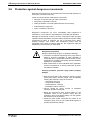
2.5
Protection by protective low voltage (PELV) against
electrical shock
All connections and terminals with voltages ranging between 5 and 50
volts on INDRAMAT products are protective low voltages designed in
accordance with the following standards on contact safety:
• International: IEC 364-4-411.1.5
• EU countries: see EN 50178/1994, section 5.2.8.1.
High electrical voltages due to incorrect connections!
Danger to life, severe electrical shock and/or serious
bodily injury!
WARNING
DOK-ECODR3-SGP-01VRS**-FKB1-EN-P
⇒ Only that equipment or those electrical components
and cables may be connected to all terminals and
clamps with 0 to 50 volts that are of the protective low
voltage type (PELV = Protective Extra Low Voltage).
⇒ Only connect those voltages and electrical circuits that
are safely isolated. Safe isolation is achieved, for
example, with an isolating transformer, an
optoelectronic coupler or when battery-operated.
2-6 Safety Instructions for Electrical Drives
2.6
ECODRIVE03 SGP-01VRS
Protection against dangerous movements
Dangerous movements can be caused when units have bad interfaces or
motors are connected incorrectly.
There are various causes of dangerous movements:
• Improper or incorrect wiring or cable connections
• equipment is operated incorrectly
• probe parameters or encoder parameters are set incorrectly
• malfunctioning components
• errors in software or firmware
Dangerous movements can occur immediately after equipment is
switched on or even after an unspecified time of trouble-free operation.
Although the monitoring circuits in the drive components make improper
operation almost impossible, personnel safety requires that proper safety
precautions be taken to minimize the risk of personal injury and/or
property damage. This means that unexpected motion must be
anticipated since safety monitoring built into the equipment might be
defeated by incorrect wiring or other faults.
Dangerous movements!
Danger to life and risk of injury or equipment damage!
DANGER
⇒ In the drive component monitoring units, every effort is
made to avoid the possibility of faulty operation in
connected drives. Unintended machine motion or other
malfunction is possible if monitoring units are disabled,
bypassed or not activated.
⇒ Safe requirements of each individual drive application
must be considered on a case-by-case basis by users
and machine builders.
Avoiding accidents, personal injury and/or property
damage:
⇒ Keep free and clear of the machine’s range of motion
and moving parts. Prevent people from accidentally
entering the machine’s range of movement:
- use protective fences
- use protective railings
- install protective coverings
- install light curtains / barriers
⇒ Fences should be strong enough to withstand
maximum possible momentum.
⇒ Mount the Emergency Stop (E-stop) switch in the
immediate reach of the operator. Verify that the
emergency stop works before startup. Do not operate
the machine if it is not working.
⇒ Isolate the drive power connection by means of an
emergency stop circuit or use a start inhibit system to
prevent unintentional start-up.
DOK-ECODR3-SGP-01VRS**-FKB1-EN-P
Safety Instructions for Electrical Drives 2-7
ECODRIVE03 SGP-01VRS
⇒ Make sure that the drives are brought to standstill
before accessing or entering the danger zone.
⇒ Disconnect electrical power to the equipment using a
master lock-out and secure against reconnection for:
- maintenance and repair work
- cleaning of equipment
- long periods of discontinued equipment use
⇒ Avoid operating high-frequency, remote control, and
radio equipment near equipment electronics and
supply leads. If use of such equipment cannot be
avoided, verify the system and the plant for possible
malfunctions at all possible positions of normal use
before the first start-up. If necessary, perform a
special Electromagnetic Compatibility (EMC) test on
the plant.
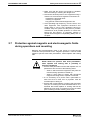
2.7
Protection against magnetic and electromagnetic fields
during operations and mounting
Magnetic and electromagnetic fields in the vicinity of current-carrying
conductors and permanent motor magnets represent a serious health
hazard to persons with heart pacemakers, metal implants and hearing
aids.
WARNING
DOK-ECODR3-SGP-01VRS**-FKB1-EN-P
Health hazard for persons with heart pacemakers,
metal implants and hearing aids in proximity to
electrical equipment!
⇒ Persons with pacemakers and metal implants are not
permitted to have access to the following areas:
− Areas in which electrical equipment and parts are
mounted, being operated or started up.
− Areas in which parts of motors with permanent
magnets are being stored, repaired or mounted.
⇒ If it is necessary for a person with a pacemaker to
enter into such an area, then a physician must be
consulted prior to doing so.
⇒ Persons with metal implants or hearing aids must take
care prior to entering into areas described above. It is
assumed that metal implants or hearing aids will be
affected by such areas: A physician must be consulted
prior to working in and/or entering such areas.
2-8 Safety Instructions for Electrical Drives
2.8
ECODRIVE03 SGP-01VRS
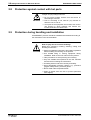
Protection against contact with hot parts
Surface of machine housing could be extremely hot!
Danger of injury! Danger of burns!
CAUTION
2.9
⇒ Do not touch housing surface near the source of
heat! Danger of burns!
⇒ Prior to accessing a unit, wait ten (10) minutes to
allow the unit to cool off.
⇒ If hot parts of the equipment are touched, such as the
unit housing in which heatsink and resistor are
located, then this can cause burns.
Protection during handling and installation
All INDRAMAT products should be handled and assembled according to
the instructions in the documentation.
Risk of injury due to incorrect handling!
Bodily injury caused by crushing, shearing, cutting, and
thrusting movements!
CAUTION
⇒ Observe installation instructions and safety regulations
before handling and working on the product.
⇒ Use suitable lifting or moving equipment during
installation. Refer to the user manual for the product.
⇒ Take precautions to avoid pinching and crushing.
⇒ Only use suitable tools specified in the user manuals
and use them according the instructions.
⇒ Use lifting devices and tools correctly and safely.
⇒ Wear appropriate protective clothing, e.g., protective
goggles, safety shoes, protective gloves.
⇒ Never stand under suspended loads.
⇒ Clean up liquids form the floor to prevent personnel
from slipping.
DOK-ECODR3-SGP-01VRS**-FKB1-EN-P
Safety Instructions for Electrical Drives 2-9
ECODRIVE03 SGP-01VRS
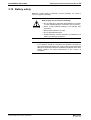
2.10 Battery safety
Batteries contain reactive chemicals. Incorrect handling can result in
injury or equipment damage.
Risk of injury due to incorrect handling!
CAUTION
⇒ Do not attempt to reactivate dead batteries by heating
or other methods (danger of explosion and corrosion).
⇒ Never charge batteries (danger from leakage and
explosion).
⇒ Never throw batteries into a fire.
⇒ Do not take batteries apart.
⇒ Handle carefully. Incorrect extraction or installation of a
battery can damage equipment.
Note: Environmental protection and disposal! The batteries contained
in the product should be considered as hazardous material for
land, air and sea transport in the sense of the legal requirements
(Danger of explosion). Dispose of batteries separately from other
refuse. Observe the legal requirements in the country of
installation.
DOK-ECODR3-SGP-01VRS**-FKB1-EN-P
2-10 Safety Instructions for Electrical Drives
ECODRIVE03 SGP-01VRS
Notes
DOK-ECODR3-SGP-01VRS**-FKB1-EN-P
General Instructions for Installation 3-1
ECODRIVE03 SGP-01VRS
3
General Instructions for Installation
3.1
Definition of Terms, Introduction
It is helpful to explain the terms used in this document so that they will
be better understood.
Parameter
Communication with the drive occurs (with a few exceptions) with the
help of parameters. They can be used for
• Setting the configuration
• Parameterizing the control/drive settings
• Accessing control/drive functions and commands
• Cyclical or acyclical (depending on requirements) transmission of
command and actual values
Note:
The Data Status
All of the drive’s operating data are identified by ID numbers.
Each parameter is provided with a data status, which can also be read. It
serves the following purposes:
• Identifying the validity/invalidity of the parameter
• Contains the command acknowledgment if the parameter acts as a
command (see Commands")
Paramter structure
Each parameter has 7 different data block elements that can be read or
written by a SERCOS control system.
Data Block
Structure:
Element No.:
Designation:
Remarks:
1
ID Number
Parameter identification
2
Name
can be changed in language
selection
3
Attribute
contains data length, type and
decimal places
4
Unit
can be changed in language
selection
5
Minimum Input Value
contains the minimum input
value of the operating data
6
Maximum Input Value
contains the maximum input
value of the operating data
7
Fig. 3-1:
DOK-ECODR3-SGP-01VRS**-FKB1-EN-P
Operating Data
actual parameter value
Data blocks or parameter structure
3-2 General Instructions for Installation
Write Accessibility
ECODRIVE03 SGP-01VRS
Only the operating data can be changed; all other elements can only be
read.
The operating data can be write-protected either continuously or
temporarily.
The write accessing of the operating data depends on the relevant
communications phase.
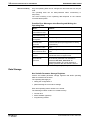
Possible Error Messages when Reading and Writing the
Operating Data
Error:
Reason:
0x7002, data
transmitted too short
0x7003, data
transmitted too long
0x7004, Data not
changeable
The operating data is write-protected
0x7005, Data
currently writeprotected
The operating data cannot be written to in this
communication phase (see Supplement A: Writing
to Parameters)
0x7006, Data smaller
than minimum value
The operating data is smaller than its minimal input
value
0x7007, Data larger
than maximum value
The operating data is larger than its maximum input
value
0x7008, Data is not
correct
The value could not be accepted as written because
internal tests lead to a negative result
0x7009, data write
protected with
password
The parameter cannot be write accessed as
the customer password was activated in
parameter S-0-0267, Password. All
parameters listed in S-0-0192, IDN-list of
backup operation data are therefore locked.
Fig. 3-2:
Error messages while reading/writing operating data
Data Storage
Non-Volatile Parameter Storage Registers
Various non-volatile parameter storage registers that buffer operating
data are contained in the drive.
The operating data apply to:
• setting the configuration or
• parameterizing the control drive settings
Each time operating data is written to it is stored.
The following modules contain non-volatile memory:
• Control drive
• Motor feedback (optional)
• Programming module
DOK-ECODR3-SGP-01VRS**-FKB1-EN-P
General Instructions for Installation 3-3
ECODRIVE03 SGP-01VRS
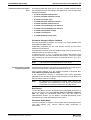
Parameters Stored in the Digital
Drive
All operating data that apply only to the drive controller and that cannot
be changed by the user are stored in the digital drive. This consists of the
following parameters:
• S-0-0110, Amplifier Peak Current
• S-0-0112, Amplifier Nominal Current
• S-0-0140, Controller Type
• P-0-0518, Amplifier Nominal Current 2
• P-0-0519, Amplifier Peak Current 2
• P-0-4002, Current-Amplify-Trim Phase U
• P-0-4003, Current-Amplify-Trim Phase V
• P-0-4015, Intermediate Voltage
• P-0-4035, Trim-Current
• P-0-4059, Braking resistor data
Parameter Storage in Motor Feedback
All motor-dependent parameters are stored in the motor feedback with
MHD, MKD and MKE motors.
Additionally, parameters for the "load default" function and the motor
feedback are stored here.
All parameters stored in the motor feedback data memory are there with
both parameter block number 0 and 7.
In parameter block 7 (e.g., S-7-0100) the original data without write
access are stored in the motor feedback data memory. These are copied
after powering up into the parameters of parameter block 0 (e.g., S-00100) .
Note:
Parameters Stored in DSM
Programming Module
The parameters of parameter block 0 take effect.
All application parameters are stored in the programming module (control
loop, mechanical system, interface parameters and so on).
All ID numbers backed up in this module are listed in parameter S-00192, IDN-list of backup operation data.
If the programming module is exchanged then these application
parameters must be read out before hand so that they can be written into
the new module after the exchange.
Note:
By switching the programming module when devices are
exchanged, the characteristics of the device that has been
exchanged can be easily transferred to the new device.
Data Saving
To save the data of the axis, all important and changeable parameters of
the axis are stored in the list S-0-0192, IDN-List of backup operation
data. By saving the parameters listed there with the control or
parametrization surface, you can obtain a complete data backup of this
axis after the first setup (Backup&Restore-function).
Parameter Buffer Mode
The drive controller is capable of storing data that is transmitted via the
user data channel (e.g., service channel) either temporarily or
permanently.
DOK-ECODR3-SGP-01VRS**-FKB1-EN-P
3-4 General Instructions for Installation
Note:
ECODRIVE03 SGP-01VRS
Parameter S-0-0269, Parameter buffer mode is insignificant
as of version FGP-02vrs as all the parameters are backed up
from that point on in a NOVRAM.
Basic parameter block
The drive parameters are fixed at delivery at the factory. By executing the
command P-0-4094, C800 Command Base-parameter load it is
possible to reproduce this state at any time. The basic parameter block is
constructed so that
• all optional drive functions are deactivated
• limit values for position are deactivated
• limit values for torque/force are set to high values
• and limit values for velocity and acceleration are set to lower values
Velocity control is the mode set.
Note:
The basic parameter block does not guarantee a matching of
the drive to the machine as well as, in some cases, to the
motor connected and the measuring systems. The relevant
settings must be made when first starting up the axis.
(See also: Basic Drive Functions" and Commissioning Guidelines".)
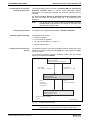
Running the "load basic parameter block" function
automatically
The drive firmware is on the programming module. In the event of a
firmware exchange, the drive controller will detect this the next time the
machine is switched on. In this case, the message "PL" appears on the
7-segment display. By pressing the "S1" key, the basic parameter block
is activated.
Note:
Any previous parameter settings are lost with the replacement
of the firmware followed by "load base parameter block". If
this is to be prevented, then the parmeters must be stored
prior to an exchange and must be reloaded after exchange
and load base parameter block.
Note:
As long as the drive displays "PL" and the command is active,
then communications via the serial interface (with DriveTop)
is not possible.
Password
All important axis-specific parameters are stored in the programming
module. If, e.g., a controller is replaced because of a defect then the
features can be transferred to the new controller by simply using the old
module.
DOK-ECODR3-SGP-01VRS**-FKB1-EN-P
General Instructions for Installation 3-5
ECODRIVE03 SGP-01VRS
S-0-0279, IDN-list of passwordprotected operation data
The affected parameters are stored in S-0-0279, IDN-list of passwordprotected operation data. To secure these parameters against
unwanted or non-authorized changes, the customer password can be
activated.
By editing S-0-0279, IDN-list of password-protected operation data
the user can select the parameter which are to be protected with a
password.
Note:
Accessing the password
Allowable symbols and length
The default value of S-0-0279, IDN-list of password-protected
operation data corresponds to the contents of S-0-0192, IDNlist of backup operation data.
The password is accessed with parameter S-0-0267, Password.
The password has to have:
• at least 3 symbols
• no more than ten symbols
• can only use the letters a - z and A - Z
• and the numbers 0 to 9.
3 different password states are
possible
The password function can have three different states. Depending on the
sequence of symbols entered for S-0-0267 the current password status
can be changed.
The following illustrates possible password states and the symbol
sequence for parameter S-0-0267.
No customer password active
writing to parameter
contents S-0-0267: "007"(defaults)
Input string:
007 _ Kpassw _ Kpassw
Input string:
Kpassw _ 007 _ 007
Customer password active and open
writing to parameter,
contents S-0-0267: "###"
Input:
any string
without space
or switch off
Input:
customer password
Customer password active and closed
parameter write protected
contents S-0-0267: "***"
Kpassw.:customer password
_: space
DOK-ECODR3-SGP-01VRS**-FKB1-EN-P
FS0212f1.fh7
Fig. 3-3:
Possible password states
Note:
Parameters stored in the motor feedback or drive controller
data memory can generally not be changed by the user.
3-6 General Instructions for Installation
ECODRIVE03 SGP-01VRS
Commands
Commands are used to control complex functions in the drive. For
example, the functions "Drive-Controlled Homing Procedure" or
"Transistion Check for Communication Phase 4" are defined as
commands.
Each command that is started
must also be cleared.
A primary control can start, interrupt or erase a command.
Each command has a parameter with which the command can be
controlled.
While a command is being executed, the diagnostic message "Cx" or
"dx" appears in the H1 display, where x is the number of the command.
All commands used are stored in parameter S-0-0025, IDN-list of all
procedure commands.
Command Types
There are 3 command types.
• Drive-Controlled Command
- Eventually leads to an automatic drive operation or motion
- Can be started only when controller enable is set
- Deactivates the active operating mode during its operation
• Monitor Command
- Activates or deactivates monitors or features in the control drive
• Management Command
- executes management tasks; is not interruptable
Command Input and Acknowledgment
Control and monitoring of command execution occurs via the command
input and command acknowlegment. The command input tells the drive if
the command should be started, interrupted or ended. The commanded
value is the operating data of the applicable parameter. The command
input value can be
• not set and enabled ( 0 )
• interrupted ( 1 )
• set and enabled ( 3 )
The drive gives the current condition of the command execution in the
acknowledgment. It is contained in the data status of the command
parameter.
See also chapter: "Data Block Structure"
Note:
You get the command status through a write access on the
parameter’s element 1 (IDN).
The condition can be
• not set and enabled ( 0 )
• in process ( 7 )
• error, command execution not possible ( 0xF)
• command execution interrupted ( 5 )
• command properly executed ( 3 )
DOK-ECODR3-SGP-01VRS**-FKB1-EN-P
General Instructions for Installation 3-7
ECODRIVE03 SGP-01VRS
The Change Bit Command (KA-Bit) in the Drive Status Word helps the
control recognize a change in the command acknowledgment by the
drive. The bit is set by the drive if the command acknowledgment
changes from the condition in process ( 7 ) to the condition error,
command execution not possible ( 0xF ) or command properly executed
( 3 ). The bit is cleared if the master clears the input ( 0 ).
The control system will recognize if the drive sets the change bit. It can
read the corresponding data status of the command or the command
itself, which was set sometime but has not been cleared. The control
system will recognize from this if the command ended with or without an
error in the drive. Afterwards this command should be cleared by the
control.
Date of
command
parameter
= handcap
Beginning of
the command
3
0
Data status of
the command
parameter
7
=acknow3
ledgment
0
Sbit command
change in drive
status message
1
Command finished
Handicap
t
t abt. 8msec
Command at work
Command finished without error
Command cleared
t
t abt. 8msec
t
Sv5021d1.fh5
Fig. 3-4:
Date of
command
parameter
= handcap
Input, acknowledgment and Command Change Bit during proper
execution
Beginning of the
command
3
0
OxF
Data status of
the command
parameter
7
=acknow3
ledgment
0
Sbit command
change in drive
status message
1
Command cleared
Command at work
t abt. 8msec
t
Command finished
Handicap
t abt. 8msec
t
t
Sv5022d1.fh5
Fig. 3-5:
Input, acknowledgment and Command Change Bit during erroneous
execution
A delay time of up to 8 ms can occur in the drive between receiving the
command input and setting the command acknowledgment.
DOK-ECODR3-SGP-01VRS**-FKB1-EN-P
3-8 General Instructions for Installation
ECODRIVE03 SGP-01VRS
Operating Modes
Operating modes define which command values will be processed in
which format, leading to the desired drive motion. They do not define how
these command values will be transmitted from a control system to the
drive.
One of the four selectable operating modes (S-0-0032 ... S-0-0035) is
active when
• the control and power supply is ready for operation and
• the controller enable signal is positive.
The drive displays "AF" in the H1 display.
All implemented operating modes are stored in parameter S-0-0292, List
of all operation modes.
See also chapter: "Operating Modes"
Warnings
Warnings do not cause
automatic shutdowns
Many areas are monitored in connection with operating modes and
parameter settings. A warning will be generated if a state is detected that
allows proper operation for the time being, but will eventually generate an
error and thereby lead to a shutdown of the drive if this state continues.
Warning Classes
The warning class is evident
from the diagnostic message
Warnings can be separated into 2 classes. They are differentiated by
whether the drive executes an automatic reaction when the warning
appears.
Warning Class:
Diagnostic
Message:
With drive response
E8xx
Drive Response:
reacts on its own specifically
in terms of any occurring
warnings
Without drive response
E2xx
-Fig. 3-6:
Breakdown of the Warning Classes
Note:
Warnings cannot be cleared. They stay until the condition
which has triggered the warning is not fulfilled any more..
DOK-ECODR3-SGP-01VRS**-FKB1-EN-P
General Instructions for Installation 3-9
ECODRIVE03 SGP-01VRS
Error
Many areas are monitored in connection with operating modes and
parameter settings. An error message is generated if a condition is
encountered which no longer allows proper operation
Error Classes
The error class is evident from
the diagnostic message.
Errors are separated into four different drive’s error response:
Error Class:
Diagnostic
Message:
Drive Response:
Fatal
F8xx
Torque free switching
Travel range
F6xx
Velocity command value switched to
zero
Interface
F4xx
In accordance with best possible
deceleration
Non-fatal
F2xx
In accordance with best possible
deceleration
Fig. 3-7: Error class divisions
Drive’s Error Response
If an error state is detected in the drive, the drive’s error response will
automatically be executed as long as the drive is in control. The H1
display flashes Fx / xx.
The drive’s reaction to interface and non-fatal errors can be
parameterized with P-0-0119, Best possible deceleration. The drive
switches to torque-free operation at the end of each error reaction.
Clearing Errors
Errors must be externally
cleared.
Errors are not automatically cleared; they are cleared externally by:
Initiating the command S-0-0099, C500 Reset class 1 diagnostic
or Pressing the "S1" key.
See also chapter: "Command Communications with Analog Interface".
If the error state is still present, then the error will be immediately
detected again.
Clearing Errors When Controller Enable Is Set
If an error is discovered while operating with set controller enable, the
drive will execute an error response. The drive automatically deactivates
itself at the end of each error response; in other words, the power stage
is switched off and the drive switches from an energized to a deenergized state.
To reactivate the drive:
• clear the error
• enter a 0-1 edge bit into the controller enable
DOK-ECODR3-SGP-01VRS**-FKB1-EN-P
3-10 General Instructions for Installation
ECODRIVE03 SGP-01VRS
Note: To reactivate the drive after an error has been detected, not only
must the error be cleared, but a 0-1 edge bit of the controller
enable signal must also follow.
Error memory and operating hour counter
Error memory
Once errors are cleared, they are stored in an error memory. The last 19
errors are stored there and the times they occurred.
Errors caused by a shutdown of the control voltage (e.g., F870 +24Volt
DC error ) are not stored in the error memory.
Operating hour counter
Simultaneously, there is an operating hour counter for control and power
sections of the drive controller. This function has the following
parameters:
• P-0-0190, Operating hours control section
• P-0-0191, Operating hours power section
• P-0-0192, Error recorder diagnosis number
• P-0-0193, Error recorder, operating hours control section
IDN List of Parameters
There are parameters in the drive that, in turn, contain ID numbers of
drive parameters. These support the handling of the drive parameters
with parametrization programs (e.g., Drivetop, Serctop, and so on).
S-0-0017, IDN-list of all operation data
The ID numbers of all parameters in the drive are in this parameter. This
list supports, for example, the parametrization program in the menu of
which "All drive parameters" the information as to which ID number is in
this drive firmware is stored.
S-0-0192, IDN-list of backup operation data
In parameter S-0-0192, IDN-list of backup operation data the ID
numbers of all those parameters are stored, that are stored in the
programming module. These are the parameters that are needed for a
proper operation of the drive. The control or the parametrization program
uses this ID number list to secure a copy of the drive parameters.
S-0-0021, IDN-list of invalid op. data for comm. Ph. 2
In the data of these ID lists, the drive enters the ID numbers out of
parameter S-0-0018, IDN-list of operation data for CP2 which are
recognized as invalid in command S-0-0127, C100 Communication
phase 3 transition check. Parameters are recognized as invalid if:
• their checksums, that are stored together with the operating data in a
non-resident memory (programming module, amplifier or motor
feedback data memory), do not fit to the operating data,
• their operating data is outside of the minimum/maximum input range
or
• their operating data has violated the plausibility rules.
In any event, the parameters entered upon negative acknowledgement of
command S-0-0127, C100 Communication phase 3 transition check
in S-0-0021, IDN-list of invalid op. data for comm. Ph. 2 must be
corrected.
DOK-ECODR3-SGP-01VRS**-FKB1-EN-P
ECODRIVE03 SGP-01VRS
General Instructions for Installation 3-11
S-0-0022, IDN-list of invalid op. data for comm. Ph. 3
The drive enters the ID numbers out of parameter S-0-0019, IDN-list of
operation data for CP3 into the data of this ID list, which were detected
in command S-0-0128, C200 Communication phase 4 transition
check as invalid. Parameters are detected as invalid if:
• their checksum, stored together with the operating data in a nonresident memory (programming module, amplifier or motor feedback
data memory) do not match the operating data,
• their operating data are outside of the minimum/maximum input limits
or
• their operating data has violated the plausibility rules.
In any event, the parameters entered upon negative acknowledgement of
command S-0-0128, C100 Communication phase 4 transition check
in S-0-0022, IDN-list of invalid op. data for comm. Ph. 3 must be
corrected..
S-0-0018, IDN-list of operation data for CP2
The ID numbers that were checked for validity in command S-0-0127,
C100 Communication phase 3 transition check are stored in S-00018, IDN-list of operation data for CP2.
S-0-0019, IDN-list of operation data for CP3
The ID numbers that were checked for validity in command S-0-0128,
C200 Communication phase 4 transition check are stored in S-00019, IDN-list of operation data for CP3.
S-0-0025, IDN-list of all procedure commands
The ID numbers of all the commands in the drive are stored in this
parameter.
3.2
Parametrization Mode - Operating Mode
Command communication
sets the communications
phase and therefore the
parametrization or operating
modes
Given drive controllers without command communications interface or if
the command communications is not active (command communications
= could be SERCOS), then the drive switches automatically into
operating mode after the control voltage is switched on.
If the command communications is active, then the drive controller does
not automatically switch into operating mode after the control voltage is
switched on. Only the command communications master can switch
between parametrization modes and operating modes.
Parametrization surfaces that communicate with the drive controller vua
the RS232/485 can switch from parametrization and operating mode as
long as the drive is not in control mode and command communications is
not active.
The switch from parametrization to operating mode is controlled by
starting and ending commands
• S-0-0127, C100 Communication phase 3 transition check,
• S-0-0128, C200 Communication phase 4 transition check
• P-0-4023, C400 Communication phase 2 transition
DOK-ECODR3-SGP-01VRS**-FKB1-EN-P
3-12 General Instructions for Installation
ECODRIVE03 SGP-01VRS
If the drive reaches phase 4 without an error, then on the 7-segment
display on the front of the drive amplifier the message (H1) "bb" appears.
The corresponding diagnosis is: A013 Ready for power on
operating
mode
communication phase 4
communications
phase 4 transition
check S-0-0128
Parametriermodus
communication phase 3
communications
phase 3 transition
check
S-0-0127
switching from
phase 4 to 2
P-0-4023
communication phase 2
communication phase 1
communication phase 0
Only with SERCOS
Fig. 3-8:
The communications phases
Checks in the Transition Commands
To switch from communications phase 2 to 3 and 3 to 4 it is necessary to
activate transition checks in the drive first. This includes a number of
checks and parameter conversions.
The causes and help with transition command errors are specified in the
diagnostics description.
S-0-0127, C100 Communication phase 3 transition check
In transition command C1 checks command communications timing. For
units without command communications, these checks are irrelevant.
(Command communications can include, e.g. SERCOS and so on).
The following checks are conducted in command C1.
Checking telegram
configurations of the command
communications
This checks whether the parameters selected for the configurable data
block in the master data telegram or drive data telegram can be
configured. It is also checked whether the allowable lenth of the
configurable data block has been maintained.
Command errors :
• C104 Config. IDN for MDT not configurable
• C105 Configurated length > max. length for MDT
• C106 Config. IDN for AT not configurable
• C107 Configurated length > max. length for AT
can occur in this case.
DOK-ECODR3-SGP-01VRS**-FKB1-EN-P
General Instructions for Installation 3-13
ECODRIVE03 SGP-01VRS
Checking validity of
communications parameters
If a parameter needed for transition to phase 3 has never been written
into or the backup is faulty, then command error
• C101 Invalid communication parameter (S-0-0021)
is generated. The ID no. of the faulty parameters are listed in:
• S-0-0021, IDN-list of invalid op. data for comm. Ph. 2
They are made valid by writing into them.
Extreme value check of
communications parameters
If during the extreme value check of the parameters relevant to
command communications an error is generated, then command error
• C102 Limit error communication parameter (S-0-0021)
is generated. The ID numbers of the faulty parameters are listed in
• S-0-0021, IDN-list of invalid op. data for comm. Ph. 2
and must be corrected.
Checking plausibility and
maintaining marginal
conditions of command
communications
Check timing parameters of command communications in phases 3 and
4 for plausibilit and maintaining marginal conditions.
Command errors
• C108 Time slot parameter > Sercos cycle time (only with Sercos)
• C109 Position of data record in MDT (S-0-0009) even (only with
Sercos)
• C110 Length of MDT (S-0-0010) odd (only with Sercos)
• C111 ID9 + Record length - 1 > length MDT (S-0-0010) (only with
Sercos)
• C112 TNcyc (S-0-0001) or TScyc (S-0-0002) error
• C113 Relation TNcyc (S-0-0001) to TScyc (S-0-0002) error
• C114 T4 > TScyc (S-0-0002) - T4min (S-0-0005)
• C115 T2 too small (only with Sercos)
can occur.
S-0-0128, C200 Communication phase 4 transition check
During this command, the following checks are run.
Checking P-0-4014 for
plausibility
If in parameter P-0-4014, Motor type 1 (MHD) or 5 (MKD/MKE) are
selected and the motor feedback data memory has not found that type,
then command error
• C204 Motor type P-0-4014 incorrect
is generated.
Checking validity
If a parameter needed for transition to phase 4 has never been written
into, and its backup is faulty, then command error
• C201 Invalid parameter(s) (->S-0-0022)
is generated. The ID number of the faulty parameters are listed in
• S-0-0022, IDN-list of invalid op. data for comm. Ph. 3
and are made valid by writing into.
DOK-ECODR3-SGP-01VRS**-FKB1-EN-P
3-14 General Instructions for Installation
Reading the controller memory
ECODRIVE03 SGP-01VRS
The drive controller reads the EEPROM memory of the drive controller
operating data. If an error occurs during this process, then command
error:
• C212 Invalid amplifier data (->S-0-0022) appears.
The ID number of the faulty parameter is written in
• S-0-0022, IDN-list of invalid op. data for comm. Ph. 3.
Checking whether optional
encoder is needed
Checking, as per operating mode parameters S-0-0032..35 or
referencing parameter S-0-0147, whether a second encoder is needed
but there isn’t one, as 0 is entered in parameter P-0-0075, Feedback
type 2. The faulty operating parameters or referencing parameters are
listed in:
• S-0-0022, IDN-list of invalid op. data for comm. Ph. 3
Command error
• C210 Feedback 2 required (->S-0-0022) appears.
Checking whether motor
encoder is availablet
Check whether a motor encoder is available (P-0-0074, Feedback type
1 = 0) and no "2" is entered in function parameter P-0-0185, Function of
encoder 2 for load-side motor encoder. If this is the case, then
command error
• C236 Feedback 1 required (P-0-0074)
is generated.
Checking motor encoder
settings
If the encoder parametrized in parameter P-0-0074, Feedback type 1 is
not available, or its data cannot be read, then this error message is
generated
• C217 Feedback1 data reading error
Checking optional encoder
settings
If the encoder interface selected in parameter P-0-0075, Feedback type
2 is already occupied by the motor encoder, then this error message is
generated:
• C234 Encoder combination not possible
If a second encoder with feedback data memory is used, but its data
cannot be read, then error message
• C218 Feedback 2 data reading error
is generated. If "load side motor encoder" has been selected in
parameter P-0-0185, Function of encoder 2 but no rotary asynchronous
motor is available, then error message
• C235 Load-side motor encoder with inductance motor only
is generated.
Reading out feedback data
memory
The parameters stored in the memory of motors with feedback data
memory are read. If an error occurs during this process, then command
error
• C211 Invalid feedback data (->S-0-0022) is generated.
Checking maximum travel
range
Check whether an internal position resolution has been set via parameter
S-0-0278, Maximum travel range which guarantees the correct
commutation of the motor. If not, then this command error appears:
• C223 Input value for max. range too high.
DOK-ECODR3-SGP-01VRS**-FKB1-EN-P
General Instructions for Installation 3-15
ECODRIVE03 SGP-01VRS
Checking scaling
Check internal ability to illustrate conversioni factors from display format
to an internal one and vice versa for scaling-dependent dta. If an error
occurs, then one of the following command errors can be generated:
• C213 Position data scaling error
• C214 Velocity data scaling error
• C215 Acceleration data scaling error
• C216 Torque/force data scaling error
Checking all parameters for
extreme values and possible bit
combinations
All parameters are checked for maintaining extreme values or
permissible bit combinations. If can error occurs, then command error
• C202 Parameter limit error (->S-0-0022)
is generated. The ID number o the faulty parameter is listed in
• S-0-0022, IDN-list of invalid op. data for comm. Ph. 3
and must be corrected.
Checking modulo range
Checking whether an activated modulo scaling of the position of
parameter S-0-0103, Modulo value can be processed. If so, then
command error
• C227 Modulo range error
is generated.
Checking the conversion of
internal formats
The physical values of parameters (input format with decimal places and
units) are converted to internal formats. This conversion is monitored. If
incongruencies are detected during this process, then command error
• C203 Parameter calculation error (->S-0-0022)
is generated. The ID number of the faulty parameter is listed in
• S-0-0022, IDN-list of invalid op. data for comm. Ph. 3
and must be corrected.
Checking encoder initialization
Encoder initialization is listed. Errors can occur depending on encoder
type (e.g., index length wrong in DSF feedback). Then one of the
following command errors
• C220 Feedback 1 initializing error
• C221 Feedback 2 initializing error
are generated.
Checking controller type
Depnding on controller type, various internal settings are performed. if
parameter S-0-0140, Controller type cannot be read, then command
error
• C228 Controller type S-0-0140 wrong
is generated.
Absolute encoder monitoring
If the actual position of an absolute encoder is outside of the range of the
last actual position +/- prior to the last shutdown, P-0-0097, Absolute
encoder monitoring window, then error
• F276 Absolute encoder out of allowed window
is generated. The transition command is wrongly acknowledged, but
instead the error must be cleared with the execution of command S-00099, C500 Reset class 1 diagnostic.
(Also see section: "Clear error").
DOK-ECODR3-SGP-01VRS**-FKB1-EN-P
3-16 General Instructions for Installation
3.3
ECODRIVE03 SGP-01VRS
Commissioning Guidelines
For commissioning drive controllers, the parametrization interface
DRIVETOP can be used.
The procedures for commissioning a drive controller entails 11 steps
(IBS-1..11). The sequence is illustrated below.
Initial start-up, Establishing the initial state using command P-0-4094, C800 Load
base parameters command
Velocity and acceleration values limited to small values / Position and torque limits not
active / Operating mode - velocity control / All optional functions are deactivated
IBS-1, Motor configuration
MDD/MKD/MHD
motor
no
Set motor type / motor-dependent parameters (from data sheet) /
temperature monitoring / possible asynchronous parameters /
possible motor holding brake
yes
IBS-2, Pre-setting mechanical system of axia dn the measuring system
Gears, feed rate constant and maximum travel range / illustrative formats for position, velocity
and acceleration / motor measuring system / possible external measuring system
IBS-3, Setting Error Reations and Emergency Stops
Best possible deceleration / NC reaction / power off with fault / Emergency-stop function
IBS-4, Pre-setting control loop
by loading base values or using data sheet
Motor encoder can move axis
IBS-5, Check mechanical system of axis and meauring system
Gears, feed rate constant / polarity of position, velocity and acceleration / motor measuring
system / possible external measuring system
IBS-6, Position, Velocity and Torque Limitations
Position limit values and travel range limit switch / velocity limit values / torque limit values
IBS-7, Optimizing the control loop
Velocity and position control loop / possible torque friction compensation / possible
acceleration pre-control
IBS-8, Establishing the absolute referenc dimension
Set absolute dimension or use drive-controlled referencing
IBS-9, Other settings
Operating mode-specific settings / Drive halt / Status messages / Optional drive
functions
IBS-10, Checking Drive Dimensions
Torque/force check / Weight compensation / Regenerated energy
End of Initial Start-Up
Fig. 3-9:Commissioning guidelines
DOK-ECODR3-SGP-01VRS**-FKB1-EN-P
General Instructions for Installation 3-17
ECODRIVE03 SGP-01VRS
IBS-1, Motor configuration
These guidelines are needed in the case where the motor used does not
have a motor feedback memory. It is necessary with these motors
• to enter the parameters for motor features (peak current, maximum
velocity, etc.) using the data sheet or with DRIVETOP using data from
the motor data bank.
• The parameters for the motor temperature warning and off thresholds
must be parametrized as well
• and giving a motor holding brake, these must be properly set also.
Those motors with data memory such as
• MHD and
• MKD motors
are recognized by the drive and motor parameters are automatically set.
(See also chapter: "Setting the Motor Type"“.)
IBS-2, Determining the Operating Mode
In this step, the main and auxiliary operating modes are selected.
Operating-mode specific settings must be made.
In particular, necessary limit values, optionally usable filters and the
available operating modes must be defined.
(Also see section: "Operating Modes")
IBS-3, Pre-setting the axis mechanics and measuring systems
In this step, the parameters needed for determining and processing
position, velocity and acceleration data are set. These include the
following parameters for the following settings:
• mechanical gear ratio between motor and load as well as any existing
feedrate constants of the drive of linear slides
• scaling settings for showing position, velocity and acceleration
parameters of the drive. This sets, for example, whether the data is
motor shaft or load related and which LSB valence these have, e.g.,
position data with 0.001 degrees or 0.0001 inches and so on.
• Interfaces, rotational directions and the resoluton of the motor
encoder, and where available, optional encoders.
(See also chapter :
-"Physical Values Display Format"
-"Mechanical Transmission Elements" and
-"Setting the Measurement System").
IBS-4, Setting the error reactions and E-stop
In this step, the reaction of the drive in the event of an error is set as well
as the triggering of the drive's own E-stop input. The following
parametrizations must be performed:
• type and mode of error reactions in drive
• selection whether NC reaction in error case should happen
• selection whether and when the power supply is switched off and
whether a package reaction is to be conducted
• Configuration of the E-stop input
(See also chapter:
DOK-ECODR3-SGP-01VRS**-FKB1-EN-P
"Drive Error Reaction"“)
3-18 General Instructions for Installation
ECODRIVE03 SGP-01VRS
IBS-5, Pre-setting Control Loop
The parameters for current, velocity and position control loops are set in
this step. This is done either by:
• Execute command P-0-0162, D900 Command Automatic control
loop adjust or
During the execution of the command, the setting for the velocity
controller and the position controller is determined as well as the load
inertia.
• Execute command S-0-0262, C700 Command basic load or
• by inputting the controller values specified in the data sheet.
Setting the control loop in this way makes ensures a good level of quality
for most applications. Should additional optimization of the control loop
parameters become necessary (velocity and position control loop
parameters, compensation functions and precontrol), then use
commissioning step no. 8.
(See also chapter: "Control Loop Settings".)
IBS-6, Checking axis mechanics and measuring system
The presettings made in IBS 2 are checked here and modified, if
necessary. This means that the axis must be moved by jogging. The
following checks must be made:
• check the rotational direction of the motor encoder. With non-inverted
position polaritiy (S-0-0055, Position polarities = 0), the values in
parameter S-0-0051, Position feedback 1 value should have a rising
order with a clockwise rotation of the motor. (This check need not be
performed in MDD and MKD motors. If this is not the case, then bit 2
in S-0-0277, Position feedback 1 type must be inverted.
• By moving the axes and examining the position feedback value of the
motor encoder in parameter S-0-0051, Position feedback 1 value it
can be controlled whether a distance in this process is correctly
displayed. If not, then the settings for mechanical gear ratio, feedrate
constants and encoder resolution must be checked.
• Given a second encoder, by moving the axis and examining the
position feedback value of the external encoder in parameter S-00053, Position feedback 2 value it can be checked whether a
distance is correctly displayed with this process. S-0-0051, Position
feedback 1 value and S-0-0053, Position feedback 2 value should
run parallel when jogging a specific path. If not, then check the
settings in P-0-0075, Feedback type 2, S-0-0117, Feedback 2
Resolution, S-0-0115, Position feedback 2 type and P-0-0185,
Function of encoder 2.
(See also chapter :
-"Physical Values Display Format"
-"Mechanical Transmission Elements" and
-"Setting the Measurement System").
DOK-ECODR3-SGP-01VRS**-FKB1-EN-P
General Instructions for Installation 3-19
ECODRIVE03 SGP-01VRS
IBS-7, Limits for position, velocity and torque
The limits for the travel range are conducted by setting
• position limits values and/or
• travel range limit switches
as well as the limit values for the axis velocity and maximum drive
torque/force are parametrized also.
(See also chapter:
-"Torque/Force Limiting",
-"Travel Range Limits" and
-"Limiting Velocity".)
IBS-8, Optimizing the control loop
This step is only necessary if the settings for velocity and position control
loops in IBS 4 did not achieve the needed quality. As such, optimize the
control behavior as follows:
• modify the parameter for velocity and position control loops
• possibly activate the acceleration pre-control
• possibly activate the velocity mixture and
• possibly activate the notch filter.
(See also chapter:
Settings"“.)
"Basic
Drive
Functions
-
Control
Loop
IBS-9, Establishing absolute reference measuring
Here the absolute reference measuring is set in terms of the machine
zero point of the position feedback value from motor encoder and
possibly optional encoder. The position feedback values at first show
any, not machine zero point related values. By conducting
• setting absolute measuring (with absolute encoders) or
• drive-controlled homing
the coordinate systems of the position encoder and the coordinate
system of the machine are made congruent.
(See also chapter:
-"Drive-Controlled Homing" and
-"Set Absolute Measuring")
IBS-10, Other settings
Here
• drive halt function is parametrized,
• the language selected,
• general status message settings and
• the optional drive function settings are conducted.
(See also chapter:
-"Drive Halt/Start"
-"S-0-0013, Class 3 diagnostics"
-"S-0-0182, Manufacturer class 3 diagnostics"
-"Optional Drive Functions"
-"Language Selection"
DOK-ECODR3-SGP-01VRS**-FKB1-EN-P
3-20 General Instructions for Installation
ECODRIVE03 SGP-01VRS
IBS-11, Controlling drive dimensions
The power-related drive checks are conducted here. It is checked
whether the continuous and peak power of drive amplifier and motor
meet the requirements. The following checks are conducted for this
purpose:
• generated torque/force of motor is checked. At a constant speed 60%
and in rapid traverse 75% of the continuous torque at standstill of the
motor should not be exceeded
• during the acceleration phase 80% of the maximum torque of the
motor/controller combination may not be exceeded
• the thermal load of the drive amplifier should equal a maximum of
80%
(See also chapter:
controller"
"Monitoring the Thermal Load of the drive
With vertical axis, the weight compensation must be set so that the
current consumption with upwards and downwards motions of the axes
have the same minimum value.
Check the regenerated peak power and regenerated continuous power.
3.4
Diagnostic Configurations
Overview of Diagnostic Configurations
The diagnostics are configured into 2 groups:
• Abilities to recognize the actual state of operation of the priority
dependent, drive internal diagnostic monitor
• Collective display for various states
Additionally, there are parameters for all important operating data that
can be transmitted both via the command communications (SERCOS,
Profibus, ...) as well as the parametrization interface (RS-232/485 in the
ASCII protocol or SIS serial Indramat protocol).
Drive-Internal Diagnostics
The current operating condition of the drive is evident by which errors,
warnings, commands and drive stop signals are available and which
operating mode is active. Whether the drive is in preparation for
operation or in parameter mode also is displayed.
The current operating condition can be determined from
• the 2-part seven-segment display (H1 display)
• the diagnostic parameter S-0-0095, Diagnostic Message
• the parameter S-0-0390, Diagnostic Message Number
• the parameter P-0-0009, Error Message Number
• the parameter S-0-0375, List of diagnostic numbers
The following display items show always the actual diagnostic with the
highest priority:
• H1 display
• S-0-0095, Diagnostic Message
• S-0-0390, Diagnostic Message Number
The parameter P-0-0009, Error Message Number will contain a value
unequal to 0 if an error is present.
DOK-ECODR3-SGP-01VRS**-FKB1-EN-P
General Instructions for Installation 3-21
ECODRIVE03 SGP-01VRS
The last displayed diagnostic numbers are displayed in chronological
order in parameter S-0-0375, List of diagnostic numbers.
An overview of all diagnostic messages can be found in the
Troubleshooting Guide.
Error
P
R
Warning
I
O
Command error
R
I
T
Command active
Y
Ready to operate ?
yes
no
Operation lock
active
Ready to
Communicationphase
operate
Drive ready
Drive stop
Drive is
following
operating mode
Da0001f1.fh5
Fig. 3-10: Priority-dependent diagnostic formation in the H1 display
Diagnostic Message Composition
Each operating condition is designated with a diagnostic message, which
consists of a
• diagnostic message number and a
• diagnostic text
For example, the diagnostic message for the non-fatal error "Excessive
Control Deviation" is displayed as follows.
F228 Excessive Control Deviation
Diagnostic message
Diagnostic message number
Fig. 3-11: Diagnostic message composition with a diagnostic message number
and text
The H1 display alternates "F2" and "28". The diagnostic message
number appears in hexadecimal format in the parameter S-0-0390,
Diagnostic Message Number. In this example, this would be (0x)F228.
The diagnostic message number and the diagnostic text are contained
as a string "F228 Excessive deviation" in the parameter S-0-0095,
Diagnostic Message.
H1-Display
The diagnostic number appears on the two-part seven-segment display.
The form of the display emerges from the graphic "Priority-Dependent
Display of the Diagnostic Message".
DOK-ECODR3-SGP-01VRS**-FKB1-EN-P
3-22 General Instructions for Installation
ECODRIVE03 SGP-01VRS
With the help of this display, it is possible to quickly determine the current
operating status without using a communication interface.
The operating mode cannot be seen on the H1-Display. If the drive
follows the operating mode and no command was activated, then the
symbol "AF" appears on the display.
Diagnostic Message
The diagnostic message contains the diagnostic number followed by the
diagnostic text, as shown in the example, "Excessive Control Deviation."
It can be read with the parameter S-0-0095, Diagnostic Message and
directly displays the operation status on an operator interface.
The diagnostic message language can be changed.
Diagnostic Message Number
The diagnostic message number contains only the diagnostic number
without the text. It can be read with the parameter S-0-0390, Diagnostic
Message Number .
Error Number
The error number contains only the error number without the diagnostic
text. It can be read with the parameter P-0-0009, Error Message
Number and can indicate an error condition without a language barrier.
This parameter contains a value unequal to "0" if an error is present in
the drive.
An error is formed from the bottom 3 digits of the diagnostic number. For
example, the error "F228 Excessive deviation" with the diagnostic
message number "(0x)F228" would produce the error number "228."
List of diagnostic numbers
The 50 previously displayed diagnostic numbers are displayed in
chronological order in parameter S-0-0375, List of diagnostic numbers.
Every change in contents of S-0-0390, Diagnostic message number
means that the old contents are transfered into S-0-0375, List of
diagnostic numbers. If S-0-0375, List of diagnostic numbers is read,
then the last replaced diagnostic number appears in the first element; the
diagnotic number displayed penultimately is displayed in the second
element and so on.
The following illustrated explains the relationship between S-0-0375, List
of diagnostic numbers and S-0-0390. Diagnostic message number
with the use of an example.
DOK-ECODR3-SGP-01VRS**-FKB1-EN-P
General Instructions for Installation 3-23
ECODRIVE03 SGP-01VRS
S-0-0390, Diagnostic numbers
0xA013
0xA012
0xA101
drive ready for power on,
H1- Display „bb”
S-0-0390,
Diagnosenummer steht
auf „A013”
Power is switched on,
power and control section are ready
for operation
S-0-0390, Diagnostic number
changes to „A012”
time
Drive enable is switched on,
operation mode e.g.
velocity control „AF”
S-0-0390, Diagnostic number
changes to „A101”
XXXX
50.
XXXX
XXXX
50.
XXXX
XXXX
XXXX
XXXX
XXXX
XXXX
XXXX
XXXX
XXXX
XXXX
XXXX
XXXX
XXXX
XXXX
50.
XXXX
XXXX
2.
XXXX
2.
A013
2.
XXXX
1.
A013
1.
A012
1.
S-0-0375
S-0-0375
S-0-0375
Tb0208f1.fh7
Fig. 3-12: Example for generating S-0-0375, List of diagnostic numbers
Permanently-Configured Collective Indication
There are parameters that represent a collective indication for the display
of operating states. These are individually listed
• S-0-0011, Class 1 diagnostics
• S-0-0012, Class 2 diagnostics
• S-0-0013, Class 3 diagnostics
• S-0-0182, Manufacturer class 3 diagnostics
S-0-0011, Class 1 diagnostics
In parameter S-0-0011, Class 1 diagnostics there are bits for the
various errors. A bit is set in this parameter in the event of a drive error.
Simultaneously, bit "Drive lock, error in class 1 diagnostics" is set in the
drive status word.
All bits in class 1 diagnostics, are cleared upon execution of the
command S-0-0099, C500 Reset class 1 diagnostic.
(See section: Clearing Errors")
The following bits are supported in status class 1.
S-0-0011, Class 1 diagnostics
Bit 1 : Excess amplifier temperature switching off
Bit 2 : Excess motor temperature switching off
(see also S-0-0204)
Bit 4 : Control voltage error
Bit 5 : Feedback error
Bit 9 : Under-running voltage error
Bit 11: Excessive control deviation
Bit 12 : Communication error
Bit 13 : Position limit has been exceeded
Bit 15 : Manufacturer error
Fig. 3-13: S-0-0011, Class 1 diagnostics
DOK-ECODR3-SGP-01VRS**-FKB1-EN-P
3-24 General Instructions for Installation
ECODRIVE03 SGP-01VRS
S-0-0012, Class 2 diagnostics
There are bits for various warnings in this parameter. In the event of a
warning, a bit is set in this parameter. Simultaneously, bit "Change bit
class 2 diagnotics" is set in the drive status word. This change bit is
cleared by reading S-0-0012, Class 2 diagnostics. Via parameter S-00097, Mask class 2 diagnostic warnings can be masked in terms of
their effect on the change bit.
Toggeling a bit is signaled
with a change bit in the drive
status word
The following bits are supported in class 2 diagnostics.
S-0-0012, Class 2 Diagnostics
Bit 0 : Overload warning S-0-0310
Bit 1 : Excess amplifier temperature warning S-0-0311
Bit 2 : Excess motor temperature warning S-0-0312
Bit 3 : Cooling error warning S-0-0313
Bit 4 : reserved
Bit 5 : Positioning speed > nlimit S-0-0315
Bit 6:
Bit 7:
Bit 8:
reserved
reserved
reserved
Bit 9 : reserved
Bit 10: reserved
Bit 11: reserved
Bit 12 : reserved
Bit 13 : Target position exceeds position limits S-0-0323
Bit 14 : reserved
Bit 15 : Manufacturer error
Fig. 3-14: Structure of parameter S-0-0012, Class 2 diagnostics
Each of these messages is stored in turn in its own parameter (S-00310..S-0-0323).
S-0-0013, Class 3 diagnostics
Various messages about operating states are stored here . If the state of
a message changes, then a bit is set here as well in drive status word
("Change bit class 3 diagnostics"). This change bit is cleared again by
reading S-0-0013, Class 3 diagnostics. Via parameter S-0-0098, Mask
class 3 diagnostic warnings can be masked in terms of their effect on
the change bit.
The following bits are supported in class 3 diagnostics.
DOK-ECODR3-SGP-01VRS**-FKB1-EN-P
General Instructions for Installation 3-25
ECODRIVE03 SGP-01VRS
S-0-0013, Class 3 diagnostics
Bit 0 : velocity feedback value=
velocity command value S-0-0330
|S-0-0040-S-0-0036| <= |S-0-0036|+S-0-0157
Bit 1:
|Feedback velocity| < Standstill
window (S-0-0124) S-0-0331
|S-0-0040| < S-0-0124|
Bit 2 : | velocity feedback value | <
velosity threshold S-0-0332
|S-0-0040| < S-0-0125
Bit 4:
Bit 6:
|Md| ≥ MdLIMIT (S-0-0092) S-0-0333
In position
|Following error (S-0-0189)|<
Position window (S-0-0057) S-0-0336
Bit 12: Target position reached
Internal position command value = target position
(S-0-0258) S-0-0342
Fig. 3-15: Structure of S-0-0013, Class 3 diagnostics
Each of these messages is stored in turn in its own parameter (S-00330..S-0-0342).
Change bit of class 2 and 3 diagnostics in the drive status
word
If the state of a bit changes in S-0-0012, Class 2 diagnostics or S-00013, Class 3 diagnostics then the change bit status class 2 or 3 is set
in the drive stastus word. A read access to both parameter clears this
change bit. By seting the change bit as a result of a bit toggle in S-0-0012
or S-0-0013 it is possible to mask with the help of parameter S-0-0097,
Mask class 2 diagnostic or S-0-0098, Mask class 3 diagnostic.
S-0-0012, Class 2 Diagnostics
=1
S-0-0012 at last read access
&
S-0-0097, Masked Class 2
unequal to 0 ?
Yes
Bit change set in drive status message
Fig. 3-16: Generating the change bit of class 2 diagnostics
DOK-ECODR3-SGP-01VRS**-FKB1-EN-P
3-26 General Instructions for Installation
ECODRIVE03 SGP-01VRS
S-0-0182, Manufacturer class 3 diagnostics
In parameter S-0-0182, Manufacturer class 3 diagnostics various
messages about the operating states are stored there as well. If the state
of a message changes, then this is not signaled with a change bit.
The following bits are supported in manufacturer’s class 3 diagnostics.
S-0-0182, Manufacturer class 3 diagnostics
Bit 0 = 1: Drive lock active
Bit 1: |Feedback Velocity| < S-0-0124,
Standstill window
Bit 2: Ready
Power secttion is ready and has no error
Bit 3: Warning
One bit of class diagnostic 2 is set and
masked with S-0-0097
Bit 6: IZP
|S-0-0258, Target position - Feedback position| < S-0-0057, Position window
&&
|S-0-0189, Following error| < S-0-0057, Position window
&&
|S-0-0040, Feedback velocity| < S-0-0124, Standstill window
Bit 7: Message 90% load
Amplifier is producing 90% of its current maximum torque.
Bit 8 : IN_SYNCHRONIZATION
Main operating mode with subordinated position control
|synch. position command value + Xadditive (S-0-0048)
- Xactual (S-0-0051 or S-0-053)|
<S-0-0228, Synchronized position
Main operating mode velocity synchronization
|Synchronized velocity command value+velocity command value add. velocity command value <S-0-0183, Synchronized velocity
Bit 9 : Synchronization ended
Bit 10: IN_TARGET_POSITION
|S-0-0258, Target position - S-0-0051/51 Position feedback 1/2|
< S-0-0057 Position window
Bit 11: AHQ
Drive_stop && |Feedback velocity| < S-0-0124
Bit 12 : Endposition reached
| S-0-0258, Targetpos. - actual pos. | < S-0-0057,Position window
&&
End of chained blocks reached
( only relevant in process block operation mode“ )
Fig. 3-17: Structure of S-0-0182, Manufacturer class 3 diagnostics
DOK-ECODR3-SGP-01VRS**-FKB1-EN-P
General Instructions for Installation 3-27
ECODRIVE03 SGP-01VRS
3.5
Language Selection
With the parameter S-0-0265, Language Selection you can switch
between several languages for
• Parameter names and units
• Diagnostic texts
The following languages are implemented:
Value of S-0-0265:
0
German
1
English
2
French
3
Spanish
4
Fig. 3-18: Language Selection
3.6
Language:
Italian
Firmware Update with the Dolfi Program
With the help of the Dolfi program it has become possible to conduct
firmware updates for a drive controler via the serial interface.
The program can be ordered from Indramat with item number:
-SWA-DOL*PC-INB-01VRS-MS-C1,44-COPY
or material number 279804.
This includes an extensive description of the program as well.
Error Message in the Firmware Loader
If a firmware update is conducted with a serial interface (using the SIS
protocol), then the drive can generate error messages.
Dolfi and the display on the drive read as follows:
Fig. 3-19:
DOK-ECODR3-SGP-01VRS**-FKB1-EN-P
Example: An illustration of how an error firmware was cleared
3-28 General Instructions for Installation
ECODRIVE03 SGP-01VRS
The table below lists the error messages:
SIS error
message
7 segment
display
0x9002
dL / 00
Firmware was cleared
0x9003
-
Loading into phase 3 not allowed
0x9004
-
Loading into phase 4 not allowed
0x9102
dL / 03
Firmware was cleared
0x9103
-
Restart in phase 3 not allowed
0x9104
-
Restart in phase 4 not allowed
0x9200
dL / 06
Read error
0x9400
dL / 07
Timeout during reset
0x9402
dL / 0F
Address range not within flash storage
0x940A
dL / 08
Reset only in loader possible
0x960A
-
Programming only possible in loader
0x96E0
dL / 0b
Error during flash verification
0x96E1
dL / 0C
Timeout when programming flash
0x96FF
dL / 09
Error when writing into RAM
0x9701
dL / 0d
Addition checksum faulty
Error message:
0x9702
Fig. 3-20:
dL / 0E
CRC32 checksum faulty
SIS error of firmware loader
Note:
While the firmware is being updated, the display of the drive
reads "dL".
0x9002 (dL / 00) Firmware was cleared
Description:
a) Programming the module FBC bootkernel or FIL firmware loader.
Firmware FIL is running, or the bootkernel must be replaced. To
do so, the command "Drive firmware shutdown“ must be sent,
i.e., the control must go from the FIL module to the FGP, SGP or
SMT module. During the transition it is checked whether the
checksum of the FGP, SGP or SMT is correct to ensure that the
module was correctly programmed and can be called up. This
checksum check went wrong.
b) Modules FGP, SGP or SMT must be programmed.
Firmware FGP, SGP or SMT must be replaced. To do so, the
command "Shutdown, Loader“ must be sent. This means that
the control must change from module FGP, SGP or SMT into
module FIL: During the transition it is checked whether the
addition checksum of the FIL module is correct or not to ensure
that the module was correctly programmed and can be
conducted. This checksum check went wrong.
Clearing the errors:
On a)
Prior to programming the FIL it is necessary to program modules
FGP, SGP or SMT.
On b)
Prior to programming FGP, SGP or SMT it is necessary to
program FIL.
DOK-ECODR3-SGP-01VRS**-FKB1-EN-P
General Instructions for Installation 3-29
ECODRIVE03 SGP-01VRS
0x9003 Loading into phase 3 not allowed
Description:
Clearing errors:
The drive is in phase 3. A change to the firmware loader is necessary
because the firmware is to be replaced. This can only be done in phase
2.
Switch the drive into phase 2.
0x9004 Loading into phase 4 not allowed
Description:
Clearing errors:
The drive is in phase 4. A change to the firmware loader is necessary
because the firmware is to be replaced. This can only be done in phase
2.
Switch the drive into phase 2.
0x9102 (dL / 03) Firmware was cleared
Description:
Clearing errors:
The drive firmware is to be restarted after the firmware was replaced.
The programming of modules FGP, SGP or SMT was incomplete
(addition checksum check went wrong).
Modules FGP, SGP or SMT must be reprogrammed.
0x9103 Restart in phase 3 not allowed
Description:
Clearing errors:
The drive is in phase 3 and the drive firmware must be restarted. This
can only be done in phase 2.
Switch the drive into phase 2.
0x9104 Restart in phase 4 not allowed
Description:
Clearing errors:
The drive is in phase 4 and the drive firmware must be restarted. This
can only be done in phase 2.
Switch the drive into phase 2.
0x9200 (dL / 06) Read error
Description:
A memory module is to be read. An error occurred while making the
attempt.
Clearing errors:
Check address range in the *.ibf file. If it is alright, i.e., a memory module
is actually at that address, then the error can only be cleared by replacing
the firmware module ESF02.1.
0x9400 (dL / 07) Timeout during reset
Description:
Clearing errors:
An error occurred while trying to reset a flash.
Repeat the reset command. If the error continues to appear, then it can
only be cleared by replacing firmware module ESF02.1.
0x9402 (dL / 0F) Address range not in flash
Description:
Clearing errors:
An address range not in the flash must be cleared.
Correct address range in the SIS or check the range in the *.ibf file.
0x940A Reset only possible in loader
Description:
Clearing errors:
DOK-ECODR3-SGP-01VRS**-FKB1-EN-P
Drive firmware is running and the flash is to be cleared.
Change into firmware loader.
3-30 General Instructions for Installation
ECODRIVE03 SGP-01VRS
0x96E0 (dL / 0b) Error when verifying the flash
Description:
An error occurred during the programming process. A memory cell in the
flash could not be write accessed.
Clearing errors:
The flash must be cleared prior to the programming command. If the
error continues, then the firmware module ESF02.1 must be replaced.
0x96E1 (dL / 0C) Timeout when programming the flash
Description:
An error occurred during programming. A memory cell in the flash could
not be write accessed.
Clearing errors:
Programming command repeated. If the error continues, then the
firmware module ESF02.1 must be replaced.
0x96FF (dL / 09) Error when write accessing the RAM
Description:
An error occurred during programming. A memory cell in the flash could
not be write accessed.
Clearing errors:
Check whether the target address is actually in the RAM. If the error
continues, then the firmware module ESF02.1 must be replaced.
0x9701 (dL / 0d) Wrong checksum
Description:
Clearing errors:
The programmed checksum is checked at the end of the updating of the
firmware module. This check went wrong.
Reprogram the module, check the checksum of the source file (*.ibf).
0x9702 (dL / 0e) CRC32 checksum faulty
Description:
Clearing errors:
The programmed CRC32 checksum is checked at the end of the
updating of the firmware module. This check went wrong.
Reprogram the module, check the checksum of the source file (*.ibf).
Additional Problems when Loading Firmware
The programming of a module was terminated
Problems on the serial interface can lead to the termination of a
transmission.
In the event that the loading procedure of the FBC module was
terminated, then do not switch the unit off. This module is responsible for
starting the firmware and therefore absolutely necessary.
A module that has not been completely programmed can simply be
reprogrammed (open ibf file, press transmit button, in the "Send" window,
select Module single and by skipping, find the right module. Now press
the send button).
After the unit is switched on, the display reads dL
The last programming procedure with Dolfi was not correctly completed.
To leave the firmware loader on one or all of the modules of an *.ibf file
must be programmed with Dolfi. The drive firmware is started by pressing
the separate button.
DOK-ECODR3-SGP-01VRS**-FKB1-EN-P
General Instructions for Installation 3-31
ECODRIVE03 SGP-01VRS
Dolfi can be used to establish a connection
a) A baud rate other than Dolfi was set in parameter P-0-4021.
P-0-4021, Baud Rate RS-232/485:
Baud rate [Baud]
Setting in parameter P-0-4021
9600
0
19200
1
It is advisable to set parameter P-0-4021 to 0 for "Connecting process“
(=9600 Baud). The baudrate for the download can be set to a different
value in Dolfi.
If the programming of a module was terminated, e.g., due to interference
at a serial interface, then the baud rate for the download is still set in a
DKC. For Dolfi to be able to re-establish a connection, it is necessary to
set the connect rate to the same value with which the most recent
download occurred.
If the unit was switched back on and if the display reads dL, then a baud
rate of 9,600 is always set.
b) The receiver and unit address is not identical with the address set at
the controler via switches S2 and S3.
Dolfi can not open the ibf file
Dolfi signals "Wrong ibf format“ when opening the ibf file.
The ibf file was generated with a different release and the ibf format has
changed.
To open the file the correct Dolfi version must be used. This can be
obtained from the manufacturer.
Dolfi signals timeout
Timeout messages appear while the ibf files are being transmitted.
Interference at the serial connections could be the problem or the
deactivated COM interface FIFO.
This can be activated as follows:
Windows 95:
Start → Settings → System control → System → Unit manager →
Connections (COM and LPT) → COM connections (COMx) →
Connection settings → Expanded
→ Activate FIFO, Use standard setting
Windows NT:
Start → Settings → System control → Connections → COMx → Settings
→ Expanded
→ Activate FIFO
DOK-ECODR3-SGP-01VRS**-FKB1-EN-P
3-32 General Instructions for Installation
ECODRIVE03 SGP-01VRS
Select the download baud rate
Depending on the length of serial interface cable there is a physical limit
for the maximum baud rate at which serial communications runs without
a fault.
The factory sets the maximum download baud rate at 19.2 kBd. The
baud rate can be increased considerably in some applications which
helps achieve a reduction in the time needed for a firmware update.
The following baud rates can be implemented at the specified cable
lengths.
Cable length / m
max. baudrate / kBd
2
115.2
5
57.6
10
57.6
15
Fig. 3-21:
38.4
Maximum baud rate as dependent on the cable length
DOK-ECODR3-SGP-01VRS**-FKB1-EN-P
ECODRIVE03 SGP-01VRS
Communication Through the SERCOS-interface
4
Communication Through the SERCOS-interface
4.1
Overview of SERCOS Communication
4-1
The basic features of the SERCOS interface are:
• Data exchange cycle of set and actual values with exact time
equidistance
• Synchronization of measurement point and command
value input
• Overall synchronization of all drives connected to the control
• Minimum cycle time 0.5 ms / maximum cycle time 65 ms
• Baud rate selectable, either 2 or 4 MBaud
• Service channel for settings and diagnostics
• Data transfer through fiber optic ring
• Configuration of the telegram contents
• SERCOS compatibility class C, Granularity 1, i.e., a multiple of
1000 usec can be programmed as cycle time.
The features of the interface are mentioned here briefly. More detailed
information is included in the SERCOS interface specification.
4.2
Data Transfer Cycle through SERCOS
To synchronize the drives in a ring, the Master Synchronization
Telegram (MST) is sent at the beginning of every SERCOS cycle. The
MST contains only the preset communication phase information from the
master.
You can configure the master
data and drive telegram.
Once during every Sercos cycle, a Master Data Telegram (MDT) is sent
from the control to every drive. The master control word, the service
channel and a configurable data block are included here. In this data
block, the command and limit values are contained, which are sent by the
control according to the operation mode of the drive. The contents of this
data block can be configured through the telegram settings.
The master data telegram is received by all drives in the ring at the same
time.
In addition, a Drive Telegram (AT) is sent during each Sercos cycle
time from every drive to the control. The drive status word, the service
channel and a configurable data block are contained here. This data
block contains mainly actual and status values, which are needed to
operate the corresponding drives by the control.
DOK-ECODR3-SGP-01VRS**-FKB1-EN-P
4-2 Communication Through the SERCOS-interface
ECODRIVE03 SGP-01VRS
Master Control Word
The master control word is part of the Master Data Telegram. The most
important control information for the drives is contained here, such as
• Drive ON and Drive enable
• Drive Stop
• Interpolator cycle
• Set operation mode
• Real-time control bit 1 and 2
• Control information for the service channel
The master control word is structured as follows:
Master control word
Bit 0 -5
Bit 6 u.7:
Bit 8 u.9:
control information
for service channel
Real-time control bits 1 and 2
Command mode
00 main operating mode
01 1.auxiliary operating modes, etc.
Bit 10 : IPOSYNC, interpolator pulse, toggels
if new command values to be transmitted
Bit 13 : Drive HALT, 1-0 change, standstill of drive
while maintaining maximum acceleration (S0-0138)
(only possible, if Bit 14 and 15 = 1)
Bit 14: Drive ENABLE, 1-0 change:
torque off without delay
(independent of bit 15 or 13)
Bit 15 : Drive ON, 1-0 change: best possible
standstill
(only possible, of Bit 14 = 1)
Fig. 4-1: Structure of the master control word
The master control word is transferred through the service channel to the
control by using the parameter S-0-0134, Master control word.
Drive enable
The activation of the drive is done through a 0-1 edge of the drive enable
signal. For drive controllers with a SERCOS Interface, the drive enable
signal corresponds to bit 15 in the master control word of the master data
telegram.
To have the drive enable signal accepted (meaning that the drive is ready
to accept commands from the control), the following requirements must
be fulfilled:
• SERCOS Interface in operating mode (Communication phase 4)
• No drive error
• Power section enabled
DOK-ECODR3-SGP-01VRS**-FKB1-EN-P
ECODRIVE03 SGP-01VRS
Communication Through the SERCOS-interface
4-3
In this condition, the drive displays "Ab" on the seven-segment display,
and the drive diagnostic from the parameter S-0-0095, Diagnostic
message is A012 Control and power sections ready for operation.
If the drive enable is set, the seven-segment display changes to "AF".
After that it displays the drive diagnostic for the activated operation mode
(i.e., A101 Drive in VELOCITY control).
If the drive enable is activated without a DC bus voltage ("Ab" doesn’t
appear on the H1 display), the error message F226 Undervoltage in
power section will be displayed.
Drive Status Word
The drive status word is part of the drive telegram. All important status
information for the drive is contained here.
• Readiness for use of the control and power sections
• Drive error
• Change bits for diagnostics class 2 and 3
• Current operation mode
• Real-time status bits 1 and 2
• Status information for the service channel
The drive status word is structured as follows:
Drive Status Word
Bits 0-2: Control information for
service channel
Bit 5: Bit change command
Bits 6&7: Real time status bits 1 & 2
Bits 8&9: Actual type of operation 00-Main
type of operation active
01 1.Secondary type of operation, etc.
Bit 11: Bit change class 3 diagnostics
Bit 12: Bit change class 2 diagnostics
Bit 13: Drive lock, error in Class 1 Diagnostics
Bits 14&15:
00 -
Ready to operate
Drive not ready for power to be switched on
since internal checks are not positively
connected
01 - Ready to switch on power
10 - Control and power supplies ready for operation,
torque free
11 - In operation, under torque
Fig. 4-2: Structure of the drive status word
The drive status word is transferred through the service channel to the
control with the parameter S-0-0135, Drive status word.
DOK-ECODR3-SGP-01VRS**-FKB1-EN-P
4-4 Communication Through the SERCOS-interface
ECODRIVE03 SGP-01VRS
Acknowledge of the Drive Enable
The drive confirms the drive enable setting in the drive status word of the
drive telegram. Bits 14 and 15 of "10" (control and power section
enabled, temporarily) changes to "11" (in operation, temporarily enabled)
after the drive enable is activated and has been accepted.
The confirmation of the drive enable setting in the status word is
acknowledged after the drive has sufficient time to prepare for its
operation mode. For example, the asynchronous motor uses this time to
magnetize itself.
If the drive enable is disabled, the drive performs its reaction through
parameter P-0-0119, Best possible deceleration. Here, time passes
between resetting and confirming the reset. This time depends on
• the setting of the parameter P-0-0119, Best possible deceleration
• the existence of a motor brake and its parameterization.
• the velocity of the axis before the reset of the drive enable
MST
1
0
Control release
1
AT
0
tRFAUS
tRFEIN
Control release
acknowlegment
t / ms
Ventilating the
motor brake
Sv5024f1.fh7
Fig. 4-3: Confirmation of the drive enable
Typical values for tRFEIN are about 8 ms for synchronous motors or 300ms
for asynchronous motors.
Note:
During the time tRFEIN, the control should set its command
values to reach a set velocity of 0. The activation of the
optional motor brake takes place after the drive enable
confirmation time (0-1 edge from confirmation of drive
enable).
DOK-ECODR3-SGP-01VRS**-FKB1-EN-P
ECODRIVE03 SGP-01VRS
4.3
Communication Through the SERCOS-interface
4-5
Real-Time Control and Status Bits
In the master control and drive status words, there are 2 configurable
real-time bits. The configuration of these binary signals is achieved
through parameters
• S-0-0301, Allocation of real-time control Bit 1
• S-0-0303, Allocation of real-time control Bit 2
• S-0-0305, Allocation of real-time status Bit 1
• S-0-0307, Allocation of real-time status Bit 2
The parameter number that will be assigned to the corresponding realtime status bit is set here. Bit 0 of this parameter will be sent cyclically to
the master or the drive via the real-time status or control bit.
4.4
Transmission of non-cyclical Data through SERCOS
The non-cyclical data (data that is not time-critical) is transmitted via the
service channel.
The transmission via the service channel is done in several steps for the
MDT and AT, and the transmission of an element could last over several
Sercos cycles.
The service channel is used for
• Parameterization and
• Diagnostic
4.5
Startup for the SERCOS Interface
To start the interface you have to:
• connect the fiber optic cable
• set the drive address
• check the distortion indicator
• set the transmission rate
• set the transmission power
DOK-ECODR3-SGP-01VRS**-FKB1-EN-P
4-6 Communication Through the SERCOS-interface
ECODRIVE03 SGP-01VRS
Adjustments of the SERCOS Interface
All settings can be done with switches on the front plate of the interface
X20 TX
The settings should be complete before connecting communication to the
fiber optic ring.
X21 RX
optical fibre
connection for SERCOS ring
distortion LED of
SERCOS interace
ERROR
H20
switch to set transmitting
power
3
2
1
switch to set data rate
S20
FA5031F1.FH7
Fig. 4-4: View of interrface to command communication
See also Troubleshooting Guide: E410 Slave not scanned or adress 0.
DOK-ECODR3-SGP-01VRS**-FKB1-EN-P
ECODRIVE03 SGP-01VRS
Communication Through the SERCOS-interface
4-7
Connecting the Fiber Optic Cables of the SERCOS Interface
The connection between the control and the digital drives is done with
fiber optic cables (LWL).
SERCOS interface (IEC 1491)
The used toplogy is a ring structure according to SERCOS interface (IEC
1491).
TX
NC control unit
RX
Barcode
Typenschild
S2
1
8
8
7
0
1
ERROR
4
6
L+
L-
5 6 7 8
1 2 3 4
5 6 7 8
5
6
4
5
6
1 2 3 4
L+
LL1
A1
L1
A1
L2
A2
L2
A2
XE1 L3
A3
XE1 L3
A3
XE2
DKC2.3
X21
H3
3
2
1
3
7
9
Barcode
Barcode
Typenschild
Barcode
0
3
8
9
2
8
H1
S1
S3
2
7
X21
H3
3
3
2
2
7
ERROR
3
2
1
5
1
4
0
6
9
5
S2
1
X20
4
0
11121314 1516 1718 5 6 7 8
9
1 2 3 4
H1
S1
S3
1 2 3 4 5 6 7 8 9
1 2 3 4
11121314 1516 1718 5 6 7 8
1 2 3 4 5 6 7 8 9
X20
XE2
DKC2.3
Fa5044f1.fh7
Fig. 4-5: Ring topology
The ring starts and ends at the control.
The optical output of the control is connected with the optical input of the
first drive (X21). The output of the latter (X20) is connected with the input
of the next drive, and so on. The output of the last drive is connected with
the input of the control.
Setting the Drive Address of the SERCOS Interface
The drive adress is set via switches S2 and S3 on the programming
module. Addresses ranging from 0 to 99 can be programmed.
The drive address is not dependent on the sequence of drive
connections through the fiber optic ring.
After setting all the addresses, you can switch on the arrangement.
DOK-ECODR3-SGP-01VRS**-FKB1-EN-P
4-8 Communication Through the SERCOS-interface
ECODRIVE03 SGP-01VRS
Checking the Distortion Indicator of the SERCOS Interface
The next step is to check whether every station gets a sufficient optical
signal level , in other words whether the receiver is not under- or
overloaded.
Distortion indicator may not be
lit nor glow (flicker)!
For normal operation, the distortion indicator LED H20 stays dark.
If it’s lit, examine the transmission path in front of that station.
To do so, the distortion display of the drives are checked in signal flow
direction starting from the sender output of the master (control). (See Fig.
4-4: View of interrface to command communication).
The distortion display of the drives is the LED "H20“.
Check distortion indicator in
"direction of the light“
At first, check the 1st drive in the ring. If its distortion indicator is dark, go
to the next drive. Do this up to the last drive and then at the master’s
input (control).
If one of the indicators is lit, check the following:
• Is the transmission (baud) rate set correctly?
• Is the transmission power of the predecessor in the ring correct? (or
too high or too low)
• Is the fiber optic cable to the predecessor defective?
Using the Distortion Indicator
A distortion indicator H20 lights in the following cases:
• wrong transmission (baud) rate
• wrong transmission power
• fiber optic connection defective
Therefore, in the case of a lit distortion indicator lamp, check the
following:
Checking the transmission rate
Checking the
transmission power
Check the transmission rate at the control and at the implicated drive.
Check the transmision power at the control and at the physical
predecessor
of
the
implicated
drive.
(See
DOK-ECODR3-SGP-01VRS**-FKB1-EN-P
ECODRIVE03 SGP-01VRS
Communication Through the SERCOS-interface
4-9
Setting the optical Transmission Power).
Checking the fiber optics
Check the fiber optic cable and its connectors from the physical
predecessor to the implicated drive.
Transmission Rate of the SERCOS interface
The baud rate is set at factory to 2Mbaud. It can be programmed via
switch S20,1 on the interface module .
Baud rate:
Switch S20,1:
Comment
2 Mbaud
OFF
state at delivery
4 Mbaud
ON
Fig. 4-6: Programming the transmisison rate
DOK-ECODR3-SGP-01VRS**-FKB1-EN-P
4-10 Communication Through the SERCOS-interface
ECODRIVE03 SGP-01VRS
Setting the optical Transmission Power
Transmission power is set via switches S20,2 and S20,3 on the interface
module.
LW length
0 .. 15 m
15 m ..30 m
30 m .. 50 m
S20,2 = OFF
S20,2 = ON
S20,2= ON
S20,3 = OFF
S20,3 = OFF
S20,3 = ON
Fig. 4-7: Setting transmission power with plastic LWLs
LWL length
0 .. 500 m
S20,2 = ON / S20,3 = ON
Fig. 4-8: Setting the transmisiosn power with glass LWLs
Checking the Fiber Optics
When the transmission rate and power are correctly set, and there is still
no communication, the LWL (fiber optic connection) can be defective. In
this case, the distortion indicator lamp will light, too.
Reason for a faulty LWL can be damage or bad manufacturing
(connector mounting, ...).
Perhaps you can recognize a defective LWL when hardly some light
comes out at its end, or that, for example, the optical fiber has been torn
back into the connector (check the face of the connector). Further
examinations cannot be done with simple means.
The only remedy is an exchange of the defective LWL cable.
4.6
SERCOS Telegram Configuration
To operate the drive properly, the settings of the telegram send and
receive times, their lengths, and content have to be transmitted from the
SERCOS master to the drive.
Configuration of the Telegram Send and Receive Times
The requirements to calculate the time slot parameter (telegram send
and receive times) are stored in the following parameters within the drive:
• S-0-0003, Minimum AT transmit starting time (T1min)
• S-0-0004, Transmit/receive transition time (TATMT)
• S-0-0005, Minimum feedback acquisition time(T4min)
• S-0-0088, Receive to receive recovery time (TMTSG)
• S-0-0090, Command value transmit time (TMTSG)
The SERCOS Master calculates from the information received from all
drives the time slot parameters for the operation of the communication
phase 3. Those values are transferred to the drive in communication
phase 2 through the parameters
• S-0-0002, SERCOS Cycle time (Tscyc)
• S-0-0006, AT Transmission starting time (T1)
• S-0-0007, Feedback acquisition starting time (T4)
• S-0-0008, Command valid time (T3)
DOK-ECODR3-SGP-01VRS**-FKB1-EN-P
ECODRIVE03 SGP-01VRS
Communication Through the SERCOS-interface
4-11
• S-0-0009, Beginning address in master data telegram
• S-0-0010, Length of master data telegram
• S-0-0089, MDT Transmit starting time (T2)
The drive checks these settings while processing the command
S-0-0127, C100 Communication phase 3 transition check. The
following error messages may appear:
• C101 Invalid communication parameter (S-0-0021)
• C108 Time slot parameter > Sercos cycle time
• C109 Position of data record in MDT (S-0-0009) even
• C110 Length of MDT (S-0-0010) odd
• C111 ID9 + Record length - 1 > length MDT (S-0-0010)
• C112 TNcyc (S-0-0001) or TScyc (S-0-0002) error
• C113 Relation TNcyc (S-0-0001) to TScyc (S-0-0002) error
• C114 T4 > TScyc (S-0-0002) - T4min (S-0-0005)
• C115 T2 too small
Configuration of Telegram Contents
The telegram contents are set through these parameters:
• S-0-0015, Telegram Type Parameter
• S-0-0016, Custom Amplifier Telegram Configuration List
• S-0-0024, Config. List of the Master Data Telegram
However, the drive-directed conditions for the type and number of
configured data must be in the set range. Those are provided by the
drive in
• S-0-0185, Length of the configurable data record in the AT
• S-0-0186, Length of the configurable data record in the MDT
• S-0-0187, List of configurable data in the AT
• S-0-0188, List of configurable data in the MDT
The drive checks these settings while processing the command
S-0-0127, C100 Communication phase 3 transition check. The
following error messages may appear:
• C104 Config. IDN for MDT not configurable
• C105 Configurated length > max. length for MDT
• C106 Config. IDN for AT not configurable
• C107 Configurated length > max. length for AT
Note:
DOK-ECODR3-SGP-01VRS**-FKB1-EN-P
Parameter S-0-0188, List of configurable data in the MDT
is also used for the configuration of the multiplex channel.
There are therefore parameters in S-0-0188 that have a
variable data length (list parameters). These can, however,
only be used as multiplex data. Such IDNs may not be
entered in S-0-0024, Config. list of the master data
telegram. If such are entered, then C104 Config. IDN for
MDT not configurable is generated.
4-12 Communication Through the SERCOS-interface
4.7
ECODRIVE03 SGP-01VRS
SERCOS Interface Error
If conditions are detected in the drive that prevent the correct operation of
the interface, or if error values are recognized during the initialization
phase, the drive responds by resetting to communication phase 0. This
means that no drive telegrams will be sent. The drive proceeds with the
programmed error reaction (see P-0-0119, Best possible deceleration )
and waits for the reinitialization of the SERCOS ring through the master.
Possible errors could be:
• F401 Double MST failure shutdown
• F402 Double MDT failure shutdown
• F403 Invalid communication phase shutdown
• F404 Error during phase progression
• F405 Error during phase regression
• F406 Phase switching without ready signal
Diagnostic of the interface Status
The parameter S-0-0014, Interface status is used to analyze the
existing initialization error and the current communication phase.
Error Count for Telegram Interrupts
The drive checks every received master synchronization and master data
telegram for
• the correct receive time set point,
• the assigned telegram length and
• the correct CRC check sum
A telegram interrupt is registered with an incrementation in the error
counter. For this purpose, these two parameters are used: S-0-0028,
MST error counter and S-0-0029, MDT error counter.
These parameters are cancelled by switching the communication phase
from 2 to 3 (S-0-0028) or from 3 to 4 (S-0-0029).
4.8
Multiplex Channel
Overview
The multiplex channel makes it possible to update a limited cyclical data
channel. This also enables cyclical list element accessing with index
changes.
Note:
To be able to use the mechanism it is necessary to use
command communications via SERCOS or Profibus and
configure the multiplex parameter in the cyclical telegrams.
With the help of the multiplex channel it is possible:
• to cyclically exchange more parameter contents despite limited
maximum number of transmittable bytes in the master data telegram
and drive telegram
• to access individual list elements using both indices S-0-0362 and S0-0366
DOK-ECODR3-SGP-01VRS**-FKB1-EN-P
ECODRIVE03 SGP-01VRS
Communication Through the SERCOS-interface
4-13
• by incrementing index S-0-0368 to transmit in each cycle the
multiplexed data with a cycle time of Tscyc * number of multiplex data
or
• to structure the index in terms of the operating mode and thus to
transmit only those parameters needed for the activated mode
Pertinent Parameters
The following parameters are used:
• S-0-0360, MDT Data container A
• S-0-0362, List index, MDT data container A
• S-0-0364, AT Data container A
• S-0-0366, List index, AT data container A
• S-0-0368, Addressing for data container A
• S-0-0370, Configuration list for the MDT data container
• S-0-0371, Configuration list for the AT data container
Functional Principle Multiplex Channel
Configuration
S-0-0370, Configuration list for
the MDT data container
The IDNs are entered in parameter S-0-0370, Configuration list for the
MDT data container which are dependent on the index in S-0-0368,
Addressing for data container A, low byte, and transmitted to S-00360, MDT Data container A. Write accessing S-0-0370 is only possible
in communications phase 2.
S-0-0371, Configuration list for
the AT data container
The IDNs are entered in parameter S-0-0371, Configuration list for the
AT data container A that are dependent on indices in S-0-0368,
Addressing for data container A, (high byte), and transmitted to S-00364, AT Data container A. Write accessing S-0-0371 is only possible in
communications phase 2.
Note:
A maximum of 32 IDNs can be configured in S-0-0371.
Addressing the Data Container
S-0-0368, Addressing data
container A
Parameter S-0-0368, Addressing for data container A contains indices
for the selection of the parameters transmitted in the data container.
The graph below illustrates the configuraiton lists with the maximum
number of elements (32).
DOK-ECODR3-SGP-01VRS**-FKB1-EN-P
4-14 Communication Through the SERCOS-interface
ECODRIVE03 SGP-01VRS
S-0-0368, Addressing for data container A
1
Addressing AT
0
Addressing MDT
31
31
S-0-0053
1
S-0-0048
1
S-0-0051
0
S-0-0047
0
S-0-0371 Configuration list
for the AT data container
S-0-0370 Configuration list
for the MDT data container
Tb0205f2.fh7
Fig. 4-9: Functional principle of addressing data container A
Note:
Only bits 0..5 (for MDT) and bits 8..13 (for AT) are used for
addressing with parameter S-0-0368. The other bits are cut
off.
This is why no value exceeding 31 can be used for
addressing.
Note:
Parameter S-0-0368, Addressing for data container A can,
depending on requirements, be configured in MDT, write
accessed via the required data channel or some other
interface.
Using the Data Container
S-0-0360, MDT Data container A
In parameter S-0-0360, MDT Data container A the master transmits the
data which was writte to the target parameter in the drive.
The target parameter is that parameter addressed via S-0-0368 in the
configuration list (S-0-0370).
Note:
S-0-0364, AT Data Container A
Parameter S-0-0360 is not write accessible via the
requried data channel. The display format is hexidecimal
without decimal places.
The drive copies the data of the source parameter into parameter S-00364, AT Data container A.
The source parameter is that parameter addressed via S-0-0368 in the
configuration list (S-0-0370).
Note:
Parameter S-0-0364 is not write accessible via the
requried data channel. The display format is hexidecimal
without decimal places.
DOK-ECODR3-SGP-01VRS**-FKB1-EN-P
ECODRIVE03 SGP-01VRS
Communication Through the SERCOS-interface
4-15
Processing Single List Elements
Using both addressing parameters
• S-0-0362, List index, MDT data container A
• S-0-0366, List index, AT data container A
it is possible to access single elements of list parameters. It is thus
possible to cyclically and by element write into list parameters. The
element to be written into or read of a list parameter is written into both
parameters.
Note:
The parameters become effective if in S-0-0368, Addressing
for data container A a list parameter is addressed. If the
addressed parameter is not a list parameter, then the
ealuaton of parameters S-0-0362 and S-0-0366 is terminated.
The following illustrates the processing of a list element with the use of
the multiplex channel.
S-0-0368, Addressing for data container A
0
1
Addressing MDT
Addressing AT
31
31
S-0-0040
1
P-0-4006
S-0-0051
0
S-0-0047
S-0-0371, Configuration list
of the AT data container
list1 prameter
0
S-0-0370, Configuration list
of the MDT data container
S-0-0366, List index,
AT data container A
S-0-0362, List index,
MDT data container A
X
1
List addressing AT,
don’t care,
because „Addressing AT” has
not selected any parameter
element n
32
element n-1
n
element 2
1
element 1
0 list addressing MDT
P-0-4006
Tb0206f2.fh7
Fig. 4-10: Processing list elements with the multiplex channel, here for the MDT
container
DOK-ECODR3-SGP-01VRS**-FKB1-EN-P
4-16 Communication Through the SERCOS-interface
ECODRIVE03 SGP-01VRS
Diagnostic Messages
In conjunction with the multiplex channel, various checks are conducted:
Checks in transition command
Checking the Configured IDN Order
The temporal sequence of the processing of cyclical MDT data in the
drive has an order specified with which the configured IDNs are entered
in parameter S-0-0024, Config. list of the master data telegram.
If both the parameter S-0-0360, MDT Data container A and S-0-0368,
Addressing for data container A are configured in the MDT, then the
MDT data container will only be properly processed if the addressing was
previously processed.
To maintain the correct order when configuring the MDT, the drive
checks in command S-0-0127, C100 Communication phase 3
transition check whether the IDN S-0-0368 is configured before S-00360. If not, then the drive generates a command error message.
• C118, MDT order for configuration faulty
Checking the Configuration Lists
It must be ensured that the ID numbers in the configuration lists can be
cyclically configured.
This is why it is checked in command S-0-0127, C100 Communication
phase 3 transition check, whether ID numbers in S-0-0187, List of
configurable data in the AT or S-0-0188, List of configurable data in
the MDT are contained in the list.
The following errors are possible:
If list S-0-0370, Configuration list for the MDT data container has one
or more IDNs which are not available are not in S-0-0188 ,List of
configurable data in the MDT then error message
• C104 Configured ID number for MDT not configurable
is generated.
If list S-0-0371, Configuration list for the AT data container contains
one ore more IDNs that are not available or not in S-0-0187, List of
configurable data in the AT then error message:
• C106 Configurated ID numbers for AT not configurable
is generated.
Checking the input
Checking for Existing ID Numbers
When inputting S-0-0370 and S-0-0371 the following checks are
conducted:
• It is checked whether the entered IDN is available. If not, then
required data channel error message "0x1001, ID number not
available“ is generated.
• It is checked whether the entered IDN in parameter S-0-0188, List of
configurable data in the MDT is available. If not, then required data
channel error message "0x7008, Data not correct“ is generated.
DOK-ECODR3-SGP-01VRS**-FKB1-EN-P
ECODRIVE03 SGP-01VRS
Checking while running
Communication Through the SERCOS-interface
4-17
Checking the Indices
The drive monitors whether the index shows non-insetalled locations in
lists S-0-0370, Configuration list for the MDT data container or S-00371, Configuration list for the AT data container.
If it does, then warnings:
• E408 Invalid addressing of MDT data container A
• E409 Invalid addressing of AT data container A
is generted.
Note:
The warnings can only occur if the lists has fewer ID number
entries than is maximumly possible.
S-0-0368, Addressing for data container A
E409, Invalid
addressing of AT-data
container A
1
0
31
S-0-0051
31
1
S-0-0048
1
0
S-0-0047
0
S-0-0371, Configuration list
for the AT data container
S-0-0370, Configurationlist
for the MDT data container
Tb0207f1.fh7
Fig. 4-11: Invalid addressing of MDT data container A
DOK-ECODR3-SGP-01VRS**-FKB1-EN-P
ECODRIVE03 SGP-01VRS
Command Communications with Analog Interface
5-1
5
Command Communications with Analog Interface
5.1
Overview
In DKC01.3 or DKC11.3 the drive enable, drive halt and clear errors are
specified via a digital input. Diagnoses such as drive errors and warnings
are output via digital outputs.
Note:
5.2
If the Sercos Interface is not active with a DKC02.3 or the
fieldbus interface with the DKC03.3, then the analog interface
can be used in both of these units as well.
Pertinent Parameters
• S-0-0134, Master control word
• S-0-0135, Drive status word
• S-0-0099, C500 Reset class 1 diagnostic
5.3
How it works
Digital inputs
Digital inputs are read in every 500us and filtered with a digital filter so
that the drive can detect a signal change within 2ms. Due to the digital
processing, the signals are active in the drive within 10ms.
The digital input signals are stored in parameter S-0-0134, Master
control word.
See section: Master Control Word"
Drive enable
The drive is activated via a 0-1 edge of the drive enable signal which is
displayed in bit 15 of the master control word.
For the drive enable signal to be accepted, i.e., for the drive to switch
from an off to an on state, the following conditions must be met:
• no drive error
• power section must be on
The drive displays "Ab" in this state. The diagnosis via parameter S-00095, Diagnostic message reads A012 Control and power sections
ready for operation.
Once the drive enable is set, then the 7-segment display reads "AF". The
diagnosis then shows the activated state, e.g., A101 Drive in VELOCITY
control.
Drive Halt
The signal is dependent on the state and zero active which means that if
the signal = 0V , then the drive is in "Drive halt“. The input signal is
illustrated in the master control word bit 13.
See Section: "Drive Halt/Start".
Clear error
DOK-ECODR3-SGP-01VRS**-FKB1-EN-P
An 0-1 edge at the error input starts the reset error command. Activating
the error clear command resets all drive errors.
5-2 Command Communications with Analog Interface
LIMIT+/LIMIT-
ECODRIVE03 SGP-01VRS
The inputs LIMIT+ and LIMIT- are in parameter P-0-0222, Status Travel
Range Limit Switch.
See Section: "Travel Range Limits".
E-Stop
This input is on parameter P-0-0223, Status E-stop input.
See section: "Emergency stop feature"".
Digital Outputs
An Errors
If the drive is ready to activate the drive enable then this means that no
drive error is pending and the power section is on, then this output is set.
If there is a drive error or if the power section is not ready, then the output
("Ab") is cleared.
A Warning
If there is a warning diagnosis which generates a change in the status bit
as set in status class 2 mask or status class 3 mask, then the digital
output "A warning" is set. If there is no masked warning, then the output
is cleared.
See section: "Permanently-Configured Collective Indication".
Acknowledge of the Drive Enable
The drive acknowledges the drive enable in the drive status word Bits 14
and 15 change from "10" ( control and power sections ready to operate,
torque free) to "11" (in operation, with torque), if drive enable is activated
and accepted.
The duration between setting and acknowledging the setting of the drive
enable equals that time that the drive needs to establish complete
operational readiness. For example, an asynchronous motor uses this
time to magnetize.
When removing the drive enable, the drive conducts the reaction
parameterized in P-0-0119, Best possible deceleration. Here as well,
this takes a certain length of time between resetting and acknowledging
the reset. This depends on
• Setting in parameter P-0-0119, Best possible deceleration
• whether there is a motor brake and its parameterization
• the velocity of the axis at the time of drive enable reset
MST
1
0
Control release
1
AT
0
tRFEIN
tRFAUS
Control release
acknowlegment
t / ms
Ventilating the
motor brake
Sv5024f1.fh7
Fig. 5-1:
Acknowledge drive enable
Typical values for tRFEIN are about 10msec in synchronous and 300msec
in asynchronous motors.
DOK-ECODR3-SGP-01VRS**-FKB1-EN-P
ECODRIVE03 SGP-01VRS
Command Communications with Analog Interface
Note:
5.4
During time tRFEIN the drive should set the command value so
that a command speed of 0 results. Any cooling of an existing
motor brake does not occur until after the point in time when
drive enable is acknowledged (tRFEIN + brake delay time).
Connecting Signals to DKCxx.3
See Project Planning Manual.
Section: Electrical connections unit type dependent.
DOK-ECODR3-SGP-01VRS**-FKB1-EN-P
5-3
5-4 Command Communications with Analog Interface
ECODRIVE03 SGP-01VRS
Notes
DOK-ECODR3-SGP-01VRS**-FKB1-EN-P
Command Communication Using Parallel Interface 6-1
ECODRIVE03 SGP-01VRS
6
Command Communication Using Parallel Interface
6.1
Overview
The DKC01.3 is outfitted with freely-configurable inputs and outputs in
addition to the digital inputs of its basic unit (drive enable, drive halt/start,
delete error).
The outputs are allocated by configuring the signal status word. Bits 0
through 9 are, in this case, the digital outputs of the parallel interface
(X15/14 to X15/23).
The inputs are allocated by configuring the signal control word. Bits 0
through 9, in this case, are the digital inputs of the parallel interface
(X15/1 to X15/10).
6.2
Pertinent Parameters
• S-0-0144, Signal status word
• S-0-0145, Signal control word
• S-0-0026, Configuration list signal status word
• S-0-0027, Configuration list signal control word
• S-0-0328, Assign list signal status word
• S-0-0399, IDN list of configurable data in the signal control word
6.3
How it works
Configurable outputs
The signal status word in a DKC01.3 is generated every 2ms. Bits 0 - 9
are mapped on the parallel interface.
Allocation of signal status word to digital outputs:
Bit number in the signal status
word
Digital output of the parallel
interface
0
X15/14
1
X15/15
2
X15/16
3
X15/17
4
X15/18
5
X15/19
6
X15/20
7
X15/21
8
X15/22
9
X15/23
Fig. 6-1: Allocation of signal status word to digital outputs
See also section: "Configurable Signal Status Word"
DOK-ECODR3-SGP-01VRS**-FKB1-EN-P
6-2 Command Communication Using Parallel Interface
ECODRIVE03 SGP-01VRS
Configurable Inputs
All inputs are digitally filtered. The read-in cycle takes 2ms. In other
words, the filtering and probing results in a reaction time equal to a
minimum of 1.5 and a maximum of 4ms.
The digital inputs of the parallel interface are mapped on bits 0-9 of the
signal control word.
Allocation of signal control word to digital inputs
Bit number in the signal
status word
Digital input of the parallel interface
0
X15/1
1
X15/2
2
X15/3
3
X15/4
4
X15/5
5
X15/6
6
X15/7
7
X15/8
8
X15/9
9
X15/10
Fig. 6-2: Allocation of signal control word to digital inputs
See also section: "Configurable Signal Control Word"
Application: Stepper Motor Mode with Parallel Interface
(See also section: "Operating Mode: Stepper motor Operations")
The parallel interface is needed to operate the drive as if it were a
stepper motor. The inputs for the stepper motor signals are permanently
allocated to the function. The inputs for jogging and referencing must be
allocated accordingly.
Note:
The command "Load base parameters“ configures the inputs
as specified in the terminal diagrams.
Application: Positioning Block Mode with Parallel Interface
(See also section: "Application: Positioning Block Mode with Parallel
Interface")
The parallel interface is needed to operate the drive in positioning block
mode. Positioning block select, jogging inputs, referencing input, the start
input and outputs are configured with command "Load base parameters“
as per the terminal diagrams.
Positioning block select, start
signal:
A positive edge at the start signal effects a toggling of parameter S-00346, Setup flag for relative command values. The inputs for the
position block select are mapped on the parameter positioning block
selection. By toggling parameter S-0-0346, Setup flag for relative
command values the relevant positioning block is started.
DOK-ECODR3-SGP-01VRS**-FKB1-EN-P
ECODRIVE03 SGP-01VRS
Command Communication Using Parallel Interface 6-3
Block select acknowledgment,
In-Pos message:
The acknowledgement of the block selection ensues as soon as the
positioning block isset. The in-pos message is simultaneously updated.
Jogging input:
Selecting the jogging inputs effects an internal switch to jogging mode.
The switch can only be made every 8 ms which means that the reaction
time to a jog input can equal up to 12 ms.
Application: Analog Main Spindle with Parallelinterface
(See also section:: "Spindle Positioning")
To operate as an analog unit with main spindle functions, the spindle
positioning command can be allocated to an input. The main spindle
messages must be allocated to the digital outputs.
DOK-ECODR3-SGP-01VRS**-FKB1-EN-P
6-4 Command Communication Using Parallel Interface
ECODRIVE03 SGP-01VRS
Notes
DOK-ECODR3-SGP-01VRS**-FKB1-EN-P
ECODRIVE03 SGP-01VRS
Motor Configuration
7
Motor Configuration
7.1
Characteristics of the Different Motor Types
7-1
You can use the following motor types.
•
•
•
•
•
•
MKD
2AD
1MB
LAF
MKE
Rotary
synchron kit motor
•
•
•
•
MHD
ADF
MBW
LAR
• Linear
synchron kit motor
The individual motor types differ in the following points:
• Availability of data memory in the motor feedback for all motorspecific
parameters
• Synchronous motor - Asynchronous motor
• Linear motor - Rotary motor
• Temperature check can be changed or not.
• Basic load (load default) possible or not (Feedback-Data Memory)
• Motor encoder interface setting can be changed or one setting only
• Start of commutation offset setting command possible or not
• Motor temperature sensor with PTC or NTC features
The individual motor types have the following characteristics
Motor type
Motor
feedback
data memory
Sync./Async.
MHD/MKD/MKE
yes
2AD/ADF
1MB
Temp. check
Motorencoder
interface
Load
default
Temp.
Sensor
synchronous
fixed
fixed (1)
possible
PTC
no
asynchronous
param.
param.
no
NTC
no
asynchronous
param.
param.
no
NTC
LAF/LAR
no
asynchronous
param.
param.
no
PTC
LSF
no
synchronous
param.
fixed (8)
no
PTC
2AD with PTC
no
asynchronous
param.
param.
no
PTC
MBS
no
synchronous
param.
param.
Fig. 7-1: Characteristics of the Motor Types part 1
no
PTC
see also parameter description: P-0-4014, Motor type
DOK-ECODR3-SGP-01VRS**-FKB1-EN-P
7-2 Motor Configuration
ECODRIVE03 SGP-01VRS
Motor Feedback-Data Memory
The motor feedback data
memory contains all motorrelated parameters
For MHD, MKD and MKE motors, a motor feedback-data memory is
provided, in which all motor-dependent parameters are stored. The drive
controller recognizes this automatically and reads those parameters after
turning on the device from the data memory with the command S-0-0128,
C200 Communication phase 4 transition check.
The data memory contains values for the following parameters:
• S-0-0109, Motor Peak Current
• S-0-0111, Motor Current at Standstill
• S-0-0113, Maximum Motor Speed (nmax)
• S-0-0141, Motor Type
• P-0-0018, Number of Pole Pairs/Pole Pair
• P-0-0051, Torque/Force constant
• P-0-0510, Moment of inertia of the rotor
• P-0-0511, Brake current
Note:
Motor types without motor feedback memory necessitate that
these parameters are input with initial start-ups using the data
sheet.
Linear-Rotational
Depending on the motor the
decimal places are changed
by the parameters.
Depending on whether a linear or rotary motor is being used, changes in
the units and the number of decimal places will be made by the
parameters. The following table displays the differences in scaling of
these parameters:
ID number:
Rotational:
Linear:
S-0-0100
0,1 As/rad
0,1As/m
S-0-0113
0,0001 RPM
0,0001 mm/min
S-0-0116
Cycles/Rev.
0.00001 mm
P-0-0018
Pole pairs
0,1mm
P-0-0051
Nm/A
N/A
S-0-0348
mAs²/rad
Fig. 7-2: Scaling in Linear or Rotary Motors
mAs²/mm
The selected motor type also affects the scaling of the position data.
For example, it is impossible to set rotary motor settings for linear motors
and linear motor settings for rotary motors. This would generate the
command error C213 Position data scaling error during a phase
progression.
DOK-ECODR3-SGP-01VRS**-FKB1-EN-P
ECODRIVE03 SGP-01VRS
Motor Configuration
7-3
Synchronous-Asynchronous
Specific parameters are used only for synchronous motors, others only
for asynchronous motors.
There are differences in the use and review of the parameters in the
command S-0-0128, C200 Communication phase 4 transition check.
They are:
Synchronous:
• P-0-4004, Magnetizing current is set to 0
• P-0-0508, Commutation offset is checked for validity
Asynchronous:
• P-0-4004, Magnetizing current is initialized
• P-0-0508, Commutation offset is not checked
Temperature Monitoring
The switch-off limit for the
motor temperature check is
fixed at one point for MHD-,
MKD, MKE motors.
The following parameters are used to monitor the motor temperature : :
S-0-0201, Motor warning temperature
S-0-0204, Motor shutdown temperature
For MHD, MKD and MKE motors, the parameter default values are:
S-0-0201, Motor warning temperature = 145,0°C
S-0-0204, Motor shutdown temperature = 155,0°C
Those default values can be used to help set the parameters for all other
motor types. However, you must ensure that the switch-off limit is not set
higher than the maximum permissible temperature of the motor.
The maximum input value for S-0-0201, Motor warning temperature is
S-0-0204, Motor shutdown temperature .
If the temperature of the motor exceeds the value in S-0-0201, Motor
warning temperature, the warning message E251 Motor overtemp.
prewarning is generated.
If the temperature rises to the motor switch-off temperature, the error
message F219 Motor overtemp. shutdown is displayed.
The minimum input value for S-0-0204, Motor shutdown temperature
is S-0-0201, Motor warning temperature .
Note:
To display the motor temperature, the parameter S-0-0383,
Motor Temperature is used.
The drive controller checks for proper functioning of the motor
temperature monitoring system. If discrepancies occur (temperature
drops below -10 degrees), the warning E221 Warning Motor temp.
surveillance defective will be displayed for 10 seconds. After that, the
error message F221 Error Motor temp. surveillance defective is
generated.
DOK-ECODR3-SGP-01VRS**-FKB1-EN-P
7-4 Motor Configuration
ECODRIVE03 SGP-01VRS
Load Default Feature
MHD, MKD and MKE motors have a data memory in their feedbacks.
The data memory contains a set of default control parameters in addition
to all motor-dependent parameters.
These parameters are activated with the load default feature.
(See also "Load Default"feature.)
7.2
Setting the Motor Type
The setting of the motor type is done either
• depending from the applied motor,
• automatically by reading the motor feedback memory, or
• through the input of the parameter P-0-4014, Motor Type.
The motor type should be set before start up because the motor type
affects the drive functions:
See also Chapter: "Characteristics of the Different Motor Types".
Automatic Setting of the Motor Type for Motors with Feedback Memory
MHD, MKD and MKE motors have a motor feedback data memory, in
which the motor type is stored (along with other information). The drive
controller recognizes these motor types automatically and the following is
executed:
• the value of the parameter P-0-4014, Motor Type is set to its proper
value and will be write-protected.
• the value of the parameter P-0-0074, Interface Feedback 1 is set to
the defined value for the corresponding motor type.
• all bits except bit 6 are set for absolute/not-absolute to "0" in the
parameter S-0-0277, Position feedback 1 type parameter.
• all motor-dependent parameters are read out of the motor feedback
data storage (see Motor Feedback-Data Memory"). The parameter in
the motor feedback memory are set with parameter block number 7.
These are fetched and copied into the relevant parameters with
parameter block number 0.
• the value of S-0-0201, Motor warning temperature will be set to
145,0°C, and the S-0-0204, Motor shutdown temperature will be set
to 155,0°C.
• The value of P-0-0525, Type of motor brake is set to "0". The value
of P-0-0526, Brake control delay is set to 150 ms.
This procedure is followed right after switching on as in the command S0-0128, C200 Communication phase 4 transition check. The
command error message, C204 Motor type P-0-4014 incorrect, will be
generated in case an MHD, MKD and MKE motor is selected in P-04014, Motor type but the corresponding character sequence cannot be
found in the motor feedback data memory.
Setting of the Motor Type through P-0-4014, Motor Type
For motors without motor feedback data memory, you have to set the
motor type through P-0-4014, Motor type.
See also: Characteristics of the Different Motor Types"
DOK-ECODR3-SGP-01VRS**-FKB1-EN-P
ECODRIVE03 SGP-01VRS
7.3
Motor Configuration
7-5
Asynchronous Motors
With the Firmware, you can use asynchronous motors in the entire rpm
range, including constant power range.
In addition to the general motor parameters, you have to set the following
asynchronous motor parameters for specific motors according to the
Indramat parameter lists:
• P-0-4004, Magnetizing current
• P-0-4012, Slip factor
• P-0-0530, Slip Increase
• P-0-0531, Stall Current Limit
• P-0-0533, Flux Loop Prop. Gain
• P-0-0534, Flux Loop Integral Action Time
• P-0-0535, Motor voltage at no load
• P-0-0536, Motor voltage max.
The user has one additional parameters to adjust the drive to his
requirements.
• P-0-0532, Premagnetization factor
Basics for the Asynchronous Motor
Asynchronous motors are divided in three working ranges.
P
Pmax
PS1
1
2
n1
3
n2
n
Sv5025f 1.fh7
Fig. 7-3: Subsections of Work Ranges
Section 1:
The Basic RPM Range is defined by a constant torque and a fixed
torque/force constant (parameter P-0-0051). In idle, the programmed
magnetization current flows. The motor voltage is less than the maximum
control output voltage. The corner RPM n1 is directly proportional to the
DC bus voltage.
Section 2:
Range of Constant Power. The motor voltage is constant; the idle
voltage and the corresponding magnetization and torque constants fall
with increasing velocity. The slip is increased correspondingly.
The adjustment of magnetization current and slip is executed
automatically by the vector control. The voltage is decreased during idle
to the motor idle voltage (P-0-0535), and when fully in use it is increased
to the maximum motor voltage (P-0-0536).
DOK-ECODR3-SGP-01VRS**-FKB1-EN-P
7-6 Motor Configuration
ECODRIVE03 SGP-01VRS
Section 3:
Range of decreasing Peak Power. The motor works at the sweep limit;
an actual sweep is eliminated with the vector control. According to the
parameter "sweep current limit," the peak current will be decreased
enough so that the maximum power cannot be exceeded. An increase in
current would lead only to wasted power and reduced shaft power. The
peak power in range 3 is proportional to the square of the DC bus
voltage. It is ensured that the maximum power always is reached for
each DC bus voltage without parameter adjustment.
The power in range 3 cannot be extended through the use of more
powerful controllers.
Torque Evaluation
100% torque refer to the motor’s nominal torque according to the ID
plate. Since the peak torque of asynchronous motors is limited to 2.5
times of the set value, you can reach torques up to 250%.
The significance of the torque values changes in the field-weakening
range since the torque in the controller is set equal to the torqueproducing current Iq. The torque, however, is the product of Iq and air
gap induction, which decreases in the field-weakening range.
The assignment of the torque values in the different velocity ranges is
displayed in the following picture:
P
160
Pmax
100
100
Pn
<100
1
2
n1
3
n
n2
M
In this case160 per cent
corresponds to the
effective peak current
160
160
Mmax
<160
100
100
1
2
<100
3
n
Sv5026f 1.fh5
Fig. 7-4: Torque assignment
In range 1, the torque value is the actual torque. 100% = rated torque.
In range 2, the torque value is equal to the power.
100% = rated power according to selection list. (The rated power of the
motor rating plate is not relevant here since it could relate to another DC
bus voltage.)
DOK-ECODR3-SGP-01VRS**-FKB1-EN-P
ECODRIVE03 SGP-01VRS
Motor Configuration
7-7
Range 3 is similar to the evaluation of range 2, except that the preset
torque decreases in correspondence to the increasing velocity of the
peak power. For high velocity, the maximum torque value can drop below
100%.
In braking mode, you can reach 50% higher torque values in this range
than in driving mode.
User-defined Settings for the Asynchronous Motor
To operate an asynchronous motor, you have to set the specific motor
parameters in the controller. The Parameters are stored in the
Parameterstorage and are therefore transferable to another controller.
Note:
Motor-specific parameters are used by all controls in the
same manner. The resulting power characteristics curve
depends on the current and especially on the DC bus voltage.
Several additional parameters are available so the user can
optimize the drive to his requirements.
Scaling Factor Pre-Magnetizing
With P-0-0532, Premagnetization factor you can set the active
magnetization current.
The following applies:
Effective magnetization current = magnetization voltage •
scaling factor pre-magnetizing
Fig. 7-5: Calculation of the Effective Magnetization Current
If the pre-magnetizing scaling factor is at 100%, the motor is completely
magnetized. There is a linear connection between set current and torque
according to the torque constant P-0-0051. The torque builds up without
delay. The drive has perfect servo properties.
The disadvantages are the high iron loss and the higher noise level in
idle and in work mode, especially at 4kHz switching frequency, when the
full magnetization current is flowing. For main spindle applications, it has
proven successful to reduce the pre-magnetizing scaling factor to 50%.
Through this procedure, the motor stays cooler and is not as noisy, while
peak power is maintained. The extended start control time (only for
jumps that exceed half the peak torque) and the missing linearity of
torque and voltage do not distort the main spindle drives.
The qualitative connection between the pre-magnetizing scaling factor
and drive behavior is displayed in the following graphic:
DOK-ECODR3-SGP-01VRS**-FKB1-EN-P
7-8 Motor Configuration
ECODRIVE03 SGP-01VRS
Md
Md
100
smf
100
smf
50
smf
50
smf
lq
t
Dg5005f1.fh5
Fig. 7-6: Connection of pre-magnetizing scaling factor and drive behavior
The torque buildup is delayed by about 200ms during pre-magnetizing
because the air gap range can only increase slowly in relation to the rotor
time constant.
By reducing the pre-magnetizing scaling factor, you can achieve a better
synchronous operation (in the one-thousandth degree range). This will
reduce distorted torques, which result from saturation effects in the motor
and from unavoidable deviations from an ideal sine form. To keep the
torque linear in this case, the slip factor must be increased in the same
measure at which the pre-magnetizing scaling factor was decreased.
Warning: Torque constant, continual torque and peak torque are
reduced!
Example: The synchronous operation should be improved in a servo
drive. The pre-magnetizing scaling factor is set to 40%, and the slip
factor is set to 2.5 times of the original value. The continual and peak
torque decrease to approximately 40%. The reference speed increases
to 2.5 times the velocity.
7.4
Synchronous Motors
With this drive firmware it is possible to operate not only Indramat motors
with housing such as
• MHD and
• MKD and MKE motors
but also rotary and linear synchronous kit motors such as MBS and LSF.
INDRAMAT motors with housing have a stator, rotor, bearings and
feedback already built in. They have motor feedback memory in which
• motor parameters
• motor feedback parameters
• synchronous motor-specific parameters and
• default control parameters
are stored. This motors are recognized by the firmware and all settings
automatically instituted. With these motors the alignment between the
physical rotor positon and the position as supplied by the feedback has
been performed at the factory prior to delivery. The resulting offset is
stored in parameter P-0-0508, Commutation offset in the motor
feedback memory (synchronous motor specific parameters).
DOK-ECODR3-SGP-01VRS**-FKB1-EN-P
ECODRIVE03 SGP-01VRS
INDRAMAT motors with
housing configured at the
factory
Motor Configuration
7-9
This motors can, therefore, immediately be operated without the need for
motor-specific settings.
In the case of synchronous kit motors, additional settings must be made
at the time of commissioning.
These are:
• motor parameters must be input and
• commutation offset must be determined.
To input the motor parameters, a data sheet from the motor
manufacturer can be used. The commutation offset, on the other hand, is
determined with the help of command P-0-0524, Commutation
adjustment command.
WARNING
Error in the control of motor and moving elements.
⇒ Determining the commutation offset must be
conducted each time after there has been a change
in the mechanical relationship between motor
feedback and motor. This is the case, for example,
when the encoder or motor are replaced.
Determining the commutation offset
A condition for a chronologically constant torque of the synchronous
machine is a fixed allocation between the stator current vector and the
vecot of the rotor flow. If the angle between these two vectors,
hereinafter termed γ equals 90°, then the motor will generate its
maximum torque. A synchronous motor is operated in this state.
In order to set the stator current vector correctly, the data on γ is needed.
This generally necessitates a measuring system which can supply
absolute information about this angle. Once the measuring system is
mounted to the motor, only the absolute raw position is at first available.
The difference between raw positon and absolute angle of rotor and
stator field is designated the commutation offset. This is stored, if
available, in the motor feedback data memory in parameter P-7-0508,
Commutation offset.
If this parameter is to be determined, then the commutation setting
function must be activated. The following two parameters are intended
for this purpose:
• P-0-0523, Commutation, probe value
• P-0-0524, Commutation adjustment command
Two different processed have been implement. These are:
• mechanical reference between rotor and stator is entered in P-0-0523
and then commutation offset is computed while command P-0-0524 is
executed.
• Automatic determination of the commutation offset by switching
defined stator current vector on with accompanying automatic
measurement.
DOK-ECODR3-SGP-01VRS**-FKB1-EN-P
7-10 Motor Configuration
ECODRIVE03 SGP-01VRS
Which process is used at the state of the P-0-0524, Commutation
adjustment command depends on the type of motor which has been
mounted. It thus applies:
Motor type
Process
LSF (synchronous linear)
reference between rotor and stator is
measured (see item 1)
MBS (synchronous rotary)
automatic determination ( see item
2)
Setting the commutation offset
Fig. 7-7:
Note:
To successfully conduct the command, the motor measuring
system must be completely operable. The rotational direction
of the measuring system must also be set! (See chapter:
"Motor Encoder"“)
Determining the commutation offset in rotary synchronous
motors (MBS)
With rotary synchronous motors, the commutation offset is determined
by switching into a defined stator current vector. The rotor moves into a
torque free positioin. If the unadulterated position of this torque-free
position is measured, then the commutation offset can be determined
therefrom. This procedure is repeated several times at various positions.
The mean value of these measurements equals the commutation offset.
The torque-free position cannot be reached due to extremely friction in
the system, then command error
• D301 Drive not ready for commutation command
is generated.
The chronological sequece of stator current and relevant angle is
illustrated below.
stat.curr.
S-0-0109 / 2
S-0-0109 / 4
Stat. angle
90°electr.
-90° electr.
Measure
Fig. 7-8:
Current and position upon execution of commutation o ffset
determinatino in MBS motors
DOK-ECODR3-SGP-01VRS**-FKB1-EN-P
ECODRIVE03 SGP-01VRS
Motor Configuration
7-11
At command start, the drive must be in mode torque control. If not, then
command error
• D301 Drive not ready for commutation command
is generated.
In order to be able to re-establish the relationship between motor
encoder and rotor after power voltage is switched back on, only those
motor encoders are permitted with have an absolute positoin of at least
equal to one pole pair.
The following input values for parameter P-0-0074, Feedback type 1 are
permitted:
Possible values for
P-0-0074, Feedback type 1
with motor type MBS (rotary
synchronous kit motor)
Motor encoder interface
1
digital servo feedback DSF
or resolver with feedback data
storage
8
Heidenhain encoder with Endat
Interface
10
Resolver without feedback data storage
*)
11
Resolver + incremental encoder with
sine signals without feedback data
*)
memory
Fig. 7-9: Possible motor encoders with motor types "rotary synchronous kit“
Note:
*) This motor encoder type has no feedback data memory.
Commutation offset is therefore stored in parameter P-00508, Commutation offset in the programming module.
Upon replacement of the module, the value of parameter P-00508, Commutation offset must be re-entered or the
parameter must be stored and loaded out of the previous
module.
Determining the commutation offset in linear synchronous
motors (LSF)
The commutation offset in linear synchronous motors (LSF) is fixed by
measuring the distance between front end of primary part and setting
device of the secondary part. This value plus the motor type dependent
primary nominal value is entered in parameter P-0-0523, Commutation,
probe value. Then the command P-0-0524, Commutation adjustment
command is started. The drive computes the commutation offset from
the measured value. To successfully conduct the command, the following
conditions must be met:
• The direction of movement of the measuring system must be set so
that if the primary part is moving towards the front end at which the
power cable of the motor branches off (front end 1, see picture 2),
then S-0-0051, Position feedback 1 value is moving in a positive
direction. (With inverted position polarity!) If this is not the case, then
the direction of movement of the motor encoder must be inverted. Do
this in bit 3 of S-0-0277, Position feedback 1 type.
DOK-ECODR3-SGP-01VRS**-FKB1-EN-P
7-12 Motor Configuration
ECODRIVE03 SGP-01VRS
• The power cables of the motor must be correctly connection (three
phases must be assigned).
• The drive must be in A013 Ready for power on.
• A characteristic value, Kentire, for the primary part of the motor must be
determined.
If these conditions have been met, then the distance between front end 2
of the primary part of the setting device (d) can be measured and this
value plus the primary part characteristic value Kentire can be entered in P0-0523. Front end 2 means the front end opposite the end where the
power cables of the motor emerge.
P-0-0523 = d + Kentire
P-0-0523: value determined for parameter P-0-0523
d:
measured distance between front end of primary part and setting
device
Kentire: primary part characteristic value
Fig. 7-10: Determining the measured value of the commutation offset setting in
linear synchronous motors (LSF)
power connection
distance to be measured between primary
and mounting screws on secondary part
north pole
(marked)
primary
secondary part
Ek5021f1.fh7
Fig. 7-11: Overview of determining the commutation offset in LSF
Finally, the command P-0-0524, Commutation adjustment command
is started. The commutation offset is computed during this process.
At command start, the drive must be A013 Ready for power on. If not,
then command error
D301 Drive not ready for commutation command
is generated.
The command must be cleared when all is completed!
DOK-ECODR3-SGP-01VRS**-FKB1-EN-P
ECODRIVE03 SGP-01VRS
7.5
Motor Configuration
7-13
Motor Holding Brake
A motor holding brake can be mounted via a potential-free contact built
into the drive controller . It prevents unwanted axis movements when the
drive enable signal is off.
Note:
The holding brake is not a working brake. It wears down after
about 20,000 motor revolutions if the brake is closed.
To set the motor holding brake, use parameters
• P-0-0525, Type of motor brake
• P-0-0526, Brake control delay
• P-0-0126, Maximum braking time
The parameters for the motor
holding brake are
automatically set in motors
with motor feedback data
memory
Parameters P-0-0525 and P-0-0526 are automatically set in MHD, MKD
and MKE motors. For all other motor types, the values which must be
entered are specified in the data sheet of the motor or the motor brake.
Parameter P-0-0126 must be parametrized to meet machine
requirements.
Setting the Motor Brake Type
Using parameter P-0-0525, Type of motor brake it is possible to set the
motor brake type.
It must be identified in terms of:
• self-releasing or self-holding brake
• spindle brake or servo brake
P-0-0525, Type of motor brake
Bit 0 : 0 - electrically released brake
0V applied engages the brake.
1 - electrically engaged brake
24V applied engages the brake.
Bit 1 : 0 - Servo brake
The brake will be engaged after max.
braking time.
1 - Main spindle brake
The brake will only be engaged below
10 Rpm.
Fig. 7-12:
DOK-ECODR3-SGP-01VRS**-FKB1-EN-P
Setting the motor brake type
7-14 Motor Configuration
ECODRIVE03 SGP-01VRS
Setting the Motor Brake Integral Action Time
In P-0-0526, Brake control delay it is necessary to set the time that the
motor brake control needs to actually apply the brake.
A standard value for the direct connection of holding brakes of Indramat
motors equals 150msec.
1
0
Activating the
motor brake
Motor brake
becomes
effective
1
0
1
End stage
release
0
P-0-0526, Motor brake distortion time
0
50
100
150
200 t / ms
Sv5027f1.fh5
Fig. 7-13:
Setting motor brake integral action time
Setting Maximum Decel Time
Parameter P-0-0126, Maximum braking time supports decel time
monitoring and activation of the motor holding brake if the theoretical
decel time is exceeded due to an error.
The motor holding brake is activated if the time set with P-0-0126,
Maximum braking time and since the start of the error reaction is
exceeded.
Note:
The value in P-0-0126, Maximum braking time must be set
so that the drive can come to a standstill with the greatest
possible moment of inertia and force from maximum speed.
ATTENTION
If the value in P-0-0126, Maximum braking time is too
small, then the error reaction is terminated and the
motor holding brake activated at a speed greater than 10
RPM. This will damage the brake if permitted to continue
over extended periods of time!
DOK-ECODR3-SGP-01VRS**-FKB1-EN-P
ECODRIVE03 SGP-01VRS
The behavior with a spindle
brake
Motor Configuration
The motor holding brake is always activated if the actual speed of the
motor drops to less than 10 rpm or 10mm/min (linear motor).
P-0-0525, Type of motor
brake
bit 1 = 1
7-15
start error reaction
1
0
velocity command value
n= 10min-1
0
1
0
1
0
brake released
break engaged
power stage enabled
power stage disabled
t / ms
P-0-0526, brake delay
Sv5078f1.fh5
Fig. 7-14:
Behavior with servo brake
The brake is activated after the maximum decel time has been reached.
P-0-0525, Type of motor
brake
bit 1 = 0
Chronological diagram with command value to zero and P-0-0525,
Holding brake type, Bit 1 = 1 (Spindle brake)
start error reaction
1
0
velocity command value
0
1
0
1
0
max. brake time P-0-0126
brake released
brake engaged
power stage
brake delay
t / ms
P-0-0526, Brake control delay
Sv5082f1.fh5
Fig. 7-15: Chronological diagram with command value to zero and P-0-0525,
Holding brake type, Bit 1 = 0 (Servo brake) and actual braking time <
P-0-0126
Connecting the Motor Holding Brake
See relevant Project Planning Manual for details.
DOK-ECODR3-SGP-01VRS**-FKB1-EN-P
7-16 Motor Configuration
ECODRIVE03 SGP-01VRS
Notes
DOK-ECODR3-SGP-01VRS**-FKB1-EN-P
ECODRIVE03 SGP-01VRS
Operating Modes
8
Operating Modes
8.1
Setting the Operating Mode Parameters
8-1
Depending on the type of command communications used different
numbers of operating modes are available.
Command communications
parallel interface
If the drive is controlled via parallel command communicationst, then two
different modes can be used, namely:
• Primary Mode of Operation and
• Secondary Operating Mode 1.
The main operating mode is defined in parameter S-0-0032, Primary
mode of operation.
Auxiliary operating mode 1 is permanently set to jog. The drive switches
from main to auxiliary modes if input "jog positive" or "jog negative" is
actuated.
Command communication
analog interface
If analog command communication is used, then the drive can only be
operated in the main operating mode.
Command communication via
SERCOS
If a command communication via SERCOS is used, then using the
following four parameters:
• S-0-0032, Primary Mode of Operation
• S-0-0033, Secondary Operating Mode 1
• S-0-0034, Secondary Operating Mode 2
• S-0-0035, Secondary Operating Mode 3
four different operating modes can be simultaneously preselected.
The above parameters are listed in an overview and specify the input
value for each parameter.
8.2
Determining/detecting the active mode
Depending on the type of command communication parameter S-0-0134,
Master control word has various definitions.
Command communication
analog interface or parallel
interface
If an analog or parallel command communication are used, then bits 8
and 9 in the master control word display which mode is actually working.
Command communication via
SERCOS
If command communication via SERCOS is used then bits 8 and 9 in the
master control word are used to determine which of the four pre-selected
modes is actually working.
DOK-ECODR3-SGP-01VRS**-FKB1-EN-P
8-2 Operating Modes
ECODRIVE03 SGP-01VRS
Bit 8 and 9 in the master
control word
Fig. 8-1:
Note:
8.3
Active operating mode:
00
Primary Mode of Operation
01
Secondary Operating Mode 1
10
Secondary Operating Mode 2
11
Secondary Operating Mode 3
Determining/detecting the active mode in the master control word
If 0 is entered in one of the operating mode parameters and
that operating mode is activated, then the error F207
Switching to uninitialized operation mode will be
generated.
Operating Mode: Torque Control
In operating mode torque control the drive is set with a torque
command value. The diagnosis with an active mode reads A100 Drive in
TORQUE control .
The command value is set in parameter S-0-0080, Torque/Force
command.
Torque/power
control
M
Torque/power
command value
Fig. 8-2: Block diagram of torque control
Pertinent Parameters
• S-0-0080, Torque/Force command
• P-0-4046, Active peak current
• P-0-0176, Torque/Force command smoothing time constant
Torque Control
The command value in S-0-0080, Torque/Force command is limited
with the effective peak current P-0-4046, Active peak current. This
current is based on the current and torque limits.
(See section: "Current Limit" and "Torque control").
st
The limited torque command value is filtered through a filter of the 1
order. The time constant of the filter is set in parameter P-0-0176,
Torque/Force command smoothing time constant.
After limiting and filtering, the effective torque-generating command value
is generated. It is the command value for the effective current control.
Using „Analog output of predefined signals“ the effective command
current analog can be output.
DOK-ECODR3-SGP-01VRS**-FKB1-EN-P
ECODRIVE03 SGP-01VRS
Operating Modes
8-3
S-0-0107, Current loop
integral action time 1
S-0-0106, Current loop
proportional gain 1
S-0-0080, Torque/Force
command
M
P-0-4046, Active
Peak Current
Actual current value
P-0-176 Torque/Force
command smoothing
time constant
Torque/force creating
Command current IqCOMM
Fig. 8-3: Torque control
The torque command value can also be set analog. The signal selection
of analog channel 1 in parameter S-0-0080, Torque/Force command
must be parametrized first to do so.
Diagnostic Messages
Operating mode-specific monitors are
• Monitoring actual velocity for a 1.125 fold value of parameter S-00091, Bipolar velocity limit value.
(See section: "Limiting to Bipolar Velocity Limit Value").
If this value is exceeded, then error F879 Velocity limit S-0-0091
exceeded is generated.
Torque Control with Analog Command Communications
To activate the operating mode in conjunction with analog command
communications, note the following procedure:
• Select the mode with S-0-0032, Primary mode of operation
• Parametrize the analog channel P-0-0213, Analog input 1,
assignment to parameter S-0-0080, Torque command
• Define the resolution with the help of P-0-0214, Analog input 1,
scaling per 10V full scale.
• If necessary, set offset compensation via P-0-0217, Analog input 1,
offset.
DOK-ECODR3-SGP-01VRS**-FKB1-EN-P
8-4 Operating Modes
8.4
ECODRIVE03 SGP-01VRS
Mode: Velocity Control
A velocity value is commanded to the drive in the Velocity Control
operating mode. The velocity command value is limited with ramps and a
filter. The diagnostic message reads A101 Drive in VELOCITY control
when the operating mode is active.
The command values are specified in the parameters S-0-0036, Velocity
command value and S-0-0037, Additive velocity command value.
Pertinent Parameters
• S-0-0037, Additive velocity command value
• S-0-0036, Velocity command value
• S-0-0091, Bipolar velocity limit value
• P-0-1201, Ramp 1 pitch
• P-0-1202, Final speed of ramp 1
• P-0-1203, Ramp 2 pitch
• P-0-1222, Velocity command filter
Command value
processing
Velocity control
Velocity command
value
Velocity controller
Current
controller
M
Torque/power
command value
Fig. 8-4: Velocity control block diagram
Command value processing Velocity control
The given S-0-0036, Velocity command value is limited to S-0-0091,
Bipolar velocity limit value. Is the command value higher the message
E263 Velocity command value > limit S-0-0091 is shown. The
command value is then accel limited via P-0-1201, Ramp 1 pitch. If
command velocity exceeds the velocity in parameter P-0-1202, Final
speed of ramp 1, then the command value is accel limited in terms of
value P-0-1203, Ramp 2 pitch. The limit velocity command is jerk
limited by means of a filter of the 1st order (P-0-1222, Velocity
command filter).
DOK-ECODR3-SGP-01VRS**-FKB1-EN-P
ECODRIVE03 SGP-01VRS
Operating Modes
8-5
E263 Velocity command value >
limit S-0-0091
S-0-0036,
Velocity command
value
Velocity command
is active
P-0-1201, Ramp 1
pitch
P-0-1202,
Final speed of ramp 1
P-0-1222, Velocity
command filter
P-0-1203, Ramp 2
pitch
Fig. 8-5:
Command value processing: Velocity Controller
See also chapter: "Velocity Controller"
See also chapter: "Current Controller".
Velocity Controller
The effective velocity command value is added with S-0-0037, Additive
velocity command value.
Further he is limited to S-0-0091, Bipolar velocity limit value.
(See also chapter: "Limiting to Bipolar Velocity Limit Value")
If the resulting command value is at the limit, the warning E259
Command velocity limit active is displayed.
The velocity control difference is produced by including the actual velocity
in the control loop. The raw feedback velocities of the motor and, if
available, the external encoder can be combined into an effective actual
velocity value. (See also chapter: "Setting the Velocity Mix Factor".)
Via P-0-0004, Velocity loop smoothing time constant you can limit the
band of the control difference for the current controller.
This variable is then relayed to the current and toqrue limits.
(See also chapter: "Current Limit" and "Torque/Force Limitation".)
To filter mechanical resonance frequencies, a notch filter can
to this torque/force command value. Using parameter
Rejection frequency velocity loop and P-0-0181,
bandwidth velocity loop the frequency range which
suppressed and be parametrized.
(See also "Setting the Velocity Controller".)
DOK-ECODR3-SGP-01VRS**-FKB1-EN-P
be applied
P-0-0180,
Rejection
must be
8-6 Operating Modes
ECODRIVE03 SGP-01VRS
S-0-0101, Velocity loop integral
action time
P-0-4046,Active peak
current
S-0-0100, Velocity loop
proportional gain
P-0-0180, Rejection
frequency velocity loop
P-0-0004, Velocity loop smoothing
time constant
P-0-0181, Rejection
bandwidth velocity loop
S-0-0091, bipolar velocity value limit
P-0-0181
Current
command
value
Velocitycommand value
S-0-0037, Additive velocity
command value
Actual velocity
P-0-0004, Velocity loop smoothing
time constant
E259 Command velocity limit active
Fig. 8-6: Velocity Controller
See also chapter: "Generator function Velocity control"
See also chapter: "Current Controller".
Current Controller
The current controller is parameterized with S-0-0106, Current loop
proportional gain 1 and S-0-0107, Current loop integral action time
1.
(See also chapter: "Setting the Current Controller".)
S-0-0107, Current loop
integral action tim e-1
S-0-0106, Current loop
proportional gain 1
S-0-0080, Torque/force
com m and
M
Actual current value
Fig. 8-7: Current Controller
Diagnostic Messages
Operating mode specific monitors are
• E259 Command velocity limit active
If the resulting command value is in the limit, then warning E259
Command velocity limit active is displayed.
DOK-ECODR3-SGP-01VRS**-FKB1-EN-P
ECODRIVE03 SGP-01VRS
Operating Modes
8-7
• E263 Velocity command value > limit S-0-0091 .
Parameter S-0-0036, Velocity command value is set to the value of
parameter S-0-0091, Bipolar velocity limit value. The warning E263
Velocity command value > limit S-0-0091 is generated.
Velocity Control with Analog Command Communications
To activate the operating mode in conjunction with analog command
communications, note the following procedure:
• Select the mode with S-0-0032, Primary mode of operation
• Parametrize the analog channel P-0-0213, Analog input 1,
assignment to parameter S-0-0036, Velocity command value
• Define the resolution with the help of P-0-0214, Analog input 1,
scaling per 10V full scale.
• If necessary, set offset compensation via P-0-0217, Analog input 1,
offset.
8.5
Mode: Position Control
A position value is commanded to the drive every NC-cycle time in the
Position Control operating mode. NC Cycle time (TNcyc) defines the
time grid.
When this mode is activated, the diagnostic message is one of the
following:
• A102 Position Control Encoder 1
• A103 Position Control Encoder 2
• A104 Position Control Encoder 1 Lagless Positioning
• A105 Position Control/ Encoder 2 / Lagless Positioning
The command value is specified in the parameter S-0-0047, Position
Command Value .
Monitors specific to this operating mode are:
• Monitoring the command velocity at the value of the parameter S-00091, Bipolar Velocity Limit Value.
If this value is exceeded, the error F237 Excessive position command
difference is generated.
The command value specified in S-0-0047, Position Command Value is
interpolated within the NC cycle time and is then given to the position
controller.
Command value
processing
Position control
Position
Position
controller
Velocity
controller
Velocity command
value
Torque/power
command
Fig. 8-8: Position control block diagram
DOK-ECODR3-SGP-01VRS**-FKB1-EN-P
Current
controller
M
8-8 Operating Modes
ECODRIVE03 SGP-01VRS
Command value processing : Position Control
A command velocity is formed from two successive position command
values. The S-0-0001, NC Cycle Time (TNcyc) acts as the time base.
The instructions for calculating the command velocity are as follows:
Vcommand =
Vcommand:
Position command value(k) − Position command value(k − 1)
S − 0 − 0001
Command velocity
Fig. 8-9: Calculating the command velocity
This velocity is monitored to see if it exceeds S-0-0091, Bipolar Velocity
Limit Value (see also Position Command Value Monitoring". If S-0-0091
is exceeded, the error F237 Excessive position command difference
is generated.
The commanded position profile can be filtered with the parameter P-00099, Position command smoothing time constant.
The position loop is closed every 500usec. The position command value
is also fine interpolated within the NC cycle time.
P-0-0099, Position command
smoothing time constant
S-0-0047, Position
command value
Fine
interpolator
Position
command
value
F237: Excessive position
command difference
S-0-0091, Bipolar velocity limit value
Fig. 8-10: : Command value processing: position control
See also Current Controller"
See also Velocity Controller"
See also Position Controller"
Position Controller
The position controller error is computed from the effective position
command value from the generator function of the active operating mode
and the actual position value (encoder 1 or encoder 2) used for the
controller.
This is given to the position controller, whose control gain is set with S-00104, Position Loop Kv-Factor .
see also chapter: "Setting the position controller".
Bit 3 in the operation mode parameters S-0-0032..35 indicates whether
the movements are with lag (following error) or lagless.
DOK-ECODR3-SGP-01VRS**-FKB1-EN-P
ECODRIVE03 SGP-01VRS
Operating Modes
8-9
Meaning of bit 3 in the operation mode parameters:
Bit 3 = 1
lagless (with velocity feedforward)
Bit 3 = 0
with lag (without velocity feedforward)
With lagless position control, an acceleration feed forward component
can be included with parameter S-0-0348, Acceleration Feedforward
prop. Gain.
(See also"Basic Drive Functions - Control Loop Settings - Setting the
Acceleration Feed Forward".)
S-0-0348, Acceleration feedforward
proportional gain
S-0-0032 (0033,0034,0035)
Operation mode bit 3
I Acceleration/feedforward
(see Velocity control)
S-0-0036, Velocity command value
Position
command
value
Position actual value
S-0-0104, Position loop
KV-factor
Fig. 8-11: Position controller
See also Current Controller"
See also Velocity Controller"
See also: Command value processing: Position Control".
Position Command Value Monitoring
If the drive is operated in the position control mode with cyclical position
commands, new position values are transmitted to the drive every cycle
(NC Cycle time (TNcyc)). The difference between the current and the
last position command value is checked for validity.
Reasons monitoring is activated:
• Erroneous control system command values
• Command value transmission error
If the Position Control operating mode is active, the velocity produced
by the difference in successive values of parameter S-0-0047, Position
Command Value is compared to
• S-0-0091, Bipolar Velocity Limit Value
S-0-0001, NC Cycle Time (TNcyc) acts as the time base for converting
the position command value differences into a velocity.
DOK-ECODR3-SGP-01VRS**-FKB1-EN-P
8-10 Operating Modes
ECODRIVE03 SGP-01VRS
If the command velocity resulting from the position command value
exceeds S-0-0091, Bipolar Velocity Limit Value, the error
• F237 Excessive position command difference
is generated. For diagnostic purposes, both of the parameters
• P-0-0010, Excessive Position Command Value
• P-0-0011, Last valid Position Command Value
will be saved. The velocity produced by the difference of the two values
generated the error.
s
S-0-0047,Position
command value
v
t
S-0-0091, Bipolar Velocity limit
resulting velocityposition command
value
t
Generating the error F237
excessive position command
value difference
Sv5028f1.fh5
Fig. 8-12: Monitoring the position command value differences and generating the
error F237 Excessive position command difference
Setting Position Command Value Monitoring
The position command value monitor works with the parameter S-00091, Bipolar Velocity Limit Value. S-0-0091 should be set approx.
5..10% above the planned maximum velocity of the shaft.
DOK-ECODR3-SGP-01VRS**-FKB1-EN-P
ECODRIVE03 SGP-01VRS
8.6
Operating Modes
8-11
Operating Mode: Drive Internal Interpolation
The drive is given a target position in the Drive Internal Interpolation
operating mode. When the operating mode is activated, the diagnostic
message is one of the following:
• A106 Drive Controlled (Internal) Interpolation / Encoder 1
• A107 Drive Controlled Interpolation / Encoder 2
• A108 Drive Controlled Interpolation / Encoder 1 / Lagless
• A109 Drive Controlled Interpolation / Encoder 2 / Lagless
Drive Internal
interpolation
Target
position
Position
controller
Position
command value
Velocity
controller
Velocity command
value
Current
controller
M
Torque/power
command value
Fig. 8-13: Drive-internal interpolation diagram
Functional principle Drive Internal Interpolation
The target value is entered in the parameter S-0-0258, Target Position .
The drive generates the position command profile necessary to move to
the target position using the following parameters as limits:
• S-0-0259, Positioning velocity
• S-0-0260, Positioning acceleration
• S-0-0193, Positioning jerk
• S-0-0108, Feedrate override
Upon activating the operating mode, depend on S-0-0393, Command
value mode, the traversing path relates to the actual position or the
value in parameter S-0-0258, Target position.
S-0-0258, Target position
S-0-0259, Positioning velocity
S-0-0260, Positioning
acceleration
Interpolation
S-0-0047, Position
command value
S-0-0193, Positioning jerk
S-0-0108, Feedrate override
E249, Positioning velocity S-0-0259>S-0-0091
E253, Target position out of travel zone
E247, Interpolation velocity = 0
E248, Interpolation acceleration = 0
E255, Feedrate override S-0-0108= 0
Fig. 8-14: Generator function drive internal generator function
See also Position Controller"
See also Velocity Controller"
See also Current Controller"
DOK-ECODR3-SGP-01VRS**-FKB1-EN-P
8-12 Operating Modes
ECODRIVE03 SGP-01VRS
Monitoring in mode: "Drive-internal interpolation"
The following checks are executed:
• If axis limit value monitoring is activated ( Bit 4 of S-0-0055, Position
Polarity Parameter is set ) and the measurement system used for
the operating mode has been homed, the parameter S-0-0258,
Target Position is monitored for staying within the axis limit values
(S-0-0049
or
S-0-0050).
If these are exceeded, the warning E253 Target position out of
travel zone is generated.
The prescribed target position will not be accepted.
• If the prescribed positioning velocity S-0-0259, Positioning velocity
exceeds the maximum allowable ( S-0-0091, Bipolar Velocity Limit
Value), the warning E249 Positioning velocity S-0-0259 > S-0-0091
will be generated.
The drive will move at the velocity S-0-0091, Bipolar Velocity Limit
Value to the new target position.
• If the positioning velocity specified in S-0-0259, Positioning velocity
equals 0, then warning E247 Interpolation velocity = 0 is generated.
• If the factor affecting positioning velocity as set in S-0-0108, Feedrate
override equals 0, then warning E255 Feedrate-override S-0-0108 =
0 is generated.
• If the positioning acceleration specified in S-0-0260, Positioning
acceleration equals 0, then warning E248 Interpolation
acceleration = 0 is generated.
Status messages during operating mode "Drive-internal interpolation"
In parameters S-0-0013, class 3 diagnostics and S-0-0182,
manufacturers class 3 diagnostics there are the following status
messages for this mode:
• target position reached, bit 12 of S-0-0013, Class 3 Diagnostics.
• In target position, bit 10 of S-0-0182, Manufacturer Class 3
Diagnostics
• IZP, bit 6 of S-0-0182, Manufacturer Class 3 Diagnostics
see also parameter description.
DOK-ECODR3-SGP-01VRS**-FKB1-EN-P
ECODRIVE03 SGP-01VRS
Operating Modes
8-13
The following profile explains how the status messages work:
V
Start state
target position
X
Sv5051f2.fh7
Fig. 8-15: Profile to explain how the interpolation status messsages work
In this example, the drive is on the start position, when the new target
position is given.
The following time diagrams result:
V
vel. feedback value
0
t
X
target
position
start state
position comm.
position
feedback
t
t
standstill
window
Positioning
window
Positioning
window
X
following
or lag
distance
(magnified)
t
target 1
position 0
Positioning
window
t
In 1
target 0
position
t
IZP 1
0
t
t0- new start state is given
Sv5050f2.fh7
Fig. 8-16: Generating the status bit of the operating modes with drive-internal
interpolation
DOK-ECODR3-SGP-01VRS**-FKB1-EN-P
8-14 Operating Modes
8.7
ECODRIVE03 SGP-01VRS
Mode: Relative drive-internal interpolation
In operating mode Relative drive-internal interpolation the drive is
given a path in parameter S-0-0282, Travel distance. If bit 0 of the
acceptance parameter S-0-0346, Setup flag for relative command
values toggels (change), then it is added to the target position in S-00258, Target position. The drive generates the needed position
command value profile to bring itself to the target position. It hereby
maintains the velocity, accel and jerk limit values.
In units equipped with parallel interface or parallel inputs the positioning
block transfer input effects parameter S-0-0346, Setup flag for relative
command values.
A positive edge at positioning block transfer input toggles parameter S0-0346.
Pertinent Parameters
• S-0-0258, Target position
• S-0-0282, Travel distance
• S-0-0259, Positioning Velocity
• S-0-0260, Positioning Acceleration
• S-0-0193, Positioning Jerk
• S-0-0346, Setup flag for relative command values
• S-0-0393, Command value mode
• S-0-0108, Feedrate override
Relative driveinternal
interpolation
Target pos.
Position
controller
Com. value
Fig. 8-17:
Current
controller
Velocity controller
Velocity command
M
torque/force
command
Block diagram of relative drive-internal interpolation
DOK-ECODR3-SGP-01VRS**-FKB1-EN-P
ECODRIVE03 SGP-01VRS
Operating Modes
8-15
Function principle: Relative drive-internal interpolation
S-0-0282, Travel distance
S-0-0346, Setup flag for
relative command value
Determining
target pos.
S-0-0258, Target position
S-0-0259, Positioning velocity
S-0-0260, Positioning acceleration
S-0-0193, Positioning jerk
Interpolation
S-0-0047, Position
command value
S-0-0108, Feedrate override
E249, Positioning velocity S-0-0259>S-0-0091
E253, Target position out of travel zone
E247, Interpolation velocity = 0
E248, Interpolation acceleration = 0
E255, Feedrate override S-0-0108= 0
Fig. 8-18: Generator function relative drive-internal interpolation
See also chapter: Position Controller"
See also chapter: Velocity Controller"
See also chapter: Current Controller"
After the operating mode is activated, the drive first positions to that
position specified in parameter S-0-0258, Target position.
The parameter is stored when the control voltage is switched off so that if
an absolute measuring system is used, the target position is still retained.
The reference dimension is not lost.
If there is no absolute measuring system then the actual position value is
preset in parameter S-0-0258, Target position.
Upon activating the operating mode, depend on S-0-0393, Command
value mode, the traversing path relates to the actual position or the
value in parameter S-0-0258, Target position.
Diagnostic Messages
The diagnoses read as follows upon activation of an operating mode:
• A146 Relative drive controlled interpolation, encoder 1
• A147 Relative drive controlled interpolation, encoder 2
• A148 Relative drive contr. interpolation, enc. 1, lagless
• A149 Relative drive contr. interpolation, enc. 2, lagless
DOK-ECODR3-SGP-01VRS**-FKB1-EN-P
8-16 Operating Modes
ECODRIVE03 SGP-01VRS
Given an activated operating mode, the followng checks are conducted:
• E253 Target position out of travel range
If position limit value monitor is active (bit 4 of S-0-0055, Position
Polarity Parameter is set) and the measuring system used for the
mode is in reference (S-0-0403, Position feedback value status =
1), then the sum of S-0-0282, Travel distance and S-0-0258, Target
Position is monitored to ensure that it maintains the position limit
value. Otherwise, the sum of the overtravelling of the drive-internally
depicted numeric range (visible in the minimum and maximum input
values of the travel distance parameter) is monitored. In either case, if
the allowable range is exceeded, the warning E253 Target position
out of travel zone is generated. The set travel path is not accepted if
the acceptance toggles.
• E249 Positioning velocity S-0-0259 > S-0-0091
If the positioning velocity set in S-0-0259, Positioning velocity
exceeds maximum allowable velocity set in S-0-0091, Bipolar
Velocity Limit Value then the warning E249 Positioning velocity S0-0259 > S-0-0091 is generated. The set travel path is not accepted if
the acceptance toggels.
• E247 Interpolation velocity = 0
If the positioning velocity set in S-0-0259, Positioning velocity
equals 0, then warning E247 Interpolation velocity = 0 is generated.
• E255 Feedrate-override S-0-0108 = 0
If the factor affecting the positioning velocity in S-0-0108, Feedrate
override equals 0, then warning E255 Feedrate-override S-0-0108 =
0 is generated.
• E248 Interpolation acceleration = 0
If the positioning acceleratiion set in S-0-0260, Positioning
acceleration equals 0, then the warning E248 Interpolation
acceleration = 0 is generated.
Status messages during operating mode "Relative drive-internal
interpolation"
see chapter: "Status messages during operating mode "Drive-internal
interpolation""
8.8
Positioning Block Mode
Positioning blocks that have been preprogrammed can be run with this
mode. The drive runs position controll to a target position, while
maintaining speed, acceleration and jerk limits as defined for each block.
The positioning blocks are actuated by the block selection.
Digital inputs can be used to select the blocks in units with positioning
interface (DKC01.3).
Following block processing permits execution of several positioning
blocks processed in direct sequence without having to re-issue a start
signal each time.
Typical applications are positioning processes which cover long
distances at high speeds (rapid traverse) and then position at end
position at low speeds without any intermediate stops.
• Taking up or putting down transport goods by robots.
• Execution of joining processes in assembly facilities
DOK-ECODR3-SGP-01VRS**-FKB1-EN-P
ECODRIVE03 SGP-01VRS
Operating Modes
8-17
A following block chain is made up of a start block and one or more
following blocks. The start block is selected and activated in the usual
manner. The transition to a following block, however, can vary.
Note:
Following block mode is possible with absolute and relative
positioning blocks. The distance remaining is stored. The final
block of a chain is not defined as a following block. This
identifies the end of the chain.
Pertinent Parameters
P-0-4006, Process block target position
P-0-4007, Process block velocity
P-0-4008, Process block acceleration
P-0-4009, Process block jerk
P-0-4019, Process block mode
P-0-4026, Process block selection
P-0-4051, Process block acquittance
P-0-4052, Positioning block, last accepted
P-0-4057, Positioning block, input linked blocks
P-0-4060, Process block control word
S-0-0346, Setup flag for relative command values
S-0-0182, Manufacturer class 3 diagnostics
S-0-0259, Positioning Velocity
How it works
Positioning block elements
A positioning block is defined with:
• P-0-4006, Process block target position,
• P-0-4007, Process block velocity,
• P-0-4008, Process block acceleration,
• P-0-4009, Process block jerk,
• P-0-4019, Process block mode.
and fixes how the target position is to be processed (absolute, relative).
Note:
Positioning block control word
Each parameter has 64 elements, whereby the elements of
the same number write this number into the travel profile of
the positioning block.
With parameter P-0-4060, Process block control word the positioning
speed can be limited to the value set in parameter S-0-0259,
Positioning Velocity. Otherwise, the speed set in P-0-4007, Process
block velocity is used.
If a positioning block is completed, then bit 12 is set in parameter
S-0-0182, Manufacturer class 3 diagnostics
(È |target position-actual positon value| < positioning window).
DOK-ECODR3-SGP-01VRS**-FKB1-EN-P
8-18 Operating Modes
ECODRIVE03 SGP-01VRS
Activating Positioning Blocks
"Positioning block mode" must be entered as the main mode. By
activating drive enable and setting drive halt =1 the drive is in primary
mode of operation.
A positioning block is started by
• Toggling parameter S-0-0346, Setup flag for relative command
values
Note:
Block selection
As long as the parameter is not toggled, the drive will remain
on the actual position or brought to a position controlled
standstill.
In positioning block mode, a positioning block is selected
• by writing into P-0-4026, Process block selection
• or via the parallel inputs with parallel interface in the DKC.
Also see: Application: Positioning Block Mode with Parallel Interface".
Note:
To monitor the block selection lines with parallel control, the
acknowledgement P-0-4051, Process block acquittance
must be evaluated.
Positioning Block Modes
Parameter P-0-4019, Process block mode is used to set the manner in
which the target position is processed in parameter P-0-4006, Process
block target position.
Possible positioning block modes:
• Absolute Positioning
• Relative Positioning
• Relative Positioning with residual path memory
• Infinite travel in positive / negative direction
• Following block processing
Absolute Positioning
Prerequisite: Parameter P-0-4019, Process block mode = 1
In an absolute positioning block, the target position is a fixed (absolute)
position within the machine coordinate system.
Prerequisites for the execution
of absolute positioning blocks:
Example
• The drive must be referenced.
• The travel range can be limited with position limit value. Absolute
positioning blocks are only executed if the target position lies within
the allowable travel range.
Absolute positioning with target position = 700
DOK-ECODR3-SGP-01VRS**-FKB1-EN-P
ECODRIVE03 SGP-01VRS
Operating Modes
8-19
v
speed profile
Standstill window
x=700
x=200
block selection
01
acknowledgement
01
~01
AH
target positon reached
Standstill
S-0-0346, Setup flag for
relative command values
t
< 4 ms
Positioning inputs valid
Positioning acknowledgement outputs show the negated status of the positioning inputs
Positioning acknowledgement outputs do not show that after valid record acceptance the
position inputs are in an inverted condition
SV0001D2.fh7
Fig. 8-19:
Absolute positioning block
Relative positioning
Prerequisite: Parameter P-0-4019, Process block mode = 2
Relative positioning blocks are executed if the drive has not been
referenced.
Reference position
In relative positioning blocks without residual path storage, the target
position in the positioning blocks are added to the current position.
Residual path
If positioning blocks are interrupted, then a part of a path to the target
position remains. This remaining distance is the residual path.
Chain dimensional reference
By sequencing relative positioning blocks it is possible to position with
chain dimensional reference. If a relative block is interrupted without
residual path storage, then this chain reference is lost.
If the positioning block is completed, i.e., the drive reaches target position
and message "end position reached" is activated, then positioning is
possible without the loss of the chain reference.
Note:
DOK-ECODR3-SGP-01VRS**-FKB1-EN-P
If infinite positioning in either a forward or backward direction
is achieved by sequencing relative positioning blocks
(transport belt), then the position data must be scaled in
modulo format . (Modulo value = transport belt length or
modulo value = 2 times the maximum travel distance.)
8-20 Operating Modes
ECODRIVE03 SGP-01VRS
Example
Relative positioning without residual path storage with target position =
700 (current position = 200).
v
speed profile
Standstill window
x=900
x=200
block selection
01
acknowledgement
01
~01
AH
target positon reached
Standstill
S-0-0346, Setup flag for
relative command values
t
< 4 ms
Positioning inputs valid
Positioning acknowledgement outputs show the negated status of the positioning inputs
Positioning acknowledgement outputs do not show that after valid record acceptance the
position inputs are in an inverted condition
SV0002d2.fh7
Fig. 8-20:
Example
Relative positioning block without residual path storage
Relative positioning without residual path storage with target position =
700 (current position = 200). Terminate and start a relative positioning
block without residual path storage again.
DOK-ECODR3-SGP-01VRS**-FKB1-EN-P
ECODRIVE03 SGP-01VRS
speed profile
Operating Modes
8-21
v
Standstill window
x=200
x=1050
x=350
block selection
01
acknowledgement
~01
01
AH
target positon reached
Standstill
S-0-0346, Setup flag for
relative command values
< 4 ms
t
< 4 ms
=
Positioning inputs valid
Positioning acknowledgement outputs show the negated status of the positioning inputs
Positioning acknowledgement outputs do not show that after valid record acceptance the
position inputs are in an inverted condition
SV5002d1.Fh7
Fig. 8-21:
Terminating a relative positioning block without residual path stora ge
Relative positioning with residual path storage
Prerequisite: Parameter P-0-4019, Process block mode = 102h
Relative positioning blocks with residual path storage are also executed if
the drive is not referenced.
In a relative positioning block with residual path storage, the target
position is a relative path which relates to the target position which last
generated the message "end position reached".
Chain dimensional reference
By sequencing relative positioning blocks it is possible to position with
chain dimensional reference. If a relative block is interrupted with
residual path storage, then this chain reference is retained.
Note:
Example
DOK-ECODR3-SGP-01VRS**-FKB1-EN-P
The rest of the path is discarded once a different positioning
block is started.
Relative positioning with residual path storage with target position = 700
without interruption (message: "End position reached" with position =
200).
8-22 Operating Modes
ECODRIVE03 SGP-01VRS
v
speed profile
Standstill window
x=900
x=200
block selection
01
acknowledgement
01
~01
AH
target positon reached
Standstill
S-0-0346, Setup flag for
relative command values
t
< 4 ms
Positioning inputs valid
Positioning acknowledgement outputs show the negated status of the positioning inputs
Positioning acknowledgement outputs do not show that after valid record acceptance the
position inputs are in an inverted condition
SV0000f1.fh7
Fig. 8-22:
Relative positioning block with residual path storage
Relative positioning block with residual path storage after
activating drive enable
Reference position
The last "End position reached" message is used as reference
position.
Note:
Example
The chain reference dimension is guaranteed.
An interrupted relative positioning block with residual path storage after
active drive enable with target position = 600.
DOK-ECODR3-SGP-01VRS**-FKB1-EN-P
ECODRIVE03 SGP-01VRS
Operating Modes
8-23
v
speed profile
x=800
x=200
Standstill window
block selection
02
acknowledgement
~02
02
~02
02
AH
target positon reached
Standstill
Drive enable
S-0-0346, Setup flag for
relative command values
< 4 ms
=
t
< 4 ms
=
Positioning inputs valid
Positioning acknowledgement outputs show the negated status of the positioning inputs
Positioning acknowledgement outputs do not show that after valid record acceptance the
position inputs are in an inverted condition
SV5006d1.Fh
Fig. 8-23:
Relative positioning block with residual path storage after activating
the drive enable
Relative positioning block with residual path storage after
interrupting with jog mode
Example
Interrupted relative positioning block with residual path storage after
jogging with target position = 600 without overrunning the target
position while jogging.
Reference position
The last "End position reached" message is used as reference
position.
Behavior
The stretch jogged between the interruption and restart of the
positioning block is taken into account. The drive continues to run to the
already computed target position.
Note:
DOK-ECODR3-SGP-01VRS**-FKB1-EN-P
The chain dimensional reference is guaranteed.
8-24 Operating Modes
ECODRIVE03 SGP-01VRS
Example
Interrupted relative positioning block with residual path storage after
jogging with target position = 600 with overrunning the target position
while jogging.
Behavior
The drive runs back to the target position set prior to the interruption.
Note:
Reference position
The chain dimensional reference is guaranteed.
The last "End position reached" message is used as reference
position.
v
speed profile
Standstill window
x=100
x=900
block selection
x=700
01
acknowledgement
01
~01
~01
01
AH
target positon reached
Standstill
S-0-0346, Setup flag for
relative command values
Jog+
t
Positioning inputs valid
Positioning acknowledgement outputs show the negated status of the positioning inputs
Positioning acknowledgement outputs do not show that after valid record acceptance the
position inputs are in an inverted condition
SV5005d1.Fh7
Fig. 8-24:
Relative positioning block with residual path storage after jogging
Relative positioning block with residual path storage after
switching drive controller control voltage on and off
If an absolute encoder is used then it is possible that the chain
reference is retained after switching control voltage on and off. The
previously computed target position is stored at power shutdown. The
rest of the distance is traveled after the interrupted relative positioning
block with residual path storage is activated.
Behavior
If a single turn encoder is used, then the remaining path is discarded
and added to the actual position.
DOK-ECODR3-SGP-01VRS**-FKB1-EN-P
ECODRIVE03 SGP-01VRS
Operating Modes
8-25
The last "End position reached" message is used as reference
position.
Reference position
Note:
If a positioning block is not accepted then the drive behaves
as if it had never been started.
Infinite running in a positive / negative direction
If an axis is to be run with defined speed, acceleration and jerk without a
specific target position, then the travel block mode: "Travelling in a
positive direction" or "Travelling in a negative direction" must be
specified. The drive runs in the set direction until the start signal is reset
or the position limit value or the travel range limit switch is reached.
The set target position is not used in this positioning mode.
Parameter P-0-4019, Process block mode =
• 4h
travel in positive direction
• 8 h travel in negative direction
See also section: Operating Mode: Jogging"
v
speed profile
Standstill window
> 10 ms
block selection
acknowledgement
01
XX
~01
01
AH
target positon reached
Standstill
S-0-0346, Setup flag for
relative command values
< 4ms
XX
t
State of positive inputs irrelevant
Positioning inputs valid, for example positioning block, 1
Positioning acknowledgement outputs show the negated status of the positioning inputs
Positioning acknowledgement outputs do not show that after valid record acceptance the
position inputs are in an inverted condition, for example positioning block, 2
SV0003D2.fh7
Fig. 8-25:
DOK-ECODR3-SGP-01VRS**-FKB1-EN-P
Example: Infinite travel in positive / negative direction
8-26 Operating Modes
ECODRIVE03 SGP-01VRS
Following block processing
Selecting and activating a
following block
Selecting and activating a block with following block is performed in the
usual manner. The following block is that block with the next highest
block number. A following block can also have a following block so that
after a start block up to 63 following blocks can be set. The potential
following block of the block with number 63 is block 0.
Conditions to continue in
following block mode
There are two possibilities for continuing block mode. These are also
broken down into:
1) Position-dependent continue block mode
With position-dependent continue block mode, the following block is
switched into at the target position of the start block.
There are three different types of block transitions:
a) Block transition at old positioning speed (Mode 1)
P-0-4019, Process block mode =11h: absolute block with following block
P-0-4019, Process block mode =12h: relative block with following block
P-0-4019, Process block mode =14h: infinite block in positive direction
with following block
P-0-4019, Process block mode: infinite block in negative direction with
following block
In this mode, the target position of the start block is run through at the
speed of the start block and then switched to the positioning speed of the
following block.
DOK-ECODR3-SGP-01VRS**-FKB1-EN-P
ECODRIVE03 SGP-01VRS
Operating Modes
Definition
8-27
With relative and absolute blocks with sequential processing, the drive
runs in the direction of the target position. As soon as the target position
is exceeded, it switches to the next block n+1.
With infinite blocks, the drive runs positive or negative. As soon as the
target position is exceeded, the drive switches to next positioning
block n+1.
"n" represents the block currently in process.
Note:
If the target position is not in travel direction, then it will never
be reached. The drive does not switch to the next positioning
block.
v
speed profile
X
target position
X
block 1
block 2
01
block selection
acknowledgement
target position
01
~01
02
AH
target positon reached
S-0-0346, Setup flag for
relative command values
t
Positioning inputs valid
Positioning acknowledgement outputs show the negated status of the positioning inputs
Positioning acknowledgement outputs do not show that after valid record acceptance the
position inputs are in an inverted condition
SV0007D2.fh7
Fig. 8-26:
Example: Position-dependent block commutation (mode 1)
b) Block transition with new positioning speed (Mode 2)
P-0-4019, Process block mode =21h: absolute block with following block
P-0-4019, Process block mode =22h: relative block with following block
P-0-4019, Process block mode =24h: infinite block in positive direction
with following block
P-0-4019, Process block mode =28h: infinite block in negative direction
with following block
In following block mode 2, position-depenent block commutation means
that the target position of the start block is run through at the positioning
speed of the following block.
DOK-ECODR3-SGP-01VRS**-FKB1-EN-P
8-28 Operating Modes
ECODRIVE03 SGP-01VRS
Definition
The drive runs in the direction of the target position Xn (with infinite blocks
in set direction) set in current position block n. As the drive
approaaches Xn, there is acceleration an to the next positioning speed
vn+1 so that the speed vn+1 can be achieved prior to target position Xn.
The switch to the next positioning block does not occur here either until
the next target position is overrun.
v
speed profile
target position,
block1
target position,
block 2
01
block selection
01
~01
acknowledgement
02
AH
target positon reached
S-0-0346, Setup flag for
relative command values
t
Positioning inputs valid
Positioning acknowledgement outputs show the negated status of the positioning inputs
Positioning acknowledgement outputs do not show that after valid record acceptance the
position inputs are in an inverted condition
SV0008d2.fh7
Fig. 8-27:
Example: Position-dependent block commutation (Mode2)
c) Block transition with intermediate halt
P-0-4019, Process block mode =41h : absolute block with following block
P-0-4019, Process block mode =42h : relative block with following block
With block commutation with intermediate stop, the drive positions at the
target position of the start block. Once the position command is at the
target position, the following block is automatically started without a new
start signal generated externally.
Definition
As the drive approaches the target position, the drive is decelerated to
speed 0 at the target position and then accelerated to the new positioning
speed.
Note:
Commutation takes place if the internal command value
generator reaches the target position. Very small jerk values
result in a creeping to target position which is like a dwell
time.
DOK-ECODR3-SGP-01VRS**-FKB1-EN-P
ECODRIVE03 SGP-01VRS
Operating Modes
8-29
v
speed profile
Standstill window
X
target position
block 1
block selection
acknowledgement
X
target position
block 2
01
~01
01
02
AH
target position reached
Standstill
S-0-0346, Setup flag for
relative command values
t
Positioning inputs valid
Positioning acknowledgement outputs show the negated status of the positioning inputs
Positioning acknowledgement outputs do not show that after valid record acceptance the
position inputs are in an inverted condition
SV5012d1.Fh7
Fig. 8-28:
Example: Following block commutation with target position with
intermediate halt
Note:
This mode should be used if there is a change in direction
with two sequential following blocks within one following block
change. Otherwise, the position at which the direction is to be
changed will be overrun.
2) Switching signal dependent block commutation
P-0-4019, Process block mode = 81h: absolute block with following block
P-0-4019, Process block mode = 82h: relative block with following block
P-0-4019, Process block mode = 84h: infinite block in positive direction
with following block
P-0-4019, Process block mode = 88h infinite block in negative direction
with following block
Block commutation to a block with the next highest block number is
triggered with an externally applied switching signal.
Switching with cams
The switching signal dependent block commutation makes a transition to
a following block possible based on an external switching signal. As
signal input the two following block inputs are available.
The state of the hardware signals is shown in parameter P-0-4057,
Positioning block, input linked blocks.
DOK-ECODR3-SGP-01VRS**-FKB1-EN-P
8-30 Operating Modes
ECODRIVE03 SGP-01VRS
Definition
The drive switches to the next travel block n+1 as soon as the input for
the following block cam 1 goes from 0->1. If the target position is not
reached then the new positioning block is switched into while travelling.
The drive switches to the penultimate travel block n+2 as soon as the
input for the following block cam 2 goes from 0->1. If a following block
cam is actuated during this run, then the drive switches to the positioning
block after the next.
Reference position
A following relative positioning block references that position at which the
following block cam was switched.
Note:
Allocation table for cams
Fig. 8-29:
The following block cams are checked ever 2 ms. The
accuracy of the position detected therefore depends
considerably on the speed at the time of overrun.
Cam 2
Can 1
0
0
X
0->1
Drive reaction
drive runs to target
position of block n
block n+1 started
0->1
X
block n+2 started
Drive reaction with different switching signal sequences
X = Don’t Care
n = positioning block selected via parallel inputs or parameter P-0-4026,
Process block selection.
v
speed profile
Standstill window
X
target position,
block 3
01
block selection
acknowledgement
~01
01
02
03
cam 2
cam 1
AH
target positon reached
Standstill
strobe
t
Positioning inputs valid
Positioning acknowledgement outputs show the negated status of the positioning inputs
Positioning acknowledgement outputs do not show that after valid record acceptance the
position inputs are in an inverted condition
SV0010d2.fh7
Fig. 8-30:
Example: switching signal dependent block commutation
DOK-ECODR3-SGP-01VRS**-FKB1-EN-P
ECODRIVE03 SGP-01VRS
Operating Modes
No switching signal for block
commutation
8-31
If the start block of a switching-signal dependent following block is an
absolute or relative positioning block, then the drive positions on target
position if the switching signal for block commutation does not arrive. The
drive thus generates the message "End position reached" after the
following block chain is completed. If a switching signal is applied during
the course of processing, then the drive will execute the following block.
v
speed profile
Standstill window
01
block selection
acknowledgement
~01
01
02
cam 1
AH
target positon reached
S-0-0346, Setup flag for
relative command values
t
Positioning inputs valid
Positioning acknowledgement outputs show the negated status of the positioning inputs
Positioning acknowledgement outputs do not show that after valid record acceptance the
position inputs are in an inverted condition
SV0011d2.fh7
Interrupting a following block
chain
Fig. 8-31:
Example: Switching-signal dependent block expansion (behavior
with no switching signal)
Note:
All four commutation conditions are constantly queried and
evaluated to be able to switch to the correct following block
even after the following block chain is interrupted. Only the
first commutation conditions occurring during a break is
recognized however. All others are not taken into account!
An interruption can occur with
• a removal of the drive enable
• or a removal of the drive start signal.
Depending on the block type of the following block sequence that was
interrupted and the events causing this interruptioin, the following block
chain is processed differently after a restart.
Note:
DOK-ECODR3-SGP-01VRS**-FKB1-EN-P
In following block mode only relative positioning blocks with
residual path storage can be used as otherwise the chain
dimension reference will be lost.
8-32 Operating Modes
ECODRIVE03 SGP-01VRS
Interrupting a following block
chain by selecting the same
block number
Reference position
Given an interruption (e.g., with drive halt), a restart will end the following
block chain.
The reference position is the original start position of the block chain.
The chain is retained as only absolute and relative positioning blocks with
residual path storage are used in following block mode!
v
speed profile
Standstill window
x=100
restart
x=500
x=700
01
block selection
acknowledgement
~01
01
~01
01
02
AH
target position reached
Standstill
S-0-0346, Setup flag for
relative command values
t
Positioning inputs valid
Positioning acknowledgement outputs show the negated status of the positioning inputs
Positioning acknowledgement outputs do not show that after valid record acceptance the
position inputs are in an inverted condition
SV5014d1.Fh
Changing into jog mode
Terminating a following block
chain and selecting a new block
number
Reference position
Fig. 8-32:
Example: Following block interrupt with same block selected
Note:
Given a change into a different mode with an interrupt, the
previously interrupt chain is completed upon restart unles a
new block is selected. Given a following block with
commutation due to target position means that only the
overruning of the target position of the current position block
will be detected. The following block is completed from this
position. The commutation conditions due to switching signals
is always detected.
If a new block number is selected during an interruption (e.g., with drive
halt), then the previously interrupted following block chain is not
completed after a restart. Instead the current block is executed.
Current actual position value.
Note:
The chain dimension reference is lost if the following block is
interrupted.
DOK-ECODR3-SGP-01VRS**-FKB1-EN-P
ECODRIVE03 SGP-01VRS
Operating Modes
8-33
The conditions for the interruption of following blocks also apply after the
control voltage is switched off if an absolute encoder is used.
Interrupting a following block
chain with absolute following
blocks
An interuption with absolute positioning blocks represents no problem as
the absolute dimension is always guaranteed.
.. when selecting a new block
number
If a new block number is selected with an interruption, then the
interrupted following block is not completed if S-0-0346 Setup flag for
relative command values, is toggled. Instead, the current block is
executed.
.. with selecting the same block
number
If the same block number is selected with an interruption, then the
interrupted following block is completed if S-0-0346, Setup flag for
relative command values is toggled.
Parametrization notes for positioning blocks
Taking drive limits into account
When parameterizing following blocks, the maximum values of the drive
must be taken into account.
These are:
• maximum accel capability
• maximum speed (mains voltage dependent)
If blocks are parametrized that demand values greater than the
maximum value of the drive, then this will generate an excessive lag
error. The drive will signal error "F228 Excessive deviation" to indicate
that it cannot comply with the position command value.
Minimum values for accel and jerk
General information
Accel values that are too small can also cause problems which is why the
following should be taken into account with fixing the positioning blocks.
• Minimum accel value
(v n+1 − v n )
speed difference 2
acceleration >
=
2t arg etpositiondifference 2 ⋅ (X n+1 − X n )
2
X n+1 = t arg etposition of the block n + 1
v n = blockspeed n
v n+1 = blockspeed n + 1
DOK-ECODR3-SGP-01VRS**-FKB1-EN-P
Fig. 8-33:
Minimum accel value with following block mode (translatory)
Note:
The above relationship applies to a very large jerk, i.e., a jerk
filter that has been switched off ( = 0 ). If such a filter is used,
then the computed values are doubled. The stretch to be run
with a block and its speed are generally fixed in percents. If
the minimum accel value computed already causes the
maximum value of the previous section to be exceeded, then
a lower positioning speed must be selected.
8-34 Operating Modes
ECODRIVE03 SGP-01VRS
• Minimum jerk value
If accel values are parametrized too small, then this could mean that the
parametrized speed is not reached. What results is a "Triangular mode".
Directional change within a following block chain
Note:
Explanation
If a directional change takes place when changing block n to
block n+1 of a following block, then mode "Switching at target
position with halt" should be used to reverse the direction
without overshoot.
Following block n with mode 1 following by following block with
intermediate halt, because a change in direction occurs when
changing from block n to block n+1.
This means there is a sign change for the speed for target position n+1.
If the accel parametrized in block n+1 is too small to decel within the path
difference = Xn+1-Xn from speed vn to value 0, then the parmetrized target
position Xn+1 will be overrun.
This can cause software or hardware limit switches to trigger.
v
passing the target position
speed profile
area equals distance by which target
position block 2 is overrun
Standstill window
target position,
block1
block selection
target position,
block 2
x=600
target position,
block 3
01
acknowledgement
~01
01
02
03
AH
target position reached
Standstill
S-0-0346, Setup flag for
relative command values
t
Positioning inputs valid, for example positioning block, 1
Positioning acknowledgement outputs show the negated status of the positioning inputs
Positioning acknowledgement outputs do not show that after valid record acceptance the
position inputs are in an inverted condition, for example positioning block, 2
SV5020d1.FH7
Fig. 8-34:
Parametrizing a following block with directional change
Note:
In this case it is necessary to take the rule of thumb into
account for minimum acceleration to avoid overshooting of
position!
DOK-ECODR3-SGP-01VRS**-FKB1-EN-P
ECODRIVE03 SGP-01VRS
Operating Modes
8-35
Acknowledge positioning block selected
Acknowledge with drive enable removed
After removing the drive enable the last accepted positioning block is
output. If the drive is at the target position of the last positioning block,
then the message "end position reached" is additionally generated.
Note:
The message "End position reached" is retained even after
the drive enable signal is removed.
The example below shows the same absolute positioning block being
started once more time.
v
speed profile
block selection
acknowledgement
01
XX
02
~01
01
~02
XX
01
01
~01
01
AH
target positon reached
Standstill
drive enable
S-0-0346, Setup flag for
relative command values
t
<10ms
XX
State of positive inputs irrelevant
Positioning inputs valid, for example positioning block, 1
Positioning acknowledgement outputs show the negated status of the positioning inputs
Positioning acknowledgement outputs do not show that after valid record acceptance the
position inputs are in an inverted condition, for example positioning block, 2
SV0006D2.fh7
Fig. 8-35:
Acknowledging and signalling "End position reached" after drive
enable removed
Acknowledge with control voltage interrupt
If the control voltage is switched off, then the last positioning block
secured is stored in parameter P-0-4052, Positioning block, last
accepted. This means that after powering up the last positioning block is
output.
DOK-ECODR3-SGP-01VRS**-FKB1-EN-P
8-36 Operating Modes
Absolute encoder
ECODRIVE03 SGP-01VRS
If an Absolute encoder is used, then it can be decided after the control
voltage is switched off and on whether the drive is at the target position of
the last positioning block (IN-POS message active).
The INPOS message is fixed as soon as the drive is ready to operate
again (bb contact closed).
Singleturn encoder
If a Singleturn encoder is used, then the IN-POS message is not clearly
defined after a power interrupt until the first target position is approached
or referenced.
Note:
The INPOS message is only retained if the axis is not moving
during the interruption. If the axis is moved into the positioning
window during the interruption, then the INPOS message will
also be generated. After activating the drive enable,
positioning block acknowledge changes to as described in
"Acknowledge with drive enable removed".
Status Messages in "Positioning Block Mode"
In addition to the messages lised in section: "Status messages during
drive-internal interpolation", the following status messages are also
generated in positioning block mode:
• End position reached, Bit 12 of S-0-0182, Manufacturer status
class 3 is "1", it applies if:
message "In-target position" (S-0-0182, Bit10) is active and no slave
block has been selected.
Positioning block mode with parallel interface
Parallel interface with DKC means that special hardware, acknowledge
and status messages are available.
With a parallel interface, ten freely configurable digital inputs and ten
freely-configurable digital outputs are available. By configuring
parameters S-0-0145, Signal control word and S-0-0144, Signal
status word the positioning interface is determined.
The signal control word and status word must be configured with a
hardware allocation to connector X20 (parallel interace).
Configuration signal control word
• Bits 0-5 of positioning block select (P-0-4026 Bit 0-5)
• Bit 6 S-0-0346 bit 0
• Bit 7 command drive-guided referencing (S-0-0148)
• Bit 8 and 9 jogging input (P-0-4056 bit 0 and 1)
Configuration signal status word
• Bit 0-5 positioning block, acknowledge (P-0-4051 Bit 0-5)
• Bit 6 S-0-0182 Bit 12 "End position reached“
• Bit 7 S-0-0182 Bit 1 "Standstill“
• Bit 8 S-0-0403 position status bit 0
• Bit 9 S-0-0059 position switch point bit 0
DOK-ECODR3-SGP-01VRS**-FKB1-EN-P
ECODRIVE03 SGP-01VRS
Operating Modes
Note:
8-37
With "Load default parameters" the signal control word is
preset as described above.
See also the project planning manaul: "Inputs and outputs for positioning
block mode".
Diagnostic messages
• E248 Interpolation acceleration = 0
• E249 Positioning velocity S-0-0259 > S-0-0091
• E253 Target position out of travel range
• E254 Not homed
• E255 Feedrate-override S-0-0108 = 0
• E258 Selected process block is not programmed
• E264 Target position out of num. range
8.9
Operating Mode: Stepper Motor Operations
In "Stepper motor mode" the drive behaves like a conventional stepper
motor drive. This means that conventional stepper motor controls can be
used to control the drive.
The operating mode is only available in conjunction with the parallel
interface. This is why it is only used with DKC01.3 units.
Note:
Due to the digital limitation of a stepper motor drive, the
use of the controller in precision applications is not
recommended.
INDRAMAT offers exceptionally well-suited drive systems
with SERCOS interface for applications such as these.
It is only available in the main operating mode (S-0-0032, Primary mode
of operation).
The drive is in this mode in position control. The position command
values are set by the relevant stepper motor signals. The read-in steps
are added up and smoothed with a PT1 filter and then specified to the
position controller.
P-0-0099, Position
command smoothing
time constant
Stepper motor
signals
S-0-0047, Position
command value
Position command value
E259 Command velocity
limit active
S-0-0091, Bipolar velocity
limit value
Fig. 8-36:
Processing stepper motor signals
The operating mode always relate to the actual position values of
encoder 1.
DOK-ECODR3-SGP-01VRS**-FKB1-EN-P
8-38 Operating Modes
ECODRIVE03 SGP-01VRS
Pertinent Parameters
• P-0-4033, Stepper motor resolution
• P-0-4034, Stepper motor interface mode
• P-0-0099, Position command smoothing time constant
Stepper motor signal processing
In "Stepper motor mode" the drive converts externally fed pulses into
defined position changes. Using parameter P-0-4034, Stepper motor
interface mode various it is possible to select various modes:
• quadrature signals
• forwards/backwards signals
• one step and one direction signal
The pulses pending processing are applied at the relevant inputs of the
parallel interface.
The number of steps per motor revolution can be set in parameter P-04033, Stepper motor resolution. The steps are set in increments of mm
in linear motors.
Note:
The drive only processes the fed in pulses if both drive enable
and AH/start signal are applied and no drive error is pending.
In other words, fed in pulses are lost if the drive is without
drive enable or in "drive halt". The processed pulses are given
to the position controller without filtering.
Interface Mode
The stepper motor signals must meet the demands illustrated in the
figure below.
1: Quadrature-signals
SM 1
SM 2
t1
turning ccw
turning cw
t1
t1 1,4 µs
2: Seperate signals for forward/ backward count
SM 1
SM 2
turning ccw
turning cw
t2
t2 5,6 µs
3: Count and direction signals
SM 1
SM 2
turning ccw
tL
tL 2,8 µs
t3
turning cw
t3 5,6 µs
SV0200d1.Fh7
Fig. 8-37:
Stepper motor interface
DOK-ECODR3-SGP-01VRS**-FKB1-EN-P
ECODRIVE03 SGP-01VRS
Operating Modes
8-39
Diagnostic Messages
With the step motor mode it makes sense to put the message"InPosition" (S-0-0013, Class 3 diagnostics, Bit 6: lag error < positioning
window) on the signal status word and thus on the digital output.
Also see section: "Configurable Signal Status Word".
Connecting the Parallel Interface
The allocation of the parallel interface connections is described in detail
in the Project Planning Manuals.
See Project Planning Manual; Control inputs for Stepper Motor
Operations.
8.10 Operating Mode: Jogging
Operating mode is used to run an axis in "Manual mode", i.e., without the
use of the control program.
In units with positioning interface or step-motor interface, it is possible to
mount circuits at the jogging inputs which can be moved to use the axes.
The drive switches into jogging automatically if these inputs are actuated.
The state of the inputs is reflected in parameter P-0-4056, jogging
inputs.
Also see section: "Command Communication Using Parallel Interface"
Pertinent Parameters
• P-0-4030, Jog velocity
• P-0-4056, Jog inputs
• S-0-0260, Positioning Acceleration
• S-0-0193, Positioning Jerk
Additional parameters
• S-0-0403, Position feedback value status
• S-0-0055, Position polarities
• S-0-0049, Positive position limit value
• S-0-0050, Negative position limit value
How it works
Activating the operating mode ogging:
The bit strip
1100,0000,0001,1011 b
must be entred in parameter S-0-0033, Secondary operation mode 1.
The mode can only be entered as 1 auxiliary mode.
DOK-ECODR3-SGP-01VRS**-FKB1-EN-P
8-40 Operating Modes
ECODRIVE03 SGP-01VRS
Functional Sequence of operating mode jogging
Upon activation of the mode, the drive runs position controlled while
• maintaining the speed limit value (P-0-4030, Jog velocity),
• the acceleration limit value (S-0-0260, Positioning Acceleration) and
• the jerk limit value (S-0-0193, Positioning Jerk).
Jogging direction is fixed in parameter P-0-4056, Jog inputs.
Jog inputs
Drive
Display
00b
no moving
AF
01b
moving forward
JF
10b
moving backward
11b
no moving
Fig. 8-38: Relationship of jog input to travel direction
Jb
AF
The drive positions to the relevant position limit value (+/-position
window) when:
• position limit value monitor activated ( S-0-0055, Position polarities
Bit 4 =1)
• position status = 1 (drive is referenced)
If one of the conditions is not met, the drive moves infinitely in the chosen
direction.
Note:
The speed at which the drive moves when jogging can be
influenced with the help of the Override function. Function
Positioning at limited speed also has an immediate effect
on the jog speed.
Diagnostic Messages
Warning "E831 Position limit reached during jog“ is generated if the
drive positions at the position limit value.
The warning is cleared:
• once the mode is changed and
• after jogging in the opposite direction.
Hardware Requirements for operating mode jogging
In units with positioning interface (e.g., DKC01.3) parameter P-0-4056,
Jog inputs is write accessed directly by the hardware inputs jog+ (jog
inputs =1) and jog- (jog inputs =2).
The entry into the first auxiliary mode and the switch to auxiliary mode
take place automatically.
DOK-ECODR3-SGP-01VRS**-FKB1-EN-P
ECODRIVE03 SGP-01VRS
Operating Modes
8-41
8.11 Operating mode: velocity synchronization with virtual
master axis
Velocity synchronization is used in printing machines in such cases as
simple transport feeds. The drive runs with velocity synchronous to the
master axis. The track speed at the circumference of the transport feed
or the winder is preset by the electrical gear. A defined tension control
can be set with the fine offset of the gear.
The master axis position is set in this mode by the control.
The structure of the mode is illustrated below:
Velocity
synchronization
Steering axle
position
Velocity
control
Velocity command
value
Fig. 8-39:
Current control
M
Torque/power
command value
Velocity Synchronization with virtual master axis block diagram
Pertinent Parameters
• S-0-0236, Master drive 1 revs.
• S-0-0237, Slave drive 1 revs.
• P-0-0083, Gear ratio fine adjust
• P-0-0053, Master drive position
• P-0-0108, Master drive polarity
• P-0-0156, Master drive gear input revolutions
• P-0-0157, Master drive gear output revolutions
Command Value Preparation for Velocity Synchronization with Virtual
Master Axis
After the slave drive has been synchronized to the master axis position,
the drive generates the "synchronous velocity command value" (This is a
component of the velocity command value which is relayed to the velocity
controller).
The synchronous velocity command value (dXsynch) is selected for the
master drive in terms of the polarity (P-0-0108, Master drive polarity)
and the set scaling type (S-0-0076, Position data scaling type) in
accordance with the following equation:
dXSynch= ± [(P-0-0053(n) - (P-0-0053(n-1 ) )*
dXSynch:
n:
Fig. 8-40:
P-0-0157 S-0-0237
*
*( 1 + P-0-0083 )] + S-0-0037
P-0-0156 S-0-0236
synchronous velocity command value
probe cycle
Generating the synchronous velocity value for rotary scaling
The fine adjustment of the gear ratio that can be configured as cyclical
data permits velocity changes at the slave axis at a constant master axis
speed. Velocity can also be changed by changing the master axis gear
parameter which can also be cyclically changed.
DOK-ECODR3-SGP-01VRS**-FKB1-EN-P
8-42 Operating Modes
ECODRIVE03 SGP-01VRS
The following illustrates how the velocity command value is generated.
P-0-0142, Synchronization acceleration
P-0-0108, Master drive
polarity
P-0-0157, Master drive
gear output revolutions
Synchronization
S-0-0036, Velocity command
value
P-0-0156, Master drive
gear input revolutions
dXSynch
P-0-0053, Master drive
position
S-0-0237, Slave drive 1
revs.
S-0-0236, Master drive 1
revs
P-0-0083, Gear ratio fine adjust
1,0
Fig. 8-41:
Command value prep for velocity synchronisation
see also Operating Mode: Velocity Control"
see also Current Controller"
Dynamic synchronization in the velocity synchronization
operating mode
Associated parameters:
• P-0-0142, Synchronization acceleration
Dynamic synchronization is included in the velocity synchronization
operating mode.
It consists of drive-controlled acceleration or deceleration, with a target of
synchronous velocity.
The synchronization procedure starts when the velocity synchronization
mode is activated. A velocity command profile is generated starting with
the feedback velocity at the time of activation, and ending with the
synchronous velocity command value. The synchronization acceleration
is used to generate this profile.
Following synchronization, the velocity command values are determined
solely by the synchronous velocity command values.
In velocity sychronization mode, the drive operates with velocity loop
control.
DOK-ECODR3-SGP-01VRS**-FKB1-EN-P
ECODRIVE03 SGP-01VRS
Operating Modes
8-43
Synchronization status message during the velocity
synchronization operating mode
Associated parameters:
• S-0-0037, Additive velocity command value
• S-0-0040, Velocity feedback value
• S-0-0182, Manufacturer class 3 diagnostics
• S-0-0183, Velocity synchronization window
The drive sets bit 8 in the Manufacturer Class 3 diagnostics if:
| dXSynch + S-0-0037 - S-0-0040 | < S-0-0183
The bit is updated only if the velocity synchronization operating mode is
set in the S-0-0032, Primary mode of operation.
8.12 Operating mode: velocity synchronization with real
master axis
Analog to velocity synchronization mode with virtual master axis, this
operating mode is used in printing machines.
The master axis position in this case is detected by means of a master
axis encoder.
This operating mode can also be set for use with a DKC01.3. No cyclical
command communications for command value specification is needed.
The relevant status messages can be applied via the freely-configurable
signal status word to the digital outputs.
The structure of the operating mode is illustrated below.
Maser axis feedback
analysis
Velocity
synchronization
Actual feedback value 3
Maser axis position
Fig. 8-42:
Velocity
control
Velocity command
value
Current control
M
Torque/power
command value
Velocity synchronization with real master axis block diagram
Pertinent Parameters
The parameters listed in the sections "Velocity synchronization with
virtual master axis" and "Master axis evaluation" are involved here.
Functional Principle
This mode combines the function of master axis encoder and velocity
synchronization in the drive.
The master axis encoder supplies P-0-0052, Position feedback value 3,
which is copied by the drive into parameter P-0-0053, Master drive
position.
The function of the individual function blocks is described in the relevant
sections:
see section: "Master Axis Feedback Analysis"
see section: "Operating mode: Velocity synchronization with virtual
master axis"
see section: "Operating Mode: Position Control"
DOK-ECODR3-SGP-01VRS**-FKB1-EN-P
8-44 Operating Modes
ECODRIVE03 SGP-01VRS
see section: "Operating Mode: Velocity Control"
see section: "Current Controller"
Note:
If the master axis encoder is not homed then zero pulse
detection is automatically activated. As soon as the zero pulse
is generated, there is a position jump to the value P-0-0087,
Offset position feedback value 3. The resulting velocity
jump is suppressed.
8.13 Operating mode: phase synchronization with virtual
master axis
In machining processes that need absolute phase synchronization, e.g.,
printing, punching or perforating in printing machines, then the position
relevant to the master axis is established in operating mode phase
synchronization.
The drive synchronizes in this mode to one of the master axis positions
set by the control (virtual) (P-0-0053).
The structure of the phase synchronization mode with virtual master axis
is illustrated below:
Command value prep.
Phase synchronization
Master axis
position
Position
control
Position
command value
Fig 8-43:
Velocity
control
Velocity command
value
Current control
M
Torque/power
command value
Virtual phase synchronization block diagram
Pertinent Parameters
• S-0-0048, Position command value additional
• S-0-0236, Master drive 1 revs.
• S-0-0237, Slave drive 1 revs.
• P-0-0053, Master drive position
• P-0-0108, Master drive polarity
• P-0-0156, Master drive gear input revolutions
• P-0-0157, Master drive gear output revolutions
• P-0-0159, Slave drive feed travel
Command value preparation with phase synchronization with virtual
master axis
In phase synchronization mode with a virtual master axis the position
command value is generated by adding the synchronous position command
value (XSynch) and S-0-0048, Position command value additional.
S-0-0047, Position command value =
XSynch + S-0-0048, Position command value additional
XSynch: synchronous position command value
Fig. 8-44:
Generating the position command value
DOK-ECODR3-SGP-01VRS**-FKB1-EN-P
ECODRIVE03 SGP-01VRS
Operating Modes
8-45
The synchronous position command value (Xsynch) is calculated in
terms of the selected polarity for the master drive (P-0-0108, Master
drive polarity) and the scaling type (S-0-0076, Position data scaling
type) using the following formula:
XSynch = ± P - 0 - 0053 *
P - 0 - 0157 S - 0 - 0237
*
P - 0 - 0156 S - 0 - 0236
XSynch: synchronous position command value
Fig. 8-45:
Generating the synchronous position command value with rotary
scaling
XSynch = ± P - 0 - 0053 *
P - 0 - 0157 P - 0 - 0159
*
P - 0 - 0156 S - 0 - 0236
XSynch: synchronous position command value
Fig. 8-46:
Generating the synchronous position command value with
translatory scaling
Note:
The master axis position is fixed at 2^20 increments per
master axis revolution
Note:
The synchronous position command value is generated after
the slave drive is synchronized to the master axis position.
Note:
The electronic gearbox generated with the above formular
with the help of parametrs S-0-0237/S-0-0236 or P-0-0159/S0-0236 can be precisely set (32 bit).
Parametrization can, however, not take place during
processing but only in parametrization mode (Phase 2).
The electronic gearbox generated by the parameter
P-0-0157/P-0-0156 is less precise (16 bits), but it can be
changed during processing. A dynamic fine adjustment can
be executed meaning that a reaction to dynamically
changeable gearbox ratios is possible.
DOK-ECODR3-SGP-01VRS**-FKB1-EN-P
8-46 Operating Modes
ECODRIVE03 SGP-01VRS
The following illustrates how the position command value is generated
using the formula above.
Parameter for Synchronization:
P-0-0142, Synchronization-acceleration
P-0-0143, Synchronization-velocity
P-0-0151, Synchronization init window for
modulo
P-0-0154, Synchronization direction
P-0-0155, Synchronization mode
P-0-0060, Filter time constant additional pos.
S-0-0048, Position command
value additional
S-0-0055, Position polarity parameter
Position
command
value
Synchronisation
P-0-0157, Master drive gear
output revolutions
P-0-0156, Master drive gear
input revolutions
S-0-0047,
Position command value
Xsynch
P-0-0053, Master drive position
P-0-0108, Master drive
polarity
S-0-0237, Slave drive 1 revs.
P-0-0159, Slave drive
feed travel
S-0-0076, Position data
scaling type
S-0-0236, Master drive 1 revs.
Fig. 8-47:
Command value preparation to phase synchronization
see also Position Controller"
see also Velocity Controller"
see also Current Controller"
Dynamic Synchronization in the Phase Synchronization
Operating Mode
Associated parameters:
• S-0-0048, Position command value additional
• P-0-0060, Filter time constant additional pos. command
• P-0-0142, Synchronization acceleration
• P-0-0143, Synchronization velocity
• P-0-0151, Synchronization init window for modulo format
• P-0-0154, Synchronization direction
DOK-ECODR3-SGP-01VRS**-FKB1-EN-P
ECODRIVE03 SGP-01VRS
Operating Modes
8-47
• P-0-0155, Synchronization mode
Dynamic synchronization is included in the phase synchronization
operating mode.
It consists of drive-controlled move with a target of absolute
synchronization.
A synchronization operating mode with supported position control is
performed during synchronization in two steps.
Step 1:
Upon activating the operating mode, a velocity adjustment is first
executed.
This means that the drive either accelerates or decelerates from the
feedback velocity at the time of activation to the synchronous velocity.
The drive generates the synchronous velocity by differentiating the
synchronous position command value. These synchronous position
command values XSynch are generated in terms of the operating mode
out of P-0-0053, Master drive position.
Velocity adjustment takes place in position control. When accelerating or
braking, the drive takes P-0-0142, Synchronization acceleration into
account.
After velocity adjustment is complete, there is a difference between the
active position command value and the sum of the synchronous position
command values XSynch and S-0-0048, Position command value
additional.
Step 2:
The second step of dynamic synchronization is position adaptation. The
drive moves a distance equal to the difference described above. It
generates a position command profile that is added to the synchronous
position command value. This profile is determined by the P-0-0142,
Synchronization acceleration and P-0-0143, Synchronization
velocity parameters.
The path is generated according to the following equation:
Path = XSynch + S-0-0048 - S-0-0047
Xsynch: synchronous position command value
Fig. 8-48:
Determining the travel path
Given an absolute shaft, the path is traversed as calculated.
Given a modulo shaft, the path first is limited to the +/- S-0-0103,
Modulo value. The P-0-0154, Synchronization direction and P-00151, Synchronization init window for modulo format parameters are
taken into consideration.
Note:
DOK-ECODR3-SGP-01VRS**-FKB1-EN-P
The synchronization direction parameter will only work if the
shortest path ( when <= 0.5 * modulo value) is larger than the
synchronization window. Then, the synchronization direction
will be set with the parameter (positive, negative or shortest
path).
If the shortest path is smaller than the synchronization
window, then the shortest path will always be traveled.
8-48 Operating Modes
ECODRIVE03 SGP-01VRS
The drive will be in absolute synchronization at the conclusion of the
second synchronization step. The drive sets bit 9 in parameter S-0-0182,
Manufacturer class 3 diagnostics ("Synchronization concluded“).
The following applies:
S-0-0047, Position command value = XSynch + S-0-0048, Position
command value additional
Every time the additive position command value (S-0-0048) is changed, a
new path will be determined and traveled according to the above
equation, using parameters P-0-0142, P-0-0143, P-0-0151 and P-0-0154.
The P-0-0155, Synchronization mode parameter can be used to
optionally switch off the dynamic synchronization after first reaching
absolute synchronization.
If synchronization mode 1 is set, then parameters
P-0-0142, Synchronization acceleration
P-0-0143, Synchronization velocity
P-0-0151, Synchronization init window for modulo format
P-0-0154, Synchronization direction
will be inoperative after absolute synchronization is reached.
Changes to the additional position command value will be smoothed with
a filter of the first order. The time constant for the filter will be set with the
parameter P-0-0060, Filter time constant additional pos. command.
If parameter P-0-0155, Synchronization mode = 1 then bit
"Synchronization completed" is set and not cleared even with further
changes in S-0-0048, Position command value additional.
If
the dynamic synchronization remains
active
(P-0-0155,
Synchronization mode = 0), then the bit will be set only if the above
equation is satisfied.
The following graphics show the time flow of the velocity for the standard
and filter synchronization modes.
Position command
value addition (S-0-0048)
dxsoll, synch
dt
dx
dt
dxsoll, synch
dt
"Synchronisation
mode"
P-0-0142
Velocity
adjustment
(step 1)
P-0-0142
P-0-0143
P-0-0142
P-0-0143
Position
adjustment
(step2)
t
t
"Synchronization completed"
(Manuf. class 3 diagnostics S-0-0182, Bit9)
t
Sv5029f1.fh5
Fig. 8-49:
Standard Synchronization Mode (P-0-0155 = 0)
DOK-ECODR3-SGP-01VRS**-FKB1-EN-P
ECODRIVE03 SGP-01VRS
dx
dt
Operating Modes
Position command
value addition (S-0-0048)
dxsoll, synch
dt
dxsoll, synch
dt
"Synchronisation
mode"
8-49
P-0-0142
P-0-0142
Velocity
adjustment
(step 1)
P-0-0143
P-0-0060
t
Position
adjustment
(step2)
t
"Synchronization completed"
(Manuf. class 3 diagnostics S-0-0182, Bit9)
t
Sv5030f1.fh5
Fig. 8-50:
Synchronization mode of register controller (P-0-0155 = 1)
Synchronization status message for the phase
synchronization operating mode
Associated parameters:
• S-0-0048, Position command value additional
• S-0-0051, Position feedback value 1 (motor feedback)
• S-0-0053, Position feedback value 2 (ext. feedback)
• S-0-0182, Manufacturer class 3 diagnostics
• S-0-0228, Position synchronization window
The drive sets bit 8 in the Manufacturer Class 3 diagnostics if:
| XSynch + S-0-0048 - (S-0-0051 or S-0-0053) | < S-0-0228
The bit will be set only if a synchronization operating mode is selected in
the S-0-0032, Primary mode of operation.
During the first phase of dynamic synchronization (velocity adaptation),
the bit will be set to 0 to avoid being set too early for a modulo shaft.
DOK-ECODR3-SGP-01VRS**-FKB1-EN-P
8-50 Operating Modes
ECODRIVE03 SGP-01VRS
8.14 Operating mode: phase synchronization with real master
axis
In machining processes that require an absolute angle synchronization,
such as printing, stamping or perforating in printing machines, the
position relationship to the master axis is generated in angle
synchronization mode.
In this mode, the drive synchronizes to a (real) master axis position
generated from the master axis encoder.
The structure of the mode angle synchronization with real master axis is
illustrated below:
F
Master axis
feedback
analysis
Position
control
Command value prep.
Phase synchronization
actual feedback value 3
Master axis position
Position
command value
Fig. 8-51:
Velocity command
value
Velocity
control
Current
control
M
Torque/power
command value
Real Phase Synchronization Block Diagram
Pertinent Parameters
The parameters listed in sections: "Angle synchronization with virtual
master axis" and "Master axis encoder evaluation" are involved in this
mode.
Functional Principle
the modes "Angle synchronization with virtual master axis“ and the
master axis encoder evaluation are combined in the drive. The master
axis encoder evaluation gained in P-0-0052, Position feedback value 3
is copied by the drive into parameter P-0-0053, Master drive position.
The function of the individual function blocks is described in the relevant
sections.
see section: "Master Axis Feedback Analysis"
see section: "Operating mode: Phase synchronization with virtual master
axis"
see section: "Position Controller"
see section: "Velocity Controller"
see section: "Current Controller"
Note:
As long as the master axis encoder has not been referenced
(position status Bit 2 = 0) the drive follows the master axis
position velocity synchronously. The dynamic synchronization
is begun as soon as the master axis encoder has been
absolutely evaluated (referenced) and the synchronous
velocity has been reached.
DOK-ECODR3-SGP-01VRS**-FKB1-EN-P
ECODRIVE03 SGP-01VRS
Operating Modes
8-51
With dynamic synchronization the path is increased by the position
jump of the master axis encoder position when detecting the zero
pulse.
Path = XSynch + S-0-0048 - S-0-0047 +(P-0-0052[n]-P-0-0052[n-1])
XSynch: synchronous position command value
Fig. 8-52:
Travel path for absolute synchronisation
It applies:
P-0-0052[n] = P-0-0053[n] = Position of the master axis encoder directly
after detection of zero pulse.
P-0-0052[n-1] = P-0-0053[n-1] = Position of the master axis encoder
indirectly after detection of the zero pulse.
8.15 Operating mode: electronic cam shaft with virtual master
axis
In electronic cam mode with virtual master axis there is a fixed
relationship between the master axis position and the slave axis.
The (virtual) master axis position is set by the control.
The structure of the mode "Electronic cam with virtual master axis" is
illustrated below:
electronic cam shaft
Maser axis
position
Position
control
Position
command value
Fig 8-53:
Velocity
control
Velocity command
value
Current control
Torque/power
command value
Electronic cam shaft block diagram
see also Position Controller"
see also Velocity Controller"
see also Current Controller"
Pertinent Parameters
• S-0-0048, Position command value additional
• P-0-0053, Master drive position
• P-0-0061, Angle offset begin of profile
• P-0-0072, Cam shaft profile 1
• P-0-0085, Dynamical phase offset
• P-0-0088, Cam shaft control
• P-0-0089, Cam shaft status
• P-0-0092, Cam shaft profile 2
• P-0-0093, Cam shaft distance
• P-0-0094, Cam shaft switch angle
• P-0-0108, Master drive polarity
• P-0-0144, Cam shaft distance switch angle
• P-0-0156, Master drive gear input revolutions
• P-0-0157, Master drive gear output revolutions
• P-0-0158, Phase offset velocity
DOK-ECODR3-SGP-01VRS**-FKB1-EN-P
M
8-52 Operating Modes
ECODRIVE03 SGP-01VRS
Command Value Preparation for Electronic Cam
Upon activation of this mode, the position command value of the drive is
initialized in terms of the following relationship.
XF(ϕL ) = ± h * tab(ϕL *
Ga
- ϕV ) + Xv
Ge
XF :
S-0-0047, Position command value
+/- : P-0-0108, Master drive polarity (P-0-0108=1 > -)
ϕL :
P-0-0053, Master drive position
ϕV :
P-0-0061, Angle offset begin of profile
h:
P-0-0093, Cam shaft distance
tab(ϕ): P-0-0072, Cam shaft profile 1 or P-0-0092, Cam shaft profile 2
Xv:
S-0-0048, Position command value additional
Ga:
P-0-0157, Master drive gear output revolutions
Ge:
P-0-0156, Master drive gear input revolutions
Fig. 8-54:
Initializing the position command value
If a mode is activated then the differences of the master axis position are
processed to ensure a consistent run of the position command value
given changes in the cam offset or hub parameters.
The difference to the last control cycle is generated out of the cam table
in each control cycle and then processed in accordance with the formula.
If table limits are exceeded in a positive direction, then the table starts
over at the beginning. The same happens in a negative direction.
The position command value generated as per the following relationship:
XF(n)(ϕL ) = XF(n - 1)(ϕL ) ± (h * ∆tab(ϕL *
Ga
+ ϕV + ϕd ) + Xv )
Ge
+/- :
P-0-0108, Master drive polarity (P-0-0108=1 > -)
XF(n) : pos. com. value of slave drives S-0-0047 in current control cycle
XF(n-1) : pos. com. value of slave drives S-0-0047 in the last control cycle
ϕL : P-0-0053, Master drive position
ϕV :
P-0-0061, Angle offset begin of profile
ϕd :
dynamic angle offset, see following formula
h:
P-0-0093, Cam shaft distance
tab(ϕ): P-0-0072, Cam shaft profile 1 or P-0-0092, Cam shaft profile 2
Xv:
S-0-0048, Position command value additional
Ga:
P-0-0157, Master drive gear output revolutions
Ge:
P-0-0156, Master drive gear input revolutions
Fig. 8-55:
Changes of P-0-0061, Angle
offset begin of profile
Bildung des Lagesollwertes für den Folgeantrieb
To avoid jumps of the table access angle, a new value for parameter P0-0061, Angle offset begin of profile does not immediately become
effective. Starting with the current value, a ramp-like approximation of the
new value is conducted. The approximation is conducted along the
shortest possible path. The ramp is set in parameter P-0-0158, Phase
offset velocity.
DOK-ECODR3-SGP-01VRS**-FKB1-EN-P
ECODRIVE03 SGP-01VRS
P-0-0085, Dynamical phase
offset
Operating Modes
8-53
Parameter P-0-0085, Dynamical phase offset is used to compensate a
lag error if the position controller has not been set to lag-free control. The
table access angle is set prematurely and is velocity-dependent.
ϕd =
ϕL:
P-0-0085:
Ga:
Ge:
Kv:
Fig. 8-56:
P - 0 - 0085 * (ϕL(n) - ϕL(n - 1) *
Ga
)
Ge
Kv
P-0-0053, Master drive position
Dynamical phase offset
P-0-0157, Master drive gear output revolutions
P-0-0156, Master drive gear input revolutions
S-0-0104, Position loop Kv-factor
Generating the dynamic angle offset
With infinitely turning axes module scaling must be set in S-0-0076,
Position data scaling type.
Note:
For a constantly fault-free processing of the cam hub, the hub
and the infinitely turning axes and S-0-0103, Modulo value
must have the same value.
Selecting the active cam table
The active cam table (P-0-0072 or P-0-0092) is selected with parameters
P-0-0088, Cam shaft control and P-0-0094, Cam shaft switch angle.
The active cam is in P-0-0089, Cam shaft status. A transition is started
by changing the control word. It is conducted and acknowledged by the
drive in the status word if the table accessing angle traverses the cam
transition angle.
Changing the cam hub
Parameter P-0-0144, Cam shaft distance switch angle is fixed at which
the table access angle and thus a table element becomes effective for
the cam hub. This means that an absolute position reference can be
retained with a change.
The drive-guided dynamic synchronization is active in this mode as with
"angle synchronization".
After the second synchronization step (absolute position matching) it
applies: S-0-0047 = XSynch + S-0-0048
DOK-ECODR3-SGP-01VRS**-FKB1-EN-P
8-54 Operating Modes
ECODRIVE03 SGP-01VRS
The following illustrates how the command value is generated with the
above formula.
Parameter for Synchronization:
P-0-0142, Synchronization acceleration
P-0-0143, Synchronization velocity
P-0-0151, Synchronization init window
for modulo
P-0-0154, Synchronization direction
P-0-0155, Synchronization mode
P-0-0060, Filter time constant additional pos.
S-0-0055, Position polarity
parameter
S-0-0048, Position command
value additional
P-0-0061, Angle offset begin
of profile
P-0-0158, Phase offset velocity
Lagesollwert
Synchronization
P-0-0093, Cam shaft distance
P-0-0157, Master drive gear
input revolutions
P-0-0156, Master drive
gear output revolutions
P-0-0053, Master drive
position
P-0-0072,
Cam shaft
profile 1
ϕGrip
S-0-0047, Position
command value
Lookup
angle
determination
P-0-0108, Master drive
polarity
Xsynch
P-0-0085, Dynamical phase
offset
P-0088, Cam shaft control
Table
selection
logic
P-0-0092, Master axis
position status
P-0094, Cam shaft switch angle
P-0089, Cam shaft status
Fig. 8-57:
Command value preparation for electronic cams
DOK-ECODR3-SGP-01VRS**-FKB1-EN-P
ECODRIVE03 SGP-01VRS
Operating Modes
8-55
8.16 Operating mode: electronic cam shaft with real master
axis
There is a fixed relationship between master axis position and following
axis in operating mode electronic cam with real master axis.
The (real) master axis position is determined from the master axis
encoder evaluation.
The structure of the mode "Electronic cam with real master axis" is
illustrated below:
F
Master axis
feedback
analysis
Position
control
electronic cam shaft
actual feedback value 3
Master axis position
Position
command value
Fig. 8-58:
Velocity command
value
Velocity
control
Current
control
M
Torque/power
command value
Electronic cam shaft Block Diagram
Pertinent Parameters
The parameters listed in the sections on "Electronic cam with virtual
master axis" and "Master axis encoder evaluation" are involved in this
operating mode.
Functional Principle
Operating mode electronic cam with real master axis combines the
modes "Electronic cam with virtual master axis" and the "Master axis
encoder evaluation". P-0-0052, Position feedback value 3 determined
by master axis encoder evaluation is copied into parameter P-0-0053,
Master drive position.
The function of the individual blocks is outlined in the relevant sections.
see section: "Master Axis Feedback Analysis"
see section: "Operating mode: Electronic cam shaft with virtual master
axis"
see section: "Position Controller"
see section: "Velocity Controller"
see section: "Current Controller"
Note:
DOK-ECODR3-SGP-01VRS**-FKB1-EN-P
As long as the master axis encoder is not referenced (position
status bit 2 = 0) the drive follows the master axis position with
synchronous speed. The dynamic synchronization is begun
as soon as the master axis encoder has been absolutely
evaluated (referenced) and synchronous speed has been
reached.
8-56 Operating Modes
ECODRIVE03 SGP-01VRS
During dynamic synchronization the path is lengthened by the
position jump of the master axis encoder position when detecting
the zero pulse.
Path = XSynch + S-0-0048 - S-0-0047 +(P-0-0052[n]-P-0-0052[n-1])
XSynch: synchronous position command value
Fig. 8-59:
Traversing path to absolute synchronization
It applies:
P-0-0052[n] = P-0-0053[n] = Position of the master axis encoder directly
after detecting the zero pulse.
P-0-0052[n-1] = P-0-0053[n-1] = Position of the master axis encoder
indirectly after detecting the zero pulse.
DOK-ECODR3-SGP-01VRS**-FKB1-EN-P
Basic Drive Functions 9-1
ECODRIVE03 SGP-01VRS
9
Basic Drive Functions
9.1
Physical Values Display Format
Data exchange between the controller and the primary control system or
user interface occurs by reading and writing controller parameters.
Information about the unit and the number of decimal places (see also
Parameter") is necessary for interpreting the operating data of a
parameter. The value of the operating data is produced from these data.
The following illustration shows this with an example.
Operating
data = 100
S-0-0109
Unit = A
digits after
decimal = 3
Drive control
Fig. 9-1:
The combination of unit and
number of decimal places is
expressed with the term
scaling.
Example for interpreting operating data in the drive
The operating data of the parameter S-0-0109 is given the value 100 in
the picture shown above. When combined, the unit A(mps) that belongs
to this parameter and the number of decimal places produce the physical
value 0.100 A.
Each parameter can therefore be called up with a unit and the number of
decimal places. The combination of these two criteria is united under the
term scaling. When interpreting operating data, these must always be
included in the analysis. Units and number of decimal places are listed
along with all other parameter attributes in Supplement A, Parameter
Description, for each parameter.
Adjustable Scaling for Position, Velocity, and Acceleration Data
The value of position,
velocity, and acceleration data
can be set by adjustable
scaling.
The parameter scaling for
- position,
- velocity and
- acceleration data
can be adjusted. It can be set by the user with scaling parameters. It
enables
1. the value of this data to be made compatible for exchange between
control system and control drive, or, in other words, the data can be
exchanged in the control system’s internal format. The control system
will not need to convert this data.
2. this data to conform to machine kinematics. Linear movements can
be described with linear units, for example, and rotary movements
can be described with rotary units.
It is possible to select between linear and rotary scaling, and preferred
and parameter scaling, as well as between motor and load reference.
DOK-ECODR3-SGP-01VRS**-FKB1-EN-P
9-2 Basic Drive Functions
ECODRIVE03 SGP-01VRS
Linear - Rotary Scaling
Adjustable scaling allows either linear or rotary scaling to be selected.
Linear motors normally use a linear scale. Rotary motors use either a
rotary or linear scale if their rotary movement is converted into a linear
movement (with a ball roll spindle, for example).
Preferred Scaling - Parameter Scaling
Adjustable scaling allows either preferred scaling or parameter scaling to
be selected. If preferred scaling is selected, the appropriate scaling factor
parameters and scaling exponent parameters in S-0-0128, C200
Communication phase 4 transition check are overwritten with
preferred values. This sets a pre-defined scaling. The scaling factor
parameter and the scaling exponent parameter are not entered. The
concrete preferred scaling adjusts itself to the selection of linear or rotary
scaling.
The following preferred scalings are available:
Physical Value:
Rotary Preferred
Scaling:
Linear Preferred
Scaling (mm):
Linear Preferred
Scaling (Inch):
Position data
0.0001 Degrees
0.0001 mm
0.001 Inches
Velocity Data
0.0001 RPM,
or 10^-6 Rev/s
10^ 6 m/min
10^-5 in/min
Acceleration Data
0.001 rad/s²
Fig. 9-2:
10^-6 m/s²
Preferred scaling
--
Motor Reference - Load Reference
Either motor reference or load reference can be selected when adjusting
the scaling.
With rotary load reference, the scaled data from the motor format is
converted to the transmission output format with the transmission ratio
S-0-0122, Output revolutions of load gear / S-0-0121, Input
revolutions of load gear.
With linear load reference, the scaled data from the motor format is
converted to feed constant format with the transmission ratio
S-0-0122, Output revolutions of load gear / S-0-0121, Input
revolutions of load gear and the feed constant S-0-0123, Feed
constant.
The following restrictions apply in relationship to the motor type being
used :
• Rotary motor reference cannot be set with linear motors.
• Linear motor reference cannot be set with rotary motors.
Display Format of Position Data
The scaling of drive controller position data is adjustable. This is done
with the parameters
• S-0-0076, Position Data Scaling Type
• S-0-0077, Linear Position Data Scaling Factor
• S-0-0078, Linear Position Data Scaling Exponent
• S-0-0079, Rotational position resolution
DOK-ECODR3-SGP-01VRS**-FKB1-EN-P
Basic Drive Functions 9-3
ECODRIVE03 SGP-01VRS
This differentiates between linear and rotary scaling. S-0-0079,
Rotational position resolution sets the rotary position scaling.
S-0-0077, Linear Position Data Scaling Factor and S-0-0078, Linear
Position Data Scaling Exponent set the linear position scaling.
The scaling type is set in S-0-0076, Position Data Scaling Type.
The parameter is defined as follows:
S-0-0076, Scaling mode for position data
Bits 2-0: Scaling mode
000: not scaled
001: linear scaling
010: rotary scaling
Bit 3:
0:
Preferred scaling
1:
Parameter scaling
Bit 4: Unit of measure for linear scaling
0:
Meter [m]
1:
Inch [in]
Unit of measure for rotary scaling
0:
Angle degrees
1:
reserved
Bit 5: reserved
Bit 6:
Data relationship
0:
to the motor cam
1:
to the load
Bit 7:
Processing format
0:
Absolute format
1:
Modulo format
Bits 15-8: reserved
Fig. 9-3:
Parameter S-0-0076
The actual scaling type is set in bit 0..2.
In Bit 3, either preferred scaling (parameters S-0-0077, Linear Position
Data Scaling Factor, S-0-0078, Linear Position Data Scaling
Exponent or S-0-0079, Rotational position resolution are pre-defined
and cannot be changed) or parameter scaling (scaling is determined by
entering this parameter) can be selected. (see Preferred Scaling Parameter Scaling")
Bit 4 indicates the measurement unit. With linear scaling, either mm or
inch can be selected here.
Bit 6 defines motor or load reference.
Bit 7 determines the processing format (see Modulo Feature")
The scaling type setting is checked for plausibility in S-0-0128, C200
Communication phase 4 transition check, and the command error
message C213 Position Data Scaling Error is generated, if necessary.
DOK-ECODR3-SGP-01VRS**-FKB1-EN-P
9-4 Basic Drive Functions
ECODRIVE03 SGP-01VRS
Velocity Data Display Format
The scaling of the drive controller’s velocity data is adjustable.
This is done with the parameters
• S-0-0044, Velocity data scaling type
• S-0-0045, Velocity data scaling factor
• S-0-0046, Velocity data scaling exponent
The scaling type is set in S-0-0044, Velocity data scaling type. The
parameter is defined as follows:
S-0-0044, Scaling mode for velocity data
Bits 2-0: Scaling mode
000: unscaled scaling
001: linear scaling
010: rotary scaling
Bit 3:
0:
Preferred scaling
1:
Parameter scaling
Bit 4: Unit of measure for linear scaling
0:
Meter [m]
1:
Inch [in]
Unit of measure for rotary scaling
0:
Revolutions
1:
reserved
Bit 5: Unit of time
0:
minute [min]
1:
second [s]
Bit 6:
Data relationship
0:
to the motor cam
1:
to the load
Bits 15-7: reserved
Fig. 9-4:
Parameter S-0-0044
The actual scaling type is set in bit 0..2.
In bit 3, either preferred scaling (parameters S-0-0045, Velocity data
scaling factor and S-0-0046, Velocity data scaling exponent are predefined and cannot be changed) or parameter scaling (scaling is
determined by entering this parameter) can be selected.
(see Preferred Scaling - Parameter Scaling")
Bit 4 indicates the measurement unit. With linear scaling, either m or inch
can be selected here.
Bit 5 specifies the unit of time, either minutes or seconds.
Bit 6 defines motor or load reference.
The scaling type setting is checked for plausibility in S-0-0128, C200
Communication phase 4 transition check, and the command error
message C214 Velocity Data Scaling Error is generated, if necessary.
DOK-ECODR3-SGP-01VRS**-FKB1-EN-P
Basic Drive Functions 9-5
ECODRIVE03 SGP-01VRS
Acceleration Data Display Format
The scaling of the drive controller’s acceleration data is adjustable.
This is done with the parameters
• S-0-0160, Acceleration data scaling type
• S-0-0161, Acceleration data scaling factor
• S-0-0162, Acceleration data scaling exponent
The scaling type is set in S-0-0160, Acceleration data scaling type.
The parameter is defined as follows:
S-0-0106, Scaling mode for acceleration data
Bits 2-0: Scaling mode
000: percentual scaling
001: linear scaling
010: rotary scaling
Bit 3:
0:
preferred scaling
1:
parameter scaling
Bit 4: Unit of measure for linear scaling
0:
meter [m]
1:
inch [in]
Unit of measure for rotary scaling
0:
radians [rad]
1:
reserved
Bit 5: Unit of time
0:
second [s]
1:
reserved
Bit 6:
Data relationship
0:
to the motor shaft
1:
to the load
Bits 15-7:
reserved
Fig. 9-5:
Parameter S-0-0160
The actual scaling type is set in bit 0..2.
Either preferred scaling (parameters S-0-0161, Acceleration data
scaling factor and S-0-0162, Acceleration data scaling exponent are
pre-defined and cannot be changed) or parameter scaling (scaling is
determined by entering this parameter) can be selected in bit 3.
(see Preferred Scaling - Parameter Scaling")
Bit 6 defines motor or load reference.
The scaling type setting is checked for plausibility in S-0-0128, C200
Communication phase 4 transition check, and the command error
message C215 Acceleration Data Scaling Error is generated, if
necessary.
Command Polarities and Actual Value Polarities
The drive-internal polarities of position, velocity, torque/force and actual
value are fixed. The following applies:
Motor type:
Drive internal positive direction definition:
Rotary motors
Clockwise rotation facing the motor shaft
Linear motors
Fig. 9-6:
DOK-ECODR3-SGP-01VRS**-FKB1-EN-P
Move in the direction of the frontal area of the power cable
on the primary component
Drive internal positive direction definition
9-6 Basic Drive Functions
ECODRIVE03 SGP-01VRS
The positive direction is specified by the manufacturer for MHD-, MKD
and MKE motors. Asynchronous motors, linear synchronous motors and
MBS motors should be set in this direction during installation. (see "Other
Motor Encoder Characteristics"). The command polarity and actual value
polarity of the drive is thereby fixed.
If the drive’s definition of the positive direction does not conform to the
requirements of the machine, the parameters
• S-0-0055, Position Polarity Parameter
• S-0-0043, Velocity polarity parameter
• S-0-0085, Torque/Force polarity parameter
can invert the command and actual value polarities.
Note:
If the polarity needs to be changed, all 3 parameters should
always be inverted at the same time, so that the polarities of the
position, velocity and torque have the same sign.
The following illustration shows the operating characteristics of the
polarity parameters.
S-0-0047
S-0-0048
S-0-0055,
Bit 0
S-0-0055,
Bit 1
S-0-0036
S-0-0043
Bit 0
Position
controller
S-0-0051
Position
feedback
value - 1
(encoder 1)
S-0-0053
Position
feedback
value - 2
(encoder 2)
S-0-0037
S-0-0080
S-0-0043
Bit 1
S-0-0085,
Bit 0
Velocity
controller
-
S-0-0055,
Bit 2
Torque/force
controller
-
Velocity
feedback
value
S-0-0055,
Bit 3
Fig. 9-7:
Torque/force
feedback
value
S-0-0043,
Bit 2
S-0-0085,
Bit 2
S-0-0040
S-0-0084
Polarity parameter operating characteristics
The polarity parameters affect only the display values, not the control
feedback values.
The drive software only allows all bits within a polarity parameter to be
inverted. If bit 0 is inverted, all other bits of the parameter are also
inverted. This protects against the danger of adding positive feedback
into the control loop (command and actual values separate) due to
incorrectly set command and actual value polarities.
DOK-ECODR3-SGP-01VRS**-FKB1-EN-P
Basic Drive Functions 9-7
ECODRIVE03 SGP-01VRS
Mechanical Transmission Elements
Mechanical transmission elements are gearboxes and feed mechanisms
between the motor shaft and the load. Entering these data is necessary
for the load to convert the position, velocity, and acceleration physical
values, if these are scaled for the load. (See also "Adjustable Scaling for
Position, Velocity, and Acceleration Data".) To see if this parameter has
been entered correctly, move the shaft and compare the path followed
with the position feedback value and the path actually taken.
Transmission Ratio
The transmission ratio can be determined with the parameters
• S-0-0121, Input revolutions of load gear
• S-0-0122, Output revolutions of load gear
The ratio between transmission input and transmission output is
parameterized here.
Example:
transmission input=
motor shaft
transmission output
Fs5003f1.fh5
Fig. 9-8: Transmission ratio parameterization
In the illustration above, 5 transmission input revolutions ( = motor
revolutions) were equivalent to 2 transmission output revolutions. The
proper parameterization for this would be :
S-0-0121, Input revolutions of load gear = 5
S-0-0122, Output revolutions of load gear = 2
Feed Constant
The feed constant defines which linear path the load should follow per
transmission output revolution. It is specified in the parameter S-0-0123,
Feed constant.
The value programmed here is used along with the transmission ratio for
converting the position, velocity, and acceleration data from motor
reference to load reference.
Example:
Transmission output
Carriage
Feed module
AP5030f1.fh5
Fig. 9-9: Feed constant parameterization
DOK-ECODR3-SGP-01VRS**-FKB1-EN-P
9-8 Basic Drive Functions
ECODRIVE03 SGP-01VRS
In the illustration above, the feed module would cover 10 mm per
transmission output revolution. The proper parameterization for this
would be :
S-0-0123, Feed Constant = 10 mm/Rev
Modulo Feature
When the modulo function is activated, all position data are displayed in
the range 0... (modulo value). Thus it is possible to implement an axis
which can move infinitely in one direction. There is no overrunning of the
position data.
The modulo value is set with the parameter S-0-0103, Modulo Value.
The modulo function is activated by the parameter S-0-0076, Position
Data Scaling Type.
(See also "Display Format of Position Data".)
S-0-0076, Position data scaling mode
Bit 7:
Fig. 9-10:
Note:
Processing format
0:
absolute format
1:
modulo format
Setting absolute format - modulo format
Modulo processing of position data to is only allowed with rotary
motor types. This is checked in S-0-0128, C200
Communication phase 4 transition check and acknowledged
by the command error C213 Position Data Scaling Error if
necessary.
The following illustration shows the difference in displaying the position
data in absolute format and modulo format:
Position
display
value
Position data with
modulo function
Modulo
value
Position data with
absolute format
Fig. 9-11:
Absolute position of
the measurement
system
Display value of positions in absolute format and modulo format
Modulo Processing-Limiting Conditions
If modulo processing of position data is selected, in connection with
• the active operating mode and
• the selected position scaling
the following limiting conditions for error-free processing of the position
data must be observed.
DOK-ECODR3-SGP-01VRS**-FKB1-EN-P
Basic Drive Functions 9-9
ECODRIVE03 SGP-01VRS
The limiting conditions are as follows:
• The modulo range S-0-0103, Modulo Value may not be greater than
half the maximum travel range. The maximum travel range depends
on the motor feedback being used (see also "Drive-internal format of
position data").
• If rotary or linear position scaling with load reference and without
angle synchronization is used as the operating mode, the product of
S-0-0103, Modulo Value, S-0-0116, Resolution of motor feedback
and S-0-0121, Input revolutions of load gear must be smaller than
2^63.
• If rotary position scaling with load reference and angle synchronization
is
used
as
the
operating
mode,
the
product
of
S-0-0237, Slave drive 1 revs., S-0-0116, Resolution of motor
feedback and S-0-0121, Input revolutions of load gear must be
smaller than 2^63.
• If the angle synchronization operating mode is used, linear position
scaling may not be selected.
If, in addition to this, an external measurement system is used, the
additional requirements are:
• If rotary position scaling with motor reference and no angle
synchronization operating mode is used, the product of S-0-0103,
Modulo Value, S-0-0117, Feedback 2 Resolution and
S-0-0122, Output revolutions of load gear must be smaller than
2^63.
• If rotary position scaling with motor reference and angle
synchronization operating mode is used, the product of S-0-0237,
Slave drive 1 revs., S-0-0117, Feedback 2 Resolution and S-00122, Output revolutions of load gear must be smaller than 2^63.
Compliance with the limiting conditions is checked in S-0-0128, C200
Communication phase 4 transition check, and the command is
terminated with the error C227 Modulo Range Error if necessary.
Processing Command Values in Modulo Format, Shortest
Path - Direction Selection
The interpretation of position command values such as S-0-0047,
Position Command Value and S-0-0258, Target Position when the
modulo function has been activated is dependent on the selected mode.
The following possibilities exist:
• Shortest Path
• Positive Direction
• Negative Direction
Parameter S-0-0393, Command value mode is used to set the mode.
This parameter is effective only if modulo format has been activated in S0-0076, Position data scaling type.
DOK-ECODR3-SGP-01VRS**-FKB1-EN-P
9-10 Basic Drive Functions
ECODRIVE03 SGP-01VRS
The following settings can be entered:
S-0-0393 = 0
Modulo Mode "Shortest Path"
The next command value is reached with the shortest path. If the
difference between two successive command values is greater than half
of the modulo value, the drive moves toward the command value in the
opposite direction.
S-0-0393 = 1
Modulo Mode "Positive Direction"
The command value is always approached in a positive direction,
regardless of whether or not the difference between two successive
command values is greater than half of the modulo value.
S-0-0393 = 2
Modulo Mode "Negative Direction"
The command value is always approached in a negative direction,
regardless of whether or not the difference between two successive
command values is greater than half of the modulo value.
9.2
Setting the Measurement System
The drive controller is equipped with two permanently installed encoder
interfaces, i.e., X4 and X8.
The encoder interface 1 (X4) is designed so that the following encoder
types can be evaluated:
Encoder interface 1:
• digital servo feedback (DSF, HSF)
• resolver
• resolver without feedback data memory
Using encoder interface 2 (X8) it is possible to evaluate the following
encoder types:
Encoder interface 2:
• incremental encoder with sine signals 1Vss
• incremental encoder with square-wave signals (TTL)
• measuring system with EnDat interface
• gearwheel encoder with 1Vss signals
Both encoder interfaces can be used to connect either a motor or an
optional encoder.
At which interface the motor encoder should be connected and what type
it is is set in parameter P-0-0074, Feedback type 1.
If an optional encoder is also to be used, the paramete P-0-0075,
Feedback type 2.
must be used to define encoder interface and encoder type.
DOK-ECODR3-SGP-01VRS**-FKB1-EN-P
Basic Drive Functions 9-11
ECODRIVE03 SGP-01VRS
The following table explains the relationship:
Measuring system type:
Interface
Value in
P-0-0074/75
digital servo feedback or resolver
1
1
incremental encoder with sine signals
from Heidenhain with 1V signals
2
2
Incremental encoder with square wave
signals from Heidenhain
2
5
Encoder with EnDat-interface
2
8
gearwheel encoder with 1Vss signals
2
9
Resolver without feedback data storage
1
10
Resolver without feedback data storage
+ incremental encoder with sine signals
1+2
11
Hall encoder + square wave encoder
1+2
12
1
13
ECI encoderr
Fig. 9-12: Measuring systems > connections
The table illustrates that some combinations are not possible as each
encoder interface is only physically present once.
To display the actual position value of the individual measuring systems,
use parameters:
• S-0-0051, Position feedback 1 value
• S-0-0053, Position feedback 2 value
To set the absolute reference of actual position value 1/2 to the machine
zero point, use commands
• S-0-0148, C600 Drive controlled homing procedure command or
• P-0-0012, C300 Command ’Set absolute measurement’
DOK-ECODR3-SGP-01VRS**-FKB1-EN-P
9-12 Basic Drive Functions
ECODRIVE03 SGP-01VRS
Motor Encoder
The measurement system which is directly coupled with the motor shaft
without a gearbox between them is called the motor encoder. As the
motor is usually coupled to the load with a mechanical gearbox and
probably a feed unit, this is also called an indirect distance measurement.
If a further measurement system is attached directly to the load, than this
direct distance measuring (see "Optional encoder"). Hereafter, are shown
typical applications of indirect distance measuring.
Barcode
Typenschild
1 2 3 4
11121314 1516 1718 5 6 7 8
1 2 3 4 5 6 7 8 9
Barcode
H30
H31
H32
H33
2)
1 2 3 4
5 6 7 8
H1
S1
S3
S2
1
0
8
8
3
3
7
1
2
2
7
9
4
6
5
0
4
9
1 2 3 4
5
6
1)
1) Power connectopn of motor
2) Connection of motor encoder (indirect position acquisition)
Ap5134f1.fh7
Fig. 9-13:
Application: Motor encoder with linear servo axis
6
8
3
3
8
1
2
2
7
0
7
9
H30
H31
H32
H33
S2
1
5
0
4
9
Barcode
Barcode
Typenschild
1 2 3 4
11121314 1516 1718 5 6 7 8
1 2 3 4 5 6 7 8 9
H1
S1
S3
5 6 7 8
1 2 3 4
4
5
6
1 2 3 4
1)
1) Indirect position acquisition with internal encoder
Ap5135f1.fh7
Fig. 9-14:
Application: Motor encoder with rotary servo axis
DOK-ECODR3-SGP-01VRS**-FKB1-EN-P
Basic Drive Functions 9-13
ECODRIVE03 SGP-01VRS
The following parameters
• P-0-0074, Feedback type 1
• S-0-0116, Feedback 1 Resolution
• S-0-0277, Position feedback 1 type
are used to parameterize the motor feedback. These specify the
interface number to which the measurement system is connected, the
motor feedback resolution, as well as the direction of movement, etc.
The parameter S-0-0051, Position feedback 1 value displays the
position of the motor feedback.
The absolute Measurement relative to the machine zero point is set with
• S-0-0148, C600 Drive controlled homing procedure command
or, for absolute encoders,
• P-0-0012, C300 Command ’Set absolute Measurement’
Determining the Feedback Interface of the Motor Feedback
Determining the encoder interface of the motor encoder is done with the
parameter P-0-0074, Feedback type 1. The number of the motor
encoder type must be entered. The motor encoder interface in P-0-0074
is automatically set in some motor types.
(See also chapter: "Characteristics of the Different Motor Types".)
The following measurement systems and modules may be used with
motors with motor encoder interfaces that can be parameterized.
Encoder
interface
Value in
P-0-0074
For
synchronous
motors
For
asynchronous
motors
not available (only with rotary
asynchronous motors)
-
0
no
yes
digital servo feedback (LSF,HSF) or
resolver
1
1
yes
yes
Incremental encoder with sine
signals from (1V signals)
2
2
no
yes
Incremental encoder with square
wave signals from Heidenhain
2
5
no
yes
encoder with EnDat interface from
Heidenhain
2
8
yes
yes
gearwheel encoder with 1Vss signals
2
9
no
yes
resolver without feedback data
memory
1
10
yes
no
resolver without feedback data
memory plus incremental encoder
with sine signals
1+2
11
yes
no
Hall encoder plus square wave
encoder
1+2
12
yes
no
ECI encoder
1
13
yes
yes
Measuring system:
Hall encoder plus sinus encoder
1+2
14
yes
no
Fig. 9-15: Determining encoder interface for the motor encoder
Note:
DOK-ECODR3-SGP-01VRS**-FKB1-EN-P
The motor encoder is only then unnecessary if you work with
a loadside motor encoder. This is only possible with rotary
asynchronous motors (P-0-4014, Motor type = 2 or 6). In this
case, the external encoder is the only control encoder (see
also "Optional encoder").
9-14 Basic Drive Functions
ECODRIVE03 SGP-01VRS
Motor Encoder Resolution
The motor encoder resolution is parameterized in the parameter S-00116, Feedback 1 Resolution. Enter the graduation scale of the motor
feedback. If using a measurement system with intrinsic feedback data
storage, the resolution will be taken from this and does not need to be
entered.
Measurement systems with feedback storage:
• DSF, HSF
• Resolver
• EnDat
Depending on whether a rotary or linear motor is used, the units and the
number of decimal places are changed via S-0-0116, Feedback 1
Resolution.
(see also chapter: Linear-Rotational")
Other Motor Encoder Characteristics
To parameterize the other motor
S-0-0277, Position feedback 1 type.
encoder
characteristics,
use
The structure of this parameter is as follows:
S-0-0277, Position feedback 1 type
Bit 0 : Encoder type
0: rotary
1: linear
Bit 1 :Distance-coded reference marker
0: no distance-coded reference marker
1: distance-coded reference marker
Bit 3 :Rotational direction
0: non-inverted
1: inverted
Bit 6 :Absolute evaluation possible
0: Absolute evaluation not possible
1: Absolute evaluation possible
Bit 7 :Absolute evaluation activated
0: Absolute evaluation activated (only if bit 6 = 1 )
1: Absolute evaluation deactivated
Fig. 9-16: Parameter S-0-0277
Note:
The bits in the position encoder type parameter are partially
set or deleted by the drive itself.
There are following dependencies:
• If the connected motor has a motor feedback memory (MDD, MKD or
MKE), then bits 0, 1 and 3 are cleared.
• If the connected motor is a linear motor, then bit 0 is set to 1.
• Depending on the absolute encoder range and the maximum travel
range or modulo value, bit 6 is either set or cleared.
(See also chapter: "Other Settings for Absolute Measurement Systems".)
DOK-ECODR3-SGP-01VRS**-FKB1-EN-P
Basic Drive Functions 9-15
ECODRIVE03 SGP-01VRS
Optional encoder
A control with a direct measuring system facilitates higher contour
precision of the machined workpieces in terms that it offers higher
positioning accuracy. With setting the operation mode, you can
determine that the position control in the drive is done with the position
feedback of the optional encoder. Additionally, the velocity control can be
completely or partially done with the velocity feedback signal of this
measurement system.
(See also sections: "Operating Modes" and "Setting the Velocity Mix
Factor".)
Typical application examples are shown in the following two pictures:
3)
Barcode
Typenschild
1 2 3 4
11121314 1516 1718 5 6 7 8
1 2 3 4 5 6 7 8 9
2)
6
8
3
3
8
1
2
2
7
0
7
9
scale
H30
H31
H32
H33
S2
1
5
0
4
9
Barcode
H1
S1
S3
5 6 7 8
1 2 3 4
4
5
6
1 2 3 4
1)
1) Power connectopn of motor
2) Connection of motor encoder
3) Connection of optional encoder (direct positon acquisition)
Ap5133f1.fh7
Fig. 9-17: Application: Optional encoder by linear servo axis
6
8
3
3
8
1
2
2
7
0
7
9
H30
H31
H32
H33
S2
1
5
0
4
9
Barcode
Barcode
Typenschild
1 2 3 4
11121314 1516 1718 5 6 7 8
1 2 3 4 5 6 7 8 9
H1
S1
S3
5 6 7 8
1 2 3 4
4
5
6
1 2 3 4
1)
1) Direct position acquisition with external encoder
Ap5136 f1.fh7
Fig. 9-18: Application: Optional encoder by rotary servo axis
DOK-ECODR3-SGP-01VRS**-FKB1-EN-P
9-16 Basic Drive Functions
ECODRIVE03 SGP-01VRS
The optional encoder is parameterized with the
• P-0-0075, Feedback type 2
• S-0-0117, Feedback 2 Resolution
• S-0-0115, Position feedback 2 type
• P-0-0185, Function of encoder 2
parameters. These specify:
• the feedback type which is used,
• the resolution of the optional encoder,
• the direction of movement, etc.
The parameter S-0-0053, Position feedback 2 value displays the
position of the optional encoder.
Set the reference measure to the machine zero point as follows:
• S-0-0148, C600 Drive controlled homing procedure command
or, for absolute encoders,
• P-0-0012, C300 Command ’Set absolute measurement’
The optional encoder can be used for different purposes.
The evaluation mode for the optional encoder is set in parameter
P-0-0185, Function of encoder 2.
Value in P-0-0185,
Function of encoder 2
Meaning
0
Optional encoder as an additional load-side control encoder for position and/or
velocity control loops. Signal frequency monitored for exceeding mximum
frequency of the interface. Upon exceeding this, error F246 Max signal frequency
for encoder 2 exceeded is generated and the position status
(S-0-0403) cleared.
1
Optional encoder used as lead drive feedback
2
Optional encoder as only load-side control encoder (only with rotary asynchronous
motors). In this case, there is no other motor encoder (P-0-0074 = "0“). Parameter
P-0-0121, Velocity mix factor Feedback 1 & 2 must be set to 100%.
3
Optional encoder as measuring wheel.
Fig. 9-19: Function of the optional encoder
Determining the Encoder Interface of the Optional Encoder
Determining the encoder interface of the optional encoder uses
parameter P-0-0075, Feedback type 2. The number of the encoder type
must be entered there. The following measuring systems and modules
are permitted for the evaluation of the optional encoder.
Measuring system:
Interface
Value in
P-0-0075
not available
--
0
digital servo feedback
1
1
Incremental encoder with sine signals
from Heidenhain with 1V signals
2
2
Incremental encoder with square wave
signals from Heidenhain
2
5
encoder with EnDat interface
2
8
gearwheel encoder with 1Vss signals
2
9
Fig. 9-20: Encoder interface of the optional encoder
If "0" is entered in P-0-0075, Feedback type 2 as encoder type, then the
encoder evaluation of the optional encoder is switched off.
DOK-ECODR3-SGP-01VRS**-FKB1-EN-P
Basic Drive Functions 9-17
ECODRIVE03 SGP-01VRS
Optional Encoder Resolution
To parameterize the resolution of the optional encoder use the parameter
S-0-0117, Feedback 2 Resolution.
This parameter indicates the number of lines of the optional encoder. If
using a measurement system with intrinsic feedback data storage, the
resolution will be taken from this and does not need to be entered.
Measurement systems with feedback storage are available if
• DSF, HSF
• Encoder with EnDat-Interface
is used as the optional encoder interface.
Depending on whether a rotary or linear measurement system was
parameterized in bit 0 of S-0-0115, Position feedback 2 type, the unit
and number of digits after the decimal is switched by S-0-0117,
Feedback 2 Resolution.
Rotary: Cycles/Rev.
Linear: 0.00001 mm
Actual Feedback Value Monitoring
In applications where an optional measurement system is used, the
position feedback monitor can offer an additional margin of safety.
The actual position monitor compares S-0-0051, Position feedback 1
value and S-0-0053, Position feedback 2 value and is thus capable of
diagnosing the following axis error:
• Slip in the drive mechanical system
• Measurement system errors (as far as this is not recognized by the
other measurement system monitors)
To set the monitor function use the parameter
• S-0-0391, Monitoring window feedback 2
If an error occurs, the error message F236 Excessive position
feedback difference is generated.
Basic Operating Characteristics of the Position Feedback Monitor
The position feedback monitor compares the position feedback value of
the encoder 1 with the encoder 2. If the deviation of both position values
is greater than S-0-0391, Monitoring window feedback 2, the error
F236 Excessive position feedback difference is generated. As a
result, the motor and optional encoder home mark bits are cleared.
The position feedback value is only active if an optional encoder is
available and evaluated and if S-0-0391, Monitoring window feedback
2 is not parameterized with a 0.
DOK-ECODR3-SGP-01VRS**-FKB1-EN-P
9-18 Basic Drive Functions
ECODRIVE03 SGP-01VRS
Position feedback value - 1,
(S-0-0051,Position feedback 1 value)
Position feedback value - 2,
(S-0-0053,
Position feedback 2 value)
S-0-0391, Monitoring
window feedback 2
The error F236 Excessive
Position Feedback Value
Difference is generated
Fig. 9-21: Position feedback value monitoring schematic
Setting the Position Feedback Monitoring Window
The requirements for setting the position feedback value monitor are:
• All drive regulator loops must be set correctly.
• The axis mechanical system must be in its final form.
• The axis must be homed.
The monitoring window must be determined according to the application.
The following basic procedure is recommended for doing this:
• Run a typical operating cycle. While doing this, set the planned
acceleration and velocity data of the axis.
• Enter progressively smaller values in the parameter S-0-0391,
Monitoring window feedback 2 until the drive gives the error
message F236 Excessive position feedback difference. Depending
on the mechanical system, you should start with 1..2 mm and
decrease the window in steps of 0.3 ... 0.5 mm.
• The value at which the monitor is triggered should be multiplied with a
tolerance factor of 2 ... 3 and entered in parameter S-0-0391,
Monitoring window feedback 2.
When determining the monitoring window, make sure that the position
feedback monitor works dynamically. This means that even dynamic
deviations of both position feedback values in acceleration and braking
phases are registered. This is why it is not enough to use statical axis
errors as the basis for the setting.
Deactivating the Position Feedback Monitor
It is possible to turn off the position feedback monitor in applications
where the optionally connected measurement system does not control
the axis position but is used for other measurements. To do this, enter 0
in the parameter S-0-0391, Monitoring window feedback 2.
DOK-ECODR3-SGP-01VRS**-FKB1-EN-P
Basic Drive Functions 9-19
ECODRIVE03 SGP-01VRS
Other Optional Encoder Characteristics
To parameterize any other characteristics of the optional encoder, use
S-0-0115, Position feedback 2 type
The structure of this parameter is as follows:
S-0-0115, Position feedback 2 type
Bit 0 : Encoder type
0: rotary
1: linear
Bit 1 : Distance-coded reference mark
0: no distance-coded reference mark
1: distance-coded reference mark
Bit 3 : Rotational direction
0: non-inverted
1: inverted
Bit 6 : Absolute evaluation possible
0: Absolute evaluation not possible
1: Absolute evaluation possible
Bit 7 : Absolute evaluation deactivated
0: Absolute evaluation activated (only if bit 6 = 1 )
1: Absolute evaluation deactivated
Fig. 9-22: Parameter S-0-0115
Note:
The bits in the position encoder type parameter are partly set
or cleared by the drive itself. There is following dependency:
• Depending on the absolute encoder range and the maximum travel
range or modulo value, bit 6 is either set or cleared.
(See also chapter: "Other Settings for Absolute Measurement Systems".)
Actual Feedback Values of Non-Absolute Measurement Systems After
Initialization
If there is no absolute measuring system then the initialization value can
be changed via parameter P-0-0019, Position start value.
It hereby applies:
If the parameter is write accessed in either phase 2 or 3 then this value is
assumed as the initialization value:
P-0-0019
written:
Position feedback
value 1
Position feedback
value 2
no
init. motor encoder raw value
init. motor encoder raw value
yes
Fig. 9-23:
DOK-ECODR3-SGP-01VRS**-FKB1-EN-P
position start value
position start value
Non-absolute measurement system position feedback values after
initialization
9-20 Basic Drive Functions
ECODRIVE03 SGP-01VRS
Warning
No valid position feedback values exist before the
measurement system is initialized.
Initialization is performed during the transition check
for communication phase 4.
Some measurement systems have limitations
concerning the maximum velocity during their
initialization.
Measurement system
Maximum initialization velocity
DSF/HSF
300 rpm
EnDat
Initialization should occur at standstill
Multiturn resolver
300 rpm
Fig. 9-24: Velocity allowed during initialization
Drive-internal format of position data
There are two different formats in the drive used to display position data.
We differentiate between
• display format and
• drive-internal format.
The display format defines the unit, i.e., the value with which the
position data are exchanged between drive and control/surface. When a
position data parameter is read, it is sent in the display format to the
control. The display format is set with parameter S-0-0076, Position
Data Scaling Type, S-0-0077, Linear Position Data Scaling Factor, S0-0078, Linear Position Data Scaling Exponent and S-0-0079,
Rotational position resolution. The control generally sets the format.
(See also "Physical Values Display Format"“.)
The drive-internal positon
resolution depends on the
travel range to be described
The drive-internal format determines the value, the position command
and feedback value editing as well as how the position control loop in the
drive is performed. The drive uses the value of parameter
S-0-0278, Maximum travel range to calculate the drive-internal format.
Note:
If the value set in S-0-0278, Maximum travel range is used
as set at delivery, then the drive-internal format generally
meets most demands given a sufficiently high resolution. Only
if excessively high demands are made of the drive-internal
format of the position data or with very long travel ranges it
becomes necessary to optimize the setting.
Functional principle of the drive-internal position data
formats
Position data processing in the drive has a constant data width from
which the resolution of the position data to cover the travel range of the
axis depends.
It applies:
Note:
The longer the distance to be represented, the smaller the
drive-internal position resolution.
DOK-ECODR3-SGP-01VRS**-FKB1-EN-P
Basic Drive Functions 9-21
ECODRIVE03 SGP-01VRS
These parameter values are used to compute the drive-internal
resolution:
• S-0-0116, Feedback 1 Resolution and
• S-0-0256, Multiplication 1.
The parameters for the encoder resolution are listed in the data sheets of
the measuring system or they are automatically read out of the feedback
memory if such a measuring system is present. The number of lines per
encoder revolution or the grid constant of a linear scale (distance per
division period) is set there. The parameter values for the multiplication
are calculated by the drive during command S-0-0128, C200
Communication phase 4 transition check. They describe the
resolution per division period (dp).
It thus applies for the drive-internal resolution:
for rotary motors:
Resolution=encoderresolution×multiplication
Resolution:
multiplication:
encoder resolution:
drive-internal resolution of position data [Incr/rev]
value in S-0-0256 or S-0-0257 [Incr/dp]
value in S-0-0116 or S-0-0117 [dp/Incr]
Fig. 9-25: Drive-internal resolution of rotary motors
and for linear motors:
Resolution=
Resolution:
multiplication:
encoder resolution:
multiplication
encoderresolution
drive-internal resolution of positon data [Incr/mm]
value in S-0-0256 or S-0-0257 [Incr/dp]
value in S-0-0116 or S-0-0117 [dp/mm]
Fig. 9-26: Drive-internal resolution of linear motors
Examples:
1. MKD motor, S-0-0116 = 4, S-0-0256 = 32768, therefore: driveinternal resolution = 131072 increments/motor revolution or 0.00275
degrees/increment.
2. Linear scale as optional measuring system, S-0-0117 = 0.02 mm
(grid division = 20µm),
S-0-0257 = 32768, therefore: driveinternal resolution of approximately 1638400 increments/mm or
0.00061 µm (How to compute the drive-internal resolution if an
optional encoder is used, is described in greater detail below).
Note:
DOK-ECODR3-SGP-01VRS**-FKB1-EN-P
The value for the multiplication is limited to
4 .. 4194304
for technical reasons.
9-22 Basic Drive Functions
ECODRIVE03 SGP-01VRS
Setting the drive-internal position data format
To set the drive-internal resolution, use the parameter S-0-0278,
Maximum travel range.
Setting the maximum travel
range at start-up
This parameter must be set at the time where an axis is commissioned to
a value that equals at least the distance that the axis must travel. While
executing the command S-0-0128, C200 Communication phase 4
transition check, the drive computes the values for S-0-0256,
Multiplication 1 and, if an optional measuring system is mounted, for
S-0-0257, Multiplication 2 as well. These parameters thus help to
display the resolution.
Multiplication is only reduced if
the travel range can no longer
be described
The maximum possible resolution of the position feedback value of a
position encoder for technical reasons equals 32768 increments per
division period of the measuring system. This maximum resolution is only
reduced if the travel range is set so large that it can no longer be
described with the maximum resolution.
To compute the multiplication, the following calculations are conducted
in the command S-0-0128, C200 Communication phase 4 transition
check:
for rotary measuring systems:
multiplication
travel range:
multiplication:
encoder resolution:
=
2 31
travel range × encoder resolution
travel range shown in encoder revolutions
value in S-0-0256 or S-0-0257
value in S-0-0116 or S-0-0117
Fig. 9-27: Relationship between maximum travel range and multiplication with
rotary measuring systems
Examples:
1. MHD motor with S-0-0116 = 512, maximum travel range 2048 motor
revolutions, therefore, a multiplication of 2^31 / (2048 • 512) = 2048.
2. MHD motor with S-0-0116 = 512, maximum travel range 20 motor
revolutions, therefore, a multiplication of 2^31 / (20 • 512) = 209715.
The next higher value equals 32768, thus a multiplication = 32768.
for linear scales:
multiplication
travel range:
multiplication:
encoder resolution:
Fig. 9-28:
=
2 31 × encoder resolution
travel range
travel range shown in mm
value in S-0-0256 or S-0-0257
value in S-0-0116 or S-0-0117
Relationship between maximum travel range and multiplication in
linear scales
Example:
1.) Linear scale with 0.02mm grid division, maximum travel range 5m,
therefore a multiplication of 2^31 × 0.02 / 5000 = 8589 (→ 8192).
This results in a resolution of 0.02mm / 8192 = 0.002441 µm.
DOK-ECODR3-SGP-01VRS**-FKB1-EN-P
Basic Drive Functions 9-23
ECODRIVE03 SGP-01VRS
Note:
When computing multiplication always use the next lower
binary value of the precise results.
Drive internal representation of position data when an
optional encoder is present
If an optional encoder is
mounted, the multiplication of
the motor encoder is guided by
the optional encoder
If there is an optional measuring system, then the multiplication of this
encoder is computed as per the above formula in terms of the travel
range set. The multiplication of the motor encoder is calculated so that it
also covers this travel range. This means that values exceeding 32768
can be generated depending on the mechanical transformation elements!
Example:
MKD motor with rotary optional encoder
motor encoder resolution
=4
optional encoder resolution
= 1000
travel range
= 50 revolutions
gear ratio
= 1:1
1. Calculating the multiplication of the optional encoder:
2^31 / (1000 • 50) = 42949, technical maximum 32768, thus
S-0-0257 = 32768.
This results in a resolution of 0.00001098 Degrees.
2. Calculating the multiplication of the motor encoder
2^31 / (4 • 50) = 10737418, the next smaller binary value = 8388608,
thus S-0-0256 = 8388608. However, the technical maximum resolution is
4194304. Therefore, we set the value in S-0-0256 to 4194304. The
resolution is 0.0002146 Degrees.
The resolution can never exceed 4194304 • S-0-0116!
Example:
MHD motor with linear optional encoder
Resolution of the motor encoder
= 256
Resolution of the optional encoder
= 0.02 mm
Travel range
=5m
feed constant
= 10 mm
Gear transmission ratio
= 3:1
1. Calculating the multiplication of the optional encoder :
2^31 • 0.02mm / 5000mm = 8589
Technically reasonable is a maximum of 8192, therefore
S-0-0257 = 8192. This gives a resolution of 0.00244 µm.
2. Calculation of the Multiplication of the motor encoder:
5m of travel range give 500 gear output revolutions and therefore 1500
gear input revolutions (motor revolutions).
2^31 / (256 • 1500) = 5592, the nearest smaller binary value = 4096,
therefore S-0-0256 = 4096.
This results in a resolution of 0.000343 Degrees referred to the motor
shaft.
DOK-ECODR3-SGP-01VRS**-FKB1-EN-P
9-24 Basic Drive Functions
ECODRIVE03 SGP-01VRS
Processing format of the drive-internal position command
interpolator
In the drive-internal position command interpolator, the position
command profile for the drive-controlled travel commands such as drive
halt, drive-controlled homing, operating mode drive-internal interpolation
and so on are generated. The format of the drive-internal position data
affect the maximum acceleration limit which can be pre-defined for the
interpolator.
The limits are not valid for
cyclic command values, e.g. in
operation mode Position
control.
The following relationships apply:
for rotary motors:
amax
=
51.471.854.040
rad
encoder resolution × multiplication s²
amax:
maximum acceleration of position command of the interpolator
encoder resolution:
value in S-0-0116
multiplication:
value in S-0-0256
Fig. 9-29: Maximum acceleration of the position command interpolator as
dependent on the drive-internal position data format
for linear motors:
amax
=
8.192.000.000 × encoder resolution mm
s²
multiplication
amax:
maximum acceleration of position command of the interpolator
encoder resolution:
value in S-0-0116 in mm
multiplication:
value in S-0-0256
Fig. 9-30: Maximum acceleration of the position command interpolator as
dependent on the drive-internal position data format
Example:
MHD motor with S-0-0116 = 512, multiplication = 32768, equalling a
maximum acceleration of the position command interpolation of 3067
rad/s².
9.3
Other Settings for Absolute Measurement Systems
Encoder Types and Pertinent Interfaces
The following table outlines which absolute measuring system can be
used as motor encoder or as an optional encoder. Listed aso is the
encoder interface that is recommended.
Measuring system:
Interface
(input no.):
as motor
encoder
as optional
encoder
Single/multiturn DSF/HSF
Standard(1)
yes
yes
Single/Multiturn LSF
Standard(1)
yes
yes
Single/multiturn resolver
Standard(1)
yes
no
Linear scales from Heidenhain
with EnDat interface
Optional(8)
yes
yes
Single/multiturn rotary encoder from
Heidenhain with EnDat interface
Optional(8)
yes
yes
ECI-Single/Multi
Standard(1)
yes
no
Fig. 9-31: Absolute measuring system and their interfacesn
DOK-ECODR3-SGP-01VRS**-FKB1-EN-P
Basic Drive Functions 9-25
ECODRIVE03 SGP-01VRS
Absolute encoder range and absolute encoder evaluation
As motor and/or optional measuring system those measuring systems
can be used that supply absolute position information within one or
several revolutions (single or multiturn encoder) or a within a specific
traversing distance (absolute linear scales).
Motor and/or optional
encoders can be used as
absolute encoders
The information about which range (absolute encoder range) a
measuring system can supply absolute position information about is
stored in the ata memory of the measuring system or the drive software.
Absolute measuring systems do not have to be homed after initialization
of the drive firmware. The actual position value lies within the absolute
encoder range, machine zero related, after initialization. It is only
necessasry to conduct a single setup procedure (setting absolute
dimension).
Whether a motor or an optional measuring system are to be evaluated as
encoders, depends on the following variables:
• the absolute encoder range (S-0-0378, Absolute encoder 1, range /
S-0-0379, Absolute encoder 2, range) of the relevant encoder.
• the set position scaling (position data represented absolute or in
modulo formats) in S-0-0076, Position data scaling type
• the travel range set in S-0-0278, Maximum travel range or
• the modulo value set in parameter S-0-0103, Moduleo value.
Note the following relationships:
Position scaling
(Bit 6 of S-0-0076)
S-0-0278, Max.
travel range
Absolute format
Modulo format
S-0-0103, Moduleo value
Absolute encoder
evaluation possible
<= ½ * S-0-0378 or
½ * S-0-0379
not relevant
yes
> ½ * S-0-0378
or ½ * S-0-0379
not relevant
no
<= S-0-0378 or S-0-0379
yes
>=S-0-0103
>=S-0-0103
Fig. 9-32:
> S-0-0378 or S-0-0379
no
Absolute encoder evaluation as depends on position format, modulo
format and maximum travel range
The check whether a measuring system can be evaluated as an absolute
system is conducted during command S-0-0128, C200 Communication
phase 4 transition check. The results are displayed in bit 6 of the
relevant position encoder type parameter (S-0-0277 / S-0-0115).
Activating the absolute encoder
evaluation
If the absolute evaluation of a measuring system is possible but not
wanted, this can be deselected in bit 7 of the position encoder type
parameter. The measuring system is then treated as if it were a nonabsolute (single turn) encoder.
The position encoder type parameter is structured as follows:
DOK-ECODR3-SGP-01VRS**-FKB1-EN-P
9-26 Basic Drive Functions
ECODRIVE03 SGP-01VRS
S-0-0277/S-0-0115, Position encoder type parameter 1/2
Bit 0 : Encoder type
0: rotary
1: linear
Bit 1 :Distance-coded reference marker
0: no distance-coded reference marker
1: distance-coded reference marker
Bit 3 :Rotational direction
0: non-inverted
1: inverted
Bit 6 :Absolute evaluation possible
0: absolute evaluation not possible
1: absolute evaluation possible
Bit 7 :Absolute evaluation deactivated
0: Absolute evaluation activated (only if bit 6 = 1)
1: Absolute evaluation deactivated
Fig. 9-33: Structure of the position encoder type parameter
Pre-requisites for correctly
generating absolute position
information:
The correct generation of the machine zero-point related actual position
value is only possible if the relevant conditions have not changed. The
conditions for the correct conversion of the measurement system related
position information in the machine zero point related actual position
value are made up of:
Monitoring absolute encoder
evaluation conditions
• the rotational direction of the measuring system set in parameters S0-0277, Position feedback 1 type or S-0-0115, Position feedback 2
type in bit 3
• the position polarity set in S-0-0055, Position polarities
• the multiplication determined based on S-0-0278, Maximum travel
range displayed in parameters S-0-0256, Multiplication 1 or S-00257, Multiplication 2.
are changed
If one of these three conditions changes, then the position status of the
relevant measuring system is cleared (S-0-0403, Position feedback
value status = "0“) and the error F276 Absolute encoder out of
allowed window is generated.
Absolute Encoder Monitoring
If the absolute evaluation of a measuring system has been activated
(position encoder type parameter S-0-0277 or S-0-0115 = 01xx.xxxxb),
then in command S-0-0128, C200 Communication phase 4 transition
check the actual position value is generated and monitored. The
monitoring of the actual position value is only active if the encoder is in
reference.
Functional principle of the
absolute encoder monitor
When turning off the drive's power supply, the current actual position of
the axis is loaded into resident memory. When switching the axis back
on, the difference of the stored position and the newly initialized position
of the measuring system is built. If this difference is greater than the
parameterized position window in parameter P-0-0097, Absolute
encoder monitoring window, the error message F276 Absolute
encoder out of allowed window is given.
DOK-ECODR3-SGP-01VRS**-FKB1-EN-P
Basic Drive Functions 9-27
ECODRIVE03 SGP-01VRS
The absolute encoder monitor is appropriate for the following
applications:
• The motor is equipped with a holding brake.
• The drive mechanical system is self-locking and cannot be moved
manually.
Setting the Absolute Encoder Monitor
The absolute encoder monitoring window must be set by the user.
Always select greater than the maximum allowable motion of the axis
when shutdown. Assuming that the axis has a brake or is self-locking,
you can enter 0.1 motor revolutions (36° in reference to the motor shaft)
as a standard value for the parameter P-0-0097, Absolute encoder
monitoring window.
Absolute encoder monitoring with two absolute encoders
If there are absolute measuring systems and the absolute encoder
monitor of the position data is activated, then the following restriction
applies:
If both motor and optional encoder are evaluated absolutely, then only
that one is monitored as an absolute encoder that has been set in bit 3 of
parameter S-0-0147, Homing parameter.
See also chapter: Absolute Encoder Monitoring".
Deactivating the Absolute Encoder Monitor
The absolute encoder monitor cannot be effectively used with axis that
can or must be moved manually when switched off. The absolute
encoder monitor should be turned off in such situations in order to
prevent unnecessary error conditions.
The absolute encoder monitor can be turned off by writing 0 to P-0-0097.
Moduleo Analysis with two absolute encoders
If measuring systems are evaluated absolutely and modulo evaluation of
the position data is activated, then the following restrictions apply:
If both motor encoder and optional encoder are to be evaluated
absolutely, then only that one is evaluated as an absolute encoder, which
is set in bit 3 of parameter S-0-0147, Homing parameter.
(See also chapter: "Modulo Feature" ).
DOK-ECODR3-SGP-01VRS**-FKB1-EN-P
9-28 Basic Drive Functions
ECODRIVE03 SGP-01VRS
Actual Feedback Values of Absolute Measurement Systems After
Initialization
The condition of the position feedback values of the motor feedback and,
if available, of the optional feedback after initializing in the command S-00128, C200 Communication phase 4 transition check depends on:
• Bit 3 in S-0-0147, Homing parameter
• Availability of an absolute feedback as the motor or optional feedback.
Motor
feedback:
Optional
feedback:
S-0-0147
Bit 3:
S-0-0051, Position
feedback value 1:
S-0-0053, Position
feedback value 2:
absolute
not absolute
absolute
0
absolute value of
motor feedback
absolute value of
motor feedback
1
not absolute
1
absolute value of
motor feedback
absolute value of
motor feedback
0
not absolute
absolute
0
absolute value of
optional feedback
absolute value of
optional feedback
0
not absolute
absolute
1
absolute value of
optional feedback
absolute value of
optional feedback
1
absolute
absolute
arbitrary
absolute value of
absolute value of
1
motor feedback
optional feedback
Fig. 9-34: Position feedback values of absolute measurement systems after
initialization
Note:
9.4
S-0-0403,
Pos. status:
Absolute position is lost with changes in polarity, scaling,
gearbox and so on.
Drive Limitations
Current Limit
Controllers, motors and machines are subject to various limits to protect
them against damage from overload. This protection is based on a
dynamic drop of the current computed for the output stage of the
controller and the motor, in addition to parameters set by the user for
another purpose.
The maximum current that may flow for a short period of time or that is
available as continuous current is specified in the relevant parameters
• P-0-4046, Active peak current and
• P-0-4045, Active permanent current.
Pertinent Parameters
• S-0-0110, Amplifier peak current
• P-0-4004, Magnetizing current
• S-0-0109, Motor peak current
• S-0-0111, Motor current at standstill
• S-0-0092, Bipolar torque/force limit value
• P-0-0109, Torque/force peak limit
• P-0-4011, Switching frequency
DOK-ECODR3-SGP-01VRS**-FKB1-EN-P
Basic Drive Functions 9-29
ECODRIVE03 SGP-01VRS
Functional Principle
P-0-4046, Active peak current
Using parameters S-0-0092, Bipolar torque/force limit value and P-00109, Torque/force peak limit the user limits current and torque to a
fixed maximum value whereby torque at standstill or the force of the
motor at standstill serve as the reference.
The maximum possible currents for the machine are fixed by the peak
current of the machine and the peak current of the motor. These values
may not be exceeded. And, as these are the total flowing currents, the
magnetization current is deducted from these values for display in
parameter P-0-4046, Active peak current.
Motor current limitation
The current is dynamically reduced to 2.2-times of the standstill
current of the motor to protect the motor against overheating. (Motor
current limitation).
Thermal current limit of the
controller
To protect the controller from overheating, the current is dynamically
reduced to P-0-4045, Active permanent current. (Thermal current limit
of the controller).
Note:
At high speeds, the maximum possible motor current is also
reduced by the pullout current limit.
The smallest value derived from all these limitations is displayed in
parameter P-0-4046, Active peak current. The controller can supply this
maximum current momentarily.
Thermal
load of the
controller
Thermal
load of the
motor
pull-out
current limit
S-0-0110 Amplifier Peak Current
S-0-0109 Motor Peak Current
P-0-0109, Peak
Torque/Force Limit
P-0-4004,
Magnetizing
Current
S-0-0092, Bipolar
Torque/Force Limit
P-0-4046,
Active Peak
Current
MIN
Smallest value of
S-0-0109 and
S-0-0110
Reduction in
dependence on
magnetizing current
Fig. 9-35:
P-0-4045, Active permanent
current
Dynamic reduction
because of thermal
overload
Reduction by
bipolar torque/force
limit
Value displayed in P-0-4046, actual peak current
That current displayed in parameter P-0-4045, Active permanent
current is the continuous current value availabel from the drive. This
current depends largely upon
• the machine type and
• the switching frequency of the output stage.
This unit-specific value is additionally reduced by the magnetization
current as parameter P-0-4045, Active permanent current only
displayed the torque-generating portion of the motor current.
DOK-ECODR3-SGP-01VRS**-FKB1-EN-P
9-30 Basic Drive Functions
ECODRIVE03 SGP-01VRS
Note:
If the effective peak current is smaller than the effective
continuous current, then the effective continuous current is
set to the value of the effective peak current. This can be the
case if the peak motor current is smaller than the continuous
current of the controller or the current limit of the motor
reduces the current to under the continuous current of the
controller.
P-0-4011,
Switching Frequency
P-0-4004,
Magnetizing Current
P-0-4046,
Active Peak Current
P-0-4045,
Active
Permanent
Current
Selection of permanent
current from switching
frequency and device
data
Fig. 9-36:
Thermal current limit of the
controller
Reduction by
magnetizing current
Parameter value of the effective continuous current
It is the task of the thermal current limit of the controller to protect the
unit against overheating. To do so, the thermal controller load (P-00141) is computed from
• the controller-specific data,
• the command current profile and
• the selected switching frequency.
If this reaches 100%, then the peak current is reduced.
The maximum current that can be continuously supplied by the controller,
is displayed in parameter P-0-4045, Active permanent current. This
current also leads to a 100% load. To what extent and how quickly the
current can be reduced depends on how the actual current supplied by
exceeds the effective continuous current.
Should the current being supplied once again drop to under the effective
continuous current, then the load of the unit sinks and the maximum
possible current increases.
To monitor the thermal controller load, two warnings are issued:
• E257 Continuous current limit active is issued when the load
reaches 100%.
• E261 Continuous current limit prewarning is issued when the load
reaches the value set in parameter P-0-0127, Overload warning.
This means that a response to any eventual overload is possible even
before a peak torque reduction. It makes sense to parametrize a value of
80% for this purpose. This value should not be exceeded when operating
the drive under normal conditions.
DOK-ECODR3-SGP-01VRS**-FKB1-EN-P
Basic Drive Functions 9-31
ECODRIVE03 SGP-01VRS
Thermal
overload
100
Value in P-0-0127
Overload warning
Duration current
limiting and
pre- warning active
(E261)
0
Duration current
limiting active (E257)
P-0-4046,
Peak current
Command Current Profile
P-0-4045,
Duration
current
Sv5031f1.fh7
Fig. 9-37:
Checking the thermal load of
the drive controller
t
Monitoring the thermal load and continous current limit
Parameter P-0-0141, Thermal drive load can be used to check the
extent of the controller load. A correct layout would mean that this would
never exceed 80%.
To check the load it is possible to subject the machine to a test run. The
time until the load achieves a stationary condition must be greater than
10 minutes.
To check the thermal load of a drive at the time of a startup without
having to run a machining process, it is possible to pre-set the controller
load to 80%. To do so, write any value into parameter P-0-0141,
Thermal drive load. It is necessary to briefly and simultaneously run a
typical processing cycle, however. The thermal load should be
observed and it must demonstrate a falling tendency as otherwise the
drive has been incorrectly sized for the application. To check the further
increase of the thermal load beyond 80% use
• the overload warning P-0-0127, Overload warning and/ or
• the P-0-0141, Thermal drive load output
using the analog output.
A typical curve of the thermal load as can be observed with analog
output, is displayed below.
Note:
DOK-ECODR3-SGP-01VRS**-FKB1-EN-P
By presetting P-0-0141, Thermal drive load to 80%, the
processing cycle is set to this load.
9-32 Basic Drive Functions
ECODRIVE03 SGP-01VRS
Thermal
Overload
in per cent
Tendency of the thermal overload
(P-0-0141) to fall during a typical
operation cycle
100
80
Treshold for overload
pre- warning (P-0-0127)
0
t
Writing an arbitrary value to P-0-0141, here 80 per cent
Sv5032f1.fh7
Fig. 9-38:
Motor current limit
Checking the thermal load
The motor may be loaded for a maximum of 400 msec with the 4-fold
value of S-0-0111, Motor current at standstill. During continuous
operation, a 2.2-fold value is permitted. If the maximum value is
exceeded for an extended period, however, then the motor current limit
reduces the maximum motor current to 2.2-times the motor standstill
current.
For the maximum motor current to increase again, it is necessary to first
reduce the load on the motor, i.e., the current must drop below the 2.2fold motor standstill current.
If the motor overload limit is active then
• warning E225 Motor overload is generated and
• Bit 0 (overload warning) in S-0-0012, Class 2 diagnostics is set.
Pull-out current limit
For physical reasons it is necessary to limit the maximum actual current
of the motor to a specific speed. The pull-out current limit is used for this
purpose. This limit is limited purely by the technical structure of the
motor and cannot be influenced. Paramter P-0-0532, Premagnetization
factor is used to set this in asynchronous motors. (See section:
"Asynchronous Motors".)
Torque Limit
Parameters
• S-0-0092, Bipolar torque/force limit value
• P-0-0109, Torque/force peak limit
specify the per cent value of S-0-0111, Motor current at standstill that
can be maximumly made available.
Variable torque limit
Parameter S-0-0092, Bipolar torque/force limit value is used to specify
variable limits of the maximum drive torque to values smaller than the
maximum possible one. This makes sense, for example, given a
successive and quick approaches to an end limit.
Peak torque limit
Due to the maximum allowable current of any motor/controller
combination, there is a specific peak torque which is desirable with many
applications for acceleration processes. There are, however, cases
where the maximum peak torques must be limited to lower values for
application reasons. Parameter P-0-0109, Torque/force peak limit can
be used to limit the maximum peak torque of a drive for an application.
This parameter ensures that the allowable maximum peak torque for an
application then not exceeded even if S-0-0092, Bipolar torque/force
limit value is set to a high value.
DOK-ECODR3-SGP-01VRS**-FKB1-EN-P
Basic Drive Functions 9-33
ECODRIVE03 SGP-01VRS
The following illustrates the interplay of current limit and torque limit for
determining the maximum output current.
S-0-0080,
Torque/Force
Command Value
Torque/force
producing
command current
IqCOM
Imax - P-0-4946, Active
Peak Current
MIN
Current limit from
torque/force
limiting
Current limit from
current limiting
Current limiting
Internal
calculation
Torque/force
limiting
P-0-4046, Active
Peak Current
MIN
P-0-4045, Active
permanent Current
S-0-0092, Torque/Force
Limit
P-0-0109, Torque/Force
Peak Limit
Fig. 9-39:
Current limitation and torque/force limitation
The current and torque limits both effect the limit of the torque-generating
command current displayed in parameter P-0-4046, Active peak
current.
Note:
DOK-ECODR3-SGP-01VRS**-FKB1-EN-P
The smaller of the two limit values is effective in this case!
9-34 Basic Drive Functions
ECODRIVE03 SGP-01VRS
Limiting Velocity
The following parameters limit the velocity of the drive:
• S-0-0113, Maximum Motor Speed (nmax)
• S-0-0091, Bipolar Velocity Limit Value
The parameter S-0-0091, Bipolar Velocity Limit Value is designed to
allow variable limits of the maximum velocity to values smaller than the
maximum allowable velocity during operation.
The parameter S-0-0113, Maximum Motor Speed (nmax) designates
the maximum possible motor velocity. It is contained in the motor
encoder data storage of MHD-, MKD and MKE motors and does not
need to be entered, but with other types of motors this value must be
taken from the motor parameter specifications.
Limiting to Maximum Motor Velocity
The maximum motor velocity defines the maximum velocity of the drive.
It becomes active and is included in the calculation of
• the maximum value entered in the parameter S-0-0091, Bipolar
Velocity Limit Value
Limiting to Bipolar Velocity Limit Value
The bipolar velocity limit value defines the maximum velocity of the drive
for the user. It becomes active as
• the monitor of the encoder velocity in the torque control operating mode
• the limit for the resulting command value in the velocity controller
• the monitor of the position command value difference in the position
control operating mode (see also "Position Command Value
Monitoring")
• the limit of S-0-0036, Velocity Command Value in the velocity
control operating mode
Monitoring the Feedback Velocity in the Torque Control Operating
Mode
Monitoring the Feedback Velocity in the Torque Control operating mode
occurs at 1.125 times the value of S-0-0091, Bipolar Velocity Limit
Value. If this value is exceeded, the fatal error
• F879 Velocity limit S-0-0091 exceeded
is generated. The drive switches to torque-free operation afterwards.
Limiting the Resulting Command Value in the Velocity Controller
In all operating modes in which the velocity controller is active (all
operating modes except for Torque Control), the given velocity
command value is limited to the value of S-0-0091, Bipolar Velocity
Limit Value. If this condition is reached, the warning
• E259 Command Velocity Limit active
is generated.
DOK-ECODR3-SGP-01VRS**-FKB1-EN-P
Basic Drive Functions 9-35
ECODRIVE03 SGP-01VRS
Limiting S-0-0036, Velocity Command Value in the Velocity Control
Operating Mode
In the velocity control operating mode, the input of S-0-0036, Velocity
Command Value is limited to S-0-0091, Bipolar Velocity Limit Value. If
the value entered in S-0-0036 exceeds this limit, the warning
• E263 Velocity command value > limit S-0-0091
is generated.
Travel Range Limits
To avoid accidents and damages to the machine, many safety
precautions are provided. A part of these safety measures refers to
limiting the allowed working range. These limits can be introduced by
following measures :
• Software limits in the control (only active with axis in reference)
• Position limits in the drive (only active with axis in reference)
• Limit switches in the drive
• Safety limit switches (in the emergency/safety chain)
Relevant Parameters
• S-0-0049, Positive position limit value
• S-0-0050, Negative position limit value
• S-0-0055, Position polarities
• S-0-0403, Position feedback value status
• P-0-0090, Travel limit parameter
• P-0-0222, Status Inputs travel range limits
Functional principle of travel range limits
Type of working
range limitation
Working range limitations
Effect of working
range limitation
Working range
Machine table
Software limitation
via NC control unit
Software limit switches
active after
homing cycle
Software limitation
via drive controller
Position limit value
active
after homing cycle
Switch: evaluation
by drive controller
Switch: incorporated
in master
E-Stop circuit
Axis shut-down
(see NC control
unit manual)
Power down drive package,
see Section 7.6)
Travel range
limit switch
Safety limit switch
Power down, drive
package brakes at
maximum acceleration.
Master
E-Stop circuit,
power down
Xx0002f1.fh5
Fig. 9-40: Effect and ways of limiting the working range
DOK-ECODR3-SGP-01VRS**-FKB1-EN-P
9-36 Basic Drive Functions
ECODRIVE03 SGP-01VRS
There are two methods in the drive itself..
These are the monitors for
• Travel zone limit switches and
• Position Limit Values for the axis
The travel range is exceeded when either a travel zone limit switch is
activated or one of the two axis limit values is exceeded by the homed
position feedback value that is, the value referring to the machine zero
point.
The drive’s response to exceeding the travel range is selectable. The
following possibilities exist:
• An error with a "Set Velocity Command Value to Zero" reaction and
automatic drive enable shutoff
• A warning with a "Set Velocity Command Value to Zero" reaction and
automatic reset when the error conditions are gone.
This is set in bit 2 of P-0-0090, Travel limit parameter:
P-0-0090, Travel limit parameter
Bit 0 : Negation
0: Travel range switch input =24V,
=> travel range exceeded
1: Travel range switch input =0V,
=> travel range is exceeded
Bit 1 : Activation
0: Travel range switch is not active
1: Travel range switch is active
Bit 2 : Response
0: Exceeded travel range is handled as error
1: Exceeded travel range is handled as warning
Fig. 9-41: Setting the drive reaction to exceeding the travel range (bit 2)
Note:
Decelerating the axis with the use of a velocity command value
ramp is not possible! Braking always occurs at maximum
allowable torque (see P-0-4046, Active peak current).
Exceeding the Travel Range as an Error
If a 0 is entered in bit 2 of P-0-0090, then exceeding the travel range is
handled as an error with the reaction of the velocity command value
being set to zero. (See also chapter: "Velocity Command Value Reset".)
After the velocity command value has been set to zero, the drive turns off
the internal drive enable and becomes torque-free. The ready-to-operate
contact opens.
For re-installation
• Clear the error with the command S-0-0099, C500 Reset class 1
diagnostic or press the S1 button.
• Reactivate the drive with the 0-1 edge of the drive enable signal.
• Restart the state machine of the DriveCom profile.
DOK-ECODR3-SGP-01VRS**-FKB1-EN-P
Basic Drive Functions 9-37
ECODRIVE03 SGP-01VRS
If the error condition is still present, that is, if the limit switch is still
activated or if the axis limits are still exceeded, only command values that
go back into the allowable range will be accepted. Monitoring the
command values is dependent on the active operating mode.
The following applies:
Operating Mode:
Command Value Check:
Torque control
Polarity of S-0-0080, Torque/Force
command
All operating modes with driveinternal velocity control
Polarity of the internal velocity
command value
All operating modes with drivePolarity of the velocity created by the
internal position control
given position command values
Fig. 9-42: Monitoring the command values in error conditions
If command values are given that would lead out of the allowable travel
range, the travel range error will be generated again.
Exceeding the Travel Range as a Warning
If a 1 is entered in bit 2 of P-0-0090, Travel limit parameter, then
exceeding the travel range as a warning is handled with setting the
velocity command value to zero.
The drive does not turn off its internal drive enable. If the error condition
is still present, that is, if the limit switch is still activated or if the axis limits
are still exceeded, only command values that go back into the allowable
range will be accepted. Monitoring the command values is dependent on
the active operating mode. (See previous chapter.)
Travel Zone Limit Switch Monitoring
The state of the travel range limit switch is illustrated in parameter P-00222, Status Inputs travel range limits. Bit 0, in this case, is the
positive end switch, bit 1 the negative one.
The monitor for exceeding the travel zone limit switch is only activated if
• the monitor is switched on in bit 1 of P-0-0090, Travel limit
parameter
Exceeding the travel zone limit switch is recognized when these are
activated. The diagnostic message depends on the type of reaction:
How handled:
SS display:
Diagnostic message:
As an error
F643
F643 Positive travel limit switch
detected
F644
F644 Negative travel limit
switch detected
E843
E843 Positive limit switch
activated
As a warning
E844
E844 Negative limit switch
activated
Fig. 9-43: Diagnostic message when travel zone limit switch is exceeded
DOK-ECODR3-SGP-01VRS**-FKB1-EN-P
9-38 Basic Drive Functions
ECODRIVE03 SGP-01VRS
Travel Zone Limit Switches - Activation and Polarity
The travel zone limit switches are activated with the parameter P-00090, Travel limit parameter. Additionally, the inputs can be inverted in
this parameter ( 0V on E2/3 -> Travel range exceeded ).
P-0-0090, Travel limit parameter
Bit 0 : Negation
0: Travel range switch input =24V,
=> travel range exceeded
1: Travel range switch input =0V,
=> travel range is exceeded
Bit 1 : Activation
0: Travel range switch is not active
1: Travel range switch is active
Bit 2 : Response
0: Exceeded travel range is handled as error
1: Exceeded travel range is handled as warning
Fig. 9-44: Activating and negating the limit switches (bit 0 or 1)
Axis Limit Values
The monitor for exceeding the axis limit parameters:
• S-0-0049, Positive position limit value
• S-0-0050, Negative position limit value
is executed only if
• the encoder system of the active operating mode has been homed,
i.e. the position encoder values are in relation to the machine’s zero
point. The S-0-0403, Position feedback value status is therefore 1
AND
• the monitor for the axis limit values in S-0-0055, Position polarities,
bit 4 was activated.
It is recognized that the axis limit values have been exceeded if the
position feedback value of the active operating mode exceeds the travel
range set by the axis limit values.
Bit 3 of the parameter S-0-0147, Homing parameter determines
whether the position feedback value of the encoder 1 or of encoder 2 is
monitored. If drive-internal interpolation is used as the active operating
mode, the drive checks to see if the target position is outside of the axis
limit values. If it is, the drive will not move and the warning E253 Target
position out of travel range is generated, and bit 13 in parameter S-00012, Class 2 diagnostics is also set.
The diagnostic message for the case that the axis limit values have been
exceeded depends on the type of reaction:
How handled:
As an error
As a warning
SS display:
Diagnostic message:
F629
F629 Positive travel limit exceeded
F630
F630 Negative travel limit exceeded
E829
E829 Positive position limit
exceeded
E830
E830 Negative position limit
exceeded
Fig. 9-45: Diagnostic message when axis limits have been exceeded
DOK-ECODR3-SGP-01VRS**-FKB1-EN-P
Basic Drive Functions 9-39
ECODRIVE03 SGP-01VRS
Axis Limit Values - Activation
The axis limit value monitor is activated in bit 4 of S-0-0055, Position
polarities.
S-0-0055, Position polarities
Bit 4 : Position limit values
0 : not active
1 : active
Fig. 9-46: Activating the axis limits
Travel Zone Limit Switches - Connection
see project planning
9.5
Master Axis Feedback Analysis
The Functional Principle of Master Axis Feedback Analysis
This function analyzes a master axis feedback in the drive control . The
master axis encoder can be evaluated parallel to the motor encoder as
an optional measuring system and supports detection of the position of a
mechanical shaft from which either the control velocity or position
command values are computed in the drive.
The drive can be operated in the following modes:
• velocity synchronization with real master axis,
• phase synchronization with real master axis, or
• electronic cam shaft with real master axis
In the drive, the position of the master axis is directly derived from the
position of the master axis encoder and then, in turn, the velocity and
position command values.
Alternatively, the master axis position can be cyclically transmitted to the
control which, generates the positon of the master axis from this
information. This is then cyclically transmitted to one or several drives.
The drive can also be operated in the following modes:
• velocity synchronization with virtual master axis,
• phase synchronization with virtual master axis, or
• electronic cam shaft with virtual master axis
The drive calculates velocity or position command values using the
master axis position received from the control.
The position feedback value of the lead drive feedback is available in P0-0052, Position feedback value 3.
DOK-ECODR3-SGP-01VRS**-FKB1-EN-P
9-40 Basic Drive Functions
ECODRIVE03 SGP-01VRS
Parameterizing the Master Axis Feedback
For the master axis encoder it is possible to use either a cyclical absolute
measuring system or an incremental encoder with sine or square-wave
signals.
Note:
The measuring systems must all have a binary encoder
resolution!
In an ECODRIVE03 the feedback connection not needed by the motor
encoder interface can be used to evaluate the master axis encoder.
Measurement
System:
Function
P-0-0074/
P-0-0075
Interface
Note
HSF
absolute
cyclical
1
X4
in MKD and MHD motors the X4 interface
is assigned to the motor encoder and
cannot, therefore, be used for the master
axis encoder
Endat
absolutel
cyclical
8
X8
expensive, typically 2048 number of lines
incremental with
sine signals
(1Vss signals
incremental
2
X8
maximum input frequency : 200kHz !
incremental with
TTL signals
incremental
5
X8
maximum input frequency: 200kHz !
Fig. 9-47:
Measuring systems and parametrization with master axis encoders
To parametrize the master axis encoder use parameters
• P-0-0075, Feedback type 2
• S-0-0115, Position feedback 2 type
• S-0-0117, Feedback 2 Resolution
• P-0-0186, Actual Position value 3, smoothing time.
The parameter P-0-0052, Position feedback value 3 displays the
position of the master axis feedback.
To use the optional encoder as a master axis encoder, a 1 must be
entered in parameter P-0-0185, Function of encoder 2.
The position feedback value-3 can be given an offset. Use the parameter
P-0-0087, Offset position feedback value 3 to do this.
The format of the position feedback value 3 is 2
revolution, and the format cannot be changed.
20
increments per
Determining the Feedback Interface of the Master Axis
Feedback
Determining the encoder interface of the master axis encoder uses
parameter P-0-0075, Feedback type 2. Enter the number of the encoder
there. If an "0" is entered, then encoder evaluation is switched off.
Master Axis Feedback Resolution
The resolution must be entered in parameter S-0-0117, Feedback 2
Resolution.
Parametrization of the resolution of the master axis encoder is only
needed if an encoder with feedback data storage capabilities is not used.
Rotational Direction of the Master Axis Encoder
To parametrize the rotational direction of the master axis encoder use bit
3 of S-0-0115, Position feedback 2 type.
DOK-ECODR3-SGP-01VRS**-FKB1-EN-P
Basic Drive Functions 9-41
ECODRIVE03 SGP-01VRS
Smoothing the actual position value
The non-linearized position value can be smoothed using a low-pass
filter. The time constant is fixed with parameter P-0-0186, Actual
Position value 3, smoothing time.
Note:
Position errors caused by the accuracy of the encoder can be
suppressed with this filter. Any oscillations of the master axis
encoder can also be attenuated. If the actual position value 3
is transmitted to other drives as a master axis position then
this will help achieve a considerably quieter run of the slave
axes.
S-0-0115, Position feedback 2 type
Sine
encoder
Evaluation of
master axis
feedback
ENDat
Incremental
encoder
S-0-0403, Position feedback
value status
P-0-0052, Position
feedback value 3
P-0-0186, Actual position
value 3, smoothing time
P-0-0075, Interface feedback 2
Fig. 9-48:
P-0-0087, Offset position feedback value 3
The principle of master axis encoder evaluation
Referencing the master axis encoder
Cyclically absolute measuring systems supply, after being powered up,
absolute positions within one revolution and therefore do not have to be
referenced. A single setting of paramter P-0-0087, Offset position
feedback value 3 can set the desired position.
Incremental measuring systems cannot supply an absolute position until
their zero pulse has been situated.
• In addition to the position status of the motor encoder (bit 1)
parameter S-0-0403, Position feedback value status also contains
the position status of the optional encoder (bit 2). This means that in
bit 2 the position status of the master axis encoder is available.
• If an incremental measuring system is used as a master axis encoder,
then its position status is "0" once it is turned on. The detection of the
zero pulse is active if the position status of the master axis encoder =
0. To detect the zero pulse it is necessary to "overrun" it.
• After detecting the zero pulse, the master axis position jumps to its
absolute value. The position of the zero pulse equals parameter P-00087, Offset position feedback value 3.
• If the procedure of detecting the zero pulse is to be repeated then by
using command S-0-0191, D600 Cancel reference point procedure
command it is possible to clear the position status of the master axis
encoder. The procedure to detect the zero pulse is again conducted.
Note:
DOK-ECODR3-SGP-01VRS**-FKB1-EN-P
If there is a real master axis encoder, then independent of bit
3 in S-0-0147, Homing parameter, only the position status of
the master axis encoder is cleared.
9-42 Basic Drive Functions
ECODRIVE03 SGP-01VRS
Notes
DOK-ECODR3-SGP-01VRS**-FKB1-EN-P
Basic Drive Functions 9-43
ECODRIVE03 SGP-01VRS
9
9.6
Drive Error Reaction
The error response depends
on the current error class.
If an error is recognized in the drive controller, a preset error response
occurs.
This drive error response depends on
• the error class of the current error
• and the setting of the parameters
- P-0-0117, NC Reaction on Error
- P-0-0118, Power off on Error
- P-0-0119, Best Possible Deceleration
Note:
The error class determines the reaction in case of error.
There are 4 error classes, which have different priorities.
(see also "Error Classes")
Error
Class
Diagnostic
Messages
Drive Response
Fatal
F8xx
The error response parameter settings in P-0-0117, Activation of NC
Response During an Error and P-0-0119, Best Possible Deceleration will
be ignored, since a driver response is impossible. Torque/force is instantly
cut off.
Travel range
F6xx
Independently from the settings in parameters P-0-0117, NC Reaction
on Error and P-0-0119, Best possible deceleration, the velocity
command value is immediately set to zero. This response corresponds
to the setting
P-0-0117 = 0 (no NC Reaction)
P-0-0119 = 0 (Velocity Command Value Reset). This setting provides
the fastest stop of the axis if the drive range is exceeded.
Interface
F4xx
A response from the control is impossible, since the communication to
the control became inoperative. The drive proceeds instantly with
P-0-0119, Best possible Deceleration.
F2xx
The drive conducts the decel procedure set in P-0-0117, NC reaction
on error and P-0-0119, Best possible deceleration. If NC reaction is
set as an error response, then the drive continues to operate for 30
seconds after detecting an error, as if no error had been detected. The
NC has this time to bring the axis to a controlled standstill. The drive
then conducts the response set in P-0-0119.
Non-fatal
F3xx
Fig. 9-49: Error Response of the Drive
Best Possible Deceleration
The drive reaction P-0-0119,
automatically performed in case of
• interface errors
F4xx
• non-fatal errors
F2xx
Best
possible
deceleration
is
At the end of every error reaction, the drive switches to a torque-free
state.
On
• fatal errors
F8xx
• travel range errors
F6xx
the P-0-0119 Best possible deceleration is ignored.
DOK-ECODR3-SGP-01VRS**-FKB1-EN-P
9-44 Basic Drive Functions
ECODRIVE03 SGP-01VRS
The following settings are possible:
Value of P-0-0119:
Response
0
Velocity Command Value Reset
1
Torque Disable
2
Velocity command value to zero with
command ramp and filter
3
Return motion
Fig. 9-50: Setting options for Best possible Deceleration
The drive response, which is defined as "Best possible Deceleration,"
controls the response of the drive if
• the drive enable signal changes from 1 to 0
(disable the drive enable)
• the operating mode is switched to parameter mode while the drive is
enabled. (Reset of the communication phase)
Velocity Command Value Reset
Best possible standstill
P-0-0119 = 0
" Given an error, the drive will stop with command value = 0. The drive
stops with its maximum permissible torque.
(See also section: "Current Limit".)
The procedure for the motor brake activation (if mounted) and the power
stage enable with velocity command value deceleration to zero (with
spindle brake) are displayed below.
1
0
Activating the set
velocity command
value
to zero
maximum braking time P-0-0126
Vbrems=
10Rpm
Actual velocity profile
0
1
0
1
Control of the
motor brake
End stage release
0
P-0-0526, Motor brake lag time
t / ms
Sv5033f1.fh5
Fig. 9-51:
Time sequence of the velocity command value reset
Note:
Activation of the motor holding brake depends on P-0-0525,
bit 1.
See section: "Motor Holding Brake"“
Note:
If the value entered in P-0-0126 is too small, then the error
reaction could be terminated without axis standstill.
DOK-ECODR3-SGP-01VRS**-FKB1-EN-P
Basic Drive Functions 9-45
ECODRIVE03 SGP-01VRS
WARNING
If P-0-0126, Maximum braking time is set too low:
Danger of damaging the motor brake
⇒ The value for P-0-0126, Maximum braking time
must always be set higher than the time needed
to decelerate the axis with the velocity command
value reset, taking maximum possible velocity
into account.
Disable Torque
Best possible standstill
P-0-0119 = 1
or fatal error
In the event of an error, the drive goes torque free and is braked only by
the frictional force, i.e., it "coasts". The actual time to standstill can be
considerable.
Note:
The error reaction "Torque disable“ is absolutely necessary
with fatal errors (F8xx) because braking with a defective end
stage or feedback is no longer possible!
DANGER
Note:
Drive continues to move unbraked with error!
Danger to life from parts in motion if safety doors are
open at the machining cells!
⇒ Check drive for motion (e.g., using S-0-0040,
Velocity feedback value, if possible) and await
standstill!
Activation of the motor holding brake depends on P-0-0525,
bit 1.
See section: "Motor Holding Brake"“.
The temporal behavior of the brake in conjunction with an error reaction
depends on the brake.
Spindle brake
DOK-ECODR3-SGP-01VRS**-FKB1-EN-P
The motor holding brake is not activated until the motor speed drops
-1
below 10min .
9-46 Basic Drive Functions
ECODRIVE03 SGP-01VRS
Activating the torque to zero
Actual vel. value path
n = 10/min
Motor holding brake rel.
Motor holding brake applied
Endstage locked
t
Endstage enabled
Fig. 9-52:
Servo brake
Time diagram with torque to zero and P-0-0525, Type of motor
brake, Bit 1 = 1
The motor holding brake is immediately activated!
Activating the torque to zero
Actual vel. value path
n = 1/min
Motor holding brake
enabled
Motor holding brake applied
Endstage locked
Endstage enabled
Fig. 9-53:
t
Time diagram with torque to zero and P-0-0525, Type of motor
brake, Bit 1 = 0
See section: "Motor Holding Brake".
DOK-ECODR3-SGP-01VRS**-FKB1-EN-P
Basic Drive Functions 9-47
ECODRIVE03 SGP-01VRS
Velocity command value to zero with filter and ramp
Best possible standstill
P-0-0119 = 2
In the event of an error, the drive is brought to a standstill with velocity
control with a command value ramp with end value zero. The velocity
command value passes through a jerk-limiting command value
smoothing filter.
The parameters used in this case are:
• P-0-1201, Ramp 1 pitch
• P-0-1202, Final speed of ramp 1
• P-0-1203, Ramp 2 pitch
• P-0-1222, Velocity command filter
These parameters work as described in section: "Operating Mode:
Velocity control".
Note:
Activation of the motor holding brake depends on P-0-0525,
bit 1
See section: "Motor Holding Brake"“.
The temporal behavior of the brake in conjunction with an error reaction
depends on the brake type.
Spindle brake
The motor holding brake is always activated when the actual speed
drops below 10 rpm or 10mm/min (linear motor).
The end stage is then deactivated in delayed fashion in terms of what is
set in P-0-0526, Brake control delay.
start error reaction
1
0
velocity command value
n= 10min-1
0
1
0
1
0
brake released
break engaged
power stage enabled
power stage disabled
t / ms
P-0-0526, brake delay
Sv5078f1.fh5
Fig. 9-54:
Time diagram with command value to zero with filter and ramp and
P-0-0525, Holding brake type, bit 1 = 1 (spindle brake)
If the value in P-0-0126, Maximum braking time is set
too small, then the error reaction is terminated and the
motor brake will be activated at a speed greater than 10
RPM. This will damage the brake!
ATTENTION
DOK-ECODR3-SGP-01VRS**-FKB1-EN-P
9-48 Basic Drive Functions
ECODRIVE03 SGP-01VRS
Return motion
Best possible deceleration
P-0-0119 = 3
If a 3 has been set for "Best possible Deceleration" as a return motion,
then the drive generates a position command profile to complete the
desired travel distance in the case of an error. In other words, in the case
of an error a specific process (travel) block is activated.
This travel block is defined by the parameters
• P-0-0096, Distance to move in error situation
• S-0-0091, Bipolar velocity limit value
• S-0-0138, Acceleration bipolar
• S-0-0349, Jerk limit bipolar
Once the drive has covered the distance, i.e., has reached the desired
target position, then the motor holding brake is activated (if mounted) and
the drive is switched torque free at the end of the motor brake delay time.
The distance to move is considered as completed, i.e., the motor holding
brake is activated, if
• target position = active position command value, i.e., bit 12 in
S-0-0013, class 3 diagnostics = 1 and
• Vactual = 0, i.e., bit 1 in S-0-0013, class 3 diagnostics = 1
(feedback velocity smaller than S-0-0124, Standstill window).
P-0-0126, maximum braking time
Start of error reaction
S-0-0091, bipolar velocity limit value
Velocity command profile
S-0-0138, bipolar acceleration
S-0-0349, jerk limit bipolar
Motor holding brake control
P-0-0526, Brake control delay
Power stage enable is switched off.
Fig. 9-55: Time sequence of the error reaction "return motion“
Error reaction "Return motion" with position limit values activated
If the drive-internal position limit values (S-0-0049, positive position
limit value and S-0-0050, negative position limit value) have been
activated, in other words,
• in S-0-0055, position polarity parameter bit 4 for "activating the
position limit value" has been set to 1 and
• the encoder set in S-0-0147, homing parameter, bit 3 is in reference
(S-0-0403, position status = 1),
DOK-ECODR3-SGP-01VRS**-FKB1-EN-P
Basic Drive Functions 9-49
ECODRIVE03 SGP-01VRS
then the drive will not leave the travel range set when executing the error
reaction "return motion".
Note:
If the drive is in a position that would take it outside of the
position limit values when executing a return motion, then the
drive will, in this case, move to a position just in front of the
relevant position limit value (precisely by S-0-0057,
Positioning window in front of the position limit value.
Power off on error
BB contact
Project planning prescribes that power must be turned on via the BB
contact. This means that power can only be switched on if the BB relay is
closed. On the other hand, powering up requires the BB contact to open.
The signalling of a drive error to the drive package or the power supply
module can be activated via parameter P-0-0118, Power off on error
Communication utilizes signal BBdrive (X11/5 and X11/14).
The Structure of the Parameter:
P-0-0118, Power off on error
Bit 0 : Package reaction or power off
on error
0: no package reaction on error and therfore
no power off on error
(exception bleeder overload always switches
power off)
1: package reaction and power off on error
Condition power on
0: power on possible with no error
and operating mode (comm.phase 4)
1: power on possible if no error
("passive axis“)
Bit 2 : Instant of power off on error
(only if bit 0 =1)
0: message generated immediately when error
occurs
(package reaction of all controllers on same
power supply module (preferred setting)
1: message not generated until error reaction
completed
This means that power will not be shut off
until the end of the error reaction
Bit 3 : Reaction to DC bus undervoltage
0: undervoltage is treated as if it were an error
of non-fatal warning
1: undervoltage treated as if it were a fatal
warning and prevents operation of motor
Bit 4 : Automatic clearing of the undervoltage
error
0:
undervoltage error is stored
1:
undervoltage error deleted by drive upon
removal of drive enable
Bit 5 : Undervoltage as non-fatal warning
0:
undervoltage as error or fatal warning
1:
undervoltage error treated as if it were a
non-fatal warning
Fig. 9-56: P-0-0118, Power off on error
DOK-ECODR3-SGP-01VRS**-FKB1-EN-P
9-50 Basic Drive Functions
ECODRIVE03 SGP-01VRS
Power off and package reaction on error
Signal line "BBdrive"
In the case of drive packages (this is defined as a collection of multiple
drives that have a power supply common to all and which can execute
errors commonly), it is possible to inform the individual controllers and
any power supply module which may be present as to whether the drive
has detected an error as a result of which the power source must be
shutdown. This communication utilizes signal line "BBdrive" (x11/5 and
X11/14).
If the controllers without error detect the error state on the signal line BB
drive, then they will, in turn, also conduct the error reaction and shut
power off.
The point in time at which the drive package is signalled (at start or end
of the error reaction) is set in bit 2.
Condition for Power On
Using bit 1 of P-0-0118, Power off on error it is possible to set that point
in time at which the drive signals its readiness to operate and therefore at
which power can be switched on.
passive axis
If bit1 = 1, then power can be switched on immediately after initialization
of the drive, in other words, in communication phase 0 ("passive axis“).
If bit1 = 0, then the drive must be in communications phase 4 and
without error before the power can be switched on for the first time.
In units that cannot release energy generated during brake (by means of
bleeders or a mains-regenerated power supply) bit 2 should be set to 1 to
prevent the drive coasting.
Reaction to Undervoltage (DC bus voltage too small)
Bits 3, 4 and 5 of P-0-0118, Power off on error offer various options on
how to handle Undervoltage.
Undervoltage is present if the drive has been enabled (subject to torque)
and the DC bus voltage drops below the minimum value (about 75% of
the mean value of a periodic quantity).
Undervoltage as fatal warning
Using Bit3 = 1 treats undervoltage as a "fatal warning".
Mains error as fatal warning
This makes sense if the energy in the DC bus must be retained for that
period of time which a control needs to start a synchronized deceleration
of several drives.
Mains section error as fatal
warning
The drive does not signal a class 1 diagnostics error and the reaction
parametrized in P-0-0119, Best possible deceleration is also not
conducted.
Switching the motor off leads to a slower drop in the DC bus voltage.
This means that asynchronous motors can still have a magnetic field
when the control starts the synchronized deceleration of the drive.
Braking then takes place in generator mode.
Automatic deleting of the
undervoltage
If undervoltage is treated as an error (bit 3, 5 = 0), then bit 4 can be used
to set an automatic delete of the error once the control removes the drive
enable signal.
This makes sense if the error occurs even with normal shutdowns and
the cause is simply that the drive does not remove the enable fast
enough.
Undervoltage as warning
Using Bit5 = 1 it is possible to switch off every response to undervoltage
in the DC bus, mains errors or mains section errors (in the case of
separate mains sections). Only one warning is generated.
DOK-ECODR3-SGP-01VRS**-FKB1-EN-P
Basic Drive Functions 9-51
ECODRIVE03 SGP-01VRS
Mains error
Mains section error
If the mains section or controller detects undervoltage on the mains
supply (mains error), then the softstart of the mains section is initiated for
the power supply (mains coupling via a bleeder resistor). If the control
does not response to this warning by shutting the machine down, then
error F220 Bleeder overload shutdown could be generated.
NC Response in Error Situation
NC response during an error
situation is only possible
during non-fatal errors.
Otherwise the drive reacts
immediately with an error
response.
If the drive control device recognizes an error, it sends a message to the
control (CNC) . The control can then decelerate the servo axis of the
machine without possible damage.
If this is desired, you have to delay the drive error reaction to allow the
axis to continue movement to the values set by the control. This is
achived by setting the time delay between the recognition of the error and
the drive’s error reaction. This can be set in parameter P-0-0117, NC
Reaction on Error.
The following applies:
Value of P-0-0117
0
Function
Drive proceeds the error reaction immediately
after recognition of the error.
1
Drive continues for 30 sec in the selected
operating mode, then follows the "best possible
deceleration".
Fig. 9-57: NC Reaction on Error
Note:
Activating the "NC Reaction on Error" is only recommended
for controls that have a corresponding error reaction
procedure.
Emergency stop feature
The E-Stop function supports the braking of the drive via a hardware
input on the drive controller. It thus represents the option of shutting
down the drive parallel to command communication, in an emergency.
Activation and the how to set the deceleration:
The following parameters are used:
• P-0-0008, Activation E-Stop function
• P-0-0223, Status Input E-Stop function
Functional principle of the E-Stop function
By activating the E-Stop function (bit 0 = 1) the drive executes, upon
actuation of the E-stop input, the selected reaction for deceleration. This
reaction depends on bit 2 of P-0-0008.
After activation of the E-Stop Input (bit 0 = 1), the drive is prompted to
perform the selected procedure to shutdown the drive. This reaction at
first
depends
on
bit
2
of
P-0-0008.
DOK-ECODR3-SGP-01VRS**-FKB1-EN-P
9-52 Basic Drive Functions
Interpretation as warning
ECODRIVE03 SGP-01VRS
If the interpretation "fatal warning" has been parametrized there (bit 2 =
1), then the drive responds as with switching off the external drive enable
with the reaction parametrized in P-0-0119, Best possible deceleration.
The warning diagnosis E834 Emergency-Stop appears. Bit 15 is set in
S-0-0012, Class 2 diagnostics (manufacturer specific warning).
Simultaneously, the bit "change bit class 2 diagnostics“ is set in the drive
status word. This change bit is cleared by reading S-0-0012, Class 2
diagnostics.
The functional principle at work when actuating the E-Stop input is that of
a series connection to an external drive enable. When activating the EStop input, the drive responds as if the external drive enable switched off.
To re-activate the drive, the E-Stop input must become inactive, and
another 0-1 edge must be applied to the external drive enable.
Interpretation als error with
adjustable reaction
If bit 2 has been set to treat it as an error, then the reaction selected in bit
1 is performed. The error diagnosis F434 Emergency-Stop (or F634
Emergency-Stop), E-stop activated appears, and bit 15 is set in
parameter S-0-0011, Class 1 diagnostics . Bit 13 is set in the drive
status word of the drive telegram, i.e., drive interlock, error with class 1
diagnostics is set. The error can be cleared via command S-0-0099,
C500 Reset class 1 diagnostic, or key S1 on the drive controller if the
E-stop input is no longer activated.
This function basically works as if an error had occurred in the drive. The
drive reaction is immediate and without delay, independent of parameter
P-0-0117, NC reaction on error.
If bit 1 = 0, the drive shuts down according to P-0-0119, Best possible
deceleration. The diagnosis upon activating the E-stop input then reads
F434 Emergency-Stop.
Interpretation as error with
reaction as "Velocity command
value to zero"
If bit 1 is set to 1 , then the drive is braked at maximum torque, if an EStop of the drive is triggered, until the speed = 0, regardless of the error
reaction set in parameter P-0-0119. This corresponds to the best
possible standstill "Velocity command value to zero". The diagnosis with
the activation of the E-Stop input then reads F434 Emergency-Stop.
The state of the E-Stop input can be controlled via parameter P-0-0223,
Status Input E-Stop function. The state of the E-stop input is stored
there in bit 0.
Activation and Polarity of the E-Stop Input
For the activation of the E-Stop input and the selection of a response for
shutdown
of
the
drive,
use
parameter
P-0-0008, Activation E-Stop function.
DOK-ECODR3-SGP-01VRS**-FKB1-EN-P
Basic Drive Functions 9-53
ECODRIVE03 SGP-01VRS
The following applies:
P-0-0008, Activating E-stop function
Bit 0 : Activating E-Stop
0: inactive
1: active
Bit 1 : Error class with interpretation as
error (Bit 2 = 0)
0: best possible standstill (P-0-0119)
1: velocity command value to zero
Bit 2 : Interpretation
0: as non-fatal error
1: fatal warning
Fig. 9-58:
P-0-0008, Activation of E-Stop-Function
Connection of the Emergency-Stop Input
see project planning manual.
9.7
Control Loop Settings
General Information for Control Loop Settings
The control loop settings in a digital drive controller are important for the
characteristics of the servo axis.
"Optimizing" the regulator
settings is generally not
necessary!
Determining the control loop settings requires expert knowledge. For this
reason, application-specific control parameters are available for all digital
INDRAMAT drives. These parameters are either contained in the
feedback data memory and can be activated through the command S-00262, C700 Command basic load (with MHD, MKD and MKE motors) or
they
must
be
input
via
the
setup/service
program.
(See also Load Default Feature")
In some exceptions, however, it may be necessary to adjust the control
loop settings for a specific application. The following section gives a few
simple but important basic rules for setting the control loop parameters in
such cases.
In every case, the given methods should only be seen as guidelines that
lead to a robust control setting. Specific aspects of some applications
may require settings that deviate from these guidelines.
The control loop structure is made up of a cascaded (nested) position,
velocity and torque/force loop. Depending on the operating mode, only
the torque control loop or the torque and velocity control loops can
become operative. The control is structured as depicted below:
DOK-ECODR3-SGP-01VRS**-FKB1-EN-P
-
S-0-0189
d: velocity command value
S-0-0036
Primary mode of operation
Velocity command value
Additive velocity command value
Velocity feedback value
Position command value
Position feedback 1 value
Position feedback 2 value
P-0-0421/424
P-0-0420/423
S-0-0032
S-0-0036
S-0-0037
S-0-0040
S-0-0047
S-0-0051
S-0-0053
sampling time: 1 msec
S-0-0053
S-0-0051
-
0 - 100 %
P-0-0121
S-0-0040
TGL=
P-0-0004
Torque/force command
Torque/force feedback value
Bipolar velocity limit value
Velocity loop proportional gain
Velocity loop integral action time
Current loop proportional gain 1
Current loop integral action time 1
Kp=
S-0-0100
ID no. and disignation of signal for analog output
S-0-0080
S-0-0084
S-0-0091
S-0-0100
S-0-0101
S-0-0106
S-0-0107
vist vist
motor ext. encoder
sampling time: 500 usec
S-0-0037
nlimit=
S-0-0091
E259
TN= S-0101
d: velocity command value
S-0-0080
TGL=
P-0-0004
P-0-0180
P-0-0181
f
S-0-0084
Fp5057fq.fh7
Kpi= S-0-0106
TNi= S-0-0107
sampling time: 125 usec
act. current
value Iqact
-
current
command
value Iqcom
current control
Following error
Acceleration feedforward prop. gain
Velocity loop smoothing time constant
Velocity mixfactor feedback 1 & 2
Rejection frequency velocity loop
Rejection bandwith velocity loop
Active permanent current
P-0-0181
S-0-0189
S-0-0348
P-0-0004
P-0-0121
P-0-0180
P-0-0181
P-0-4046
P-0-4046
S-0-0032, Bit 3 acceleration feed forward
velocity control
KB= S-0-0348
S-0-0036
S-0-0032,
Bit 3
Kv S-0-0104
actual
position
value xact S-0-0032 ...35,
S-0-0047
position
command
value
Xcom
5: pos. com.val.diff.
position control
9-54 Basic Drive Functions
ECODRIVE03 SGP-01VRS
Fig. 9-59: Control structure
DOK-ECODR3-SGP-01VRS**-FKB1-EN-P
Basic Drive Functions 9-55
ECODRIVE03 SGP-01VRS
Load Default
With the command Basic Load, you can activate the default control
parameters for motor types with motor feedback data memory such as
• MHD
• MKD
• MKE
With these parameters, the relevant control parameters for the
appropriate motor type used can be set.
Note:
The parameters are pre-defined by the manufacturer for the
moment of inertia relationship of J own = Jload.
Most applications can work with these values.
Default values can be set for the following parameters:
• S-0-0106, Current loop proportional gain 1
• S-0-0107, Current loop integral action time 1
• S-0-0100, Velocity loop proportional gain
• S-0-0101, Velocity loop integral action time
• P-0-0004, Smoothing Time Constant
• S-0-0104, Position loop Kv-factor
• P-0-0181, Rejection bandwidth velocity loop
The feature Load Default Settings can be activated in two different ways:
• Automatic activation during the command procedure S-0-0128, C200
Communication phase 4 transition check for the first operation of
this motor type with this drive.
• With the command procedure S-0-0262, C700 Basic Load
Automatic Execution of the Load Default Feature
If a controller has been operated with a specific type of motor, then the
controller will detect this from that point forward. During the execution of
command S-0-0128, C200 Communication phase 4 transition check it
compares parameter S-7-141, Motor type, which is read out of the data
memory, with the value for parameter S-0-0141, Motor type which is
backed up in the parameter memory of the controller. If these two
parameters are different, then error F208 UL The motor type has
changed is generated. "UL" appears in the 7-segment display.
Note:
Before the user can reset the error and thus start the base
load function, the option of secure a specific set of controller
parameters is available.
Error F208 UL The motor type has changed can be reset in three
different ways:
DOK-ECODR3-SGP-01VRS**-FKB1-EN-P
1.)
executing the command
S-0-0099, C500 Reset class 1 diagnostic
2.)
Actuating key S1
3.)
Applying 24 V at error reset input
9-56 Basic Drive Functions
ECODRIVE03 SGP-01VRS
Note:
In all three cases, the load base values function is activated.
If the execution of load base values is not posible, then the relevant
command error of command S-0-0262, C700 Command basic load will
appear.
(Also see section: "Error Conditions of the Load Default Settings
Procedure").
Run the Load Default Settings feature as a command
With parameter S-0-0262, C700 Basic load, the feature can be run as a
command. This might be useful if manually changed control parameters
are to be set back to the default values.
Note:
The command cannot be executed when the drive enable is
on.
Error Conditions of the Load Default Settings Procedure
If the feature started by running the command S-0-0262, C700 Basic
load is not successfully processed, then the reason for this error is
displayed either on the 7-segment display or with the diagnostic
parameter S-0-0095.
The following could cause an error during basic load:
SS Display
Diagnostic Message:
Cause:
C702
Default parameters not
available
Basic load (or load defaults)
is impossible for the motor
type selected, only for MHD-,
MKD and MKE
C703
Default parameters invalid
Connection of drive to motor
encoder data memory is
interrupted or feedback is
defective
C704
Parameters not copyable
The existing default value
cannot be processed since,
for example, the extreme
value limit was exceeded in
the default value
C705
Locked with password
Fig. 9-60:
Note:
A customer password has
been set which locks out
changes to parameters
Possible errors during Basic Load command
If a parameter can not be set on its default value, the
parameter is set invalid in its data status. This serves safety
purposes and helps in diagnosing errors.
DOK-ECODR3-SGP-01VRS**-FKB1-EN-P
Basic Drive Functions 9-57
ECODRIVE03 SGP-01VRS
Setting the Current Controller
The parameters for the current loop are set by INDRAMAT and cannot
be adjusted for specific applications. The parameter values set at the
factory are activated with the command S-0-0262, C700 Command
basic load for MKD/MHD motors or must be retrieved from the motor
data sheet.
The parameters for the current controller are set via the parameters
• S-0-0106, Current loop proportional gain
• S-0-0107, Current Loop Integral Action Time
Warning
Changing the values defined by INDRAMAT
can result in damages to the motor and the drive
controller.
⇒ Changes to the current controller parameters are not
permitted.
Setting the Velocity Controller
Pre-requisites:
The current control must be correctly set.
The velocity controller is set via the parameters
• S-0-0100, Velocity Loop Proportional Gain
• S-0-0101, Velocity Loop Integral Action Time
• P-0-0004, Smoothing Time Constant
as well as the parameters
• P-0-0180, Rejection frequency velocity loop
• P-0-0181, Rejection bandwidth velocity loop
The setting can be done by
• executing once the command "Basic load"
• the procedure described as follows
• starting the automatic control loop tuning
Preparations for Setting the Velocity Controller
A number of preparations must be made in order to be able to set the
velocity loop (controller):
• The mechanical system must be set up in its final form in order to
have original conditions while setting the parameters.
• The drive controller must be properly connected as described in the
user manual.
• The safety limit switches must be checked for correct operation (if
available)
• The velocity control operating mode must be selected in the drive.
DOK-ECODR3-SGP-01VRS**-FKB1-EN-P
9-58 Basic Drive Functions
Initial settings
ECODRIVE03 SGP-01VRS
The controller setting must be selected for the start of parameterization
as follows:
S-0-0100, Velocity Loop Proportional Gain
connected motor.
= default value of the
S-0-0101, Velocity Loop Integral Action Time = 6500 ms (no I-Part)
P-0-0004, Smoothing Time Constant = Minimum value (= 500µs)
P-0-0181, Rejection bandwidth velocity loop = 0 Hz (deactivated)
Note:
When determining the velocity control parameters, no
compensation function should be active.
Definition of the Critical Proportional Gain and Smoothing
Time Constant
• After turning on the controller enable, let the drive move at a low
velocity. Rotational motors: 10...20RPM, linear-Motors: 1...2 m/min)
• Raise the S-0-0100, Velocity loop-proportional gain until unstable
behavior (continuous oscillation) begins.
• Determined the frequency of the oscillation by oscilloscoping the
actual velocity (see also "Analog Output"). If the frequency of the
oscillation is much higher than 500Hz, raise the P-0-0004,
Smoothing Time Constant until the oscillation ends. After this,
increase the S-0-0100, Velocity Control Proportional Gain until it
becomes unstable again.
• Reduce the S-0-0100, Velocity loop proportional gain until the
oscillation ends by itself.
The value found using this process is called the "critical velocity loop
proportional gain".
Determining the Critical Integral Action Time
• Set S-0-0100, Velocity Loop Proportional Gain = 0.5 x critical
proportional gain
• Lower S-0-0101, Velocity controller integral action time until
unstable behavior results.
• Raise S-0-0101, Velocity controller integral action time until
continuous oscillation vanishes.
The value found using this process is called the "Critical Integral Action
Time."
Determining the Velocity Controller Setting
The critical values determined before can be used to derive a control
setting with the following features:
• Independent from changes to the axis since there is a large enough
safety margin to the stability boundaries.
• Safe reproduction of the characteristics in series production
machines.
DOK-ECODR3-SGP-01VRS**-FKB1-EN-P
Basic Drive Functions 9-59
ECODRIVE03 SGP-01VRS
The following table shows many of the most frequently used application
types and the corresponding control loop settings.
Velocity controller
proportional gain
Velocity loop
Integral Action Time:
Feed axis on standard
tool machine
Kp = 0.5 • Kpcrit
Tn = 2 • Tncrit
Good stiffness and good
command response
Feed axis on perforating
press or chip-cutter
machines
Kp = 0.8 • Kpcrit
Tn = 0
High proportional gain; no Ipart, to achieve shorter
transient periods.
Feed drive for flying
cutting devices
Kp = 0.5 • Kpcrit
Tn = 0
Application Type:
Comments:
Relatively undynamic control
setting without I-part, to avoid
structural tension between
the part to cut off and the
machine.
Fig. 9-61: Identification of Velocity Controller Settings
Filtering oscillations from mechanical resonance
The drives are able to suppress oscillations caused by the drive train
(gear) between the motor and the axis or by the spindle mechanics even
in a narrow band. Thus, an increased drive dynamics with good stability
can be achieved.
The mechanical system of rotor-drive train-load is induced to generate
mechanical oscillations as a result of position/velocity feedback in a
closed control loop. This behavior identified as a "two mass oscillator" is
generally within the 400 to 800 Hz range, depending on the rigidity (or
elasticity) and spatial volume of the mechanical system.
This "two mass oscillation" usually has a clear resonance frequency
which can be specifically suppressed by a notch filter (band suppressor)
provided in the drive.
By suppressing the rejection frequency the dynamics of the velocity and
position control loops in terms of control can be significantly improved
compared to without a band suppression filter.
This results in greater contour accuracy and smaller cycle times for
positioning processes, leaving sufficient stability margin.
The rejection frequency and bandwidth can be set. The rejection
frequency is the one with highest attentuation, the bandwidth determines
the frequency range, at whose borders the attenuation is 3dB less.
Greater bandwidth leads to smaller band attenuation of the center
frequency!
The following parameters can be used to set both:
• P-0-0180, Rejection frequency velocity loop
• P-0-0181, Rejection bandwidth velocity loop
DOK-ECODR3-SGP-01VRS**-FKB1-EN-P
9-60 Basic Drive Functions
ECODRIVE03 SGP-01VRS
Attenuation in dB
Bandwidth
Frequency f
0
-3
Rejection frequency fsperr
Sv5052f1.fh7
Fig. 9.62: Amplitude response of the rejection filter in terms of bandwidth qualitative
To set the band filter, we recommend the procedure described as
follows:
Pre-settings
⇒ Set rejection filter inactive. Set 0 in parameter P-0-0181 Rejection
bandwidth velocity loop.
Determing resonance frequency
⇒ Connect oscilloscope to analog output channels. Assign velocity
feedback value to analog output 1 (in P-0-0420, Analog output 1,
signal selection "S-0-0040" and in P-0-0422, Analog output 1
scaling enter the scaling, e.g., 100 Rpm / 10 Volts.
- or ⇒ Use the oscilloscope function of the drive to display velocity feedback
value.
Determining the initial state of
the loop
Turn rejection filter on and
check the effect
⇒ Excite the drive mechanics, e.g., tap lightly with a rubber hammer.
⇒ Record the time of the velocity oscillations with an oscilloscope or
oscilloscope function and analyze the clearly salient frequencies. If the
oscilloscope function is used, then the resonance frequency can be
directly read out of the frequency readout.
⇒ Set the drive enable signal and optimize the velocity loop with inactive
rejection filter (see "Setting the Velocity Controller").
⇒ Record step response of the velocity feedback and the torque/force
generating command current with a small velocity command step.
(The torque-generating command current may not enter the limit
during this process.)
⇒ Enter the most salient frequency in Hz in parameter P-0-0180,
Rejection frequency velocity loop.
⇒ Enter a minimum bandwidth in parameter P-0-0181, Rejection
bandwidth velocity loop, e.g., 25 Hz.
⇒ Record the previous step response again.
If the step response features less overshoot and shorter periods of
oscillation, then:
⇒ Check whether increasing the value of P-0-0181, Rejection
bandwidth velocity loop causes an improvement
DOK-ECODR3-SGP-01VRS**-FKB1-EN-P
Basic Drive Functions 9-61
ECODRIVE03 SGP-01VRS
- or ⇒ check whether a change in the value of P-0-0180, Rejection
frequency velocity loop means an improvement.
If the step response results in the same behavior, then:
⇒ Check the resonance frequency analysis
- or ⇒ clearly increase the value in P-0-0181, Rejection bandwidth
velocity loop.
Optimize rejection filter or
velocity loop
⇒ with the pre-optimized values of P-0-0180, Rejection frequency
velocity loop and P-0-0181, Rejection bandwidth velocity loop,
optimize the velocity controller again (see above).
The step responses defined above must have a similar appearance
with higher values for S-0-0100 Velocity loop proportional gain and
/ or smaller values for S-0-0101 Velocity loop integral action time.
An additional optimizing run may be necessary for P-0-0180 Rejection
frequency velocity loop and P-0-0181, Rejection bandwidth velocity
loop using the step response (see above).
Filtering with double
smoothing filter
⇒ Optimization of the control loop with a notch filter (band suppression)
does not always make the regulation good enough. This happens for
example when the closed loop does not have significant resonance
frequencies. Activation of a second smoothing filter (with low pass
response) can, depending from the case, improve the regulation
quality as desired.
⇒ To do this, set the parameter P-0-0181, Rejection bandwidth
velocity loop to -1. The notch filter as well as the assigned parameter
P-0-0180, Rejection frequency velocity loop are deactivated.
Instead of the notch filter, a smoothing filter is activated in the control
loop. This uses the same smoothing time constant Tgl as the
smoothing filter with P-0-0004 Velocity loop smoothing time
constant. Together with the smoothing filter at the input of the
velocity controller, you obtain a low pass filter of 2nd order (2 poles).
Frequencies greater than the cutoff frequency fg = 1/2πTgl are much
more suppressed and cannot excite oscillations in the control loop any
more. The parameter for the filter is P-0-0004 Velocity loop
smoothing time constant.
A
dB
0,1
1
10
100
0
f
fg
-20
0,1
-40
0,01
Sv5053f1.fh7
Fig. 9-63: Frequency response of low pass filters with 1 pole and with 2 poles
DOK-ECODR3-SGP-01VRS**-FKB1-EN-P
9-62 Basic Drive Functions
ECODRIVE03 SGP-01VRS
Note:
The adjustment is the same as described under
"Determining the critical proportional Gain and P-0-0004,
Velocity loop smoothing time constant".
Velocity Control Loop Monitoring
If the velocity control loop monitor detects a fault in the velocity control
loop then error
• F878 Error in velocity control loop
is generated.
Note:
The velocity control loop monitor is only active if an operating
mode is active with which the velocity control loop in the drive
is closed and monitoring activated (always except with torque
control).
Activating the monitor
The monitor is activated with parameter P-0-0538, Motor function
parameter 1.
The structure of the parameter:
P-0-0538, Motor function parameter 1
Bit 8 : Velocity control loop monitor
1: deactivated
Fig. 9-64:
P-0-0538, Motor function parameter 1
See also the parameter description: P-0-0538, Motor function
parameter 1.
Note:
It is highly recommended not to deactivate the velocity control
loop monitor activated at the factory as it represents a basic
safety function of the drive!
The causes of a monitor trigger
The velocity control loop monitor is designed to monitor for those faults
that could lead the motor torque in the wrong direction.
The following options are basically possible:
• incorrect poles with motor connection
• wrong commutation angle
• faults in the velocity encoder
Note:
This prevents the "runaway effect" of the motor.
DOK-ECODR3-SGP-01VRS**-FKB1-EN-P
Basic Drive Functions 9-63
ECODRIVE03 SGP-01VRS
Criteria for Triggering the Monitor
The following four criteria must be met for the velocity control loop
monitor to be triggered :
• Current command value in the limit
• motor accelerating in the wrong direction
• control deviation > 0.1*nMax
• and actual velocity control value is > 0.0125*nMax
Setting the position controller
Pre-requisite:
Current and speed control must be correctly set.
The position controller can be set with the parameter
• S-0-0104, Position Controller Kv Factor
This can be set by either executing the load default settings procedure or
by following the process below.
Preparations for Setting the Position Control Loop
A number of preparations must be made in order to be able to set the
position controller properly:
• The mechanical system must completely assembled and ready for
operation.
• The drive controller must be properly connected as described in the
user manual.
• The safety limit switches must be checked for correct operation (if
available)
• Operate the drive in a mode that closes the position loop in the drive
(position control).
• The velocity controller must be properly tuned. The start value chosen
for the Kv-factor should be relatively small (Kv = 1).
• For the determination of the position controller parameter, no
compensation function should be activated.
Determing the Critical Position Controller Gain
• Move axis at a slow velocity, i.e., with a jog function at a connected
NC Control (Rotating Motors: 10...20 Rpm, linear-Motors: 1...2m/min).
• Raise the Kv-factor until instability appears.
• Reduce the Kv-factor until the continuous oscillation ends by itself.
The Kv factor determined through this process is the "Critical position
control loop gain".
Determining the Position Controller Setting
In most applications, an appropriate position controller setting will lie
between 50% and 80% of the critical position controller loop gain.
This means: S-0-0104, Position Loop KV-Factor = 0.5..0.8 • Kvcrit
DOK-ECODR3-SGP-01VRS**-FKB1-EN-P
9-64 Basic Drive Functions
ECODRIVE03 SGP-01VRS
Position Control Loop Monitoring
The position control loop monitor helps to diagnose errors in the position
control loop.
Reasons for errors in the position control loop can be:
• Exceeding the torque or acceleration capability of the drive.
• Blocking of the axis’ mechanical system
• Disruptions in the position encoder
The monitoring of the position circuit is only active when an operation
mode with closed position loop is active in the drive.
To set and check the monitoring function, two parameters are used:
• S-0-0159, Monitoring Window
• P-0-0098, Max. Model Deviation
If the drive detects an error in the position control loop, the error
message
• F228 Excessive deviation
is issued.
General Operating Characteristics of Position Control Loop
Monitoring
To monitor the position control loop, a model actual position value is
computed, which depends only on the commanded position profile and
the set position loop parameters. This model position is compared
continuously to the actual position. If the deviation exceeds S-0-0159,
Monitoring Window for more than 8msec, an error F228 Excessive
deviation will be generated.
Position command value
Position feedback value
Position
controller
Motor and
mechanical
system
Position
controller loop
model
S-0-0159,
Monitoring
Window
Peak value
d t t
P-0-0098,
Maximum Model
Deviation
The error F228, Excessive
Control Deviation is generated
Fig. 9-65:
Schematic of Position Control Loop Monitoring
Note:
For accurate monitoring, always the actual feedback value
from the position control is used. This means that for position
control with the motor encoder, position feedback value-1 is
used; and for position control with the external encoder, the
position feedback value-2 is used.
DOK-ECODR3-SGP-01VRS**-FKB1-EN-P
Basic Drive Functions 9-65
ECODRIVE03 SGP-01VRS
Setting the Position Control Loop Monitor
Requirements
Requirements for the setup of the position loop monitoring are
• Check the velocity and position control loops for their appropriate
settings.
• The axis in question should be checked mechanically.
Settings
The position control loop monitor settings are performed:
• Through the connected control, you should proceed in a typical
operation cycle. In this mode, move at the maximum projected
velocity.
• In parameter P-0-0098, Max. Model Deviation, the maximum
deviation between the actual feedback value and the expected
feedback value is always displayed. (Note: The contents of this
parameter are not saved. After enabling the drive, this parameter
equals zero.)
• This value can be used to help set the monitoring window. Parameter
S-0-0159, Monitoring Window should be set to P-0-0098, Max.
Model Deviation multiplied by a safety factor. A safety factor
between 1.5 and 2.0 is recommended.
Example:
Content of P-0-0098, Maximum Model Deviation:
0.1 mm
⇒ Determination for the parameter S-0-159, Monitoring Window:
0.2 mm (= 2 x 0.1 mm)
Example:
Content of P-0-0098, Maximum Model Deviation:
0.1 mm
⇒ Determination for the parameter S-0-159, Monitoring Window:
0.2 mm (= 2 x 0.1 mm)
Deactivation of the Position Control Loop Monitoring
It is strongly recommended to activate the position loop monitoring.
However, there are exceptions for which the position loop monitoring
must be deactivated. You can do that with the parameter S-0-0159,
Monitoring Window, if it is set to very high values.
Note:
The position control loop monitoring is default deactivated
Setting the Acceleration Feed Forward
For Servo applications, where high precision at high speeds counts, you
have the option to improve by far the precision of an axis during
acceleration and brake phases through activation of the acceleration feed
forward.
Typical applications for the use of the acceleration feed forward:
• Free form surface milling
• Grinding
DOK-ECODR3-SGP-01VRS**-FKB1-EN-P
9-66 Basic Drive Functions
ECODRIVE03 SGP-01VRS
To set the acceleration feed forward, use the parameter
• S-0-0348, Proportional Gain Acceleration Feed Forward
This value can be determined as follows.
Requirements for a Correct Setting of the Acceleration Feed
Forward
• Velocity and position loop have to be set appropriately.
• For the position controller, a lagless operation mode must be
selected.
• If frictional torque compensation should be activated, you must set
this before setting the acceleration feed forward. A reversed
procedure can limit the action of the acceleration feed forward.
Setting the Acceleration Feed Forward
Setting the correct acceleration feedforward can only be done by the user
since it depends on the inertia.
The setting is done in two steps:
• Calculation of the preset value for the acceleration feedforward. For
this purpose, you need the size of the complete inertia momentum
translated to the motor shaft ( JMotor+JLoad ) of the axis. This value is
known approximately from projecting the axis. Additionally, you need
the torque constant of the used motor. This data can be retrieved
from the motor data sheet or the parameter P-0-0051, Torque-/Force
Constant Kt. The preset value is calculated as:
Acceleration Feedforward =
JMotor + J Actuated
× 1000
Kt
Acceleration Feedforward [mA/(rad\s²)]
JMotor: Inertia momentum of the motor [kg m²]
JLoad: Inertia momentum of the load [kg m²]
Kt:
Torque constant of the motor [Nm/A]
Fig.9-66: Value for the Acceleration Feedforward
The determined value is entered in parameter S-0-0348, Acceleration
Feedforward prop. Gain.
Checking the effect of the acceleration feedforward and, if
necessary, fine tuning of the parameter S-0-0348, Acceleration
Feedforward prop. Gain:
The deviation of the actual feedback value to the position command can
be displayed through the analog diagnostic output of the drive controller.
To check the effect of the acceleration feed forward, you must
oscilloscope the signal during movement of the axis along the desired
operation cycle. In acceleration and brake phases, the feedforward must
reduce the control deviation drastically.
DOK-ECODR3-SGP-01VRS**-FKB1-EN-P
Basic Drive Functions 9-67
ECODRIVE03 SGP-01VRS
Setting the Velocity Mix Factor
With the help of the velocity mix factor, you can combine the velocity
feedback value, used for velocity control, from the motor and the external
measurement system. This might be an advantage, when there is play or
torsion between motor and load.
To set the mixing ratio, use the parameter
• P-0-0121, Velocity Mixfactor Feedback1 & 2
Precondition: The function is only applicable when ther is an external
measurement system. If this is not available, P-0-0121 is automatically
set to 0 % .
The mixture of the velocity feedback value can be continuously varied
between:
• 100% Velocity feedback value of the motor encoder
/
0% actual value of the external encoder (P-0-0121 = 0)
and
• 0% Velocity feedback value of the motor encoder
/
100% actual value of the external encoder (P-0-0121 = 100 %)
Rotary table
0
100
P-0-0121,
Velocity mixfactor feedback 1 & 2
Ap5174f1.fh7
Fig. 9-67:
DOK-ECODR3-SGP-01VRS**-FKB1-EN-P
Velocity Mixture Diagram
9-68 Basic Drive Functions
9.8
ECODRIVE03 SGP-01VRS
Automatic Control Loop Settings
General Preliminary Comments
To make parametrization of the drive easier, the firmware offers an
automatic control loop setting with which the user need only specify,
using a socalled damping factor, the control loop dynamics.
Determining control parmeters to achieve these dynamics is set in the
drive by starting Command automatic control loop settings.
Note hereby that the drive must be moved to execute an automatic
control loop setting.
Prerequisites for Starting Automatic Control Loop Settings
⇒ The emergency stop sequence function and the
travel range limit switch operation must be checked
and ascertained.
Also see Section: Safety Guidelines
WARNING
⇒ During command D900, the drive moves itself
without any external command value settings.
Travel range limits P-0-0166 and P-0-0167
Both travel range limits:
• P-0-0166, Lower position limit for autom. control loop adjust
• P-0-0167, Upper position limit for autom. control loop adjust
are only effective with command "Automatic control loop settings" and
only prevent the command from becoming active until the drive moves
out over the set limits.
When inputting both limits, it must be noted that:
• upper limit P-0-0167 > lower limit P-0-0166
• def. travel path = upper limit - lower limit > 6 revolutions
as the drive pendels during automatic control loop settings around the
center position between upper and lower limits.
If one of the previously stated conditions is not met, then the command is
completed with error D905 Position range invalid, P-0-0166 & P-00167.
Actual position at start
The actual position must be within the travel range defined by the two
aforementioned limits.
Otherwise, command error D906 Position range exceeded will be
generated immediately at command start.
Control Loop Settings
There must be a stable cotrol loop setting. This is generally achieved
with the default parameters stored in the motor feedback.
DOK-ECODR3-SGP-01VRS**-FKB1-EN-P
Basic Drive Functions 9-69
ECODRIVE03 SGP-01VRS
If this is not the case, however, then a very undynamic control loop
setting (small P-gain and large integral action time) in the velocity
controller leads to a basic setting that the automatic control loop setting
can use.
If necessary, the value of the actual velocity value filter is reduced to
500µs.
Drive enable or drive start
The oscillating motions and thus the automatic control loop settings are
only executed if
• drive enable is available
and
• drive start is given.
If there is no drive enable at command start, command error D901 Start
requires drive enable is generated.
Command Settings
All parameters involved in the commands must be set before the
command is started to become effective with the automatic control loop
setting.
• P-0-0163, Damping factor for autom. control loop adjust
The desired control loop dynamics are selected herewith.
• P-0-0164, Application for autom. control loop adjust
If command error D903 Inertia
detection failed is generated,
then this means that one of the
parameters listed on the right
have been incorrectly
parametrized.
In other words, velocity,
acceleratoin or torque for the
automatic control loop settings are
too small
• P-0-0165, Selection for autom. control loop adjust
Numeric value
Definition
0
Determining mass moment of inertia P-0-4020 and
setting velocity and position control loops
1
Also determining accel precontrol S-0-0348
Fig. 9-68: Variants of automatic control loop settings
• S-0-0092, Bipolar torque/force limit value
The maximum motor torque effective with automatic control loop
settings can be effected via parameter S-0-0092, Bipolar torque vaue.
This can limit the torque and prevent mechanical wear.
• S-0-0108, Feedrate override
Feedrate override makes it possible to effect the velocity with
automatic control loop settings via the analog channel (Poti). The
function must be activated for this to be so, however.
• S-0-0259, Positioning Velocity
This parameter sets the velocity effective with automatic control loop
settings.
• S-0-0260, Positioning Acceleration
With the maximum positioning velocity parameter the acceleration for
the automatic control loop is set.
If the value set is too small, then this can cause problems when
determining the moment of inertia as the velocity changes and current
values may be too small.
DOK-ECODR3-SGP-01VRS**-FKB1-EN-P
9-70 Basic Drive Functions
ECODRIVE03 SGP-01VRS
Executing Automatic Control Loop Settings
Note:
1) The execution of the control loop settings goes in hand with
drive movement. This means tht the drive pendels around
the center position set in parameters P-0-0166 and P-0-0167.
2) The parameters needed to execute the command must be
set before command start.
Determining travel range limits
First, the travel range must be set by fixing the travel range limits P-00166 and P-0-0167.
This can occur by
• defining the travel range by write accessing both parameters.
Determining the control loop dynamics
The dynamics of the control loop can be optimized by changing
P-0-0163, Damping factor for autom. control loop adjust.
Parameter P-0-0164, Application for autom. control loop adjust can
also be used to adjust to specific mechanical situations.
Starting a command
• By writing into parameter P-0-0162, D900 Command Automatic
control loop adjust the binary value of 3 (11b) (= command start).
Triggering a motion
An axis motion and thus the execution of an automatic control loop
setting is only possible if the signal drive halt has not been set.
Otherwise, after start command D900 Command automatic loop
tuning will appear in the display and the axis will not move.
Triggering a movement by
starting command D900
velocity profile
v
stand still window
t
AH/START
INBWG (moving)
time span of autom. control loop adjust
drive enable
start autom.
control loop
adjust
1)
diagnostic display
H1
Ab
AF
D9
AH
A
t
1) start of the automatic control loop adjust via start buttom in Drivetop or via
command (P-0-0162)
SV5008D1.fh7
Fig. 9-69: Signal flow chart
DOK-ECODR3-SGP-01VRS**-FKB1-EN-P
Basic Drive Functions 9-71
ECODRIVE03 SGP-01VRS
Triggering a motion with AH
velocity
profile
v
stand still window
t
AH/START
INBWG (moving)
time span of autom. control loop adjust
drive enable
start autom.
control loop
adjust
1)
AF
diagnostic display
H1
Ab AH
D9
AH
t
1) start of the automatic control loop adjust via start buttom in Drivetop or via
command D9 (P-0-0162)
SV5010D1.Fh7
Fig. 9-70: Signal flow chart
Note:
Interrupting the command
with AH
When completing the command, the drive always goes to
drive halt (AH).
velocity profile
interrupt
v
stand still window
t
AH/START
INBWG (moving)
time span of autom. control loop adjust
drive enable
start autom.
control loop
adjust
1)
diagnostic display
Ab
AF
D9
AF AH
t
1) start of the automatic control loop adjust via start buttom in Drivetop or via
command D9 (P-0-0162)
SV5009D1.Fh7
Fig. 9-71: Signal flow chart
Note:
DOK-ECODR3-SGP-01VRS**-FKB1-EN-P
A renewed runthrough with altered settings can be conducted
in one of the following two ways:
1) drive enable or start signal removed and reapplied (drive
start)
2) by ending and restarting command D9
9-72 Basic Drive Functions
ECODRIVE03 SGP-01VRS
Chronological Sequence for Automatic Control Loop Settings
Steps describe:
1 step:
Check for possible command errors at command start.
2 step:
Independent running to center position between both fixed travel range
limits (P-0-0166 and P-0-0167) in position control.
3 step:
Determining the total and extraneous moment of inertia with
corresponding evaluation of accel and decel procedures.
The drive, in this case, moves within the fixed limits (P-0-0166 and P-00167).
4 step
Compute and set control parameters in the drive.
This takes parameters P-0-0163, Damping factor for autom. control
loop adjust and P-0-0164, Application for autom. control loop adjust
into account.
5 step
Checking the velocity control loop and, if necessary, correcting the
control parameters until the behavior wanted occur (depends on
dynamics).
6 step
Checking the position control loop and correcting the control
parameters, if necessary, until the aperiodic behavior occurs in the
control loop.
7 step END
Wait for possible new start or the end of the command.
The drive is idle, in this case (velocity = 0) and D9 appears in the display.
Overview (Data flow chart)
DOK-ECODR3-SGP-01VRS**-FKB1-EN-P
Basic Drive Functions 9-73
ECODRIVE03 SGP-01VRS
6WHS
\HV
(UURUDW
'6WDUWUHTXLUHVGULYHHQDEOH
'0RWRUIHHGEDFNGDWD
FRPPDQGVWDUW"
QRWYDOLG
'3RVLWLRQUDQJHLQYDOLG
'3RVLWLRQUDQJHH[FHHGHG
QR
6WHS
JRWRPLGGOHSRVLWLRQ
'HWHUPLQHPRPHQWRILQHUWLD
6WHS
0RPHQWRI
QR
',QHUWLDGHWHFWLRQIDLOHGVWRUHGHIDXOW
LQHUWLDV
FRQWUROORRSVHWWLQJ
VXFFHVVIXOO\
GHWHUPLQHG
6WHS
&RPSXWHFRQWUROSDUDPHWHU
6WHS
2SWLPL]H
YHORFLW\FRQWUROORRS
QR
2SWLPL]HG
VXFFHVVIXOO\"
\HV
6WHS
2SWLPL]H
SRVLWLRQFRQWUROORRS
QR
2SWLPL]HG
VXFFHVVIXOO\"
6WHS
\HV
6WRUHLQHUWLD3DQGPD[FRPSXWH
SDUDPHWUL]DEOHDFFHODOVRGHWHUPLQDWHGFRQWURO
'*DLQDGMXVWPHQWIDLOHGVWRUH
GHIDXOWORRSVHWWLQJV
ORRSVHWWLQJ
)';)/2
Fig. 9-72: Data flow chart atomatic control loop settings
The Results of the Automatic Control Loop Setting
Note:
The Current control loop is not effected by the automatic
control loop settings as this setting is load-independent and
optimum current control loop settings are stored in the default
values at the factory.
As a result of the automatic control loop settings the following can be
obtained:
• stable settings for velocity control loop
• stable settings for position control loop
• variables for the load moment of inertia reduced to the motor
• maximum achievable positioning acceleration
DOK-ECODR3-SGP-01VRS**-FKB1-EN-P
9-74 Basic Drive Functions
ECODRIVE03 SGP-01VRS
P-0-4010, Load inertia
The load moment of inertia determined with automatic control loop
settings is stored in this parameter. It can thus be read but not write
accessed.
P-0-0168, Maximum acceleration
The maximum drive acceleration determined with automatic control loop
settings is stored in this parameter.
9.9
Drive Halt
The drive halt function is used to bring an axis to a standstill with a
defined accel and defined jerk.
The function is activated:
• by clearing the drive halt bit (bit 13 in the master control word of
command communication SERCOS).
• by setting drive halt input with parallel or analog interface to zero
• or by interrupting a drive control command (e.g., drive-guided
referencing).
Pertinent Parameters
• S-0-0138, Bipolar acceleration limit value
• S-0-0349, Jerk limit bipolar
• P-0-1201, Ramp 1 pitch
• P-0-1202, Final speed of ramp 1
• P-0-1203, Ramp 2 pitch
The following parameters are used for diagnostic purposes:
• S-0-0124, Standstill window
• S-0-0182, Manufacturer’s status class 3
The Functional Principle of Drive Halt
If the drive halt function is activated, then the drive does not follow the
command values of the active mode but rather brings the drive to a halt
while maintaining the parameterized accel.
The manner in which the standstill takes place depends on the previously
activated operating mode.
Bringing to standstill in position
control with the previously
active limit accel and jerk
The standstill is in position control with the use of the previously active
limit accel and limit jerk, if a mode with drive-internal position command
generation was active.
Operating modes with drive-internal position command generation are:
• drive-internal interpolation
• relative drive-internal interpolation
• positioning block mode
• jog mode.
DOK-ECODR3-SGP-01VRS**-FKB1-EN-P
Basic Drive Functions 9-75
ECODRIVE03 SGP-01VRS
Bringing to standstill in position
control with S-0-0138 and S-00349
Standstill takes place in position control with the use of accel in S-00138, Bipolar acceleration limit value an the jerk in S-0-0349, Jerk
limit bipolar, if previously a position-control mode without drive-internal
position command generation was active.
Operating modes without drive-internal position command generation
are:
• position control
• angle synchronization
• step motor mode and so on.
Standstill in velocity control
If either the velocity control or torque control modes were previously
active, then deceleration in velocity control uses parameters
• P-0-1201, Ramp 1 pitch
• P-0-1202, Final speed of ramp 1
• P-0-1203, Ramp 2 pitch
Note:
Drive halt acknowledgement
In all cases, the SS display reads AH and the diagnosis in S0-0095 reads A010 Drive HALT.
If the actual velocity falls below the value of the parameter S-0-0124,
Standstill window, the bit11 "Drive Halt Confirmation" will be set in
S-0-0182, Manufacturer class 3 diagnostics.
Activating the operating mode
The selected mode becomes active once again if:
• bit 13 in the master control word is set back to "1".
• the drive halt input is set again (with parallel or analog interface)
Jerk according to S-0-0349,
Jerk limit bipolar
Acceleration according to S-0-0138,
bipolar acceleration limit value
Velocity
command
value
V
Drive
HALT
0
Operating mode
activ
Drive HALT
activ
Operating mode
activ
t / ms
Sv5037f1.fh5
Fig. 9-73: Principle of drive halt with previously active position control without
drive-internal position command value generation
Note:
DOK-ECODR3-SGP-01VRS**-FKB1-EN-P
If an operating mode with position control with lag error was
also previously activated, then the position controlled standstill
is conducted with position control with lag error. Otherwise,
the function is conducted without lag error.
9-76 Basic Drive Functions
ECODRIVE03 SGP-01VRS
Connecting the drive halt input
If command communication does not use a fieldbus, e.g., SERCOS
interface or Profibus, then the hardware controls the drive halt function.
For more information on this see the Project Planning Manual, sec.:
Drive halt and drive enable.
9.10 Drive-Controlled Homing
The position feedback value of the measuring system to be referenced
forms a coordinate system referencing the machine axis. This system
does not comply with the machine coordinate system after the drive has
been initialized, as long as no absolute encoders are used.
Command S-0-0148, C600 Drive controlled homing procedure
command thus supports
• in non-absolute measuring systems, establishing agreement between
drive (measuring system) and the machine coordinate system;
• in absolute measuring systems, the drive-controlled running to the
reference point
Drive-controlled homing means that the drive independently creates the
necessary motion, which corresponds to the homing velocity settings and
homing acceleration settings.
Note:
This feature can be executed for either the motor encoder or
the optional encoder.
Pertinent Parameter
To run this feature, use the following parameters:
• S-0-0148, C600 Drive controlled homing procedure command
• S-0-0147, Homing parameter
• S-0-0298, Reference cam shift
• S-0-0299, Home switch offset
• S-0-0052, Reference distance 1
• S-0-0054, Reference distance 2
• S-0-0150, Reference offset 1
• S-0-0151, Reference offset 2
• S-0-0041, Homing velocity
• S-0-0042, Homing acceleration
• P-0-0153, Optimal distance home switch - reference mark
• S-0-0177, Absolute distance 1
• S-0-0178, Absolute distance 2
• S-0-0165, Distance coded reference offset 1
• S-0-0166, Distance coded reference offset 2
The following parameters
• S-0-0108, Feedrate override
• S-0-0057, Position window
• S-0-0349, Jerk limit bipolar
• S-0-0403, Position feedback value status
also can be used.
DOK-ECODR3-SGP-01VRS**-FKB1-EN-P
Basic Drive Functions 9-77
ECODRIVE03 SGP-01VRS
Setting the referencing parameters
The basic sequence is dependent on how parameter S-0-0147, Homing
parameter has been parametrized.
The following settings are performed:
• referencing direction positive/negative
• referencing with motor or optional encoder
• evaluation of the home switch yes/no
• evauation of the marker yes/no
• go to reference point yes/no
The parameter is structured as follows:
S-0-0147, Homing parameter
Bit 0: Start direction
0: positive = clockwise with view
towards motor shaft
1: negative = counter-clockwise with view
towards motor shaft
Bit 2: Connection of the home switch
0: connected to NC
1: connected to the drive
Bit 3: Feedback selection
Homing
0: with motor feedback (feedback 1)
1: with external feedback (feedback 2)
Bit 5: Home switch evaluation
The home switch is
0: detected.
1: not detected.
Bit 6: Reference mark evaluation
The Reference mark is
0: detected.
1: not detected.
Bit 7: Position after homing
The drive is
0: at any position.
1: the reference point.
Fig. 9-74: Structure of parameter S-0-0147, Homing parameter
Hinweis: The sequence also depends on the type and arrangement of
the reference markers in terms of the referenced encoder.
DOK-ECODR3-SGP-01VRS**-FKB1-EN-P
9-78 Basic Drive Functions
ECODRIVE03 SGP-01VRS
Overview of the Type and Allocation of Reference Marks of NonAbsolute Measuring Systems
For better a understanding, you can divide the measurement systems
into 4 groups according to the type and configuration of their reference
marks.
• Type 1: Measurement systems with absolute singleturn range, such
as the Singleturn DSF or Resolver. These measurement systems
have an absolute range of one encoder revolution or fractions of it
(resolver). Typical systems are the encoders for the MHD, MKD and
MKE motors and the GDS measurement system.
• Type 2: Incremental rotational measurement systems with a
reference mark for each encoder rotation, such as the ROD or RON
types from the Heidenhain Company.
• Type 3: Incremental translation measurement systems with one or
several reference marks, such as the LS linear scaling of the
Heidenhain Company.
• Type 4: Incremental measurement systems with distance coded
reference marks, such as the LSxxxC linear scaling of the Heidenhain
Company.
The drive-internal detection for the configuration of the reference marks
is done with the settings of the corresponding position encoder type
parameter S-0-0277, Position feedback 1 type (for motor encoder) or
S-0-0115, Position feedback 2 type (for optional encoder).
In these parameters, you set with bit 0 whether it’s a rotary or a linear
measurement system, and bit 1 decides whether the measurement
system has distance-coded reference markers.
Bit 0 : encoder type
0: rotary
1: linear
Bit 1 : distance-coded measuring system
0 : no distance-coded reference marker
1: distance-coded reference marker
(S-0-0165, S-0-0166)
Bit 3 : direction of movement
0: non-inverted
1: inverted
Bit 7 - 6: absolute evaluation
x 0 : no absolute evaluation possible
(Bit 7 irrelevant)
0 1 : absolute evaluation possible and permitted
> encoder treated as absolute encoder
1 1 : absolute evaluation possible, but not permitted
Fig. 9-75: Structure of the position feedback type parameters S-0-0115 / S-00277
Note:
For measurement systems with their own data memory (Type
1), this setting is done automatically.
See also chapter: "Setting the Measurement System".
DOK-ECODR3-SGP-01VRS**-FKB1-EN-P
Basic Drive Functions 9-79
ECODRIVE03 SGP-01VRS
Functional Principle of Drive-Controlled Referencing in Non-Absolute
Measuring Systems
To establish congruency between drive (measuring system) and machine
coordinate system it is necessary that the drive has precise information
about its relative position within the machine coordinate system. The
drive receives this information by detecting the home switch edge and/or
the reference mark.
Note:
To evaluate only the home switch is not recommended as the
position of the home switch edge has a lesser precision
compared to the detection of the reference mark!
Coordinate system compensation is achieved by comparing the desired
feedback position at a specific point within the machine coordinate
system with the actual feedback position ("old" drive coordinate system).
A differentiation in this case is made between "Evaluation of a reference
mark/home switch edge" (type 1 .. 3) and "Evaluation of distance-coded
reference marks".
• With "Evaluation of a reference mark/home switch edge" the
"specific" point within the coordinate system is the so-called reference
point. The desired feedback position is set at this point via parameter
S-0-0052, Reference distance 1 (for motor encoders) or S-0-0054,
Reference distance 2 (for optional encoders). The physical position
of the reference point derives from the position of the reference
marker plus the value in S-0-0150, Reference offset 1 or S-0-0151,
Reference offset 2. Once the reference marker is detected, the drive
knows the position of this marker and therefore also that of the
reference point in the "old" drive coordinate system. The desired
position is in parameter S-0-0052/ S-0-0054.
• With "Evaluation of distance-coded reference marks" the "specific"
point is the zero point (position of the first reference mark) of the
distance-coded measuring system. By detecting the position
difference between two adjacent reference marks the position of the
first reference marker in the "old" drive coordinate system can be
determined. The desired feedback position at this point is defined by
the position of the first reference mark in the machine coordinate
system at this point plus the value in S-0-0177, Absolute distance 1
(for motor encoders) or S-0-0178, Absolute distance 2 (for optional
encoders).
In both cases, the difference between both coordinate systems is added
to the "old" drive coordinate system. The coordinate systems will then
comply.
By switching the position command and feedback value, S-0-0403,
Position feedback value status is set to 1. This means that the
feedback position value now refers to the machine zero point.
Note:
DOK-ECODR3-SGP-01VRS**-FKB1-EN-P
If the drive, once the reference command has been
conducted, is in parameter mode again, then parameter
S-0-0403, Position feedback value status is set to 0,
because the feedback values in command S-0-0128, C200
Communication phase 4 transition check are re-initialized.
9-80 Basic Drive Functions
ECODRIVE03 SGP-01VRS
Functional Principle of Drive-Guided Referencing with Absolute
Measuring Systems
If the referenced measuring systems (per bit 3 of S-0-0147) is to be
evaluated as an absolute measuring system, i.e., in the relevant encoder
type parameter (S-0-0277/S-0-0115) bit 6 is at "1“ and bit 7 on "0“, then
command S-0-0148, C600 Drive controlled homing procedure
command supports two different purposes:
• drive-guided traveling to the reference point
• resolution of the actual position value if absolute measurement is
conducted with drive enable applied.
Drive-guided traveling to reference point
If the absolute encoder is referenced, i.e., parameter S-0-0403, Position
feedback value status is set to "1", then the drive, after start of
command S-0-0148, C600 Drive controlled homing procedure
command itself runs to the reference point if "1" is set in bit 7 of
parameter S-0-0147, Homing parameter for "Drive on reference point
after drive-guided referencing". The reference point is defined in
parameters S-0-0052, Reference distance 1 or S-0-0054, Reference
distance 2.
Triggering actual position value switch with absolute
dimension set
If command P-0-0012, C300 Command ’Set absolute measurement’ is
conducted with drive enable applied, then the actual switching by the
drive of the actual position value register (S-0-0051, Position feedback
1 value or S-0-0053, Position feedback 2 value) is not conducted until
• command S-0-0148, C600 Drive controlled homing procedure
command is also conducted after the start of P-0-0012 or
• drive enable is switched off.
(See section: "Set Absolute Measuring")
Sequence control "Drive-Controlled Homing"
The command profile depends on the parameters
• S-0-0041, Homing velocity,
• S-0-0108, Feedrate override and
• S-0-0042, Homing acceleration.
To limit the acceleration changes, you can additionally activate a jerk
limit. You can do this by entering the parameter S-0-0349, Jerk limit
bipolar.
The following diagram explains this:
V
S-0-0042,
Homing
acceleration
S-0-0108,
FeedrateOverride
*
S-0-0041,
Homing
velocity
0
Starting point
Home point
X
Sv5038f1.fh5
Fig. 9-76: Position command profile with homing velocity and homing
acceleration
DOK-ECODR3-SGP-01VRS**-FKB1-EN-P
Basic Drive Functions 9-81
ECODRIVE03 SGP-01VRS
maximum velocity
The maximum velocity is influenced, like with all drive-controlled
functions, by the feedrate. The effective maximum velocity is the result of
the product of S-0-0041, Homing velocity and S-0-0108, Feedrate
override.
Note:
motional process
The maximum velocity is influenced, like with all drivecontrolled functions, by the feedrate. The effective maximum
velocity is the result of the product of S-0-0041, Homing
velocity and S-0-0108, Feedrate override.
The motional process during drive-controlled homing of non-absolute
encoders can be made up of up to three processes:
• If the home switch evaluation process has been activated and there
are no distance-coded reference markers, then the drive accelerates
to the homing velocity in the selected homing direction until the
positive home switch edge is detected. If the drive is already on the
home switch at the start of drive-controlled referencing (S-0-0400,
Home switch = 1), the drive at first accelerates in the opposite
direction until the negative home switch edge is detected, and then
reverses the direction.
⇒ Make sure that the home switch edge is within the
reachable travel range.
WARNING
• If reference markers are available (type 2 to 4, see above), and if the
reference marker evaluation is activated, then the drive runs in
homing direction until it detects a reference marker. In distance-coded
measuring systems (type 4), two sequential reference markers must
be passed. The reference markers are always evaluated there
(independent of bit 6 in S-0-0147).
S-0-0147, Bit 7 = 0
• The further action depends on how bit 7 has been set in S-0-0147,
Homing parameter. If bit 7 = 0 is programmed ("any position after
homing"), then the drive brakes with the programmed homing
acceleration up to standstill. If the value of the velocity feedback is
less than the value set in S-0-0124, Standstill window, then the
coordinate system of the referenced encoder is set, and the
command is signalled as completed.
S-0-0147, Bit 7 = 1
• If a 1 is set in bit 7, ("Drive travels to reference point“), then the drive
positions to the reference point. The reference point in encoders of
the types 1 to 3 is defined by the position of the reference mark plus
the relevant reference offset (S-0-0150 / S-0-0151). In the case of
distance-coded reference markers, the drive runs to the second
detected mark. The coordinate system switch and the completion
message of the command are generated as soon as the drive-internal
position command has reached the target value and the difference
between feedback and target value is less than the value set in S-00057, Position window.
DOK-ECODR3-SGP-01VRS**-FKB1-EN-P
9-82 Basic Drive Functions
ECODRIVE03 SGP-01VRS
The following illustrates the sequence for "Drive goes to reference point"
S-0-00057,
Position window
V
Switching the position command
and feedback values
Report command as completed
Position status= 1
0
S-0-0052/54, Reference distance
Machine
zero point
X
Home point
Sv5039f1.fh5
Fig. 9-77: Switching of position command and actual feedback values
Actual Feedback Values After the "Drive-Controlled Homing"
Command
The position feedback values from the motor and optional encoders,
after the drive-controlled homing command is processed, depend on bit 3
in S-0-0147, Homing parameter and on the availability of an absolute
encoder as a motor or optional encoder.
S-0-0147
Bit 3:
Actual
feedback
value 1:
Actual
feedback
value 2:
not
absolute
1
unchanged
reference
distance 2
not
absolute
absolute
0
reference
distance 1
unchanged
not
absolute
not
absolute
0
reference
distance 1
reference
distance 1
Motor
encoder:
Ext.
encoder:
absolute
not
not
1
reference
reference
absolute
absolute
distance 2
distance 2
Fig. 9-78: Position feedback values after the drive-controlled homing command
Commissioning with "Evaluation of reference marker/home switch
edge"
If the encoder does not have distance-coded reference marks (type 1 to
3), then select in S-0-0147, Homing parameter whether
• home switch evaluation is desired or not and/or
• reference mark evaluation is desired.
Additionally must be defined,
• in which direction the drive should move with the start of the
command "Drive-controlled homing" as well as whether
• the drive should go to the reference point or not.
If a home switch evaluation becomes necessary, then the necessary
settings must first be made (see "Evaluation of the Home Switch"). All
additional steps can then be conducted as follows:
⇒ Check the relevant position encoder type parameter
(S-0-0277 / S-0-0115) to make sure it has been correctly set.
⇒ Parametrize the following parameter with 0
DOK-ECODR3-SGP-01VRS**-FKB1-EN-P
Basic Drive Functions 9-83
ECODRIVE03 SGP-01VRS
• S-0-0052, Reference distance 1 or
• S-0-0054, Reference distance 2
• S-0-0150, Reference offset 1 or
• S-0-0151, Reference offset 2.
⇒ Set parameters S-0-0041, Homing velocity and S-0-0042, Homing
acceleration to small values (e.g., S-0-0041 = 10 Rpm, S-0-0042 =
10 rad/s².
⇒ Conduct the drive-controlled homing command.
Note:
Result of the Drive-Controlled
Homing-Command
If the command is cleared, then the original operating mode
becomes active. If drive-internal interpolation is set, then
the drive immediately runs to the value set in S-0-0258,
Target position. This value relates to the new (machine zero
point) coordinate system!
The command should be completed without error. The machine zero
point is at the position of the home switch or the referencing point as the
reference distances (S-0-0052/54) have been parametrized with 0. The
position feedback value in S-0-0051, Position feedback 1 value or S-00053, Position feedback 2 value should now have absolute reference to
this preliminary machine zero point.
To set the correct machine zero point, you can now conduct the following
steps:
⇒ Run the axis to the desired machine zero point and set the feedback
position value displayed there with opposite sign in S-0-0052,
Reference distance 1 or S-0-0054, Reference distance 2.
Or:
⇒ Run the axis to position feedback value = 0, measure the distance
between the current position and the desired machine zero point.
Enter the distance in S-0-0052, Reference distance 1 or S-0-0054,
Reference distance 2.
Once the drive-controlled reference command is again completed, the
position feedback value should refer to the desired machine zero point.
The reference point can be shifted relatively to the reference mark (see
"Consideration of the Reference Offset").
Parameter S-0-0041, Homing velocity and
acceleration can now be set to their final values.
S-0-0042,
Homing
Consideration of the Reference Offset
If the evaluation of the reference mark is activated in the homing
parameter, then the reference point is always set on the position of the
selected reference mark. If a measurement system of type 1..3 is present
(not distance-coded), you can shift the position of the reference point
relatively to the reference marker. Doing so, you can select any position
after homing.
The offset is set with the parameters
• Reference Offset 1 (for motor encoder)
• Reference Offset 2 (for optional encoder)
DOK-ECODR3-SGP-01VRS**-FKB1-EN-P
9-84 Basic Drive Functions
positiv reference offset
ECODRIVE03 SGP-01VRS
If the reference offset is positive, then its drive-internal direction is
positive (see "Command Polarities and Actual Value Polarities"). In other
words, the reference point is moved in terms of the reference mark in a
clockwise direction when looking towards the motor shaft. If the homing
direction is also positive, then the drive does not reverse the direction
after passing the reference marker.
Reference distance offset
V
0
Starting
Reference marker
X
Home point
Sv5040f1.fh5
Fig. 9-79: Command value profile for positive reference offset and positive
homing direction
If the reference direction is negative, then the drive must reverse the
direction (with types 2 and 3) after passing the reference marker.
Reference Offset
V
0
Reference
Reference point
Starting point
X
Sv5043f1.fh5
Fig. 9-80: Command profile for positive reference offset and negative homing
direction
negative reference offset
If the reference offset is negative, then its drive-internal direction is
negative (see chapter: "Command Polarities and Actual Value
Polarities"). In other words, the reference point is shifted
counterclockwise looking towards the motor shaft. If the reference
direction is negative, then the drive does not reverse the travel direction
once it has passed the reference marker.
Reference offset
V
0
Reference point
Reference mark
Starting point
X
Sv5042f1.fh5
Fig. 9-81: Command profile with negative reference offset and negative homing
direction
If the referencing direction is positive, then the drive must reverse the
travel direction (with types 2 and 3) after passing the reference marker.
DOK-ECODR3-SGP-01VRS**-FKB1-EN-P
Basic Drive Functions 9-85
ECODRIVE03 SGP-01VRS
Reference distance
V
0
Starting point
Reference marker
X
Home point
Sv5041f1.fh5
Fig. 9-82: Command profile with negative reference offset and positive homing
direction
Evaluation of the Home Switch
Home switch evaluation
A home switch can label a specific marker, if the configuration of several
reference marks for the homing is ambiguous. If bit 5 in S-0-0147 = 0,
then that reference mark will be evaluated, which follows the positive
edge of the home switch (if the drive is moving towards the homing
point).
Note:
Example:
The home switch input is pictured in parameter S-0-0400,
Home switch.
Homing of a motor encoder with 1 reference mark per revolution
Slide
represented reference marker selected by
home switch
Ap5047f1.fh7
Fig. 9-83: Selection of a reference mark depending on the homing direction
If home switch evaluation is activated, the drive searches at first for
the positive edge of the home switch. If the home switch is not actuated
at the beginning of the command, the drive moves in the preset homing
direction.
Note:
The homing direction must be set so that the positive edge
can be found.
V
Command
value profile
0
X
Home switch
Homing direction at start
Sv5048f1.fh5
Fig. 9-84: Correct setting of homing direction
DOK-ECODR3-SGP-01VRS**-FKB1-EN-P
9-86 Basic Drive Functions
ECODRIVE03 SGP-01VRS
WARNING
If the homing direction setting is incorrect, the drive
command value moves away from the positive home
switch edge. In this case the danger exists that the drive
reaches the travel range limits. This may result in
damage to the system!
V
Command
value profile
0
X
Home switch
Homing direction at start
Sv5049f1.fh5
Fig. 9-85: Incorrectly set homing direction
Command value profile with actuated home switch at the
start of the command
If the home switch is actuated already when the command is started, the
drive generates command values in the opposite direction to move away
from the home switch. As soon as a 1-0 edge from the home switch is
detected, the drive reverses its direction and continues as if started
outside the home switch range.
V
0
Command
value profile
Starting point
t
Home switch
Homing direction at start
Sv5047f1.fh5
Fig. 9-86: Command profile with start position on the home switch
Monitoring the Distance Between Home switch and Homing
Mark
If the distance becomes too small between the home switch edge and
the reference mark, then it is possible that the home switch edge will only
be detected after the reference mark has already passed. This leads to a
detection of the following reference mark, and the reference mark
detection becomes ambiguous.
DOK-ECODR3-SGP-01VRS**-FKB1-EN-P
Basic Drive Functions 9-87
ECODRIVE03 SGP-01VRS
Reference marker selected by
home switch
= 1 Motor
revolution
Inaccuracy of the home switch detection
Homing direction
SV5070f1.fh7
Fig. 9-87: Ambiguous detection of reference markers at small distances between
home switch edge and reference mark
The distance between the home switch edge and the reference mark is
monitored for this reason.
If the distance between the home switch edge and the reference mark
becomes smaller than a certain value, the command error C602
Distance home switch - reference mark erroneous will be generated.
The Critical Range for the distance is:
0.25 • Distance between reference markers
Optimaler distance=
0,5 *Distance of reference marks
critical distance=
0,25 * Distance of reference marks
Distance of the
reference marks
Home switch in critical area
Home switch in allowed area
Homing direction
SV5071f1.fh7
Fig. 9-88: Critical and optimal distance between home switch and reference mark
The optimal distance between the home switch edge and the reference
marker is:
0.5 • Distance between reference markers
To monitor the distance between the home switch and the reference
mark, the optimal distance is entered in P-0-0153, Optimal distance
home switch - reference mark.
The following requirements apply:
Encoder
type
DOK-ECODR3-SGP-01VRS**-FKB1-EN-P
P-0-0153
Function
Rotary
0
The distance home switch - reference mark will
be monitored. The optimal spacing will be
calculated internally and amounts to a 1/2
encoder rotation for DSF or incrementally
rotational encoders, or 1/2 encoder revolution / S0-0116, Feedback 1 Resolution for resolvers.
Rotary
x
The distance home switch - reference mark will
9-88 Basic Drive Functions
ECODRIVE03 SGP-01VRS
be monitored. Half the reference mark spacing
must be entered in P-0-0153, Optimal distance
home switch - reference mark.
Linear
0
The distance home switch - reference mark will
not be monitored. The linear scale does not affect
reference marks with consistent intervals. The
real distance between the home switch and the
reference mark must be big enough to achieve a
sure recognition of the home switch edge when
considering the maximum homing velocity and
the cycle time for the home switch input polling.
Linear
x
The distance home switch - reference mark will
be monitored. Half the reference mark spacing
must be entered in P-0-0153, Optimal distance
home switch - reference mark.
Fig. 9-89: Monitoring the distance Home switch-Reference Mark
For every homing with home switch evaluation, the difference between
actual distance and optimal distance is monitored. The difference is
saved in parameter S-0-0298, Reference cam shift. The home switch
edge can be shifted mechanically for this value.
To avoid a mechanical shifting of the home switch edge, you can set this
procedure in the software with the parameter S-0-0299, Home switch
offset. The value in parameter S-0-0298, Reference cam shift is
transferred to parameter S-0-0299, Home switch offset.
Optimal distance=
0,5 * Distance of reference marks
Distance of
reference marks
S-0-0299, Home switch offset
Actual home switch
effective home switch
Homing direction at start
SV5072f1.fh7
Fig. 9-90: Operation of parameter S-0-0299, Home Switch Offset
The parameter S-0-0299, Home switch offset can be set as follows:
• Running the homing command with S-0-0299, Home switch offset =
0.
• If the distance is not in the range between 0.5..1.5 * P-0-0153,
Optimal distance home switch - reference mark, the error
message C602 Distance home switch - reference mark erroneous
will be generated. In this case, you have to enter the value S-0-0298,
Reference cam shift into S-0-0299, Home switch offset.
• Check: You should see a 0 displayed in S-0-0298, Reference cam
shift when homing is restarted.
DOK-ECODR3-SGP-01VRS**-FKB1-EN-P
Basic Drive Functions 9-89
ECODRIVE03 SGP-01VRS
Commissioning with "Evaluation of distance-coded reference marker"
If the encoder has distance-coded reference markers (type 4), then set in
S-0-0147, Homing parameter
• whether the home switch should be evaluated and/or
• in which direction the drive should move at the start of the command
"Drive-controlled homing" ,
• whether the drive should to move to the second passed reference
mark or not.
In the parameters
• S-0-0165, Distance coded reference offset 1 and
• S-0-0166, Distance coded reference offset 2
the greater and smaller distance of the reference mark must be entered.
These values can be retrieved from the encoder specification.
501
503
502
1001
1001
1000
1000
„Distance-coded reference dimension 2“
(smaller value) SERCOS-ID No.:S-0-0166;
Input unit: pitch
„Distance-coded reference dimension 1“
(larger value) SERCOS ID No. S-0-0165.
Input unit: pitch unit
The manufacturer of the length
measuring system indicates:
distance travelled up to the absolute
position value: 20 mm
pitch unit: 20 µm (0-02 mm)
For Heidenhein length measuring system the
larger value is the product of:
(distance travelled + pitch unit):
pitch unit, therefore:
20.02 mm: 0.02 mm = 1001 pitch units
20 mm: 0.02 mm = 1000 pitch units
This value (1001 pitch units) is to be entered
in parameter ID No. S-0-0165.
This value (1000 pitch units) is to be
entered in parameter ID No. S-0-0166.
Setting up of distance-coded Heidenhain length measuring systems
(taken from: Catalog for NC length measuring systems, September 1993):
Length measuring
Distance
system Type
travelled: in mm
LS 403C
LS 406C
LS 323C
LS 623C
LS 106C
ULS 300C
LS 103C
LS 405C
ULS 300C
LID 311C
LID351C
Pitch unit:
in µm
Input in:
ID No.: S-0-0166
Input in:
ID No.: S-0-0165
20
20
1000
1001
10
10
1000
1001
20
10
2000
2001
Pi5005f1.fh5
Fig. 9-91: Distance-coded measuring system specified with greater and smaller
distance
DOK-ECODR3-SGP-01VRS**-FKB1-EN-P
9-90 Basic Drive Functions
ECODRIVE03 SGP-01VRS
In S-0-0165, Distance coded reference offset 1 the greater distance is
entered, in S-0-0166, Distance coded reference offset 2 the smaller
distance. The unit of these two parameters is (division) periods. Typical
vaues for a linear scale with distance-coded reference marks are 20.02
mm for the greater distance and 20.00 mm for the smaller distances with
a resolution of 0.02mm. In parameter S-0-0165/166 enter the value 1001
or 1000.
The further steps are outlined below.
⇒Check the relevant position encoder type parameter (S-0-0277/S-00115) to the correct setting.
⇒The parameters S-0-0177, Absolute distance 1 or S-0-0178,
Absolute distance 2 must be parametrized with 0.
⇒The parameters S-0-0041, Homing velocity and S-0-0042, Homing
acceleration must be set to smaller values (e.g., S-0-0041 = 10 rpm,
S-0-0042 = 10 rad/s².
⇒Execute command drive-controlled reference
Note:
Result ot the Drive-ControlledHome Command
If the command is cleared, then the original operating mode
becomes active again. If drive-internal interpolation is set,
then the drive immediately goes to the value set in S-0-0258,
Target position. This value relates to the new (machine zero
point related) coordinate system!
The command should be completed without error. The machine zero
point is at the position of the first reference mark of the distance-coded
measuring system as the absolute offset (S-0-0177/0178) was
parametrized with 0. The relevant position feedback value in S-0-0051,
Position feedback 1 value or S-0-0053, Position feedback 2 value
should now have the absolute reference to this preliminary machine zero
point. To set the correct machine zero point, the following steps can be
conducted:
⇒ Move the axis to the desired machine zero point and enter the position
feedback value displayed there with the opposite qualifying sign in
S-0-0177, Absolute distance 1 or S-0-0178, Absolute distance 2.
Or:
⇒ Run the axis to position feedback value = 0 and measure the distance
between the current position and the desired machine zero point.
Enter the distance in S-0-0177, Absolute distance 1 or S-0-0178,
Absolute distance 2.
Once the drive-controlled reference command is again completed, the
position feedback value should refer to the desired machine zero point.
Parameters S-0-0041, Homing velocity and S-0-0042, Homing
acceleration can now be set to their final values.
Home switch Evaluation with Distance coded Reference
Markers
To evaluate a home switch together with homing of a distance coded
measuring system is only for one purpose: staying within the allowed
travel range.
DOK-ECODR3-SGP-01VRS**-FKB1-EN-P
Basic Drive Functions 9-91
ECODRIVE03 SGP-01VRS
Higher security with a
home switch
If the home switch is not evaluated, the drive always covers with the
selected homing direction the distance which is necessary to capture 2
adjacent marker positions. This distance is
sRe f max =(S - 0 - 0165∗ S - 0 - 0116 / 7)+
v2
2×a
S-0-0165: Distance coded reference offset 1 S-0-0165, Distance coded
reference offset 1
v
: value in S-0-0041, Homing velocity
a
: value in S-0-0042, Homing acceleration
sRe f max :
maximum travel distance for homing with distance coded
S-0-0116:
S-0-0117:
reference markers
Feedback 1 Resolution
Feedback 2 Resolution
Fig. 9-92: Travel distance for homing with distance coded reference markers
If the drive is closer to the travel limit in homing direction than the
necessary travel distance SRefmax, it can leave the allowed travel range
and do mechanical damage to the machine. To avoid this,
• make sure that the distance of the axis to the travel limit at start of the
command S-0-0148, C600 Drive controlled homing procedure
command is greater than the max. necessary travel distance SRefmax,
or
• evaluate the home switch.
home switch evaluation
If the home switch is evaluated, the drive automatically starts in the
opposite homing direction, if at command start the home switch is
actuated (S-0-0400, Home switch = 1).
Therefore, the home switch must be mounted in such a way that it covers
at least the max. necessary travel distance SRefmax until reaching the
travel range limit in the homing direction.
travel range limits
SRefmax
correct mounting of the home switch
incorrect mounting of the home switch
Homing direction
SV5074f1.fh7
Fig. 9-93: Mounting the home switch with distance coded reference markers
DOK-ECODR3-SGP-01VRS**-FKB1-EN-P
9-92 Basic Drive Functions
ECODRIVE03 SGP-01VRS
Functions of the Control During "Drive-Controlled Homing"
The control’s interpolator must
be set to the position
command value read from the
drive.
During "drive-controlled homing", the drive independently generates its
position command values. Preset command values of the control will be
ignored. If the command is confirmed by the drive as completed, the
position command value corresponding to the machine zero point will be
made available in parameter S-0-0047, Position command value. This
value must be read through the service channel by the control before
ending the command, and the control interpolator must be set to this
value. If this command is completed by the control and if the command
values of the control for the drive become active again, these values
should be added to the value read out of the drive.
Starting, interrupting and completing the command "DriveControlled Homing"
This feature is implemented as a command.
To start the feature, you must set and execute the command by writing to
the parameter S-0-0148, C600 Drive controlled homing procedure
command ( Input = 3 = 11bin ). The drive confirmation has to be
received from the data status out of the same parameter. The command
is finished when the command-change bit in the drive status word is set
and the confirmation changes from in process ( 7 ) to command
executed ( 3 ) or to command error ( 0xF ).
If the command is interrupted (Input = 1) during processing ( when
confirmation = 7 ), the drive responds by activating the drive halt feature.
The program continues if the interruption is canceled.
(See also chapter: "Drive Halt/Start".)
Possible Error Messages During "Drive-Controlled Homing"
During the execution of the command, the following command errors can
occur:
• C601
Homing
only
possible
with
drive
enable
While starting the command, the controller enable was not set.
• C602 Distance home switch - reference mark erroneous
The distance between home switch and reference mark is too small,
see Monitoring the Distance Between Home switch and Homing Mark
on page 9-86
• C604
Homing
of
absolute
encoder
not
possible
The homing encoder is an absolute encoder. The command "DriveControlled Homing" was started without first starting the command
"Set Absolute Measuring".
Configuration of the Home switch
Note:
The home switch should be set up far enough that the
"actuated" range covers more than the permissible motion
range. Otherwise, the travel range may be overrun at
command start if the start position is in an unfavorable
position. Damage to the system is possible !
DOK-ECODR3-SGP-01VRS**-FKB1-EN-P
Basic Drive Functions 9-93
ECODRIVE03 SGP-01VRS
Travel range limits
Correct home switch order
Incorrect home switch order
Homing direction at start
SV5073f1.fh7
Fig. 9-94: Configuration of the home switch in reference to the travel range
Connection of the Home switch
see project planning manual.
DOK-ECODR3-SGP-01VRS**-FKB1-EN-P
9-94 Basic Drive Functions
ECODRIVE03 SGP-01VRS
Homing of Gantry axis
Gantries are used to process workpieces with large surfaces. The digital
AC servo drive with SERCOS interface is equipped with a "Gantry Axis"
function allowing gantries to be traversed without the danger of skewing.
Digital
AC-servo drive
gantry axis X1-X2
NC
control unit
1 2 3 4
11121314 1516 1718 5 6 7 8
1 2 3 4 5 6 7 8 9
1 2 3 4
11121314 1516 1718 5 6 7 8
1 2 3 4 5 6 7 8 9
X20
X20
X21
X21
ERROR
ERROR
H3
H3
3
2
1
3
2
1
5 6 7 8
1 2 3 4
5 6 7 8
1 2 3 4
L+
LL1 A1
L2 A2
L3 A3
L+
LL1 A1
L2 A2
L3 A3
SERCOS
interface
Motor 1 with
absolute
encoder
feedback
Motor 2 with
absolute
encoder
feedback
2)
Ref
Ref
1)
3)
X1
X2
1), 2) Optional direct position measurement using ternal
measurement
systems for high- precision positioning
3)
Evalution of the reverence point switch
Ap5147f1.fh5
Fig. 9-95:Schematics of a "Gantry" axis with digital intelligent INDRAMAT AC
servo drives
"Gantry" axes have an inherent "skewing" problem. This
skewing must always be tolerated by the mechanical
structure of the machine in such a way that the machine
will never under any circumstances be damaged.
DOK-ECODR3-SGP-01VRS**-FKB1-EN-P
Basic Drive Functions 9-95
ECODRIVE03 SGP-01VRS
Pre-requisites for operating "Gantry" axes
• Both "Gantry" axes are registered as a single axis in the NC control.
• The axis are identically parametrized.
• The "Gantry" drives are equipped with absolute encoders.
• The guide rails of the gantries (X1; X2) must be parallel.
Setting up "Gantry" axes
Procedure:
X1
X2
1)
ϕ1
Ref
Ref
I. Align the gantry axis at right angles to the traversing direction. This
can be done manually or by jogging the axis.
1)
ϕ2
Traversing
direction
Motor 1
Motor 2
1) ϕ 1 = ϕ 2 = 90°
Ap5037f1.fh5
Fig. 9-96:
Rectangular aligning of "Gantry" axis
II. Set absolute reference dimension
1. Record the distance from the gantry axis to the machine zero
point.
2. Enter distance A to machine zero point in parameter S-0-0052
Reference distance 1.
3. Trigger command P-0-0012 Set absolute Measurement.
4. Cancel the drive enable signal.
The value entered in parameter "Reference distance 1" is
transferred to S-0-0051 feedback value 1.
5. Reset the command.
DOK-ECODR3-SGP-01VRS**-FKB1-EN-P
9-96 Basic Drive Functions
ECODRIVE03 SGP-01VRS
Drive contollers
Axis X1
1 2 3 4
11121314 1516 1718 5 6 7 8
X3
0V
1 2 3 4 5 6 7 8 9
1 2 3 4
11121314 1516 1718 5 6 7 8
X3
0V
Ref
1 2 3 4 5 6 7 8 9
Ref
Axis X2
+24V
External
power
supply
Motor 2
Motor 1
1)
Ref
Ref
2)
3)
A
X1
X2
1) one home switch for both drive controllers
2) R = reference mark
3) A = recorded distance A from machine zero point
Ap5148f1.fh7
Fig. 9-97:Connecting the home switch to the drive controllers of gantry axis
X1/X2
III. Setting the reference distance of the direct position measuring
system (if installed).
Procedure:
•
Set the homing procedure parameters
S-0-0041 homing velocity
S-0-0042 homing acceleration
S-0-0147 homing parameter
S-0-0108 feedrate override
in both axis to the same values. Check the connection of the
home switch as illustrated below.
• Check that the home switch works correctly.
DOK-ECODR3-SGP-01VRS**-FKB1-EN-P
Basic Drive Functions 9-97
ECODRIVE03 SGP-01VRS
Home switch
function check
Parameter S-0-0400,Home switch
If necessary, move the axis away from the reference cam
Parameter
S-0-0400,
Home switch= 0
no
Home switch not
functioning correctly,
please remedy
yes
Move the axis to the home switch
Parameter
S-0-0400,
Home switch= 0
no
Check the home switch
for correct function and
wiring
yes
Move the axis away from home switch
Parameter
S-0-0400,
Home switch= 0
no
yes
Function check
completed
Fd5021f1.fh5
Fig. 9-98:Checking the function of the home switch
• Detecting the reference mark positions of external feedback systems
DOK-ECODR3-SGP-01VRS**-FKB1-EN-P
9-98 Basic Drive Functions
ECODRIVE03 SGP-01VRS
S
X1
R
Motor 1
X1
X2
Motor 2
X2
R
S
=
Position offset of reference marks in the direct
measuring systems of gantry axis X1 / X2
Ap5039f1.fh5
Fig. 9-99:
Position offset of reference marks in the direct measuring system of
gantry axes X1/X2
Procedure:
1.Trigger command P-0-0014 Determine marker position in both axis
(see control manual).
2.Move both axis towards the reference marks by forwarding the same
position command values through the NC control.
Note
The direction of travel must be the same as that of the
subsequent homing cycle.
(Bit 0, S-0-0147 homing parameter)
On reaching the relevant reference mark of the linear scale, each of the
two drives stores the actual position feedback value 2 in the relevant
corresponding marker position (S-0-0173 Marker position A). Once the
reference marks have been acquired, the drive acknowledges the
command "Determine marker position". When both gantry axes have
acknowledged the command, the NC control must brake the drives to a
standstill.
3.Determining the reference mark offset (∆S):
∆S = Markerposition axis X1
(S-0-0173, Marker position A)
-
Marker position axis X2
(S-0-0173 Marker position A)
• Compute and enter reference offset 2 of each axis.
For the axis whose reference mark occurs first, it applies:
S - 0 - 0151, Reference offset 2
∆S
Vref
aref
≥
Vref 2
2 × a ref
+ ∆S
reference mark spacing
S-0-0041, Homing velocity
S-0-0042, Homing acceleration
Fig. 9-100: Computing S-0-0151, reference offset 2 for the axis whose reference
mark occurs first
DOK-ECODR3-SGP-01VRS**-FKB1-EN-P
Basic Drive Functions 9-99
ECODRIVE03 SGP-01VRS
For the axis whose reference mark occurs last, it applies:
S-0- 0151, Reference offset 2 ≥
Vref
aref
Vref 2
2 × a ref
S-0-0041, reference travel velocity
S-0-0042, reference travel acceleration
Fig. 9-101:Computing S-0-0151, reference offset 2 for the axis whose reference
marks occurs last
Danger:
A reversal of direction of travel of one of the two
drives may lead to accidents. This will happen when
the values entered in Reference Offset 2 are lower
than the computed ones.
The polarity of parameter S-0-0151 reference offset 2
must be selected so that the reference point
shifts in the direction of the reference travel. That
means, with negative homing direction in one or
both axis, also the reference offset must be input
with neg. sign. This avoids a direction reversal
after passing the reference mark
(See "Consideration of the Reference Offset".)
Axis X1
Reference
pulse offset
Braking
distance
vref
Reference pulse 1
t
Axis X2
Braking
distance
vref
Reference pulse 2
t
t = time
vref = homing velocity
Sv5023f1.fh5
Fig. 9-102: Velocity paths of gantry axis during homing
DOK-ECODR3-SGP-01VRS**-FKB1-EN-P
9-100 Basic Drive Functions
ECODRIVE03 SGP-01VRS
9.11 Set Absolute Measuring
When an absolute measuring system is installed, its position feedback
value displays a value that is arbitrary and has no relationship to the
machine’s zero point. In this case, the value of the S-0-0403, Position
feedback value status parameter is 0.
In contrast to non-absolute measuring systems, the absolute dimensions
in absoute measuring systems are established only once at the initial
start-up of an axis.
The position feedback value of this measurement system can be set to
the desired value with the command "Set Absolute Measuring." After
absolute measuring (dimension) is set, the position feedback value of the
encoder has a defined relationship to the machine’s zero point.
All information will be available after reset because all necessary data
from the absolute dimension system is stored in encoder data memory or
in parameter data memory. The position feedback value retains its
reference to the machine’s zero point.
The following parameter is available for executing the function:
• P-0-0012, C300 Command ’Set absolute Measurement’
In addition, the following parameters are needed or are affected by the
function:
• S-0-0147, Homing Parameter
• S-0-0052, Reference distance 1
• S-0-0054, Reference distance 2
• S-0-0403, Position feedback value status
Function Principle Set Absolute Measuring
The feedback connected to the mechanical system is brought to an
exactly measured position. The value desired for the position feedback
value of the measurement system is entered in the parameter S-0-0052,
Reference distance 1 (for motor encoder) or S-0-0054, Reference
distance 2 (for optional encoder). Then the command P-0-0012, C300
Command ’Set absolute Measurement’ is started. The position
feedback value is set to the value in the respective reference distance
and the position status becomes 1.
If only one absolute measurement system is available, the command
automatically refers to this measurement system. If 2 absolute
measurement systems are connected, the selection is conducted
according to bit 3 of S-0-0147, Homing Parameter.
When the command is executed, 3 different cases can be distinguished :
1.
Set absolute measuring without drive enable.
2.
Set absolute measuring with drive enable, function executed by
subsequently starting the command "Drive Controlled Homing
Procedure".
3.
Set absolute measuring with drive enable, function executed by
subsequently clearing the drive enable.
DOK-ECODR3-SGP-01VRS**-FKB1-EN-P
Basic Drive Functions 9-101
ECODRIVE03 SGP-01VRS
Set absolute measuring without controller enable
When absolute measuring is set without drive enable, the axis is moved
to the exactly measured position and, while the drive enable is turned off,
the command P-0-0012, C300 Command ’Set absolute Measurement’
is started, after the reference distance has been written with the desired
position feedback value at this position.
The command immediately sets the position feedback value of the
measurement system to the reference distance, and the position status
becomes 1. The command is finished in the drive and can be cleared.
Normally, this simple method of executing the command is all you need.
However, if the application is dealing with a "vertical axis" (vertical) or if
the approached position cannot be held without drive enable for another
reason, the command can also be done with drive enable under specific
conditions.
(See 2. or 3. from: Set Absolute Measuring Functional Principle.)
Setting Absolute Dimension Under Controller Enable and
Subsequent "Drive-Controlled Homing"
Homing: Setting absolute dimension command, the position feedback
value of a controlled axis can be changed. This may be necessary with
"vertical axis," for example.
The procedure is as follows :
• Move the axis to the measured position.
• Enter the desired position feedback value in the appropriate reference
distance parameter.
• Start the command P-0-0012, C300 Command ’Set absolute
Measurement’ The position data will not be switched yet.
• Start the command S-0-0148, C600 Drive controlled homing
procedure command this feature recognizes that it is dealing with an
absolute measurement system and executes "Set Absolute
Dimension" or, in other words, the position feedback value is set to
the reference distance. The position command value (S-0-0147,
Homing Parameter) is simultaneously set to the same value. As with
each execution of "drive-controlled homing," the position command
value is read via the service channel and the control system’s position
command value is set to this value before the homing command is
cleared.
Warning:
Make sure that the encoder to be set is selected in bit 3 of S-0-0147,
Homing Parameter
• Clear the command P-0-0012, C300 Command ’Set absolute
Measurement’
Set absolute dimension (measuring) during controller enable,
then turn off the controller enable
Setting absolute measuring: with CE and subsequent CE switch off, the
position feedback value of a controlled axis can be changed. Switching
the position feedback value occurs after the drive enable is turned off.
DOK-ECODR3-SGP-01VRS**-FKB1-EN-P
9-102 Basic Drive Functions
ECODRIVE03 SGP-01VRS
The procedure is as follows :
• Move the axis to the measured position
• Enter the desired position feedback value in the appropriate reference
distance parameter.
• Start the command P-0-0012, C300 Command ’Set absolute
Measurement’ (Measuring). The position data will not be switched
yet.
• Turn off the drive enable, the position feedback value is set to the
reference distance, the command is terminated in the drive.
• Clear the command P-0-0012, C300 Command ’Set absolute
Measurement’
Set the actual feedback values according to the absolute
dimension
The state of the position feedback values from the motor encoder and, if
present, from the optional encoder after executing the set absolute
dimension command, depends on bit 3 in S-0-0147, Homing Parameter
and the availability of an absolute encoder as the motor encoder or
optional encoder.
Position
feedback
value 1:
Position
feedback
value 2:
Any value
Reference
distance 1
Reference
distance 1
Absolute
Any value
Reference
distance 2
Reference
distance 2
Absolute
Absolute
0
Reference
distance 1
Unchanged
Absolute
Absolute
1
Unchanged
Motor
encoder:
Optional
encoder:
S-0-0147
bit 3:
Absolute
Non-absolute
or not
available
Nonabsolute
Reference
distance 2
Fig. 9-103: Set position feedback values according to absolute measuring
Actual feedback values from absolute encoder after switching
on
(See also "Actual Feedback Values of Absolute Measurement Systems
After Initialization".)
Diagnostic messages
While the command is being executed, the following command error(s)
can occur:
• C302 Absolute measuring system not installed. The command
P-0-0012, C300 Command ’Set absolute Measurement’ has been
started without an absolute measurement system being available.
DOK-ECODR3-SGP-01VRS**-FKB1-EN-P
ECODRIVE03 SGP-01VRS
10
Optional Drive Functions
10-1
Optional Drive Functions
10.1 Configurable Signal Status Word
The configurable signal status word supports the acceptance of a
maximum of 16 copies of bits from other drive parameters. This makes it
possible for a user to put a bit list together which contains status
information of the drive that important to the control.
Note:
The bits in the signal status are put together in every
command communication cycle at S-0-0007, Feedback
acquisition starting time (T4).
Pertinent Parameters
These parameters are used with this function:
• S-0-0144, Signal status word,
The desired bits are applied here.
• S-0-0026, Configuration list signal status word,
ID number list with variable length to configure the bit strip.
• S-0-0328, Assign list signal status word
• Bit number lists with variable length to configure the bit strip.
Configuration of the Signal Status Words
Configuration of the ID number
Parameters S-0-0026, Configuration list signal status word and S-00328, Assign list signal status word are used to configure the signal
status word. These parameters have a variable length of two byte data
elements.
The ID numbers of the parameters which contain the original bits
(sources) are specified in parameter S-0-0026, Configuration list
signal status word. The position of an ID number in the list determines
the bit in the signal status word to which the ID number applies. So the
first list element informs as to what parameter bit 0 of the signal status
word comes from.
Bit number configuration
Which bit of the parameters selected in S-0-0026, Configuration list
signal status word is to be copied into the signal status word is
determined in S-0-0328, Assign list signal status word.
Note:
If this list remains empty, then bit 0 of the parameter is
automatically copied. Otherwise, the bit taken out of the
source parameter is specified here.
Bit number 0 (LSB) to 31 (MSB) can be specified. For each bit number of
this list there must be an ID number in the same list position in list S-00026. Otherwise, the drive, when writing the bit number list, will issue the
error message "ID number not available". This is why list S-0-0026,
Configuration list signal status word must be written into before S-00328, Assign list signal status word.
DOK-ECODR3-SGP-01VRS**-FKB1-EN-P
10-2 Optional Drive Functions
Example:
ECODRIVE03 SGP-01VRS
A signal status word with the following configuration must be put
together:
Bit no. in
S-0-0144,Signal
status word
ID number of
original
parameter
Bit no. of
original
parameter
Definition
0
S-0-0013
1
Vist = 0
1
S-0-0182
6
IZP
2
S-0-0403
0
position status
3
P-0-0016
4
P-0-0015
specifying
memory address
of a drive-internal
counter.
Transmission is
from bit 4.
Fig. 10-1:
Example of a configurable signal status word
Parameters S-0-0026, Configuration list signal status word and S-00328, Assign list signal status word have to be configured as follows:
S-0-0328
S-0-0026
1
S-0-0013
6
S-0-0182
0
S-0-0403
4
P-0-0016
Fig. 10-2:
How to configure parameters S-0-0328 and S-0-0026
Note:
A maximum of 16 bits can be configured. Configuration is
performed from the least-significant to the most-significant bit.
In other words, the position of the bit copy in the siganl status
word is the result of the continuous configuration in S-0-0026.
Diagnostic / Error Messages
The following checks are run when inputting parameters S-0-0328,
Assign list signal status word or S-0-0026, Configuration list signal
status word:
• If more elements are programmed in S-0-0328, Assign list signal
status word than S-0-0026, Configuration list signal status word
then error message "0x1001, ID number not available" is generated.
• If an ID number specified in S-0-0026, Configuration list signal
status word does not exist, then error message "0x1001, ID number
not available" is generated.
• Check whether the IDN variable data length (list parameters)
specified in S-0-0026, Configuration list signal status word exists
or a socalled online read function. Parameters with online read
function are generally parameters with physical units (position, speed,
acceleration and currents) as well as parameters S-0-0135, Drive
status word and S-0-0011, Class 1 diagnostics. If yes, then service
channel error message 0x7008, Data not correct is generated.
DOK-ECODR3-SGP-01VRS**-FKB1-EN-P
ECODRIVE03 SGP-01VRS
Optional Drive Functions
Note:
10-3
In each of these cases, only those inputs up to the faulty
element are accepted!
Hardware Dependencies
Various digital outputs are freely configured using the signal status word
depending on the unit type.
DKC01.3:
The digital outputs can be assigned as needed at connector X15. (See
section: "Command Communication Using Parallel Interface").
The default setting corresponds to the assignment of the parallel
interfaces.
DKC02.3:
Outputs X3.8 and X3.10 can be assigned as needed. Bit 0 of the signal
status word is copied onto output X3.8 and bit 1 onto output X3.10.
The default setting puts the ready or warning bit (see S-0-0182,
Manufacturer class 3 diagnostics) at the outputs.
DKC11.3:
The digital outputs cannot be freely assigned.
10.2 Configurable Signal Control Word
With the signal control word it is possible to write access single control
bits in the various parameters by using a freely-configurable collective
parameter.
The configurable signal control word supports acceptance of a maximum
of16 copies of bits from other drive parameters.
Application
This mechanism can be used, for example, for
• positioning block mode via parallel interface
• main spindle mode via parallel interface
Accessing signal control word
Depending on the command communications parameter S-0-0145,
Signal control word is accessed in various ways:
• With parallel interface (DKC01.3) the 10 digital inputs on the lowest
ten bits are copied into the signal control word!
• With SERCOS and fieldbus interface,S-0-0145, Signal control word
must be relevantly configured in cyclical data so that the mechanism
can be used.
Note:
The bits in the signal control word are effective in each
interface cycle at S-0-0008, Command valid time (T3).
Involved Parameters
The following parameters are used for the funtions
• S-0-0027, Configuration list signal control word
• S-0-0329, Assign list signal control word
• S-0-0145, Signal control word
• S-0-0399, IDN list of configurable data in the signal control word
DOK-ECODR3-SGP-01VRS**-FKB1-EN-P
10-4 Optional Drive Functions
ECODRIVE03 SGP-01VRS
Configuring the Signal Control Word
Selection lists
Only those parameters in list S-0-0399, IDN list of configurable data in
the signal control word can be allocated to configuration list S-0-0027,
Configuration list signal control word.
Configuration of the ID numbers
The ID numbers of the parameters which are to be configured with the
help of the signal control word (=target) are specified in parameter S-00027, Configuration list signal control word.
The position of an ID number in the list determines which bit in the signal
control word is allocated to which ID number (target). For example, the
first list element fixes which parameter bit 0 of the signal control word is
allocated to.
Configuration of the bit
numbers
Which bit of the selected parameters (=target in S-0-0027,
Configuration list signal control word) is set by the signal control word
(or reset) is set in S-0-0329, Assign list signal control word.
Note:
If this list remains empty, then bit 0 is automatically set in the
specified parameters. Otherwise, the bit which is allocated to
the target parameters is specified here.
Bit numbers from 0 (LSB) to 31 (MSB) are entered here.
Exceptions
If the allocated parameter is a command, then the bit number in
parameter S-0-0329, Assign list signal control word is not relevant.
If the allocated parameter is parameter S-0-0346, Setup flag for relative
command values, then a positive edge in the relevant bit of the control
word effects a toggling of the parameter S-0-0346, Setup flag for
relative command values.
ID number not available
For every bit number in list S-0-0329, Assign list signal control word
there must be an ID number at the same list position in the list in S-00027, Configuration list signal control word. Otherwise, when writing
the bit number list from the drive, error message "ID number not
available" will be generated.
Note:
This is why list S-0-0027 must be written prior to list S-0-0329.
When the firmware is delivered (basic parameter block) the following
values are defined for the parameters that are relevant to the
configurable signal control word.
Example:
Bit no. In
S-0-0145
ID number
of the target
parameter
Bit no.
of the
target
parameter
Definition
0
P-0-4026
0
select positioning block
1
P-0-4026
1
select positioning block
2
P-0-4026
2
select positioning block
3
P-0-4026
3
select positioning block
4
P-0-4026
4
select positioning block
DOK-ECODR3-SGP-01VRS**-FKB1-EN-P
ECODRIVE03 SGP-01VRS
Optional Drive Functions
10-5
5
P-0-4026
5
select positioning block
6
S-0-0346
0
start (strobe)
7
S-0-0148
0
start referencing
command
8
P-0-4056
0
jog positive
9
Fig. 10-3:
P-0-4056
1
jog negative
Example for configuration signal control word ( = default setting)
Parameters S-0-0027, Configuration list signal control word and S-00329, Assign list signal control word must be configured as follows to
obtain the wanted assignment of the control word.
S-0-0027
S-0-0329
P-0-4026
0
P-0-4026
1
P-0-4026
2
P-0-4026
3
P-0-4026
4
P-0-4026
5
S-0-0346
0
S-0-0148
0
P-0-4056
0
P-0-4056
1
Fig. 10-4:
Example for configuring parameters S-0-0329 and S-0-0027
Note:
Up to 16 Bits can be configured. Configuration takes place
from the lowest to the highest value bit. In other words, The
position of the bit copy in the signal control word is derived
from the continuous configuration in S-0-0027.
Note:
The illustrated assignment of the control word is the same as
the assignment of the parameter interface in DKC01.3 Also
see Project Planning Manual:
Section: Terminal diagram of parallel interface
Diagnostic / Error Messages
When inputting one of the parameters (S-0-0027 or S-0-0329) the
following checks are run:
• If more elements are programmed in S-0-0329, Assign list signal
control word then in S-0-0027, Configuration list signal control
word, then error message "0x1001, ID number not available" is
generated.
• If an ID number specified in S-0-0027, Configuration list signal
control word is not available, then error message "0x1001, ID
number not available" is generated.
DOK-ECODR3-SGP-01VRS**-FKB1-EN-P
10-6 Optional Drive Functions
ECODRIVE03 SGP-01VRS
• If an ID number specified in S-0-0027, Configuration list signal
control word is not on the list of the configured data S-0-0399 then
error message " 0x7008, Data not correct" is generated.
Note:
In each of these cases, only that input prior to the faulty
element will be accepted!
10.3 Analog Output
With the help of the function "Analog output" drive-internal signals and
state variables can be generated as analog voltage signals. These can
be examined with an oscilloscope connected to the analog outputs.
The conversion of the digital values from the drive is done via two 8 bit
digital-to-analog converters. The maximum output voltage equals +/- 10
volts. There is an output every 500 usec.
Possible output functions
1. Direct writing into the analog outputs
2. Assigning ID numbers to analog outputs
3. Output of pre-set signals
4. Byte output of RAM memory cell
5. Bit output of RAM memory cells
To parametrize the function, the following parameters are available:
• P-0-0139, Analog output 1
• P-0-0140, Analog output 2
• P-0-0420, Analog output 1, signal selection
• P-0-0421, Analog output 1, expanded signal selection
• P-0-0422 Analog output 1, scaling
• P-0-0423, Analog output 2, signal selection
• P-0-0424, Analog output 2, expanded signal selection
• P-0-0425, Analog output 2, scaling
• P-0-0426 Analog outputs, IDN list of assignable parameters
Direct analog outputs
With the parameters P-0-0139, Analog output 1 and P-0-0140, Analog
output 2 it is possible for the control to use the two 8 bit digital/analog
converters of the drive. Voltage values written into these parameters,
ranging between -10.000 volts and +10.000 volts, are output by the drive
to the analog outputs. The quantization equals 78 mV.
A precondition for the use of an analog output is that the signal selection
(P-0-0420 or P-0-0423) and the expanded signal selection (P-0-0421 or
P-0-0424) were deactivated by inputting 0 for the used channel.
DOK-ECODR3-SGP-01VRS**-FKB1-EN-P
ECODRIVE03 SGP-01VRS
Optional Drive Functions
10-7
Analog output of existing parameters
selection list
All parameters in the list P-0-0426 Analog output, IDN list of
assignable parameters can be output analog.
configuration
This first requires that their ID number be input in the signal select for
channel 1 (P-0-0420) or 2 (P-0-0423). The unit and the attribute (number
of decimal places) of the relevant scaling (P-0-0422 or P-0-0425) is set
as per the selected parameter. If the selected parameter depends on a
scaling mode, then the settings there apply to the scaling as well.
scaling
With P-0-0422 Analog output 1, scaling or P-0-0425, Analog output 2,
scaling is it then fixed at what value 10 volts are output.
For example, for rotary preferred position scaling and signal selection
position command (S-0-0047), the unit of the scaling factor is set to
degrees, and the number of decimal places is set to four. Inputting
90.0000 degrees in the evaluation factor means that 10 volts per 90
degrees at the load will be output .
If signals with a binary format are selected (e.g., S-0-0134, Master
control word) then the display format of the scaling is set to decimal
without fractional part. There is no unit. With this scaling, a bit number
between 0 and 15 is selected. The state of this bit of the set parameter is
then output in such a way that for logical 0 -10 volts are output and for
logical 1 +10 volts (bit output).
Outputting pre-set signals
To be able to show such signals in an analog manner, which do not exist
as a parameter, there a way to select these via predefined signal
numbers and to output these via the expanded analog output.
The parameters
• P-0-0421, Analog output 1, expanded signal selection and
• P-0-0424, Analog output 2, expanded signal selection
do the selection.
Activation of the expanded
output
The expanded output only functions if the signal select for the channel
used (P-0-0420 or P-0-0423) is deactivated by inputting the ID number 0.
The following list shows which signal is output with which signal number.
Signal number
P-0-0421/424
DOK-ECODR3-SGP-01VRS**-FKB1-EN-P
Output signal
Reference unit:
Evaluation factor 1.0000
0x00000001
motor encoder sine
signal
0.5V/10V
0x00000002
motor encoder
cosine signal
0.5V/10V
0x00000003
Opt. enc. sine signal
0.5V/10V
0x00000004
Opt. enc. sine cosine
0.5V/10V
0x00000005
Position command
difference on the
pos. controler
rot. ⇒ 1000rpm/10V
0x00000006
DC bus power
1kW/10V
0x00000007
absolute DC bus
power amount
1kW/10V
0x00000008
effective current
S-0-0110/10V
0x00000009
relative current
S-0-0110/10V
0x0000000a
thermal load
100 % / 10V
0x0000000b
motor temperature
150°C/10V
lin. ⇒ 100m/min/10V
10-8 Optional Drive Functions
ECODRIVE03 SGP-01VRS
0x0000000c
magnetizing current
S-0-0110/10V
0x0000000d
velocity command at
the velocity controller
rot. ⇒ 1000rpm/10V
synchronous
position command
value
rot. => 360°/10V
0x00000015
synchronous velocity
rot. => 1000rpm/10V
0x00000016
master axis position
fine interpolation
lin. ⇒ 100m/min/10V
FREE
FREE
...
0x00000014
lin. => 1mm/10V
lin. => 100m/min/10V
2^20/10V
0x00000017
master axis speed in
rot. => 1000rpm/10V
the NC cycle
Fig. 10-5: Signal selection list with pre-defined signal selection
See also Control loop structure in chapter: General Information for
Control Loop Settings"
This information is scaling independent and always relates to the motor
shaft. The scaling of the signals is possible via the parameters P-0-0422
Analog output 1, scaling and P-0-0425 Analog output 2, scaling.
These have been set as factors with 4 decimal places in the expanded
signal selection. If the evaluation factors are 1.0000, then the standards
specified in the table apply.
Example:
Output of the position command difference with a value of 150rpm/10V
on channel 1.
Input:
P-0-0420, Analog output 1, signal selection
= S-0-0000
P-0-0421, Analog output 1, expanded signal selection = 0x00000005
P-0-0422 Analog output 1, scaling
= 0.1500
Bit and byte outputs of the data memory
Note:
Use of this feature is meaningful only with information about
the structure of the internal data memory; therefore, this
feature can be used effectively only by the corresponding
developer
activation of the bit and byte
output
The bit and byte output is only possible if the signal selection for the used
channel (P-0-0420 or P-0-0423) is deactivated by inputting the ID number
0.
configuration
The selection of the function and the storage address takes place in the
parameters
• P-0-0421, Analog output 1, expanded signal selection and
• P-0-0424, Analog output 2, expanded signal selection.
In the high nibble (half byte with bits 28..31), byte output is activated with
a 1 and bit output with a 2. The least significant 24 bit of the parameter
inputs the storage address.
DOK-ECODR3-SGP-01VRS**-FKB1-EN-P
ECODRIVE03 SGP-01VRS
Optional Drive Functions
10-9
31 30 29 282726 252423 2221 2019 1817 1615 1413 1211 10 9 8 7 6 5 4 3 2 1 0
Bit 0..23
24 Bit adress
Bit 28 ..31:
Byteoutput 0x1
Bitoutput 0x2
Fig. 10-6: Parametrizing bit or byte output
scaling
The parameters P-0-0422 Analog output 1, scaling and P-0-0425
Analog output 2, scaling either select the bit to be output or it can be
determined from which (least signifiant) bit on the byte to be generated
will start. When selecting the bit number, only values between 0 and 15
make sense. If greater values are entered, then only bits 0..3 are used.
When outputting bits, -10 volt (bit = 0) or +10 volt ( bit = 1) is output.
Byte output
With byte outputs, the MSB of the byte to be output is interpreted as sign
bit. Voltages ranging from -10 to +10 volts are output.
Terminal assignment - analog output
see project planning manual.
10.4 Analog Inputs
Using the function "Analog inputs", two analog inputs can be used via
analog/digital converters in one parameter each. The analog voltages, in
the form of both of these parameters, can then either be
• transmitted to the control and supports the control as an analog input
function or
• it can be assigned in the drive to a different parameter taking a
settable scaling and a settable offset into account.
Note:
With the help of analog inputs it is also possible to set specific
command values for velocity control mode.
Pertinent Parameters
The following parmeters are available for the function:
• P-0-0210, Analog input 1
• P-0-0211, Analog input 2
• P-0-0212, Analog inputs, IDN list of assignable parameters
• P-0-0213, Analog input 1, Assignment
• P-0-0214, Analog input 1, Scaling per 10V
• P-0-0215, Analog input 2, Assignment
• P-0-0216, Analog input 2, Scaling per 10V
• P-0-0217, Analog input 1, Offset
• P-0-0218, Analog input 2, Offset
DOK-ECODR3-SGP-01VRS**-FKB1-EN-P
10-10 Optional Drive Functions
ECODRIVE03 SGP-01VRS
Functional principle of the analog inputs
The two analog inputs are connectet over two differential inputs E1+ /
E1- and E2+ / E2- .
E1+
+
A
E1-
P-0-0210
Analog input 1
Dcmpl2
-
16
E2+
+
A
E2-
Dcmpl2
-
Fig. 10-7:
P-0-0211
Analog input 2
16
Functinal principle of the analog inputs
The digitalized voltages of both differential inputs are displayed in the
parameters P-0-0210, Analog input 1 and P-0-0211 Analog input 2.
The analog/digital conversion is performed via a two channel 14Bit ADC
with fourfold oversampling.
Assignment of analog inputs to parameters
Both P-0-0210, analog input 1 and P-0-0211 analog input 2, which
depict the analog-to-digital converted voltages, can be assigned to other
drive parameters, i.e., they can be cyclically copied while taking
• an offset and
• a selectable scaling
into account.
• Analog channel 1 is processed every 500 µs
• Analog channel 2 is processed every 8 ms
Exception:
In modes "velocity control" or "torque control", the
command values are read every 500 µs.
The assignment applies the following principle:
A
P-0-0210, Analog input 1
D
+
-
P-0-0217, Analog input 1, Offset
P-0-0214, Analog input 1, scaling per 10V
Fig. 10-8:
Displaying analog value 1
P-0-0213,
Analog
input 1,
assignment
Functional principle of assigning analog input 1 to a parameter
The converted voltage signals of both differential inputs are stored in
parameter
P-0-0210,
Analog
input
1
respectively.
DOK-ECODR3-SGP-01VRS**-FKB1-EN-P
ECODRIVE03 SGP-01VRS
Optional Drive Functions
10-11
Configuring the analog input 1
An assignment of an analog input to a parameter is activated if in
parameter P-0-0213, Analog input 1, assignment a value not equal to
S-0-0000 has been parametrized. The contents of P-0-0210, Analog
input 1 minus the contents of P-0-0217, Analog input 1, Offset is
scaled with the scaling factor set in P-0-0214, Analog input 1, Scaling
per 10V and then copied into the parameter with the ID number set for
the assignment in P-0-0213, Analog input 1, Assignment.
Evaluation parameter unit
The unit of the parameter P-0-0214, Analog input 1, Scaling per 10V
complies with the unit of the assigned parameter.
Selection list
Only those parameters can be assigned that are listed in P-0-0212,
Analog inputs, IDN list of assignable parameters.
Configuring analog input 2
Example:
Note:
The configuration or allocation of analog input 2 can be
conducted accordingly.
Assignment of analog input 1 to S-0-0036, velocity command value
with 10 V equal to 1000 rpm
Parameter setting:
P-0-0213, analog input 1
= S-0-0036
P-0-0214, analog input 1, evaluation per 10V = 1000.0000 rpm
Analog Inputs - Connection
See project planning manual.
10.5 Oscilloscope Feature
The oscilloscope feature is used to diagram internal and external signals
and output variables. Its function is comparable to a 2-channel
oscilloscope. The following parameters are available to set the
oscilloscope feature:
• P-0-0021, List of Scope Data 1 (always 4-byte data)
• P-0-0022, List of Scope Data 2 (always 4-byte data)
• P-0-0023, Signal Select Scope Channel 1
• P-0-0024, Signal Select Scope Channel 2
• P-0-0025, Trigger Source
• P-0-0026, Trigger Signal Selection
• P-0-0027, Trigger Level for Position Data
• P-0-0028, Trigger Level for Velocity Data
• P-0-0029, Trigger Level for Torque/Force Data
• P-0-0030, Trigger Edge
• P-0-0031, Timebase
• P-0-0032, Size of Memory
• P-0-0033, Number of Samples after Trigger
• P-0-0035, Delay from Trigger to Start (cannot be written)
• P-0-0036, Trigger Control Word
• P-0-0037, Trigger Status Word
• P-0-0145, Expanded Trigger Level
• P-0-0146, Expanded Trigger Address
• P-0-0147, Expanded Signal K1 Address
DOK-ECODR3-SGP-01VRS**-FKB1-EN-P
10-12 Optional Drive Functions
ECODRIVE03 SGP-01VRS
• P-0-0148, Expanded Signal K2 Address
• P-0-0149, List of selectable signals for oscilloscope function
• P-0-0150, Number of valid Samples for Oscilloscope Function
Main Functions of the Oscilloscope Feature
The oscilloscope feature can be activated with the parameter P-0-0036,
Trigger Control Word by setting bit 2. From then on, all data will be
recorded that was selected through the parameters P-0-0023, Signal
Selection Channel 1 and P-0-0024 Signal Selection Channel 2. The
selection will be defined with numbers that are assigned to various
signals.
The triggering is activated by setting the bit 1 in the "Trigger Control
Word" parameter. The trigger conditions can be set with the parameters
P-0-0025, Trigger Source, P-0-0026, Trigger Signal Selection and
P-0-0030 Trigger Edge. The signal amplitude that releases the trigger
can be set with the parameters P-0-0027 - P-0-0029 Trigger Level.
If a trigger event is recognized, then the number of values in the
parameter P-0-0033 Number of Samples after Trigger will be recorded,
and the function will end. Parameters P-0-0031 Timebase and P-0-0032
Size of Memory can define the recording duration and the time intervals
for the measurement samples.
The sampled values are stored in the P-0-0021 and P-0-0022 List of
scope data and can be read by the control.
Parameterizing the Oscilloscope Feature
Oscilloscope feature with defined recording signals
Preset signals and state variables can be selected through the P-0-0023
and P-0-0024 Signal Selection parameters. The selection can be made
by entering the signal number (hex format) in the corresponding signal
selection parameter. The selected signal number defines the unit of data
stored in the list of scope data. The following signals are predefined with
numbers.
Number:
Signal selection:
Unit of the probe value list:
0x00
Channel not activated
--
0x01
Actual position feedback
value dependent on
operating mode
S-0-0051 or S-0-0053
dependent on position scaling
0x02
Velocity feedback value
Parameter (S-0-0040)
velocity scaling dependent
0x03
Velocity control
deviation (S-0-0347)
velocity scaling dependent
0x04
Following error
Parameter (S-0-0189)
dependent on position scaling
0x05
Torque/force command
value
Parameter S-0-0080
Percent
0x06
Position feedback 1 value
S-0-0051
dependent on position scaling
0x07
Position feedback 2 value
S-0-0053
dependent on position scaling
0x08
Fig. 10-9:
Position command value
S-0-0047
Selection of predefined signals
dependent on position scaling
DOK-ECODR3-SGP-01VRS**-FKB1-EN-P
ECODRIVE03 SGP-01VRS
Optional Drive Functions
Note:
10-13
Parameter P-0-0149, List of selectable signals for
oscilloscope function was introduced so that the control can
detect the number of preset numbers. This parameter is
constructed in terms of a list parameter and transmits the ID
numbers of the possible signals.
Expanded Oscilloscope Recording Function
In addition to the oscilloscope feature with preset signals, the drive also
allows for recording of any desired internal signals. Use of this feature is
meaningful only with information about the structure of the internal data
memory; therefore, this feature can be used effectively only by the
corresponding developer. The feature can be activated with the Signal
Selection P-0-0023 & P-0-0024 parameters by setting bit 12 = "1". The
format for the data to be saved can be defined with bit 13.
P-0-0023 & P-0-0024, Oscilloscope Function Signal Selection
Bit 12: Expanded
oscilloscope function
"ON"
Bit 13: Data width of the
measurement values
0 = 16 Bit
1 = 32 Bit
Fig. 10-10: Structure of Parameters P-0-0023 and P-0-0024
If the expanded signal selection is parameterized, then the desired signal
address can be defined in parameters P-0-0147, Expanded signal K1
address and P-0-0148, Expanded signal K2 address. During the
recording process, the contents of the selected addresses are saved in
the lists of scope data.
Note:
If a 16-bit data width is selected, then the signal data will be
stored as sign-extended 32-bit values.
Oscilloscope Feature Trigger Source
The P-0-0025 Trigger Source parameter makes it possible for the user
to choose between two trigger types.
External trigger (P-0-0025 = 0x01)
The trigger is activated by the control through bit 0 in the Trigger
Control Word. This makes it possible to transmit a trigger event to
several drives. This parameterization supports parameter P-0-0035,
which is needed to visualize the recording data.
DOK-ECODR3-SGP-01VRS**-FKB1-EN-P
10-14 Optional Drive Functions
ECODRIVE03 SGP-01VRS
Internal trigger: (P-0-0025 = 0x02)
Triggering occurs through the monitoring of the parameterized trigger
signal. If the selected edge is recognized, then the trigger will be
released. The "Delay from Trigger to Start" parameter will be set to zero.
Selection of Trigger Edges
Various trigger edges can be selected with the parameter P-0-0030
Trigger Edge. The following options are available:
Number:
Trigger Edge:
0x01
Triggering on the positive edge of the trigger signal
0x02
Triggering on the negative edge of the trigger signal
0x03
Triggering on both the positive and negative edge of the trigger
signal
0x04
Triggering when the trigger signal equals the trigger level
Fig. 10-11: Trigger edge selection
Selection of Fixed Trigger Signals
The parameter P-0-0026 Trigger Signal Selection determines the
signal that is monitored for the parameterized edge reversal. Just as for
the signal selection, there are drive-internal fixed trigger signals for the
trigger signal selection. These are activated by entering the
corresponding number.
The following signal numbers are possible:
Trigger signal
number:
Trigger signal:
Associated
trigger edge:
0x00
no trigger signal
not defined
0x01
Actual position feedback
Position data (P-0-0027)
according to active
operating mode
0x02
Velocity feedback value
Velocity data (P-0-0028)
Parameter S-0-0040
0x03
Velocity deviation
Velocity data (P-0-0028)
Parameter S-0-0347
0x04
Position data (P-0-0027)
Following error
Parameter S-0-0189
0x05
Torque command value
Torque data (P-0-0029)
Parameter S-0-0080
Fig. 10-12: Selection of fixed trigger signals
DOK-ECODR3-SGP-01VRS**-FKB1-EN-P
ECODRIVE03 SGP-01VRS
Optional Drive Functions
10-15
Selection of Expanded Trigger Signals
In addition to a trigger signal selection with preset signals, the drive also
allows for triggering on any desired internal signal. Use of this feature is
meaningful only with information about the structure of the internal data
memory; therefore, this feature can be used effectively only by the
corresponding developer. This feature can be activated with the
parameter P-0-0026 Trigger Signal Selection by setting bit 12 to 1.
P-0-0026, Trigger Signal Selection
Bit 12: Expanded trigger
function "ON"
Fig. 10-13: Structure of parameter P-0-0026
If the expanded trigger feature is activated, then the trigger signal
address must be defined via the parameter P-0-00146 Expanded
Trigger Address. The associated trigger level is entered in the
parameter P-0-0145 Expanded Trigger Level. This parameter is
defined as follows:
P-0-0145, Trigger Level for Expanded Oscilloscope Function
313029282726 25242322212019181716151413121110 9 8 7 6 5 4 3 2 1 0
16 Bit mask for
trigger signals
16 Bit threshold for
trigger signals
Fig. 10-14: Structure of parameter P-0-0145
The 16-bit value of the trigger edge is monitored and the trigger signal
will be ANDed with the trigger signal screen mask.
Setting the Time Resolution and the Memory Depth
The recording ranges for the oscilloscope feature can be defined with
parameters P-0-0031 Timebase and P-0-0032 Size of Memory. The
maximum memory depth is 512 samples. If you need fewer samples, you
can change the value in the memory size parameter.
The time resolution can be set from 500 µs to 100 ms in steps of 500 µs.
This determines the time intervals in which the samples are recorded.
The minimum recording duration is 256 ms; the maximum recording
duration is 51.2 s.
In general:
Re cording duration = Time resolution × Size of Memory [µs]
Fig. 10-15: Determining of the recording duration
DOK-ECODR3-SGP-01VRS**-FKB1-EN-P
10-16 Optional Drive Functions
ECODRIVE03 SGP-01VRS
Setting the Trigger Delays
By setting the parameter P-0-0033 Number of Samples after Trigger, it
is possible to record probe values before the trigger event occurs (trigger
delay function of an oscilloscope). The setting occurs in units of the
parameterized time resolution. The input value determines the number of
probe values still recorded after a trigger event. By entering 0 • [time
resolution], only data available before a trigger event will be recorded. If
the value of the P-0-0032 Size of Memory parameter is entered, then
only the probe values occurring after the trigger event will be recorded.
Trigger threshold
Trigger signal
Trigger status
(Bit 0)
P-0-0033 Number of
Samples after Trigger
Trigger delay
Recording length
Fig. 10-16: Trigger delay - Number of samples after trigger
Activating the Oscilloscope Feature
The oscilloscope feature can be activated with the parameter P-0-0036
Trigger Control Word. The parameter is defined as follows:
P-0-0036, Trigger Control Word
Bit 0:
Bit 1:
Bit 2:
Trigger action
(Input with external
triggering)
Trigger release
Oscilloscope
function active
Fig. 10-17: Structure of Parameter P-0-0036
The oscilloscope feature is activated by writing "1" into bit 2; i.e., the
internal probe value memory is continually written with the selected
measurement signals. If bit 1 is set, then the trigger monitor is activated,
and the oscilloscope feature waits for the selected edge to occur. If a
valid edge is recognized, then the probe value memory will be completed
as set in parameter P-0-0033, and the oscilloscope feature will be
deactivated by resetting bits 1 & 2 in the trigger control word.
DOK-ECODR3-SGP-01VRS**-FKB1-EN-P
ECODRIVE03 SGP-01VRS
Optional Drive Functions
10-17
Oscilloscope Feature With External Trigger and Internal
Trigger Condition
If triggering is selected in parameter P-0-0025 Trigger Source with the
control bit of the trigger control word, then the trigger will be initiated with
the 0→1 (rising) edge of bit 0 in the trigger control word.
With this drive, it is also possible to monitor a trigger signal for the trigger
condition. If the trigger condition is recognized, then bit 0 will be set in the
trigger status, but it will not trigger. In this way, it is possible to signal the
trigger event for several drives simultaneously using the real-time status
and control bits via the control and to release the trigger.
Since there is a delay between the recognition of the trigger event and
the enabling of this trigger, the delay is measured by the drive controller
and stored in the parameter P-0-0035, Delay from Trigger to Start. A
time-correct display of the signal can be guaranteed by using this
parameter for the visualization of the probe values.
Trigger
threshold
Trigger signal
Trigger status
(Bit 0)
P-0-0033: Number of
Samples after Trigger
Trigger delay
Trigger control
(Bit 0)
P-0-0035 Delay
from Trigger to Start
Recording length
Fig. 10-18: Delay from trigger to start
Status Messages for the Oscilloscope Feature
Information about the status of the oscilloscope feature is shared with the
control by means of parameter P-0-0037, Trigger Status Word.
P-0-0037, Trigger Status Word
Bit 0: Trigger action
external: message to control
system
internal: activating the trigger
delay function
Bit 1:
Bit 2:
Bit 3:
Recording is running
Signal > Trigger threshold
Fig. 10-19: Structure of Parameter P-0-0037
DOK-ECODR3-SGP-01VRS**-FKB1-EN-P
Signal < Trigger threshold
10-18 Optional Drive Functions
ECODRIVE03 SGP-01VRS
Number of Valid Probe Values
As soon as bit 2 is set by the P-0-0036, Trigger Control Word, the drive
starts to record probe values.
If the trigger event is recognized after the bit is set, the oscilloscope
feature records the number of samples after the trigger event and then
stops recording.
The total probe value memory for the current measurement will not
always be written, dependent on the memory size setting, the time
resolution, the number of samples after trigger and the time when the
trigger event occurs.
This means that the memory can contain samples which are not valid for
the measurement.
The parameter P-0-0150, Number of valid Samples indicates the
number of valid samples for the current recording.
DOK-ECODR3-SGP-01VRS**-FKB1-EN-P
ECODRIVE03 SGP-01VRS
Optional Drive Functions
10-19
10.6 Probe Input Feature
Two digital inputs are available for measuring positions and times. The
measured values are determined at the time of the positive and negative
edge.
The following measured values can be determined:
• actual position value 1
• actual position value 2
• relative internal time in [usec]
• master axis position
• actual feedback value 3
Note:
The probe inputs are probed every 1 usec. The measured
signals are generated every 500 µsec. Linear interim
interpolation takes place between these two steps with an
accuracy of 1 µsec.
You can read the absolute values of these signals at the time of a
positive or negative edge as well as their difference by parameters.
The following parameters are available for the feature:
• S-0-0170, Probing cycle procedure command
• S-0-0401, Probe 1
• S-0-0402, Probe 2
• S-0-0169, Probe control parameter
• P-0-0200, Signal select probe 1
• P-0-0201, Signal select probe 2
• P-0-0204, Start position for active probe
• P-0-0205, End position for active probe
• S-0-0405, Probe 1 enable
• S-0-0406, Probe 2 enable
• S-0-0130, Probe value 1 positive edge
• S-0-0131, Probe value 1 negative edge
• S-0-0132, Probe value 2 positive edge
• S-0-0133, Probe value 2 negative edge
• P-0-0202, Difference Probe Values 1
• P-0-0203, Difference Probe Values 2
• S-0-0409, Probe 1 positive latched
• S-0-0410, Probe 1 negative latched
• S-0-0411, Probe 2 positive latched
• S-0-0412, Probe 2 negative latched
DOK-ECODR3-SGP-01VRS**-FKB1-EN-P
10-20 Optional Drive Functions
ECODRIVE03 SGP-01VRS
Main Function of the Probe Analysis
The function is activated by setting and enabling S-0-0170, Probing
cycle procedure command . The change bit command is never set as
there is neither a positive nor negative command acknowledge.
To activate the feature, S-0-0170 must be written with 3 (decimal) = 11
binary.
From this point on, the status of the probe signals will be displayed in the
parameters S-0-401, Probe 1 and S-0-402, Probe 2.
A probe input is enabled with parameter S-0-0405, Probe 1 enable or
S-0-0406, Probe 2 enable. With a 0-1 switch of the signal, the trigger
mechanism is activated to evaluate the positive and/or negative edge of
the probe signal.
From this point on, when a probe signal edge is recognized, the selected
signal will be stored in the positive or negative probe value parameter. At
the same time, the difference between the positive probe value and the
negative probe value will be computed and saved in the probe value
difference parameter. The following status messages will be set to 1: S0-0409, Probe 1 positive latched and S-0-0410, Probe 1 negative
latched or S-0-0411, Probe 2 positive latched and S-0-0412, Probe 2
negative latched.
When the probe enable is cancelled, the following status messages will
be erased: S-0-0409, Probe 1 positive latched and S-0-0410, Probe 1
negative latched or S-0-0411, Probe 2 positive latched and S-0-0412,
Probe 2 negative latched.
Note:
3
0
Only the first positive and the first negative signal edge of the
input will be evaluated after the 0→1 (rising) edge of the
probe enable. For each new measurement, the probe enable
must be reset to 0 and then to 1. When the probe enable is
cancelled, the corresponding probe-value latched parameters
are also cancelled.
Probing Cycle Procedure Command
Probe Enable
Probe
Probe negative latched
Latching the selected signal
here at the negative edge
creates a new measurement
difference
Probe positiv latched
t / ms
Latching the selected signal
here at the positive edge
creates a new measurement
difference
Sv5081f1.fh5
Fig. 10-20:
Evaluation of probe signal edges, when positive and negative
signal edge evaluation are set in the probe control parameter
DOK-ECODR3-SGP-01VRS**-FKB1-EN-P
ECODRIVE03 SGP-01VRS
Optional Drive Functions
10-21
Results of Writing "3" to the S-0-0170, Probing Cycle
Procedure Command
The probe feature begins when 3 (decimal) = 11 binary is written into
the parameter S-0-0170, Probing cycle procedure command. The
following will happen:
• The data status will be set to 7 by S-0-0170, Probing cycle
procedure command, i.e., command in process.
• All probe values and probe value differences will be set to 0.
• All "probe ... latched“ parameters will be cancelled.
• The external voltage monitor will be activated (if it has not yet been
activated).
Signal Edge Selection for the Probe Inputs
A positive probe value and a negative probe value are available for every
probe input. The positive probe value is assigned the 0→1 (rising) edge
of the probe signal, and the negative probe value is assigned the 1→0
(falling) edge. The S-0-0169, Probe control parameter determines
whether both occurring edges will be evaluated and will lead to the
positive/negative probe values being saved.
Write into the parameter before activating the function. The structure
looks liks this:
S-0-0169, Probe Control Parameter
Bit 0:
Bit 1:
Bit 2:
Bit 3:
Activating Positive Edge Probe 1
0:
positive edge is not analyzed
1:
positive edge is analyzed
Activating Negative Edge Probe 1
0:
negative edge is not analyzed
1:
negative edge is analyzed
Activating Positive Edge Probe 2
0:
positive edge is not analyzed
1:
positive edge is analyzed
Activating Negative Edge Probe 2
0:
negative edge is not analyzed
1:
negative edge is analyzed
Bit 4: Position Feedback Value Selection
0: S-0-0053 is always used as the
measurement, if an optional feedback
is connected and position feedback
values are chosen in the signal selection.
1: S-0-0051 is always used as the measurement,
if position feedback values are chosen in the
signal selection.
Fig. 10-21: Structure of Parameter S-0-0169, Probe Control
DOK-ECODR3-SGP-01VRS**-FKB1-EN-P
10-22 Optional Drive Functions
ECODRIVE03 SGP-01VRS
Signal Selection for the Probe Inputs
Values to be measured are:
• actual position value 1 (motor encoder)
• actual position value 2 (optional encoder, if mounted)
• internal time
• master axis position
• actual feedback value 3
The choice is made via parameters:
• P-0-0200, Signal select probe 1 and
• P-0-0201, Signal select probe 2,
as well as in bit 4 of S-0-0169, Probe control parameter..
Using P-0-0200 or P-0-0201 it is possible to determine for both probe
inputs whether an actual position value, an master axis position or an
internal time is to be measured.
Value of P-0-0200:
Signal:
0
actual position value 1/2
1
time
2
master axis position
3
position feedback value 1 or 2 with
monitoring window active
4
position feedback with monitoring
window active
5
position feedback 3
6
position feedback 3 with monitoring
window active
Fig. 10-22: Probe input function signal selection for probe 1
Value of P-0-0201:
Signal:
0
actual position value 1/2
1
time
2
master axis position
Fig. 10-23: Probe input function signal selection for probe 2
Depending on this choice, the units, decimal places of parameter
measured value positive and negative, Measured value difference, Start
position probe function active and End position probe function active of
the relevant probe are switched.
If the actual position value is selected in the signal select parameters
(select = 0 or 3), then bit 4 in S-0-0169, Probe control parameter
decides whether S-0-0051, Position feedback 1 value or S-0-0053,
Position feedback 2 value will be used as signal.
It is optional for probe 1 to determine whether only master axis positions
or actual position values are latched that are within a fixed range (signal
select 3, 4 and 6). The range is defined with parameter P-0-0204, Start
position probe function active and P-0-0205, End position probe
function active.
Connecting the Probe Inputs
See relevant project planning manual.
DOK-ECODR3-SGP-01VRS**-FKB1-EN-P
ECODRIVE03 SGP-01VRS
Optional Drive Functions
10-23
10.7 Command - detect marker position
The command "Detect marker position" supports
• the control of a faultless detection of the reference marker in an
incremental measuring system or
• determining the position of the reference marker if the referencing
procedure is conducted by the control. In this case, this information is
used to switch the coordinate system in the control.
A reference switching evaluation is not run with this command.
The following parameters are provided for this function:
• S-0-0173, Marker position A
• P-0-0014, D500 Command determine marker position
Functional principle of command detect marker position
Once the command P-0-0014, D500 Command determine marker
position is activated, the following is done:
• The diagnosis D500 detect marker position command is generated.
• If an incremental measuring system is selected, then the detection of
a reference marker is activated, and the drive waits for the next
reference marker.
• If a reference marker is detected, i.e., the position of a reference
marker has been runover, then its position feedback value is stored in
parameter S-0-0173, Marker position A. This command is now
signalled as completed.
Note:
The drive generates no command values. The mode active at
command start remains unchanged. To override the
reference marker, the control must generate command values
(e.g., by jogging), that cause a motion in the direction in which
the reference markers are to be detected.
Additional uses of parameter "S-0-0173, Marker position A
"In parameter S-0-0173, Marker position A, the position of the reference
marker is also stored during the command S-0-0148, C600 Drive
controlled homing procedure command. This relates, however, to the
"old" coordinate system (before the coordinate system was switched
while performing a homing function).
10.8 Command Parking Axis
The command "Parking Axis" supports the operational decoupling of an
axis. This may, for example, be necessary if an axis is temporarily
brought to a standstill. The start of the command switches off all
monitoring functions of the measuring system and the control loops.
The following parameter is available for this function:
• S-0-0139, D700 Command parking axis
DOK-ECODR3-SGP-01VRS**-FKB1-EN-P
10-24 Optional Drive Functions
ECODRIVE03 SGP-01VRS
The functional principle of the command parking axis
Command can only be
executed in parameter mode
The command can only be started in parameter mode (communications
phases 2 or 3). Once S-0-0139, D700 command parking axis is started,
the:
• The measuring system monitors ,
• the control loop monitors and
• the temperature monitors
are deactivated.
The measuring system initializations are not executed in command S-00128, C200 communications phase 4 transition check. "PA" appears
at the 7-segment display. The drive no longer accepts the drive enable
signal.
All active commands in the drive are cancelled when switching the
communications phases back. If this command was activated, followed
by a progression into communications phase 4 (operating mode), then
there is no need to cancel the command, as the cancelling is only
possible in communications phases 2 or 3, and any phase regression will
also inevitably cancel all commands.
10.9 Programmable Limit Switch
The "Programmable Limit Switch" feature allows for 16 PLS points. An
individual on- and off-switch position and a delay time are available for
each PLS point.
The reference signal for the
PLS can be selected
The reference signal can be either
S-0-0051, Position feedback 1 value or
S-0-0053, Position feedback 2 value.
The corresponding PLS bit can be inverted depending on how the onand off-switch level is set.
Note:
A switch cam is generated every 1 ms resulting in a total cycle
time of 16 ms when parametrizing all 16 cams.
Pertinent Parameters
• P-0-0131, Signal Select Position Switch
• P-0-0132, Switch-On Treshold Position Switch
• P-0-0133, Switch Off-Treshold Position Switch
• P-0-0134, Position Switch Lead Time
• P-0-0135, Status Position Switch
Function diagram for the Programmable Limit Switch
This feature shows whether the selected reference signal lies within the
range between the on- and off-switch position.
DOK-ECODR3-SGP-01VRS**-FKB1-EN-P
ECODRIVE03 SGP-01VRS
10-25
Optional Drive Functions
Reference value
Switch off position
Switch on position
Time
PLS bit x
Fig. 10-24: General Function Diagram for the Programmable Limit Switch
Inverting occurs by
exchanging the on- and offswitch level
The corresponding bit in the status position switch can be inverted by
setting the on- and off-switch level.
There are two different situations that apply.
Switch-on position smaller than the switch-off position
If the switch-on position is programmed smaller than the switch-off
position, then the following applies:
The position switch is "1" if:
• Reference signal > Xon
AND
• Reference signal < Xoff
Reference value
Xon
Time
Xoff
Fig. 10-25: Programmable Limit Switch with Xon < Xoff
Switch-on Position larger than the switch-off Position
The programmable limit switch is "1" if the following applies:
• Reference signal > Xon
OR
• Reference signal < Xoff
DOK-ECODR3-SGP-01VRS**-FKB1-EN-P
10-26 Optional Drive Functions
ECODRIVE03 SGP-01VRS
Reference value
Time
Xoff
Xon
Fig. 10-26: Programmable Limit Switch With Xon > Xoff
A switch hysteresis is available to avoid position-switch flickering when
the on- or off-switch level is reached.
Programmable Limit Switch Lead Time
The velocity of the drive
should remain constant while
using the lead time.
By setting a lead time, compensation can be made for the delay of an
external switch element that is controlled by a PLS bit. In that way, a
theoretical adjustment value can be calculated from the lead time and the
current drive velocity for the on- and off-switch positions. The PLS bit
switches by the lead time before reaching the corresponding position.
The assumption is that velocity is constant in the range between the
theoretical and real on- or off-switch position.
Reference value
Theoretical reference value
Actual reference
value
On or off switch threshold
Time
Cam switch bit with
and without derivative
action time
Derivative action time x = 0
Derivative action time x
Fig. 10-27: Diagram for the Programmable Limit Switch Lead Time
DOK-ECODR3-SGP-01VRS**-FKB1-EN-P
ECODRIVE03 SGP-01VRS
Optional Drive Functions
10-27
Parameterizing the Programmable Limit Switch
The P-0-0131, Signal Selection for Programmable Limit Switch
parameter is used to activate the programmable limit switch and to select
a signal. The following values can be entered:
P-0-0131:
Feature:
0
The programmable limitswitch is not activated.
1
The programmable limit switch is activated; the
reference signal is S-0-0051, Position feedback 1
value.
2
The programmable limit switch is activated; the
reference signal is S-0-0053, Position feedback 2
value.
Fig. 10-28: Programmable Limit Switch: Activation and Setting the Reference
Signal
The P-0-0134Programmable
Limit Switch Lead Time
parameter always should be
parameterized completely
(i.e., with all 16 elements),
even if not using the delay..
The programmable limit switch parameters P-0-0132, Switch-On
position, P-0-0133, Switch-Off position and P-0-0134, Lead Time can be
used to set the on- and off-switch thresholds as well as the lead time.
Each of these parameters contains 16 elements. Element 1 is assigned
for position switch bit 1, element 2 for bit 2, and so forth.
If one or more switch bits are not given a delay, then "0" should be set for
these elements in P-0-0134, Programmable Limit Switch Lead Time.
The status of the position switch bits are shown in parameter P-0-0135,
Status Position Switch.
10.10 Encoder Emulation
It is possible, with the help of encoder emulation to generate positions in
the following standard formats
• TTL format with incremental encoder emulation
• SSI format with absolute encoder emulation.
This makes it possible to close the position control loop with an external
control.
Incremental encoder emulation
Incremental encoder emulation is the reproduction of a real incremental
encoder by a driver controller.
From the emulated incremental encoder signal, signals are relayed via a
higher-ranking numeric control (NC) with information about the velocity of
the motor mounted to the controller. By integrating this signal, the control
generates information for itself about position. It is thus able to close a
higher-ranking position control loop.
Absolute encoder emulation
DOK-ECODR3-SGP-01VRS**-FKB1-EN-P
"Absolute encoder emulation" means that the drive controller has the
option of emulating a real absolute encoder in SSI data format. The
drive controller thus offers the possibility of transmitting the position in
SSI data format to the connected control (NC). Thus the control is able to
close the position control loop.
10-28 Optional Drive Functions
ECODRIVE03 SGP-01VRS
Pertinent Parameters
• P-0-4020, Encoder emulation type
• P-0-0502, Encoder emulation, resolution
• P-0-0012, C300 Command ’Set absolute measurement’
Parameter
• P-0-0503, Marker pulse offset
is used for incremental encoder emulation.
Parameter
• S-0-0052, Reference distance 1
is used for absolute encoder emulation.
Activating Encoder Emulation
It is possible to control the behavior of the function with the help of
parameter P-0-4020, Encoder emulation type.
P-0-4020, Type of encoder emulation
Bit 1-0: Selecting the emulation type
0 0: - no output
0 1: - incremental encoder emulation
1 0: -absolute encoder emulation
Bit 4 : Deadtime compensation
0: - deadtime compensation is switched off
1: - deadtime compensation is active
Bit 10-8 : Selecting the emulated position
0
0
0
0
1
0
0
1
1
0
0: -output of the position of the motor encoder
1: -output of the position of the optional encoder
0: -output of the position command value (S-0-0047)
1: -output of the position command value (S-0-0053)
0: -output of the actual position value 3 (P-0-0052)
All other bit positions are always 0.
Fig. 10-29: Parameter encoder emulation type P-0-4020
Functional principle: Incremental Encoder Emulation
Number of lines
The number of lines of the emulated incremental encoder is fixed in
parameter P-0-0502, Encoder emulation, resolution:
• 1 to 65536 (=2^16) lines / revolution
Note:
Unit
If a motor with resolver feedback is mounted, then the
emulator generates as many zero pulses per revolution as the
resolver has pairs of poles. It must therefore be noted that the
input for P-0-0502, Encoder emulation, resolution must be
divisible by the number of resolver pole pairs without a
remainder, otherwise the zero pulse will "run away".
The parameter unit depends on the motor type, i.e.,
• rotary motors:
lines / revolution
• linear motors:
lines / mm or lines / inch
DOK-ECODR3-SGP-01VRS**-FKB1-EN-P
ECODRIVE03 SGP-01VRS
Optional Drive Functions
10-29
Position of the Zero Pulse as Relates to Motor Position
Absolute encoder
With motor encoders that achieve an absolute position within one motor
revolution after initialization, or within one electrical revolution with
resolvers, the zero pulse is always generated at the same motor position
each time the unit is switched on.
Non-absolut encoder
Non-absolut encoders do not have an automatic method of determining
position after powering up. This is why it is necessary to home. Homing
uses the incremental encoder emulator zero pulse.
With non-absolut encoders, e.g., sine, gearwheel encoders, the following
occurs automatically with each progression of phases 2 to 4 (in other
words after each powering up of the drive controller):
• The detection of the motor encoder internal reference point is
activated.
• The zero pulse output of the incremental encoder emulator is locked.
• The increment output is activated.
It is assumed that the motor can now be run via the position control loop
by the control (homing, going to zero or referencing).
Drive-guided referencing
The drive can also conduct drive-guided referencing if the control permits
it.
As soon as the motor encoder internal reference point is detected, the
following is conducted:
• general release of zero pulse output
• immediate output of a zero pulse by the emulator
• initialization of zero pulse so that it is always output at this absolute
motor position.
Note:
Zero pulse offset
The output of the zero pulse occurs after referencing is
successfully completed. It is output at the same position,
however, (reference marker).
With rotary motors it is possible to offset the zero pulse using P-0-0503,
Marker pulse offset within a (electrical or mechanical) rotation in a
clockwise direction.
The unit of P-0-0503 is degrees. The input range for motor encoders
that are absolute after their initialization with unequivoal positions within a
motor revolution of 0..359.9999 degrees.
The input range for resolvers with an absolute, unequivocal position
within an electrical revolution is
0 ... 359.9999 degrees /number of pole pairs.
Limiting Incremental Encoder Emulation
In contrast to the conventional incremental encoder with which the pulse
output frequency is practically infinitely seperated into very fine
increments (i.e., the pulses are allocated to a fixed position), emulated
incremental encoder signals are subject to certain restrictions. These are
primarily the result of how the digital process of the drive controller
works.
DOK-ECODR3-SGP-01VRS**-FKB1-EN-P
10-30 Optional Drive Functions
Maximum output frequency
ECODRIVE03 SGP-01VRS
The maximum pulse frequency for devices is 1024 kHz. If this frequency
is exceeded, then pulses could be lost. The non-fatal error F253 Incr.
encoder emulator: pulse frequency too high is generated. A position
offset of the emulated position in contrast to the real position takes place.
I max =
Imax:
nmax:
f max ∗60
n max
maximum line number
allowable maximum speed in 1/min
Fig. 10-30: Computing the maximum number of lines
Compensation of delay
(deadtime) between real and
emulated positions
Between position measurement and pulse output, there is a dead time
(delay) of about 1ms in devices. If in parameter P-0-4020, Encoder
emulation type bit 4 is set to 1, then this time is compensated in the
drive.
Pulse breaks at the end of the
pulse output cycle
At the end of each time interval the signal level for a specific period can
remain constant. The output frequency may not be changed during the
time interval of TA. This is especially true of high frequencies, i.e., with a
large number of lines and/or at high speeds.
Diagnostic Messages with Incremental Encoder Emulation
The following diagnoses are generated with incremental encoder
emulation:
• F253 Incr. encoder emulator: pulse frequency too high
Cause:
Remedy:
The output frequency at the chosen number of lines exceeds the value of
1024 kHz.
• Decrease input for P-0-0502, Encoder emulation, resolution
• Drop travel speed
Cause:
The output signal is monitored at intervals and was determined to be
faulty in this case so that a positioning offset occurred. The error occurs
only with extremely long interrupt running times.
Remedy:
• All software options that are not absolutely necessary should be
switched off, e.g., the procesing of the second analog input, signal
output via both analog outputs and so on.
DOK-ECODR3-SGP-01VRS**-FKB1-EN-P
ECODRIVE03 SGP-01VRS
Optional Drive Functions
10-31
Functional Principle: Absolute Encoder Emulation
SSI Format
The following illustrates the format of SSI data transmission.
Tp >tm-T/2
T
Cycle +
1
Data
2
3
4
5
6
7
8
9 10 11 12 13 14 15 16 17 18 19 20 21 22 23 24 25
1 1 G23 G22 G21 G20 G19 G18 G17 G16 G15 G14 G13 G12 G11 G10 G9 G8 G7 G6 G5 G4 G3 G2 G1 G0 PFB
tm-T/2
0
1
1
2
1 G23 G22
Resolution for 1 revolution
Resolution for 4096 revolutions
T
Cycle
Tp
tm
tv
Serial data
G23
G22
Monoflop P / S
G0
G23
m
T
tm
Tp
tv
PFB
=
=
=
=
=
=
=
=
G0
PFB
m
lowest value bit in the Gray-Code
highest value bit in the Gray-Code
saved parallel information
cycle signal period duration
monoflop time 15µs to 25µs
cycle rest
delay time for the first cycle max. 540ns, for all others max. 360ns
Power Failure Bit (is not used and is logically always... "0")
ap5002d1.fh7
Fig. 10-31: SSI format as pulse diagram
Note:
The Power Failure Bit is not evaluated in the drive!
Resolution with Absolute Encoder Emulation
The output data format (number of bits/revolution) for the emulated SSI
position is fixed in parameter P-0-0502, Encoder emulation, resolution.
The input range and unit depends on S-0-0076, Position data scaling
type. The following combinations are possible:
• 12 .. 24 bit / revolution
• 4 .. 24 bit / mm
• 8 .. 24 bit / inch.
The output direction is set in parameter S-0-0055, Position polarities.
Note:
The unit of the parameter is switched when selecting SSI
emulation via parameter P-0-4020, Encoder emulation type.
Referencing with Absolute Encoder Emulation
Using parameter P-0-0012, C300 Command ’Set absolute
measurement’ it is posible to reference the absolute position output by
the absolute encoder emulator .
With set absolute dimension, the value of parameter S-0-0052 Reference
distance 1 is set.
DOK-ECODR3-SGP-01VRS**-FKB1-EN-P
10-32 Optional Drive Functions
ECODRIVE03 SGP-01VRS
Position jumps at the Display Limits of Absolute Encoder
Emulation
Using SSI emulation, it is possible to illustrate 4096 revolutions
absolutely. If when using SSI emulation the limit has been reached, then
small position fluctuations lead to large jumps in the emulated SSI
position.
This is the case with position 0 and 4096 revolutions.
emulated
position
position jump
0
2048
4096
homing point
motorposition in
revolution
S-0-0052, reference distance
Sv5089f1.fh5
Fig. 10-32: SSI display limits
To avoid this, then use commando P-0-0012, C300 Command ’Set
absolute measurement’ to shift the SSI position value.
It is recommended to move the position into the center of the SSI display
range by means of the S-0-0052, Reference distance 1. This offers the
option of running 2048 revolutions to the left and to the right.
DOK-ECODR3-SGP-01VRS**-FKB1-EN-P
ECODRIVE03 SGP-01VRS
Optional Drive Functions
10-33
10.11 Measuring wheel operation mode
Roll feed drives move material that is being machined or processsed
further down the line (e.g., the cutting of tin). The motor encoder, in this
case, is not suited for measuring material lengths if lag occurs between
the material and the drive. In cases such as these, it is possible to use an
external encoder, a measuring wheel encoder. Ideally, there is no slip
between machine and material so that sections of length can be precisely
measured.
CAUTION
If the measuring wheel encoder no longer has
contact to the material
then the position control loop is open via encoder 2 and
the drive can move uncontrolled.
⇒ Only start up measuring wheel mode if encoder 2 is
connected to the material.
Pertinent Parameters
• P-0-0185, Function of encoder 2
• P-0-0220, D800 Command Measuring wheel operation mode
• P-0-0221, Actual position filter time const. for measuring wheel
mode
How it Works
Pre-requisite
• The optional encoder must be registered as a measuring wheel
encoder in parameter P-0-0185, Function of encoder 2.
• Material must be in the feed roll and under the measuring wheel.
• The feed roll must be closed.
• The measuring wheel encoder is pressed against the material.
Activation
The function is activated with command P-0-0220, D800 Command
Measuring wheel operation mode.
At the start of the command, the drive sets actual position value 2
(measuring wheel encoder) to actual position value 1.
The active mode determines all further behavior of the drive.
Drive in position control
The drive switches to position control with encoders 1 and 2.
Note:
The absolute positon of the encoder is not relevant as the
position of the encoder is always re-initialized.
Negative effects resulting from poor coupling of encoder 2 to the motor
shaft (only with material) should be modified by attenuating the actual
position value difference. Filter 1 smooths the difference. The filter time
constant is set in parameter P-0-0221, Actual position filter time
const. for measuring wheel mode.
DOK-ECODR3-SGP-01VRS**-FKB1-EN-P
10-34 Optional Drive Functions
ECODRIVE03 SGP-01VRS
P-0-0221
actual feedback value 2
actual feedback value 1
Fig. 10-33: Generating the actual position value in measuring wheel mode
Drive not in position control
The measuring wheel encoder position is correctly detected. It is
controlled, however, with encoder 1.
Clearing the command
Position control using the measuring wheel encoder remains active until
the command is set.
When clearing the command, the drive sets the actual position value 1 to
actual position value 2 and goes back to position control with encoder 1.
Note:
The measuring encoder evaluation also remains active if:
the operating mode is switched with active command
with an error
with drive halt active
or if the drive enable is removed
Parametrizing the measuring wheel encoder
A measuring wheel encoder is parametrized using parameters:
• S-0-0123, Feed constant
• S-0-0115, Position feedback 2 type
• S-0-0117, Feedback 2 Resolution
Diagnostic Messages
In conjunction with measuring wheel mode command, the following error
message can be generated:
• D801 Measuring wheel operation not possible
DOK-ECODR3-SGP-01VRS**-FKB1-EN-P
Glossary 11-1
ECODRIVE03 SGP-01VRS
11
Glossary
Data status
Every parameter has at its disposal a data status. It can be read by the
control via the required data channel. The information on the validity of
the parameter or the command acknowledgment of the command are
contained therein.
Error reaction or response
If an error is detected in the drive, then the drive reacts independently by
executing an error reaction. At the end of each error reaction there is a
deactivation of the drive. The error reaction type is dependent on the
error class of the error that occurred as well as the setting in parameters
P-0-0117..119.
E-Stop
E-Stop (Emergency Stop) is the determination for a hardware input at the
drive controller. It is used to trigger the emergency stop function in the
drive.
External encoder
An external measuring system is optional. It is generally mounted directly
to the load. The actual feedback value of the encoder can be seen in S0-0053, Actual feedback value 2. By activating the position control
operating mode with encoder 2, the position control loop is closed with
the help of the actual feedback value of the external encoder.
Ident Number
Every parameter is designated unambiguously by its ident number (IDN).
It consists of these 3 components: S-Sercos/P-Product specific,
parameter set (0..7) and a number (1..4096).
Load default or basic load
The control parameters are stored in the motor feedback data memory in
both MDD and MKD motors. This makes it possible for the drive
controller to work trouble-free with this motor. The control parameters
have not been optimized for the application.
Modulo format
Both actual feedback and command values can be processed in modulo
or absolute format. If modulo processing has been set, then the position
data move within the range of 0..S-0-0103, modulo value. With this
function, it is possible to realize an endlessly turning axis.
Motor encoder
The motor encoder is the measuring system that is used during
commutation. A measuring system is absolutely necessary. The actual
feedback value of the encoder can be seen in S-0-0051, Actual position
value 1. By activating the position control operating mode with encoder 1,
the position control loop is closed with the help of the actual position of
the motor encoder.
Operating data
The operating data is data block element 7 of a parameter. The value of
the parameter is stored there.
DOK-ECODR3-SGP-01VRS**-FKB1-EN-P
11-2 Glossary
ECODRIVE03 SGP-01VRS
Operating mode
Operating mode is set in parameters S-0-0032..35. It determines in what
way a command value is processed in the drive and eventually initiates
an axis movement. The operating mode does not define how the
command value reaches the drive.
Parameterization mode
The drive is in parameterization mode if communication phases 1..3 have
been set. The drive cannot be activated (drive enable signal applied).
Operating mode must first be switched into. Some parameters can only
be written into during parameterization mode.
Programming module
The programming module contains the software and parameter memory.
It is mounted in slot U5. When exchanging the controller, a simple
insertion of the programming module out of the old into the new unit
means that the features of the replaced unit have been transferred to the
new one.
Home Switch
If during the command S-0-0148, C600 Drive controlled homing
several reference marks can be reached within the travel range, it’s the
home switch which must specify one singular mark. The home switch is
connected to the respective input at the drive and activated by bit 5 in S0-0147, Homing Parameter. This input is mirrored in the parameter S-00400, Home switch.
Scaling
The combination of unit and number of decimal places of a parameter
are defined as scaling. It can be set for position, velocity and acceleration
data.
SERCOS-INTERFACE
Digital interface for communication between control and drives in
numerically controlled machines. One or multiple ring structures are
implemented. The physical connection of the participants generally
implements a fiber optic cable.
Service Channel
The non-cyclic reading and writing of parameters via the SERCOSInterface is done in the service channel
DOK-ECODR3-SGP-01VRS**-FKB1-EN-P
Index 12-1
ECODRIVE03 SGP-01VRS
12
Index
0
0x1001, ID number not available 10-5
0x7008, Data not correct 10-6
0x9002 (dL / 00) Firmware was cleared 3-28
0x9003 Loading into phase 3 not allowed 3-29
0x9004 Loading into phase 4 not allowed 3-29
0x9102 (dL / 03) Firmware was cleared 3-29
0x9103 Restart in phase 3 not allowed 3-29
0x9104 Restart in phase 4 not allowed 3-29
0x9200 (dL / 06) Read error 3-29
0x9400 (dL / 07) Timeout during reset 3-29
0x9402 (dL / 0F) Address range not in flash 3-29
0x940A Reset only possible in loader 3-29
0x96E0 (dL / 0b) Error when verifying the flash 3-30
0x96E1 (dL / 0C) Timeout when programming the flash 3-30
0x96FF (dL / 09) Error when write accessing the RAM 3-30
0x9701 (dL / 0d) Wrong checksum 3-30
0x9702 (dL / 0e) CRC32 checksum faulty 3-30
1
1MB 7-1
2
2AD 7-1
7
7-Segment Display
Diagnostic Number 3-22
A
Absolute encoder
modulo evaluation 9-27
Absolute encoder emulation 10-31
Absolute encoder emulation 10-31, 10-32
Absolute encoder evaluation 9-25
Absolute Encoder Monitor
Deactivating 9-27
Absolute encoder monitoring 9-26
checking transition command 3-15
Absolute encoder monitoring with two absolute encoders 9-27
Absolute measuring system encoder types 9-24
Absolute measuring systems
Modulo evaluation 9-27
Absolute measuring systems interface 9-24
Absolute Positioning 8-18
Acceleration Feed Forward
Setting 9-65
Access angle 8-52
DOK-ECODR3-SGP-01VRS**-FKB1-EN-P
12-2 Index
ECODRIVE03 SGP-01VRS
Acknowledge of the Drive Enable 4-4
Acknowledge the drive enable with analog interface 5-2
Acknowledge with control voltage interrupt with positioning block mode 8-35
Acknowledge with drive enable removed in positioning block mode 8-35
Activating encoder emulation 10-28
Activating the Oscilloscope Feature 10-16
Activating the velocity control loop monitor 9-62
Activation of the E-Stop Input 9-52
Actual Feedback Value Monitoring 9-17
Actual feedback values from absolute encoder after switching on 9-102
Actual Feedback Values of Non-Absolute Measurement Systems After Initialization 9-19
Actual position at start of automatic control loop settings 9-68
Addition checksum faulty 3-28
Additional Problems when Loading Firmware 3-30
Additional uses of parameter "S-0-0173, Marker position A" 10-23
Address range not within flash storage 3-28
Addressing the data container with multiplex channel 4-13
After switching the unit on the display reads dL 3-30
Amplifier overtemperature shutdown 3-23
Amplifier overtemperature warning 3-24
Analog Inputs 10-9
Analog Inputs - Connection 10-11
Analog output
bit and byte output 10-8
function principle 10-6
Relevant parameters 10-6
terminal assignment 10-9
Assignment of analog inputs to parameters 10-10
Automatic control loop settings 9-68
actual position at start 9-68
prerequisites 9-68
Automatic Execution of the Load Default Feature 9-55
Axis Limit Values
Monitoring the allowable travel range 9-36
Axis Limit Values 9-38
Axis Limit Values - Activation 9-39
B
Baud rate 3-32
bb 3-12
BB contact 9-49
BB relay 9-49
BB-contact 9-49
Best Possible Deceleration
as velocity command value decelerated to zero 9-44
Drive Error Reaction 3-9
SERCOS Interface Error 4-12
Best possible standstill
Torque disable 9-45
Best possible standstill as speed command to zero with filter and ramp 9-47
Bipolar Velocity Limit
Limiting the Command Value 8-5
Bipolar Velocity Limit Value
Limiting Velocity 9-34
Block transition 8-26
DOK-ECODR3-SGP-01VRS**-FKB1-EN-P
Index 12-3
ECODRIVE03 SGP-01VRS
Block transition at old positioning speed 8-26
Block transition with intermediate halt 8-28
Block transition with new positioning speed 8-27
Brake
with velocity command value set to zero 9-44
C
Checking for existing ID numbers in multiplex channel 4-16
Checking the configuration list with multiplex channel 4-16
Checking the configured IDN order with multiplex channel 4-16
Checking the indices of multiplex channel 4-17
Checking the thermal load of the drive controller 9-31
Checks in the transition commands 3-12
Chronological sequence of the automatic control loop setting 9-72
Class 1 diagnostics 3-23
class 2 diagnostics 3-24
Class Diagnostics
Reset Class 1 Diagnostics 3-9
Clear error with analog interface 5-1
Clearing Errors 3-9
Clearing Errors When Controller Enable Is Set 3-9
Collective indication 3-23
Command - detect marker position 10-23
Command communications interface 1-3
Command Communications with Analog Interface 5-1
Command error 3-12
Command Input and Acknowledgment 3-6
Command Polarities and Actual Value Polarities 9-5
Command settings with automatic control loop settings 9-69
Command Types 3-6
Command Value Preparation for electronic cam 8-52
Command value preparation for velocity synchronization with virtual master axis 8-41
Command value processing
Position Control 8-8
Command value processing Velocity control 8-4
Command value profile with actuated home switch at the start of the command 9-86
Commands 3-6
Automatic control loop settings 9-68
Change Bit Command 3-7
Command Input and Acknowledgment 3-6
Command Types 3-6
Load Default Command 9-55
Probing Cycle Procedure Command 10-21
Commissioning Guidelines 3-16
Commissioning instructions 3-16
Communications error 3-23
Communications phase
operating mode 3-11
parametrization phase 3-11
Communications phase 3 transition check 3-12
Communications phase 4 transition check 3-13
commutation offset 7-9
Condition for Power On 9-50
Configurable inputs of the parallel interface 6-2
Configurable outputs of the parallel interface 6-1
DOK-ECODR3-SGP-01VRS**-FKB1-EN-P
12-4 Index
ECODRIVE03 SGP-01VRS
Configurable signal control word 10-3
Configurable signal status word 10-1
Configuration of the Home switch 9-92
Configuration of the signal status word 10-1
Configuration with multiplex channel 4-13
Configuring the signal control word 10-4
Connecting Signals to DKCxx.3 5-3
Connecting the motor holding brake 7-15
Connecting the parallel interface in stepper motor operations 8-39
Connecting the Probe Inputs 10-22
Connection of drive halt input 9-76
Connection of the Emergency-Stop Input 9-53
Connection of the Home switch 9-93
Control loop dynamics 9-68
Control loop dynamics with automatic control loop settings 9-70
Control Loop Settings 9-68
Control voltage error 3-23
Cooling error 3-24
CRC32-checksum faulty 3-28
Criteria for triggering the monitor 9-63
Current Controller
Associated Parameters 8-6
Block diagram 8-6
Setting the Current Controller 9-57
Current Limit 9-28
D
Data Block Structure 3-1
Data container 4-13
Data flow chart for automatic control loop settings 9-72
Data Saving 3-3
Deactivation of the Position Control Loop Monitoring 9-65
Definition of the Critical Proportional Gain and P-0-0004, Smoothing Time Constant 9-58
Detect marker position 10-23
Determing the Critical Position Controller Gain 9-63
Determining encoder interface of optional encoder 9-16
Determining the commutation offset 7-9
Determining the Critical Integral Action Time 9-58
Determining the Encoder Interface of the Optional Encoder 9-16
Determining the Feedback Interface of the Master Axis Feedback 9-40
Determining the Feedback Interface of the Motor Feedback 9-13
Determining the Position Controller Setting 9-63
Determining the Velocity Controller Setting 9-58
Determining/detecting the active mode 8-1
Diagnostic / error messages with system status word 10-2
Diagnostic Message 3-22
Composition of the Diagnostic Message 3-21
Diagnostic Message Display 3-20
Diagnostic Number 3-22
Diagnostic Message Number 3-22
Diagnostic Messages
Diagnostic of the Interface Condition 4-12
Diagnostic messages in multiplex channel 4-16
Diagnostic Messages Measuring wheel operation mode 10-34
DOK-ECODR3-SGP-01VRS**-FKB1-EN-P
Index 12-5
ECODRIVE03 SGP-01VRS
Diagnostic messages of jog mode 8-40
Diagnostic messages of the stepper mode 8-39
Diagnostic messages when setting the absolute dimension 9-102
Diagnostic messages with configurable signal control word 10-5
Digital inputs with analog interface 5-1
digital servo feedback 9-11
Directional change within a following block chain 8-34
Disable Torque 9-45
Display Format
of the Acceleration Data 9-5
of the Position Data 9-2
of the Velocity Data 9-4
Distortion display 4-8
Dolfi 3-27
Dolfi can be used to establish a connection 3-31
Dolfi cannot open the ibf file 3-31
Dolfi signals timeout 3-31
Drive Controllers and Motors 1-2
Drive enable 4-2
Drive enable with analog interface 5-1
Drive enable with automatic control loop settings 9-69
Drive halt
pertinent parameters 9-74
Drive halt with analog interface 5-1
Drive Internal Interpolation
Associated Parameters 8-11
Block Diagram 8-11
Diagnostic Messages 8-11
Drive start with automatic control loop settings 9-69
Drive status word 3-25
Structure 4-3
Drive-Controlled Homing 9-82
Drive’s Error Response 3-9
DSF 9-10
Dynamic Synchronization in the Phase Synchronization Operating Mode 8-46
Dynamic synchronization in the velocity synchronization operating mode 8-42
E
ECI encoder 9-11
ECODRIVE03 - a Drive Family 1-1
ECODRIVE03 - the Universal Drive Solution for Automation 1-1
Effect of jog signals 8-40
Electronic cam shaft 8-51, 8-55
Emergency-Stop
Activation 9-52
Encoder emulation 10-27
Encoder interface 9-40
Encoder intialization 3-15
Encoder with EnDat interface 9-11
EnDat 9-11
Error
Cancel Error 3-9
Drive Error Reaction 3-9
Error Classes 3-9
Error Counter for Telegram Interrupts 4-12
DOK-ECODR3-SGP-01VRS**-FKB1-EN-P
12-6 Index
ECODRIVE03 SGP-01VRS
Exceeding the Travel Range 9-36
Error Classes 3-9
Error Conditions of the Load Default Settings Procedure 9-56
Error during flash verification 3-28
Error message in Firmware loader 3-27
Error messages
during drive-controlled homing 9-92
when reading and writing the operating data 3-2
when setting absolute dimension 9-102
Error messages in multiplex channel 4-16
Error messages when configuring signal control word 10-4
Error messages with configurable signal control word 10-5
Error Number 3-22
Error Reaction
Drive Error Reaction 3-9
NC Response in Error Situation 9-51
power off 9-49
SERCOS Interface Error 4-12
to velocity command value deceleration to zero 9-44
Error when writing into RAM 3-28
E-Stop
Activation 9-52
functional principle 9-51
relevant parameters 9-51
Evaluation of the Home Switch 9-85
Exceeding the Travel Range
Warning 9-37
Exceeding the Travel Range as a Warning 9-37
Exceeding the Travel Range as an Error 9-36
Excessive control deviation 3-23
Executing automatic control loop settings 9-70
Expanded Oscilloscope Recording Function 10-13
Explanation of Terms 3-1
F
Feed Constant 9-7
Feedback error 3-23
Fiber optics
connection to a SERCOS interface 4-7
Firmware loader 3-27
Firmware Update with the Dolfi program 3-27
Firmware was cleared 3-28
Following block chain
interruption 8-31
Following block mode 8-17, 8-26
for write access 3-2
Frictional Torque Compensation 9-66
Function diagram for the Programmable Limit Switch 10-24
Function Overview
FWA-ECODR3-SGP-01VRS-MS 1-3
Function principle Drive Internal Interpolation 8-11
Functional principle drive halt 9-74
Functional principle master axis encoder evaluation 9-39
Functional principle multiplex channel 4-13
Functional principle of angle synchronization with real master axis 8-50
DOK-ECODR3-SGP-01VRS**-FKB1-EN-P
Index 12-7
ECODRIVE03 SGP-01VRS
Functional principle of command detect marker position 10-23
Functional principle of the analog inputs 10-10
Functional principle of the current limits 9-29
Functional principle of the electronic cam with real master axis 8-55
Functional Principle of the Measuring Wheel Mode 10-33
Functional Principle Set Absolute Measuring 9-100
Funtional principle
E-stop function 9-51
G
Gearwheel encoder 9-11
General comments on automatic control loop settings 9-68
General functions 1-4
General information about jogging 8-39
General Operating Characteristics of Position Control Loop Monitoring 9-64
Generator function
Relative drive-internal interpolation 8-15
Glass LWLs 4-10
H
H1-Display 3-21
Hall encoder 9-11
Hardware Dependencies for the Configurable Signal Status Word 10-3
Home switch
Connection to the connector X3 9-93
Use during Homing 9-85
Homing
Error Messages 9-92
Home switch 9-85
Position Feedback Values 9-82
Reference Offset 9-83
How it works
Command Communications with Analog Interface 5-1
How velocity synchronization with real master axis works 8-43
HSF 9-10
I
ID number not available 10-4
IDN List of Parameters 3-10
Incremental encoder emulation 10-27, 10-28
Incremental encoder with sine signals from Heidenhain with 1V signals 9-11
Incremental encoder with square wave signals from Heidenhain 9-11
Index with multiplex channel 4-13
Integral action time 7-14
Determing the Critical Integral Action Time 9-58
Interface
Start Up for the SERCOS Interface 4-5
Interface Error
SERCOS Interface Error 4-12
Interface mode 8-38
J
Jogging mode functional sequence 8-40
DOK-ECODR3-SGP-01VRS**-FKB1-EN-P
12-8 Index
ECODRIVE03 SGP-01VRS
L
LAF 7-1
Lag error 3-25
Language Selection 3-27
LAR 7-1
Limit- 5-2
Limit+ 5-2
Limiting the incremental encoder emulation 10-29
Limiting the Velocity
of the command value in the velocity controller 9-34
Limiting to Bipolar Velocity Limit Value 9-34
Limiting to Maximum Motor Velocity 9-34
Limiting Velocity
Associated Parameters 9-34
Bipolar Velocity Limit Value 9-34
Maximum Motor Velocity 9-34
Monitoring 9-34
Linear - Rotary Scaling 9-2
List elements of multiplex channel 4-15
List of diagnostic numbers 3-22
Load 9-31
Loading into phase 3 not allowed 3-28
Loading into phase 4 not allowed 3-28
LSF 7-1
M
Main Function of the Probe Analysis 10-20
Main spindle functions with Parallel Interface 6-3
Manufacturer class 3 diagnostics 3-26
Manufacturer specific error 3-23
Manufacturer’s class 3 diagnostics 3-26
Master axis 8-41
Master axis encoder 8-50, 8-55
features 9-40
function principle of evaluation 9-39
interface 9-40
Master axis encoder parametrization 9-40
Master axis encoder resolution 9-40
Master Axis Feedback Analysis 9-39
Master Axis Feedback Resolution 9-40
Master Control Word
Structure 4-2
Measuring wheel operation mode 10-33
MHD
Automatic Setting of the Motor Type 7-4
Temperature Monitoring 7-3
Minimum values for accel and jerk with positioning blocks 8-33
MKD
Automatic Setting of the Motor Type 7-4
Temperature Monitoring 7-3
MKE
Motor feedback-data memory 7-2
Mode
Relative drive-internal interpolation 8-14
Velocity Control 8-4
DOK-ECODR3-SGP-01VRS**-FKB1-EN-P
Index 12-9
ECODRIVE03 SGP-01VRS
Modulo Feature 9-8
Command Value Processing 9-9
Modulo Processing-Limiting Conditions 9-8
Modulo format 8-19
Modulo function
modulo function absolute measuring system 9-27
Modulo range error 3-15
Modulo Processing-Limiting Conditions 9-8
Modulo value 8-19
Monitor
velocity control loop 9-62
Monitoring
Axis Limit Values 9-38
Position Command Values 8-9
Position Feedback Value 9-17
Position Loop 9-64
Monitoring actual velocity in torque control 8-3
Monitoring the Distance Between Home switch and Homing Mark 9-86
Monitoring the thermal load of the controller 9-30
Motor Brake
with velocity command value set to zero 9-44
Motor current limit 9-32
Motor Encoder 9-12
Characteristics 9-14
Encoder Interface 9-13
Parameterization 9-13
Resolution 9-14
Motor Encoder Resolution 9-14
Motor feedback
Saved parameters 7-2
Motor holding brake 7-13
integral actoin time 7-14
type of brake 7-13
Motor holding brake connection 7-15
Motor overtemperature 3-24
Motor Reference - Load Reference 9-2
Motor Types
Characteristics of the Motors 7-1
Linear-Rotary 7-2
Setting the Motor Type 7-4
Supported Motor Types 7-1
Synchronous-Asynchronous 7-3
Multiplex Channel 4-12
Multiplex Channel Overview 4-12
N
Non-Volatile Parameter Storage Registers 3-2
notch filter 8-5
NTC 7-1
Number of Valid Probe Values 10-18
O
Operating mode 3-11
electronic cam shaft with real master axis 8-55
electronic cam shaft with virtual master axis 8-51
DOK-ECODR3-SGP-01VRS**-FKB1-EN-P
12-10 Index
ECODRIVE03 SGP-01VRS
jogging 8-39
torque control 8-2
velocity synchronization with real master axis 8-43
velocity synchronization with virtual master axis 8-41
Operating modes 3-8, 8-1
Optional Encoder
Characteristics 9-19
encoder interface 9-16
Parameterization 9-16
Resolution 9-17
Optional Encoder Resolution 9-17
Oscilloscope Feature
Activating the Feature 10-16
defined recording signals 10-12
Expanded Function 10-13
Expanded Trigger Signals 10-15
External Trigger and Internal Trigger Condition 10-17
Fixed Trigger Signals 10-14
Functional Principle 10-12
Status Messages 10-17
Trigger Delay 10-16
Trigger Edge 10-14
Triggering 10-13
Oscilloscope Feature Trigger Source 10-13
Oscilloscope feature with defined recording signals 10-12
Oscilloscope Feature With External Trigger and Internal Trigger Condition 10-17
Other Motor Encoder Characteristics 9-14
Other Optional Encoder Characteristics 9-19
Overload warning 3-24
Parametrize the pre-warn threshold 9-31
Overview
Command Communications with Analog Interface 5-1
Overview about Command Communication Using Parallel Interface 6-1
P
Parallel Interface 6-1, 8-36
Parameter 3-1
Parameter Buffer Mode 3-3
Parameter involved when configuring signal control word 10-3
Parameter Storage in Motor Feedback 3-3
Parameterizing the Master Axis Feedback 9-40
Parameters pertinent in encoder emulation 10-28
Parameters pertinent in the multiplex channel 4-13
Parameters Stored in DSM Programming Module 3-3
Parameters Stored in the Digital Drive 3-3
Parametrization / operating mode 3-11
Parametrization mode 3-11
Parametrization notes for positioning blocks 8-33
Parametrizing the measuring wheel encoder 10-34
Paramter structure 3-1
Password 3-4
Peak current
Saving in the motor feedback 7-2
Peak torque 9-32
Pertinent parameter of phase synchronization with virtual master axis 8-44
Pertinent parameter with current limits 9-28
DOK-ECODR3-SGP-01VRS**-FKB1-EN-P
Index 12-11
ECODRIVE03 SGP-01VRS
Pertinent Parameter with Drive-Controlled Homing 9-76
Pertinent Parameters Command Communications with Analog Interface 5-1
Pertinent parameters for angle synchronization with real master axis 8-50
Pertinent Parameters for jogging mode 8-39
Pertinent parameters for velocity synchronization with virtual master axis 8-41
Pertinent Parameters Measuring wheel operation mode 10-33
Pertinent parameters of stepper motor mode operations 8-38
Pertinent Parameters of the analog inputs 10-9
Pertinent parameters of the parallel interface 6-1
Pertinent parameters with dynamic cam switch group 10-24
Pertinent parameters with electronic cam with real master axis 8-55
Pertinent parameters with electronic cam with virtual master axis 8-51
Pertinent parameters with system status word 10-1
Pertinent parameters with velocity synchronization with real master axis 8-43
Phase synchronization
structure 8-44
PL 3-4
Plastic LWL 4-10
Polarity
Actual Value Polarity 9-5
Command Value Polarity 9-5
Pos. limit vaue exceeded 3-23
Position Command Value Interpolator
Associated Parameters 8-8
Block diagram 8-8
Position Command Value Monitoring 8-9
Position Control
Associated Diagnostic Messages 8-7
Block diagram 8-7
Setting the Position Controller 9-63
Position Controller 8-8
Associated Parameters 8-8
Block diagram 8-8
Critical Position Controller Gain 9-63
Setting the Acceleration Feed Forward 9-65
position feedback values
after switching on 9-28
Position limit value 8-18, 8-25
Position of the zero pulse as relates to motor position 10-29
Position switch
function principles 10-24
lead time 10-26
parameterizing 10-27
parameters 10-24
switch-off level 10-25
switch-on level 10-25
Positioning block mode 6-2, 8-16
Acknowledge positioning block selected 8-35
Activating positioning blocks 8-18
Diagnostic messages 8-37
Following block mode 8-26
How it works 8-17
Infinite running in a positive / negative direction 8-25
Parallel interface 8-36
Pertinent Parameters 8-17
Position-dependent continue block mode 8-26
Positioning block modes 8-18
DOK-ECODR3-SGP-01VRS**-FKB1-EN-P
12-12 Index
ECODRIVE03 SGP-01VRS
status messages 8-36
positioning block transfer 8-14
Positioning velocity > Ngrenz 3-24
Positioning window 3-25
Possible Error Messages when Reading and Writing the Operating Data 3-2
Possible operating modes 1-3
Power Failure Bit 10-31
Power off
power off on error 9-49
Power off and package reaction on error 9-50
Power off on error 9-49
Preferred Scaling - Parameter Scaling 9-2
Preparations for Setting the Position Control Loop 9-63
Preparations for Setting the Velocity Controller 9-57
Prerequisites for automatic control loop settings 9-68
Prerequisites for the execution of absolute positioning blocks 8-18
Probe
Main Function 10-20
Probing Cycle Procedure Command 10-21
Relevant parameters 10-19
Signal Edge Selection 10-21
Probe functions 10-19
Probe signal select 10-22
Processing Command Values in Modulo Format, Shortest Path - Direction Selection 9-9
Processing single list elements of multiplex channel 4-15
Profile 8-52
Programmable Limit Switch 10-24
Programmable Limit Switch Lead Time 10-26
Programming only possible in loader 3-28
Proportional Gain
Determining the Critical Proportional Gain 9-58
PTC 7-1
Pull-out current limit 9-32
R
Ramp 9-47
Rated current
Saving in the motor feedback 7-2
Reaction to undervoltage 9-50
Reaction to Undervoltage (DC bus voltage too small) 9-50
Read access 3-25
Read error 3-28
real master axis 8-43, 8-55
Real-Time Control Bit 4-5
Real-Time Status Bit 4-5
Referencing
parametrization 9-77
reference marker 9-77
Referencing the master axis encoder 9-41
Referencing with absolute encoder emulation 10-31
rejection filter 9-61
Relative drive-internal interpolation 8-14
diagnostic messages 8-15
pertinent parmeters 8-14
Relative positioning block with residual path after activating drive enable 8-22
DOK-ECODR3-SGP-01VRS**-FKB1-EN-P
Index 12-13
ECODRIVE03 SGP-01VRS
Relative positioning block with residual path storage 8-21
Relative positioning block with residual path storage after switching drive controller control
voltage on and off 8-24
Relative positioning block with residual path storge after interrupting with jog mode 8-23
Relative positioning blocks without residual path storage 8-19
Relevant parameters of the E-Stop function 9-51
Requirements for a Correct Setting of the Acceleration Feed Forward 9-66
Reset only in loader possible 3-28
Resolution 9-21
Resolution with absoute encoder emulation 10-31
Resolver 9-11
Resolver without feedback data storage 9-11
Resolver without feedback data storage + incremental encoder with sine signals 9-11
Restart in phase 3 not allowed 3-28
Restart in phase 4 not allowed 3-28
Results of automatic control loop settings 9-73
Results of Writing 10-21
ring structure 4-7
Rotational direction of the master axis encoder 9-40
Run the Load Default Settings feature as a command 9-56
Running the "load basic parameter block" function automatically 3-4
S
S-0-0012, Class 2 diagnostics 3-24
S-0-0013, Class 3 diagnostics 3-24
S-0-0127, C100 Communication phase 3 transition check 3-12
S-0-0128, C200 Communication phase 4 transition check 3-13
S-0-0182, Manufacturer class 3 diagnostics 3-26
S1 3-4
Safety Instructions 2-1
Battery safety 2-9
General 2-3
Hazards by improper use 2-2
Protection against contact with electrical parts and not grounded enclosures 2-4
Protection against dangerous movements 2-6
Protection against magnetic and electromagnetic fields during operations and mounting 2-7
Protection by protective low voltage (PELV) against electrical shock 2-5
Protection during handling and installation 2-8
Safety Instructions for Electrical Drives 2-1
Scaling
Linear - Rotary 9-2
Motor Reference - Load Reference 9-2
of the Acceleration Data 9-5
of the Position Data 9-2
of the Velocity Data 9-4
Preferred Scaling - Parameter Scaling 9-2
Scaling Factor Pre-Magnetizing 7-7
Select the download baud rate 3-32
Selection of Trigger Edges 10-14
Sequence of the automatic control loop settings 9-72
SERCOS compatibility class C 4-1
SERCOS Interface
Allocation of Real-Time Control Bit 4-5
Allocation of Real-Time Status Bit 4-5
connection of fiber optic cables 4-7
Drive Status Word 4-3
DOK-ECODR3-SGP-01VRS**-FKB1-EN-P
12-14 Index
ECODRIVE03 SGP-01VRS
Master Control Word 4-2
transmission rate 4-9
SERCOS-Interface
Start Up for the SERCOS Interface 4-5
Set Absolute Dimension
Error Messages 9-102
Functional Principle 9-100
without drive enable 9-101
Set absolute dimension (measuring) during controller enable, then turn off the controller
enable 9-101
Set absolute measuring without controller enable 9-101
Set the actual feedback values according to the absolute dimension 9-102
Setting absolute dimension
with CE and subsequent homing 9-101
Setting Absolute Dimension Under Controller Enable and Subsequent 9-101
Setting Maximum Decel Time 7-14
Setting Position Command Value Monitoring 8-10
Setting the Absolute Encoder Monitor 9-27
Setting the Acceleration Feed Forward 9-66
Setting the measuring system 9-10
Setting the Motor Brake Integral Action Time 7-14
Setting the Motor Brake Type 7-13
Setting the Operating Mode Parameters 8-1
Setting the Position Control Loop Monitor 9-65
Setting the Time Resolution and the Memory Depth 10-15
Setting the Trigger Delays 10-16
Signal control word 10-3
Signal Edge Selection for the Probe Inputs 10-21
Signal Selection for the Probe Inputs 10-22
Signal status word 10-1
Smoothing the actual position value 9-41
Smoothing Time Constant
Determining the Smoothing Time Constant 9-58
Limiting the command value for current control 8-5
Square wave encoder 9-11
SSI format 10-31
Standstill window 3-25
Starting a command with automatic control loop settings 9-70
Starting, interrupting and completing the command 9-92
Status class
class 1 diagnostics 3-23
class 2 diagnostics 3-24
class 3 diagnostics 3-24
mask class 2 diagnostics 3-25
mask class 3 diagnostics 3-25
Status Messages for the Oscilloscope Feature 10-17
Stepper motor controls 8-37
Stepper motor mode 6-2, 8-37
Stepper motor signal processing 8-38
Stop 5-2
Supplementary settings for absolute measuring systems 9-24
Supported measuring systems 1-3
Supported motor types 1-3
Switching signal dependent block commutation 8-29
Switching to zero 9-47
Switch-on Position larger than the switch-off Position 10-25
DOK-ECODR3-SGP-01VRS**-FKB1-EN-P
Index 12-15
ECODRIVE03 SGP-01VRS
Switch-on position smaller than the switch-off position 10-25
synchronization 8-42, 8-51, 8-53, 8-56
Synchronization status message during the velocity synchronization operating mode 8-43
Synchronization status message for the phase synchronization operating mode 8-49
Synchronous motor (MBS) 7-10
Synchronous Motors 7-8
System Overview 1-1
T
Taking drive limits into account with following blocks 8-33
Telegram Configuration
SERCOS Telegram Configuration 4-10
Telegram Contents 4-11
Telegram Transmit and Receive Times 4-10
Temperature check 7-1
Temperature Monitoring
of the motor temperature 7-3
The Data Status 3-1
The programming of a module was terminated 3-30
Thermal overload
Controller check 9-31
Timeout during reset 3-28
Timeout when programming flash 3-28
Torque control 8-2
diagnostic messages 8-3
limiting the command value 8-2
monitoring the actual velocity 8-3
pertinent parameters 8-2
relevant diagnosis 8-2
structure 8-2
Torque limit 9-32
Torque limit of maximum allowable torque 9-33
Transmission
Feed Constant 9-7
Transmission Ratio 9-7
Transmission power 4-10
Transmission Ratio 9-7
Travel range limit switch
monitor 9-37
Travel range limit switch in positioning block mode 8-25
Travel Range Limits 9-35
Monitoring as a Warning 9-37
Parameterization 9-36
Relevant parameters 9-35
Travel range limits determined 9-70
Travel range limits P-0-0166 and P-0-0167 9-68
Travel range limits with automatic control loop settings 9-68, 9-70
Travel Zone Limit Switch
Activation and Polarity 9-38
Connection 9-39
Monitoring 9-37
Monitoring the allowable travel range 9-36
Trigger causes of the velocity control loop monitor 9-62
Triggering a motion with automatic control loop 9-70
DOK-ECODR3-SGP-01VRS**-FKB1-EN-P
12-16 Index
ECODRIVE03 SGP-01VRS
U
Undervoltage 9-50
Undervoltage error 3-23
Using the data container with multiplex channel 4-14
V
Velocity Command Value Reset 9-44
Velocity Command Value Set to Zero
Time Elapsed 9-44
Velocity Control
diagnostic messages 8-6
Diagnostic Messsages 8-4
Limiting the Command Value 8-4
pertinent parameters 8-4
Velocity control loop monitor 9-62
trigger causes 9-62
Triggering causes 9-63
Velocity Controller 8-5, 8-6
Settings 9-57
Velocity Limit of the Command Value in the Velocity Controller 8-5
Velocity limit value bipolar
monitoring actual velocity in torque control 8-3
Velocity loop control
criteria for triggering 9-63
Velocity Mix Factor
Functional Principle 9-67
Velocity synchronization 8-41, 8-43
velocity synchronization with real master axis 8-43
Velocity threshold 3-25
Virtual master axis 8-41, 8-51
W
Warning Classes 3-8
Warnings 3-8
Exceeding the Travel Range 9-37
Warning Classes 3-8
X
X3
Connection of the Emergency-Stop Input 9-53
Z
Zero pulse 10-29
DOK-ECODR3-SGP-01VRS**-FKB1-EN-P
ECODRIVE03
Drive for General Automation
With SERCOS-, Analog- and Parallelinterface
Supplement A:
Serial Communications
SGP 01VRS
DOK-ECODR3-SGP-01VRS**-FKB1-EN-P
About this documentation
ECODRIVE03 SGP-01VRS
DOK-ECODR3-SGP-01VRS**-FKB1-EN-P
ECODRIVE03 SGP-01VRS
Contents I
Contents
1 Serial Communications
1-1
1.1 An Overview......................................................................................................................................... 1-1
1.2 Parameters Involved ............................................................................................................................ 1-1
1.3 Function Principle................................................................................................................................. 1-1
Basic State once the Control Voltage is Switched On................................................................... 1-1
Setting the Drive Address.............................................................................................................. 1-2
Communications via RS232 Interface........................................................................................... 1-3
Communications via RS485 Interface........................................................................................... 1-4
1.4 Transmission Protocols........................................................................................................................ 1-6
ASCII Protocol............................................................................................................................... 1-6
SIS protocol................................................................................................................................... 1-6
1.5 Communications procedures ............................................................................................................... 1-9
General Information on the Parameter Structure .......................................................................... 1-9
Communicating with an ASCII Protocol ...................................................................................... 1-10
Communicating with the SIS protocol ......................................................................................... 1-20
1.6 Error Messages.................................................................................................................................. 1-24
Error with ASCII Communication ................................................................................................ 1-25
Error with SIS Communication .................................................................................................... 1-25
1.7 Application Examples (Changing Position Block Data)...................................................................... 1-27
ASCII Protocol............................................................................................................................. 1-27
SIS Protocol ................................................................................................................................ 1-28
1.8 Connection Techniques ..................................................................................................................... 1-32
2 Index
DOK-ECODR3-SGP-01VRS**-FKB1-EN-P
2-1
2 Contents
ECODRIVE03 SGP-01VRS
Notes
DOK-ECODR3-SGP-01VRS**-FKB1-EN-P
ECODRIVE03 SGP-01VRS
Supplement A: Serial Communications
1
Serial Communications
1.1
An Overview
1-1
The drive controller is equipped with a serial interface. It supports the
parametrization of the drive. Using this interface, it is possible to alter:
• Parameters
• Commands and
• Diagnoses
Interface mode
The interface can be operated in either
• RS232 mode or
• RS485 mode
Interface protocol
Two (2) different protocols are supported:
• the Indramat SIS protocol
The usable data are transmitted in INTEL format.
• and an ASCII protocol
Its precise structure is outlined in the following section.
Note:
1.2
If an ASCII protocol is used, then the number of bytes differs
from the data length in the parameter description (internal
number format).
Parameters Involved
The data exchange which implements the serial interface is controlled by
means of the following parameters:
• P-0-4021, Baud rate RS-232/485
• P-0-4022, Drive address
• P-0-4050, Delay answer RS-232/485
1.3
Function Principle
Basic State once the Control Voltage is Switched On
After the control voltage is switched on, serial communications in the
drive is in "Passive mode“. Communications is not possible in passive
mode.
Selecting a Protocol
To be able to take up serial communications with the drive it is necessary
to set the communications mode (protocol)
• with a "Change Drive“ command (with ASCII protocol)
• or a valid Start telegram (with SIS protocol).
DOK-ECODR3-SGP-01VRS**-FKB1-EN-P
1-2 Supplement A: Serial Communications
ECODRIVE03 SGP-01VRS
Note:
Internally, the first detected protocol that is valid (SIS or ASCII)
is switched into. If a different protocol is to be used at some
later point in time, then this is only possible by switching the 24
volt power supply off.
Note:
The two listed options for establishing a connection, are
extensively described in the section on Communications
procedures.
Setting the Drive Address
The drive address is set via the serial interface by write accessing
communications parameter P-0-4022, Drive address. DriveTop or a
PLC can be used for this purpose.
H1
S1
5
6
8
7
8
5
6
3
3
2
8
1
7
0
2
8
9
switch S2
4
4
1
7
1
3
7
0
2
3
4
5
switch S3
0
9
2
9
S2
1
6
0
5
9
4
S3
Barcode
If value "256“ is entered into communication parameter P-0-4022, then
the unit address set via the address switch will be used for serial
communications and not the "256“.
6
Drive address set: 91
FP5032F1.FH7
Fig. 1-1: Setting the address via the address switch on the programming module
RS485 mode
It is only absolutely necessary to set the drive address if
communications uses the RS485 bus because each bus participant will
be addressed at a specific bus address.
Note:
RS232 mode
To avoid accessing conflicts, assign each drive address only
once.
This mode does not necessitate the setting of drive address
because only one participant is connected (peer-to-peer connection).
DOK-ECODR3-SGP-01VRS**-FKB1-EN-P
ECODRIVE03 SGP-01VRS
Supplement A: Serial Communications
1-3
Communications via RS232 Interface
The RS232 interface is intended for use when connecting a PC with the
DriveTop startup program.
Note:
A maximum transmission distance of 15 meters is possible.
RS232
PC with drivetop
parallel-I/O
PLC
drive
n
drive
n+1
drive
n+2
drive
n+3
FS0004d1.fh7
Fig. 1-2: Communications via RS 232 interface
DOK-ECODR3-SGP-01VRS**-FKB1-EN-P
1-4 Supplement A: Serial Communications
ECODRIVE03 SGP-01VRS
Communications via RS485 Interface
Features
. Communications via RS485 interface helps implement a serial bus with
the following data:
• Up to 31 drives can be connected to one bus master.
• Transmission rates of: 9600 and 19200 baud
• Maximum transmission path: 500m
• Half duplex mode over a 2-wire line
• 8-bit ASCII protocol or 8-bit SIS protocol
• no parity bit
• a stop bit
Note:
To avoid accessing conflicts, every drive address is assigned
only once in RS485 mode.
Operting Several Drives with DriveTop
Application advantages:
• Starting up several drives without replugging an interface cable
(central parametrization and diagnostics connection).
• Implementing a central PC-supported visualization unit.
RS232
RS485-bus
RS232/RS485
converter
PC with drivetop
PLC
Parallel-I/O
drive
n
drive
n+1
drive
n+2
drive
n+3
FS0005d1.fh7
Fig. 1-3: Operating several drives with DRIVETOP
DOK-ECODR3-SGP-01VRS**-FKB1-EN-P
ECODRIVE03 SGP-01VRS
Supplement A: Serial Communications
1-5
Parametrization and Diagnosing with a PLC
Application advantages:
• Parameters can be changed with a PLC (e.g., adjuting positioning
blocks).
• Expanded diagnostics options for the PLC by reading in error codes.
RS485-us
PLC
Parallel-I/O
drive
n
drive
n+1
drive
n+2
drivet
n+3
FS0018d1.fh7
Fig. 1-4: Parametrizing and diagnosing with a PLC
Parametrization and Diagnosing Drive Groups Using a
Control Unit
Application advantages:
• Using a central visualization unit.
RS485-Bus
communnication
unit
Parallel-I/O
PLC
drive
n
drive
n+1
drive
n+2
drive
n+3
FS0007d2.fh7
Fig. 1-5: Parametrization and diagnoses of drive groups using a control unit
DOK-ECODR3-SGP-01VRS**-FKB1-EN-P
1-6 Supplement A: Serial Communications
1.4
ECODRIVE03 SGP-01VRS
Transmission Protocols
When switching on the 24V power voltage, an automatic protocol and
baud rate detection is activated upon receipt of a symbol from the serial
interface.
As soon as either:
• a valid SIS start telegram
• or a valid ASCII start sequence ("bcd:address")
has been received, there is an internal switching to the relevant protocol
and baud rate.
The drive supports two different protocols:
• ASCII protocol
• SIS protocol
These are explained below in greater detail.
ASCII Protocol
Features:
• Transmission rate: 9600 and 19200 baud
• Maximum transmission path: 15m
• 8 bit ASCII protocol
• no parity bit
• a stop bit
Structure, Telegram frame:
In this case, no telegram frame is used, but instead the transmitted
ASCII symbol is converted and interpreted. It is only necessary to
maintain a specified order.
SIS protocol
Features:
• This is a binary protocol.
• A checksum test is conducted (higher Hamming distance D).
• All telegrams are identified by an unequivocal start symbol.
• There is a defined telegram frame structure.
• It is possible to trigger movements via an SIS telegram (e.g., jogging).
Structure, Telegram frame:
An SIS telegram is basically broken down into three blocks:
• Telegram head
• user data head
• user data head
Telegram head
Fig. 1-6:
User data
head
User data
The structure of an SIS telegram
DOK-ECODR3-SGP-01VRS**-FKB1-EN-P
ECODRIVE03 SGP-01VRS
Supplement A: Serial Communications
1-7
Telegram Head Structure
Byte
name
Definition of the individual telegram bytes
1
StZ
Start symbol: STX (0x02)
2
CS
This is the checksum byte. It is generated by adding all subsequential telegram symbols as well
as the start symbol StZ and concluding negation. In other words, the sum of all telgram symbols
always equals 0 if the transmission was successful.
3
DatL
The length of the subsequential user data and the variable part are in the frame protocol. Up to
at least 247 bytes (255 - 7 {subaddresses} - 1 {running telegram number}) user data can be
transmitted in one telegram.
4
DatLW
The repetition of DatL takes place here. The telegram length is generated from the DatLW and
the fixed part of the frame protocol (byte 1 - 8), i.e., telegram length = DatLW + 8.
5
Cntrl
Bit 0 - 2:
Bit 3:
Bit 4:
Bit 5 - 7:
6
Service
This specifies the service that the sender is requesting of the receiver or which the receiver is
conducting.
Number of subaddresses in the address block (0 - 7),
’running telegram number’ : 0 => not supported, 1 => additional byte
0 => command telegram, 1 => reaction telegram
Status data for the reaction telegram:
000 no error, request was processed
001 transmission request being processed
010 transmission cannot presently be processed
100 warning
110 error
0x00 ... 0x0F
0x00
0x01
0x02
0x03
0x0F
0x10 ... 0x7F
0x80 ... 0x8F
0x90 ... 0x9F
0xA0 ... 0xAF
0xB0 ... 0xBF
0xC0 ... 0xCF
0xD0 ... 0xDF
0xE0 ... 0xFF
general services
participant ID
terminate a data transmission
Flash operation
Initialization of SIS communication
Token Passing
presently reserved
special services for ECODRIVE
special services for SYNAX
special services for MT-CNC or MTC200
special services for ISP200
special services for CLC-GPS
special services for HMI system
presently reserved
7
AdrS
Address of the sender: station number (0 - 127)
8
AdrE
Adress of the receiver:
AdrE = 0 - 127
==> specifies a single station,
AdrE = 128 - 254 ==> addresses logical groups,
AdrE = 255
==> fixes a broadcast
Telegrams with AdrE = 128 - 255 are not answered with a reaction telegram.
9
AdrES1
Subaddress 1 of the receiver, if for Bit 0 - 2 if for byte control it applies that: > 000
10
AdrES2
Subaddress 2 of the receiver, if for Bit 0 - 2 if for byte control it applies that: > 001
11
AdrES3
Subaddress 3 of the receiver, if for Bit 0 - 2 if for byte control it applies that: > 010
12
AdrES4
Subaddress 4 of the receiver, if for Bit 0 - 2 if for byte control it applies that: > 011
13
AdrES5
Subaddress 5 of the receiver, if for Bit 0 - 2 if for byte control it applies that: > 100
14
AdrES6
Subaddress 6 of the receiver, if for Bit 0 - 2 if for byte control it applies that: > 101
15
AdrES7
Subaddress 7 of the receiver, if for Bit 0 - 2 if for byte control it applies that: > 110
16
PaketN
running telegram number (package number), if bit 3 in byte cntrl has been set
Fig. 1-7: SIS-Telgram head
DOK-ECODR3-SGP-01VRS**-FKB1-EN-P
1-8 Supplement A: Serial Communications
ECODRIVE03 SGP-01VRS
Structure of the User Data Head
Note:
The structure of the user data head depends on the
transmission direction.
It is differentiated between:
• Command telegram(Master --> Slave):
This is the telegram that the master sends to the slave (drive)!
Tel.-header
1Byte
1Byte
1Byte
Control
byte
Deviceaddress
Param.
type
1Byte
1Byte
Parameter No.
User data
User data header
Ta0001f1.fh7
Fig. 1-8: User data head structure in the command telegram
• Reaction telegram (Slave--> Master):
This is the telegram that the slave sends to the master (Drive)!
Tel.-header
1Byte
1Byte
1Byte
Status
byte
Control
byte
Device
address
User data header
User data
Ta0002f1.fh7
Fig. 1-9: User data head structure in reaction telegram
The definition of the user data
head
The user data head describes the mode of transmission in the command
telegram.
Control byte
The data block element of a parameter which is being accessed is
described in the control byte. Bit 2 is used to control the transmission of
following telegrams (the writing of lists in several increments).
Unit address
The unit address set at the address switch must be entered here.
Parameter Number and Type
The parameter number has the format set in the SERCOS interface
specification. To be able to address control parameters as well, 1 byte is
set in front of the address to identify the parameter type.
DOK-ECODR3-SGP-01VRS**-FKB1-EN-P
ECODRIVE03 SGP-01VRS
Supplement A: Serial Communications
Parameter
type
1-9
Parameter no.
8
0 15
8 7
0
0 0 0 0 0 x x x x x x x x x x x x x x x x x x x
Parameter no. [1 .. 4095]
Parameter block [0 .. 7]
0
0
0
0
1
0
0
0
1
0
0
0
1
0
0
0
1
0
0
0
S - Parameter (drive)
P - Parameter
"
A - Parameter (CLC command card)
C - Parameter
"
Y - Parameter (SERCANS)
Fig. 1-10: Parameter number and type in user data head
Structure of the User Data Field
Values of any kind can be entered in the user data byte. These cans can
be interpreted j as needed by a specific service. For example, binary
symbols are entered into the user data during flash programming and the
decimal value when writing a parameter. The length of the user data field
is set with both the DatL and DatLW bytes in the telegram head.
1.5
Communications procedures
General Information on the Parameter Structure
All parameters of the drive controller are stored in a uniform parameter
structure. Each parameter is made up of 7 elements. The table below
describes the individual elements and access possibilities. The
parameter structures illustrated here will be referenced in the following
sections.
Element no.
Data block element
1
ID number
read
2
name
read
3
attribute
read
4
unit
read
5
min. input value
read
6
max. input value
read
7
operating data
Fig. 1-11: Parameter structure
Note:
DOK-ECODR3-SGP-01VRS**-FKB1-EN-P
Access posibilities
read / write
Attached is a parameter description with detailed data of the
features of all available parameters.
1-10 Supplement A: Serial Communications
ECODRIVE03 SGP-01VRS
Communicating with an ASCII Protocol
Actuating a Specific Bus User
To communicate with a bus user then it must be directly addressed with
a CHANGE DRIVE command, specifying the drive address. With each
CD command, the drive specified by the address is addressed. All other
ddrives are switched into passive mode. The addressed drive signals
with a prompt. As of this point, all further communication takes place with
this drive until another CHANGE DRIVE command switches to another
drive.
Step 1
Send request e.g.: "BCD:01" (CR)
(with address 1)
Step 2
Drive received character, drive sends
prompt if address is the same
Communication with drive not
possible
-> check address
-> check setting
-> check connection
no
yes
Timeout ?
Character sequence":>" found in
receive buffer?
Receive buffer contents:
[BCD:01] "A01:>"
The characters in [ ] only appear if
another unit on bus is open.
yes
Step 3
Check receive buffer for
pattern."A##:>"
Pattern found
no
no
Transmission error
yes
Drive is "open"
-> ready for communication
FD5002B1.WMF
Fig. 1-12: Actuating a bus user
DOK-ECODR3-SGP-01VRS**-FKB1-EN-P
ECODRIVE03 SGP-01VRS
Supplement A: Serial Communications
1-11
Write Accessing a Parameter
The write accessing of a parameter generally takes place as follows:
ID number of parameter, data block element number, with operating
data (Carriage Return)
Once a write operation is completed, the drive signals with a prompt.
To access the parameter value of parameter P-0-4037, for example, the
following must be input:
Note:
All data entered must correspond to the data type set in the
attribute (HEX, BIN, DEZ).
Step 1
Send request
e.g.:"P-0-4037,7,w,1000" (CR)
Step 2
Drive received character.
Drive repeats request (echo)
Communication with drive not
possible
-> check address
-> check setting
->check connection
no
yes
Timeout ?
character sequence ":>" found in
receiver buffer?
no
Contents of receiver buffer:
"P-0-4037,7,w,1000" (CR)
[#xxxx (CR)] "A01:>"
ja
Step 3
To check transmission compare request
with receiver buffer. (String compare)
Compare ok?
no
Transmission error
yes
Error occurred during
parameter access.
Error code: #xxxx
ja
Step 4
Delete request in receiver buffer.
All characters to 1st. "CR"
(inclusive).
Next character "#" in
receiver buffer?
no
Parameter succesfully written
FD5001B1.WMF
Fig. 1-13: Write accessing a parameter
Also see error messages.
DOK-ECODR3-SGP-01VRS**-FKB1-EN-P
1-12 Supplement A: Serial Communications
ECODRIVE03 SGP-01VRS
Read Accessing a Parameter
Read accessing a parameter looks like this :
ID number of parameter, data block element number (Carriage
Return)
The drive plays back the contents of the addressed data block element.
To access the operating data of parameter P-0-4040, for example, the
following must be input:
Step 1
Send request e.g.:
"P-0-4040,7,r" (CR)
Communication with drive not
possible
-> check address
->check setting
-> check connection
Step 2
Drive received character.
Drive repeats request (echo)
no
yes
Timeout ?
character sequence ":>" found in
receive buffer?
no
Inhalt des Empfangsbuffers:
"P-0-4040,7,r"(CR)"#xxxx"(CR)"A01:>"
oder
"P-0-4040,7,r"(CR)"1C3Fh"(CR)"A01:>"
ja
Step 3
To check transmission compare
request with receiver buffer.
(String-Compare)
Compare ok?
no
Transmission error
yes
Step 4
Delete request from receiver
buffer. All characters up to 1.
"CR" (inclusive).
Next character "#" in
receiver buffer
There are now data or
error numbers in the
receiver buffer
yes
Error occurred during
parameter access.
Error code: #xxxx
no
Evaluate parameter data.
Read access completed.
FD5000B1.WMF
Fig. 1-14: Read accessing a parameter
DOK-ECODR3-SGP-01VRS**-FKB1-EN-P
ECODRIVE03 SGP-01VRS
Supplement A: Serial Communications
1-13
Write Accessing List Parameters
There are a number of lists in the drive. These can be addressed when
writing in a modified way.
Step 1
Send request
z.B.:"P-0-4007,7,w,>"(CR)
(">" opens the list)
Communication with drive not
possible
-> check address
-> check setting
-> check connection
Step 2
Received signal from drive .
Drive repeats request (echo)
no
yes
Timeout ?
Character sequence?" or ":>" found
in receiver buffer?
no
Contents of receiver
buffer:"P-0-4007,7,w,>"(CR)"?" oder
"P-0-4007,7,w,>"(CR)"#xxxx"(CR)"A01:>"
ja
Step 3
To check transmission, compare request
with receiver buffer (string-compare)
no
Compare ok?
transmission error
yes
next character after
(CR) "?"
no
Error occured during
parameter access. Error
code: #xxxx
yes
A
Part 2/A (next page)
Step 4
Enter list element and end with
(CR)
Step 5
Drive received character. Drive repeats
request (echo)
no
Timeout ?
character sequence "?" or"#" found
in receiver buffer
yes
Step 6
To check transmission, compare character
sequence in step 4 with receiver buffer.
(string compare)
Compare ok?
no
yes
no
Communication with drive not
possible
-> check address
-> check setting
-> check connection
transmission error
yes
Step 7
Delite request in receiver buffer.
All characters to 1st "CR"
(inclusive).
B
Part 2/B (next page)
FD5005B1.WMF
Fig. 1-15: Write accessing list parameters (part 1)
DOK-ECODR3-SGP-01VRS**-FKB1-EN-P
1-14 Supplement A: Serial Communications
ECODRIVE03 SGP-01VRS
Part 1/B (page before)
B
Next character in receiver
buffer "#"?
yes
no
More elements?
Error occurred during
parameter access.
Error code: #xxxx
Part 1/A (page before)
yes
A
no
Step 8
Close list, send end character
: "<" (CR)
no
Step 9
character received
character sequence ":>"found in
receiver buffer?
yes
Contents of receiver buffer:
"<" (CR) ["#xxxx"(CR)]"A01:>"
Step 10
Clear request from receiver buffer. All
characters to 1st "CR" (inclusive).
Next character
received"#" ?
yes
Error occurred during
parameter access.
Error code: #xxxx
no
Parameter list successfully written.
FD5006B1.WMF
Fig. 1-16: Write accessing list parameters (part 2)
It is important to conclude the input with a "<" symbol as only then will be
the data be assumed in the drive.
DOK-ECODR3-SGP-01VRS**-FKB1-EN-P
ECODRIVE03 SGP-01VRS
Supplement A: Serial Communications
1-15
Reading Accessing List Parameters
List parameters are read accessed in the same way as normal
parameters. The drive supplies a list element as response, however.
Step 1
Send request
z.B.: "P-0-4006,7,r" (CR)
Communication with drive not
possible
-> check address
-> check setting
-> check connection
Step 2
Drive received character.
Drive repeats request
no
ja
Timeout ?
Character sequence ":>" found in
receiver buffer
no
Contents of receiver buffer:
"P-0-4006,7,r"(CR)
"element 1" (CR)
"element 2" (CR)
:
"element n" (CR) "A01:>"
or
"P-0-4006,7,r"(CR)"#xxxx" (CR) "A01:>"
yes
Step 3
To check transmission compare
request with receiver
buffer.(string compare)
no
Compare ok?
Transmission error
yes
Step 4
Delete request in receiver buffer. All
characters to 1st."CR" (inclusive).
Replace last (CR) with "string end"
(e.g. "0"in C)
Next character "#" in
receiver buffer
Seperate list elements, (CR) or an
error number now in receiver buffer
yes
Error occured during
parameter access. Error
code: #xxxx
no
Evaluate list element
no
Set string pointer to 1st character after
next (CR) -> (new list element)
End of list reached
yes
List succesfully read
Fig. 1-17: Read accessing list parameters
DOK-ECODR3-SGP-01VRS**-FKB1-EN-P
FD5004B1.WMF
1-16 Supplement A: Serial Communications
ECODRIVE03 SGP-01VRS
Starting a Command
Numerous commands can be conducted in the drive controller .
Command execution takes place automatically in the drive. There are
commands for:
• Switching between operating and parametrization modes:
S-0-0127, C100 Communication phase 3 transition check
S-0-0128, C200 Communication phase 4 transition check
P-0-4023, C400 Communication phase 2 transition
• S-0-0262, C700 Command basic load
• S-0-0099, C500 Reset class 1 diagnostic
• S-0-0148, C600 Drive controlled homing procedure command
• P-0-0012, C300 Command ’Set absolute measurement
• P-0-4032, C3 Command set emulation absolute value
A command can be started, terminated and completed via the serial
interface. The status of command execution can also be read.
A command is triggered as follows:
DOK-ECODR3-SGP-01VRS**-FKB1-EN-P
ECODRIVE03 SGP-01VRS
Supplement A: Serial Communications
step 1
Send request
z.B.:"P-0-0162,7,w,11b" (CR)
1-17
communication with drive not
possible
-> check address
-> check setting
-> check connection
step 2
received signal from drive
drive repeats request (echo)
no
ja
Time out ?
character sequence ":>"found in
receiver buffer?
no
contents of receiver
buffer:"P-0-0162,7,w,11b" (CR)
[#xxxx(CR)] "A01:>"
yes
step 3
to check transmission, compare request with
receiver buffer
compare ok?
no
transmission error
yes
step 4
delete request from receive
buffer. All characters up to 1.
"CR" (inclusive)
next character "#" in
receiver buffer?
no
Error occured during
parameteraccess.
Error code: #xxxx
yes
Drive accepted command.
Command being processed.
step 5
read command
status"P-0-0162,1,w,0"(CR)
step 6
drive received character. Drive repeats
request (echo)
A
partl 2/A (next page)
no
Timeout ?
character sequence ":>" found in
receiver buffer?
ja
B
no
ja
communication not possible
-> check address
-> check setting
-> check connection
partl 2/B (next page)
FD5003B1.WMF
Fig. 1-18: Starting a command, part 1
DOK-ECODR3-SGP-01VRS**-FKB1-EN-P
1-18 Supplement A: Serial Communications
ECODRIVE03 SGP-01VRS
part 1/B (previous page)
partl 1/A (previous page)
B
A
yes
no
no
command status=
3h ?
command status=
Fh ?
ja
ja
command successfully
command completed with error
clear command:"0" written into ID
number e.g.: "P-0-0162,7,w,0" (CR)
FD5007B1.WMF
Fig. 1-19: Starting a command, part 2
Querying Command Status
The current status of a command can be queried. By doing so, it can be
ascertained that the drive has concluded command execution before the
control (or PC) has ended the command.
The command status is queried as follows:
ID number of command,1,w,0 (Carriage Return)
The drive signals the current command status after the ID number of the
command parameter is written.
Possible status messages:
0h
command not set in drive
1h
command set in drive
3h
command set, released and properly executed
5h
command set in drive and enabled
7h
command set and enabled, but not executed
Fh
command set and enabled, but not executed, as error present
Fig. 1-20: Status messages
The command status is transmitted in bit list form. The definition of the
individual bits is illustrated below.
DOK-ECODR3-SGP-01VRS**-FKB1-EN-P
ECODRIVE03 SGP-01VRS
Supplement A: Serial Communications
reserved
1-19
Bit 0 :
0 : command not set in drive
1 : command set in drive
reserved
Bit 1 :
0 : command execution interrupted
in drive
1 : command execution enabled in
drive
Bit 2 :
0 : command executed
1 : command not executed
Bit 3:
0 : no error
1 : error: command execution not
possible
Bit 8 :
0 : operating data is valid
1 : operating data invalid
Fig. 1-21: Command acknowledgement (data status)
Ending a command
A command is ended as follows:
ID number of command,7,w,0 (Carriage Return)
DOK-ECODR3-SGP-01VRS**-FKB1-EN-P
1-20 Supplement A: Serial Communications
ECODRIVE03 SGP-01VRS
Communicating with the SIS protocol
Actuating a Drive via an SIS protocol
When communicating with SISprotocols, a difference is made between
comand telegram and reaction telegramm depending on transmission
direction. A user can only be addressed if a specific telegram format
(frame) is maintained at his address (see programming module).
Note:
To be able to communicate with the drive via SIS telegrams,
an initialization telegram must first be sent to the drive (e.g.,
service 0x00 identifying all users). Only after the drive has
received at least a valid SIS telegram is the SIS channel free
for further communications.
The individual access modes are described briefly below before the
individual services are explained.
General information about read
accessing
If a command telegram is used to start a read of a parameter, then the
drive checks whether a following telegram is needed. In this case, the
reaction telegram in the control byte is retained in
Bit 2 (running / final transmission) at "0“ until the final reaction telegram
is sent. Bit 2 is set to 1 herein.
The transmission of a following reaction telegram is triggered by the
renewed transmission of an unchanged command telegram.
General information for
following telegram accessing
If write or read of a parameter is started in the drive with a following
telegram, then this must be concluded of terminated before a different
service can be started. If a different service was started anyway, then
error code 0x800C "unallowed access“ is sent in the reaction telegram.
The previously started service with following telegrams can then be
processed as usual in the next command telegram, or terminated.
A difference is made between
• general and
• special services.
Service 0x00 Identifying all users
Command telegram
• Enter 0x00 in telegram heads.
• enter 0x80 of the drive in the group designation of the user data
Reaction telegram
• Enter the version number of the drive in the user data. It contains
information about the drive single-axis and fieldbus software entered
in the drive as well as the hardware used.
DOK-ECODR3-SGP-01VRS**-FKB1-EN-P
ECODRIVE03 SGP-01VRS
Supplement A: Serial Communications
1-21
Service 0x01 Terminating a Data Transmission
Command telegram
• Enter 0x01 in the service of the telegram head.
• Enter the terminated service in the user head.
Reaction telegram
If there is no error, then the reaction telegram has the following
structure:
Telegram head
Fig. 1-22:
Status byte
Structure of the reaction telegram
If there is an error, then user data containing the error codes are sent.
The user data head corresponds to the SIS specificaiton.
Telegram head
User data
head
User data
Fig. 1-23:
Structure of the reaction telegram
Note:
If no following telegrams are processed but this service is sent
anyway, then no error reaction telegram will be sent!
Service 0x0F Token Passing
Note:
Reaction telegram
This service is not suppported in ECODRIVE!
Error code 0x0F "Invalid service“ is sent in the status byte of the des
user data.
Telegram head
Fig. 1-24:
User data
head
Structure des Reaction telegrams
Service 0x80 read eines Parameters
Command telegram
• Enter 0x80 in the service of the telegram head.
• Enter the parameter to be read in bytes Parameter type and
Parameter no. of the user data head.
• Do not enter user data bytes.
Reaction telegram
DOK-ECODR3-SGP-01VRS**-FKB1-EN-P
• Using bit 2 the running / final transmission is designated in the control
byte of the reaction telegram.
1-22 Supplement A: Serial Communications
ECODRIVE03 SGP-01VRS
Service 0x81 Read a List Segment
Command telegram
• Enter 0x81 in the service of the telegram head.
• Parameter type and parameter no. of the parameter to be read must
be entered in the user data head.
• in the user data bytes 0 and 1 of the offset within the list as word =16
Bit
• in user data bytes 2 and 3 the number of the words to be read
Reaction telegram
• Bit 2 identifies the running / final transmission in tge control byte of the
reaction telegram.
Note:
The output of a following telegram is started by a renewed
tarnsmission of the unchanged command telegram.
Service 0x8E write a list segment
Command telegram
• Enter 0x8E in the service of the telegram head.
• Enter parameter type and number of the parameter to be read in the
user data head.
• in user data bytes 0 and 1 of the offset within the list as word =16 Bit
• in user data bytes 2 and 3 the number of the words to be written
Reaction telegram
• Any occurring errors are entered in the user data of the reaction
telegram.
Note:
Only list segments can be processed with this service that are
contained in the present list. If the actual list length is to be
changed, then this change must be specified. It is not possible
to operate in following telegram mode.
Service 0x8F write a parameter
Command telegram
• Enter 0x8F in the service of the telegram head.
• Enter the parameter to be written into into in parameter type and
number bytes of the user data head.
• Enter the value to be written into the user data head.
Reaction telegram
Note:
This service can be used to start all commands in the drive.
DOK-ECODR3-SGP-01VRS**-FKB1-EN-P
ECODRIVE03 SGP-01VRS
Supplement A: Serial Communications
1-23
Starting a command
Via the SIS interface all commands in the drive can be started with
Service 0x8F "write a parameter“.
Telegram head
Fig. 1-25:
User data
head
1 byte user data
Structure of the command telegram
• Enter 0x8F in the service of the telegram head.
• Enter the actuating command in parameter type and number bytes of
the user data head.
• Enter the default of the command in the user data head.
Possible commands in the drive
Command
Drive parameter
Parameter no. in
telegram
Drive-guided referencing
S-0-0148
0x0094
Reset C1D
S-0-0099
0x0063
Communications phase 3
transition check
S-0-0127
0x007F
Communications phase 4
transition check
S-0-0128
0x0080
Base load
S-0-0262
0x0106
Set absolute
measurement
P-0-0012
0x800C
Load base parameters
P-0-4094
0x8FFE
Communications phase 2
transition check
P-0-4023
0x8FB7
Set absolute dimension
emulator
P-0-4032
0x8FC0
Automatic control loop
P-0-0162
settings
Fig. 1-26: Commands in drive
0x80A2
Always set parameter type to 0x00. Thus only S and P parameters sare
possible.
Default in user data byte
Effects
0
clears command
3
Fig. 1-27:
Note:
DOK-ECODR3-SGP-01VRS**-FKB1-EN-P
starts command
Command default
Command status can be read by writing "0" into the first
element of the command parameter to be read.
1-24 Supplement A: Serial Communications
1.6
ECODRIVE03 SGP-01VRS
Error Messages
The error codes defined in the SERCOS interface specification are used.
(See SERCOS Interface specification, sec. 4.3.2.3 "Error messages
in service channel"). These codes are also used with faulty accessing
of control and systems parameters.
Error code
Explanation
0x1001
IDN not available
0x1009
element 1 incorrectly accessed
0x2001
name not available
0x2002
name transmission too short
0x2003
name transmission too long
0x2004
name cannot be changed
0x2005
name presently write protected
0x3002
attribute transmission too short
0x3003
attribute transmission too long
0x3004
attribute cannot be changed
0x3005
attribute presently write protected
0x4001
unit not available
0x4002
unit transmission too short
0x4003
unit transmission too long
0x4004
unit cannot be changed
0x4005
unit presently write protected
0x5001
minimum input value not available
0x5002
minimum input value transmission too short
0x5003
minimum input value transmission too long
0x5004
minimum input value cannot be changed
0x5005
minimum input value presently write
protected
0x6001
maximum input value not available
0x6002
maximum input value transmission too short
0x6003
maximum input value transmission too long
0x6004
maximum input value cannot be changed
0x6005
maximum input value presently write
protected
0x7002
data transmission too short
0x7003
data transmission too long
0x7004
data cannot be changed
0x7005
data presently write protected
0x7006
data semaller than minimum input value
0x7007
data greater than maximum input value
0x7008
data not correct
0x7009
data password protected
Fig. 1-28: Error specification per SERCOS
DOK-ECODR3-SGP-01VRS**-FKB1-EN-P
ECODRIVE03 SGP-01VRS
Supplement A: Serial Communications
1-25
Error with ASCII Communication
The following error messages specifically occur when communicqating
with an ASCII protocol!
Error code
Explanation
0x9001
fatal error (symbol cannot be identified)
0x9002
parameter type error
0x9003
invalid data block number
0x9004
"Input cannot be identified"
0x9005
data element number not defined
0x9006
error in write/read (r/w)
0x9007
nonsense symbol in data
Fig. 1-29: Error messages during ASCII communications
Error with SIS Communication
Error during Parameter Transmission
status byte
If an error occurs during parameter transmission, then "error during
parmeter transmission" is signalled in the status byte.
Error code
An error code is transmitted in the first two bytes of the user data. It
describes the type of error.
The following errors can occur during parameter transmission:
Error code
Explanation
0x0000
no error
0x0001
service channel not open
0x0009
element 0 incorrectly accessed
0x8001
"Service channel presently occupied (BUSY)"
The desired acces presently not possible as
service channel is busy.
0x8002
"problem in service channel"
The requested drive cannot presently be
accessed.
0x800B
"Transmission terminated (higher priority)"
"Unallowed access (service channel not
active)"
A new request is started before the last one is
completed.
Fig. 1-30: Error messages in serial protocol
0x800C
Execution and Protocol Acknowledgement
One status byte is transmitted with each reaction telegram. The status
byte supplies the results of a transmission in the form of a code number.
It generally applies:
Status byte results
Code number
transmission no error
0x00
protocol error
0xF0 ... 0xFF
execution error
0x01 ... 0xEF
Fig. 1-31: Definition of status bytes
DOK-ECODR3-SGP-01VRS**-FKB1-EN-P
1-26 Supplement A: Serial Communications
ECODRIVE03 SGP-01VRS
Protocol error
Code Number
Error description
"Invalid service“
0xF0
The requested service is not specified or is not supported
by the addressed user.
"General protocol violation“
0xF1
The command telegram cannot be evaluated.
(Example: wrong telegram length)
Fig. 1-32: Definition of protocol error
Execution error
Code Number
Error description
"Error during parameter
transmission“
0x01
An error occurred during read/write of a parmeter
"Error during phase
transition“
0x02
The specified target phase was not reached
Fig. 1-33: Definition of execution errors
Example:
Write accessing a write-protected parameter S-0-0106, Current loop
proportional gain 1:
The master is trying to write 0 to the parameter. The drive acknowledges
with error message 0x7004 ("data cannot be changed").
Command telegram:
Tel.-header
3C
00
04
Control
byte
Device
address
Param.
type
0B
00
Parameter No.
(LSB) (MSB)
00
00
User data
User data header
Ta0003f1.fh7
Fig. 1-34: Write S-0-0106 (Command telegram)
Reaction telegram:
Tel. header
01
3C
00
Status
byte
Control
byte
Device
address
04
70
User data
User data header
Ta0004f1.fh7
Fig. 1-35: Read S-0-0106 (Reaction telegram)
DOK-ECODR3-SGP-01VRS**-FKB1-EN-P
ECODRIVE03 SGP-01VRS
1.7
Supplement A: Serial Communications
1-27
Application Examples (Changing Position Block Data)
ASCII Protocol
Suppositions:
• Several drives are connected with a PLC via an RS485 interface. The
drive’s address is 1.
• Drive working in positioning mode. Four positioning blocks are used.
• The target positions of the positioning blocks are to be changed via
RS485 interface.
Taking up communications with the relevant drive
BCD:01 (CR)
Note:
Command to switch to drive A01:>
Echo of connected drives.
All other drives remain passive.
There is no echo by symbol. Not until after the receipt of the
CR does the drive send the entire input sequence back.
Activate non-resident storage
Generally, the parameters are stored in the EEPROM when writing so
that even if the power voltage is switched off the data is retained.
If frequent parameter changes are desired during operation, for example
a change of the target position of the positioning blocks, then there exists
the danger that the maximum allowable number of write cycles of the
EEPROM can be exceeded. To avoid this, the resident memory must be
switched off.
It is necessary to switch off the resident memory off each time the power
supply to the control is switched on. This applies until the next time the
power voltage is switched off again.
Switching resident memory off: S-0-0269,7,w,1 (CR)
Write list of target positions into drive
The target positions of all axes are stored in the form of a list in
parameter P-0-4006, Process block target position. To change one or
more values in this list, it is necessary to write all relevant values of this
list. If, therefore, four target positions are used, then all four positions
must be written even if only one position is changed.
Drive reaction:
P-0-4006,7,w,>
100.0 (CR)
?
?
200.0 (CR)
etc.
?
<(CR)
A01:>
DOK-ECODR3-SGP-01VRS**-FKB1-EN-P
Input:
target
target
position
position
(CR)
block0
block1
1-28 Supplement A: Serial Communications
ECODRIVE03 SGP-01VRS
SIS Protocol
One-time read access (Service 0x00)
A single read acces is concluded with 1 transmission step. The master
enters the following information into the command telegram:
• The desired element is selected in the control byte in bits 3-5
"Element". Bit 2 is set to ’1’ (last transmission).
• The unit address is entered.
• Parameter type and number are entered.
• No user data are transmitted.
The answer to a read access is put together as follows:
• The acknowledgement to a request is written in to the status byte.
• The control byte is read out of the command telegram and copied
into the reaction telegram.
• The unit address is read out of the command telegram and copied
into the reaction telegram.
• The requested data is written into the user data.
Example:
Read parameter S-0-0044 (Velocity data scaling type) out of drive with
address ‘3’. The value of the parameter is 0x0042.
Command telegram:
Tel. header
3C
03
00
Control
byte
Device
address
Param.
type
2C
00
Parameter No.
(LSB) (MSB)
User data header
Ta0005f1.fh7
Fig. 1-36: Read S-0-0044 (Command telegram)
Reaction telegram:
Tel. header
00
3C
03
Status
byte
Control
byte
Device
address
42
00
User data
(LSB) (MSB)
User data header
Ta0006f1.fh7
Fig. 1-37: Read S-0-0044 (Reaction telegram)
DOK-ECODR3-SGP-01VRS**-FKB1-EN-P
ECODRIVE03 SGP-01VRS
Supplement A: Serial Communications
1-29
Read acces with following telegrams (Service 0x01)
Parameters or elements with a length exceeding maximum data field
length of 245 bytes are read in several steps. Bit 2 in the control byte
designates the current transmission step as either running or last
transmission.
The following is the control word for a transmission in several steps.
st
1 step:
Tel. header
3C
..
..
Control
byte
Device
address
Param.
type
..
..
Parameter No.
(LSB) (MSB)
User data header
Ta0007f1.fh7
Fig. 1-38: Following command telegram 1
Tel. header
..
38
..
Status
byte
Control
byte
Device
address
..
.. ..
..
..
245 Data bytes
User data
User data header
Ta0008f1.fh7
Fig. 1-39: Following command telegram 1
nd
2
Tel. header
step:
3C
..
..
Control
byte
Device
address
Param.
type
..
..
Parameter No.
(LSB) (MSB)
User data header
Ta0007f1.fh7
Fig. 1-40: Following command telegram 2
Tel. header
..
38
..
Status
byte
Control
byte
Device
address
..
.. ..
..
..
245 Data bytes
User data
User data header
Ta0008f1.fh7
Fig. 1-41: Following command telegram 2
Last step
Tel. header
3C
..
..
Control
byte
Device
address
Param.
type
..
..
Parameter No.
(LSB) (MSB)
User data header
Ta0007f1.fh7
Fig. 1-42: Following command telegram 3
DOK-ECODR3-SGP-01VRS**-FKB1-EN-P
1-30 Supplement A: Serial Communications
Tel. header
..
3C
..
Status
byte
Control
byte
Device
address
ECODRIVE03 SGP-01VRS
..
.. ..
..
..
1...245 Data bytes
User header
User data header
Ta0015f1.fh7
Fig. 1-43: Following command telegram 3
Single write-accessing with execution acknowledgement
(Services 0xFD and 0xFF)
A single write-access is concluded with one transmission step.
The master enters the following information into the command telegram:
• The unit address is entered.
• In the control byte in bits 3-5 "Element" the operating data is
selected. Bit 2 is set to ’1’ (last transmission).
• The ID number of the parameter to be written into the parameter
number.
• The value of the operating data is entered in the user data.
The response to a write accessing is put together as follows:
• The acknowledgement of a request is written into the status byte.
• The control byte is read out of the command telegram and copied
into the reaction telegram.
• The unit address is rad out of the command telegram and copied into
the reaction telegram.
• No user data are transmitted.
Example:
Transmit parameter S-0-0044 (Velocity data scaling type) to drive with
address ‘3’. The value 0x0042 is written into the parameter.
Command telegram:
Tel. header
3C
03
00
Control
byte
Device
address
Param.
type
2C
00
Parameter No.
(LSB) (MSB)
42
00
User data
User data header
Ta0009f1.fh7
Fig. 1-44: Write parameter S-0-0044 (Command telegram)
DOK-ECODR3-SGP-01VRS**-FKB1-EN-P
ECODRIVE03 SGP-01VRS
Supplement A: Serial Communications
1-31
Reaction telegram:
Tel. header
00
3C
03
Status
byte
Control
byte
Device
address
User data header
Ta0010f1.fh7
Fig. 1-45: Write parameter S-0-0044 (Reaction telegram)
The difference between a write access with protocol acknowledgement
(Service 0xFF) and write access with execution acknowledgement
(Service 0xFD) lies in the chronological sequence of the telegram.
An access with Protocol acknowledgment is answered immediately after
receipt of command telegram. The reaction telegram acknowledges
receipt of the request.
Accessing with protocol
acknowledgement
An access with access acknowledgement is acknowledged after the
request is processed.
Accessing with accessing
acknowledgement
Write accessing with following telegrams (Service 0xFE)
Parameters or elements with a length exceeding 243 bytesare read in
several steps. A transmission of lists of this kind are performed in
several steps. Bit 2 in the control byte identifies the current transmission
steps as either running of final transmission.
The control word for a transmission in several steps is described
below.
st
1 step:
Tel. header
38
..
..
Control
byte
Device
address
Param.
type
..
..
Parameter No.
(LSB) (MSB)
.. ..
..
.. ..
..
243 Data bytes
User data
User data header
Ta0011 f1.fh7
Fig. 1-46: Write following command telegram (step 1)
Tel. header
..
38
..
Status
byte
Control
byte
Device
address
User data header
Ta0012f1.fh7
Fig. 1-47: Write following reaction telegram (step 1)
nd
2
Tel. header
step:
38
..
..
Control
byte
Device
address
Param.
type
..
..
Parameter No.
(LSB) (MSB)
User data header
.. ..
..
.. ..
..
243 Data bytes
User data
Ta0011 f1.fh7
Fig. 1-48: Write following command telegram (step 2)
DOK-ECODR3-SGP-01VRS**-FKB1-EN-P
1-32 Supplement A: Serial Communications
Tel. header
..
38
..
Status
byte
Control
byte
Device
address
ECODRIVE03 SGP-01VRS
User data header
Ta0012f1.fh7
Fig. 1-49: Write following reaction telegram (step 2)
Final step:
Tel. Header
3C
..
..
Control
byte
Device
address
Param.
type
..
..
Parameter No.
(LSB) (MSB)
User data header
.. ..
..
.. ..
..
1...243 Data bytes
User data
Ta0013 f1.fh7
Fig. 1-50: Write with following reaction telegram (step 3)
Tel. header
..
3C
..
Status
byte
Control
byte
Device
address
User data header
Ta0014f1.fh7
Fig. 1-51: Write with following reaction telegram (step 3)
1.8
Connection Techniques
See Project Planning Manual.
DOK-ECODR3-SGP-01VRS**-FKB1-EN-P
Index 2-1
ECODRIVE03 SGP-01VRS
2
Index
0
0xFD and 0xFF) 1-30
A
A control unit 1-5
Actuating a drive via an SIS protocol 1-20
Actuating a specific bus user 1-10
ASCII protocol 1-6, 1-27
B
Base load 1-16
Basic state after switching control voltage on 1-1
C
Communicating with ASCII protocol 1-10
Communicating with SIS protocol 1-20
Communications via RS232 interface 1-3
Communications via RS485 interface 1-4
Connection techniques 1-32
E
Ending a command 1-19
Error during parameter transmission 1-25
Error with ASCII communication 1-25
Error with SIS communication 1-25
Execution and protocol acknowledgement 1-25
F
Features 1-4
Features: 1-6
G
General parameter structure 1-9
O
Operating several drives with DriveTop 1-4
P
Parametrization and diagnosing with a PLC 1-5
Parametrization mode 1-16
Passive mode 1-1
Possible commands in drive 1-23
Q
Querying command status 1-18
DOK-ECODR3-SGP-01VRS**-FKB1-EN-P
2-2 Index
ECODRIVE03 SGP-01VRS
R
Read accessing a parameter 1-12
Read accessing list parameters 1-15
Read accessing with following telegrams (Service 0x01) 1-29
RS232 mode 1-1
RS485 mode 1-1
S
Service 0x00 Identifying all users 1-20
Service 0x01 Terminating a data transmission 1-21
Service 0x0F Token Passing 1-21
Service 0x80 read parameter 1-21
Service 0x81 read a list segment 1-22
Service 0x8E write a list segment 1-22
Service 0x8F write eines Parameters 1-22
Set absolute measurement 1-16
Setting the drive address 1-2
Single read access (Service 0x00) 1-28
SIS protocol 1-6, 1-28
Starting a command 1-16, 1-23
Structure of the user data field 1-9
Structure of the user data head 1-8
Structure, Telegram frame: 1-6
T
Telegram Head Structure 1-7
W
Write access with following telegrams (Service 0xFE) 1-31
Write accessing list parameters 1-13
DOK-ECODR3-SGP-01VRS**-FKB1-EN-P
Kundenbetreuungsstellen - Sales & Service Facilities
Kundenbetreuungsstellen - Sales & Service Facilities
Deutschland – Germany
Vertriebsgebiet Mitte
Germany Centre
V/S
Service
Vertriebsgebiet Ost
Germany East
vom Ausland:
from abroad:
V/S
Service
Vertriebsgebiet West
Germany West
(0) nach Landeskennziffer weglassen!!
don’t dial (0) after country code!
V/S
Service
Vertriebsgebiet Nord
Germany North
INDRAMAT GmbH
Bgm.-Dr.-Nebel-Str. 2
D - 97816 Lohr am Main
INDRAMAT GmbH
Beckerstraße 31
D - 09120 Chemnitz
INDRAMAT GmbH
Harkortstraße 25
D - 40849 Ratingen
INDRAMAT GmbH
Kieler Straße 212
D - 22525 Hamburg
Telefon:
Telefax:
Telefon:
Telefax:
Telefon:
Telefax:
Telefon:
Telefax:
+49 (0)9352/40-0
+49 (0)9352/40-4885
Vertriebsgebiet Süd
Germany South
V/S
Service
+49 (0)371/35 55-0
+49 (0)371/35 55-333
Gebiet Südwest
Germany South-West
+49 (0)2102/43 18-0
+49 (0)2102/41 315
V/S
Service
+49 (0)40/85 31 57-0
+49 (0)40/85 31 57-15
INDRAMAT Service-Hotline
V/S
Service
INDRAMAT GmbH
Ridlerstraße 75
D-80339 München
INDRAMAT GmbH
Böblinger Straße 25
D-71229 Leonberg
Telefon: +49 (0)89/540138-30
Telefax: +49 (0)89/540138-10
Telefon: +49 (0)7152/9 72-6
Telefax: +49 (0)7152/9 72-727
INDRAMAT GmbH
Telefon:
+49 (0)172/660 04 06
oder/or
Telefon:
+49 (0)171/333 88 26
Kundenbetreuungsstellen in Deutschland - Service agencies in Germany
Kundenbetreuungsstellen - Sales & Service Facilities
Europa – Europe
Austria
V/S
Service
vom Ausland: (0) nach Landeskennziffer weglassen,
from abroad: don’t dial (0) after country code,
Austria
V/S
Service
Belgium
0 nach Landeskennziffer mitwählen!
dial 0 after country code!
V/S
Service
Denmark
V/S
Mannesmann Rexroth Ges.m.b.H.
Geschäftsbereich INDRAMAT
Hägelingasse 3
A - 1140 Wien
Mannesmann Rexroth G.m.b.H.
Geschäftsbereich INDRAMAT
Industriepark 18
A - 4061 Pasching
Mannesmann Rexroth N.V.-S.A.
Geschäftsbereich INDRAMAT
Industrielaan 8
B-1740 Ternat
BEC AS
Zinkvej 6
DK-8900 Randers
Telefon:
Telefax:
Telefon:
Telefax:
Telefon:
Telefax:
Telefon:
Telefax:
+43 (0)1/9852540-400
+43 (0)1/9852540-93
England
V/S
Service
Mannesmann Rexroth Ltd.
INDRAMAT Division
4 Esland Place, Love Lane
GB - Cirencester, Glos GL7 1YG
Telefon:
Telefax:
+44 (0)1285/658671
+44 (0)1285/654991
France
V/S
Service
+43 (0)7221/605-0
+43 (0)7221/605-21
Finland
V/S
Service
Rexroth Mecman OY
Ansatie 6
SF-017 40 Vantaa
Telefon:
Telefax:
+358 (0)9/84 91 11
+358 (0)9/84 91 13 60
France
V/S
Service
V/S
Service
Mannesmann Rexroth S.A.
Division INDRAMAT
Parc des Barbanniers
4, Place du Village
F-92632 Gennevilliers Cedex
Telefon:
Telefax:
Hotline:
Italy
+32 (0)2/5823180
+32 (0)2/5824310
+33 (0)141 47 54 30
+33 (0)147 94 69 41
+33 (0)6 08 33 43 28
Italy
V/S
Service
Service
+45 (0)87/11 90 60
+45 (0)87/11 90 61
France
V/S
Service
Mannesmann Rexroth S.A.
Division INDRAMAT
270, Avenue de Lardenne
F - 31100 Toulouse
Telefon: +33 (0)5 61 49 95 19
Telefax: +33 (0)5 61 31 00 41
Italy
V/S
Service
Mannesmann Rexroth S.A.
Division INDRAMAT
91, Bd. Irène Joliot-Curie
F - 69634 Vénissieux - Cedex
Mannesmann Rexroth S.p.A.
Divisione INDRAMAT
Via G. Di Vittoria, 1
I - 20063 Cernusco S/N.MI
Mannesmann Rexroth S.p.A.
Divisione INDRAMAT
Via Borgomanero, 11
I - 10145 Torino
Mannesmann Rexroth S.p.A.
Divisione INDRAMAT
Via del Progresso, 16 (Zona Ind.)
I - 35020 Padova
Telefon: +33 (0)4 78 78 53 65
Telefax: +33 (0)4 78 78 52 53
Telefon:
Telefax:
Telefon:
Telefax:
Telefon:
Telefax:
Italy
V/S
Service
+39 02/92 36 52 70
+39 02/92 36 55 12
Italy
V/S
Service
+39 011/7 71 22 30
+39 011/7 71 01 90
Netherlands
V/S
Service
+39 049/8 70 13 70
+39 049/8 70 13 77
Netherlands
Mannesmann Rexroth S.p.A.
Divisione INDRAMAT
Via de Nicola, 12
I - 80053 Castellamare di Stabbia NA
Mannesmann Rexroth S.p.A.
Divisione INDRAMAT
Viale Oriani, 38/A
I - 40137 Bologna
Hydraudyne Hydrauliek B.V.
Kruisbroeksestraat 1
P.O. Box 32
NL - 5281 RV Boxtel
Hydrocare B.V.
Kruisbroeksestraat 1
P.O. Box 32
NL - 5281 RV Boxtel
Telefon:
Telefax:
Telefon:
Telefax:
Telefon: +31 (0)411/65 19 51
Telefax: +31 (0)411/65 14 83
e-mail: [email protected]
Telefon:
Telefax:
+39 081/8 72 30 37
+39 081/8 72 30 18
Poland
V/S
Service
Mannesmann Rexroth Sp.zo.o.
Biuro Poznan
ul. Dabrowskiego 81/85
PL – 60-529 Poznan
Telefon:
Telefax:
+48 061/847 67 99
+48 061/847 64 02
Spain
V/S
Service
V/S
Service
Mannesmann Rexroth S.A.
Divisiòn INDRAMAT
Centro Industrial Santiga
Obradors s/n
E-08130 Santa Perpetua de Mogoda
Barcelona
Telefon:
Telefax:
Switzerland - East
+39 051/34 14 14
+39 051/34 14 22
+34 937 47 94 00
+34 937 47 94 01
Switzerland - West
V/S
Service
Spain
V/S
Telefon:
Telefax:
Russia
V/S
Mannesmann Rexroth SA
Département INDRAMAT
Chemin de l`Ecole 6
CH-1036 Sullens
Tschudnenko E.B.
Arsenia 22
RUS - 153000 Ivanovo
Rußland
Telefon:
Telefax:
Telefon:
Telefax:
Telefon:
+41 (0)21/731 43 77
+41 (0)21/731 46 78
oder/or
Telefax:
Turkey
V/S
+7 093/223 96 33
+7 093/223 95 48
+7 093/223 46 01
Sweden
Telefon:
Telefax:
Service
+31 (0)411/65 19 51
+31 (0)411/67 78 14
V/S
Service
Slowenia
+46 (0)8/727 92 00
+46 (0)8/64 73 277
V/S
Service
INDRAMAT elektromotorji d.o.o.
Otoki 21
SLO - 64 228 Zelezniki
Telefon:
Telefax:
Service
Mannesmann Rexroth Hidropar A..S.
Fevzi Cakmak Cad No. 3
TR - 34630 Sefaköy Istanbul
Telefon:
Telefax:
Service
Rexroth Mecman Svenska AB
INDRAMAT Division
Varuvägen 7
S - 125 81 Stockholm
+34 9 43/40 01 63
+34 9 43/39 17 99
Mannesmann Rexroth AG
Geschäftsbereich INDRAMAT
Gewerbestraße 3
CH-8500 Frauenfeld
+41 (0)52/720 21 00
+41 (0)52/720 21 11
Service
Goimendi S.A.
División Indramat
Jolastokieta (Herrera)
Apartado 11 37
E - 20017 San Sebastian
V/S
+90 212/541 60 70
+90 212/599 34 07
Europäische Kundenbetreuungsstellen (ohne Deutschland)
European Service agencies (without Germany)
+386 64/61 73 32
+386 64/64 71 50
Kundenbetreuungsstellen - Sales & Service Facilities
Außerhalb Europa
- outside Europe
vom Ausland:
(0) nach Landeskennziffer
weglassen!
from abroad:
Argentina
V/S
Service
Mannesmann Rexroth S.A.I.C.
Division INDRAMAT
Acassusso 48 41/7
RA - 1605 Munro (Buenos Aires)
Telefon:
Brazil
+54 (0)1/756 01 40
+54 (0)1/756 01 36
V/S
Service
Mannesmann Rexroth
Automação Ltda.
Divisão INDRAMAT
Rua Umberto Pinheiro Vieira, 100
Distrito Industrial
BR - 09220-390 Joinville - SC
[ Caixa Postal 1273 ]
Argentina
V/S
Service
Australia
don’t dial (0) after country code!
V/S
NAKASE
Asesoramiento Tecnico
Calle 49, No. 5764-66
RA - 1653 Villa Balester
Provincia de Buenos Aires
AIMS - Australian Industrial
Machinery Services Pty. Ltd.
Unit 3/45 Horne ST
Campbellfield 3061
AUS - Melbourne, VIC
Telefon: +54 (0) 1/768 36 43
Telefax: +54 (0) 1/768 24 13
e-mail:
Fehler! Textmarke nicht
definiert.net
[email protected]
Telefon:
Telefax:
Canada
China
V/S
Service
Service
+61 (0)3/93 59 02 28
+61 (0)3/93 59 02 86
Telefax:
V/S
Service
Mannesmann Rexroth (China) Ldt.
Shanghai Parts & Service Center
199 Wu Cao Road, Hua Cao
Minhang District
PRC - Shanghai 201 103
Telefon:
Telefax:
Telefon:
Telefax:
+86 21/62 20 00 58
+86 21/62 20 00 68
V/S
Service
[ BR-09901-970 Diadema-SP ]
Telefon:
Basic Technologies Corporation
Burlington Division
3426 Mainway Drive
Burlington, Ontario
Canada L7M 1A8
+1 905/335 55 11
+1 905/335-41 84
Brazil
Mannesmann Rexroth
Automação Ltda.
Divisão INDRAMAT
Rua Georg Rexroth, 609
Vila Padre Anchieta
BR - 09951-270 Diadema-SP
[ Caixa Postal 377 ]
China
+55 (0)11/745 90 60
+55 (0)11/745 90 70
+55 (0)11/745 90 50
V/S
Service
Mannesmann Rexroth (China) Ldt.
15/F China World Trade Center
1, Jianguomenwai Avenue
PRC - Beijing 100004
Telefon:
Telefax:
+86 10/65 05 03 80
+86 10/65 05 03 79
Tel./Fax: +55 (0)47/473 55 833
Mobil:
+55 (0)47 974 6645
e-mail:
[email protected]
China
V/S
Service
Hongkong
V/S
Mannesmann Rexroth (China) Ldt.
A-5F., 123 Lian Shan Street
Sha He Kou District
PRC - Dalian 116 023
Rexroth (China) Ldt.
19 Cheung Shun Street
1st Floor, Cheung Sha Wan,
Kowloon, Hongkong
Telefon:
Telefax:
Telefon:
Telefax:
Indonesia
+86 411/46 78 930
+86 411/46 78 932
V/S
Service
PT. Rexroth Wijayakusuma
Jl. Raya Bekasi Km 21
Pulogadung
RI - Jakarta Timur 13920
Telefon:
Telefax:
Japan
+62 21/4 61 04 87
+62 21/4 61 04 88
+62 21/4 60 01 52
V/S
Telefon:
Service
Mannesmann Rexroth-Seki Co Ltd.
1500-12 Da-Dae-Dong
ROK - Saha-Ku, Pusan, 604-050
Telefon:
Telefax:
+852 22 62 51 00
+852 27 41 33 44
V/S
+82 (0)51/2 60 06 18
+82 (0)51/2 60 06 19
Korea
Telefon:
Telefax:
Service
+81 (0)52/777 88 41
+81 (0)52/777 88 53
+81 (0)52/777 88 79
+81 (0)52/777 89 01
V/S
Service
Seo Chang Corporation Ltd.
Room 903, Jeail Building
44-35 Yeouido-Dong
Yeoungdeungpo-Ku
C.P.O.Box 97 56
ROK - Seoul
Telefon:
Telefax:
India
V/S
Service
Mannesmann Rexroth (India) Ltd.
INDRAMAT Division
Plot. 96, Phase III
Peenya Industrial Area
IND - Bangalore - 560058
Rexroth Automation Co., Ltd.
Nagoya Service Center
Yutakagaoka 1810
Meito-ku, NAGOYA
465-0035 Japan
Telefax:
Korea
Service
+91 (0)80/8 39 73 74
+91 (0)80/8 39 43 45
Japan
V/S
Service
Rexroth Automation Co., Ltd.
INDRAMAT Division
1F, I.R. Building
Nakamachidai 4-26-44
Tsuzuki-ku, YOKOHAMA
224-0041 Japan
Telefon:
Telefax:
V/S
Telefon:
Telefax:
Mexico
Telefon:
Telefax:
Service
HYTEC Automation (Pty) Ltd.
28 Banfield Road,Industria North
RSA - Maraisburg 1700
Telefon:
Telefax:
V/S
Service
+91 (0)22/7 61 46 22
+91 (0)22/7 68 15 31
V/S
Service
Rexroth Mexico S.A. de C.V.
Calle Neptuno 72
Unidad Ind. Vallejo
MEX - 07700 Mexico, D.F.
+81 459/42-72 10
+81 459/42-03 41
South Africa
India
Mannesmann Rexroth (India) Ltd.
INDRAMAT Division
Plot. A-58, TTC Industrial Area
Thane Turbhe Midc Road
Mahape Village
IND - Navi Mumbai - 400 701
+27 (0)11/673 20 80
+27 (0)11/673 72 69
Taiwan
+52 5 754 17 11
+52 5 754 36 84
+52 5 754 12 60
+52 5 754 50 73
+52 5 752 59 43
V/S
Service
Rexroth Uchida Co., Ltd.
No.1, Tsu Chiang Street
Tu Cheng Ind. Estate
Taipei Hsien, Taiwan, R.O.C.
Telefon:
Telefax:
+886 2/2 68 13 47
+886 2/2 68 53 88
+82 (0)2/7 80 82 08
+82 (0)2/7 80 82 09
+82 (0)2/7 84 54 08
Kundenbetreuungsstellen außerhalb Europa - Service agencies outside Europe
Kundenbetreuungsstellen - Sales & Service Facilities
Außerhalb Europa
USA
V/S
Service
/ USA - outside Europe / USA
USA
V/S
Service
Mannesmann Rexroth Corporation
INDRAMAT Division
5150 Prairie Stone Parkway
USA -Hoffman Estates, IL 60192-3707
Mannesmann Rexroth Corporation
INDRAMAT Division
Central Region Technical Center
USA - Auburn Hills, MI 48326
Telefon:
Telefax:
Telefon:
Telefax:
USA
+1 847/6 45 36 00
+1 847/6 45 62 01
V/S
+1 248/3 93 33 30
+1 248/3 93 29 06
USA
V/S
Service
V/S
Service
Mannesmann Rexroth Corporation
INDRAMAT Division
Northeastern Technical Center
99 Rainbow Road
USA - East Granby,
Connecticut 06026
Telefon:
Telefon:
+1 770/9 32 32 00
+1 770/9 32 19 03
Service
Mannesmann Rexroth Corporation
INDRAMAT Division
Charlotte Regional Sales Office
14001 South Lakes Drive
USA - Charlotte,
North Carolina 28273
Telefon:
USA
Mannesmann Rexroth Corporation
INDRAMAT Division
Southeastern Technical Center
3625 Swiftwater Park Drive
USA - Suwanee
Georgia 30174
+1 704/5 83 97 62
+1 704/5 83 14 86
Kundenbetreuungsstellen außerhalb Europa / USA
Service agencies outside Europe / USA
+1 860/8 44 83 77
+1 860/8 44 85 95
.
Indramat