1
Easy Install
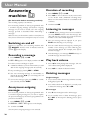
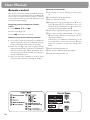
Answering machine b
(for device with built-in answering machine)
Your answering machine is factory-programmed with
a recorded outgoing message. Activated or deactivate
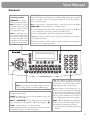
your answering machine with b ON/OFF. Activated
mode is indicated with the symbol b on the display.
Listening to messages
1 If PLAY flashes, messages have been recorded for
you.
2 Press PLAY to listen to the first message.
After listening to your messages PLAY will stay on
until all messages have been erased.
Deleting messages
1 Press C after having listened to all messages.
2 If you actually want to delete all messages, press C
again.
Sending faxes
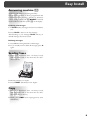
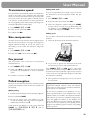
1 Insert your documents (max. 10 sheets) loosely
with the printed side to the front into the document feed slot.
2 Dial the number you require.
3 Press START. Transmission now begins.
Copy
1 Insert your documents (max. 10 sheets) loosely
with the printed side to the front into the document feed slot (see above).
2 Briefly press COPY. The copying process starts
immediately.
5