1
Programming
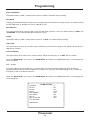
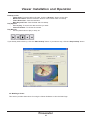
Set Time & Date
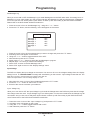
1. Place the cursor in front of the “Set Time/Date” and press the “F.F.” button.
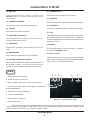
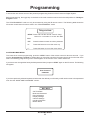
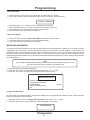
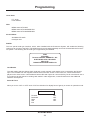
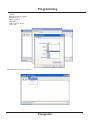
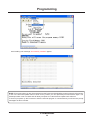
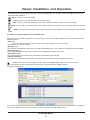
2. The “Time and Date” window will pop up on the screen as shown in the figure below.
1:11:37 P 3/12/04TH
3.
4.
5.
6.
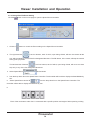
By pressing the “+” or “-” button you can change the Time or Date.
Press the “REW” and “F.F.” button to move the cursor either left or right.
After setting the Time and/or Date press the “STOP” button.
Exit all of the menus to activate your selection.
Reset Time & Date
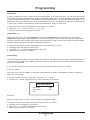
1. Place the cursor in front of “Reset Time/Date” and press the “F.F.” button.
2. It will reset the time and date to the factory default settings.
3. Exit all of the menus to activate your selection.
MODE AND PASSWORD
This menu is the administration menu that only authorized persons should enter. It allows you to change the basic
configuration of the Prosecutor System operational mode from hot climates to normal climates. Do not change the
operational mode of the Prosecutor System without consulting the factory for the unit is specially configured at the
factory for either of these operational modes. Also this menu allows access to change the user password and the
administrator passwords. Make sure you write down the passwords for future reference so you do not forget. All passwords
are case sensitive.
Note
All of setting in MODE AND PASSWORD menu will not load default by do Master reset
only User Password that load default by do Master reset
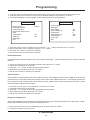
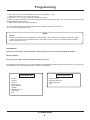
1. Enter the main menu programming mode.
2. Place the cursor in front of “Mode and Password” using the “+” or “-” button.
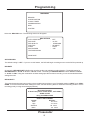
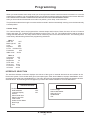
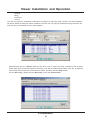
3. Press the “F.F.” button, and the menu below will appear on the screen.
Mode and Password
Change User Password
Change Admin Password
Climate Setting
Battery Protection Mode
Exit
Normal
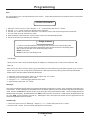
Change User Password
To change the User Password select “Change User Password” from the Mode and Password menu. Follow the steps
similar to changing the User password.
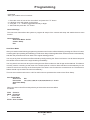
1. Place the cursor in front of “Change User Password” using the “+” or “-” button.
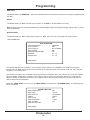
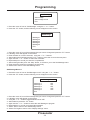
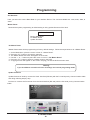
2. Press the “F.F.” button, and the following menu will appear on the screen.
User Password
Prosecutor
24