1
Programming
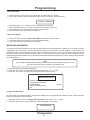
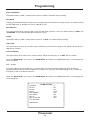
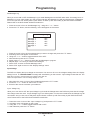
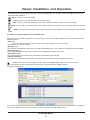
No Record Time Out Manual, 10-180 min.
This second mode sets the time before turning off the system after the ignition is turned off while the system is powered
up. In this mode if no functions on the system are operated this starts the time out. If programmed for “Manual”, this
leaves the system on indefinitely until the user presses the “Power” button manually. If you select a time from 10
minutes to 180 minutes, the unit will remain powered up for this programmable time after the last function is pressed by
the user.
This is useful for departments that leave the system on continuously but not always in the record mode, or have an
event during the day from the powered down mode and the system remains in the powered up mode. If the officer turns
off the ignition and exits the vehicle and forgets to turn off the system, the system will automatically turn off and not
drain the battery.
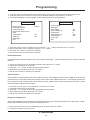
Climate Control
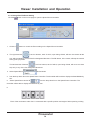
The climate control allows the user to select when the climate control is active. When “manual” the system has to be
turned on manually via the power button or LTS/Audio activation from off mode for the climate control to operate. In the
Auto mode, after ignition is turned on the unit automatically goes into the climate control mode. When in the auto mode
the unit will show all keypad lights on and the LCD display a dull blue illumination. If the unit is activated or powered up
the unit will turn on to the fully operational mode.
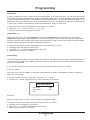
Program Lock
Both : Program mode time out for 10 minute then show message “Turn OFF Program Key” and clear the message
when turn the key OFF and continue normal operation. Also clear the message if any additional user input is received and then reset the time out again
Password : No matter what the position of the Program key just hold Stop button on the remote and enter the
password for go to programming mode. Program mode time out for 10 minute after last user entry function then show
message “Program Time Out” show for one minute and then exit the program mode and go to the normal operation
mode. Also clear the message if any additional user input is received and then reset the program time out again.
Note : Put the Program Lock key to the Lock position even if you set for Password programming for C/H function working
KeyLock : The Key lock will go immediately into Program mode menu without entering a password. Putting the Key
back to normal mode will immediately exit the programming mode and go to normal operating mode
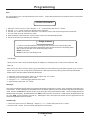
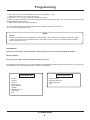
RECORD SETTINGS
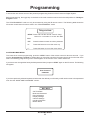
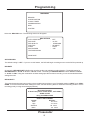
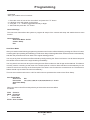
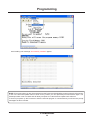
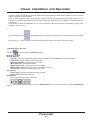
Access the sub menu of the Record Setting by placing the arrow next to Record setting and press the “F.F.” button.
The following sub menu will appear
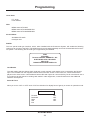
ALARM REC DWELL
The setting you choose will be the minimum recording time after the Alarm Record Signal goes from high to low, or
active to inactive. The default setting is 30 minutes. Select “ALARM REC DWELL”. The cursor will start blinking.
Press the “+” and “-” buttons to change the settings. The available settings are from 0 to 180 minutes in one-minute
increments. Exit all of the menus to activate your programming changes. When the DVR begins recording, it will
display the “REC” message on-screen, as well as the percent hard disk usage and recording rate. See the DVR
Settings section for more information.
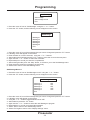
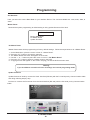
DVR SETTINGS
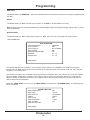
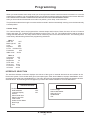
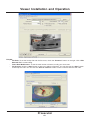
From the Main Menu, select the “Record Settings” sub-menu by moving the cursor to that item and pressing the F.F.
button on the remote control. Then select “DVR Settings”. The following sub-menu for the DVR will appear:
Prosecutor
26