1
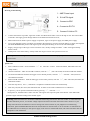
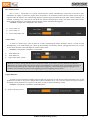
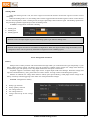
ESS-ONE installation Before using ESS-ONE, secure it reliably onto your model in a well ventilated place as much as possible. If the high power output of the module could not guarantee good cooling, the overheating protection function of the module will automatically stop the device from working until temperature drops to normal value. The speaker is a heating element and long time of overheating will deform or even damage the diaphragm. Working mode of the ESS-ONE There are 3 working modes: Remote control calibration: in sound simulation mode, press “+” for more than one second to activate the calibration mode; Sound simulation mode: when the ESS-ONE is powered-on, the system will enter into sound simulation mode as default; S-Link mode: when the ESS-ONE connects the PC through S-Link, the device will enter into S-Link mode. Then set-up, sound source changing and firmware upgrading of ESS-ONE can be conducted through RC PLUS. S-Link functions ESS-ONE connects with PC through S-Link and thus enters into S-Link mode, mutually exchanging data with the RC PLUS in the PC to realize sound resource downloading, function configuration and firmware upgrading; When the ESS-ONE is in S-LINK mode, it only exchanges data with PC and will not send audio signals to the amplifier circuit and the latter will not work. Calibrate ESS-ONE Enter Calibration mode:Press & hold the “+” 1S,after“DI---”sound,release the button, ESS-ONE enters the “Setup mode”; Neutral Calibration : make sure the TH at Neutral, Click the “+”, after “DI”sound, the neutral calibration finishes. Forward TH calibration:Pull the TH trigger to max throttle position,click the “+”,after"DI"sound, forward TH calibration finishes. Backward TH calibration:Push the TH trigger to max brake position, click the “+”, after “DI”sound, the brake TH calibration finishes. After the steps above, after "DI---", calibration is completed. Calibration mode exit automatically. With "DI, DI, DI" sound, the calibration fails. It returns to the neutral calibration to re-calibration. In process, you can quit the calibration mode by pressing “-”, with "DI -------". Remarks: after the device is powered on, the“-” button and “+” button will be used for volume adjustment. When switching to the calibration mode upon long pressing “+”, “+”button will serve as the confirmation button and the “-”button will mean cancellation. Battery status monitoring ESS-ONE has low voltage alarm function. Under default condition, this function is closed; the ESS-ONE can be connected to the PC through S-Link to configure the low voltage alarm function of RC PLUS. If the low voltage alarm function is activated, the type and number of serial batteries and the threshold value of low voltage alarm shall be selected in the configuration option. When ESS-ONE is working and the output voltage of the battery falls below the aforementioned threshold value, ESS-ONE will give consecutive beeping sounds to give alarm. www.sensehobby.com 9