1
ActivityInsight Basic User Manual
Adding a Rank Promotion Goal
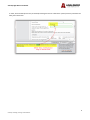
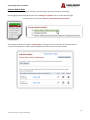
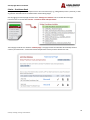
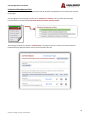
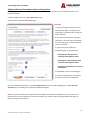
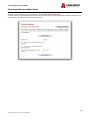
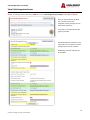
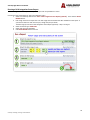
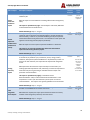
To add a new rank promotion goal click on the “ADD A NEW ITEM” button. The next screen is called the “Data Entry” page.
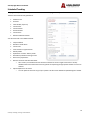
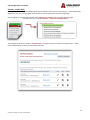
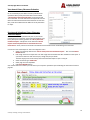
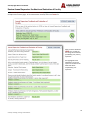
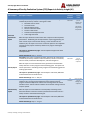
Complete each section as identified below.
1.
2.
3.
4.
Enter year current rank was awarded – this is important for determining whether a faculty member is eligible for
the next rank.
Select rank promotion goal – this is the promotion towards which a faculty member is aspiring.
Verify that the requirements are met for rank promotion – this information can be found in section 8 of the Faculty
Handbook.
If seeking a rank promotion to Associate Professor or Professor, choose the Faith Integration project appropriate
to the rank promotion goal.
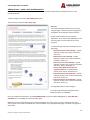
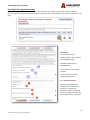
Select the academic years that data will be collected toward achieving rank promotion goal.
Note: Data collection must be completed one year prior to the year in which a promotion will take effect.
5.
6.
7.
8.
9.
10.
Select the first year of data collection from the drop down list
Select the second year of data collection from the drop down list
Select the third year of data collection from the drop down list
Select the fourth and fifth year of data collection from the drop down list (only if you’re on a 5‐year contract)
Faith Integration Response Paper Due Date ‐ Due June 30th of this year.
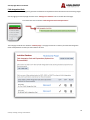
Click “SAVE AND RETURN”
15
Center for Teaching, Learning, and Assessment