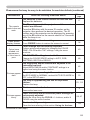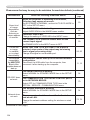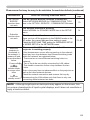
1
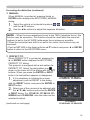
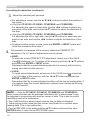
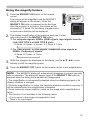
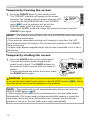
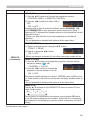
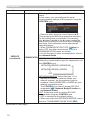
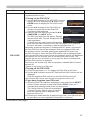
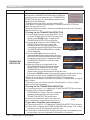
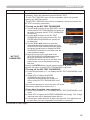
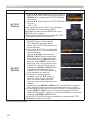
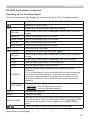
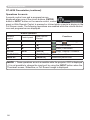
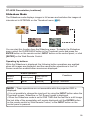
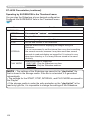
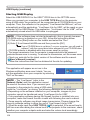
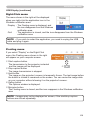
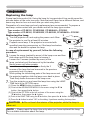
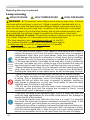
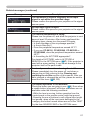
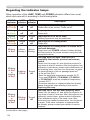
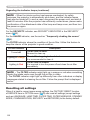
Troubleshooting Related messages (continued) Message Description The horizontal or vertical frequency of the input signal is not within the specified range. Please confirm the specs for your projector or the signal source specs. An improper signal is input. Please confirm the specs for your projector or the signal source specs. The internal temperature is rising. Please turn the power off, and allow the projector to cool down at least 20 minutes. After having confirmed the following items, please turn the power ON again. • Is there blockage of the air passage aperture? • Is the air filter dirty? • Does the peripheral temperature exceed 45°C? • If you use CP-X8150, CP-WX8240, CP-SX8350 or CP-WU8440, does the peripheral temperature exceed 40°C? • Is the setting for ALTITUDE appropriate? For details of ALTITUDE, refer to ALTITUDE of SERVICE in the OPTION menu (67). If the projector is used with a wrong setting, it may cause damage to the projector itself or the parts inside. A note of precaution when cleaning the air filter. Please immediately turn the power off, and clean or change the air filter referring to the Cleaning and replacing the air filter section of this manual. After you have cleaned or changed the air filter, please be sure to reset the filter timer (65, 113). The button operation is not available. Check the button you are going to use (6). Even when a usable button is pressed, all button operations are not available under the following conditions. -While the lens is moving, button operation from the control panel or the remote control might be ignored. -Pressing the one of buttons to call a signal input might be ignored, when all the input ports belonging to the category the button's name shows are set to the "SKIP" by the item SOURCE SKIP of the OPTION menu. 117