1
Troubleshooting
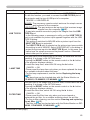
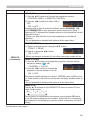
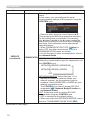
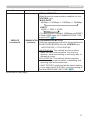
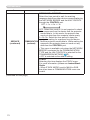
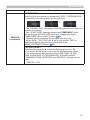
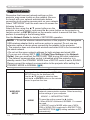
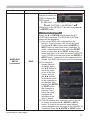
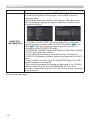
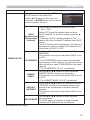
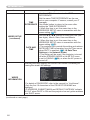
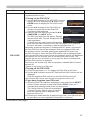
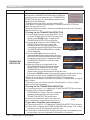
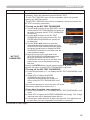
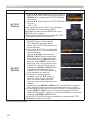
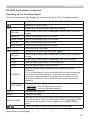
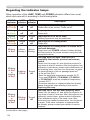
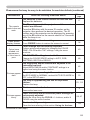
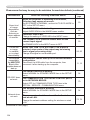
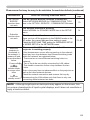
Regarding the indicator lamps
When operation of the LAMP, TEMP and POWER indicators differs from usual,
check and cope with it according to the following table.
POWER
LAMP
TEMP
Description
indicator indicator indicator
Lighting
Turned
Turned The projector is in a standby state.
Please refer to the section “Power on/off”.
In Orange
off
off
Blinking
In Green
Turned
off
Turned
off
The projector is warming up.
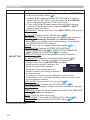
Lighting
In Green
Turned
off
Turned
off
The projector is in an on state.
Blinking
In Orange
Turned
off
Turned
off
The projector is cooling down.
Blinking
In Red
(discretionary)
(discretionary)
Please wait.
Ordinary operations may be performed.
Please wait.
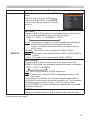
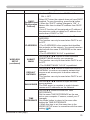
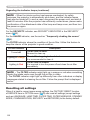
The projector is cooling down. A certain error
has been detected.
Please wait until POWER indicator finishes blinking,
and then perform the proper measure using the item
descriptions below.
The lamp does not light, and there is a
possibility that interior portion has become
heated.
Blinking
In Red
or
Lighting
In Red
Lighting
In Red
Turned
off
Please turn the power off, and allow the projector to
cool down at least 20 minutes. After the projector has
sufficiently cooled down, please make confirmation of
the following items, and then turn the power on again.
• Is there blockage of the air passage aperture?
• Is the air filter dirty?
• Does the peripheral temperature exceed 45°C?
• If you use CP-X8150, CP-WX8240, CP-SX8350
or CP-WU8440, does the peripheral temperature
exceed 40°C?
If the same indication is displayed after the remedy,
please change the lamp referring to the section
Replacing the lamp.
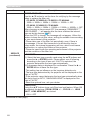
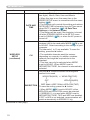
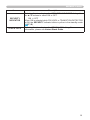
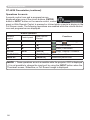
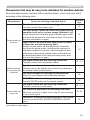
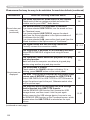
The lamp cover has not been properly fixed.
Blinking
In Red
or
Lighting
In Red
Blinking
In Red
(continued on next page)
118
Turned
off
Please turn the power off, and allow the projector to
cool down at least 45 minutes. After the projector has
sufficiently cooled down, please make confirmation
of the attachment state of the lamp cover. After
performing any needed maintenance, turn the power
on again. If the same indication is displayed after
the remedy, please contact your dealer or service
company.