1
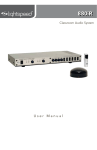
850iR User Manual
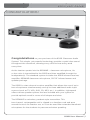
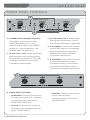
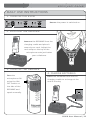
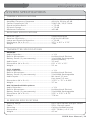
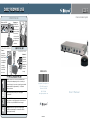
FRONT PANEL CONTROLS
2
LES 850iR Classroom Amplification System
5
4
1
3
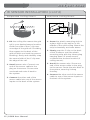
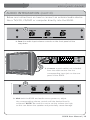
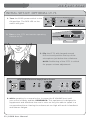
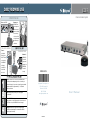
1. POWER Switch/POWER Indicator:
3. AF Indicators (AF): These lights
This switch is used to turn the
850iR ON (switch up), or OFF
(switch down). When the POWER
switch is in the ON position, the
POWER light will glow red.
2.IR Indicators (IR): These lights will
glow red when the corresponding
microphone is turned on. This light
confirms the 850iR is receiving a steady infrared signal.
flash green when audio (voice)
from the microphone is detected.
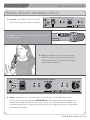
4.A VOLUME: Controls the volume
level of the teacher microphone
that is switched to Channel A.
Rotating the knob clockwise
increases output level.
5.B VOLUME: Controls the volume
level of the optional second
microphone that is switched to
Channel B. Rotating the knob
clockwise increases output level.
6
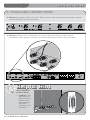
6. AUDIO INPUT VOLUME:
• COMPUTER: Controls the volume
of audio coming from a computer
connected to the rear panel
COMPUTER INPUT jack.
• TV/VCR: Controls the volume of
the source connected to the rear
panel TV/VCR INPUT.
3 | 850iR User Manual
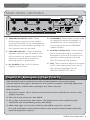
• CD/DVD: Controls the volume
of the source player connected to the rear panel CD/DVD INPUT.