1
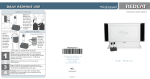
DAILY REDMIKE USE
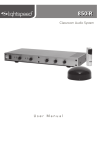
850iR
Classroom Audio System
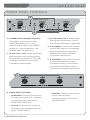
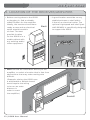
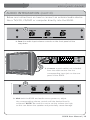
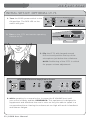
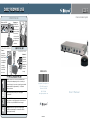
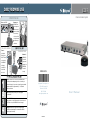
START OF THE DAY
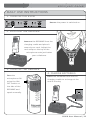
Turn on the 850iR.
LES 850iR Classroom Amplification System
Remove the
REDMIKE from
the charger and
place it around
your neck. Adjust
the neck strap
so the top of the
microphone rests
just below your
collarbone.
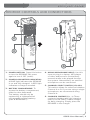
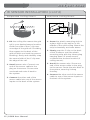
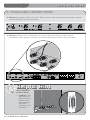
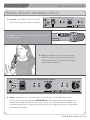
TURN ON THE REDMIKE
Turn the
microphone
ON using the
ON/OFF switch
on the side of
the REDMIKE
and speak
normally. Set
the channel
switch to A.
1
2
3
4
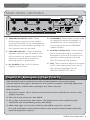
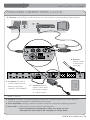
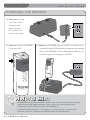
CHARGE BATTERIES
Return the
REDMIKE to
the cradle
charger and
recharge the
REDMIKE at
the end of
the day.
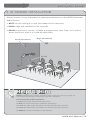
Speak in a natural voice. A normal conversational speech
level will provide an adequate signal. It is not necessary to
increase the intensity of your voice—the audio system provides
adequate amplification (approximately 5 – 10 dB) above
ambient room noises.
Avoid wearing jewelry that may rub or bump against
the microphone.
MN0044US01-2
Li g h tspe e d Te c hno lo gie s, Inc .
11 5 0 9 SW H e rman R d
Tualat in, OR 9 7 0 6 2
800.732.8999
w ww. light spe e d-t e k . c o m
Turn the REDMIKE off during private conversations with a
student, parent, or other classroom visitor. You can also cover
the LED lens on top of the REDMIKE to block the signal.
Recharge batteries each night. When recharged nightly,
operating time (actual usage) for the transmitters will last
through a typical school day.
MN0044US01-2
User Manual