1
850iR User Manual
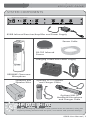
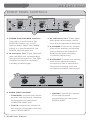
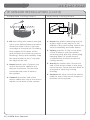
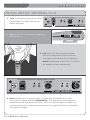
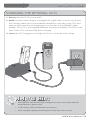
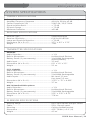
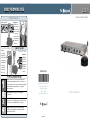
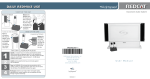
OPTIONAL HM-70 CONTROLS AND CONNECTIONS
3
1
4
NiMH
6
2
5
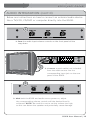
1.ON/OFF/MUTE Switch: This switch
turns the unit ON, OFF or MUTE.
2.Channel Select Switch (CH A/B): Located in the battery compartment, the switch is set to Channel B at
the factory.
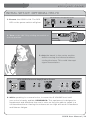
3.Power/Charge Indicator: The
light glows RED when the HM-70
is powered ON, GREEN when charging.
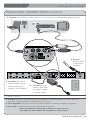
5.Infrared Emitters: Avoid covering the emitters as you grip the HM-70 as this could interrupt signal transmission from the microphone.
6.Volume Gain Adjustment:
Optimum volume level is
pre-set at the factory and no
adjustment should be necessary.
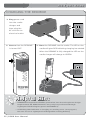
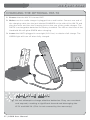
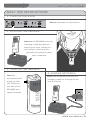
4.Charger Input (CHARGER): Plug
the charging cable from the charger
into this jack for daily charging.
850iR User Manual | 10