1
HUNT ENGINEERING
Chestnut Court, Burton Row,
Brent Knoll, Somerset, TA9 4BP, UK
Tel: (+44) (0)1278 760188,
Fax: (+44) (0)1278 760199,
Email: [email protected]
http://www.hunteng.co.uk
http://www.hunt-dsp.com
HUNT ENGINEERING
SERVER/LOADER TOOL
for DSP Module Carriers
USER MANUAL
Software Version 4.13
Document Rev H
J.Thie 25/07/05
COPYRIGHT
This documentation and the product it is supplied with are Copyright HUNT
ENGINEERING 1999. All rights reserved. HUNT ENGINEERING maintains a policy
of continual product development and hence reserves the right to change product
specification without prior warning.
WARRANTIES LIABILITY and INDEMNITIES
HUNT ENGINEERING warrants the hardware to be free from defects in the material
and workmanship for 12 months from the date of purchase. Product returned under the
terms of the warranty must be returned carriage paid to the main offices of HUNT
ENGINEERING situated at BRENT KNOLL Somerset UK, the product will be repaired
or replaced at the discretion of HUNT ENGINEERING.
Exclusions - If HUNT ENGINEERING decides that there is any evidence of
electrical or mechanical abuse to the hardware, then the customer shall have no
recourse to HUNT ENGINEERING or its agents. In such circumstances HUNT
ENGINEERING may at its discretion offer to repair the hardware and charge for
that repair.
Limitations of Liability - HUNT ENGINEERING makes no warranty as to the
fitness of the product for any particular purpose. In no event shall HUNT
ENGINEERING’S liability related to the product exceed the purchase fee actually
paid by you for the product. Neither HUNT ENGINEERING nor its suppliers
shall in any event be liable for any indirect, consequential or financial damages
caused by the delivery, use or performance of this product.
Because some states do not allow the exclusion or limitation of incidental or consequential
damages or limitation on how long an implied warranty lasts, the above limitations may not
apply to you.
TECHNICAL SUPPORT
Technical support for HUNT ENGINEERING products should first be obtained from the
comprehensive Support section www.hunteng.co.uk/support/index.htm on the HUNT
ENGINEERING web site. This includes FAQs, latest product, software and
documentation updates etc. Or contact your local supplier - if you are unsure of details
please refer to www.hunteng.co.uk for the list of current re-sellers.
HUNT ENGINEERING technical support can be contacted by emailing
[email protected], calling the direct support telephone number +44 (0)1278
760775, or by calling the general number +44 (0)1278 760188 and choosing the technical
support option.
2
HUNT ENGINEERING Server/Loader USER MANUAL
TABLE OF CONTENTS
INTRODUCTION.......................................................................................................... 6
SCOPE ..................................................................................................................................................... 6
USING THE SERVER/LOADER ................................................................................................................... 7
COMPILING A TI C APPLICATION FOR USE WITH THE SERVER/LOADER ................................................... 7
HUNT ENGINEERING API VS. DIRECT I/O ........................................................................................ 7
VERSION 3.0 (COMPARED WITH 2.7 AND EARLIER).................................................................................. 7
VERSION 3.1............................................................................................................................................ 8
VERSION 3.2............................................................................................................................................ 8
VERSION 3.3............................................................................................................................................ 9
VERSION 4.0............................................................................................................................................ 9
REVISION F MANUAL ............................................................................................................................... 9
VERSION 4.08.......................................................................................................................................... 9
REVISION H MANUAL .............................................................................................................................. 9
VERSION 4.10.......................................................................................................................................... 9
VERSION 4.11........................................................................................................................................ 10
VERSION 4.12........................................................................................................................................ 10
VERSION 4.13........................................................................................................................................ 10
INSTALLATION ......................................................................................................... 11
INSTALLATION ON PCS .......................................................................................................................... 11
Installation under Windows 95/98, Windows NT, Windows 2000 ................................................... 11
Installation under RedHat Linux (6.1 &up)..................................................................................... 11
Installation under VxWorks ............................................................................................................. 11
Installation under RTOS-32............................................................................................................. 12
Completed Installation .................................................................................................................... 12
INSTALLATION OF THE SERVER/LOADER LIBRARY ................................................................................ 12
THE LOADER: LOADING CODE ........................................................................... 14
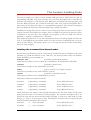
INVOKING THE COMMAND LINE SERVER/LOADER ................................................................................. 14
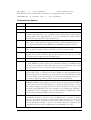
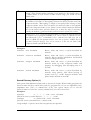
Command Line Options ................................................................................................................... 15
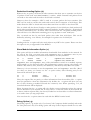
Search Directory Option (-i)............................................................................................................ 16
Packetised Loading Option (-k)....................................................................................................... 17
Show Module Information Option (-c)............................................................................................. 17
Debug Option (-g) ........................................................................................................................... 17
Code Composer Studio ID Matching (-x) ........................................................................................ 18
Embedded HEART programming .................................................................................................... 18
THE NETWORK DESCRIPTION FILE ........................................................................................................ 18
THE SERVER: HANDLING STANDARD I/O........................................................ 19
GENERAL DESCRIPTION ......................................................................................................................... 19
SERVER/LOADER RUN TIME LIBRARIES ................................................................................................ 19
The Standard I/O Library ................................................................................................................ 19
The Stand-alone Library (for normal nodes)................................................................................... 20
CONCURRENCY ISSUES (HEPC9 ONLY)................................................................................................. 21
SERVER/LOADER LIBRARY FUNCTIONS ................................................................................................. 21
The Input/Output Functions............................................................................................................. 22
Server/Loader Specific Functions.................................................................................................... 24
Remarks Concerning fread and fwrite............................................................................................. 24
SERVER/LOADER PLUG-IN (CODE COMPOSER STUDIO)............................ 25
WHAT IS THE SERVER/LOADER PLUG-IN? ............................................................................................. 25
PLUG-IN PARAMETERS .......................................................................................................................... 25
THE BOOTLOADER FUNCTION ........................................................................... 27
WHAT IS THE BOOTLOADER() FUNCTION AND HOW DO I USE IT? .......................................................... 27
3
HUNT ENGINEERING Server/Loader USER MANUAL
EXAMPLE CODE ..................................................................................................................................... 27
DSP/BIOS AND BOOTLOADER .............................................................................................................. 27
HETFLASH .................................................................................................................. 28
USING THE HETFLASH........................................................................................................................ 28
PREPARING A SERVER/LOADER PROGRAM FOR HETFLASH ................................................................ 28
PROGRAMMING THE HETFLASH ......................................................................................................... 30
VERIFYING THE HETFLASH ................................................................................................................ 31
TROUBLESHOOTING HETFLASH.......................................................................................................... 32
FLASH TESTING OPTION ....................................................................................................................... 32
SERVER/LOADER AND HERON-API.................................................................... 34
HOW IS THE HERON-API USED IN THE SERVER/LOADER? ................................................................... 34
What is "init_io_functions"?............................................................................................................ 34
How do I use "stubx.c"? .................................................................................................................. 34
THE SERVER/LOADER HOST LIBRARIES......................................................... 35
OVERVIEW ............................................................................................................................................ 35
SERVERLOADER FUNCTIONS .................................................................................................................. 35
LOADER FUNCTIONS .............................................................................................................................. 37
SERVER FUNCTION ................................................................................................................................ 37
FLAGMESERVERUP .............................................................................................................................. 38
HEARTCONF FUNCTIONS ....................................................................................................................... 38
TERMINATION ....................................................................................................................................... 40
PARSING THE NETWORK FILE ................................................................................................................. 40
RETRIEVING NETWORK FILE INFORMATION ............................................................................................ 41
Board information ........................................................................................................................... 41
Node information............................................................................................................................. 42
Connection information ................................................................................................................... 43
WINDOWS (AND OTHER NON-CONSOLE) PROGRAMS .............................................................................. 43
ERROR HANDLING ................................................................................................................................. 46
VERSION INFORMATION ........................................................................................................................ 46
HOW TO BUILD ...................................................................................................................................... 47
LINKING WITH LIBRARIES ...................................................................................................................... 47
LEGACY: CLASS NETWORK INTERFACE: BASICS ................................................................................... 48
Example ........................................................................................................................................... 49
LEGACY: CLASS NETWORK INTERFACE: PARAMETERS ........................................................................... 49
Example ........................................................................................................................................... 50
LEGACY: CLASS COMMON INTERFACE: BASICS ..................................................................................... 50
LEGACY: CLASS COMMON INTERFACE: PARAMETERS ........................................................................... 50
LEGACY: CLASS CCIF INTERFACE: BASICS ............................................................................................ 51
LEGACY: CLASS CCIF INTERFACE: PARAMETERS .................................................................................. 52
Example supporting the ‘-g’ option................................................................................................. 52
LEGACY BUILD ...................................................................................................................................... 53
LINKING WITH LEGACY LIBRARIES ........................................................................................................ 53
Examples.......................................................................................................................................... 54
MIXING SERVER/LOADER AND API APPLICATIONS.................................... 55
INTRODUCTION ...................................................................................................................................... 55
BOOT NETWORK, THEN RUN API APPLICATION...................................................................................... 55
BOOT NETWORK & RUN API CODE IN ONE APPLICATION ....................................................................... 55
BOOT NETWORK, SERVE NODES & RUN API CODE AT THE SAME TIME .................................................. 56
SERVER THREADS .................................................................................................................................. 56
NOSERVE KEYWORD .......................................................................................................................... 57
SERVER/LOADER AND A SEPARATE API APPLICATION IN PARALLEL ...................................................... 58
SERVER/LOADER & API CODE IN ONE APPLICATION ............................................................................. 58
COMPLETION ......................................................................................................................................... 61
EXAMPLE PROGRAMS............................................................................................ 62
4
HUNT ENGINEERING Server/Loader USER MANUAL
C6X EXAMPLES ..................................................................................................................................... 62
RUNNING THE C6X EXAMPLES .............................................................................................................. 62
C4X EXAMPLES ..................................................................................................................................... 63
RUNNING THE C4X EXAMPLES .............................................................................................................. 63
COMPILING THE C4X EXAMPLES ........................................................................................................... 63
COMPILING ON LINUX, VXWORKS OR RTOS-32................................................................................. 63
SERVER/LOADER LIBRARY FUNCTIONS ......................................................... 64
LIST OF RUN-TIME FUNCTIONS.......................................................................... 96
TECHNICAL SUPPORT.......................................................................................... 105
APPENDIX A: ERROR CODES.............................................................................. 106
5
HUNT ENGINEERING Server/Loader USER MANUAL
Introduction
The Server/Loader software provides HUNT ENGINEERING motherboard users with a
simple means to use the TI C and assembler development tools.
The Server/Loader can be:
•
used as a stand alone program (the command line Server/Loader) that DSP network
and then provides standard I/O (stdio) services to the root processor.
•
linked in with an application program which can use its functionality under program
control.
•
used as a plug-in with Code Composer Studio.
Scope
The current version of the Server/Loader, v4.0, supports 'C62 and 'C67 multi-processor
DSP systems as well as 'C40 and 'C44 multi-processor DSP systems. The Server/Loader is
supported under Windows 95/98, Windows NT 4.x, Windows 2000, RedHat Linux (6.1
and up). The Server/Loader requires a "network" file, which is an ASCII file with a
description of the DSP network to be booted. 'C6x and 'C4x node entries in the "network"
file have different keywords, and the Server/Loader will check if files to be loaded to the
'C6x are really 'C6x COFF files, and will check if files to be loaded to the 'C4x are really
'C4x COFF files.
Following the introduction of the HUNT ENGINEERING API, the need for the
Server/Loader to support motherboards using direct I/O has been removed and all new (as
well as many existing) motherboards are supported from the Server/Loader by using the
API interface. This allows the introduction of new boards to be matched by a release of the
Server/Loader, this same benefit applies to the other tools that may be used. It also benefits
any applications developed using the program interface to the Server/Loader.
After a system level reset of the DSP processors, the application is downloaded via the host
interface on the motherboard. The Server/Loader ensures that each particular node in the
network is booted. Once the network has been booted, the Server/Loader allows the root
processor access to a certain number of host resources such as keyboard, screen and file
system. (The 'root' node is the first node in the network that is directly connected to the
host.)
New with version 4.0 of the Server/Loader is that all DSP processors (on a HEPC9) that
are connected to the host can now use ‘stdio’ functions. You still need to declare one of the
DSP processors as ‘root’. The HEPC9 has 6 fifo’s, and if you create connections between a
DSP and the host PC, the Server/Loader will automatically ‘serve’ this node. To deal with
possible synchronisation issues related to having more than 1 node being served, a few extra
functions have been added to the Server/Loader DSP library.
In providing host I/O to the root processor a certain degree of code and necessary data
structures have been kept on the host. This results in a smaller, more compact library that is
actually required on the root node. Any call to one of these host I/O functions is translated
and sent to the host. A full description of these I/O functions can be found in the section
on the Run-Time Library.
6
HUNT ENGINEERING Server/Loader USER MANUAL
Using the Server/Loader
In running any DSP application using the Server/Loader, the program must be correctly
compiled with the relevant libraries into the required format for loading. It must then be
loaded via the appropriate Server/Loader utility with a network description that details the
type of host platform, the network topology and the name of the executable targeted for
each node.
Compiling a TI C Application for use with the Server/Loader
When writing a TI C application, the following operations must be performed to ensure
correct operation.
1. All modules that will be using the Server/Loader (either in full on the root or just for
loading on the other node) must ensure that the Server/Loader Standard I/O header file
(stdioc60.h for C6x nodes, stdioc40.h for C4x nodes) is included.
2. Add a call to the function bootloader() as the very first operation in main(). This function
call is essential for the Server/Loader to be able to correctly boot DSP network. It must be
present in all of the programs loaded into the network (both the root and the normal
nodes).
After these steps have been followed the source can be compiled and linked. The resulting
*.out can then be booted on to the network.
HUNT ENGINEERING API vs. Direct I/O
The HUNT ENGINEERING API implements a standard interface to all HUNT ENGINEERING boards, and is the recommended way to communicate with boards. The
Server/Loader supports some boards on some operating systems using direct I/O as well.
Direct I/O means bypassing the API, accessing a board directly without using any drivers.
Support for direct I/O is a legacy and will be removed in the future.
On the 16-bit PC platforms, i.e. those running MSDOS, Windows 3.1, Windows 95 (with
16 bit applications), the Server/Loader supports some boards via direct I/O and all boards
via the HUNT ENGINEERING API.
On the 32-bit PC platforms, i.e. Windows 95/98 (with 32 bit applications), Windows NT
and Windows 2000 the Server/Loader does not provide any support for direct I/O and all
boards are supported via the HUNT ENGINEERING API. Under Redhat Linux (6.1
&up) there is no support for direct I/O and all boards are supported via the HUNT
ENGINEERING API.
NOTE: If using the API with the Server/Loader it is important to ensure that the API
components for your board and Host Operating system have been installed as well.
Version 3.0 (compared with 2.7 and earlier)
Version 3.0 of the Server/Loader added a number of new features in order to support the
new HERON architecture. They are:
* The network file has a new node declaration, using "C6" instead of "ND".
7
HUNT ENGINEERING Server/Loader USER MANUAL
* "C6" entries in the network file don't use LBCW/GBCW/IACK.
* The bootloader function has changed (if you used HEPC6 before you need to re-compile
HEPC6 DSP programs to get them to work on a HEPC8).
* The Server/Loader host library interface has changed radically. Version 3.x is written in
C++ and the network class now implements the Server/Loader library interface.
However, please note that version 3.0 has no 'C4x support (this was introduced in version
3.1), and 'C4x users would still use version 2.7 or earlier.
Version 3.1
Version 3.1 of the Server/Loader added full 'C4x support. But as the network booting
mechanism (which proceeds via the "bootloader" calls) is completely different, there is no
binary backward compatibility. A 'C4x application developed for Server/Loader 2.7 or
earlier would need re-compilation and re-linking with a version 3.1/3.2/3.3 library.
Please note that this version of the Server/Loader supports using Code Composer Studio
with the "personalised" Server/Loader for WIN32. This support made it necessary to add
some new fields in the network class, making the win32sl.dll libraries of 3.0 vs 3.1/3.2/3.3
non-compatible. Compatibility still remains on a source level: re-compile and re-link your
Server/Loader 3.0 projects and they'll work with the 3.1/3.2/3.3 library (win32sl.dll). But,
make very sure that you use the new (version 3.2/3.3) network.h, common.h and ccif.h
include files, and define the new CCSTUDIO pre-processor variable!
Two functions have been added to make combined Server/Loader - Hunt Engineering API
programs a bit easier. They are members of the network class:
char *GetDevName
(int brdno);
int
GetBoardNo
(int brdno);
int
GetComport
(int brdno);
GetDevName will return the name of the board (as described in the network file),
GetBoardNo will return the board number and GetComport the comport number.
Together the 3 functions will return the information needed to start an API program, e.g.
hep8a 0 a. The brdno mentioned as parameter is the board definition line as it is described
in the network file. If you have a network file as follows, for example:
BD API hep8a 2 0
BD API hep8a 3 0
A brdno 0 refers to BD API hep8a 2 0, brdno 1 refers to BD API hep8a 3 0.
GetDevName(0) would return hep8a, GetBoardNo(0) would return 2, and
GetComport(0) would return 0. GetDevName(1) would return hep8a,
GetBoardNo(1) would return 3, and Get-Comport(0) would return 0.
Version 3.2
Compared to version 3.1, version 3.2 has two features added. The first is the use of a new,
faster server protocol between the ROOT node and the host PC. The Server/Loader
remains backward compatible with the old server protocol. This means that you can still run
DSP programs compiled for Server/Loader 3.0 or 3.1 with Server/Loader 3.2, without a recompile and a re-link. However, the Server/Loader C6 libraries are compiled to use the new
server protocol, and a re-compile/re-link of previous projects will make your *.out file use
the new server protocol.
8
HUNT ENGINEERING Server/Loader USER MANUAL
The other difference between version 3.1 and 3.2 is that the C6 DSP libraries now always
use the HERON-API for any communications. To ensure that the Server/Loader is not
tied to a particular HERON-API version, the Server/Loader 'C6x libraries use pointers to
HERON-API functions. In your projects you must then initialise these pointers to
functions. A file called "stub.c" is included in the distribution that will do the initialisation
for you. The file is present in all the example directories. The file can be used either by
including it in a source file (#include "stub.c") or by adding it to your project. In the latter
case, be sure to include the proper heronx.h file in "stub.c".
Finally, please note that versions 3.0 and 3.1 support only HERON1 modules, whereas
versions 3.2 and higher support any HERON module (HERON1, HERON4, etc). This is
because communications now proceed via the HERON-API, and the actual HERON-API
version and type used is selected only when you link your application.
Version 3.3
The difference between this new version 3.3 and the previous version 3.2 is the addition of
HETFLASH support for 'C4x systems. The HETFLASH is a TIM-40 module that contains
flash memory. The HETFLASH is used to boot stand-alone 'C4x systems.
Version 4.0
The difference between this new version 4.0 and the previous version 3.3 is the addition of
HEPC9 support and support for programming FPGA or HERONIO devices.
HEPC9 support includes features such as HEART programming and new statements to
declare non-dsp nodes (to be used with HEART programming).
Revision F manual
Network file syntax split off in a separate manual. The network file is used by more tools
than just the Server/Loader. It thus merits its own manual, and the network file syntax can
be seen more like a ‘standard’ used by more than 1 tool (currently Server/Loader and
HeartConf but there may be more in the future).
Version 4.08
With version 4.08 a new library interface is introduced (‘hesl.h’). The old interface
(‘network.h’) will be obsolete in future. Also support for multiple IBC connected boards
was added.
Revision H manual
Added chapter explaining all HESL functions.
Version 4.10
With version 4.10 a PROM option was added. This option generates a file with HEART
9
HUNT ENGINEERING Server/Loader USER MANUAL
configuration data that cane be used in embedded or stand-alone systems.
Version 4.11
With version 4.11 of the Server/Loader Code Composer Studio version 3.x support was
added.
Version 4.12
With version 4.12 BDCAST/LISTEN statements no longer reserve a whole ring.
Version 4.13
With version 4.13 support for the HERON-BASE2 has been added, and a new appendix
‘error codes’.
10
HUNT ENGINEERING Server/Loader USER MANUAL
Installation
Installation on PCs
Installation under Windows 95/98, Windows NT, Windows 2000
The setup program that installs the HUNT ENGINEERING API will also ask you if you
wish to install the Software Developer’s Pack (SDP). The Server/Loader will be installed as
part of this installation. The SDP is installed to the HUNT ENGINEERING API directory
and the Server/Loader in a sub-directory ‘hesl’ thereof.
Please be aware that the SDP is passworded. The setup program will ask for a password. If
you purchased the SDP, HUNT ENGINEERING will have provided you with a password.
The password is usually renewed per every major revision.
Installation under RedHat Linux (6.1 &up)
On the HUNT ENGINEERING CD you will find a tar file called slxx.tar (xx denoting the latest version, eg ‘sl31.tar’) in directory /mnt/cdrom/software/sl/linux.
Depending on your system setup, the CD will have been mounted automatically or you will
have to mount it manually.
To install the tar file, create a directory where you want to install the Server/Loader, then
un-tar it. For example:
mkdir hesl
cd hesl
tar xvf /mnt/cdrom/software/sl/linux/sl31.tar
After un-tarring the file, there will be an install script in the hesl directory. To run this
script you must be the root user. Simply type:
installme
This will copy the Server/Loader executable (linuxsl) to /usr/local/bin, the shared
library (liblinuxsl.so) to /usr/local/lib, the include files to
/usr/local/include. To uninstall, simply run the uninstall script:
uninstallme
Installation under VxWorks
The file that you will need is located in the \software\api\vxworks directory on the
HUNT ENGINEERING CD. The file is ‘vxwsl.o’ and it contains the Server/Loader
executable, the HeartConf utility and the Server/Loader library (interface). To use the
library you will need an include file; this can only be installed via the HUNT CD setup.
The installation program on the CD can create an installation (for Windows) with VxWorks
attached to it. You can use the CD setup program to install SDP (which includes the
Server/Loader) for both Windows and VxWorks at the same time. But you can also install
just for Windows or just for VxWorks. Once you have a SDP install for Windows you can
add a VxWorks installation using the CD setup program. (But when un-installing both
Windows and VxWorks installation files will be removed.)
11
HUNT ENGINEERING Server/Loader USER MANUAL
Installation under RTOS-32
The installation program on the CD can create an installation (for Windows) with RTOS-32
attached to it. You can use the CD setup program to install SDP (which includes the
Server/Loader) for both Windows and RTOS-32 at the same time. But you can also install
just for Windows or just for RTOS-32. Once you have a SDP install for Windows you can
add a RTOS-32 installation using the CD setup program. (But when un-installing both
Windows and RTOS-32 installation files will be removed.)
The Server/Loader is delivered in both executable and library format. The library format
(‘rtossl.lib’) is located in hesl\lib\rtos32 of your API&Tools installation. The executable
format (‘sl.rtb’ or ‘sl.exe’) is located in hesl\bin\rtos32.
Completed Installation
After successful installation, the following sub-directories can be seen in your API & Tools
installation directory (default c:\heapi):
\hesl\bin
Contains the Server/Loader executables.
\hesl\inc
Contains headers files (e.g. stdioc60.h)
\hesl\lib
Contains the run-time libraries.
\hesl\etc
Contains examples, eeprom and idrom sources.
\hesl\src
LINUX only: Server/Loader executables and run-time
library.
Some of these directories have sub-directories, as follows:
bin\win32
Contains the Server/Loader executable for 32-bit Windows.
bin\vxworks
Contains the Server/Loader executable for VxWorks.
bin\rtos32
Contains the Server/Loader executable for RTOS-32.
lib\win32
Contains the Server/Loader library & DLL for 32-bit
Windows.
lib\vxworks
Contains the Server/Loader library for VxWorks.
lib\rtos32
Contains the Server/Loader library for RTOS-32.
etc\c4x\idrom
Contains source for the idrom.out initialisation routine.
etc\c4x\examples
Contains example programs for 'C4x systems.
etc\c6x\eeprom
Contains source for the eeprom62/67.out view routine.
etc\c6x\examples
Contains example programs for 'C6x systems.
Please note that for LINUX systems, there is no bin directory. Instead, both the executable
and the shared library of the Server/Loader are in the src directory, where a Makefile takes
care of the installation (this is used in the installme and uninstallme scripts).
Installation of the Server/Loader Library
The Server/Loader library is a set of functions that allows you to write your own Server/
Loader, starting from what is already there - the HUNT ENGINEERING Server/Loader.
The library is all of the HUNT ENGINEERING Server/Loader in DLL and *.lib
12
HUNT ENGINEERING Server/Loader USER MANUAL
format (Windows 95/98, Windows NT), and *.so format (LINUX).
The API & Tools installation should have copied the Server/Loader library into your
Windows system directory. There are 2 files: win32sl.dll (for Microsoft C/C++
applications) and win32slbl.dll (for Borland C/C++ applications).
Linux Server/Loader Library
For LINUX systems, the liblinuxsl.so library needs to be installed in
/usr/local/lib. The installme script will have done this for you.
VxWorks Server/Loader Library
In the hesl sub-directory you find a VxWorks Server/Loader executable in bin\vxworks,
and the Server/Loader library in lib\vxworks. However, in the vxworks sub-directory of
your installation directory (default: c:\heapi) there is already a ‘vxwsl.o’ file. This file
combines the Server/Loader executable, library, and the HeartConf utility. In most cases it
is easier to use this combined file.
RTOS-32 Server/Loader Library
In the hesl sub-directory you find an RTOS-32 Server/Loader executable in bin\rtos32,
and the Server/Loader library in lib\rtos32.
13
HUNT ENGINEERING Server/Loader USER MANUAL
The Loader: Loading Code
The Server/Loader is a utility to boot multiple DSP processors, FPGA devices, and for
programming HEART. The Server/Loader uses a network description file to describe the
network. For example, it will describe what DSP must be loaded with what program, and
how the DSP processors are connected with each other. The network description file is
then passed to the Server/Loader as a command-line argument. The network description
file is an ASCII file and can be written/edited using a simple text editor.
In addition to being able to boot a 'C6x or 'C4x, the Server/Loader can also execute "stdio"
requests from the root DSP in the system. (The root DSP is the processor that has a direct
connection to the host PC.) For example, the program on the root DSP can execute
printf(), scanf() and fwrite() functions.
This section describes how to use the command line Server/Loader program and how the
'C6x or 'C4x applications can interact with it. In a later section it is explained how to use the
Server/Loader library. This library allows you to incorporate Server/Loader functionality
into your own program.
Invoking the command line Server/Loader
Because there are different versions of the Server/Loader that may be installed on the same
platform (e.g. DOS and Win32 on the same PC), the Server/Loader utility has different
names depending on its intended use:
(located in \hesl\bin\win32)
32-bit Server/Loader for use in a DOS box on Windows 95/98, Windows NT/2000.
win32sl.exe
(located in \hesl\src)
32-bit Server/Loader for use with LINUX (console).
linuxsl
(part of ‘vxwsl.o’ in c:\heapi\vxworks)
32-bit Server/Loader for use with VxWorks (console).
vxwsl
(located in c:\hesl\bin\rtos32)
32-bit Server/Loader for use with RTOS-32 (console).
rtossl
The Server/Loader is invoked as follows:
win32sl
[-options] network
for the Win32 bit server
linuxsl
[-options] network
for the LINUX server
vxwsl
[-options] network
for the VxWorks server
rtossl
[-options] network
for the RTOS-32 server
where network is the name of the network description file. The four forms are the same
apart from the name of the Server/Loader program. The network description file is an
ASCII file that tells the Server/Loader which program to load onto what node (a node
being e.g. a 'C6x or 'C4x processor). The following line would invoke the Server/Loader
with the network description file 'network'.
win32sl
-i. -rls network
for the Win32 bit server
linuxsl
-i. -rls network
for the LINUX server
14
HUNT ENGINEERING Server/Loader USER MANUAL
sp vxwsl, ”-i. -rls network”
for the VxWorks server
With RTOS-32, the command-line would be in a configuration file, as follows: CommandLine "a:\rtossl.exe -i. -rls network"
Command Line Options
-r
Reset all boards and processors in the network.
-l
Load code onto all processors defined in the network file.
-s
Serve stdio requests from the root processor.
-v[=n]
Run in verbose mode. Parameter n specifies a more detailed verbose level.
Currently implemented is 2 (-v=2) which shows routing tables used during the
loading phase. Also implemented is 4 (-v=4) showing the packet header
returned from the module by eeprom62/67.out
-c[=n]
Show selected HERON module information ('C6x) or IDROM information
('C4x). The n-value specifies a larger selection. Currently implemented is 2 (c=2), which will display the full HERON or IDROM information found.
-ipath
Search directory path for required programs (eeprom62.out or eeprom67.out
if the -c option is used for 'C6x, or idrom.out for 'C4x (always used)).
-k[=n]
Use packets when loading the network. Default packet size is 1024 byte
(suitable for use with the GD7). But can be altered to any value, e.g. -k=128.
This option is not supported for the HEPC9 yet.
-d
Run in 'Double Comport Host Interface' mode. C4x systems only.
-x
Don't match Module ID with Code Composer Studio ID. This is only used
on 'C6x HERON systems where the automatic matching of HERON IDs
with the Code Composer Studio IDs doesn't work, for any reason. You would
only use this option as a last-resort trouble-shooting option.
-a
Skip FPGA programming. If you have any FPGA nodes defined in your
network file, using ‘-a’ will tell the Server/Loader to skip programming the
FPGA nodes that you defined in the network file. As it can take quite a while
to load an FPGA node, and an FPGA’s contents don’t disappear on reset, you
may want to skip programming FPGA’s once they’re programmed.
-j
With HEPC9 boards, you can choose whether to boot the network using the
HERON modules’ boot jumpers or let the Server/Loader program HEART
so as to create a boot link. The default is to use boot jumpers. Using ‘-j’ means
that all boot jumpers are ignored, and the Server/Loader will create its own
boot links (using HEART). Also, boot jumpers set on GDIO and HERON–
IO modules loose any meaning. Any necessary GDIO or HERON-IO links
must be created using HEART connection statements.
-t
This option to accommodate Code Composer Studio 2.0 (CCS 2.0).
Executables created by CCS 2.0 may be deposited in a release or debug
directory. By default the Server/Loader adds a debug directory to the list of
paths that should be searched to find an executable. By using the ‘-t’ option
you tell the Server/Loader to look in the release directory (instead of the
debug directory) instead, for a DSP processor executable (*.out) file.
15
HUNT ENGINEERING Server/Loader USER MANUAL
-w
The waitperiod, in milli-seconds, that the Server/Loader should wait after
issuing a write transfer before assuming it has timed out. The default value is
0, which means to wait forever. Under normal usage you would use the
default value.
-g[=n]
Start up Code Composer Studio and prepare for debugging. Then n-value is
the number of seconds of "decoupling" between the Server/Loader and Code
Composer Studio. "Decoupling" is simply a wait period after issuing a Code
Composer Studio action. The wait allows the Server/Loader to de-schedule
and Code Composer Studio to run. There is some variation between different
PC's in the actual value, and this allows you to alter the wait, if necessary.
Usually, the default (-g) will work and you don't need to specify an n-value.
-bn
Where n=0, 1, 2 or 3. Tells the Server/Loader to create a file that can be used
by another tool to program HEART. Use –b0 to create a CPP file for use
with Microsoft C/C++ or Borland C/C++ and the host API. Use –b1 to
create a VHDL file for Spartan devices. Use –b2 to create a VHDL file for
use with Virtex II devices. Use –b3 to create a C file for use with Code
Composer Studio and HERON-API.
Examples:
win32sl -rls network
Resets, loads and serves a system described by
network.
win32sl -rlscv=2 network
Resets, loads and serves a system described by
network. Shows module information and detailed
verbose loading information.
win32sl -rlsg=2 network
Resets, loads and serves a system described by
network. Starts up Code Composer Studio and
prepares for debugging. The decoupling time is 2
seconds.
win32sl -rlsvk network
Resets, loads and serves a system described by
network, using packets. This allows booting of
systems with e.g. a GD7 between modules with
packet mode selected on the GD7.
Search Directory Option (-i)
This option adds additional search paths to the Server/Loader. When loading programs, the
Server/Loader will also search these paths for program files. If you use eeprom62.out,
eeprom67.out ('C67) or idrom.out ('C4x), this option allows you to tell the
Server/Loader to look in the \hesl\lib directory to look for those files.
Examples:
win32sl
-i..\..\..\..lib -rlsv network
(Win32 bit server) (search directory ..\..\..\..\lib)
linuxsl
-i~/hesl/lib -rlsv network
(LINUX server) (search directory ~/hesl/lib)
Using multiple -i options, more than one path may be specified.
16
HUNT ENGINEERING Server/Loader USER MANUAL
Packetised Loading Option (-k)
Without the -k option, the Server/Loader assumes that there are no restraints on the size
of packets. Each node runs bootloader() routine., which forwards load packets from
one node to the other until the node to be booted is reached.
However, when for example a GD7 is used in a system, packets do have restraints. The
GD7 can be used in a mode that sends and receives data in amounts of 1024 bytes. This
mode allows the GD7 to check and correct data sent from one GD7 to the other GD7.
The -k switch tells the Server/Loader to make packets of size 1024 bytes. Such packets will
travel without problem between GD7 connected modules. Loading using the -k switch will
be slower than without the -k switch. This is because with the -k option enabled packets
often will have to be filled with something just to top up data to reach 1024 bytes.
The -k switch can also be used with packet sizes other than 1024 bytes. This can be
defined by selecting -k as follows, for example for a packet size of 1024 bytes:
-k=1024
Loading with the -k option will also work without any GD7 in the system. Please note that
this option is not yet supported for the HEPC9.
Show Module Information Option (-c)
This option will show module information downloaded from modules in the network. In
the case of the 'C6x, you must have used eeprom62.out or eeprom67.out in your
network file, for example, the network file should have an entry similar to:
C6
0
heron1
root
1
eeprom62.out heron1.out
C6
0
heron2
normal
2
eeprom67.out heron2.out
eeprom62.out and eeprom67.out collect information stored in on-module eeprom,
and forward it to the Server/Loader. This information contains, among other things, the
module's ID, memory sizes, memory start addresses, and memory read/write wait cycles.
However, it is not necessary to use the eeprom62.out and eeprom67.out files. (But if
you don't use them, you cannot use the -c option either.) The following entry in the
network file will work just as well:
C6
C6
0
0
heron1
heron2
root
normal
1
2
heron1.out
heron2.out
Thus, the eeprom files are purely to collect information from the modules. The -c option
must be specified to show this information. By default, the -c option will show just one
line of data, showing a module's ID and the 4 memory sizes. When specifying -c=2, all
stored information will be displayed.
Please be aware that the -c option will only display correct information when the eeprom
files are declared in your network file. In case you use -c with the entries in the network file
as above (without eeprom files), the Server/Loader has not been able to collect information
so it cannot show you any proper data.
Also note that the –c option cannot be used with the HEPC9 carrier board.
Debug Option (-g)
The debug option (-g) works only if you have Code Composer Studio installed, and works
for 'C6x processors only. The debug option will setup Code Composer Studio for use with
17
HUNT ENGINEERING Server/Loader USER MANUAL
the Server/Loader. Code Composer Studio will be started up, and then the Server/Loader
will prepare everything for a debug session: load all processors with debug symbols, and it
will run each C6x program until the first C code line after bootloader(). It works for
any number of 'C6x processors - but you must have prepared Code Composer Studio to
work with exactly that number of processors, using Code Composer Studio Setup.
Code Composer Studio ID Matching (-x)
In the example network files, you will see entries for the Code Composer Studio ID in the
node declarations. Usually, Code Composer Studio will use different IDs for the nodes than
the Server/Loader does. With HERON systems, the Server/Loader can find out what
nodes have what Code Composer Studio IDs. But on non-HERON systems, it cannot.
The Code Composer Studio IDs are to be used on non-HERON systems, or in cases where
the automatic matching of HERON ID with Code Composer Studio ID failed.
Code Composer Studio IDs are related to the JTAG: the last processor in the queue has ID
0, the one closest to the host interface the highest ID, equal to the number of processors in
the JTAG chain minus 1.
In a case you want to force the Server/Loader not to do the automatic matching, use the x option. For HERON systems, using automatic matching is the default and the Code
Composer Studio IDs in the network file are ignored (unless you use the -x switch).
Embedded HEART programming
There are situations, where you don’t want or cannot employ HeartConf or the Server/
Loader but you still need to program HEART to create fifo connections. It is possible to
ask HeartConf and/or the Server/Loader to create a file that, when executed, will program
HEART. When you execute HeartConf or the Server/Loader with the –b0 option, a C file
will be written for use with a host program which, when executed, will program HEART
according to the network file you used to produce the file. When you use the –b1 option, a
VHDL file fit for use with a Spartan device will be generated. When you use the –b2
option, a VHDL file fit for use with a Virtex II device will be generated. And when you use
the –b3 option a C file fit for use with Code Composer Studio and HERON-API will be
generated.
The generated VHDL files are really only initialising a buffer (in block ram) and you need
some HIL VHDL to actually execute the parameters stored in the buffer.
The C code generated is in the shape of a function.
The Confidence Checks program implements a Windows front-end to the ‘-b’ feature.
Goto HEART Æ Configure HEART. Then select network file and press ‘PROM’ button.
The Network Description File
This file holds a precise description of the target system. The Network Description File is
an ASCII file and may be created with tools such as NotePad, WritePad, Visual C/C++, etc
on Windows, and tools such as vi on LINUX.
For more information on the network file, please refer to the separate network file syntax
document. Accessible via the HUNT CD front-end, web site or else look for
‘networkspec.pdf’.
18
HUNT ENGINEERING Server/Loader USER MANUAL
The Server: Handling Standard I/O
The second role of the Server/Loader is to provide an I/O server for the root node in the
network. Host resources such as keyboard, disc and screen are made accessible to the root
node through calls to the host. The I/O requests from the root node are translated to a call
through the host link to the host machine. Once the loader module of the Server/Loader
has loaded the network, the server module is invoked to receive and process the I/O
requests sent from the root node.
General Description
Once the loader has booted the network, the server is invoked to handle the requests of the
client, that is, the requests of the root node in the network. (If the -s option is not used with
the server command, then the Server/Loader will terminate after the network is loaded, and
consequently will not be able to respond to the requests of the client). A client-server
dialogue is set up between the server utility and the root processor, with a communication
protocol handled by low level routines on both sides. The root processor initiates transfers
as the client, with the server receiving a translated call to perform an I/O operation.
On the HEPC9 I/O requests from processors other than the ROOT node can be handled,
provided that a duplex HEART connection exists between the host interface and the DSP.
A separate Windows thread will be started up for each processor that has a bi-directional
link with the host. The Server/Loader will automatically find such connections in the list of
HEART definitions and automatically start a server thread for each. )Use the optional
NOSERVE keyword at the end of a HEART definition if you don’t want that host – node
connection the be served by the Server.)
Server/Loader Run Time Libraries
The I/O resources available on the host machine are available to the root node in the DSP
network. Consequently there are 2 run-time libraries. The first library includes standard I/O
routines and as such is only available to the root node. The second library is a reduced
library and contains only routines necessary for handling network loading. Non-root nodes
should use this second library.
On the HEPC9, as long as a duplex HEART connection exists between the PC interface
and the DSP, you can link the application for that DSP with the ‘full’ library.
The Standard I/O Library
The standard I/O library is available in several versions. These libraries are located in the
lib directory. With the TI compiler tools there are a number of memory models that can
be used. Other than the small memory model, there is a -ml0, -ml1, -ml2 and -ml3
memory model used by the 'C6x TI compiler. In the small memory model both code and
data are expected to be within a 32-kbyte area. If this is not the case, you must use one of
the -ml options. The 'C4x TI compiler uses 4 different models, with 2 parameters: big and
small memory model, and register/stack parameter passing.
It is important to note that linking an application with compilation units that have been
19
HUNT ENGINEERING Server/Loader USER MANUAL
compiled for a different memory model will result in the application failing. Therefore
ensure that when building each individual executable output, the library that is used
matches the compiler options that were used for the memory model.
The following table indicates which libraries correspond with which models.
I/O Library for 'C62xx
Memory Model
Standard library compiled for the small memory model
Standard library compiled for the -ml0 memory model
Standard library compiled for the -ml1 memory model
Standard library compiled for the -ml2 memory model
Standard library compiled for the -ml3 memory model
stio62s.lib
stio62l0.lib
stio62l1.lib
stio62l2.lib
stio62l3.lib
I/O Library for 'C67xx
Memory Model
Standard library compiled for the small memory model
Standard library compiled for the -ml0 memory model
Standard library compiled for the -ml1 memory model
Standard library compiled for the -ml2 memory model
Standard library compiled for the -ml3 memory model
stio67s.lib
stio67l0.lib
stio67l1.lib
stio67l2.lib
stio67l3.lib
The following table indicates which 'C4x libraries correspond with which models.
I/O Library for 'C4x
Memory Model and Argument Passing Method
Standard library compiled with the big memory model option
and register argument passing.
Standard library compiled with the big memory model option
and stack argument passing.
Standard library compiled with the small memory model
option and with register argument passing.
Standard library compiled with the small memory model
option and with stack argument passing.
stdio_br.lib
stdio_bs.lib
stdio_sr.lib
stdio_ss.lib
The Stand-alone Library (for normal nodes)
The stand-alone library is available in several versions. These libraries are located in the lib
directory. With the TI compiler tools there are a number of memory models that can be
used. Other than the small memory model, there is a -ml0, -ml1, -ml2 and -ml3
memory model. In the small memory model both code and data are expected to be within a
32-kbyte area. If this is not the case, you must use one of the -ml options. The 'C4x TI
compiler uses 4 different models, with 2 parameters: big and small memory model, and
register/stack parameter passing.
It is important to note that linking an application with compilation units that have been
compiled for a different memory model will result in the application failing. Therefore
ensure that when building each individual executable output, the library that is used
matches the compiler options that were used for the memory model.
The following table indicates which libraries correspond with which models.
C62xx Stand-alone Library
Memory Model
Reduced library compiled for the small memory model
Reduced library compiled for the -ml0 memory model
Reduced library compiled for the -ml1 memory model
stdr62s.lib
stdr62l0.lib
stdr62l1.lib
20
HUNT ENGINEERING Server/Loader USER MANUAL
Reduced library compiled for the -ml2 memory model
Reduced library compiled for the -ml3 memory model
stdr62l2.lib
stdr62l3.lib
C67xx Stand-alone Library
Memory Model
Reduced library compiled for the small memory model
Reduced library compiled for the -ml0 memory model
Reduced library compiled for the -ml1 memory model
Reduced library compiled for the -ml2 memory model
Reduced library compiled for the -ml3 memory model
stdr67s.lib
stdr67l0.lib
stdr67l1.lib
stdr67l2.lib
stdr67l3.lib
C4x Stand-alone Library
Memory Model
Reduced library: big memory model, register arguments
Reduced library: big memory model, stack arguments
Reduced library: small memory model, register arguments
Reduced library: small memory model, stack arguments
stdr_br.lib
stdr_bs.lib
stdr_sr.lib
stdr_ss.lib
Concurrency issues (HEPC9 only)
With the HEPC9, not only can the ROOT node issue standard I/O requests, NORMAL
nodes can do so as well. A node needs to have a duplex HEART connection with the host
interface in order to be able to do so.
In fact, more than 1 node may issue standard I/O requests. So, what happens if 2 DSP’s
want to write a message on the screen at the same time?
The Server/Loader ensures that access to ‘stdout’, ‘stdin’ and ‘stderr’ are mutually exclusive.
So, if both DSP1 and DSP2 want to do a Server/Loader ‘printf()’, the Server/Loader will
ensure that one proceeds without being interrupted by the other. Each DSP (that can send
I/O requests) will have a dedicated ‘server thread’ running on the host PC. ‘Server threads’
can only access ‘stdout’, ‘stdin’ or ‘stderr’ once they gain access to a global semaphore.
For all other accesses the onus is on the user to prevent concurrent access of a shared PC
resource. For example, if you have 2 DSP processors that both try to access a file named
‘myfile.txt’, you have to make sure that both processors do this ‘without stepping on each
other’s toes’. Also, if you want to have ‘sets of standard I/O’ calls go ‘undisturbed’, you
must take care of this situation yourself.
With the current version of the Server/Loader, you can only use stdio functions within 1
task or thread. Using printf statements within 2 or more concurrent tasks or threads may
result in your application hanging. If you are absolutely sure that both instances of printf
can never be called at the same time, only then can you try it. The same is true for all the
other stdio functions. It is our intention to add task and thread safe stdio functions in the
future.
Server/Loader Library Functions
The runtime libraries discussed in the previous sections provide a large subset of the ANSI
C standard I/O functions, as well as functions to handle network loading. In order to keep
the DSP libraries as compact as possible, a subset of the ISO C stdio.h functions have
been implemented as functions that translate into calls to the server and a certain number of
structures reside on the server itself rather than on the DSP processor (like stat structures,
fread() and fwrite() buffers).
21
HUNT ENGINEERING Server/Loader USER MANUAL
There is one main requirement placed on the use of the run-time libraries in that the call to
the network loading function, bootloader() is essential for the application to run. This
call must be the first operation done in main() in every single executable unit. Note: The
mechanism for passing command line arguments to the arguments of main() has not been
implemented in this version of the Server/Loader.
The run-time library functions are used in the same manner as a user-defined function. In
using a library function, a program needs to declare the function with its associated
arguments. So that the function declaration is correct, it has been supplied in the header file,
stdioC60.h (c6x nodes) or stdioc40.h (c4x nodes). All that is then required by the
programmer is the inclusion of the header file (using the C #include statement), before
the functions are used. The header files stdioc60.h and stdioc40.h can be found in
the hesl\inc directory.
The Input/Output Functions
The Input/Output functions included with the 'C4x Server/Loader run-time libraries
consist of a large subset of the ANSI stdio functions. The functions range from file
operations and file access, to formatted input and output, character input and output, and
error handling functions.
There are five ANSI C functions not supported. These are tmpfile, tmpnam, fgetpos,
fsetpos and clearerr.
The output stream stdout and the input stream stdin are provided, as well as the
stderr stream. These streams are automatically opened at the beginning of program
execution, and are connected to the shell in which the Server/Loader utility is executed. All
other file streams require the user to open a path to the file stream by calling the fopen
function before the file can be accessed. A successful call to the fopen function returns a
file pointer that must be used for all subsequent operations on that file. After performing
I/O on an open file, the path to the file can be closed with the fclose function. Files
should be closed when no longer required and at the end of a program. There is a limit on
the number of files which may be open at the same time.
Operations on Files
remove
remove a file from the file system
rename
rename a file
File Access Functions
fclose
closes a file
fflush
writes out any buffered information to the file
fopen
opens a file
freopen
reassigns the address of a FILE structure and reopens the file
setbuf
associates a buffer with an input or output file; implemented as a
macro
setvbuf
determines how a stream will be buffered
Formatted Input/Output Functions
performs formatted output to a file
fprintf
22
HUNT ENGINEERING Server/Loader USER MANUAL
fscanf
performs formatted input from a file
printf
performs formatted output to the stdout stream
scanf
performs formatted input from the stdin stream
sprintf
performs formatted output to a character string in memory
sscanf
performs formatted input from memory
vfprintf
similar to fprintf, but with a single argument instead of an
argument list
vprintf
similar to printf, but with a single argument instead of an argument
list
vsprintf
similar to sprintf, but with a single argument instead of an
argument list
Character Input/Output Functions
fgetc
returns the next character from a file
fgets
reads a line from a file
fputc
writes a single character to a file
fputs
writes a string to a file
getc
returns the next character from a file; implemented as a macro
getchar
returns the next character from the stdin stream; implemented as a
macro
gets
reads a line from the stdin stream
putc
writes a single character to the stdout stream; implemented as a
macro
putchar
writes a single character to the stdout stream; implemented as a
macro
puts
writes a string to the stdout stream
ungetc
writes a character to a file buffer, leaves the file positioned before
the character
Direct Input/Output Functions
fread
reads a specified number of items from the file
fwrite
writes a specified number of items to a file
File Positioning Functions
fseek
places the file pointer at a specified character offset relative to the
beginning, the end of the file, or the current location
ftell
returns the current character offset from the beginning of the file
rewind
places the current location to the beginning of the file;
implemented as a macro
Error Handling Functions
tests for the end-of-file indicators
feof
23
HUNT ENGINEERING Server/Loader USER MANUAL
ferror
returns a non-zero integer if an error occurs during read or write
operations
perror
writes the most recent error encountered to the stderr stream
Server/Loader Specific Functions
The previous section has outlined the functions available in the run-time libraries for
performing I/O operations. In addition to the I/O functions available, there are three other
functions that are provided for communicating with the environment, and handling
network loading requirements.
Communication with the Environment
The functions exit and system are normally available through the ANSI C general utilities
stdlib header, These are provided by the functions srv_exit and srv_system
respectively. These functions should be used in place of the more common exit and system
functions.
srv_exit
stop the program
srv_system
execute an operating system command
Network Loading Functions
ensures loading of nodes below this node in the network
bootloader
Remarks Concerning fread and fwrite
('C6x: version 3.1 and earlier. 'C4x: all versions))
In order to stay compatible with the host file formats the following mechanism has been
adopted for both routines fread and fwrite.
fread (void *ptr, size_t size,size_t nitems, FILE *stream);
fwrite(void *ptr, size_t size,size_t nitems, FILE *stream);
The size parameter above indicates the data size in bytes. Be careful concerning the use of
sizeof(). The example below demonstrates how fwrite would be used to write 32 'C6x
words (each 32 bits in size) to a stream.
#include "stdioC6x.h"
FILE *fpr;
int data[32];
.
.
.fwrite(data, sizeof(int) , 32, fpr);
The above remarks apply to the "old" server protocol, which is used in Server/Loader 3.1
or earlier, and is still used in Server/Loader 3.2 and above for 'C4x support. However, in
Server/Loader 3.2 a "new" protocol has been introduced for 'C6x processors, that is faster
and simpler. One of the reasons behind this is that the 'C4x has a dword (32 bit) based
addressing system and the "old" protocol particularly suits this. On the 'C6x the smallest
addressable unit is a byte and in general its architecture more closely resembles today's
mainstream processors. This allows for a simpler server protocol, and functions fread and
fwrite are implemented by simply executing exactly that function with parameters on the
host PC.
24
HUNT ENGINEERING Server/Loader USER MANUAL
Server/Loader Plug-In (Code Composer Studio)
What is the Server/Loader Plug-In?
Code Composer Studio offers a new range of powerful features. One such new feature is
the possibility to add a "plug-in". Simply said, a "plug-in" is a third-party program that is
embedded in (in this case) a Code Composer Studio menu. Not only can the third party
program be easily invoked via a Code Composer Studio menu, it also has full access to all
functions within Code Composer Studio. e.g. the plug-in can issue "Run" and "Halt"
commands, just as you would do yourself via the "Debug" menu. This powerful new
technology has allowed Hunt Engineering to integrate the Server/Loader very tightly with
Code Composer Studio. One way is by using the Server/Loader's -g option. The other is
by using the Server/Loader Plug-In.
Before Code Composer Studio, using the Server/Loader with Code Composer was not
immediately straightforward. First, you would start Code Composer, then load the debug
symbols on all processors, and then do a "RunFree". Next, you would start the Server/
Loader in a separate DOS box, and boot the processors - bypassing Code Composer. Now
you would return to Code Composer and halt all processors. The processors were made to
spin in a small loop ruled by a (volatile) variable. Change the value of the variable to 0, and
you could jump out of the loop. Do this for all processors, and you're ready to debug.
With Code Composer Studio this all disappears, you only need to use the plug-in, or use the
-g option with the standard command-line Server/Loader. This will do all of the above for
you automatically, and will prepare everything for debugging a Server/Loader program.
There is a separate document that describes the details of the Server/Loader plug-in. Here
we only focus on some issues that are not purely plug-in related.
Plug-In Parameters
The plug-in implements several of the Server/Loader command-line switches, both in the
front-end and in the Property Page. From the front-end:
command-line S/L
Server/Loader plug-in
-r
Reset radio box
-l
Load radio box
25
HUNT ENGINEERING Server/Loader USER MANUAL
-s
Serve radio box
-v
Verbose radio box
-a
Skip FPGA check box
-t
Use *out files: Release / Debug / Source radio boxes
-[v=n]
Not implemented
-[c=n]
Not implemented
-ipath
Not implemented
-d
Not implemented
-w
Not implemented
-g
You're already in debugging mode.
-k
Property Page: Use Packets check box
-[k=n]
Property Page: Packet Size
-x
Property Page: Automatic Matching ... check box
-[g=n]
Property Page: Wait Factor
-j
Property Page: Use boot jumpers check box
Property Page:
26
HUNT ENGINEERING Server/Loader USER MANUAL
The bootloader Function
What is the bootloader() Function and How do I use it?
The Server/Loader loads processors "behind" the root processor using a bootloader()
function on all processors. The bootloader() function forwards packets of code
between the processors, until the destination processor is reached. A packet typically
consists of a header plus "raw data", i.e. chunks of code to be loaded onto the target
processor. The processor next to the processor to be loaded will "strip" the header off and
boot the target processor.
To ensure this process works well, you need to incorporate the bootloader() function
in all programs of the processors in the network. You must execute the bootloader()
function before executing the config_off() function. Releasing the config line before
the bootloader is run, might confuse the bootloader, since this routine is looking at all
FIFOs to see what other processors in the network are sending boot packets.
Example code
The main routine of each processor's program should look like:
void main(...)
{
/* Load other processors */
bootloader();
/* Now it's OK to release the config line */
config_off();
/* Actual program */
...
}
DSP/BIOS and bootloader
In DSP/BIOS applications the best place for the bootloader() call is the main()
routine, again. The main() routine under DSP/BIOS is actually a kind of start-up routine,
that allows you to run initialisation routines while DSP/BIOS isn't running yet (formally,
DSP/BIOS has been initialised but hardware and software interrupts are disabled). This
allows us to boot processors further on in the network, without DSP/BIOS threads
competing and perhaps accidentally booting a neighbouring processor.
It would also be possible to use a call to bootloader() in a thread/task, but then you
have to ensure that bootloader() is the only instance that can access other processors
over the FIFO and you must ensure that no other thread/task tries to access a neighbouring
processor at the same time. Only when bootloader() has completed, other
threads/tasks may start to communicate.
27
HUNT ENGINEERING Server/Loader USER MANUAL
HETFLASH
Using the HETFLASH
The HETFLASH is a TIM-40 module with up to 8 Mbytes of flash memory. It has no onmodule processor. It serves to boot a stand-alone C4x system.
With version 3.3 of the Server/Loader you can now use the HETFLASH. To program the
HETFLASH with a Server/Loader program, you must change your network file. Also, for
the actual programming, you need to put the HETFLASH in slot 1 of your C4x board.
After programming it, you can remove it and put the HETFLASH at its designated slot.
Preparing a Server/Loader program for HETFLASH
The first step in preparing a Server/Loader program for programming into a HETFLASH,
is to develop the program using the Server/Loader and/or Code Composer. Once you have
finished the actual development, and have a program you're happy with, it's time to think
about the HETFLASH.
The HETFLASH has a BOOTEN jumper which, when fitted, will send the contents of its
memory over comport 3 to the neighbouring C4x. Therefore, the data that we prepare to
put into the HETFLASH must essentially be a boot stream for the whole system. The C4x
that the HETFLASH is connected to via a comport is thus the ROOT processor.
To prepare a Server/Loader application you need to do the following:
- Find out what the global bus register (GBCR) value and local bus control register (LBCR)
values are, for all C4x processors in the system
- In the network file, update all "ND" entries to have the correct GBCR and LBCR, as
determined in the previous step.
- In the network file, you must alter a "BD" entry into a "FLASH" entry.
- In the network file, you must change the ROOT processor to the one processor that will
be connected to the HETFLASH via a comport. For example, in a HEPC4, there could be
processor modules in slot 1, 2 and 3, while the HETFLASH will be in slot 4. Thus the
ROOT processor will be the processor in slot 3.
To find out what the global bus control register (GBCR) and local bus control register
(LBCR) values are, you could use the Server/Loader with the yet unaltered network file,
and use the "-vc" option. The Server/Loader will then output GBCR and LBCR
information, which it has retrieved from the respective IDROMs on the different modules.
The proper values for GBCR and LBCR are also listed in a TIM-40 module's manual.
Typically, node entries in a network file are as follows:
Node type ccid GBCR
LBCR
iack
program(s)
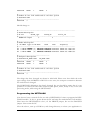
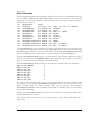
-------------------------------------------------------------------ND 0 NODE0 ROOT (2) 00000000 00000000 002ff800 idrom.out root.out
ND 0 NODE2 NORMAL (1) 00000000 00000000 002ff800 idrom.out nod1.out
ND 0 NODE3 NORMAL (0) 00000000 00000000 002ff800 idrom.out nod2.out
28
HUNT ENGINEERING Server/Loader USER MANUAL
You would need to change the GBCR and LBCR entries in all lines:
Node type ccid GBCR
LBCR
iack
program(s)
-------------------------------------------------------------------ND 0 NODE0 ROOT (2) 1EF78000 1EF78000 002ff800 idrom.out root.out
ND 0 NODE2 NORMAL (1) 1E4A4000 1E4A4000 002ff800 idrom.out nod1.out
ND 0 NODE3 NORMAL (0) 1E4A4000 1EF78000 002ff800 idrom.out nod2.out
This example assumes a HET40S in slot 1, a HET40 in slot 2, and a HET40SD in slot 3.
You have to decide where (in what slot) you want to insert the HETFLASH. It can be
placed anywhere, as long as there is a comport connection between any C4x processor and
the HETFLASH. In the case of the example above, slot 4 would be a good location to put
the HETFLASH. The ROOT processor in this case now becomes the processor in slot 3,
as a boot stream originating from the HETFLASH boots this processor first. Therefore you
must change your network file to identify the proper ROOT processor:
Node type ccid GBCR
LBCR
iack
program(s)
-------------------------------------------------------------------ND 0 NODE0 NORMAL (2) 1EF78000 1EF78000 002ff800 idrom.out root.out
ND 0 NODE2 NORMAL (1) 1E4A4000 1E4A4000 002ff800 idrom.out nod1.out
ND 0 NODE3 ROOT (0) 1E4A4000 1EF78000 002ff800 idrom.out nod2.out
Please keep in mind that there must be exactly one ROOT processor.
Finally, you must tell the Server/Loader to create a flash rom file, and then to upload this
flash rom file onto the HETFLASH. Changing the "BD" line into a "FLASH" line will do
this. For example, if the network file declares:
BD
API
hepc4
0
0
then this should be changed to:
FLASH
API
hepc4
0
0
All in all, preparing a Server/Loader application for HETFLASH programming involves
changing the network file of your application. You can very well use two files, for example a
proper network file called "network" and a network file "flash" for HETFLASH writing.
As a full example, an example network file as below:
#------------------------------------------------------------------# Board description
# BD API
Board_type
Board_Id
Device_Id
#------------------------------------------------------------------BD API hep3b
0
0
#------------------------------------------------------------------# Nodes description
# nb NAME Type CC-id GBCW
LBCW
IACK
Program(s)
#------------------------------------------------------------------ND 0 NODE0 ROOT (2) 00000000 00000000 002ff800 idrom.out root.out
ND 0 NODE1 NORMAL (1) 00000000 00000000 002ff800 idrom.out nod1.out
ND 0 NODE2 NORMAL (0) 00000000 00000000 002ff800 idrom.out nod2.out
#------------------------------------# Bootpath description.
# BOOTLINK ND_NAME PORT ND_NAME PORT
#------------------------------------BOOTLINK NODE0 5
NODE1 2
29
HUNT ENGINEERING Server/Loader USER MANUAL
BOOTLINK
NODE1
1
NODE2
4
#-----------------------------------------------# Number of the link connected to the host system
# HOSTLINK PORT
#-----------------------------------------------HOSTLINK 3
Should change to:
#------------------------------------------------------------------# Board description
# BD API
Board_type
Board_Id
Device_Id
#------------------------------------------------------------------flash API hep3b
0
0
#------------------------------------------------------------------# Nodes description
# nb NAME Type CC-id GBCW
LBCW
IACK
Program(s)
#------------------------------------------------------------------ND 0 NODE0 NORMAL (2) 1EF78000 1EF78000 002ff800 idrom.out root.out
ND 0 NODE2 NORMAL (1) 1E4A4000 1E4A4000 002ff800 idrom.out nod1.out
ND 0 NODE3 ROOT (0) 1E4A4000 1EF78000 002ff800 idrom.out nod2.out
#------------------------------------# Bootpath description.
# BOOTLINK ND_NAME PORT ND_NAME PORT
#------------------------------------BOOTLINK NODE0 5
NODE1 2
BOOTLINK NODE1 1
NODE2 4
#-----------------------------------------------# Number of the link connected to the host system
# HOSTLINK PORT
#-----------------------------------------------HOSTLINK 3
The things that have changed are shown in italic-bold. Please note that whilst the node
types change from NORMAL to ROOT or vice-versa, the comport connections between
the nodes haven't changed.
The HOSTLINK declaration also hasn't changed, but you should be aware that it is not
possible to use Server/Loader stdio functions (like printf, fwrite, fread) on any of the C4x
processing nodes, when using the HETFLASH.
Programming the HETFLASH
Now that we have a network fit for use with a HETFLASH, it's time to program the HETFLASH module. To do so, power down the PC and strip the motherboard of all modules.
Then insert the HETFLASH in slot 1; fit the PRGEN jumper, but not the BOOTEN
jumper. Now restart the PC.
After the reboot, start up a DOS-box, and change directory to where your application is.
30
HUNT ENGINEERING Server/Loader USER MANUAL
Now run the Server/Loader as usual, but use the network file that was changed to be used
for HETFLASH programming. For example, if your HETFLASH programming network
file is called "flash", we could run the Server/Loader as follows:
C:\hesl\bin\win32\win32sl
-Ic:\hesl\lib
-rl
flash
This assumes that your Server/Loader installation is in c:\hesl. Please note that you
should not use the "-s" option. The "-s" option employs the server, and this functionality
cannot be used when programming the HETFLASH. If you do (accidentally) use the "-s"
option, the Server/Loader may still program the HETFLASH correctly, but it will most
likely complain about a bad connection with the ROOT processor. If all goes well, you
should see progress information as follows:
Flash programmer. Write bootstream to file flash.rom.
Make sure that the HETFLASH is in slot 1.
Also make sure that PRGEN is fitted and that BOOTEN is not
fitted.
Filelength 40932 bytes.
Write size (10233) to HETFLASH.
Write block of size 8192 bytes to HETFLASH.
Write block of size 8192 bytes to HETFLASH.
Write block of size 8192 bytes to HETFLASH.
Write block of size 8192 bytes to HETFLASH.
Write block of size 8164 bytes to HETFLASH.
Done. Please re-fit the BOOTEN jumper before use.
As you can see, the Server/Loader writes to a file "flash.rom". It then immediately uses
this file and writes its contents to the HETFLASH. The "flash.rom" file can be deleted,
but you may perhaps want to use it for your own custom HETFLASH programming.
The Server/Loader also has a verbose option. It will then show in detail what is being
stored in the "flash.rom" file. This option can be used to help finding problems.
The HETFLASH programming is done. Power down the machine, get the C4x motherboard out. Remove the HETFLASH from the board, and replace your system as described
by the network file. Now add the HETFLASH to the system, exactly in that slot that makes
the ROOT processor in your flash network file adjacent to the HETFLASH.
Make sure that the PRGEN jumper is not fitted, and that the BOOTEN jumper is fitted.
Verifying the HETFLASH
After re-assembling your system, and adding the HETFLASH, power up your PC. Probably
the best way to verify that the HETFLASH has properly initialised your system is to use
Code Composer and view all processor nodes and check the right program is loaded and
running properly. If your code de-activates the config line on all C4x processors, then
looking at the config LED on your C4x motherboard quickly tells you if the HETFLASH
has booted you system or not: the config LED should go off.
31
HUNT ENGINEERING Server/Loader USER MANUAL
Troubleshooting HETFLASH
The most likely causes for problems are:
- You haven't correctly identified the ROOT processor. This processor must be next to the
HETFLASH. (The HETFLASH outputs the boot stream over comport 3.)
- The HETFLASH jumper settings weren't correct. To program the HETFLASH, the
BOOTEN jumper must not be fitted, the PRGEN jumper must be fitted. To use the
HETFLASH to boot a system, this reverses: the BOOTEN jumper must be fitted, but the
PRGEN jumper must not be fitted.
- If you leave the PRGEN jumper on while being deployed in a system, please be aware that
any stream of data into the HETFLASH will cause it to be re-programmed. With the
PRGEN jumper fitted you may accidentally overwrite your application.
- You cannot use Server/Loader stdio functions on any of the C4x nodes. Using stdio
functions does not necessarily cause problems, but it is likely that stdio calls initiate some
unexpected communications to neighbouring C4x nodes.
- Use the "-v" verbose option when programming the HETFLASH to get information
about what is put into the flash rom file. It might give you a hint what the problem is.
- There is a "flash testing" option that might help with troubleshooting. This is explained in
the next section.
FLASH testing option
When programming a HETFLASH, the Server/Loader will create a flash rom file, and then
write it to the HETFLASH in slot 1. First the Server/Loader will send 4 bytes representing
the size (of all the data) in words, then the full contents of the flash rom file.
In testing mode, you would not have the HETFLASH in slot 1, but your normal system. In
testing mode, the Server/Loader pretends to be the HETFLASH, and sends the flash rom
file as a boot stream. (You cannot do the same thing in flash mode, because we need to
send the size to the HETFLASH as the first 4 bytes, but the size shouldn't be sent to an
actual system.) Therefore, you need to connect "host port A" (i.e. the bus interface
comport) to a comport of the C4x that would be next to the HETFLASH. The
HETFLASH may or may not be in the system, but should at the very least not try to boot
the system (i.e. the BOOT-EN jumper is not fitted).
The testing mode allows you to test that the flash network file is correct. It also allows you
to verify that the flash rom file as created is correct. And, you don't need to program the
HETFLASH all the time to try the next idea. However, to use the flash testing mode, you
must have a comport connection between the bus interface and the ROOT C4x. For
example, on a HEPC2-E or HEPC4, you would connect a cable between "host port A" and
a comport connector of the C4x processor that would be next to the HETFLASH.
Replacing the "flash" entry by "flashtest" in the network file enables testing mode. For
example, if your flash network file states:
#--------------------------------------------------------------# Board description
# BD API
Board_type
Board_Id
Device_Id
#--------------------------------------------------------------flash API
hep3b
0
0
32
HUNT ENGINEERING Server/Loader USER MANUAL
then using the flash testing mode needs this to be changed to:
#------------------------------------------------------------------# Board description
# BD API
Board_type
Board_Id
Device_Id
#------------------------------------------------------------------flashtest API
hep3b
0
0
The most important requirement for the testing option to work is a comport cable to the
C4x that would be adjacent to the HETFLASH. This is not always possible though, e.g.
with a twin or quad module.
33
HUNT ENGINEERING Server/Loader USER MANUAL
Server/Loader and HERON-API
How is the HERON-API used in the Server/Loader?
In version 3.3 (and later) of the Server/Loader, the HERON-API is used for all
communications. This includes the bootloader() function as well as all server functions
(printf, fwrite, etc). The bootloader() functions use solely the HeronReadWord()
and HeronWriteWord() functions. From version 4.0 of the Server/Loader most of the
HSB functions in the HERON-API are used as well (in bootloader()). The server functions
implementation uses the HeronOpen(), HeronRead(), HeronWrite(),
HeronWaitIo() and HeronClose() functions.
What is "init_io_functions"?
The Server/Loader doesn't do direct function calls to HERON-API functions, but instead
uses pointers to HERON-API functions. The reason for this is that this makes the Server/
Loader 'C6x libraries independent of the HERON-API version. It does mean, however,
that these functions must be initialised (by you) to point to the proper HERON-API
functions. To help you, a file called "stubx.c" has been included with the Server/Loader
distribution. In the example directory you'll find an instance in every sub-directory.
How do I use "stubx.c"?
There are two ways you can use the "stubx.c" file. First, use the Create New HERONAPI Project plug-in. Upon the question whether to create the project for the Server/Loader
answer ‘yes’. This will include a file which name “xxxxx_stub.c” where xxxxx is the name of
your project. The file should have the proper heron include file included, but you may want
to check this just to make sure.
Second, you can simply add "stubx.c" to your Code Composer Studio project. In this
case, you must edit the "stubx.c" file to reflect which heron module you are using. If the
module for which you compile/link an application is a HERON1 module, then #include
"heron1.h" in the "stubx.c" file. If the module for which you compile/link the
application is a HERON4, #include "heron4.h" in the "stubx.c" file. And so on.
In all examples the first method is used.
34
HUNT ENGINEERING Server/Loader USER MANUAL
The Server/Loader Host Libraries
Overview
It is possible to add Server/Loader functionality to your PC program. The Server/Loader is
available as a library. For win32 systems, a DLL plus LIB file are in the hesl\lib\win32
directory, for LINUX there is a liblinuxsl.so shared library (in the src directory,
installed into /usr/local/lib), for VxWorks the library is part of the ‘vxwsl.o’ file, and
for RTOS-32 there’s a library ‘rtossl.lib’ in hesl\lib\rtos32.
The Server/Loader is written in C++. With version 4.08 of the Server/Loader a new
interface is introduced: ‘hesl.h’. This provides an easier to use and more stable and simple
interface to the Server/Loader. It is strongly recommended to use this interface.
The old, legacy, interface of the Server/Loader library proceeds via three classes: network,
common and ccif. The network class has all functions to read network files and to load and
serve the network. The common class implements a common error routine and verbose
routine that you may redirect to a different routine. For win32 systems (Windows 95/98,
Windows NT and Windows 2000) there is an additional interface that you can elect to use:
the ccif class (this interfaces to Code Composer Studio when the -g option is used).
Serverloader functions
There are 4 serverloader functions implemented by the ‘hesl’ class. All of them offer a
generic interface with the same options as offered by the Server/Loader executable. There
are 4 varieties so that you can choose the one that is most convenient for your situation.
int
int
int
int
serverloader(int argc , char
serverloader(char *options, char
serverloader(HE_HANDLE *uDevice,
serverloader(HE_HANDLE *uDevice,
*argv[] );
*network);
int n, int argc , char *argv[] );
int n, char *options, char *network);
The top serverloader entry has two parameters: an argc parameter that is the number of
argv arguments, and the argv parameter itself, which is an array of character string
pointers. This is identical to the arguments used by main() in a console program.
Example.
int main(int argc, char *argv)
{
hesl sl;
int r = sl.serverloader(argc, argv);
…
}
The second serverloader entry allows all options to be specified in one string, and the
network file in another string. For example: int r = sl.serverloader(“-rlsv”, “network”);
In some applications you may already have 1 or more handles open to devices (such as a
fifo or HSB). As the Server/Loader may also access those same devices, you would have to
close all devices before calling a Server/Loader function.
35
HUNT ENGINEERING Server/Loader USER MANUAL
An alternative is offered by the ‘handle’ functions:
int serverloader(HE_HANDLE *uDevice, int n, int argc , char *argv[] );
int serverloader(HE_HANDLE *uDevice, int n, char *options, char *network);
With the ‘handle’ functions, you tell the Server/Loader what devices you have opened
already (via the uDevice parameter, which is a pointer to an array of API handles of
opened devices, and parameter n is the number of API handles of opened devices in the
uDevice array). Before opening any device, the Server/Loader will first check if a device is
already opened (by checking the list of open devices, uDevice). If so, the handle you
provided will be used. If not, then the Server/Loader will try to open the device itself.
To emphasise this, you don’t need to open all possible devices. You simply tell the
heartconf ‘handle’ functions what devices you already have open. The Server/Loader will
use handles from the list as it needs to, and if a device is not in the list, it will open the
device itself. So, you don’t need to supply a list of all devices that the Server/Loader might
use, you only list the handles of devices that you happen to have opened already.
Parameter uDevice is an array of handles (HE_HANDLE), and parameter n is to specify
the number of valid handles (open devices) in the uDevice array.
It depends on the network file, and the options used, what devices the Server/Loader will
try to open. Please note that the Server/Loader may use multiple handles, for example, both
Fifo A and HSB.
Example: int main(int argc, char *argv)
{
hesl sl; HE_DWORD Status; int r;
HE_HANDLE FifoADev=NULL, HSBDev=NULL;
Status = HeOpen("hep9a", 0, HSB, &FifoADev);
if (Status!=HE_OK)
{
printf("Open error %x\n", Status); return 0;
}
Status = HeOpen("hep9a", 0, FifoA, &HSBDev);
if (Status!=HE_OK)
{
printf("Open error %x\n", Status); return 0;
}
/* Use devices */
…
/* But suppose now you wish to run serverloader. */
/* And you don’t want to close those devices.
*/
HE_HANDLE hDevice[2];
hDevice[0] = FifoADev;
hDevice[1] = HSBDev;
r = sl.serverloader(hDevice, 2, argc, argv);
…
}
The return value for each of the 4 serverloader functions is 0 upon success. Upon error a
value other than 0 is returned. With the ‘getlasterr’ function you can retrieve a description
of the error encountered by the Server/Loader.
Example: int main(int argc, char *argv[])
36
HUNT ENGINEERING Server/Loader USER MANUAL
{
int r;
char *errstr;
hesl sl;
r = sl.serverloader(argc, argv);
if (r)
{
errstr = sl.getlasterr();
if ((errstr==NULL)||(errstr[0]==0))
{
printf("SL reports error %d.\n", r);
}
else
{
printf(errstr);
}
}
return r;
}
Loader functions
The loader functions are very similar to the serverloader functions. The only
difference is that they will not execute the server part of the Server/Loader, even if you
specify the server option (“-s”). There are 4 shapes, similar to the serverloader shapes: int
int
int
int
loader(int argc , char
loader(char *options, char
loader(HE_HANDLE *uDevice,
loader(HE_HANDLE *uDevice,
*argv[] );
*network);
int n, int argc , char *argv[] );
int n, char *options, char *network);
Example: int main(int argc, char *argv[])
{
int r;
char *errstr;
hesl sl;
r = sl.loader(“-rlv”, “network”);
if (r)
{
errstr = sl.getlasterr();
if ((errstr==NULL)||(errstr[0]==0))
{
printf("SL reports error %d.\n", r);
}
else
{
printf(errstr);
}
}
return r;
}
Server function
The server function can be used in conjunction with the loader function, or with the
37
HUNT ENGINEERING Server/Loader USER MANUAL
serverloader function if used without the server option (“-s”). This may be useful if
you need to do some programming in between the loader and server stage, for example, set
up threads that are going to communicate with DSP or FPGA nodes.
The server part of the Server/Loader will examine all HEART statements and see which
C6x nodes are connected to a host, including those that are connected to a host via InterBoard Connectors. Use the optional NOSERVE keyword at the end of HEART statements
to tell the Server/Loader you that don’t want such connections to be used by the Server.
Per C6x node that is connected to a host, the Server/Loader will select 1 connection to be
used for serving that node. This is a random choice. For each node that is to be served, the
Server/Loader creates a separate thread.
Example: int main(int argc, char *argv)
{
hesl sl; int r;
r = sl.loader(argc, argv);
if (r) { printf(“error %d.\n”, r); return 0; }
…
r = sl.server()
…
}
FlagMeServerUp
There are cases, where you may want to use both the Server and your own API program,
each accessing a node via a different connection. Your API program may need to know
when it’s safe to access the node (because the HEART connections may not have been
made, or the server cannot handle serve requests yet as it’s still busy setting up threads). For
such situations, the ‘FlagMeServerUp’ function can be asked to flag a semaphore. The
semaphore gets flagged when the Server/Loader has completed all the work and is now
ready to accept server (stdio) requests from all nodes it serves.
It can be used in conjunction with the server function, or with the serverloader
function used with the server option (“-s”). If the server isn’t used, nothing breaks, but the
semaphore will never get flagged.
HeartConf functions
HeartConf is a program using the same sources/library as the Server/Loader. HeartConf
also has its own library functions. As with serverloader and loader, there are 4
shapes: int
int
int
int
heartconf(int argc , char
heartconf(char *options, char
heartconf(HE_HANDLE *uDevice,
heartconf(HE_HANDLE *uDevice,
*argv[]);
*network);
int n, int argc, char *argv[]);
int n, char *options, char *netwrk);
The top heartconf entry has two parameters: an argc parameter that is the number of
argv arguments, and the argv parameter itself, which is an array of character string
pointers. This is identical to the arguments used by main() in a console program.
However, HeartConf accepts fewer arguments than the Server/Loader: only “-r” (reset), “38
HUNT ENGINEERING Server/Loader USER MANUAL
v” (verbose), “-z” (no zap) and “-b0/1/2/3” are accepted.
Example.
int main(int argc, char *argv)
{
hesl sl;
int r = sl.heartconf(argc, argv);
…
}
The second heartconf entry allows all options to be specified in one string, and the
network file in another string. For example: int r = sl.heartconf(“-r”, “network”);
In some applications you may already have 1 or more handles open to devices (such as a
fifo or HSB). As HeartConf may also access those same devices, you would have to close all
devices before calling HeartConf.
An alternative is offered by the ‘handle’ functions:
int heartconf(HE_HANDLE *uDevice, int n, int argc, char *argv[]);
int heartconf(HE_HANDLE *uDevice, int n, char *options, char *netwrk);
With the ‘handle’ functions, you tell HeartConf what devices you have opened already (via
the uDevice parameter, which is a pointer to an array of API handles of opened devices,
and parameter n is the number of API handles of open devices in the uDevice array).
Before opening any device, HeartConf will first check if a device is already opened (by
checking the list of open devices, uDevice). If so, the handle you provided will be used. If
not, then HeartConf will try to open the device itself.
To emphasise this, you don’t need to open all possible devices. You simply tell the
heartconf ‘handle’ functions what devices you already have open. HeartConf will use
handles from the list as it needs to, and if a device is not in the list, it will open the device
itself. So, you don’t need to supply a list of all devices that the Server/Loader might use,
you only list the handles of devices that you happen to have opened already.
Parameter uDevice is an array of handles (HE_HANDLE), and parameter n is to specify
the number of valid handles (open devices) in the uDevice array.
It depends on the network file, and the options used, what devices HeartConf will try to
open. Please note that HeartConf may use multiple handles, for example, both Fifo A and
HSB.
Example: int main(int argc, char *argv)
{
hesl sl; HE_DWORD Status; int r;
HE_HANDLE FifoADev=NULL, HSBDev=NULL;
Status = HeOpen("hep9a", 0, HSB, &FifoADev);
if (Status!=HE_OK)
{
printf("Open error %x\n", Status); return 0;
}
Status = HeOpen("hep9a", 0, FifoA, &HSBDev);
if (Status!=HE_OK)
{
printf("Open error %x\n", Status); return 0;
39
HUNT ENGINEERING Server/Loader USER MANUAL
}
/* Use devices */
…
/* But suppose now you wish to run HeartConf. */
/* And you don’t want to close those devices.
*/
HE_HANDLE hDevice[2];
hDevice[0] = FifoADev;
hDevice[1] = HSBDev;
r = sl.heartconf(hDevice, 2, argc, argv);
…
}
The return value for each of the 4 heartconf functions is 0 upon success. Upon error a
value other than 0 is returned. With the ‘getlasterr’ function you can retrieve a description
of the error encountered by HeartConf.
Example: int main(int argc, char *argv[])
{
int r;
char *errstr;
hesl sl;
r = sl.heartconf(“-rv”, argv[1]);
if (r)
{
errstr = sl.getlasterr();
if ((errstr==NULL)||(errstr[0]==0))
{
printf("SL reports error %d.\n", r);
}
else
{
printf(errstr);
}
}
return r;
}
Termination
There may be instances where you want to ‘kill’ the Server/Loader loader or the server
threads. One way of doing this is by closing the device handles. However, these are not
visible to you (as they are used internally to the Server/Loader). In that case, you can use
the terminate function. Typically it is used in a separate thread from the Server/Loader,
and either you have access to the hesl class instance via a pointer or by making the hesl class
instance a global variable. The terminate function will close all open handles and free all
memory allocated by the Server/Loader.
Parsing the network file
With the serverloader, loader, server and heartconf functions, there’s no need
for a separate parse network function. However, the hesl interface implements a number of
network file information functions. In some cases you may only want or need to parse the
network file in order to extract some information. That’s when this function can be used.
40
HUNT ENGINEERING Server/Loader USER MANUAL
Example: int main(int argc, char *argv)
{
hesl sl;
r = sl.parse_network_file(“network”);
if (r)
{
errstr = sl.getlasterr();
if ((errstr==NULL)||(errstr[0]==0))
{
printf("SL reports error %d.\n", r);
} else {
printf(errstr);
}
}
…
}
Retrieving network file information
Board information
Board information can be retrieved using a ‘board id’. This refers to a boards defined with
BD API statements. The first BD API defines a board with id 0, the second BD API
statement defines board with id 1, and so on.
int
int
int
int
int
int
int
int
int
int
GetBoardCount
(void);
GetBoardId
(char *dev, int
GetBoardName
(int bdid, char
GetBoardSw
(int bdid, int
GetBoardFifo
(int bdid, int
IsBoardRemote
(int bdid);
GetBoardHsbAccessId(int bdid, int
GetBoardRstAccessId(int bdid, int
GetBoardHsbAccessSw(int bdid, char
GetBoardRstAccessSw(int bdid, char
bdsw, int *bdid);
*bdname);
*bdsw);
*fifo);
*id);
*id);
*dev, int *bdsw);
*dev, int *bdsw);
Use GetBoardCount to get the number of BD API boards in the network file. Using a
board id you can extract board name (like “hep9a”) using GetBoardName, extract the
board number using GetBoardSw, and extract the device used in a BD API, using
GetBoardFifo. Boards may be defined as being remote boards. Use IsBoardRemote to
find such board information. If it is a remote board, you may want to know what board can
be used to access the remote board.
Function GetBoardHsbAccessId will give you the board id of the board through which
the remote board’s HSB can be accessed. The alternative GetBoardHsbAccessSw works
identically, but instead of a board id gives you the board’s name and board number.
Function GetBoardRstAccessId will give you the board id of the board through which
a remote board can be reset. The alternative GetBoardHsbAccessSw works identically,
but instead of a board id gives you the board’s name and board number.
Finally, use the GetBoardId function to give you the board id of a board whose name and
board switch you know.
The return values for all functions are 0 upon success, 1 upon failure, and larger than 1
41
HUNT ENGINEERING Server/Loader USER MANUAL
upon error.
Node information
Node information can be retrieved using a ‘node id’. This refers to nodes defined with ND,
C4, C6, FPGA, GDIO, PCIF, EM2, EM1, EM1C, (and so on) statements. The first node
statement in a network file defines a node with id 0, the second node statement defines a
node with id 1, and so on.
int
int
int
int
int
int
int
int
int
int
int
int
int
GetNodeCount
(void);
GetNodeId
(char *dev ,
GetNodeModType
(int nodeid,
GetNodeBoardId
(int nodeid,
GetNodeBoardSw
(int nodeid,
GetNodeName
(int nodeid,
GetNodeType
(int nodeid,
GetNodeHeronId
(int nodeid,
GetNodeFile
(int nodeid,
GetNodeAccessHsbId(int nodeid,
GetNodeAccessRstId(int nodeid,
GetNodeAccessHsbSw(int nodeid,
GetNodeAccessRstSw(int nodeid,
int
int
int
char
char
int
int
char
int
int
char
char
bdsw, int slot, int *nodeid);
*modtype);
*bdid);
*dev, int *bdsw);
*nname);
*ntype);
*heronid);
*fname);
*bdid);
*bdid);
*dev, int *bdsw);
*dev, int *bdsw);
Use GetNodeCount to get the number of nodes in the network file. Using a node id you
can extract node name (like “hep9a”) using GetNodeName, extract the node type using
GetNodeType (normal or root), extract the node’s heronid using GetNodeHeronId, and
extract the filename or bit-stream used in a node statement, using GetBoardFile.
Function GetNodeBoardId will give you the board id of the board on which the node is
located. The alternative GetNodeBoardSw works identically, but instead of a board id
gives you a board’s name (e.g.”hep9a”) and board number.
The GetNodeModType function tells you the node type. Possible values are (currently): #define
#define
#define
#define
#define
#define
#define
#define
#define
MOD_UNKNOWN
MOD_C4X
MOD_C6X
MOD_GDIO
MOD_HOST
MOD_EMC
MOD_EM1
MOD_EM2
MOD_FPGA
0
1
2
3
4
5
6
7
8
If a node is on a remote board, you may want to know what board can be used to access
the remote board. Function GetNodeAccessHsbId will give you the board id of the
board through which the remote board’s HSB can be accessed. The alternative
GetNodeAccessHsbSw works identically, but instead of a board id gives you the board’s
name and board number.
Finally, use the GetNodeId function to give you the node id of a node whose board name,
board switch and slot you know.
The return values for all functions are 0 upon success, 1 upon failure, and larger than 1
upon error.
42
HUNT ENGINEERING Server/Loader USER MANUAL
Connection information
Inter-Board Connections
To know how Inter-Board Connectors are defined (in the network file) to be connected to
other Inter-Board Connectors, use: int FindIBCLink(int fnode_id, int ffifo, int *tnode_id, int *tfifo);
Specify the node id (parameter fnode_id) of the Inter-Board Connector node you want
information on, and specify the channel (parameter ffifo) on which you want to know
what Inter-Board Connector it is connected to.
The return values for all functions are 0 upon success, 1 upon failure (i.e. channel is not
connected to anything), and larger than 1 upon error.
HEART connections
To know how nodes are inter-connected (as defined in the network file) via HEART, use: int FindNodeConnCount(int fromid, int toid, int *count);
int FindNodeConn
(int fromid, int toid, int *from_fifo, int *to_fifo,
int idx);
With FindNodeConnCount you can specify two node id’s (fromid and toid), whose
connections you wish to know, and ‘hesl’ will tell you how many connections there are
between the two nodes. You can then use FindNodeConn to find out how the two nodes
are connected. Supply node id parameters fromid and toid, and ‘hesl’ will give you the
first node’s outgoing fifo (i.e. parameter from_fifo) that is connected to the other node’s
incoming fifo (parameter to_fifo). There may be multiple connections between them,
hence the idx parameter. Note that a connection may go via Inter-Board Connectors.
Windows (and other non-console) programs
When using the verbose (“-v”) option, progress information is printed to stdout. Similarly,
the Server part of the Server/Loader works as a console program, i.e. printf requests are
printed out to stdout, gets requests are read from stdin.
For Windows applications and other non-console programs you could write your own
Server part and use only the loader to boot/load your network. But if you would really like
to use the standard Server/Loader, there’s also the option to ‘redirect’ Server functions. The
Server/Loader allows you to replace the functions it uses to print, fread, fwrite by other
functions, functions that you have written yourself.
To replace the verbose print option, you can use: void set_user_vprint(USER_VBSFUNC fie);
where the function prototype is defined as follows: typedef void (*USER_VBSFUNC)(char *str);
Example: void myprint(char *str)
{
print_to_window(somehWnd, str);
}
int main(int argc, char *arvg[]
43
HUNT ENGINEERING Server/Loader USER MANUAL
{
hesl sl; int r;
sl.set_user_vprint(myprint);
r = sl.loader(“-rlv”, “network”);
}
The print_to_window function would be a function you defined yourself writing text to
a window in your Windows application.
Similarly, most functions used by the Server to execute Server functions can be replaced: int set_user_fie(USER_SRVFUNC fie, int whichfie);
The whichfie parameter identifies the Server function you wish to replace: #define
#define
#define
#define
#define
#define
#define
#define
#define
#define
#define
USER_SRV_FCLOSE
USER_SRV_FREAD
USER_SRV_FWRITE
USER_SRV_FUNGETC
USER_SRV_FGETS
USER_SRV_FPUTS
USER_SRV_FFLUSH
USER_SRV_FSEEK
USER_SRV_FTELL
USER_SRV_FEOF
USER_SRV_FERROR
0xa0
0xa1
0xa2
0xa3
0xa4
0xa5
0xa6
0xa7
0xa8
0xa9
0xaa
The function prototype is defined as: typedef unsigned long (*USER_SRVFUNC)(const SRVFIEPARAMS *);
The Server will pass a pointer to a structure that holds relevant information regarding the
serve request. The structure is defined (at time of writing) as follows: struct server_function_parameters
{
unsigned char
*buf;
int
blks;
int
elts;
int
Fd;
char
bdname[128];
int
bdno;
int
fifo;
};
typedef server_function_parameters SRVFIEPARAMS;
The last three parameters will indicate what server thread the request came from: boardtype (‘bdname’), board number (‘bdno’) and fifo. Parameter ‘Fd’ will tell you the file handle,
Fd=0 for stdin, Fd=1 for stdout and Fd=2 for stderr. All other file handles are processed
by the Server and you cannot redirect or replace this.
The ‘buf’ parameter points to a string buffer, and ‘blks’ x ‘elts’ the size. These are the
parameters as used by fwrite and fread. The other functions use the same parameters,
although the parameter naming will not indicate the intended use.
You may wonder why there’s no printf entry. A printf is actually executed by fwrite but
with an ‘Fd’ parameter being 1 (stdout).
We will now discuss each function’s parameters relating to the SRVFIEPARAMS structure.
44
HUNT ENGINEERING Server/Loader USER MANUAL
fclose: USER_SRV_FCLOSE
This function only uses the ‘Fd’ parameter for the filehandle. Example: unsigned long myfclose(const SRVFIEPARAMS *p)
{
return fclose(p->Fd);
}
fread: USER_SRV_FREAD
This function uses the first 4 parameters as its naming suggests. Example: unsigned long myfread(const SRVFIEPARAMS *p)
{
return fread(p->buf, p->blks, p->elts, p->Fd);
}
fwrite: USER_SRV_FWRITE
This function uses the first 4 parameters as its naming suggests. Example: unsigned long myfwrite(const SRVFIEPARAMS *p)
{
return fwrite(p->buf, p->blks, p->elts, p->Fd);
}
ungetc: USER_SRV_FUNGETC
This function uses the ‘Fd’ and ‘blks’ (denoting a character) parameters. Example: unsigned long myungetc(const SRVFIEPARAMS *p)
{
return ungetc(p->blks, p->Fd);
}
fgets: USER_SRV_FGETS
This function uses the ‘Fd’, ‘blks’ (for size) and ‘buf’ parameters. The ‘elts’ parameter is
actually set to 1, so ‘blks’ * ‘elts’ would also denote the correct size. Example: unsigned long myfgets(const SRVFIEPARAMS *p)
{
return fgets(p->buf, p->blks, p->Fd);
}
fputs: USER_SRV_FPUTS
This function uses the ‘Fd’ and ‘buf’ parameters. The ‘blks’ parameter is set to the size of
the ‘buf’ string, and the ‘elts’ parameter is set to 1. Example: unsigned long myfputs(const SRVFIEPARAMS *p)
{
return fputs(p->buf, p->Fd);
}
fflush: USER_SRV_FFLUSH
This function only uses the ‘Fd’ parameter for the filehandle. Example: unsigned long myfflush(const SRVFIEPARAMS *p)
{
return fflush(p->Fd);
}
45
HUNT ENGINEERING Server/Loader USER MANUAL
fseek: USER_SRV_FSEEK
This function uses the ‘Fd’, ‘blks’ (for offset) and ‘elts’ (for whence) parameters. Example: unsigned long myfseek(const SRVFIEPARAMS *p)
{
return fseek(p->buf, p->blks, p->elts);
}
ftell: USER_SRV_FTELL
This function only uses the ‘Fd’ parameter for the filehandle. Example: unsigned long myftell(const SRVFIEPARAMS *p)
{
return ftell(p->Fd);
}
feof: USER_SRV_FEOF
This function only uses the ‘Fd’ parameter for the filehandle. Example: unsigned long myfeof(const SRVFIEPARAMS *p)
{
return feof(p->Fd);
}
ferror: USER_SRV_FERROR
This function only uses the ‘Fd’ parameter for the filehandle. Example: unsigned long myferror(const SRVFIEPARAMS *p)
{
return ferror(p->Fd);
}
Error handling
For all functions, the return value is 0 upon success. A return value of larger than 1 means
some error was encountered. A return value of 1 is used to indicate failure. Failure doesn’t
mean error, for example, if you ask if a board is remote, replying ‘no’ means the board isn’t
remote, not that an error has occurred.
If an error has occurred, use the ‘getlasterr’ function to retrieve a descriptive string of the
error. The function should always return a non-NULL, non-zero-length string, but to be
sure you would want to verify that before attempting to display the string.
Version Information
The ‘hesl’ class has the option of retrieving version information. This may be helpful for
detecting features or functions introduced in later versions of the Server/Loader. Example:
int
char
hesl
major, minor;
*verstr=NULL;
h;
h.version(&major, &minor, &verstr);
if (verstr!=NULL)
46
HUNT ENGINEERING Server/Loader USER MANUAL
{
printf("SL version %s.\n", verstr);
}
else
{
printf("SL version %d.%d.\n", major, minor);
}
How to build
In the ‘inc’ directory of the Server/Loader directory (typically c:\heapi\hesl if you installed
into the default c:\heapi directory) there is an include file ‘hesl.h’. This file uses some
definitions from the API, so usually you would need to include both files as follows: #include "heapi.h"
#include "hesl.h"
The Server/Loader library is multi-threaded, and you must set the proper switches in your
project. For example, in Microsoft C/C++ you go to Project Æ Options Æ C/C++ Æ
Code Generation, set field “use run-time library” to “multi-threaded”.
The “heapi.h” file has definitions that may be different between different platforms, or even
between different compilers. Environment/Compiler variables are used to select the proper
definitions.
If you build for a WIN32 platform with a 32-bit Microsoft Visual C/C++ compiler then no
specific environment/compiler options need to be set.
If you build for a WIN32 platform with a 32-bit Borland C/C++ then no specific
environment/compiler options need to be set. However, some Server/Loader examples are
slightly different based on what compiler you use. For those examples, you will need to
define a _BL directive. This is all further explained in the relevant example documentation.
For VxWorks, _VXWORKS must be defined and be 1.
For LINUX, _LINUX must be defined and be 1.
For RTOS-32, _RTOS32 must be defined and be 1.
Linking with Libraries
With a 32-bit Microsoft Visual C/C++ compiler you should link with the win32sl.lib
library. To run your application, make sure that the win32sl.dll file is located in the
system directory of your operating system (Windows 95/98: c:\windows\system, and in
Windows NT/W2K: c:\winnt\system32). SDK install should have done this for you.
With a 32-bit Borland C/C++ compiler you should link with the win32slbl.lib
library. To run your application, make sure that the win32slbl.dll file is located in the
system directory of your operating system (Windows 95/98: c:\windows\system, and in
Windows NT/W2K: c:\winnt\system32). SDK install should have done this for you.
With LINUX you should link with liblinuxsl.so which should have been deposited in
/usr/local/lib by the installation script.
With VxWorks there’s no need to link with a library if the ‘vxwsl.o’ has already been loaded
separately onto the system. If this is not the case, either link with ‘vxwsl.o’ or ‘vxwsllib.o’.
The former, ‘vxwsl.o’, contains the Server/Loader executable, HeartConf as well as the
47
HUNT ENGINEERING Server/Loader USER MANUAL
Server/Loader library.
With RTOS-32, you should link with ‘rtossl.lib’, which should be located in the
hesl\lib\rtos32 sub-directory of your API&Tools installation.
Legacy: Class Network Interface: Basics
The network class is now a legacy interface and will be obsoleted in future. Please use the
‘hesl’ class as described in earlier sections in this Chapter for new projects. The network
class will remain supported for some time to support existing applications.
The network class exports the following functions for booting/serving a network:
int
int
int
int
int
void
int
int
parse_input_file(char *filename);
open(void);
reset(void);
load(void);
run(void);
serfit(void);
close(void);
verify(void);
The parse_input_file() opens a network description file. This network description
file is exactly the same as for the normal Server/Loader. Upon successful parsing, 0 is
returned, any other value indicates some error. The parse_input_file() function also
initialises internal structures which are used in the subsequent functions (open, reset,
..., verify).
The open() function opens the boards defined in the BD statement in the network
description file. Upon success, 0 is returned, any other value denotes some error.
The reset() function resets the boards defined in the BD statement in the network
description file. Upon success, 0 is returned, any other value denotes some error.
The load() function loads code onto all the processors as described in the network
description file by C6 statements. Upon success, 0 is returned, any other value denotes
some error.
After a successful call to load(), all booted processors are executing the bootloader
routine, waiting for a command to start executing the rest of the main() routine. The
run() function does exactly this. Upon success, 0 is returned, any other value denotes
some error.
If you need to use the Server/Loader's serve capability, now execute the serfit()
routine. This will execute stdio requests coming in from the network. As soon as a
srv_exit() is executed on the ROOT DSP, the serfit() function will terminate. (The
srv_exit() tells it so do so.) Upon success, 0 is returned, any other value denotes some
error.
In case more than 1 processor uses the server (HEPC9), serfit() will wait until all
processors (that use the server have) called srv_exit(). Note that any processor with a
duplex connection to the PC is deemed to be served and must do a srv_exit().
Finally, call close(). This will close the boards opened with the open() function.
48
HUNT ENGINEERING Server/Loader USER MANUAL
Example
The essence of using the Server/Loader library is in the following code snippet:
#include <stdio.h>
#include <stdlib.h>
#include <string.h>
#include "heapi.h"
#include "network.h"
int main(int argc, char *argv[])
{
int
r = 0;
network
net;
net->SetResetSwitch(TRUE);
net->SetLoadSwitch(TRUE);
net->SetServeSwitch(TRUE);
net->SetVerbose(TRUE);
r = net.parse_input_file(argv[1]);
if (r == 0) r = net.open ();
if (r == 0) r = net.reset ();
if (r == 0) r = net.load ();
if (r == 0) r = net.run ();
if (r == 0)
net.serfit();
net.close();
//
//
//
//
//
//
//
//
//
//
reset system: yes
load system: yes
serve system: yes
verbose: yes
argv[1] is network file;
Open all the boards;
Reset all the boards;
load all the nodes;
run all the nodes;
serve all the nodes;
}
legacy: Class network interface: parameters
The network class is now a legacy interface and will be obsoleted in future. Please use the
‘hesl’ class as described in earlier sections in this Chapter for new projects. The network
class will remain supported for some time to support existing applications.
Typically, you would want a little bit more control over the execution of the Server/Loader
library. The network class allows you to set the same parameters as on the Server/Loader
command line, such as -r, -v, and so on. The functions are:
char
void
void
void
void
void
void
void
void
void
void
void
void
void
void
void
void
void
*AddIncludePath
(char *s); // Similar to -I<path> option
AddNetworkFileName(char *s); // Set network file name
SetResetSwitch (int r);
// Similar to -r option
SetLoadSwitch
(int r);
// Similar to -l option
SetRunSwitch
(int r);
// Not available as option
SetServeSwitch (int r);
// Similar to -s option
SetVerboseSwitch(int r);
// Similar to -v option
SetDebugSwitch (int r);
// Similar to -g option
SetFactor
(int r);
// Similar to -g<=r> option
SetUsePackets
(int r);
// Similar to -k option
SetPacketSize
(int r);
// Similar to -k<=r> option
SetDualSwitch
(int r);
// Similar to -d option
SetpgFlashSwitch(int r);
// similar to -p option
SetFlashSwitch (int r);
// Similar to -f option
SetAutoCCSwitch (int r);
// Similar to -x option
SetWaitPeriod
(int r);
// Similar to –w option
SetSkipFPGA
(int r);
// Similar to –a option
SetUseSlotSwitch(int r);
// Similar to –j option
49
HUNT ENGINEERING Server/Loader USER MANUAL
Example
The essence of using the network parameters is in the following code snippet. We assume
that the command line is similar to the Server/Loader.
#include <stdio.h>
#include <stdlib.h>
#include <string.h>
#include "heapi.h"
#include "network.h"
int main(int argc, char *argv[])
{
int
r = 0;
network net;
for (i=1; i<argc; i++)
{
if (strcmp(argv[i], "-r")==0) net.SetResetSwitch(TRUE);
if (strcmp(argv[i], "-l")==0) net.SetLoadSwitch (TRUE);
if (strcmp(argv[i], "-s")==0) net.SetServeSwitch(TRUE);
} }
legacy: Class Common Interface: basics
The common class is now a legacy interface and will be obsoleted in future. Please use the
‘hesl’ class as described in earlier sections in this Chapter for new projects. The common
class will remain supported for some time to support existing applications.
Class common is the base class for network, and for most of the other classes used in the
Server/Loader. This means that these classes all have a common error print, verbose print,
and debug print functions. The basic functions defined here are:
void vprint(char *mess);
void eprint(char *mess);
void dprint(char *mess);
The vprint function will only print if some level of verbose is defined. The dprint function
will only print if debug is defined for that class. The eprint is the standard error print
function. Currently all 3 functions are implemented as printf functions.
Legacy: Class Common Interface: parameters
The common class is now a legacy interface and will be obsoleted in future. Please use the
‘hesl’ class as described in earlier sections in this Chapter for new projects. The common
class will remain supported for some time to support existing applications.
A few parameters can be defined in the common class:
void SetVerbose(int l)
void SetDebug()
void SetInfoLevel(int a)
50
HUNT ENGINEERING Server/Loader USER MANUAL
The SetVerbose function sets the verbose level for a certain class. SetDebug() is only
used when debugging. SetInfoLevel() is used with the –c option of the
Server/Loader. Relating to the network class, the functions you might use are
SetInfoLevel and SetVerbose.
Legacy: Class Ccif Interface: basics
The ccif class is now a legacy interface and will be obsoleted in future. Please use the ‘hesl’
class as described in earlier sections in this Chapter for new projects. The ccif class will
remain supported for some time to support existing applications.
The ccif class can only be used on Win32 platforms with a Microsoft Visual C/C++
compiler. It implements an interface with Code Composer Studio, so that the -g option can
be used just like with the standard Server/ Loader. The only thing you need to do is include
the header file (ccif.h), there is no additional library you need to link with. The basic
functions defined are:
int
int
void
int
int
void
StartCodeComposer(char *spath );
RunFree
(void
);
MatchHeronId2CCid(network *net);
PrepareDebugging (network *net);
OnHitBreakpoint (network *net);
StartDebugging
(network *net);
//Finds & starts CC Studio
//RunFree on all proc's
//Matches HERON to CCS id
//Load symbols, set bpt
//Event handler
//
The ccif class is not a class you can use at will. Basically, you must use it as it is used in the
example program supplied on the HUNT ENGINEERING CD. (cd:\examples\
server_loader_examples\c6x\examples\mysl and sl_api). This is because
the functions supplied are very specific to the way the standard Server/Loader works. This
specific way is explained below.
First, we try to find and start up Code Composer Studio (StartCodeComposer function).
Once this succeeds, the DSP system will be under Code Composer Studio control, via the
JTAG. In the Server/Loader we use the node class to represent each node in the network.
This node is not necessarily the same as the node objects Code Composer Studio keeps.
Therefore we need to identify what Code Composer Studio object corresponds with what
Server/Loader node class object. This is done simply by having Code Composer Studio
reading the HERON ID (encoded at a certain address in C6x memory space), implemented
with the MatchHeronId2Ccid() function.
For now we're finished with Code Composer Studio, and want to release JTAG control. We
do this by asking Code Composer Studio to RunFree() the DSP system. Now we can use
the Server/Loader functions to reset and load all processors in the network. However, we
don't actually do a "run" yet, ensuring that all processors are looping within the bootloader
function.
The PrepareDebugging() function is now executed. This function will first load all
nodes with the debug symbols. Then Code Composer Studio is asked to bring the system
under JTAG control again, by issuing a Halt() request. The PrepareDebugging routine
will now insert a breakpoint right at the end of the run request in the bootloader function.
Now Code Composer Studio is asked to "run" all DSP processors in the system.
The Server/Loader will now issue the run command (this is a different "run" from the
51
HUNT ENGINEERING Server/Loader USER MANUAL
Code Composer Studio run). The bootloader routines will now execute towards completing
the routine and the breakpoints we set earlier will be hit. The breakpoint hits are handled by
the OnHitBreakpoint routine. The routine does nothing, it simply waits until all
processors have hit their respective breakpoints.
Finally, the StartDebugging() routine is called. This simple does 2 single steps, which
steps us out of the bootloader routine to the very first C code line after bootloader().
Now close the connection to Code Composer Studio by issuing a call to
CoUninitialize(). The system is now ready for debugging.
Legacy: Class Ccif Interface: parameters
The ccif class is now a legacy interface and will be obsoleted in future. Please use the ‘hesl’
class as described in earlier sections in this Chapter for new projects. The ccif class will
remain supported for some time to support existing applications.
There are no parameters for the ccif class.
Example supporting the ‘-g’ option
The essence of supporting the ‘-g’ option within your own Microsoft Visual C/C++
application is in the following code snippet.
if (net.GetDebugSwitch()) // if user requested to use ‘-g’
{
// Find out the path to the network file. We will
// use spath to set Code Composer's search directory.
if (description_filename[1] == ':')
{
strcpy (spath, description_filename);
Mutilate(spath);
}
else
{
GetCurrentDirectory(256, spath);
}
// Start up Code composer,
if (!cc.StartCodeComposer(spath)) return 0;
// and do a RunFree,
if (cc.RunFree() > 0) return 0;
// We need to give CC some time here to release
// the processors. It's a bit unclear how much time
// is sufficient; and per machine it will differ.
// How to solve this properly?
Sleep(net.GetFactor() * 1000);
if (r == 0) r = net.open ();
if (r == 0) r = net.reset ();
Sleep(100);
// Open all the boards;
// Reset all the boards.
cc.MatchHeronId2CCid(&net);
Sleep(100);
//match CCid with HeronId
52
HUNT ENGINEERING Server/Loader USER MANUAL
if (r == 0) r = net.load ();
Sleep(net.GetFactor() * 1000);
// load all the nodes
// now all nodes are
// running in bootloader
cc.PrepareDebugging(&net);
// set breakpoints on a
Sleep(net.GetFactor() * 1000);
// specific point in exit
// of bootloader
if (r == 0) r = net.run
();
// run all the nodes
// we’ll hit breakpoint
// Collect all the breakpoint hits of all tasks
cc.OnHitBreakpoint(&net);
// Move from our breakpoint to the line after bootloader()
cc.StartDebugging(&net);
CoUninitialize();
// Done using CCS
if (r == 0)
net.close();
net.serfit();
// if you need the server
}
Legacy build
The network, common and ccif classes are now a legacy interface and will be obsoleted in
future. Please use the ‘hesl’ class as described in earlier sections in this Chapter for new
projects. The network, common and ccif classes will remain supported for some time to
support existing applications.
If you have a look in the network.h file, you’ll find that there are a number of environment
variables: WIN32, CCSTUDIO, CMDLINE and _VXW_. It is very important to set these
variables to the correct values. This depends on your platform (OS) and compiler.
If you build for a WIN32 platform with a 32-bit Microsoft Visual C/C++ compiler then
WIN32, CCSTUDIO, CMDLINE must all exist and be 1, while _VXW_ must not be
defined or be 0 if it is defined. If you omit one or more, there will be a mismatch between
the Server/Loader library and the network/common class.
If you build for a WIN32 platform with a 32-bit Borland C/C++ compiler then WIN32,
and CMDLINE must all exist and be 1, while CCSTUDIO and _VXW_ must not be
defined. Also, do not include the ccif.h include file.
For VxWorks, CMDLINE and _VXW_ must be defined and be 1, while WIN32 and
CCSTUDIO must not be defined. Also, do not include the ccif.h include file.
For all other platforms, including RTOS-32 and LINUX platform (with the 32-bit GNU
compiler), then CMDLINE must exist and be 1, while WIN32, CCSTUDIO and _VXW_
must not be defined. Also, do not include the ccif.h include file.
Linking with Legacy Libraries
With a 32-bit Microsoft Visual C/C++ compiler you should link with the win32sl.lib
library. To run your application, make sure that the win32sl.dll file is located in the
system directory of your operating system (Windows 95/98: c:\windows\system, and in
Windows NT/W2K: c:\winnt\system32). SDK install should have done this for you.
With a 32-bit Borland C/C++ compiler you should link with the win32bl.lib library.
To run your application, make sure that the win32bl.dll file is located in the system
53
HUNT ENGINEERING Server/Loader USER MANUAL
directory of your operating system (Windows 95/98: c:\windows\system, and in Windows
NT/W2K: c:\winnt\system32). SDK install should have done this for you.
With LINUX you should link with liblinuxsl.so which should have been deposited in
/usr/local/lib by the installation script.
With VxWorks there’s no need to link with a library if the ‘vxwsl.o’ has already been loaded
separately onto the system. If this is not the case, either link with ‘vxwsl.o’ or ‘vxwsllib.o’.
With RTOS-32 you should link with ‘rtossl.lib’ which should be in hesl\lib\rtos32 of your
API&Tools installation directory.
Examples
Three worked out examples are available on the HUNT ENGINEERING CD:
cd:\examples\server_loader_examples\c6x\examples\mysl
cd:\examples\server_loader_examples\c6x\examples\sl_api\batch
cd:\examples\server_loader_examples\c6x\examples\sl_api\exe
The first example, mysl, is the simplest example. It shows you how to create your own
Server/Loader using the Server/Loader library. The other 2 examples, in sl_api, show how
you can combine the Server/Loader with the API: use the Server/Loader to boot a multiprocessor system, then use the API to communicate with it.
In the sl_api example, there are 2 sub-directories, exe and batch. In the batch example
the DSP system is booted using the standard Server/Loader. But the Server/ Loader isn't
used to serve; instead another program takes over and communicates with the booted DSP
system. In the exe example the Server/Loader library is used to reset and boot the DSP
system, then the API is used to communicate with the booted DSP system.
On WIN32, the 32-bit Microsoft Visual C/C++ is supported (versions 4, 5, and 6), as well
as the 32-bit Borland C/C++.
For LINUX, the GNU C/C++ compiler is supported.
For VxWorks, the GNU C/C++ compiler is supported.
For RTOS32, the Microsoft Visual C/C++ compiler is supported.
54
HUNT ENGINEERING Server/Loader USER MANUAL
Mixing Server/Loader and API applications
Introduction
Sometimes you want to use both the Server/Loader as well as the API. The Server/Loader
is used to boot/load a network of nodes, and the API to create application specific
communications between a node and the host PC.
Sometimes you want the Server/Loader to only boot/load the nodes, sometimes you want
the Server/Loader to also serve the processor nodes. (When the Server/Loader ‘serves’ a
processor node, it executes on the host PC ‘stdio’ requests from the processor nodes. For
example, a processor node may want to execute a ‘printf’ or ‘fwrite’. It forwards the request
to the Server/Loader running on the host PC, over a fifo connection with the host PC,
where the function is actually executed.) In both cases you can run the Server/Loader with
API code or application.
Boot network, then run API application
Server/Loader executable (DOS box)
The easiest way is to run the Server/Loader executable in a DOS box, and not use the
Server/Loader to do any ‘serving’. Running the Server/Loader without the ‘-s’ option will
cause the Server/Loader to boot/load and configure HEART connections only. After the
Server/Loader exits, your API program can then be started.
API application rules
Note that in your API code you must not execute HeReset; if you do you will reset the
system and all booted programs and all HEART fifo connections will disappear. It is not
necessary to run HeartConf, because the Server/Loader will have configured all fifo
connection you defined in the network file.
Example
On the HUNT ENGINEERING CD you will find an example of using the Server/Loader
executable (in a DOS box) and then running a separate API application after that. It’s in
\software\examples\server_loader_examples\c6x\sl_api\batch.
Boot network & run API code in one application
Server/Loader library
Alternatively you could use the library form of the Server/Loader. Similar to running the
Server/Loader executable in a DOS box, just run the ‘serverloader’ function of the ‘hesl’
class without the ‘-s’ option; or use the ‘loader’ function of the ‘hesl’ class. After the
‘serverloader’ or ‘loader’ call completes, your API code can be executed.
API application rules
Note that in your API code you must not execute HeReset; if you do you will reset the
system and all booted programs and all HEART fifo connections will disappear. It is not
necessary to run HeartConf, because the Server/Loader will have configured all fifo
connection you defined in the network file.
55
HUNT ENGINEERING Server/Loader USER MANUAL
Example
On the HUNT ENGINEERING CD you will find an example of using the Server/Loader
library then running API code after booting/loading the nodes defined in a network file.
It’s in \software\examples\server_loader_examples\c6x\sl_api\exe.
Boot network, serve nodes & run API code at the same time
With version 4.08 it is also possible to run both the Server/Loader and API code at the
same time. Well, actually, a similar thing was also possible with earlier versions, but as
explicit support was missing, it was a bit tricky. The Server/Loader needs a bi-directional
fifo connection between a processor node and the host PC to serve that processor node,
and an API application that wishes to communicate with the same node will need its own
fifo connection between that node and the host PC.
Server threads
The Server/Loader will serve all processor nodes that have a duplex (bi-directional) fifo
connection with the host. In the case that there are multiple duplex connections between a
processor node and the host, the Server/Loader will, randomly, choose one connection.
The Server/Loader implements such functionality by creating a serve thread for each node
that it has to serve. Thus, each processor node that is served will have an associated server
thread, running within the Server/Loader on the host PC.
Example:
# node declarations ---------------------------------pcif 0
host
normal
0x05
c6
0
first
root
(1)
0x01 mod1.out
c6
0
second
normal
(0)
0x02 mod2.out
# fifo connections ----------------------------------heart
host
0
first
0
1
heart
first 0
host
0
1
heart
host
1
second 0
1
heart
second 0
host
1
1
In the above example network file, there is a bi-directional fifo connection defined between
the PC and the module in slot 1. Between the host PC and the second module there is also
a bi-directional fifo connection. The Server/Loader will serve both modules ‘first’ and
‘second’, using 2 threads, one thread serving ‘first’, and the other thread serving ‘second’.
Now consider another example network file: # node declarations ---------------------------------pcif 0
host
normal
0x05
c6
0
third
root
(1)
0x03 mod3.out
fpga 0
fourth
normal
(0)
0x04 bit.rbt
# fifo connections ----------------------------------heart
third 0
host
4
1
heart
host
5
fourth 0
1
heart
fourth 0
host
5
1
The Server/Loader will not serve the module in slot 3. Although it is a processor module,
the link between host PC and the module is not bi-directional (there’s only a fifo
connection from module ‘third’ to the host, and not vice versa).
The Server/Loader will also not serve the module in slot 4. Although there is a bidirectional fifo connection between the module and the host, module ‘fourth’ is not a
processor module and will thus not be served by the Server/Loader.
56
HUNT ENGINEERING Server/Loader USER MANUAL
NOSERVE keyword
Now consider the case that you want to run the Server/Loader simultaneously with an API
application that communicates with a processor node that is served by the Server/Loader.
Let’s assume that the API application communicates with the processor module both ways.
So your network file would be something like:
# node declarations ---------------------------------pcif 0
host
normal
0x05
c6
0
first
root
(1)
0x01 mod1.out
# fifo connections ----------------------------------heart
host
0
first
0
1
heart
first 0
host
0
1
heart
host
1
first
1
1
heart
first 1
host
1
1
The problem is that we don’t know which of the two bi-directional fifo connections will be
used by the Server/Loader. The Server/Loader will, effectively at random, choose one of
the two bi-directional connections to serve processor node ‘first’.
The solution is offered by the NOSERVE keyword. This reserved keyword tells the Server/
Loader to not use a fifo connection to serve a node. For example: # node declarations ---------------------------------pcif 0
host
normal
0x05
c6
0
first
root
(1)
0x01 mod1.out
# fifo connections ----------------------------------heart
host
0
first
0
1
heart
first 0
host
0
1
heart
host
1
first
1
1 NOSERVE
heart
first 1
host
1
1 NOSERVE
Now we know for certain that the second bi-directional fifo connection is not used by the
Server/Loader, and thus our API program can use that connection for itself. Note that it is
not necessary to use fifo 0 for the Server/Loader. We could just as well have used: # node declarations ---------------------------------pcif 0
host
normal
0x05
c6
0
first
root
(1)
0x01 mod1.out
# fifo connections ----------------------------------heart
host
0
first
0
1 NOSERVE
heart
first 0
host
0
1 NOSERVE
heart
host
1
first
1
1
heart
first 1
host
1
1
The API program would now use the first bi-directional fifo connection.
Note that if you used NOSERVE for all bi-directional connections, for example: # node declarations ---------------------------------pcif 0
host
normal
0x05
c6
0
first
root
(1)
0x01 mod1.out
# fifo connections ----------------------------------heart
host
0
first
0
1 NOSERVE
heart
first 0
host
0
1 NOSERVE
heart
host
1
first
1
1 NOSERVE
heart
first 1
host
1
1 NOSERVE
then the processor node ‘first’ would not be served at all. Also, note that you may use
NOSERVE for any fifo connection, whether it’s bi-directional or not, and whether a fifo
connection connects to the host or not. It’s not going to make any difference in such cases,
but in a network file it may textually be clearer, at your preference.
57
HUNT ENGINEERING Server/Loader USER MANUAL
Server/Loader and a separate API application in parallel
Two DOS boxes
You could run the executable Server/Loader (in a DOS box) in parallel with an API based
application (running in another DOS box).
Open a DOS box, run the executable Server/Loader with your network file. Open another
DOS box, and run your API application there. In the network file you will have defined
host – module fifo connections for use by your API application, using NOSERVE to
reserve the connections for use by your API application. And, of course, you will have
defined bi-directional host – module fifo connections for all processor nodes that you wish
to be served by the Server/Loader.
API application rules
Note that in your API application you must not execute HeReset; if you do you will reset
the system and all booted programs and all HEART fifo connections will disappear. It is
not necessary to run HeartConf, because the Server/Loader will configure all fifo
connections you defined in the network file.
Synchronisation
You may need to care about the ‘synchronisation’ between the Server/Loader and the API
application. While booting/loading the processor nodes and configuring HEART, the
Server/Loader will use fifo 0 and HSB. The API application should not open those devices
until the Server/Loader has completed the boot/load process and configured HEART. As
in this case you run the Server/Loader in a DOS box, it is usually obvious (reading verbose
text or printf’d text from the console) when the Server/Loader is ready.
Example
On the HUNT ENGINEERING CD you will find an example of using the Server/Loader
executable (in a DOS box) and an API application (in another DOS box) in parallel. It’s in
\software\examples\server_loader_examples\c6x\sl_api\parallel.
Server/Loader & API code in one application
Server/Loader library
You can also use the Server/Loader library. When serving, the Server/Loader call would
not complete (until all served processor nodes have executed ‘srv_exit’), so any API code
will have to run in a separate thread or threads.
In the network file you will have defined host – module fifo connections for use by your
API application, using NOSERVE to reserve the connections for use by your API
application. And, of course, you will have defined bi-directional host – module fifo
connections for all processor nodes that you wish to be served by the Server/Loader.
API code rules
Note that in your API code you must not execute HeReset; if you do you will reset the
system and all booted programs and all HEART fifo connections will disappear. It is not
necessary to run HeartConf, because the Server/Loader will configure all fifo connection
you defined in the network file.
58
HUNT ENGINEERING Server/Loader USER MANUAL
Synchronisation
While booting/loading the processor nodes and configuring HEART, the Server/Loader
will use fifo 0 and HSB. The API code should not open those devices until the
Server/Loader has completed the boot/load process and configured HEART. The API
code may open a fifo before it’s HEART connection is configured but must not use or
access any fifo until the Server/Loader has fully completed configuring HEART. So, how
do we know when our API code can start accessing fifo’s?
Using the hesl class’s ‘loader’
Synchronisation is easiest when using the ‘loader’ function in the ‘hesl’ class. Your code
would look something like this: int r;
hesl sl;
r = sl.loader("-rlv", "network");
/* 1. process any errors (ie cases where ‘r’ is not 0) */
/* 2. start a separate thread executing API code */
r = sl.server();
/* 3. process any errors (ie cases where ‘r’ is not 0) */
/* 4. wait for completion of the API thread */
After a successful call to the hesl class’s ‘loader’ function, the nodes defined in the network
file will have been booted/loaded and all HEART connections configured. Now we can set
up a new thread that will execute API code, code that will execute its own communications
with nodes in the network file, using fifo connections defined in that network file. All nodes
are booted/loaded, and all fifo connections are configured, so it’s safe to open and access
any fifo – that is, any fifo not used by the Server/Loader to serve a module.
We still have to start up the server part of the Server/Loader, after we have created one or
more threads that implement API code. Function ‘server’ in the ‘hesl’ class does just that.
The ‘server’ function will complete if all server threads complete. A server thread completes
if the processor node, that it serves, executes the ‘srv_exit’ function. So all processor nodes
that are served by the Server/Loader would need to execute ‘srv_exit’, and only then the
‘serve’ function of the ‘hesl’ class, running on the host PC, would complete.
Depending on your application, your API thread or threads may still want or need to
continue running, even when the ‘server’ function has completed.
Extracting board information from the network file
The above will all work fine, but in the API code we still need to ‘hard code’ board name,
board number and fifo. Wouldn’t it be nice if we could get such information from the
network file and achieve some level of device independence?
The ‘hesl’ class offers a number of functions that allow you to extract certain types of
network file information. For this example, we just want to extract board name and
number. Assuming we have just one board, we could use: char bstr[1024];
int boardno;
int device;
r = sl.GetBoardName(0, bstr);
/* if r is not 0, process error */
r = sl.GetBoardSw (0, &boardno);
/* if r is not 0, process error */
r = sl.GetBoardFifo(0, &device);
/* if r is not 0, process error */
59
HUNT ENGINEERING Server/Loader USER MANUAL
The parameter ‘0’ in the GetBoardxxxx functions refers to the first ‘BD API’ entry in the
network file. Here we assume we just have 1 board, but if there are more ‘BD API’ entries
you can retrieve the number of boards (ie ‘BD API’ entries) with the ‘GetBoardCount’
function. If an invalid board entry is given in the GetBoardxxxx functions, an error will be
returned (return value not 0).
Assuming that our API thread now uses ‘bstr’ instead of a hard-coded board name, if we
would change our network file from, for example:
BD API hep8a 0 0
to, for example,
BD API hep9a 0 0
then the API thread would also automatically open ‘hep9a’ instead of ‘hep8a’. Similarly,
assuming that our API thread uses ‘boardno’ instead of a hard-coded board number, if we
would change our network file from, for example:
BD API hep9a 0 0
to, for example,
BD API hep9a 1 0
then the API thread would also automatically open ‘hep9a 1’ instead of ‘hep9a 0’. For this
to work, in the API thread we would have to use something like: status
= HeOpen(bstr, boardno, device, &hDevice);
instead of hard-coded parameters, for example, like: status
= HeOpen(“hep9a”, 0, 0, &hDevice);
Using the hesl class’s ‘serverloader’
We could also use the ‘hesl’ class’s ‘serverloader’ function. We want to run the server as
well, so we would need to create an API thread before executing the ‘serverloader’ function.
So you would have something like: int r;
hesl sl;
/* 1. start a separate thread executing API code */
r = sl.serverloader("-rlsv", "network");
/* 2. process any errors (ie cases where ‘r’ is not 0) */
/* 3. wait for completion of the API thread */
However, now we need some mechanism for the API thread to know when it’s safe to start
opening fifo’s and accessing them. This provided by the ‘FlagMeServerUp’ function. You
create a semaphore in your code, and then pass the semaphore to ‘FlagMeServerUp’. Then
the Server/Loader will flag the semaphore when it’s safe to open and access fifo’s. Your
code would look something like: int
r;
hesl
sl;
HANDLE serverready = NULL;
serverready = CreateSemaphore(NULL, 0, 1, "slsem");
/* 1. process error if serverready is NULL */
sl.FlagMeServerUp(serverready);
/* 2. start a separate thread executing API code; the API */
/*
code must wait for ‘serverready’ to be flagged. */
r = sl.serverloader("-rlsv", "network");
/* 3. process any errors (ie cases where ‘r’ is not 0) */
/* 4. wait for completion of the API thread */
60
HUNT ENGINEERING Server/Loader USER MANUAL
In your API code, at the very start, you would have something like: void __cdecl ThreadDoApi(void *ptr)
{
if(serverready!=NULL) WaitForSingleObject(serverready, INFINITE);
/* now add your API code */
}
The code for non Windows operating systems is very similar, just alter the types for the
semaphore, and the semaphore creation and thread functions.
The ‘FlagMeServerUp’ function can also be used with the ‘hesl’ class’s ‘loader’ and ‘server’
function, but please be aware that the semaphore is flagged from within the ‘server’
function. (The semaphore will be flagged after all threads that serve nodes have been
created, but before actual serving of those nodes starts.)
Example
On the HUNT ENGINEERING CD you will find an example of using the Server/Loader
library and an API code thread, using the ‘hesl’ class’s ‘loader’, ‘server’ and ‘serverloader’
functions. It’s in \software\examples\server_loader_examples\c6x\sl_api\threads.
Completion
Server/Loader library
The ‘hesl’ class’s ‘server’ and ‘serverloader’ (using ‘-s’ option) functions will complete only
after all processor nodes, that are served, have executed the ‘srv_exit’ function. If there are
no processor nodes that are to be served, the functions complete immediately.
Please be aware all of bi-directional fifo connections between processor nodes and host. If
that processor node doesn’t execute any ‘stdio’ functions it’s easy to forget to call ‘srv_exit’
in that code. Either that or use NOSERVE in the network file.
Srv_exit
The ‘srv_exit’ function is to be executed in the DSP code on a processor node served by
the Server/Loader. The function sends over a fifo connection a request to the Server/
Loader to stop serving the processor node. The function has one parameter.
The DSP program will continue to run after the ‘srv_exit’ call if parameter EXIT_SERVER
is used. If the parameter is any other value, the DSP will loop forever within ‘srv_exit’, after
having told the Server/Loader to stop serving the processor node.
Example: srv_exit(EXIT_SERVER);
a = 67;
/* will be executed */
but
srv_exit(0);
a = 67;
/* will never reach here */
Note that you cannot use any ‘stdio’ functions any more after a ‘srv_exit’ call.
61
HUNT ENGINEERING Server/Loader USER MANUAL
Example Programs
C6x Examples
Accompanying the Server/Loader libraries and Server/Loader utility are a number of
example directories found on the HUNT ENGINEERING CD, in the cd:\software\
examples\server_loader_examples directory. The examples in the c6x subdirectory work unchanged with a HEPC9 board. For other boards (e.g. HEPC8) you might
need to make a few changes, most notably in the network file(s). The examples in the c4x
sub-directory work unchanged with a HEPC3 board. For other C4x boards (e.g. HEPC2E)
you might need to make a few changes, most notably in the network file(s). At the time of
writing the following examples are supplied:
Stdtest Contains the example program stdio.c which demonstrates the use of host I/O
with the Server/Loader. This example can be run with a single node.
2heron Contains an example program that shows how to run a 2 processor network.
3heron Contains an example program that shows how to run a 3 processor network.
2boards Contains examples programs that show how you could use multiple boards that
are connected via Inter-Board Connectors.
sl_api Contains 2 sample directories that demonstrate how API and Server/Loader can
be combined successfully, easily and smoothly.
batch - Use Server/Loader to load network, use API to custom serve network
exe - Use Server/Loader Host Library to both load and custom serve network
parallel - Use the Server/Loader to load network, then serve 1 or more
serve connections. Start a different DOS box to run your own API host program
on 1 or more ‘free’ node - host connections.
threads - Use the Server/Loader to load network, then serve 1 or more node –
host connections. Start a separate thread to access ‘free’ host - node connections.
Mysl
contains an example of using the Host libraries to make your own version of the
Server/Loader program.
Running the C6x Examples
The examples are supplied without executable code. This means that you must first create a
new Code Composer Studio project and build an executable (*.out file). This is easily done
with HUNT ENGINEERING’s Create New HERON-API Project plugin. It is available
from the Tools menu entry in a Code Composer Studio processor window.
With the stdtest, 2heron and 3heron examples, the example can be run using ‘w32.bat’:
w32
In the mysl, sl_api\batch and sl_api\exe examples in addition you also have to create a new
project and build the PC application. When done, you can run the example using the
‘my32.bat’ batch files. But you probably have to check within these batch files that the path
to the *.exe file you created is correct.
62
HUNT ENGINEERING Server/Loader USER MANUAL
C4x Examples
Accompanying the Server/Loader libraries and Server/Loader utility are a number of
example directories found on the HUNT ENGINEERING CD, in the cd:\examples\
server_loader_examples\c4x directory. These default to using a HEPC3/HEPC4/
HECPCI1 board. For other boards you might need to make a few changes, most notably in
the network file(s). At the time of writing the following examples are supplied:
Stdtest
Contains the example program stdio.c which demonstrates the
use of host I/O with the Server/Loader. This example can be run
with a single node.
Hequad
Contains an example program that shows use a HEQUAD
module.
Ldtest
Contains an example program that shows how to run a 3 processor
network.
ldtest2
Contains an example program that shows how to run a 3 processor
network. It is similar to ldtest, but uses 2 one-directional
comports rather than 1 bi-directional comport (as is usual), to
demonstrate dual comport capability.
sl_api
Contains 2 sample directories that demonstrate how API and
Server/Loader can be combined successfully, easily and smoothly.
batch - Use Server/Loader to load network, use API to custom
serve network
exe - Use Server/Loader Host Library to both load and custom
serve netwk
contains an example of using the Host libraries to make your own
version of the Server/Loader program.
mysl
Running the C4x Examples
In most example directories there's only one example. In such cases the example can be run
using the w32.bat batchfile:
w32
In the mysl & sl_api directories, to run the "local" sample personalised Server/Loader,
use
my32
Compiling the C4x Examples
All example directories have a batch files make.bat. This batch files will compile all
example programs for the C4x.
Compiling on LINUX, VxWorks or RTOS-32
At the time of writing this manual, no TI C compiler was available for LINUX, VxWorks
or RTOS-32 systems. To compile DSP programs, use a Windows PC or use a Windows
emulator on LINUX. In either case you should be able to use the provided batch files, even
if you may have to change some or all of the hard coded paths in these batch files.
63
HUNT ENGINEERING Server/Loader USER MANUAL
Server/Loader Library Functions
int hesl::FindIBCLink(
int
int
int
int
);
fnode_id,
ffifo,
*tnode_id,
*tfifo
FindIBCLink is an ‘information’ function. After a function such as ‘loader’,
‘heartconf’, ‘serverloader’, or ‘parse_network_file’ has been executed,
you can use this function to extract certain information from the network file.
FindIBCLink checks whether an inter-board module’s channel is connected to
another inter-board module’s channel, as defined in the network file. An inter-board
module is, for example, a PC9-EM2, CPCI9-EM2, PC9-EM1, or PC9-EM1C, and is
used to connect two HERON boards together using cables.
Parameters: The inter-board module is identified with ‘fnode_id’. In your
network file, the very first node declaration (e.g. ND, C6, FPGA, EM2) will define a
node with id 0, the second node declaration will define a node with id 1, and so on.
The channel on the node is identified with parameter ‘ffifo’. Thus,
FindIBCLink will check what inter-board module is connected to channel
‘ffifo’ of an inter-board module with node id ‘fnode_id’.
If FindIBCLink finds that there is a connection, the node id of the inter-board
module it is connected to is returned in ‘tnode_id’, and the fifo it is connected to is
returned in parameter ‘tfifo’, and the function returns 0. If there is no connection,
‘tnode_id’ and ‘tfifo’ will both be set to –1, and FindIBCLink returns 0.
FindIBCLink will return a value of 2 or larger upon error.
Example
# Nodes on board 0:
c6
0
MODa
em2 0
em2a
# Nodes on board 1:
c6
1
MODb
em2 1
em2b
BDCONN EM2a 0
EM2b
ROOT
normal
(1)
0x01
0x06
module1.out
ROOT
normal
(0)
0x01
0x06
module2.out
0
With the above network file definitions, FindIBCLink(1,0,&tnode,&tfifo)
will return 0, ‘tnode’ will be set to 3, and ‘tfifo’ to 0. FindIBCLink(1,1,
&tnode,&tfifo) will return 0, but ‘tnode’ and ‘tfifo’ will be set to –1, as
nothing is connected to ‘em2a’ channel 1. FindIBCLink(0,0, &tnode,
&tfifo) will return an error, because the node with id 0 (i.e. ‘MODa’) is not an
inter-board module.
Include: #include “hesl.h”
Return value: FindIBCLink will return a value of 2 or higher upon error, and 0 if
no error was encountered. When no connection was found (to ‘fnode_id’ channel
‘ffifo’), ‘tnode_id’ and ‘tfifo’ are set to –1. If a connection was found,
‘tnode_id’ is the node id of the inter-board module connected to, and ‘tfifo’ is
the channel (on that inter-board module) connected to.
64
HUNT ENGINEERING Server/Loader USER MANUAL
int hesl::FindNodeConn(
int
int
int
int
int
);
fromid,
toid,
*from_fifo,
*to_fifo,
idx
FindNodeConn is an ‘information’ function. After a function such as ‘loader’,
‘heartconf’, ‘serverloader’, or ‘parse_network_file’ has been executed,
you can use this function to extract certain information from the network file.
FindNodeConn checks whether two nodes have a FIFO connection. As there can
possibly be more than 1 such connection, parameter ‘idx’ identifies a connection
index. Use FindNodeConnCount to retrieve the number of connections between
the two nodes. If there are, for example, 2 fifo connections between the two nodes,
parameter ‘idx’ has two possible values: 0 and 1.
Parameters: The two nodes are identified with node id’s ‘fromid’ and ‘toid’. In
your network file, the very first node declaration (e.g. ND, C6, FPGA, EM2) will
define a node with id 0, the second node declaration will define a node with id 1,
and so on.
If a fifo connection exists (for connection index ‘idx’), then the fifo on the ‘from’
node is returned in ‘from_fifo’, and the fifo on the ‘to’ node is returned in
‘to_fifo’, and the function returns the value 0. If there is no fifo connection (for
connection index ‘idx’), the function returns 1. Upon error, the function returns a
value of 2 or higher.
The two nodes may be on different boards. If there are fifo connections between
the two nodes that pass inter-board connectors, FindNodeConn will return such a
connection (with the right ‘idx’ parameter).
Example
# Modules on board 0:
c6
0
MODa
fpga 0
MODb
gdio 0
MODc
c6
0
MODd
HEART MODa
2
MODd
ROOT
normal
normal
normal
(1)
(0)
0x01
0x02
0x03
0x04
module1.out
bitstream.rbt
module2.out
1
With the above network file definitions, FindNodeConn(0,3,&ff,&tf,0) will
return 0, ‘ff’ will be set to 2, and ‘tf’ to 1. But FindNodeConn(1,0,&ff,
&tf,0) will return 1, because there’s no fifo connection from node ‘MODd’ to
‘MODa’. FindNodeConn(5,0,&ff,&tf,0) will return an error, because there’s
no node with id 5.
Include: #include “hesl.h”
Return value: FindNodeConn will return a value of 2 or higher upon error, 1 if
no fifo connection (with index ‘idx’) was found, and 0 if a fifo connection (with
index ‘idx’) was found. If a connection was found, then the fifo on the ‘from’ node
is returned in ‘from_fifo’, and the fifo on the ‘to’ node is returned in ‘to_fifo’.
65
HUNT ENGINEERING Server/Loader USER MANUAL
int hesl::FindNodeConnCount(
int fromid,
int toid,
int *count
);
FindNodeConnCount is an ‘information’ function. After a function such as
‘loader’, ‘heartconf’, ‘serverloader’, or ‘parse_network_file’ has
been executed, you can use this function to extract certain information from the
network file.
FindNodeConnCount checks whether two nodes have fifo connections, and
returns the number of fifo connections in parameter ‘count’.
Parameters: The two nodes are identified with node id’s ‘fromid’ and ‘toid’. In
your network file, the very first node declaration (e.g. C6, FPGA, EM2) will define a
node with id 0, the second node declaration will define a node with id 1, and so on.
Upon error, the function returns a value of 2 or higher. Otherwise it will return 0,
and ‘count’ will be set to the number of connections found. Use ‘FindNodeConn’ to find the fifo’s used in a fifo connection between the two nodes.
The two nodes may be on different boards. If there are fifo connections between
the two nodes that pass inter-board connectors, FindNodeConnCount will count
such a connection.
Example
c6
fpga
gdio
c6
HEART
HEART
0
0
0
0
MODa
MODa
MODa
MODb
MODc
MODd
2 MODd
3 MODd
ROOT
normal
normal
normal
1
4
(1)
(0)
0x01
0x02
0x03
0x04
module1.out
bitstream.rbt
module2.out
With the above network file definitions, FindNodeConnCount(0,3,&cnt) will
return 0, and ‘cnt’ will be set to 2. FindNodeConnCount(5,0,&cnt) will return
an error, because there’s no node with id 5.
Include: #include “hesl.h”
Return value: FindNodeConnCount will return a value of 2 or higher upon
error, and 0 if no error was encountered. Paramater ‘count’ will be set to the
number of fifo connections found between the two nodes.
void hesl::FlagMeServerUp(HANDLE s);
For Operating Systems other than Windows, the parameter type is different:
void FlagMeServerUp(SEM_ID s);
void FlagMeServerUp(sem_t *s);
void FlagMeServerUp(RTKSemaphore s);
VXWORKS
LINUX
RTOS32
FlagMeServerUp takes a semaphore as a parameter, and when a network file is
loaded successfully, the semaphore is flagged. Its purpose is with multi-threaded
programs where one thread executes the Server/Loader, and another thread must
wait until the Server/Loader has loaded all nodes before it starts communicating
with one or more nodes in the network.
66
HUNT ENGINEERING Server/Loader USER MANUAL
The semaphore will only be flagged when the Server/Loader is called with the “-s”
option or when the Server-only function (hesl class’s ‘server’ function) is called, and
the loading and serve setup phase have proceeded successfully.
Parameters: s is the semaphore that you want to be flagged.
Include: #include “hesl.h”
Return value: none.
int hesl::GetBoardCount(void);
GetBoardCount is an ‘information’ function. After a function such as ‘loader’,
‘heartconf’, ‘serverloader’, or ‘parse_network_file’ has been executed,
you can use this function to extract certain information from the network file.
GetBoardCount returns the number of boards defined in a network file. Every
“BD” definition represents one board.
Example
BD API hep9a 0 0
BD API hep9a 1 0
With the above network file definitions, GetBoardCount() will return 2.
Include: #include “hesl.h”
Return value: the number of boards (“BD …” entries) in a network file.
int hesl::GetBoardFifo(
int bdid,
int *fifo
);
GetBoardFifo is an ‘information’ function. After a function such as ‘loader’,
‘heartconf’, ‘serverloader’, or ‘parse_network_file’ has been executed,
you can use this function to extract certain information from the network file.
GetBoardFifo will set the ‘fifo’ parameter to the fifo used in a “BD API”
board definition in the network file.
Parameters: The board is identified with a board id (‘bdid’). In your network file,
the very first “BD” declaration will define a board with id 0, the second “BD”
declaration will define a board with id 1, and so on. Don’t confuse the board id with
the red board switch!
Use ‘GetBoardCount’ to find the number of boards in a network file.
Example
BD API hep9a 0 3
BD API hep9a 2 5
With the above network file definitions, GetBoardFifo(0,&f) will return 0,
and ‘f’ will be set to 3 (fifo D). GetBoardFifo(1,&f) will return 0, and ‘f’ will
be set to 5 (fifo F). GetBoardFifo(2,&f) will return an error, because there’s no
board with id 2 (i.e. there’s no third “BD” definition).
Include: #include “hesl.h”
67
HUNT ENGINEERING Server/Loader USER MANUAL
Return value: GetBoardFifo will return a value of 2 or higher upon error, and 0
if no error was encountered. Paramater ‘fifo’ will be set to the fifo of the board
definition (“BD …”) selected.
int hesl::GetBoardHsbAccessId(
int bdid,
int *id
);
GetBoardHsbAccessId is an ‘information’ function. After a function such as
‘loader’, ‘heartconf’, ‘serverloader’, or ‘parse_network_file’ has
been executed, you can use this function to extract certain information from the
network file.
When using certain inter-board modules, such as the EM2, HSB connections may
be created between multiple boards. Using such inter-board modules, it is possible
to access all of a board (fifo’s, hsb, reset) via a board connected to it. A board that is
to be accessed via another board is specified with the ‘remote’ keyword in a “BD
API” definition. This way, boards that are not inserted in the PC can still be booted
and accessed via another board, which is inserted in a PC.
GetBoardHsbAccessId tells you via what other board HSB can be accessed for
the board with board id ‘bdid’. If the board’s HSB can be accessed directly, then
‘id’ will be set to the same value as ‘bdid’. If the board is remote, then ‘id’ will be
set to the board id of the board via which HSB on board ‘bdid’ can be accessed.
Note that GetBoardHsbAccessId is identical to GetBoardHsbAccessSw, but
that the access board is identified with ‘id’ in GetBoardHsbAccessId, and with
‘dev’ and ‘bdsw’ in GetBoardHsb-AccessSw.
Parameters: The board is identified with a board id (‘bdid’). In your network file,
the very first “BD” declaration will define a board with id 0, the second “BD”
declaration will define a board with id 1, and so on. Don’t confuse the board id with
the red switch! If no error is encountered, ‘id’ will be set to the board via which
HSB on board ‘bdid’ can be accessed.
Example
BD API
BD API
em2 0
em2 1
BDCONN
hep9a
hep9a
em2a
em2b
EM2a
0 0
1 0 remote
normal 0x06
normal 0x16
0 EM2b 0
With the above network file definitions, GetBoardHsbAccessId(0,&i) will
return 0, and ‘i’ will be set to 0, because HSB on “hep9a 0” can be accessed via the
same board (“hep9a 0”). GetBoardHsbAccessId(1,&i) will return 0, and ‘i’
will be set to 0, because HSB on “hep9a 1” can be accessed via board “hep9a 0”
(i.e. board 0). GetBoardHsbAccessId(2,&i) will return an error, because
there’s no board with id 2 (i.e. there’s no third “BD” definition).
Include: #include “hesl.h”
Return value: GetBoardHsbAccessId will return a value of 2 or higher upon
error, and 0 if no error was encountered. Parameter ‘id’ will be set to the board via
which HSB on board ‘bdid’ can be accessed.
68
HUNT ENGINEERING Server/Loader USER MANUAL
int hesl::GetBoardHsbAccessSw(
int bdid,
char *dev,
int *bdsw
);
GetBoardHsbAccessSw is an ‘information’ function. After a function such as
‘loader’, ‘heartconf’, ‘serverloader’, or ‘parse_network_file’ has
been executed, you can use this function to extract certain information from the
network file.
When using certain inter-board modules, such as the EM2, HSB connections may
be created between multiple boards. Using such inter-board modules, it is possible
to access all of a board (fifo’s, hsb, reset) via another board connected to it. A board
that is to be accessed via another board is specified with the ‘remote’ keyword in a
“BD API” definition. This way, boards that are not inserted in the PC can still be
booted and accessed via another board, which is inserted in a PC.
GetBoardHsbAccessSw tells you via what other board HSB can be accessed for
the board with board id ‘bdid’. If the board’s HSB can be accessed directly, then
‘dev’ and ‘bdsw’ will identify the same board as the board with index ‘bdid’. If the
board is remote, then ‘dev’ and ‘bdsw’ will identify the board via which HSB on
board ‘bdid’ can be accessed. Note that it will write a character string to ‘dev’, so
parameter ‘dev’ must be an (character) array or point to an allocated memory area.
Parameters: The board is identified with a board id (‘bdid’). In your network file,
the very first “BD” declaration will define a board with id 0, the second “BD”
declaration will define a board with id 1, and so on. Don’t confuse the board id with
the red switch!
Note that GetBoardHsbAccessSw is identical to GetBoardHsbAccessId, but
that the access board is identified with ‘dev’ and ‘bdsw’ in GetBoardHsbAccessSw, but with ‘id’ in GetBoardHsbAccessId.
Example
BD API
BD API
em2 0
em2 1
BDCONN
hep9a
hep9a
em2a
em2b
EM2a
0 0
1 0 remote
normal 0x06
normal 0x16
0 EM2b 0
With the above network file definitions, GetBoardHsbAccessSw(0,dev,&bs)
will return 0, “hep9a” will be written to ‘dev’, and ‘bs’ will be set to 0, because the
HSB device on “hep9a 0” can be accessed via the same board (“hep9a 0”).
GetBoardHsbAccessSw(1,dev,&bs) will return 0, “hep9a” will be written to
‘dev’, and ‘bs’ will be set to 0, because HSB on “hep9a 1” can be accessed via
board “hep9a 0”. GetBoardHsbAccessSw(2,dev,&bs) will return an error,
because there’s no board with id 2 (i.e. there’s no third “BD” definition).
Include: #include “hesl.h”
Return value: GetBoardHsbAccessSw will return a value of 2 or higher upon
error, and 0 if no error was encountered. Parameters ‘dev’ and ‘bdsw’ will be set to
the board via which HSB on board ‘bdid’ can be accessed.
69
HUNT ENGINEERING Server/Loader USER MANUAL
int hesl::GetBoardId(
char *dev,
int bdsw,
int *bdid
);
GetBoardId is an ‘information’ function. After a function such as ‘loader’,
‘heartconf’, ‘serverloader’, or ‘parse_network_file’ has been executed,
you can use this function to extract certain information from the network file.
GetBoardId will tell you what the board id is of a board specified by a board type
(parameter ‘dev’) and (the red) board switch (parameter ‘bdsw’).
Boards can be identified with a board id (‘bdid’). In your network file, the very first
“BD” declaration will define a board with id 0, the second “BD” declaration will
define a board with id 1, and so on. Don’t confuse the board id with the red switch!
Example
BD API hep9a 0 3
BD API hep9a 2 4
With the above network file definitions, GetBoardId(“hep9a”,0,&bdid) will
return 0, and ‘bdid’ will be set to 0. GetBoardId(“hep9a”,2,&bdid) will
return 0, and ‘bdid’ will be set to 1 (not 2!). And GetBoardId(“hep9a”,1,
&bdid) will return an error, because there’s no board “hep9a 1”.
Include: #include “hesl.h”
Return value: GetBoardId will return a value of 0 if a board specified by ‘dev’
and ‘bdsw’ is defined in the network file; ‘bdid’ is then set to the board index of
that board. GetBoardId will return a value of 1 if no board specified by ‘dev’ and
‘bdsw’ is defined in the network file. Upon error, the value 2 is returned.
int hesl::GetBoardName(
int bdid,
char *bdname
);
GetBoardName is an ‘information’ function. After a function such as ‘loader’,
‘heartconf’, ‘serverloader’, or ‘parse_network_file’ has been executed,
you can use this function to extract certain information from the network file.
GetBoardName will tell you what the board name is of a board with board index
‘bdid’. Note that it will write a character string to ‘bdname’, so parameter ‘bdname’
must be an (character) array or point to a malloc-ed memory area.
Boards can be identified with a board id (‘bdid’). In your network file, the very first
“BD” declaration will define a board with id 0, the second “BD” declaration will
define a board with id 1, and so on. Don’t confuse the board id with the red switch!
If a board with board id ‘bdid’ is defined in the network file, 0 is returned and
‘bdname’ is set to the board name. The function will return 2 or higher, if no such
board is found, and upon error.
Finally, note that this function will only work with “BD API” definitions in the
network file. References to board definitions that are “BD” but not “BD API” will
result in an error being returned.
70
HUNT ENGINEERING Server/Loader USER MANUAL
Example
BD API hep9a 0 0
BD API hep8a 1 0
With the above network file definitions, GetBoardName(0,bname) will return 0,
and “hep9a” will be written to ‘bname’. GetBoardName(1,bname) will return 0,
and “hep8a” will be written to ‘bname’. And GetBoardName(2,bname) will
return an error, because there’s no third “BD API” statement.
Include: #include “hesl.h”
Return value: GetBoardId will return a value of 0 if a board with board index
‘bdno’ is defined in the network file; ‘bdname’ is then set to that “BD API”
definition’s board name. In all other cases a value of 2 or higher is returned.
int hesl::GetBoardRstAccessId(
int bdid,
int *id
);
GetBoardRstAccessId is an ‘information’ function. After a function such as
‘loader’, ‘heartconf’, ‘serverloader’, or ‘parse_network_file’ has
been executed, you can use this function to extract certain information from the
network file.
When using certain inter-board modules, such as the EM2, reset connections may
be created between multiple boards. Using such inter-board modules, it is possible
to access all of a board (fifo’s, hsb, reset) via a board connected to it. A board that is
to be accessed via another board is specified with the ‘remote’ keyword in a “BD
API” definition. This way, boards that are not inserted in the PC can still be booted
and accessed via another board, which is inserted in a PC.
GetBoardRstAccessId tells you via what other board reset can be accessed for
the board with board id ‘bdid’. If the board’s reset can be accessed directly, then
‘id’ will be set to the same value as ‘bdid’. If the board is remote, then ‘id’ will be
set to the board id of the board via which reset on board ‘bdid’ can be accessed.
Note that GetBoardRstAccessId is identical to GetBoardRstAccessSw, but
that the access board is identified with ‘id’ in GetBoardRstAccessId, and with
‘dev’ and ‘bdsw’ in GetBoardRstAccessSw.
The board is identified with a board id (‘bdid’). In your network file, the very first
“BD” declaration will define a board with id 0, the second “BD” declaration will
define a board with id 1, and so on. Don’t confuse the board id with the red switch!
Upon error, the function returns a value of 2 or higher. Otherwise it will return 0,
and ‘id’ will be set to the board via which reset on board ‘bdid’ can be accessed.
Example
BD API
BD API
em2 0
em2 1
BDCONN
hep9a
hep9a
em2a
em2b
EM2a
0 0
1 0 remote
normal 0x06
normal 0x16
0 EM2b 0
With the above network file definitions, GetBoardRstAccessId(0,&i) will
71
HUNT ENGINEERING Server/Loader USER MANUAL
return 0, and ‘i’ will be set to 0, because reset on “hep9a 0” can be accessed via the
same board (“hep9a 0”). GetBoardRstAccessId(1,&i) will return 0, and ‘i’
will be set to 0, because reset on “hep9a 1” can be accessed via board “hep9a 0”
(i.e. board 0). GetBoardRstAccessId(2,&i) will return an error, because
there’s no board with id 2 (i.e. there’s no third “BD” definition).
Include: #include “hesl.h”
Return value: GetBoardRstAccessId will return a value of 2 or higher upon
error, and 0 if no error was encountered. Parameter ‘id’ will be set to the board via
which reset on board ‘bdid’ can be accessed.
int hesl::GetBoardRstAccessSw(
int bdid,
char *dev,
int *bdsw
);
GetBoardRstAccessSw is an ‘information’ function. After a function such as
‘loader’, ‘heartconf’, ‘serverloader’, or ‘parse_network_file’ has
been executed, you can use this function to extract certain information from the
network file.
When using certain inter-board modules, such as the EM2, reset connections may
be created between multiple boards. Using such inter-board modules, it is possible
to access all of a board (fifo’s, hsb, reset) via another board connected to it. A board
that is to be accessed via another board is specified with the ‘remote’ keyword in a
“BD API” definition. This way, boards that are not inserted in the PC can still be
booted and accessed via another board, which is inserted in a PC.
GetBoardRstAccessSw tells you via what other board reset can be accessed for
the board with board id ‘bdid’. If the board’s reset can be accessed directly, then
‘dev’ and ‘bdsw’ will identify the same board as the board with index ‘bdid’. If the
board is remote, then ‘dev’ and ‘bdsw’ will identify the board via which reset on
board ‘bdid’ can be accessed. Note that it will write a character string to ‘dev’, so
parameter ‘dev’ must be an (character) array or point to an allocated memory area.
The board is identified with a board id (‘bdid’). In your network file, the very first
“BD” declaration will define a board with id 0, the second “BD” declaration will
define a board with id 1, and so on. Don’t confuse the board id with the red switch!
Note that GetBoardRstAccessSw is identical to GetBoardRstAccessId, but
that the access board is identified with ‘dev’ and ‘bdsw’ in GetBoardHsbAccessSw, but with ‘id’ in GetBoardHsbAccessId.
Upon error, the function returns a value of 2 or higher. Otherwise it will return 0,
and ‘dev’ and ‘bdsw’ will be set to the board via which reset on board ‘bdid’ can
be accessed.
Example
BD API
BD API
em2 0
em2 1
BDCONN
hep9a
hep9a
em2a
em2b
EM2a
72
0 0
1 0 remote
normal 0x06
normal 0x16
0 EM2b 0
HUNT ENGINEERING Server/Loader USER MANUAL
With the above network file definitions, GetBoardRstAccessSw(0,dev,&bs)
will return 0, “hep9a” will be written to ‘dev’, and ‘bs’ will be set to 0, because the
reset device on “hep9a 0” can be accessed via the same board (“hep9a 0”).
GetBoardRstAccessSw(1,dev,&bs) will return 0, “hep9a” will be written to
‘dev’, and ‘bs’ will be set to 0, because reset on “hep9a 1” can be accessed via
board “hep9a 0” (i.e. board 0). GetBoardRstAccessSw(2,dev,&bs) will
return an error, because there’s no board with id 2 (i.e. there’s no third “BD”
definition).
Include: #include “hesl.h”
Return value: GetBoardRstbAccessSw will return a value of 2 or higher upon
error, and 0 if no error was encountered. Parameters ‘dev’ and ‘bdsw’ will be set to
the board via which reset on board ‘bdid’ can be accessed.
int hesl::GetBoardSw(
int bdid,
int *bdsw
);
GetBoardSw is an ‘information’ function. After a function such as ‘loader’,
‘heartconf’, ‘serverloader’, or ‘parse_network_file’ has been executed,
you can use this function to extract certain information from the network file.
GetBoardSw will tell you what the (red) board switch is of a board with board
index ‘bdid’.
Boards can be identified with a board id (‘bdid’). In your network file, the very first
“BD” declaration will define a board with id 0, the second “BD” declaration will
define a board with id 1, and so on. Don’t confuse the board id with the red switch!
If a board with board id ‘bdid’ is defined in the network file, 0 is returned and
‘bdsw’ is set to the (red) board switch value. The function will return 2 or higher, if
no such board is found, and upon error.
Finally, note that this function will only work with “BD API” definitions in the
network file. References to board definitions that are “BD” but not “BD API” will
result in an error being returned.
Example
BD API hep9a 3 0
BD API hep8a 2 0
With the above network file definitions, GetBoardSw(0,&sw) will return 0, and
‘sw’ will be set to 3. GetBoardSw(1,&sw) will return 0, and ‘sw’ will be set to 2.
And GetBoardSw(2,&sw) will return an error, because there’s no third “BD
API” statement.
Include: #include “hesl.h”
Return value: GetBoardSw will return a value of 0 if a board with board index
‘bdno’ is defined in the network file; ‘sw is then set to that “BD API” definition’s
(red) board switch value. In all other cases a value of 2 or higher is returned.
char * hesl::getlasterr(void);
73
HUNT ENGINEERING Server/Loader USER MANUAL
The getlasterr function will return a pointer to a string that describes the last
error encountered by the Server/Loader. The pointer returned may possibly be
NULL or a NULL string (“”). Typically you use it to retrieve an error description
when a Server/Loader function has returned a value larger than 2. The string buffer
itself is within the hesl class object. Therefore you should not manipulate or change
the buffer contents.
Include: #include “hesl.h”
Return value: getlasterr will return a pointer to a string that describes the last
error encountered by HeartConf or the Server/Loader.
int hesl::GetNodeBoardId(
int nodeid,
int *bdid
);
GetNodeBoardId is an ‘information’ function. After a function such as ‘loader’,
‘heartconf’, ‘serverloader’, or ‘parse_network_file’ has been executed,
you can use this function to extract certain information from the network file.
GetNodeBoardId will tell you what the board id is of the board that the node is
defined to be on, in the network file.
Boards can be identified with a board id (‘bdid’). In your network file, the very first
“BD” declaration will define a board with id 0, the second “BD” declaration will
define a board with id 1, and so on. Don’t confuse the board id with the red switch!
Nodes can be identified with a node id (‘nodeid’). In your network file, the very first
node definition will define a node with index 0, the second node definition will
define a node with id 1, and so on. Examples of node definitions are “C6”,
“FPGA”, “EM2”, “GDIO” and “PCIF”. But note that this is not a full list, and in
future more node types may be added.
If the node identified by ‘nodeid’ is a valid node, 0 is returned and ‘bdid’ is set to
the board index of the board that the node is on. If not, and upon error, a value of
2 or higher is returned.
Note that GetNodeBoardId is identical to GetNodeBoardSw, but that the board
the node is on is identified with ‘id’ in GetBoardNodeId, but with ‘dev’ and
‘bdsw’ in GetNodeBoardSw.
Example
BD API hep9a 0 3
BD API hep9a 2 4
c6
0
MODa
c6
0
MODa
c6
1
MODa
ROOT
ROOT
ROOT
(1)
(1)
(1)
0x01
0x02
0x21
module1.out
module2.out
module3.out
With the above network file definitions, GetNodeBoardId(0,&bdid) will return
0, and ‘bdid’ will be set to 0. GetNodeBoardId(1,&bdid) will return 0, and
‘bdid’ will be set to 0. GetNodeBoardId(2,&bdid) will return 0, and ‘bdid’
will be set to 1. And GetNodeBoardId(3,&bdid) will return an error, because
there’s no fourth node definition.
Include: #include “hesl.h”
74
HUNT ENGINEERING Server/Loader USER MANUAL
Return value: GetNodeBoardId will return a value of 0 if the node identified by
node index ‘nodeid’ is defined in the network file; ‘bdid’ is then set to the board
index of the board the node is on. The function will return a value of 2 or higher if
‘nodeid’ is an invalid node id, and upon error.
int hesl::GetNodeBoardSw(
int nodeid,
char *dev,
int *bdsw
);
GetNodeBoardSw is an ‘information’ function. After a function such as ‘loader’,
‘heartconf’, ‘serverloader’, or ‘parse_network_file’ has been executed,
you can use this function to extract certain information from the network file.
GetNodeBoardSw will tell you what the board name and (red) board switch value
is of the board that the node is defined to be on, in the network file. Note that it
will write a character string to ‘dev’, so parameter ‘dev’ must be an (character)
array or point to an allocated memory area.
Nodes can be identified with a node id (‘nodeid’). In your network file, the very first
node definition will define a node with index 0, the second node definition will
define a node with id 1, and so on. Examples of node definitions are “C6”,
“FPGA”, “EM2”, “GDIO” and “PCIF”. But note that this is not a full list, and in
future more node types may be added.
Note that GetNodeBoardSw is identical to GetNodeBoardId, but that the board
the node is on is identified with ‘dev’ and ‘bdsw’ in GetNodeBoardSw, but with
‘id’ in GetBoardNodeId.
Example
BD API hep9a 0 3
BD API hep9a 8 4
c6
0
MODa
c6
0
MODa
c6
1
MODa
ROOT
ROOT
ROOT
(1)
(1)
(1)
0x01
0x02
0x21
module1.out
module2.out
module3.out
With the above network file definitions, GetNodeBoardSw(0,dev,&bdid) will
return 0, “hep9a” will be written to ‘dev’, and parameter ‘bdsw’ will be set to 0.
GetNodeBoardSw(1,dev,&bdid) will also return 0, “hep9a” will be written to
‘dev’, and ‘bdsw’ will be set to 0. GetNodeBoardSw(2,dev,&bdid) will return
0 as well, “hep9a” will be written to ‘dev’, and parameter ‘bdsw’ will be set to 8.
And GetNodeBoardSw(3,dev,&bdid) will return an error, because there’s no
fourth node definition.
Include: #include “hesl.h”
Return value: GetNodeBoardSw will return a value of 0 if the node identified by
node index ‘nodeid’ is defined in the network file; the board name is then written
to ‘dev’ and ‘bdsw’ is set to the board index of the board the node is on. The
function will return a value of 2 or higher if ‘nodeid’ is an invalid node id, and
upon error.
int hesl::GetNodeCount(void);
75
HUNT ENGINEERING Server/Loader USER MANUAL
GetNodeCount is an ‘information’ function. After a function such as ‘loader’,
‘heartconf’, ‘serverloader’, or ‘parse_network_file’ has been executed,
you can use this function to extract certain information from the network file.
GetNodeCount returns the number of nodes defined in a network file. Examples
of node definitions are “C6”, “FPGA”, “EM2”, “GDIO” and “PCIF”. But note
that this is not a full list, and in future more node types may be added.
Example
c6
0
pcif 0
em2 0
MODa
hosta
em2a
ROOT
normal
normal
(1)
0x01
0x05
0x06
module1.out
With the above network file definitions, GetNodeCount() will return 3.
Include: #include “hesl.h”
Return value: the number of nodes in a network file.
int hesl::GetNodeFile(
int nodeid,
char *fname
);
GetNodeFile is an ‘information’ function. After a function such as ‘loader’,
‘heartconf’, ‘serverloader’, or ‘parse_network_file’ has been executed,
you can use this function to extract certain information from the network file.
GetNodeFile will tell you what filename is defined for the node with node index
‘nodeid’. Note that it will write a character string to ‘fname’, so parameter
‘fname’ must be an (character) array or point to an allocated memory area. For
nodes that have no filename defined, such as “PCIF” or “GDIO”, the filename will
be set to the empty string “”.
Nodes can be identified with a node id (‘nodeid’). In your network file, the very
first node definition will define a node with index 0, the second node definition will
define a node with id 1, and so on. Examples of node definitions are “C6”,
“FPGA”, “EM2”, “GDIO” and “PCIF”. But note that this is not a full list, and in
future more node types may be added.
If the node identified by ‘nodeid’ is a valid node, 0 is returned and ‘fname’ is set
to the filename of the file defined for that node. If no file is defined for the node,
the empty string will be written to ‘fname’, the return value is still 0. If ‘nodeid’
does not identify a valid node, and upon error, a value of 2 or higher is returned.
Example
c6
0
fpga 0
em2 0
MODa
io2v2
ibc
ROOT
normal
normal
(1)
0x02
0x04
0x06
module2.out
rbtfile.rbt
With the above network file definitions, GetNodeFile(0,&fname) will return 0,
and “module2.out” will be written to ‘fname’. GetNodeFile(1,&fname) will
return 0, and “rbtfile.rbt” will be written to ‘fname’. GetNodeFile(2,&fname)
will return 0, and “” will be written to ‘fname’. And GetNodeFile(3,&fname)
will return an error, because there’s no fourth node definition.
Include: #include “hesl.h”
76
HUNT ENGINEERING Server/Loader USER MANUAL
Return value: GetNodeFile will return a value of 0 if the node identified by
node index ‘nodeid’ is defined in the network file; ‘fname’ is then set to the
filename defined for that node. The function will return a value of 2 or higher if
‘nodeid’ is an invalid node id, and upon error.
int hesl::GetNodeHeronId(
int nodeid,
int *heronid
);
GetNodeHeronId is an ‘information’ function. After a function such as ‘loader’,
‘heartconf’, ‘serverloader’, or ‘parse_network_file’ has been executed,
you can use this function to extract certain information from the network file.
GetNodeHeronId will tell you what heron id is defined for the node with node
index ‘nodeid’.
Nodes can be identified with a node id (‘nodeid’). In your network file, the very
first node definition will define a node with index 0, the second node definition will
define a node with id 1, and so on. Examples of node definitions are “C6”,
“FPGA”, “EM2”, “GDIO” and “PCIF”. But note that this is not a full list, and in
future more node types may be added.
If the node identified by ‘nodeid’ is a valid node, 0 is returned and ‘heronid’ is
set to the heron id defined for that node. Else a value of 2 or higher is returned.
Example
c6
0
fpga 0
em2 0
MODa
io2v2
ibc
ROOT
normal
normal
(1)
0x02
0x04
0x06
module2.out
rbtfile.rbt
With the above network file definitions, GetNodeHeronId(0,&h) will return 0,
and ‘h’ will be set to 2. GetNodeHeronId(1,&h) will return 0, and ‘h’ will be set
to 4. GetNodeHeronId(2,&h) will return 0, and ‘h’ will be set to 6. And
GetNodeHeronId(3,&h) will return an error, because there’s no fourth node
definition.
Include: #include “hesl.h”
Return value: GetNodeHeronId will return a value of 0 if the node identified by
node index ‘nodeid’ is defined in the network file; ‘heronid’ is then set to the
heron id defined for that node. The function will return a value of 2 or higher if
‘nodeid’ is an invalid node id, and upon error.
int hesl::GetNodeHsbAccessId(
int nodeid,
int *bdid
);
GetNodeHsbAccessId is an ‘information’ function. After a function such as
‘loader’, ‘heartconf’, ‘serverloader’, or ‘parse_network_file’ has
been executed, you can use this function to extract certain information from the
network file.
When using certain inter-board modules, such as the EM2, HSB connections may
77
HUNT ENGINEERING Server/Loader USER MANUAL
be created between multiple boards. Using such inter-board modules, it is possible
to access all of a board (fifo’s, hsb, reset) via a board connected to it. A board that is
to be accessed via another board is specified with the ‘remote’ keyword in a “BD
API” definition. This way, boards that are not inserted in the PC can still be booted
and accessed via another board, which is inserted in a PC.
GetNodeHsbAccessId tells you via what board HSB can be accessed to “reach”
the node with node id ‘nodeid’. If the node can be accessed directly, that is, via the
board the node is on, then ‘id’ will be set to the board index of the board that the
node is on. If the node can be accessed only via a remote board, then ‘id’ will be
set to the board id of the board via which HSB for node ‘nodeid’ can be accessed.
Note that this function works like GetNodeBoardId (retrieving the board index
of the board that the node is on) followed by GetBoardHsbAccessId (which
finds the board via which HSB can be accessed on the first board).
Note that GetNodeHsbAccessId is identical to GetNodeHsbAccessSw, but
that the access board is identified with ‘id’ in GetNodeHsbAccessId, and with
‘dev’ and ‘bdsw’ in GetNodeHsbAccessSw.
Nodes can be identified with a node id (‘nodeid’). In your network file, the very
first node definition will define a node with index 0, the second node definition will
define a node with id 1, and so on. Examples of node definitions are “C6”,
“FPGA”, “EM2”, “GDIO” and “PCIF”. But note that this is not a full list, and in
future more node types may be added.
The board is identified with a board id (‘bdid’). In your network file, the very first
“BD” declaration will define a board with id 0, the second “BD” declaration will
define a board with id 1, and so on. Don’t confuse the board id with the red switch!
Upon error, the function returns a value of 2 or higher. Otherwise it will return 0,
and ‘bdid’ will be set to the board via which HSB for node ‘nodeid’ can be
accessed.
Example
BD API
BD API
c6
0
fpga 1
em2 0
em2 1
BDCONN
hep9a
hep9a
MODa
io2v2
em2a
em2b
EM2a
3 0
4 0 remote
ROOT
(1)
normal
normal
normal
0 EM2b 0
0x02
0x14
0x06
0x16
module2.out
rbtfile.rbt
With the above network file definitions, GetNodeHsbAccessId(0,&i) will
return 0, and ‘i’ will be set to 0, because HSB for node “MODa” can be accessed
via board 0 (“hep9a 3”). GetNodeHsbAccessId(1,&i) will return 0, and ‘i’
will be set to 0, because HSB for node “io2v2” can be accessed via board 0 (“hep9a
3”). GetNodeHsbAccessId(4,&i) will return an error, because there’s no node
with id 4 (i.e. there’s no fifth node definition).
Include: #include “hesl.h”
Return value: GetNodeHsbAccessId will return a value of 2 or higher upon
error, and 0 if no error was encountered. Parameter ‘bdid’ will be set to the board
via which HSB for the node with node index ‘nodeid’ can be accessed.
78
HUNT ENGINEERING Server/Loader USER MANUAL
int hesl::GetNodeHsbAccessSw(
int nodeid,
char *dev,
int *bdsw
);
GetNodeHsbAccessSw is an ‘information’ function. After a function such as
‘loader’, ‘heartconf’, ‘serverloader’, or ‘parse_network_file’ has
been executed, you can use this function to extract certain information from the
network file.
When using certain inter-board modules, such as the EM2, HSB connections may
be created between multiple boards. Using such inter-board modules, it is possible
to access all of a board (fifo’s, hsb, reset) via another board connected to it. A board
that is to be accessed via another board is specified with the ‘remote’ keyword in a
“BD API” definition. This way, boards that are not inserted in the PC can still be
booted and accessed via another board, which is inserted in a PC.
GetNodeHsbAccessSw tells you via what board HSB can be accessed to “reach”
the node with node id ‘nodeid’. If the node can be accessed directly, that is, via the
board the node is on, then ‘dev’ and ‘bdsw’ will identify the same board as the
board that node ‘nodeid’ is on. If the board is remote, then ‘dev’ and ‘bdsw’ will
identify the board via which HSB for the node ‘nodeid’ can be accessed. Note that
GetNodeHsbAccessSw will write a character string to ‘dev’, so parameter ‘dev’
must be an (character) array or point to an allocated memory area.
Note that this function works like GetNodeBoardId (retrieving the board index
of the board that the node is on) followed by GetBoardHsbAccessSw (which
finds the board via which HSB can be accessed on the first board).
Note that GetNodeHsbAccessSw is identical to GetNodeHsbAccessId, but
that the access board is identified with ‘dev’ and ‘bdsw’ in GetNodeHsbAccessSw, but with ‘id’ in GetNodeHsbAccessId.
Nodes can be identified with a node id (‘nodeid’). In your network file, the very
first node definition will define a node with index 0, the second node definition will
define a node with id 1, and so on. Examples of node definitions are “C6”,
“FPGA”, “EM2”, “GDIO” and “PCIF”. But note that this is not a full list, and in
future more node types may be added.
Upon error, the function returns a value of 2 or higher. Otherwise it will return 0,
and ‘dev’ and ‘bdsw’ will be set to the board via which HSB for node ‘nodeid’
can be accessed.
Example
BD API
BD API
c6
0
fpga 1
em2 0
em2 1
BDCONN
hep9a
hep9a
MODa
io2v2
em2a
em2b
EM2a
3 0
5 0 remote
ROOT
(1)
normal
normal
normal
0 EM2b 0
0x02
0x14
0x06
0x16
module2.out
rbtfile.rbt
With the above network file definitions, GetNodeHsbAccessSw(0,dev,&b)
will return 0, “hep9a” will be written to ‘dev’, and ‘b’ will be set to 3, because HSB
for node “MODa” can be accessed via the first board listed, which is “hep9a 3”.
GetNodeHsbAccessSw(1,dev,&b) will alsoreturn 0, “hep9a” will be written
79
HUNT ENGINEERING Server/Loader USER MANUAL
to ‘dev’ and ‘b’ will be set to 3, because HSB for node “io2v2” can be accessed via
board “hep9a 3”. GetNodeHsbAccessSw(4,dev,&b) will return an error,
because there’s no node with id 4 (i.e. there’s no fifth node definition).
Include: #include “hesl.h”
Return value: GetNodeHsbAccessSw will return a value of 2 or higher upon
error, and 0 if no error was encountered. Parameters ‘dev’ and ‘bdsw’ will be set to
the board via which HSB for node ‘nodeid’ can be accessed.
int hesl::GetNodeId(
char
int
int
int
);
*dev,
bdsw,
slot,
*nodeid
GetNodeId is an ‘information’ function. After a function such as ‘loader’,
‘heartconf’, ‘serverloader’, or ‘parse_network_file’ has been executed,
you can use this function to extract certain information from the network file.
GetNodeId will tell you what is the node index is for a module in slot ‘slot’ of a
board ‘dev’ with switch set to ‘bdsw’. If no module is defined for that slot, 1 is
returned. If in the network file there is a module defined for that slot, 0 is returned.
Upon error a value of 2 or higher is returned.
Nodes can be identified with a node id (‘nodeid’). In your network file, the very
first node definition will define a node with index 0, the second node definition will
define a node with id 1, and so on. Examples of node definitions are “C6”,
“FPGA”, “EM2”, “GDIO” and “PCIF”. But note that this is not a full list, and in
future more node types may be added.
Example
BD API hep9a 3 0
BD API hep9a 5 0
c6
0
MODa
fpga 1
io2v2
em2 0
ibc
ROOT
normal
normal
(1)
0x02
0x04
0x06
module2.out
rbtfile.rbt
With the above network file definitions, GetNodeId(“hep9a”,3,1,&nid) will
return 1, because there’s no module defined for slot 1 on board “hep9a 3”. But
GetNodeId(“hep9a”,3,2,&nid) will return 0, and ‘nid’ will be set to 0 (node
“MODa”). GetNodeId(“hep9a”,5,4,&t) will return 0, and ‘nid’ will be set
to 1 (node “io2v2”). But GetNodeId(“hep9a”,0,1,0) will return an error,
because fourth parameter is a NULL pointer.
Include: #include “hesl.h”
Return value: GetNodeId will return a value of 0 if in the network file a node is
defined for slot ‘slot’ of board ‘dev’, board switch ‘bdsw’, and ‘nodeid’ is set to
the node index of the node found. GetNodeId will return 1 if there’s no node
defined for that slot. Upon error, 2 or higher is returned.
int hesl::GetNodeModType(
int nodeid,
80
HUNT ENGINEERING Server/Loader USER MANUAL
int *modtype
);
GetNodeModType is an ‘information’ function. After a function such as ‘loader’,
‘heartconf’, ‘serverloader’, or ‘parse_network_file’ has been executed,
you can use this function to extract certain information from the network file.
GetNodeModType will tell you what is the module type of the node with node
index ‘nodeid’. The module type is an integer number. A list of module types is
defined in “hesl.h”, they are the #definitions starting with “MOD_”. Note that
more module types may be added in future versions of the Server/Loader.
Nodes can be identified with a node id (‘nodeid’). In your network file, the very
first node definition will define a node with index 0, the second node definition will
define a node with id 1, and so on. Examples of node definitions are “C6”,
“FPGA”, “EM2”, “GDIO” and “PCIF”. But note that this is not a full list, and in
future more node types may be added.
If the node identified by ‘nodeid’ is a valid node, 0 is returned and ‘modtype’ is
set to the module type for that node. If ‘nodeid’ does not identify a valid node,
and upon error, a value of 2 or higher is returned.
Example
c6
0
fpga 0
em2 0
MODa
io2v2
ibc
ROOT
normal
normal
(1)
0x02
0x04
0x06
module2.out
rbtfile.rbt
With the above network file definitions, GetNodeModType(0,&t) will return 0,
and ‘t’ will be set to MOD_C6X (2). GetNodeModType(1,&t) will return 0, and
‘t’ will be set to MOD_FPGA (8). GetNodeModType(2,&t) will return 0, and
‘t’ will be set to MOD_EM2 (7). And GetNodeModType(3,&t) will return an
error, because there’s no fourth node definition.
Include: #include “hesl.h”
Return value: GetNodeModType will return a value of 0 if the node identified by
node index ‘nodeid’ is defined in the network file; ‘modtype’ is then set to the
module type of that node. The function will return a value of 2 or higher if
‘nodeid’ is an invalid node id, and upon error.
int hesl::GetNodeName(
int nodeid,
char *nname
);
GetNodeName is an ‘information’ function. After a function such as ‘loader’,
‘heartconf’, ‘serverloader’, or ‘parse_network_file’ has been executed,
you can use this function to extract certain information from the network file.
GetNodeName will tell you the name of the node with node index ‘nodeid’. Note
that it will write a character string to ‘nname’, so parameter ‘nname’ must be an
(character) array or point to an allocated memory area.
Nodes can be identified with a node id (‘nodeid’). In your network file, the very
first node definition will define a node with index 0, the second node definition will
define a node with id 1, and so on. Examples of node definitions are “C6”,
81
HUNT ENGINEERING Server/Loader USER MANUAL
“FPGA”, “EM2”, “GDIO” and “PCIF”. But note that this is not a full list, and in
future more node types may be added.
If the node identified by ‘nodeid’ is a valid node, 0 is returned and ‘nname’ is set
to the name of that node. If ‘nodeid’ does not identify a valid node, and upon
error, a value of 2 or higher is returned.
Example
c6
0
fpga 0
em2 0
MODa
io2v2
ibc
ROOT
normal
normal
(1)
0x02
0x04
0x06
module2.out
rbtfile.rbt
With the above network file definitions, GetNodeName(0,&nname) will return 0,
and “MODa” will be written to ‘nname’. GetNodeName(1,&nname) will return
0, and “io2v2” will be written to ‘nname’. GetNodeName(2,&nname) will return
0, and “ibc” will be written to ‘nname’. And GetNodeName(3,&nname) will
return an error, because there’s no fourth node definition.
Include: #include “hesl.h”
Return value: GetNodeName will return a value of 0 if the node identified by
node index ‘nodeid’ is defined in the network file; ‘nname’ is then set to the name
of that node. The function will return a value of 2 or higher if ‘nodeid’ is an
invalid node id, and upon error.
int hesl::GetNodeRstAccessId(
int nodeid,
int *bdid
);
GetNodeRstAccessId is an ‘information’ function. After a function such as
‘loader’, ‘heartconf’, ‘serverloader’, or ‘parse_network_file’ has
been executed, you can use this function to extract certain information from the
network file.
When using certain inter-board modules, such as the EM2, HSB connections may
be created between multiple boards. Using such inter-board modules, it is possible
to access all of a board (fifo’s, hsb, reset) via a board connected to it. A board that is
to be accessed via another board is specified with the ‘remote’ keyword in a “BD
API” definition. This way, boards that are not inserted in the PC can still be booted
and accessed via another board, which is inserted in a PC.
GetNodeRstAccessId tells you via what board reset can be accessed to “reach”
the node with node id ‘nodeid’. If the node can be accessed directly, that is, via the
board the node is on, then ‘id’ will be set to the board index of the board that the
node is on. If the node can be accessed only via a remote board, then ‘id’ will be
set to the board id of the board via which reset for node ‘nodeid’ can be accessed.
Note that this function works like GetNodeBoardId (retrieving the board index
of the board that the node is on) followed by GetBoardRstAccessId (which
finds the board via which reset can be accessed on the first board).
Note that GetNodeRstAccessId is identical to GetNodeRstAccessSw, but
that the access board is identified with ‘id’ in GetNodeRstAccessId, and with
‘dev’ and ‘bdsw’ in GetNodeRstAccessSw.
82
HUNT ENGINEERING Server/Loader USER MANUAL
Nodes can be identified with a node id (‘nodeid’). In your network file, the very
first node definition will define a node with index 0, the second node definition will
define a node with id 1, and so on. Examples of node definitions are “C6”,
“FPGA”, “EM2”, “GDIO” and “PCIF”. But note that this is not a full list, and in
future more node types may be added.
The board is identified with a board id (‘bdid’). In your network file, the very first
“BD” declaration will define a board with id 0, the second “BD” declaration will
define a board with id 1, and so on. Don’t confuse the board id with the red switch!
Upon error, the function returns a value of 2 or higher. Otherwise it will return 0,
and ‘bdid’ will be set to the board via which reset for node ‘nodeid’ can be
accessed.
Example
BD API
BD API
c6
0
fpga 1
em2 0
em2 1
BDCONN
hep9a
hep9a
MODa
io2v2
em2a
em2b
EM2a
3 0
4 0 remote
ROOT
(1)
normal
normal
normal
0 EM2b 0
0x02
0x14
0x06
0x16
module2.out
rbtfile.rbt
With the above network file definitions, GetNodeRstAccessId(0,&i) will
return 0, and ‘i’ will be set to 0, because reset for node “MODa” can be accessed
via board 0 (“hep9a 3”). GetNodeRstAccessId(1,&i) will return 0, and ‘i’
will be set to 0, because HSB for node “io2v2” can be accessed via board 0 (“hep9a
3”). GetNodeRstAccessId(4,&i) will return an error, because there’s no node
with id 4 (i.e. there’s no fifth node definition).
Include: #include “hesl.h”
Return value: GetNodeRstAccessId will return a value of 2 or higher upon
error, and 0 if no error was encountered. Parameter ‘bdid’ will be set to the board
via which reset for the node with node index ‘nodeid’ can be accessed.
int hesl::GetNodeRstAccessSw(
int nodeid,
char *dev,
int *bdsw
);
GetNodeRstAccessSw is an ‘information’ function. After a function such as
‘loader’, ‘heartconf’, ‘serverloader’, or ‘parse_network_file’ has
been executed, you can use this function to extract certain information from the
network file.
When using certain inter-board modules, such as the EM2, HSB connections may
be created between multiple boards. Using such inter-board modules, it is possible
to access all of a board (fifo’s, hsb, reset) via another board connected to it. A board
that is to be accessed via another board is specified with the ‘remote’ keyword in a
“BD API” definition. This way, boards that are not inserted in the PC can still be
booted and accessed via another board, which is inserted in a PC.
GetNodeRstAccessSw tells you via what board reset can be accessed to “reach”
the node with node id ‘nodeid’. If the node can be accessed directly, that is, via the
83
HUNT ENGINEERING Server/Loader USER MANUAL
board the node is on, then ‘dev’ and ‘bdsw’ will identify the same board as the
board that node ‘nodeid’ is on. If the board is remote, then ‘dev’ and ‘bdsw’ will
identify the board via which reset for the node ‘nodeid’ can be accessed. Note that
GetNodeRstAccessSw will write a character string to ‘dev’, so parameter ‘dev’
must be an (character) array or point to an allocated memory area.
Note that this function works like GetNodeBoardId (retrieving the board index
of the board that the node is on) followed by GetBoardRstAccessSw (which
finds the board via which reset can be accessed on the first board).
Note that GetNodeRstAccessSw is identical to GetNodeRstAccessId, but
that the access board is identified with ‘dev’ and ‘bdsw’ in GetNodeRstAccessSw, but with ‘id’ in GetNodeHsbAccessId.
Nodes can be identified with a node id (‘nodeid’). In your network file, the very
first node definition will define a node with index 0, the second node definition will
define a node with id 1, and so on. Examples of node definitions are “C6”,
“FPGA”, “EM2”, “GDIO” and “PCIF”. But note that this is not a full list, and in
future more node types may be added.
Upon error, the function returns a value of 2 or higher. Otherwise it will return 0,
and ‘dev’ and ‘bdsw’ will be set to the board via which reset for node ‘nodeid’
can be accessed.
Example
BD API
BD API
c6
0
fpga 1
em2 0
em2 1
BDCONN
hep9a
hep9a
MODa
io2v2
em2a
em2b
EM2a
3 0
5 0 remote
ROOT
(1)
normal
normal
normal
0 EM2b 0
0x02
0x14
0x06
0x16
module2.out
rbtfile.rbt
With the above network file definitions, GetNodeRstAccessSw(0,dev,&b)
will return 0, “hep9a” will be written to ‘dev’, and ‘b’ will be set to 3, because reset
for node “MODa” can be accessed via the first board listed, which is “hep9a 3”.
GetNodeRstAccessSw(1,dev,&b) will also return 0, “hep9a” will be written
to ‘dev’ and ‘b’ will be set to 3, because reset for node “io2v2” can be accessed via
board “hep9a 3”. GetNodeRstAccessSw(4,dev,&b) will return an error,
because there’s no node with id 4 (i.e. there’s no fifth node definition).
Include: #include “hesl.h”
Return value: GetNodeHsbAccessSw will return a value of 2 or higher upon
error, and 0 if no error was encountered. Parameters ‘dev’ and ‘bdsw’ will be set to
the board via which HSB for node ‘nodeid’ can be accessed.
int hesl::GetNodeType(
int nodeid,
int *ntype
);
GetNodeType is an ‘information’ function. After a function such as ‘loader’,
‘heartconf’, ‘serverloader’, or ‘parse_network_file’ has been executed,
you can use this function to extract certain information from the network file.
84
HUNT ENGINEERING Server/Loader USER MANUAL
GetNodeType will tell you what is the node type (“root” or “normal”) of the node
with node index ‘nodeid’. The node type is an integer number, a list of node types
is defined in “hesl.h”: MOD_ROOT and MOD_NORMAL. Note that more node
types may be added in future versions of the Server/Loader.
Nodes can be identified with a node id (‘nodeid’). In your network file, the very
first node definition will define a node with index 0, the second node definition will
define a node with id 1, and so on. Examples of node definitions are “C6”,
“FPGA”, “EM2”, “GDIO” and “PCIF”. But note that this is not a full list, and in
future more node types may be added.
If the node identified by ‘nodeid’ is a valid node, 0 is returned and ‘ntype’ is set
to the node type for that node. If ‘nodeid’ does not identify a valid node, and
upon error, a value of 2 or higher is returned.
Example
c6
0
fpga 0
em2 0
MODa
io2v2
ibc
ROOT
normal
normal
(1)
0x02
0x04
0x06
module2.out
rbtfile.rbt
With the above network file definitions, GetNodeType(0,&t) will return 0, and
‘t’ will be set to MOD_ROOT (1). GetNodeType(1,&t) will return 0, and ‘t’
will be set to MOD_NORMAL (2). GetNodeType(2,&t) will return 0, and ‘t’
will be set to MOD_NORMAL (2). And GetNodeType(3,&t) will return an
error, because there’s no fourth node definition.
Include: #include “hesl.h”
Return value: GetNodeType will return a value of 0 if the node identified by
node index ‘nodeid’ is defined in the network file; ‘ntype’ is then set to the node
type of that node. The function will return a value of 2 or higher if ‘nodeid’ is an
invalid node id, and upon error.
int hesl::IsBoardRemote(
int bdid
);
IsBoardRemote is an ‘information’ function. After a function such as ‘loader’,
‘heartconf’, ‘serverloader’, or ‘parse_network_file’ has been executed,
you can use this function to extract certain information from the network file.
IsBoardRemote will tell if board with board id ‘bdid’ is remote or not. When
using certain inter-board modules, such as the EM2, reset and HSB connections
may be created between multiple boards. Using such inter-board modules, it is
possible to access all of a board (fifo’s, hsb, reset) via another board connected to it.
A board that is to be accessed via another board is specified with the ‘remote’
keyword in a “BD API” definition. This way, boards that are not inserted in the PC
can still be booted and accessed via another board, which is inserted in a PC.
Boards can be identified with a board id (‘bdid’). In your network file, the very first
“BD” declaration will define a board with id 0, the second “BD” declaration will
define a board with id 1, and so on. Don’t confuse the board id with the red switch!
If the board identified with ‘bdid’ is remote, 1 is returned, else 0 is returned.
Example
85
HUNT ENGINEERING Server/Loader USER MANUAL
BD API hep9a 0 3
BD API hep9a 2 4 remote
With the above network file definitions, IsBoardRemote(0) will return 0, and
IsBoardRemote(1) will return 1. Note that IsBoardRemote(2) will return 0
even though there’s no third board defined, i.e. no error value is returned.
Include: #include “hesl.h”
Return value: IsBoardRemote will return a value of 1 if the board specified by
‘bdid’ is defined as remote in the network file. It returns 0 in all other cases, even if
the ‘bdid’ identifies an invalid node.
int hesl::heartconf(
int argc,
char *argv[]
);
The heartconf function will configure HEART, and optionally reset, a system as
per the network file that it is asked to process.
Include: #include “hesl.h”
Parameters: argv is an array of pointers to character strings, and argc is the
number of entries in the argv array. Each character string should represent a
HeartConf option (“-r” (reset), “-v” (verbose), “-z” (no zap) or “-b0/1/2/3”; for an
explanation of these options, please refer to: “Invoking the command line
Server/Loader” on page 14). One character string would represent the (path and)
name of the network file.
Return value: heartconf will return 0 upon success, and return 2 or higher upon
error. Use getlasterr of the hesl class for a description of the error.
int hesl::heartconf(
char *options,
char *network
);
The heartconf function will configure HEART, and optionally reset, a system as
per the network file that it is asked to process.
Include: #include “hesl.h”
Parameters: options is a pointer to a character string that holds a combination of
possible HeartConf options (for example, “-rv”). Possible HeartConf options are: “r” (reset), “-v” (verbose), “-z” (no zap) and “-b0/1/2/3”. For an explanation of
these options, please refer to: “Invoking the command line Server/Loader” on page
14. Parameter network is a pointer to a character string that represents the (path
and) name of the network file.
Return value: heartconf will return 0 upon success, and return 2 or higher upon
error. Use getlasterr of the hesl class for a description of the error.
int hesl::heartconf(
HE_HANDLE *uDevice,
86
HUNT ENGINEERING Server/Loader USER MANUAL
int
int
char
);
n,
argc,
*argv[]
The heartconf function will configure HEART, and optionally reset, a system as
per the network file that it is asked to process.
Include: #include “hesl.h”
Parameters: argv is an array of pointers to character strings, and argc is the
number of entries in the argv array. Each character string should represent a
HeartConf option (“-r” (reset), “-v” (verbose), “-z” (no zap) or “-b0/1/2/3”; for an
explanation of these options, please refer to: “Invoking the command line
Server/Loader” on page 14). One character string would represent the (path and)
name of the network file.
Parameter uDevice is a pointer to an array of open device handles. You don’t
need to open any device specifically for use by HeartConf. The uDevice list allows
you to tell HeartConf what devices you happen to have open; HeartConf will then
use handles you provide instead of trying to open a device. If a device is not listed,
HeartConf will open the device itself.
Parameter n is the number of open devices (handles) that you have listed in the
array that uDevice points at.
Return value: heartconf will return 0 upon success, and return 2 or higher upon
error. Use getlasterr of the hesl class for a description of the error.
int hesl::heartconf(
HE_HANDLE
Int
Char
Char
);
*uDevice,
n,
*options,
*network
The heartconf function will configure HEART, and optionally reset, a system as
per the network file that it is asked to process.
Include: #include “hesl.h”
Parameters: options is a pointer to a character string that holds a combination of
possible HeartConf options (for example, “-rv”). Possible HeartConf options are: “r” (reset), “-v” (verbose), “-z” (no zap) and “-b0/1/2/3”. For an explanation of
these options, please refer to: “Invoking the command line Server/Loader” on page
14. Parameter network is a pointer to a character string that represents the (path
and) name of the network file.
Parameter uDevice is a pointer to an array of open device handles. You don’t
need to open any device specifically for use by HeartConf. The uDevice list allows
you to tell HeartConf what devices you happen to have open; HeartConf will then
use handles you provide instead of trying to open a device. If a device is not listed,
HeartConf will open the device itself.
Parameter n is the number of open devices (handles) that you have listed in the
array that uDevice points at.
87
HUNT ENGINEERING Server/Loader USER MANUAL
Return value: loader will return 0 upon success, and return 2 or higher upon
error. Use getlasterr of the hesl class for a description of the error.
int hesl::loader(
int argc,
char *argv[]
);
The loader function will reset, boot, configure HEART, and start (but not serve)
a system of C6x, FPGA and other types of nodes as per the network file that it is
asked to process.
Include: #include “hesl.h”
Parameters: argv is an array of pointers to character strings, and argc is the
number of entries in the argv array. Each character string should represent a
Server/Loader option (for example “-r” for reset; for a full list of options, please
refer to: “Invoking the command line Server/Loader” on page 14; option “-s” will
be ignored by this function, though). One character string would represent the (path
and) name of the network file.
Return value: loader will return 0 upon success, and return 2 or higher upon
error. Use getlasterr of the hesl class for a description of the error.
int hesl::loader(
char *options,
char *network
);
The loader function will reset, boot, configure HEART, and start (but not serve)
a system of C6x, FPGA and other types of nodes as per the network file that it is
asked to process.
Include: #include “hesl.h”
Parameters: options is a pointer to a character string that holds Server/Loader
options (for example “-rlv”; for a full list of options, please refer to: “Invoking the
command line Server/Loader” on page 14; option “-s” will be ignored by this
function, though). Parameter network is a pointer to a character string that
represents the (path and) name of the network file.
Return value: loader will return 0 upon success, and return 2 or higher upon
error. Use getlasterr of the hesl class for a description of the error.
int hesl::loader(
HE_HANDLE
int
int
char
);
*uDevice,
n,
argc,
*argv[]
The loader function will reset, boot, configure HEART, and start (but not serve)
a system of C6x, FPGA and other types of nodes as per the network file that it is
asked to process.
88
HUNT ENGINEERING Server/Loader USER MANUAL
Include: #include “hesl.h”
Parameters: argv is an array of pointers to character strings, and argc is the
number of entries in the argv array. Each character string should represent a
Server/Loader option (for example “-r” for reset; for a full list of options, please
refer to: “Invoking the command line Server/Loader” on page 14; option “-s” will
be ignored by this function, though). One character string would represent the (path
and) name of the network file.
Parameter uDevice is a pointer to an array of open device handles. You don’t
need to open any device specifically for use by the Server/Loader. The uDevice
list allows you to tell the Server/Loader what devices you happen to have open; the
Server/Loader will then use handles you provide instead of trying to open a device.
If a device is not listed, the Server/Loader will open the device itself.
Parameter n is the number of open devices (handles) that you have listed in the
array that uDevice points at.
Return value: loader will return 0 upon success, and return 2 or higher upon
error. Use getlasterr of the hesl class for a description of the error.
int hesl::loader(
HE_HANDLE
int
char
char
);
*uDevice,
n,
*options,
*network
The loader function will reset, boot, configure HEART, and start (but not serve)
a system of C6x, FPGA and other types of nodes as per the network file that it is
asked to process.
Include: #include “hesl.h”
Parameters: options is a pointer to a character string that holds Server/Loader
options (for example “-rlv”; for a full list of options, please refer to: “Invoking the
command line Server/Loader” on page 14; option “-s” will be ignored by this
function, though). Parameter network is a pointer to a character string that
represents the (path and) name of the network file.
Parameter uDevice is a pointer to an array of open device handles. You don’t
need to open any device specifically for use by the Server/Loader. The uDevice
list allows you to tell the Server/Loader what devices you happen to have open; the
Server/Loader will then use handles you provide instead of trying to open a device.
If a device is not listed, the Server/Loader will open the device itself.
Parameter n is the number of open devices (handles) that you have listed in the
array that uDevice points at.
Return value: loader will return 0 upon success, and return 2 or higher upon
error. Use getlasterr of the hesl class for a description of the error.
int hesl::parse_network_file(
char *networkfile
);
89
HUNT ENGINEERING Server/Loader USER MANUAL
Functions such as ‘loader’, ‘serverloader’ and ‘heartconf’ do their own
parsing and there would not appear to be any reason to have a separate parse
network file function. However, it may sometimes be useful to just test if a network
file parses correctly. Also, once a network file is parsed, you can use the
‘information’ functions to retrieve board or node information, without there being a
need to reset, load or configure HEART, as you may have to when using the
‘loader’, ‘serverloader’ or ‘heartconf’ functions.
Include: #include “hesl.h”
Parameters: networkfile is a pointer to a character string that represents the
(path and) name of the network file.
Return value: parse_network_file will return 0 upon success, and return 2 or
higher upon error. Use getlasterr of the hesl class for a description of the error.
int hesl::server(void);
The server function will serve a system of C6x, FPGA and other types of nodes
as per the network file that it is asked to process. The system must have been reset,
booted and started with the ‘loader’ or ‘serverloader’ (when not using the “-s”
option) function earlier. The ‘server’ function will complete if all processor
nodes, which are served by ‘server’, have executed the ‘srv_exit’ function.
Include: #include “hesl.h”
Return value: server will return 0 upon success, and return 2 or higher upon
error. Use getlasterr of the hesl class for a description of the error.
int hesl::serverloader(
int argc,
char *argv[]
);
The serverloader function will reset, boot, configure HEART, start, and serve a
system of C6x, FPGA and other types of nodes as per the network file that it is
asked to process.
Include: #include “hesl.h”
Parameters: argv is an array of pointers to character strings, and argc is the
number of entries in the argv array. Each character string should represent a
Server/Loader option (for example “-r” for reset; for a full list of options, please
refer to: “Invoking the command line Server/Loader” on page 14). One character
string would represent the (path and) name of the network file.
Return value: serverloader will return 0 upon success, and return 2 or higher
upon error. Use getlasterr of the hesl class for a description of the error.
int hesl::serverloader(
char *options,
char *network
);
90
HUNT ENGINEERING Server/Loader USER MANUAL
The serverloader function will reset, boot, configure HEART, start, and serve a
system of C6x, FPGA and other types of nodes as per the network file that it is
asked to process.
Include: #include “hesl.h”
Parameters: options is a pointer to a character string that holds Server/Loader
options (for example “-rlsv”; for a full list of options, please refer to: “Invoking the
command line Server/Loader” on page 14). Parameter network is a pointer to a
character string that represents the (path and) name of the network file.
Return value: serverloader will return 0 upon success, and return 2 or higher
upon error. Use getlasterr of the hesl class for a description of the error.
int hesl::serverloader(
HE_HANDLE
int
int
char
);
*uDevice,
n,
argc,
*argv[]
The serverloader function will reset, boot, start, configure HEART, and serve a
system of C6x, FPGA and other types of nodes as per the network file that it is
asked to process.
Include: #include “hesl.h”
Parameters: argv is an array of pointers to character strings, and argc is the
number of entries in the argv array. Each character string should represent a
Server/Loader option (for example “-r” for reset; for a full list of options, please
refer to: “Invoking the command line Server/Loader” on page 14). One character
string would represent the (path and) name of the network file.
Parameter uDevice is a pointer to an array of open device handles. You don’t
need to open any device specifically for use by the Server/Loader. The uDevice
list allows you to tell the Server/Loader what devices you happen to have open; the
Server/Loader will then use handles you provide instead of trying to open a device.
If a device is not listed, the Server/Loader will open the device itself.
Parameter n is the number of open devices (handles) that you have listed in the
array that uDevice points at.
Return value: serverloader will return 0 upon success, and return 2 or higher
upon error. Use getlasterr of the hesl class for a description of the error.
int hesl::serverloader(
HE_HANDLE
int
char
char
);
*uDevice,
n,
*options,
*network
The serverloader function will reset, boot, configure HEART, start, and serve a
system of C6x, FPGA and other types of nodes as per the network file that it is
asked to process.
91
HUNT ENGINEERING Server/Loader USER MANUAL
Parameters: options is a pointer to a character string that holds Server/Loader
options (for example “-rlsv”; for a full list of options, please refer to: “Invoking the
command line Server/Loader” on page 14). Parameter network is a pointer to a
character string that represents the (path and) name of the network file.
Parameter uDevice is a pointer to an array of open device handles. You don’t
need to open any device specifically for use by the Server/Loader. The uDevice
list allows you to tell the Server/Loader what devices you happen to have open; the
Server/Loader will then use handles you provide instead of trying to open a device.
If a device is not listed, the Server/Loader will open the device itself.
Parameter n is the number of open devices (handles) that you have listed in the
array that uDevice points at.
Include: #include “hesl.h”
Return value: serverloader will return 0 upon success, and return 2 or higher
upon error. Use getlasterr of the hesl class for a description of the error.
void hesl::set_user_vprint(
USER_VBSFUNC fie
);
The set_user_vprint function will replace the default function that prints
verbose strings with a function that you supply. The default verbose print function
is simply the ‘printf’ function, printing verbose strings to the ‘stdout’ console.
Parameters: fie is a pointer to function that prints/displays verbose information.
The function is supplied by you and takes a (verbose) string as input parameter.
Please refer to ‘hesl.h’ for a type definition for USER_VBSFUNC.
Include: #include “hesl.h”
Return value: none, set_user_vprint always succeeds.
int hesl::set_user_fie(
USER_SRVFUNC fie,
int
whichfie
);
The set_user_fie function will replace the selected default server function with
a function that you supply. The default server functions assume that the
Server/Loader is used in a DOS box, and the default server functions write to the
‘stdout’ console and read from the ‘stdin’ console.
Parameters: whichfie selects a server function. In ‘hesl.h’ you can find a list of
server functions that may be replaced by your own. For example,
USER_SRV_FWRITE selects the fwrite function. Note that the printf function is
executed by a call to fwrite, using a file parameter ‘stdout’ (==1 see ‘stdioc60.h’)).
fie is a pointer to function that implements the selected server activity. The
function is supplied by you and uses a pointer to a structure as parameter. The
structure, SRVFIEPARAMS, is defined in ‘hesl.h’. The structure’s fields are:
- pointer to a buffer of data,
- number of blocks,
buf
blks
92
HUNT ENGINEERING Server/Loader USER MANUAL
- number of elements,
- file descriptor,
- board name (e.g. ‘hep9a’),
- board switch,
- fifo.
elts
Fd
bdname
bdno
fifo
The last three parameters will indicate what server thread the request came from:
board-type (‘bdname’), board number (‘bdno’) and fifo. Parameter ‘Fd’ will tell you
the file handle, Fd=0 for stdin, Fd=1 for stdout and Fd=2 for stderr. All other file
handles are processed by the Server and you cannot redirect or replace this.
The ‘buf’ parameter points to a string buffer, and ‘blks’ * ‘elts’ is the size. These are
the parameters as used by fwrite and fread. The other functions use the same
parameters, although the parameter naming will not indicate the intended use.
We will now discuss each function’s parameters relating to the SRVFIEPARAMS
structure.
fclose: USER_SRV_FCLOSE
This function only uses the ‘Fd’ parameter for the filehandle. Example: unsigned long myfclose(const SRVFIEPARAMS *p)
{
return fclose(p->Fd);
}
fread: USER_SRV_FREAD
This function uses the first 4 parameters as its naming suggests. Example: unsigned long myfread(const SRVFIEPARAMS *p)
{
return fread(p->buf, p->blks, p->elts, p->Fd);
}
fwrite: USER_SRV_FWRITE
This function uses the first 4 parameters as its naming suggests. Example: unsigned long myfwrite(const SRVFIEPARAMS *p)
{
return fwrite(p->buf, p->blks, p->elts, p->Fd);
}
ungetc: USER_SRV_FUNGETC
This function uses the ‘Fd’ and ‘blks’ (denoting a character) parameters. Example: unsigned long myungetc(const SRVFIEPARAMS *p)
{
return ungetc(p->blks, p->Fd);
}
fgets: USER_SRV_FGETS
This function uses the ‘Fd’, ‘blks’ (for size) and ‘buf’ parameters. The ‘elts’
parameter is actually set to 1, so ‘blks’ * ‘elts’ would also denote the correct size.
Example: unsigned long myfgets(const SRVFIEPARAMS *p)
{
93
HUNT ENGINEERING Server/Loader USER MANUAL
return fgets(p->buf, p->blks, p->Fd);
}
fputs: USER_SRV_FPUTS
This function uses the ‘Fd’ and ‘buf’ parameters. The ‘blks’ parameter is set to the
size of the ‘buf’ string, and the ‘elts’ parameter is set to 1. Example: unsigned long myfputs(const SRVFIEPARAMS *p)
{
return fputs(p->buf, p->Fd);
}
fflush: USER_SRV_FFLUSH
This function only uses the ‘Fd’ parameter for the filehandle. Example: unsigned long myfflush(const SRVFIEPARAMS *p)
{
return fflush(p->Fd);
}
fseek: USER_SRV_FSEEK
This function uses the ‘Fd’, ‘blks’ (for offset) and ‘elts’ (for whence) parameters.
Example: unsigned long myfseek(const SRVFIEPARAMS *p)
{
return fseek(p->buf, p->blks, p->elts);
}
ftell: USER_SRV_FTELL
This function only uses the ‘Fd’ parameter for the filehandle. Example: unsigned long myftell(const SRVFIEPARAMS *p)
{
return ftell(p->Fd);
}
feof: USER_SRV_FEOF
This function only uses the ‘Fd’ parameter for the filehandle. Example: unsigned long myfeof(const SRVFIEPARAMS *p)
{
return feof(p->Fd);
}
ferror: USER_SRV_FERROR
This function only uses the ‘Fd’ parameter for the filehandle. Example: unsigned long myferror(const SRVFIEPARAMS *p)
{
return ferror(p->Fd);
}
Include: #include “hesl.h”
94
HUNT ENGINEERING Server/Loader USER MANUAL
Return value: 1 if successfull, 0 upon error. The only possible error is if you set
whichfie to an unknown value.
int hesl::terminate(void);
The server function will serve a system of C6x, FPGA and other types of nodes
as per the network file that it is asked to process. The system must have been reset,
booted and started with the ‘loader’ or ‘serverloader’ (when not using the “-s”
option) function earlier.
Include: #include “hesl.h”
Return value: server will return 0 upon success, and return 2 or higher upon
error. Use getlasterr of the hesl class for a description of the error.
void hesl::version(
int *major,
int *minor,
char **verstr
);
Parameters: the version function will store the major version of the
Server/Loader into the integer pointed at by parameter major. For example, a
Server/Loader version of 4.12 will store the value of 4 into the integer pointed at by
major. The version function will store the minor version of the Server/Loader
into the integer pointed at by parameter minor. For example, a Server/Loader
version of 4.12 will store the value of 12 into the integer pointed at by minor.
Parameter verstr will be pointed at a version string. The version string is a
character string within the hesl object. You must not manipulate or change the
contents of this buffer. For example, a Server/Loader version 4.12 will set verstr
to point at a string “4.12”.
Include: #include “hesl.h”
Return value: none.
95
HUNT ENGINEERING Server/Loader USER MANUAL
List of Run-Time Functions
bootloader
void bootloader(void);
TI C4x Library: stdio_xx.lib & stdr_xx.lib
TI C6x Library: stioxxxx.lib & stdrxxxx.lib
bootloader handles network booting for all nodes below it in the network, as long as the
comports it uses are all conventional bi-directional comports. It (or bootloader2) is
required by every node in the network. A call to bootloader (or bootloader2) must be
present at the top of main before as the first operation in main.
Failure to include this function will result in the application failing.
fclose
int fclose(FILE *stream);
TI C4x Library: stdio_xx.lib
TI C6x Library: stioxxxx.lib
fclose causes any buffers for the specified stream to be flushed, and closes the file.
fclose returns non-zero if the stream is not associated with an output file, or if buffered
data cannot be transferred to the file to be closed.
feof
int feof(FILE *stream);
TI C4x Library: stdio_xx.lib
TI C6x Library: stioxxxx.lib
feof returns non-zero if an end of file is encountered on the specified stream. Otherwise
zero is returned.
ferror
int ferror(FILE *stream);
TI C4x Library: stdio_xx.lib
TI C6x Library: stioxxxx.lib
ferror returns non-zero if an error has occurred when reading the specified stream. The
error indication remains until the stream is closed.
fflush
int fflush(FILE
TI C4x Library:
TI C6x Library:
fflush writes any buffered
*stream);
stdio_xx.lib
stioxxxx.lib
data to the specified stream. If the stream is not associated
with an output file or if the buffered data cannot be written, EOF is returned.
fgetc
int fgetc(FILE *stream);
TI C4x Library: stdio_xx.lib
TI C6x Library: stioxxxx.lib
fgetc returns the next character from the specified stream. If a read error occurs, or and
end of file is encountered, EOF is returned.
fgets
char *fgets(char *string, int n, FILE *stream);
TI C4x Library: stdio_xx.lib
TI C6x Library: stioxxxx.lib
fgets reads a maximum of n-1 characters from the specified stream into the string str. If a
newline or an end of file is encountered, reading stops. The string is terminated with a NUL
character.
96
HUNT ENGINEERING Server/Loader USER MANUAL
If an error occurs or if an end of file is encountered before any characters have been read,
the function returns NULL, else the function returns str.
fopen
FILE *fopen(char *filename, char *mode);
TI C4x Library: stdio_xx.lib
TI C6x Library: stioxxxx.lib
fopen opens the specified file, associating a stream with it. It returns a pointer to be used
to identify the stream in subsequent operations. NULL is returned if the operation fails.
fprintf
int fprintf(FILE *stream, char *format, ...);
TI C4x Library: stdio_xx.lib
TI C6x Library: stioxxxx.lib
fprintf outputs the arguments following the format argument to the specified stream.
The format argument controls the output format of the arguments that follow.
The format string contains two types of object. Plain characters that are directly copied to
the output, and conversion characters that apply to each next argument. A conversion
begins with the '%' character. The conversion characters are:
d, I
o
u
x, X
f
e, E
g, G
c
s
p
n
%
The int argument is converted to decimal notation.
The unsigned int argument is converted to unsigned octal.
The unsigned int argument is converted to unsigned decimal.
The unsigned int argument is converted to unsigned hexadecimal.
The double argument is converted to decimal notation in the form
"[-]ddd.ddd".
The double argument is converted to decimal notation in the form
"[-]d.ddde[+/-]dd".
The double argument is converted to style 'e' or 'f'. If the exponent is less than -4
or greater than or equal to the precision, then style 'e' is used. Else style 'f' is used.
The int argument is converted to unsigned char.
The argument is taken to be a string.
The value of the pointer argument is printed as a hexadecimal number.
No output is done. The number of characters that have been output is placed in
the int variable which the argument points to.
Print a % character.
fprintf returns the number of characters output, or returns less than zero if an error
occurred.
fputc
int fputc(int c, FILE *stream);
TI C4x Library: stdio_xx.lib
TI C6x Library: stioxxxx.lib
fputc writes the character c to the specified stream. It returns EOF if an error occurs.
fputs
int fputs(char *str, FILE *stream);
TI C4x Library: stdio_xx.lib
TI C6x Library: stioxxxx.lib
fputs copies the string str to the specified output stream. It does not append the NUL
character at the end of the string. It does not append a newline to the output.
97
HUNT ENGINEERING Server/Loader USER MANUAL
fread
size_t fread(void *ptr, size_t size, size_t nobj, FILE *stream);
TI C4x Library: stdio_xx.lib
TI C6x Library: stioxxxx.lib
fread reads nobj objects each of size characters in length from the specified stream to
the location pointed to by ptr. It returns the number of characters successfully read. Zero
is returned if end of file is encountered or if an error occurs.
NOTE: The size of 'C4x objects may vary from the size of objects on the host machine.
'C4x types are all 32bits in size (floats are 40 bits in size), and therefore the size of an int or
a character is 4 bytes.
freopen
FILE *freopen(char *filename, char *mode, FILE *stream);
TI C4x Library: stdio_xx.lib
TI C6x Library: stioxxxx.lib
freopen replaces the already open stream with the file specified. It returns the original
value of the stream, and closes the original stream.
The function returns NULL if filename can not be accessed.
This function can be used to attach the streams stdin, stdout and stderr to the specified
stream.
fscanf
int fscanf(FILE *stream, char *format,...);
TI C4x Library: stdio_xx.lib
TI C6x Library: stioxxxx.lib
fscanf reads characters from the specified stream, interpreting the characters as specified in
the format string. The interpreted characters are written to the variables pointed to by the
arguments that follow the format argument.
The format string is regarded as a sequence of directives that are used to interpret the input.
The function tries to match each directive with the input it reads. When a directive is
reached that cannot be matched, fscanf returns.
There are three types of directive: white space which matches any amount of white space in
the input stream, a conversion specification, and a character that directly matches the next
input character.
The conversion specification begins with a `%' character. Following this, a `*' character can
be optionally used to indicate the converted value is not to be stored. Following this a field
width integer can be supplied optionally, which specifies the maximum allowable width of
the input field. Following this a prefix character can be optionally used to specify the type
of the associated argument. Finally one of the conversion specifiers shown below must be
present.
The following specifiers are recognised:
d
Matches a decimal integer. The argument should be a pointer to int.
i
Matches an integer with a format such as that used by the strtol function, with a
base value of 10. That is, a string starting with "0x" or "0X" is interpreted as a
hexadecimal number, a string starting with '0' is interpreted as an octal number,
and all others are interpreted as decimal. The argument should be a pointer to int.
o
Matches an octal integer. The argument should be a pointer to int.
98
HUNT ENGINEERING Server/Loader USER MANUAL
u
Matches a decimal integer. Argument should be a pointer to unsigned int.
x
Matches a hexadecimal integer with a format such as that used by the strtoul
function, with a base of 16. The string may or may not begin with a "0x" or "0X".
The argument should be a pointer to int.
e,f,g
Matches a floating point number with a format such as that used by the strtod
function. The argument should be a pointer to a floating point variable.
s
Matches a character string with no white space included.
c
Matches a sequence of characters of length specified by the precision field. Note:
the `c' specifier does not skip white space.
[
This specifier includes all characters up to the `]' character. The characters
between the brackets form a scan-set. The specifier matches a sequence of
characters where all the characters are members of the scan-set.
p
Matches a pointer value of the format output by the p specifier in the printf
function. The argument should be a pointer to a pointer to void.
N
The argument should be a pointer to an integer variable to which is written the
number of characters read so far by this call to fscanf.
%
Matches a `%' character. No argument is used.
If the function encounters an end-of-file, or if an error occurs before any conversion is
done, the function returns EOF. Otherwise the function returns the number of input items
successfully converted and stored.
fseek
int fseek(FILE *stream, long offset, int origin);
TI C4x Library: stdio_xx.lib
TI C6x Library: stioxxxx.lib
fseek sets the file position for the specified stream. The new position is at the signed
distance offset characters from the location specified with origin. The following macros are
provided for specifying the origin:
SEEK_SET
start of the file
SEEK_CUR
current file position
SEEK_END
end of the file
fseek undoes any effects due to the function ungetc. That is, any characters pushed back
into a stream will be not be read, and reading will proceed from the new position in the file.
If fseek completes successfully, the function returns zero, else it returns -1.
ftell
long ftell( FILE *stream);
TI C4x Library: stdio_xx.lib
TI C6x Library: stioxxxx.lib
ftell returns the current offset (in characters) from the beginning for the specified
stream.
99
HUNT ENGINEERING Server/Loader USER MANUAL
fwrite
size_t fwrite(void *ptr, size_t size, size_t nobj,FILE *s);
TI C4x Library: stdio_xx.lib
TI C6x Library: stioxxxx.lib
fwrite writes nobj objects each of size characters in length from the memory pointed to
by ptr to the specified stream. It returns the number of characters successfully written.
Zero is returned if end of file is encountered or if an error occurs.
NOTE: The size of 'C4x objects may vary from the size of objects on the host machine.
'C4x types are all 32bits in size (floats are 40 bits in size), and therefore the size of an int or
a character is 4 bytes.
getc
int getc(FILE *stream);
TI C4x Library: stdio_xx.lib
TI C6x Library: stioxxxx.lib
getc returns the next character from the specified stream. It is implemented as a macro.
It returns EOF is an end of file is encountered or if a read error occurs.
getchar
int getchar(void);
TI C4x Library: stdio_xx.lib
TI C6x Library: stioxxxx.lib
getchar is identical to getc(stdin). It returns the next character from the stdin stream.
It is implemented as a macro.
It returns EOF if an end of file is encountered or if a read error occurs.
gets
char *gets(char *s);
TI C4x Library: stdio_xx.lib
TI C6x Library: stioxxxx.lib
gets reads a string from stdin stream to str. The string read is terminated by a newline
character, which is replaced in str by a NUL character.
If an end of file is encountered or an error occurs the function returns NULL else it returns
its argument.
perror
void perror(char *str);
TI C4x Library: stdio_xx.lib
TI C6x Library: stioxxxx.lib
perror prints a textual message to the stderr stream, according to the value of the global
variable errno. The string argument str is first printed if it is not a null pointer, and is
then followed by a colon and a space. The output is then appended by a message that
corresponds to the value of errno.
printf
int printf(char *format, ...);
TI C4x Library: stdio_xx.lib
TI C6x Library: stioxxxx.lib
printf writes output to the stdout stream. It returns the number of characters which have
been written to the output stream, or returns a negative value if an error occurred.
The arguments have the same meaning as those for the function fprintf.
100
HUNT ENGINEERING Server/Loader USER MANUAL
putc
int putc(int c, FILE *stream);
TI C4x Library: stdio_xx.lib
TI C6x Library: stioxxxx.lib
putc writes the character c to the specified output stream. It returns the character written.
If an error occurs the function returns EOF. It is implemented as a macro.
putchar
int putchar(int c);
TI C4x Library: stdio_xx.lib
TI C6x Library: stioxxxx.lib
putchar is identical to putc(c, stdout). The character c is written to the stdout
stream. If an error occurs, the function returns EOF. It is implemented as a macro.
puts
int puts(char *str);
TI C4x Library: stdio_xx.lib
TI C6x Library: stioxxxx.lib
puts writes the string str to the stdout stream, appending a newline character. The
terminating NUL character of str is not written.
remove
int remove(char
TI C4x Library:
TI C6x Library:
remove causes the specified
non-zero.
*filename);
stdio_xx.lib
stioxxxx.lib
file to be removed. If successful returns zero, else it returns
rename
int rename(char *old_name, char *new_name);
TI C4x Library: stdio_xx.lib
TI C6x Library: stioxxxx.lib
rename renames the file old_name to the file new_name, where old_name and
new_name must be pointers to NUL terminated strings. If the operation is successful zero
is returned, else the function returns non-zero.
rewind
void rewind(FILE *stream);
TI C4x Library: stdio_xx.lib
TI C6x Library: stioxxxx.lib
rewind repositions the specified stream to the first character of the associated file. Has no
effect on streams associated to devices such as keyboard or VDU. It is implemented as a
macro.
scanf
int scanf(char *format, ...);
TI C4x Library: stdio_xx.lib
TI C6x Library: stioxxxx.lib
scanf reads input from the stream stdin, and interprets the input according to the format
string, format, storing the resulting values in the variables pointed to by the arguments that
follow. The meaning of the format string is identical to that of the function fscanf.
If an end of file or input error occurs before any conversion is done, the function returns
EOF. Otherwise it returns the number of items successfully converted and stored.
101
HUNT ENGINEERING Server/Loader USER MANUAL
setbuf
int setbuf(FILE *stream, char *buf);
TI C4x Library: stdio_xx.lib
TI C6x Library: stioxxxx.lib
setbuf is identical to setvbuf(file, buf, _IOFBF, BUFSIZ). It is used before
any input or output operation is done on an opened stream. It causes the buffer buf to be
used for the specified stream, instead of the automatically allocated buffer, and causes the
buffering mode to be fully buffered. If buf is a null pointer then the buffer used is that
which was originally automatically allocated.
The size of the buffer is obtained by BUFSIZ. It is implemented as a macro. See setvbuf
below.
setvbuf
int setvbuf(FILE *stream, char *buf, int mode, size_t size);
TI C4x Library: stdio_xx.lib
TI C6x Library: stioxxxx.lib
setvbuf is used before any input or output operation is done on an opened stream to
change the mode of buffering. The mode argument determines how the stream should be
buffered and should be one of the following macros.
_IOFBF
The stream is fully buffered
_IOLBF
The stream is line buffered
_IONBF
The stream is unbuffered
If the argument buf is a null pointer then the originally allocated buffer is used. The size
argument specified the size of the buffer.
The function returns zero if successful, else non-zero is returned.
sprintf
int sprintf(char *str, char *format, ...);
TI C4x Library: stdio_xx.lib
TI C6x Library: stioxxxx.lib
sprintf writes formatted output to the string str, according to the specified format. The
meaning of the format string is identical to that for fprintf. The output string is
terminated with a NUL character.
The function returns the number of characters written to str, not including the NUL
terminating character.
srv_exit
void srv_exit(int status);
TI C4x Library: stdio_xx.lib
TI C6x Library: stioxxxx.lib
srv_exit is the normal way of terminating the program execution on the root node. It is
required to guarantee the correct shut-down of the Server/Loader on the host, as well as
for terminating program execution on the root node. It should be used in place of exit as
the latter does not guarantee proper termination of the Server/Loader.
The status argument is used to inform the operating system of the exit status of the
program. This value is passed to the host operating system after program termination.
This function call never returns.
102
HUNT ENGINEERING Server/Loader USER MANUAL
srv_system
int srv_system(char *str);
TI C4x Library: stdio_xx.lib
TI C6x Library: stioxxxx.lib
srv_system passes the string str to the host command line interpreter for execution as
if it were a host command. The string str should be a valid host command.
If the system command is successfully executed, the function returns zero, otherwise a nonzero value is returned. The return value of the host command is not returned to the caller.
Note: The backslash character `\' used in MS-DOS is an escape character in C string
literals, and must therefore be written as `\\'.
sscanf
int sscanf(char *str, char *format, ...);
TI C4x Library: stdio_xx.lib
TI C6x Library: stioxxxx.lib
sscanf reads input from the string str, interpreting it according to the specified format.
The results of each successfully interpreted element of the format string are written to the
locations pointed to by the arguments following the format string. The meaning of the
format argument is identical to that for the function fscanf.
If the end of the string is encountered before any successful conversion is done the
function returns EOF. Otherwise the function returns the number of input items
successfully converted.
ungetc
int ungetc(int c, FILE *stream);
TI C4x Library: stdio_xx.lib
TI C6x Library: stioxxxx.lib
ungetc pushes the character c back on to the specified input stream. That character will
therefore be returned by the next call to getc for that stream.
If the function successfully pushes a character it returns the character c, else it returns EOF.
Note: A call to fseek will erase all memory of characters that have been pushed onto the
stream with ungetc.
vfprintf
int vfprintf( FILE *stream, char *format, va_list arg);
TI C4x Library: stdio_xx.lib
TI C6x Library: stioxxxx.lib
vfprintf corresponds to fprintf, in that it performs formatted output to the specified
stream. As with the function fprintf, the format argument is used to control the
conversion of the arguments. However the argument list of fprintf is replaced by the
single argument arg which should be an argument pointer initialised by va_start.
The function returns the number of characters output, or if an output error occurs returns a
negative value.
vprintf
int vprintf(char *format, va_list arg);
TI C4x Library: stdio_xx.lib
TI C6x Library: stioxxxx.lib
vprintf corresponds to printf in that it performs formatted output to the stdout
stream. As with the function printf the format argument controls the conversion of the
following arguments. However, as with vfprintf the variable argument list is replaced by
a single argument arg which should be an argument pointer initialised by va_start.
103
HUNT ENGINEERING Server/Loader USER MANUAL
The function returns the number of characters output, or if an output error occurs returns a
negative value.
vsprintf
int vsprintf(char *str, char *format, va_list arg);
TI C4x Library: stdio_xx.lib
TI C6x Library: stioxxxx.lib
vsprintf corresponds to sprintf in that it writes formatted output to the specified
stream. As with the function sprintf the format argument controls the conversion of the
following arguments. However, as with vfprintf the variable argument list is replaced by
a single argument arg which should be an argument pointer initialised by va_start.
The function returns the number of characters output, or if an output error occurs returns a
negative value.
104
HUNT ENGINEERING Server/Loader USER MANUAL
Technical Support
Technical support for HUNT ENGINEERING products should first be obtained from the
comprehensive Support section www.hunteng.co.uk/support/index.htm on the HUNT
ENGINEERING web site. This includes FAQs, latest product, software and
documentation updates etc. Or contact your local supplier - if you are unsure of details
please refer to www.hunteng.co.uk for the list of current re-sellers.
HUNT ENGINEERING technical support can be contacted by emailing
[email protected], calling the direct support telephone number +44 (0)1278 760775,
or by calling the general number +44 (0)1278 760188 and choosing the technical support
option.
105
HUNT ENGINEERING Server/Loader USER MANUAL
Appendix A: Error Codes
Error 0002. Failed to open network file "%s".
Unable to find or open the network file specified. Verify that the file exists and that
the file’s security settings permit reading by the current user.
Error 0003. Network file "%s" declares too many boards (maximum is %d).
For each board defined in the network file (“BD” statement), an internal object is
created. Because only so many objects can be stored in the array that the Server/
Loader and HeartConf software uses, there is a maximum number of boards that can
be processed. This error is returned when in your network file you define more
boards (“BD” statement) than the software can process (maximum of 16 boards).
Error 0011. Line %d. Expected board type in BD statement.
The parser reached the end-of-file after processing a “BD” statement. A board type
(such as “API”) was expected.
BD
^
Error 0012. Line %d. Unknown board type "%s" in BD statement.
After the keyword “BD” in a board statement, a board type is expected. The board
type must be the text string “API”. This error indicates that a text string was found
specifying a board type that was not recognised.
BD xxxx
^
The Server/Loader and HeartConf software also have legacy support, where certain
boards are accessed directly, i.e. bypassing the HUNT ENGINEERING API. In this
case, instead of “API”, a text string identifying the board is used. This functionality is
legacy support for Windows 95/98/ME and should not be used for new projects.
Valid text strings at the time of writing are: "hev40", "hev40m", "hepc2m", "hesb40",
"pcv404", "hepc2ea", "hepc2eb", "hepc6a", "hepc8a", "hepc9a". But note that the
HEPC6, HEPC8 and HEPC9 don’t actually have direct access support implemented.
Error 0013. Line %d. Expected API board type in BD statement.
The parser reached the end-of-file after processing “BD API”. A board type (such as
“hep8a”, “hep9a”, etc) was expected.
BD API
^
Error 0014. Line %d. Expected board number in BD statement.
The parser reached the end-of-file after processing “BD API <boardname>”. A
board number (red switch setting in the case of HEPC8 or HEPC9) was expected.
BD API hep9a
^
Error 0015. Line %d. Invalid board_id [%s] in BD statement.
The parser expected a board number after processing “BD API <boardname>” but
106
HUNT ENGINEERING Server/Loader USER MANUAL
found a text string instead.
BD API hep9a x
^
Error 0016. Line %d. Expected device-id in BD statement.
The parser reached the end-of-file after processing “BD API <boardname> <n>”. A
device id (FifoA=0, FifoB=1, etc) was expected.
BD API hep9a 0
^
Error 0017. Line %d. Invalid device_id [%s] in BD statement.
The parser expected a board number after processing “BD API <boardname>” but
found a text string instead. Use 0 for FifoA or ComportA, 1 for FifoB or ComportB,
and so on. The device chosen will be used to communicate between target and host,
but note that on HEART boards (such as HEPC9) FifoA is always used for booting
processors, and the device specified is only used by the Server.
BD API hep9a 0 x
^
Error 0018. Line %d. Both MasterMode and Interrupts have already been defined, but
found a third keyword, 'on'.
The parser has already found and parsed MasterMode and Interrupt settings in a “BD
API” board statement, but then finds a third keyword ‘on’. Only a sequence of two of
the keywords ‘on’ and ‘off’ were expected.
BD API hep3b 0 0 off on on
^
Error 0019. Line %d. Both MasterMode and Interrupts have already been defined, but
found a third keyword, 'off'.
The parser has already found and parsed MasterMode and Interrupt settings in a “BD
API” board statement, but then finds a third keyword ‘off’. Only a sequence of two
of the keywords ‘on’ and ‘off’ were expected.
BD API hep3b 0 0 off on off
^
Error 0020. Line %d. IRQ is already defined, but found a second keyword, '10'.
The parser has already found and parsed IRQ settings in a “BD API” board
statement, but then finds another IRQ keyword ‘10’. Only one IRQ keyword ‘10’,
‘11’, ‘12’ or ‘15’ was expected.
BD API hep2e 0 0 12 10
^
Error 0021. Line %d. IRQ is already defined, but found a second keyword, '11'.
The parser has already found and parsed IRQ settings in a “BD API” board
statement, but then finds another IRQ keyword ‘11’. Only one IRQ keyword ‘10’,
‘11’, ‘12’ or ‘15’ was expected.
BD API hep2e 0 0 12 11
^
107
HUNT ENGINEERING Server/Loader USER MANUAL
Error 0022. Line %d. IRQ is already defined, but found a second keyword, '12'.
The parser has already found and parsed IRQ settings in a “BD API” board
statement, but then finds another IRQ keyword ‘12’. Only one IRQ keyword ‘10’,
‘11’, ‘12’ or ‘15’ was expected.
BD API hep2e 0 0 10 12
^
Error 0023. Line %d. IRQ is already defined, but found a second keyword, '15'.
The parser has already found and parsed IRQ settings in a “BD API” board
statement, but then finds another IRQ keyword ‘15’. Only one IRQ keyword ‘10’,
‘11’, ‘12’ or ‘15’ was expected.
BD API hep2e 0 0 12 15
^
Error 0024. Line %d. Expected API board type in BD statement.
The parser reached the end-of-file after processing “BD <boardname>”. A board
address (e.g. “200” (hexadecimal value)) was expected.
BD hepc2ea
^
Error 0025. Line %d. Invalid address [%s] in BD statement.
The parser expected to find a board address after parsing “BD <boardname>”, but
instead found a text string. A board address (e.g. “200” (hexadecimal value)) was
expected.
BD hepc2ea xxxx
^
Error 0026. Line %d. Unknown board type 0x%x (flash only supported for BD API).
Only “FLASH API” statements are supported, legacy “FLASH <boardname>”
statements are not supported with this version of Server/Loader.
Error 0027. Line %d. Unknown board type 0x%x (flash only supported for BD API).
Only “FLASHTEST API” statements are supported, legacy “FLASHTEST
<boardname>” statements are not supported with this version of Server/Loader.
Error 0028. Line %d. Unknown board type 0x%x.
The board type you specified after “BD” in a board statement is not actually
supported for direct access with this version of Server/Loader and HeartConf. Use a
“BD API” statement instead.
BD hepc8a
^
Error 0029. Line %d. Unknown reset device %s.
The parser expected a valid reset device after processing “BD API <boardname>
<n> <n> reset”. Valid reset devices are ‘a’, ‘b’, ‘c’, ‘d’, ‘c’ or ‘f’.
BD API hep3b 0 0 reset x
^
108
HUNT ENGINEERING Server/Loader USER MANUAL
Error 0040. Parsing "%s". Too many nodes (maximum is %d).
For each node defined in the network file (“ND”, “C6”, “C4”, “FPGA”, “GDIO”,
“PCIF”, etc), an internal object is created. Because only so many objects can be
stored in the array that the Server/ Loader and HeartConf software uses, there is a
maximum number of nodes that can be processed. This error is returned when in
your network file you define more nodes than the software can process (maximum of
256 nodes).
Error 0041. Line %d. Expected board number in ND or C4 statement.
The parser reached the end-of-file after processing “ND” in a node statement. A
board number (referring to a “BD” statement) was expected.
ND
^
Error 0042. Line %d. Node %d uses invalid board number [%s].
The parser expected to find a board number after parsing “ND” in a node statement,
but found a text string instead. A valid board number is a digit that indicates what
board statement the node is on. The number must refer to a “BD” statement, e.g. a
board number 0 refers to the first “BD” statement in the network file, a board
number 1 refers to the second “BD” statement in the network file, and so on.
ND x
^
Error 0043. Line %d. Expected node name in ND or C4 statement.
The parser reached the end-of-file after processing “ND <n>” in a node statement.
A node name was expected.
ND 0
^
Error 0044. Line %d. Expected node type in ND or C4 statement.
The parser reached the end-of-file after processing “ND <n> <nodename>“ in a
node statement. A node type (“ROOT” or “NORMAL)” was expected.
ND 0 mynode
^
Error 0045. Line %d. Node "%s" uses invalid node type "%s".
The parser expected to find a node type (“ROOT” or “NORMAL”) after parsing
“ND <n> <nodename>” in a node statement, but found a text string that is not a
valid node type (i.e. the type string is not “ROOT” and is not “NORMAL”).
ND 0 mynode xxxx
^
Error 0046. Line %d. Expected Global Bus Control Word in ND or C4 statement.
The parser reached the end-of-file after processing “ND <n> <nodename> <type>”
in a node statement. A global bus control word was expected.
ND 0 mynode normal
109
^
HUNT ENGINEERING Server/Loader USER MANUAL
Error 0047. Line %d. Missing ')' after Code Composer node id "%s" for node "%s".
The parser detects a missing closing bracket after a Code Composer Studio ‘id’ in a
node statement, after parsing “ND <n> <nodename> <type> (ccid ”).
ND 0 mynode normal (x
^
Error 0048. Line %d. Invalid Code Composer node id "%s" for node "%s".
The parser expected to find a Code Composer Studio ‘id’ after parsing “ND <n>
<nodename> <nodetype> ” in a node statement, but found a text string instead.
ND 0 mynode normal (x)
^
Error 0049. Line %d. Expected Global Bus Control Word in ND or C4 statement.
The parser reached the end-of-file after processing “ND <n> <nodename> <type>
<ccid>” in a node statement. A global bus control word was expected.
ND 0 mynode normal (0)
^
Error 0050. Line %d. [%s] invalid Global Bus Control Word for node "%s".
The parser expected to find a Global Bus Control Word (a hexidecimal number) after
parsing “ND <n> <nodename> <nodetype> <ccid>” in a node statement, but
found a text string instead.
ND 0 mynode normal (0) xxxxx
^
Error 0051. Line %d. Expected Local Bus Control Word in ND or C4 statement.
The parser reached the end-of-file after processing “ND <n> <nodename> <type>
<ccid> <gbcw>” in a node statement. A global bus control word was expected.
ND 0 mynode normal (0) 00000000
^
Error 0052. Line %d. [%s] invalid Local Bus Control Word for node "%s".
The parser expected to find a Lobal Bus Control Word (a hexidecimal number) after
parsing “ND <n> <nodename> <nodetype> <ccid> <gbcw>” in a node statement,
but found a text string instead.
ND 0 mynode normal (0) 00000000 xxxxx
^
Error 0053. Line %d. Expected IACK address in ND or C4 statement.
The parser reached the end-of-file after processing “ND <n> <nodename> <type>
<ccid> <gbcw> <lbcw>” in a node statement. An IACK address was expected.
ND 0 mynode normal (0) 00000000 00000000
^
Error 0054. Line %d. [%s] invalid IACK address for node "%s".
The parser expected to find an IACK address (a hexidecimal number) after parsing
“ND <n> <nodename> <nodetype> <ccid> <gbcw>” in a node statement, but
110
HUNT ENGINEERING Server/Loader USER MANUAL
found a text string instead.
ND 0 mynode normal (0) 00000000 00000000 xxxxx
^
Error 0055. Line %d. Expected *.out filename in ND or C4 statement.
The parser reached the end-of-file after processing “ND <n> <nodename> <type>
<ccid> <gbcw> <lbcw> <iack>” in a node statement. A filename was expected.
The filename would be a C4x *.out file, usually preceded by “idrom.out”.
ND 0 mynode normal (0) 00000000 00000000 002ff800
^
Error 0070. Parsing "%s". Too many nodes (maximum is %d).
For each node defined in the network file (“ND”, “C6”, “C4”, “FPGA”, “GDIO”,
“PCIF”, etc), an internal object is created. Because only so many objects can be
stored in the array that the Server/ Loader and HeartConf software uses, there is a
maximum number of nodes that can be processed. This error is returned when in
your network file you define more nodes than the software can process (maximum of
256 nodes).
Error 0071. Line %d. Expected board number in C6 statement.
The parser reached the end-of-file after processing “C6” in a node statement. A
board number (referring to a “BD” statement) was expected.
C6
^
Error 0072. Line %d. Node %d uses invalid board number [%s].
The parser expected to find a board number after parsing “C6” in a node statement,
but found a text string instead. A valid board number is a digit that indicates what
board statement the node is on. The number must refer to a “BD” statement, e.g. a
board number 0 refers to the first “BD” statement in the network file, a board
number 1 refers to the second “BD” statement in the network file, and so on.
C6 x
^
Error 0073. Line %d. Expected node name in C6 statement.
The parser reached the end-of-file after processing “C6 <n>” in a node statement. A
node name was expected.
C6 0
^
Error 0074. Line %d. Expected node type in C6 statement.
The parser reached the end-of-file after processing “C6 <n> <nodename>“ in a
node statement. A node type (“ROOT” or “NORMAL)” was expected.
C6 0 mynode
^
Error 0075. Line %d. Node "%s" uses invalid node type "%s".
The parser expected to find a node type (“ROOT” or “NORMAL”) after parsing
111
HUNT ENGINEERING Server/Loader USER MANUAL
“C6 <n> <nodename>” in a node statement, but found a text string that is not a
valid node type (i.e. the type string is not “ROOT” and is not “NORMAL”).
C6 0 mynode xxxx
^
Error 0076. Line %d. Expected heron-id in C6 statement.
The parser reached the end-of-file after processing “C6 <n> <nodename> <type>”
in a node statement. A heron-id was expected.
C6 0 mynode normal
^
Error 0077. Line %d. Missing ')' after Code Composer node id "%s" for node "%s".
The parser detects a missing closing bracket after a Code Composer Studio ‘id’ in a
node statement, after parsing “C6 <n> <nodename> <type> (ccid ”).
C6 0 mynode normal (x
^
Error 0078. Line %d. Invalid Code Composer node id "%s" for node "%s".
The parser expected to find a Code Composer Studio ‘id’ after parsing “C6 <n>
<nodename> <nodetype> ” in a node statement, but found a text string instead.
C6 0 mynode normal (x)
^
Error 0079. Line %d. Expected heron-id in C6 statement.
The parser reached the end-of-file after processing “C6 <n> <nodename> <type>
<ccid>” in a node statement. A heron-id was expected.
C6 0 mynode normal (0)
^
Error 0080. Line %d. Node "%s" uses invalid heron-id (%s).
The parser expected to find a heron id (a decimal or hexidecimal number) after
parsing “C6 <n> <nodename> <nodetype> <ccid>” in a node statement, but found
a text string instead. Precede a hexidecimal number with ‘0x’.
C6 0 mynode normal (0) xxxxx
^
Error 0081. Line %d. Node "%s" uses incorrect heron-id 0x%x. Bits 0..3 must be slot 1,2,3
or 4.
The parser has found and parsed a heron id after parsing “C6 <n> <nodename>
<nodetype> <ccid> <heronid>” in a node statement, but the heron id is not a valid
number. Bits 7/6/5/4 identify the board switch of the board the module in on, and
bits 3/2/1/0 identify the slot. As valid slots (for C6 nodes) are 1, 2, 3, or 4, a heron id
with bits 3/2/1/0 set to anything else is invalid.
C6 0 mynode normal (0) 7
^
Error 0082. Line %d. Expected *.out filename in C6 statement.
The parser reached the end-of-file after processing “C6 <n> <nodename> <type>
112
HUNT ENGINEERING Server/Loader USER MANUAL
<ccid> <heronid>” in a node statement. A filename was expected. The filename
would be a C6x *.out file.
C6 0 mynode normal (0) 0x1
^
Error 0083. Line %d. Expected *.out filename in C6 statement.
The parser found the start of a new statement after processing “C6 <n> <nodename> <type> <ccid> <heronid>” in a node statement. A filename was expected.
The filename would be a C6x *.out file.
C6 0 mynode normal (0) 0x1
C6
^
Error 0084. Line %d. Node "%s" has HERON id 0x%x (ie board 0x%x, slot 0x%x), but its
HERON carrier has a switch set to 0x%x.
The heron id used in a C6 node statement indicates that the node is situated on one
board, but the board number used in the same C6 node statement indicates that the
node is situated on a different board. The heron id is a number made up of the board
switch (bits 7/6/5/4) and slot (bits 3/2/1/0). The board switch encoded in the heron
id should match the board switch as used in the “BD API” statement, as indicated by
the board number used in the C6 node statement. However, note that if the heron id
as used in the network file uses a board switch of 0, but the board number uses a red
switch value other then 0, then the heron id is updated to the correct value.
BD API hep9a 1 0
(board number 0)
C6 0 mynode normal (0) 0x21 myfile.out
^
In the above, the board number (‘0’ next to ‘C6’) refers to “BD API hep9a 1 0”, so
the board number says that the node is situated on a board with the red switch setting
set to 1. But the heron id (‘0x21’) implies a red switch setting of 2.
BD API hep9a 1 0
C6 0 mynode normal (0) 0x01 myfile.out
(board number 0)
But when using heron id ‘0x01’, the heron id is automatically updated to a heron id
with the correct board switch, as derived from the board number (‘0’). So you will be
fine if for the heron id you simply write the slot number. In the above, the software
will update heron id ‘0x01’ to the correct heron id ‘0x11’, automatically.
Error 0085. Node "%s" says it's on board %d, but there's no such HERON carrier.
The board number used in a C6 node statement does not refer to a valid board. Valid
boards are defined by “BD” statements. Board number 0 refers to the first “BD”
statement, board number 1 to the second “BD” statement, and so on.
BD API hep9a 1 0
(board number 0)
C6 1 mynode normal (0) 0x11 myfile.out
^
In the above, board number 1 refers to a second “BD” statement, but there’s only
one board defined. The board number should be 0, referring to “BD API hep9a 1 0”.
BD API hep9a 1 0
C6 0 mynode normal (0) 0x11 myfile.out
113
(board number 0)
HUNT ENGINEERING Server/Loader USER MANUAL
Error 0100. Parsing "%s". Too many nodes (maximum is %d).
For each node defined in the network file (“ND”, “C6”, “C4”, “FPGA”, “GDIO”,
“PCIF”, etc), an internal object is created. Because only so many objects can be
stored in the array that the Server/ Loader and HeartConf software uses, there is a
maximum number of nodes that can be processed. This error is returned when in
your network file you define more nodes than the software can process (maximum of
256 nodes).
Error 0101. Line %d. Expected board number in FPGA statement.
The parser reached the end-of-file after processing “FPGA” in a node statement. A
board number (referring to a “BD” statement) was expected.
FPGA
^
Error 0102. Line %d. Node %d uses invalid board number [%s].
The parser expected to find a board number after parsing “FPGA” in a node
statement, but found a text string instead. A valid board number is a digit that
indicates what board statement the node is on. The number must refer to a “BD”
statement, e.g. a board number 0 refers to the first “BD” statement in the network
file, a board number 1 refers to the second “BD” statement in the network file, and
so on.
FPGA x
^
Error 0103. Line %d. Expected node name in FPGA statement.
The parser reached the end-of-file after processing “FPGA <n>” in a node
statement. A node name was expected.
FPGA 0
^
Error 0104. Line %d. Expected node type in FPGA statement.
The parser reached the end-of-file after processing “FPGA <n> <nodename>“ in a
node statement. A node type (“ROOT” or “NORMAL)” was expected.
FPGA 0 mynode
^
Error 0105. Line %d. Node "%s" uses invalid node type "%s".
The parser expected to find a node type (“ROOT” or “NORMAL”) after parsing
“FPGA <n> <nodename>” in a node statement, but found a text string that is not a
valid node type (i.e. the type string is not “ROOT” and is not “NORMAL”).
FPGA 0 mynode xxxx
^
Error 0106. Line %d. Expected heron-id in FPGA statement.
The parser reached the end-of-file after processing “FPGA <n> <nodename>
<type>” in a node statement. A heron-id was expected.
FPGA 0 mynode normal
114
^
HUNT ENGINEERING Server/Loader USER MANUAL
Error 0107. Line %d. Node "%s" uses invalid heron-id (%s).
The parser expected to find a heron id (a decimal or hexidecimal number) after
parsing “FPGA <n> <nodename> <nodetype>” in a node statement, but found a
text string instead. Precede a hexidecimal number with ‘0x’.
FPGA 0 mynode normal xxxxx
^
Error 0108. Line %d. Node "%s" uses incorrect heron-id 0x%x. Bits 0..3 must be slot 1,2,3
or 4.
The parser has found and parsed a heron id after parsing “FPGA <n> <nodename>
<nodetype> <heronid>” in a node statement, but the heron id is not a valid number.
Bits 7/6/5/4 identify the board switch of the board the module in on, and bits
3/2/1/0 identify the slot. As valid slots (for C6 nodes) are 1, 2, 3, or 4, a heron id
with bits 3/2/1/0 set to anything else is invalid.
FPGA 0 mynode normal 7
^
Error 0109. Line %d. Expected bit-stream filename in FPGA statement.
The parser reached the end-of-file after processing “FPGA <n> <nodename>
<type> <heronid>” in a node statement. A filename was expected. The filename
would be a bit stream (*.rbt or *.hcb) file.
FPGA 0 mynode normal 0x1
^
Error 0110. Line %d. Expected bit-stream filename in FPGA statement.
The parser found the start of a new statement after processing “FPGA <n> <nodename> <type> <heronid>” in a node statement. A filename was expected. The
filename would be a bit stream (*.rbt or *.hcb) file.
FPGA 0 mynode normal 0x1
FPGA
^
Error 0111. Line %d. Node "%s" has HERON id 0x%x (ie board 0x%x, slot 0x%x), but its
HERON carrier has a switch set to 0x%x.
The heron id used in a FPGA node statement indicates that the node is situated on
one board, but the board number used in the same FPGA node statement indicates
that the node is situated on a different board. The heron id is a number made up of
the board switch (bits 7/6/5/4) and slot (bits 3/2/1/0). The board switch encoded in
the heron id should match the board switch as used in the “BD API” statement, as
indicated by the board number used in the FPGA node statement. However, note
that if the heron id as used in the network file uses a board switch of 0, but the board
number uses a red switch value other then 0, then the heron id is updated to the
correct value.
BD API hep9a 1 0
(board number 0)
FPGA 0 mynode normal 0x21 myfile.out
^
In the above, the board number (‘0’ next to ‘FPGA’) refers to “BD API hep9a 1 0”,
so the board number says that the node is situated on a board with the red switch
115
HUNT ENGINEERING Server/Loader USER MANUAL
setting set to 1. But the heron id (‘0x21’) implies a red switch setting of 2.
BD API hep9a 1 0
FPGA 0 mynode normal 0x01 myfile.out
(board number 0)
But when using heron id ‘0x01’, the heron id is automatically updated to a heron id
with the correct board switch, as derived from the board number (‘0’). So you will be
fine if for the heron id you simply write the slot number. In the above, the software
will update heron id ‘0x01’ to the correct heron id ‘0x11’, automatically.
Error 0112. Line %d. Node "%s" says it's on board %d, but there's no such HERON
carrier.
The board number used in a FPGA node statement does not refer to a valid board.
Valid boards are defined by “BD” statements. Board number 0 refers to the first
“BD” statement, board number 1 to the second “BD” statement, and so on.
BD API hep9a 1 0
(board number 0)
FPGA 1 mynode normal 0x11 myfile.out
^
In the above, board number 1 refers to a second “BD” statement, but there’s only
one board defined. The board number should be 0, referring to “BD API hep9a 1 0”.
BD API hep9a 1 0
FPGA 0 mynode normal 0x11 myfile.out
(board number 0)
Error 0130. Parsing "%s". Too many nodes (maximum is %d).
For each node defined in the network file (“ND”, “C6”, “C4”, “FPGA”, “GDIO”,
“PCIF”, etc), an internal object is created. Because only so many objects can be
stored in the array that the Server/ Loader and HeartConf software uses, there is a
maximum number of nodes that can be processed. This error is returned when in
your network file you define more nodes than the software can process (maximum of
256 nodes).
Error 0131. Line %d. Expected board number in GDIO statement.
The parser reached the end-of-file after processing “GDIO” in a node statement. A
board number (referring to a “BD” statement) was expected.
GDIO
^
Error 0132. Line %d. Node %d uses invalid board number [%s].
The parser expected to find a board number after parsing “GDIO” in a node
statement, but found a text string instead. A valid board number is a digit that
indicates what board statement the node is on. The number must refer to a “BD”
statement, e.g. a board number 0 refers to the first “BD” statement in the network
file, a board number 1 refers to the second “BD” statement in the network file, and
so on.
GDIO x
^
Error 0133. Line %d. Expected node name in GDIO statement.
The parser reached the end-of-file after processing “GDIO <n>” in a node
116
HUNT ENGINEERING Server/Loader USER MANUAL
statement. A node name was expected.
GDIO 0
^
Error 0134. Line %d. Expected node type in GDIO statement.
The parser reached the end-of-file after processing “GDIO <n> <nodename>“ in a
node statement. A node type (“ROOT” or “NORMAL)” was expected.
GDIO 0 mynode
^
Error 0135. Line %d. Node "%s" uses invalid node type "%s".
The parser expected to find a node type (“ROOT” or “NORMAL”) after parsing
“GDIO <n> <nodename>” in a node statement, but found a text string that is not a
valid node type (i.e. the type string is not “ROOT” and is not “NORMAL”).
GDIO 0 mynode xxxx
^
Error 0136. Line %d. Expected heron-id in GDIO statement.
The parser reached the end-of-file after processing “GDIO <n> <nodename>
<type>” in a node statement. A heron-id was expected.
GDIO 0 mynode normal
^
Error 0137. Line %d. Node "%s" uses invalid heron-id (%s).
The parser expected to find a heron id (a decimal or hexidecimal number) after
parsing “GDIO <n> <nodename> <nodetype> ” in a node statement, but found a
text string instead. Precede a hexidecimal number with ‘0x’.
GDIO 0 mynode normal xxxxx
^
Error 0138. Line %d. Node "%s" uses incorrect heron-id 0x%x. Bits 0..3 must be slot 1,2,3
or 4.
The parser has found and parsed a heron id after parsing “GDIO <n> <nodename>
<nodetype> <heronid>” in a node statement, but the heron id is not a valid number.
Bits 7/6/5/4 identify the board switch of the board the module in on, and bits
3/2/1/0 identify the slot. As valid slots (for C6 nodes) are 1, 2, 3, or 4, a heron id
with bits 3/2/1/0 set to anything else is invalid.
GDIO 0 mynode normal 7
^
Error 0139. Line %d. Node "%s" has HERON id 0x%x (ie board 0x%x, slot 0x%x), but its
HERON carrier has a switch set to 0x%x.
The heron id used in a GDIO node statement indicates that the node is situated on
one board, but the board number used in the same GDIO node statement indicates
that the node is situated on a different board. The heron id is a number made up of
the board switch (bits 7/6/5/4) and slot (bits 3/2/1/0). The board switch encoded in
the heron id should match the board switch as used in the “BD API” statement, as
indicated by the board number used in the GDIO node statement. However, note
117
HUNT ENGINEERING Server/Loader USER MANUAL
that if the heron id as used in the network file uses a board switch of 0, but the board
number uses a red switch value other then 0, then the heron id is updated to the
correct value.
BD API hep9a 1 0
(board number 0)
GDIO 0 mynode normal 0x21
^
In the above, the board number (‘0’ next to ‘C6’) refers to “BD API hep9a 1 0”, so
the board number says that the node is situated on a board with the red switch setting
set to 1. But the heron id (‘0x21’) implies a red switch setting of 2.
BD API hep9a 1 0
GDIO 0 mynode normal 0x01
(board number 0)
But when using heron id ‘0x01’, the heron id is automatically updated to a heron id
with the correct board switch, as derived from the board number (‘0’). So you will be
fine if for the heron id you simply write the slot number. In the above, the software
will update heron id ‘0x01’ to the correct heron id ‘0x11’, automatically.
Error 0140. Line %d. Node "%s" says it's on board %d, but there's no such HERON
carrier.
The board number used in a GDIO node statement does not refer to a valid board.
Valid boards are defined by “BD” statements. Board number 0 refers to the first
“BD” statement, board number 1 to the second “BD” statement, and so on.
BD API hep9a 1 0
(board number 0)
GDIO 1 mynode normal 0x11
^
In the above, board number 1 refers to a second “BD” statement, but there’s only
one board defined. The board number should be 0, referring to “BD API hep9a 1 0”.
BD API hep9a 1 0
GDIO 0 mynode normal 0x11
(board number 0)
Error 0160. Parsing "%s". Too many nodes (maximum is %d).
For each node defined in the network file (“ND”, “C6”, “C4”, “FPGA”, “GDIO”,
“PCIF”, etc), an internal object is created. Because only so many objects can be
stored in the array that the Server/ Loader and HeartConf software uses, there is a
maximum number of nodes that can be processed. This error is returned when in
your network file you define more nodes than the software can process (maximum of
256 nodes).
Error 0161. Line %d. Expected board number in EM1C/EM1/EM2 statement.
The parser reached the end-of-file after processing “EMx” (x=2,1,1c) in a node
statement. A board number (referring to a “BD” statement) was expected.
EM2
^
Error 0162. Line %d. Node %d uses invalid board number [%s].
The parser expected to find a board number after parsing “EMx” (x=2,1,1c) in a
node statement, but found a text string instead. A valid board number is a digit that
indicates what board statement the node is on. The number must refer to a “BD”
statement, e.g. a board number 0 refers to the first “BD” statement in the network
118
HUNT ENGINEERING Server/Loader USER MANUAL
file, a board number 1 refers to the second “BD” statement in the network file, and
so on.
EM2 x
^
Error 0163. Line %d. Expected node name in EM1C/EM1/EM2 statement.
The parser reached the end-of-file after processing “EMx <n>” (x=2,1,1c) in a node
statement. A node name was expected.
EM2 0
^
Error 0164. Line %d. Expected node type in EM1C/EM1/EM2 statement.
The parser reached the end-of-file after processing “EMx <n> <nodename>“
(x=2,1,1c) in a node statement. A node type (“ROOT” or “NORMAL)” was
expected.
EM2 0 mynode
^
Error 0165. Line %d. Node "%s" uses invalid node type "%s".
The parser expected to find a node type (“ROOT” or “NORMAL”) after parsing
“EMx <n> <nodename>” (x=2,1,1c) in a node statement, but found a text string
that is not a valid node type (i.e. the type string is not “ROOT” and is not
“NORMAL”).
EM2 0 mynode xxxx
^
Error 0166. Line %d. Expected heron-id in EM1C/EM1/EM2 statement.
The parser reached the end-of-file after processing “EMx <n> <nodename>
<type>” (x=2,1,1c) in a node statement. A heron-id was expected.
EM2 0 mynode normal
^
Error 0167. Line %d. Node "%s" uses invalid heron-id (%s).
The parser expected to find a heron id (a decimal or hexidecimal number) after
parsing “EMx <n> <nodename> <nodetype>” (x=2,1,1c) in a node statement, but
found a text string instead. Precede a hexidecimal number with ‘0x’.
EM2 0 mynode normal xxxxx
^
Error 0168. Line %d. Node "%s" uses invalid heron-id (%s).\nIBC slot number is 6, so its
heron-id must be 0x06, 0x16, 0x26, etc.
The parser has found and parsed a heron id after parsing “EMx <n> <nodename>
<nodetype> <heronid>” (x=2,1,1c) in a node statement, but the heron id is not a
valid number. Bits 7/6/5/4 identify the board switch of the board the module in on,
and bits 3/2/1/0 identify the slot. A valid slot (for inter board modules) is 6 only, a
heron id with bits 3/2/1/0 set to anything else is invalid.
EM2 0 mynode normal 7
^
119
HUNT ENGINEERING Server/Loader USER MANUAL
Error 0169. Line %d. Node "%s" has HERON id 0x%x (ie board 0x%x, slot 0x%x), but its
HERON carrier has a switch set to 0x%x.
The heron id used in a EMx (x=2,1,1c) node statement indicates that the node is
situated on one board, but the board number used in the same EMx node statement
indicates that the node is situated on a different board. The heron id is a number
made up of the board switch (bits 7/6/5/4) and slot (bits 3/2/1/0). The board
switch encoded in the heron id should match the board switch as used in the “BD
API” statement, as indicated by the board number used in the EMx node statement.
However, note that if the heron id as used in the network file uses a board switch of
0, but the board number uses a red switch value other then 0, then the heron id is
updated to the correct value.
BD API hep9a 1 0
(board number 0)
EM2 0 mynode normal 0x26
^
In the above, the board number (‘0’ next to ‘EM2’) refers to “BD API hep9a 1 0”, so
the board number says that the node is situated on a board with the red switch setting
set to 1. But the heron id (‘0x21’) implies a red switch setting of 2.
BD API hep9a 1 0
EM2 0 mynode normal 0x06
(board number 0)
But when using heron id ‘0x06’, the heron id is automatically updated to a heron id
with the correct board switch, as derived from the board number (‘0’). So you will be
fine if for the heron id you simply write the slot number. In the above, the software
will update heron id ‘0x06’ to the correct heron id ‘0x16’, automatically.
Error 0170. Line %d. Node "%s" says it's on board %d, but there's no such HERON
carrier.
The board number used in an EMx (x=2,1,1c) node statement does not refer to a
valid board. Valid boards are defined by “BD” statements. Board number 0 refers to
the first “BD” statement, board number 1 to the second “BD” statement, and so on.
BD API hep9a 1 0
(board number 0)
EM2 1 mynode normal 0x16
^
In the above, board number 1 refers to a second “BD” statement, but there’s only
one board defined. The board number should be 0, referring to “BD API hep9a 1 0”.
BD API hep9a 1 0
EM2 0 mynode normal 0x16
(board number 0)
Error 0171. Internal error: unknown node type %x.
There are currently 3 types of inter board modules: “EM2”, “EM1”, “EM1C”.
Although these were parsed correctly, when the software wants to create an object for
them, it finds that an inter board module other than EM2, EM1 or EM1C is selected.
Somehow the variable used to hold the inter board type has been corrupted between
the parsing of the EMx (x=2,1,1c) statement, and the creation of the EMx object.
Error 0190. Parsing "%s". Too many nodes (maximum is %d).
For each node defined in the network file (“ND”, “C6”, “C4”, “FPGA”, “GDIO”,
120
HUNT ENGINEERING Server/Loader USER MANUAL
“PCIF”, etc), an internal object is created. Because only so many objects can be
stored in the array that the Server/ Loader and HeartConf software uses, there is a
maximum number of nodes that can be processed. This error is returned when in
your network file you define more nodes than the software can process (maximum of
256 nodes).
Error 0191. Line %d. Expected board number in PCIF statement.
The parser reached the end-of-file after processing “PCIF” in a node statement. A
board number (referring to a “BD” statement) was expected.
PCIF
^
Error 0192. Line %d. Node %d uses invalid board number [%s].
The parser expected to find a board number after parsing “PCIF” in a node
statement, but found a text string instead. A valid board number is a digit that
indicates what board statement the node is on. The number must refer to a “BD”
statement, e.g. a board number 0 refers to the first “BD” statement in the network
file, a board number 1 refers to the second “BD” statement in the network file, and
so on.
PCIF x
^
Error 0193. Line %d. Expected node name in PCIF statement.
The parser reached the end-of-file after processing “PCIF <n>” in a node statement.
A node name was expected.
PCIF 0
^
Error 0194. Line %d. Expected node type in PCIF statement.
The parser reached the end-of-file after processing “C6 <n> <nodename>“ in a
node statement. A node type (“ROOT” or “NORMAL)” was expected.
PCIF 0 mynode
^
Error 0195. Line %d. Node "%s" uses invalid node type "%s".
The parser expected to find a node type (“ROOT” or “NORMAL”) after parsing
“PCIF <n> <nodename>” in a node statement, but found a text string that is not a
valid node type (i.e. the type string is not “ROOT” and is not “NORMAL”).
PCIF 0 mynode xxxx
^
Error 0196. Line %d. Expected heron-id in PCIF statement.
The parser reached the end-of-file after processing “PCIF <n> <nodename>
<type>” in a node statement. A heron-id was expected.
PCIF 0 mynode normal
121
^
HUNT ENGINEERING Server/Loader USER MANUAL
Error 0197. Line %d. Node "%s" uses invalid heron-id (%s).
The parser expected to find a heron id (a decimal or hexidecimal number) after
parsing “PCIF <n> <nodename> <nodetype>” in a node statement, but found a
text string instead. Precede a hexidecimal number with ‘0x’.
PCIF 0 mynode normal xxxxx
^
Error 0198. Line %d. Node "%s" uses invalid heron-id (%s).\nHost PC interface slot
number is 5, so its heron-id must be 0x05, 0x15, 0x25, etc.
The parser has found and parsed a heron id after parsing “PCIF <n> <nodename>
<nodetype> <heronid>” in a node statement, but the heron id is not a valid number.
Bits 7/6/5/4 identify the board switch of the board the module in on, and bits
3/2/1/0 identify the slot. A valid slot (for host inerfaces) is 5 only, a heron id with
bits 3/2/1/0 set to anything else is invalid.
PCIF 0 mynode normal 7
^
Error 0199. Line %d. Node "%s" has HERON id 0x%x (ie board 0x%x, slot 0x%x), but its
HERON carrier has a switch set to 0x%x.
The heron id used in a PCIF node statement indicates that the node is situated on
one board, but the board number used in the same PCIF node statement indicates
that the node is situated on a different board. The heron id is a number made up of
the board switch (bits 7/6/5/4) and slot (bits 3/2/1/0). The board switch encoded in
the heron id should match the board switch as used in the “BD API” statement, as
indicated by the board number used in the PCIF node statement. However, note that
if the heron id as used in the network file uses a board switch of 0, but the board
number uses a red switch value other then 0, then the heron id is updated to the
correct value.
BD API hep9a 1 0
(board number 0)
PCIF 0 mynode normal 0x25
^
In the above, the board number (‘0’ next to ‘PCIF’) refers to “BD API hep9a 1 0”, so
the board number says that the node is situated on a board with the red switch setting
set to 1. But the heron id (‘0x25’) implies a red switch setting of 2.
BD API hep9a 1 0
PCIF 0 mynode normal 0x05
(board number 0)
But when using heron id ‘0x05’, the heron id is automatically updated to a heron id
with the correct board switch, as derived from the board number (‘0’). So you will be
fine if for the heron id you simply write the slot number. In the above, the software
will update heron id ‘0x05’ to the correct heron id ‘0x15’, automatically.
Error 0200. Line %d. Node "%s" says it's on board %d, but there's no such HERON
carrier.
The board number used in a PCIF node statement does not refer to a valid board.
Valid boards are defined by “BD” statements. Board number 0 refers to the first
“BD” statement, board number 1 to the second “BD” statement, and so on.
BD API hep9a 1 0
122
(board number 0)
HUNT ENGINEERING Server/Loader USER MANUAL
PCIF 1 mynode normal 0x15
^
In the above, board number 1 refers to a second “BD” statement, but there’s only
one board defined. The board number should be 0, referring to “BD API hep9a 1 0”.
BD API hep9a 1 0
PCIF 0 mynode normal 0x15
(board number 0)
Error 0220. Line %d. Expected link number in HOSTLINK/TOHOST/FROMHOST
statement.
The parser reached the end-of-file after processing “HOSTLINK”, “TOHOST” or
“FROMHOST”. A FIFO or Comport number was expected. This FIFO or Comport
identifies via what device the ROOT node is connected to the host PC.
HOSTLINK
^
Error 0221. Line %d. Missing ')' after "%s" in HOSTLINK/TOHOST/FROMHOST
statement.
The parser detects a missing closing bracket after an optional node name in a host
statement, after parsing “HOSTLINK”, “TOHOST” or “FROMHOST”.
HOSTLINK (xxxx
^
Error 0222. Line %d. Undefined node "%s" in HOSTLINK/TOHOST/FROMHOST
statement.
The parser successfully parses an optional node name, but finds that this node is not
defined earlier in the network file.
HOSTLINK (xxxx)
^
Error 0223. Line %d. Expected link number in HOSTLINK/TOHOST/FROMHOST
statement.
The parser reached the end-of-file after processing “HOSTLINK/TOHOST/
FROMHOST (<nodename>)” in a host statement. A FIFO or Comport number was
expected, via which the ROOT node is connected to the host PC.
HOSTLINK (mynode)
^
Error 0224. Line %d. Cannot find ROOT node for board 0 in HOSTLINK/TOHOST/
FROMHOST statement.
A HOSTLINK/TOHOST/FROMHOST statement defines what FIFO or Comport
on the ROOT node is connected to host PC. However, no ROOT node was defined
for board 0. Verify your network file, and make sure that the node that is connected
to the host PC is set to be the ROOT node. The board on which this node resides
must be defined first in the list of “BD” statements.
Error 0224. Line %d. Cannot find first node for board 0 in HOSTLINK/TOHOST/
FROMHOST statement.
A HOSTLINK/TOHOST/FROMHOST statement defines what FIFO or Comport
on the first node is connected to host PC. However, no nodes were defined for board
123
HUNT ENGINEERING Server/Loader USER MANUAL
0 (i.e. the first “BD” statement). For HEART boards such as the HEPC9, you don’t
really need to use a HOSTLINK, TOHOST or FROMHOST statement, because
HEART is used. Comment this statement out, or use the optional receiver node in a
host statement (for example “HOSTLINK (mynode) 0”, where the host PC connects
to node “mynode”, FIFO 0).
Error 0225. Line %d. HOSTLINK specifies invalid link number "%s".
The parser expected to find a link number in a HOSTLINK/TOHOST/
FROMHOST statement, but found a text string instead.
HOSTLINK xxxx
^
or
HOSTLINK (mynode) xxxx
^
Error 0226. Line %d. HOSTLINK specifies invalid link number %d.
The parser successfully found and parsed the link number in a HOSTLINK/
TOHOST/FROMHOST statement, but the link number is not a valid FIFO or
Comport for the ROOT node, or for the first or specified node.
C6 0 mynode root (0) 0x01 myfile.out
HOSTLINK 8
^
or
C6 0 mynode root (0) 0x01 myfile.out
HOSTLINK (mynode) 8
^
For example, a C6x node has 6 FIFOs, so valid values are 0,1,2,3,4 and 5. Similarly
C4x nodes have 6 Comports, and valid values are 0,1,2,3,4 and 5.
Error 0250. Line %d. Expected link number in FLASHLINK statement.
The parser reached the end-of-file after processing “FLASHLINK”. A FIFO or
Comport number was expected. This FIFO or Comport identifies via what device the
ROOT node is connected to the host PC.
FLASHLINK
^
Error 0251. Line %d. FLASHLINK specifies invalid link number "%s".
The parser expected to find a link number in a FLASHLINK statement, but found a
text string instead.
FLASHLINK xxxx
^
Error 0252. Line %d. FLASHLINK specifies invalid link number %d.
The parser successfully found and parsed the link number in a FLASHLINK
statement, but the link number is not a valid FIFO or Comport for the ROOT node,
or for the first or specified node.
ND 0 mynode root 00000000 00000000 002ff800 idrom.out myfile.out
FLASHLINK 8
^
124
HUNT ENGINEERING Server/Loader USER MANUAL
For example, C4x nodes have 6 Comports, and valid values are 0,1,2,3,4 and 5.
Error 0280. Line %d. Expected node name in BOOTLINK statement.
The parser reached the end-of-file after processing “BOOTLINK” in a BOOTLINK
statement. A node name was expected.
BOOTLINK
^
Error 0281. Line %d. BOOTLINK statement uses undefined node [%s]
The parser successfully parses the node name in a BOOTLINK statement, but finds
that this node is not defined earlier in the network file.
BOOTLINK xxxx
^
Error 0282. Line %d. BOOTLINK statement uses non-processor node [%s]
The parser successfully parses the node name in a BOOTLINK statement, and this
node is defined earlier in the network file, but the node is not a processor node.
Nodes defined in BOOTLINK statements must be processor nodes, because a
BOOTLINK statement tells the software via what FIFOs or Comports processor
nodes can be booted.
FPGA 0 fpganode normal 0x02 myfile.out
BOOTLINK fpganode …
^
Error 0283. Line %d. Expected link number in BOOTLINK statement.
The parser reached the end-of-file after processing “BOOTLINK <nodename>” in a
BOOTLINK statement. A FIFO or Comport number was expected.
BOOTLINK mynode
^
Error 0284. Line %d. BOOTLINK statement uses invalid link number [%s]
The parser expected to find a link number after processing “BOOTLINK
<nodename>” in a BOOTLINK statement, but found a text string instead.
BOOTLINK mynode xxxx
^
Error 0285. Line %d. BOOTLINK statement uses invalid link number [%d]
The parser successfully found and parsed a FIFO or Comport number after
processing “BOOTLINK <nodename>” in a BOOTLINK statement, but the link
number is not a valid FIFO or Comport.
C6 0 mynode root (0) 0x1 myfile.out
BOOTLINK mynode 8
^
For example, C6x nodes have 6 FIFOs, and valid values are 0,1,2,3,4 and 5.
Error 0286. Line %d. Expected node name in BOOTLINK statement.
The parser reached the end-of-file after processing “BOOTLINK <nodename>
<n>” in a BOOTLINK statement. A node name was expected.
125
HUNT ENGINEERING Server/Loader USER MANUAL
BOOTLINK mynode 0
^
Error 0287. Line %d. BOOTLINK statement uses undefined node [%s]
The parser successfully parses the node name in a BOOTLINK statement, but finds
that this node is not defined earlier in the network file.
BOOTLINK mynode 0 xxxx
^
Error 0288. Line %d. BOOTLINK statement uses non-processor node [%s]
The parser successfully parses the node name in a BOOTLINK statement, and this
node is defined earlier in the network file, but the node is not a processor node.
Nodes defined in BOOTLINK statements must be processor nodes, because a
BOOTLINK statement tells the software via what FIFOs or Comports processor
nodes can be booted.
FPGA 0 fpganode normal 0x02 myfile.out
BOOTLINK mynode 0 fpganode …
^
Error 0289. Line %d. Expected link number in BOOTLINK statement.
The parser reached the end-of-file after processing “BOOTLINK <nodename> <n>
<nodename>” in a BOOTLINK statement. A FIFO or Comport number was
expected.
BOOTLINK mynode 0 othernode
^
Error 0290. Line %d. BOOTLINK statement uses invalid link number [%s]
The parser expected to find a link number after processing “BOOTLINK
<nodename> <n> <nodename>” in a BOOTLINK statement, but found a text
string instead.
BOOTLINK mynode 0 othernode xxxx
^
Error 0291. Link %d. BOOTLINK statement uses invalid link number [%d]
The parser successfully found and parsed a FIFO or Comport number after
processing “BOOTLINK <nodename> <n> <nodename>” in a BOOTLINK
statement, but the link number is not a valid FIFO or Comport.
C6 0 mynode root (0) 0x1 myfile.out
BOOTLINK mynode 0 othernode 8
^
For example, C6x nodes have 6 FIFOs, and valid values are 0,1,2,3,4 and 5.
Error 0292. Line %d. Link %d on '%s' used at least twice in BOOTLINK statements.
You have used the same FIFO or Comport two times or more in BOOTLINK
statements. But each FIFO or Comport can only be connected to once.
BOOTLINK mynode 1 othernode 0
BOOTLINK mynode 2 othernode 0
^
126
HUNT ENGINEERING Server/Loader USER MANUAL
Error 0293. Line %d. Link %d on '%s' used at least twice in BOOTLINK statements.
You have used the same FIFO or Comport two times or more in BOOTLINK
statements. But each FIFO or Comport can only be connected to once.
BOOTLINK mynode 0 othernode 1
BOOTLINK mynode 0 othernode 2
^
Error 0294. Line %d. NOBLOCK may only be used in BOOTLINK statements using
HERON-BASE2 modules.
The NOBLOCK keyword, used with a BOOTLINK or BOOTPATH statement, is
only supported for modules on a HERON-BASE2 carrier board.
BOOTLINK mynode 0 othernode 0 noblock
^
Node ‘mynode’ or ‘othernode’ are not modules on a HERON-BASE2.
Error 0295. UMI may only be used in BOOTLINK statements using HERON-BASE2
modules.
The UMI keyword, used with a BOOTLINK or BOOTPATH statement, is only
supported for modules on a HERON-BASE2 carrier board.
BOOTLINK mynode 0 othernode 0 umi 1
^
Node ‘mynode’ or ‘othernode’ are not modules on a HERON-BASE2.
Error 0296. Line %d. Expected umi value in BOOTLINK statement.
The parser reached the end-of-file after processing “BOOTLINK <nodename>
<fifo> <nodename> <fifo> <umi>” in a BOOTLINK (BOOTPATH) statement.
A UMI number was expected.
BOOTLINK mynode 0 othernode 0 umi
^
Error 0297. Line %d. BOOTLINK statement uses invalid umi value %s.
The parser expected to find a UMI value after processing “BOOTLINK
<nodename> <fifo> <nodename> <fifo> <umi>” in a BOOTLINK
(BOOTPATH) statement, but found a text string, or found an invalid value for the
UMI value (use only values 0 to 0xF).
BOOTLINK mynode 0 othernode 0 umi 0xff
^
Error 0310. Line %d. Expected node name in BOOTSLOT statement.
The parser reached the end-of-file after processing “BOOTSLOT” in a BOOTSLOT
statement. A node name was expected.
BOOTSLOT
^
Error 0311. Line %d. BOOTSLOT statement uses undefined node [%s]
The parser successfully parses the node name in a BOOTSLOT statement, but finds
127
HUNT ENGINEERING Server/Loader USER MANUAL
that this node is not defined earlier in the network file.
BOOTSLOT xxxx
^
Error 0312. Line %d. BOOTSLOT statement uses non-C6x/PPC node [%s]
The parser successfully parses the node name in a BOOTSLOT statement, and this
node is defined earlier in the network file, but the node is not a C6x or a PPC node.
Nodes defined in BOOTSLOT statements must be C6x or PPC nodes; because a
BOOTSLOT statement tells the software via what timeslot (FIFO 0) the node is to
be booted.
ND 0 mynode normal (0) 00000000 00000000 002ff800 idrom.out app.out
BOOTSLOT mynode …
^
Error 0313. Line %d. BOOTSLOT statement uses non-processor node [%s]
The parser successfully parses the node name in a BOOTSLOT statement, and this
node is defined earlier in the network file, but the node is not a processor node.
Nodes defined in BOOTSLOT statements must be C6x or PPC nodes; because a
BOOTSLOT statement tells the software via what timeslot (FIFO 0) the node is to
be booted.
FPGA 0 fpganode normal 0x02 myfile.out
BOOTLINK fpganode …
^
Error 0314. Line %d. Expected timeslot in BOOTSLOT statement.
The parser reached the end-of-file after processing “BOOTSLOT <nodename>” in a
BOOTSLOT statement. A timeslot number was expected.
BOOTSLOT mynode
^
Error 0315. Line %d. BOOTSLOT statement uses invalid timeslot number [%s]
The parser expected to find a timeslot number after processing “BOOTSLOT
<nodename>” in a BOOTSLOT statement, but found a text string instead.
BOOTSLOT mynode xxxx
^
Error 0316. Line %d. BOOTSLOT statement uses invalid timeslot number [%d]
The parser successfully found and parsed a timeslot number after processing
“BOOTSLOT <nodename>” in a BOOTSLOT statement, but the timeslot is not a
valid number. It has to be a number from 0 to 5.
C6 0 mynode root (0) 0x1 myfile.out
BOOTSLOT mynode 8
^
Error 0330. No inter-board module defined for board %d. Boards used in a
BDCONN/BDLINK statements must have an inter-board module defined.\n
The parser has successfully parsed all BDCONN, BDLINK and BDPATH
definitions. But it finds that one or boards used don’t have an inter-board module
128
HUNT ENGINEERING Server/Loader USER MANUAL
defined.
BD API hep9a 5 0
BD API hep9a 2 0
EM2 0 em2a normal
BOOTLINK 0 0 1 0
Å this is board 0
Å this is board 1
0x56
The BOOTLINK definition defines a link between board 0 and board 1, but board 0
has no inter-board module defined.
Error 0331. HSB more than once connects to board %d. Please use NOHSB in one or
more BDCONN/BDLINK statements to remove the loop.\n
Connections created between inter-board modules may also create HSB propagation
paths. You must be careful not to create ‘loops’, that is, each board must at most be
accessed via one HSB ‘path’. For example, if you define two connections between
two boards, HSB can reach the second board via two ‘paths’. Use the ‘NOHSB’
keyword to select which connection will no propagate HSB.
BDCONN em1a 0 em1b 0
BDCONN em1a 1 em1b 1 nohsb
Error 0332. HSB more than once connects to board %d. Please use NOHSB in one or
more BDCONN/BDLINK statements to remove the loop.\n
Connections created between inter-board modules may also create HSB propagation
paths. You must be careful not to create ‘loops’, that is, each board must at most be
accessed via one HSB ‘path’. For example, if you define two connections between
two boards, HSB can reach the second board via two ‘paths’. Use the ‘NOHSB’
keyword to select which connection will no propagate HSB.
BDCONN em2a 0 em2b 0
BDCONN em2a 1 em2b 1 nohsb
You also need to be careful with more than 2 boards, as you can create loops even
while not using multiple links between any two boards. For example:
BDCONN em2a 0 em2b 0
BDCONN em2b 0 em2c 0
BDCONN em2c 1 em2a 1
Here you can see that HSB propagates from em2a to em2b to em2c. But then HSB
propagates ‘back to’ em2a, and this is not allowed. Again, use the ‘nohsb’ keyword to
‘break’ the HSB propagation loop.
Error 0333. RESET more than once connects to board %d. Please use NORESET in one
or more BDCONN/BDLINK statements to remove the loop.\n
Connections created between inter-board modules may also create Reset propagation
paths. You must be careful not to create ‘loops’, that is, each board must at most be
accessed via one Reset ‘path’. For example, if you define two connections between
two boards, Reset can reach the second board via two ‘paths’. Use the ‘NORESET’
keyword to select which connection will no propagate Reset.
BDCONN em1a 0 em1b 0
BDCONN em1a 1 em1b 1 noreset
Error 0334. RESET more than once connects to board %d. Please use NORESET in one
or more BDCONN/BDLINK statements to remove the loop.\n
129
HUNT ENGINEERING Server/Loader USER MANUAL
Connections created between inter-board modules may also create Reset propagation
paths. You must be careful not to create ‘loops’, that is, each board must at most be
accessed via one Reset ‘path’. For example, if you define two connections between
two boards, Reset can reach the second board via two ‘paths’. Use the ‘NORESET’
keyword to select which connection will no propagate Reset.
BDCONN em2a 0 em2b 0
BDCONN em2a 1 em2b 1 noreset
You also need to be careful with more than 2 boards, as you can create loops even
while not using multiple links between any two boards. For example:
BDCONN em2a 0 em2b 0
BDCONN em2b 0 em2c 0
BDCONN em2c 1 em2a 1
Here you can see that Reset propagates from em2a to em2b to em2c. But then Reset
propagates ‘back to’ em2a, and this is not allowed. Again, use the ‘noreset’ keyword
to ‘break’ the Reset propagation loop.
Error 0340. Line %d. Expected board number in BDLINK statement.
The parser reached the end-of-file after processing “BDLINK” or “BDPATH” in a
BDLINK or BDPATH statement. A board number was expected.
BDLINK
^
Error 0341. Line %d. BDLINK statement uses undefined board [%s]
The parser successfully found and parsed a board number after processing “BDLINK
<bdnumber>” in a BDLINK or BDPATH statement, but the board number is not a
valid number. The board number relates to the board definition; the first board
definition defines board 0, the second board definition defines board 1, and so on.
BD API hep9a 5 0
BD API hep9a 2 0
BDLINK 5
^
Å this is board 0
Å this is board 1
In the above, there is no board 5. Specify board 0 or board 1 only.
Error 0342. Line %d. Expected fifo number in BDLINK statement.
The parser reached the end-of-file after processing “BDLINK <bdnumber>” in a
BDLINK or BDPATH statement. A fifo number was expected.
BDLINK 0
^
Error 0343. Line %d. BDLINK statement uses invalid fifo number [%s]
The parser expected to find a fifo number after processing “BDLINK <bdnumber>”
in a BDLINK or BDPATH statement, but found a text string instead.
BDLINK 0 xxxx
^
Error 0344. Line %d. BDLINK statement uses invalid fifo number [%d]
The parser successfully found and parsed a fifo number after processing “BDLINK
130
HUNT ENGINEERING Server/Loader USER MANUAL
<bdnumber>” in a BDLINK or BDPATH statement, but the fifo number is not a
valid fifo number.
BDLINK 0 8
^
The BDLINK or BDPATH definition specifies how two boards are connected via an
EM2, EM1 or EM1c module, so really the fifo number identifies the channel number
used on the EM module.
Error 0345. Line %d. Expected board number in BDLINK statement.
The parser reached the end-of-file after processing “BDLINK <bdnumber> <fifo>”
in a BDLINK or BDPATH statement. A board number was expected.
BDLINK 0 0
^
Error 0346. Line %d. BDLINK statement uses undefined board [%s]
The parser successfully found and parsed a board number after processing “BDLINK
<bdnumber> <fifo>” in a BDLINK or BDPATH statement, but the board number
is not a valid number. The board number relates to board definitions; the first board
definition defines board 0, the second board definition defines board 1, and so on.
BD API hep9a 5 0
BD API hep9a 2 0
BDLINK 0 0 5
^
Å this is board 0
Å this is board 1
In the above, there is no board 5. Specify board 0 or board 1 only.
Error 0347. Line %d. Expected fifo number in BDLINK statement.
The parser reached the end-of-file after processing “BDLINK <bdnumber> <fifo>
<bdnumber>” in a BDLINK or BDPATH statement. A fifo number was expected.
BDLINK 0 0 1
^
Error 0348. Line %d. BDLINK statement uses invalid fifo number [%s]
The parser expected to find a fifo number after processing “BDLINK <bdnumber>
<fifo> <bdnumber>” in a BDLINK or BDPATH statement, but found a text string
instead.
BDLINK 0 0 1 xxxx
^
Error 0349. Line %d. BDLINK statement uses invalid link number [%d]
The parser successfully found and parsed a fifo number after processing “BDLINK
<bdnumber> <fifo> <bdnumber>” in a BDLINK or BDPATH statement, but the
fifo number is not a valid fifo number.
BDLINK 0 0 1 8
^
The BDLINK or BDPATH definition specifies how two boards are connected via an
EM2, EM1 or EM1c module, so really the fifo number identifies the channel number
used on the EM module.
131
HUNT ENGINEERING Server/Loader USER MANUAL
Error 0350. Line %d. Fifo %d on board %d used at least twice in BDLINK statements.
The parser successfully parsed at least two BDLINK or BDPATH statements, but it
finds that a (receiving) fifo is used twice
BDLINK 0 0 1 0
BDLINK 2 0 1 0
In the above, fifo 0 of board 1 is used twice. The BDLINK or BDPATH definition
specifies how two boards are connected via an EM2, EM1 or EM1c module, so really
the fifo number identifies the channel number used on the EM module.
Error 0351. Line %d. Fifo %d on board %d used at least twice in BDLINK statements.
The parser successfully parsed at least two BDLINK or BDPATH statements, but it
finds that a (sending) fifo is used twice
BDLINK 0 0 1 0
BDLINK 0 0 2 0
In the above, fifo 0 of board 0 is used twice. The BDLINK or BDPATH definition
specifies how two boards are connected via an EM2, EM1 or EM1c module, so really
the fifo number identifies the channel number used on the EM module.
Error 0352. Line %d. Fifo %d on board %d used at least twice in BDLINK statements.
The parser successfully parsed at least two BDLINK or BDPATH statements, but it
finds that a (receiving) fifo is used twice
BDLINK 2 0 0 0
BDPATH 0 0 1 0
In the above, fifo 0 of board 1 is used twice (BDPATH defines a two-way (duplex)
connection). The BDLINK or BDPATH definition specifies how two boards are
connected via an EM2, EM1 or EM1c module, so really the fifo number identifies the
channel number used on the EM module.
Error 0353. Line %d. Fifo %d on board %d used at least twice in BDLINK statements.
The parser successfully parsed at least two BDLINK or BDPATH statements, but it
finds that a (sending) fifo is used twice
BDLINK 1 0 2 0
BDPATH 0 0 1 0
In the above, fifo 0 of board 1 is used twice (BDPATH defines a two-way (duplex)
connection). The BDLINK or BDPATH definition specifies how two boards are
connected via an EM2, EM1 or EM1c module, so really the fifo number identifies the
channel number used on the EM module.
Error 0370. Line %d. Expected inter-board module in BDCONN statement.
The parser reached the end-of-file after processing “BDCONN” in a BDCONN
statement. An inter-board module name was expected.
BDCONN
^
Error 0371. Line %d. BDCONN statement uses undefined node [%s].
The parser successfully parses the node name in a BDCONN statement, but finds
132
HUNT ENGINEERING Server/Loader USER MANUAL
that this node is not defined earlier in the network file.
BDCONN xxxx
^
Error 0372. Line %d. Node "%s" says it's on board %d, but there's no such HERON
carrier.
The parser successfully parses the node name in a BDCONN statement, and finds
that this node is an inter-board module (EM2, EM1 or EM1c). But the board switch
used in the inter-board definition doesn’t match any defined board.
BD API hep9a 5 0
BD API hep9a 2 0
EM2 0 em2a normal 0x16
EM2 1 em2b normal 0x36
BDCONN em2a
^
Å this is board 0
Å this is board 1
The ‘em2a’ inter-board module is defined to have a board switch 0x16, suggesting a
board with the red switch set to 1. But there is no HEPC9 defined with a red board
switch set to 1.
Error 0373. Line %d. BDCONN statement uses a node [%s] that is not an inter-boardmodule.
The parser successfully parses the node name in a BDCONN statement, but finds
that this node is not an inter-board module (EM2, EM1 or EM1c).
FPGA 0 fpganode normal 0x02 myfile.out
BDCONN fpganode
^
Error 0374. Line %d. Expected fifo number in BDCONN statement.
The parser reached the end-of-file after processing “BDCONN <modname>” in a
BDCONN statement. A fifo number was expected.
BDCONN emnodea
^
Error 0375. Line %d. BDCONN statement uses invalid fifo number [%s]
The parser expected to find a fifo number after processing “BDCONN
<modname>” in a BDCONN statement, but found a text string instead.
BDLINK emnodea xxxx
^
Error 0376. Line %d. BDCONN statement uses invalid fifo number [%d]
The parser successfully found and parsed a fifo number after processing “BDCONN
<nodename> <fifo>” in a BDCONN statement, but the fifo number is not a valid
fifo number. It must be a number from 0 to 5.
BDLINK emnodea 7
^
Error 0377. Line %d. Expected inter-board module in BDCONN statement.
The parser reached the end-of-file after processing “BDCONN <nodename>
133
HUNT ENGINEERING Server/Loader USER MANUAL
<fifo>” in a BDCONN statement. An inter-board module name was expected.
BDCONN emnodea 0
^
Error 0378. Line %d. BDCONN statement uses undefined node [%s].
The parser successfully parses the node name in a BDCONN statement, but finds
that this node is not defined earlier in the network file.
BDCONN emnodea 0 xxxx
^
Error 0379. Line %d. Node "%s" says it's on board %d, but there's no such HERON
carrier.
The parser successfully parses the node name in a BDCONN statement, and finds
that this node is an inter-board module (EM2, EM1 or EM1c). But the board switch
used in the inter-board definition doesn’t match any defined board.
Å this is board 0
Å this is board 1
BD API hep9a 5 0
BD API hep9a 2 0
EM2 0 em2a normal 0x56
EM2 1 em2b normal 0x36
BDCONN em2a 0 em2b
^
The ‘em2b’ inter-board module is defined to have a board switch 0x36, suggesting a
board with the red switch set to 3. But there is no HEPC9 defined with a red board
switch set to 3.
Error 0380. Line %d. BDCONN statement uses a node [%s] that is not an inter-boardmodule.
The parser successfully parses the node name in a BDCONN statement, but finds
that this node is not an inter-board module (EM2, EM1 or EM1c).
FPGA 0 fpganode normal 0x02 myfile.out
BDCONN emnodea 0 fpganode
^
Error 0381. Line %d. Expected fifo number in BDCONN statement.
The parser reached the end-of-file after processing “BDCONN <modname> <fifo>
<modname>” in a BDCONN statement. A fifo number was expected.
BDCONN emnodea 0 emnodeb
^
Error 0382. Line %d. BDCONN statement uses invalid fifo number [%s]
The parser expected to find a fifo number after processing “BDCONN <modname>
<fifo> <modname>” in a BDCONN statement, but found a text string instead.
BDCONN emnodea 0 emnodeb xxxx
^
Error 0383. Line %d. BDCONN statement uses invalid link number [%d]
The parser successfully found and parsed a fifo number after processing “BDCONN
<nodename> <fifo> <nodename> <fifo>” in a BDCONN statement, but the fifo
134
HUNT ENGINEERING Server/Loader USER MANUAL
number is not a valid fifo number. It must be a number from 0 to 5.
BDCONN emnodea 0 emnodeb 7
^
Error 0384. Line %d. Fifo %d on board %d used at least twice in BDCONN statements.
The parser successfully parsed at least two BDCONN statements, but it finds that a
(receiving) fifo is used twice
BDCONN em2a 0 em2b 0
BDCONN em2c 0 em2b 0
In the above, fifo 0 of em2b is used twice.
Error 0385. Line %d. Fifo %d on board %d used at least twice in BDCONN statements.
The parser successfully parsed at least two BDCONN statements, but it finds that a
(sending) fifo is used twice
BDCONN em2a 0 em2b 0
BDCONN em2a 0 em2c 0
In the above, fifo 0 of em2a is used twice.
Error 0386. Line %d. Fifo %d on board %d used at least twice in BDCONN statements.
The parser successfully parsed at least two BDCONN statements, but it finds that a
(receiving) fifo is used twice
BDCONN em2c 0 em2a 0 oneway
BDCONN em2a 0 em2b 0
In the above, fifo 0 of em2a is used twice.
Error 0387. Line %d. Fifo %d on board %d used at least twice in BDCONN statements.
The parser successfully parsed at least two BDCONN statements, but it finds that a
(sending) fifo is used twice
BDCONN em2b 0 em2c 0 oneway
BDCONN em2a 0 em2b 0
In the above, fifo 0 of em2b is used twice.
Error 0400. Line %d. Expected node name in HEART statement %d.
The parser reached the end-of-file after processing “HEART” in a HEART
statement. A node name was expected.
HEART
^
Error 0401. Line %d. HEART statement %d uses invalid heron-id or node (%s).
The parser successfully parses the node name in a HEART statement, but finds that
this node is not defined earlier in the network file.
HEART xxxx
^
Error 0402. Line %d. HEART statement %d uses non-HERON node (%s).
The parser successfully parses the node name in a HEART statement, and finds that
135
HUNT ENGINEERING Server/Loader USER MANUAL
this node is defined earlier in the network file, but the node is not a HERON node.
HEART c4x
^
Error 0403. Line %d. Expected fifo number in HEART statement %d.
The parser reached the end-of-file after processing “HEART <nodename>” in a
HEART statement. A fifo number was expected.
HEART nodea
^
Error 0404. Line %d. HEART statement %d uses invalid fifo number.
The parser expected to find a fifo number after processing “HEART <nodename>”
in a HEART statement, but found a text string instead.
HEART nodea xxxx
^
Error 0405. Line %d. HEART statement %d uses invalid fifo number %d.
The parser successfully found and parsed a fifo number after processing “HEART
<nodename> <fifo>” in a HEART statement, but the fifo number is not a valid fifo
number. It must be a number from 0 to 5.
HEART nodea 7
^
Error 0406. Line %d. Expected node name in HEART statement %d.
The parser reached the end-of-file after processing “HEART <nodename> <fifo>”
in a HEART statement. A node name was expected.
HEART nodea 0
^
Error 0407. Line %d. HEART statement %d uses invalid heron-id or node (%s).
The parser successfully parses the node name in a HEART statement, but finds that
this node is not defined earlier in the network file.
HEART nodea 0 xxxx
^
Error 0408. Line %d. HEART statement %d in network file uses non-HERON node (%s).
The parser successfully parses the node name in a HEART statement, and finds that
this node is defined earlier in the network file, but the node is not a HERON node.
HEART nodea 0 c4x
^
Error 0409. Line %d. Expected fifo number in HEART statement %d.
The parser reached the end-of-file after processing “HEART <nodename> <fifo>
<nodename>” in a HEART statement. A fifo number was expected.
HEART nodea 0 nodeb
^
Error 0410. Line %d. HEART statement %d in network file uses invalid fifo number.
136
HUNT ENGINEERING Server/Loader USER MANUAL
The parser expected to find a fifo number after processing “HEART <nodename>
<fifo> <nodename>” in a HEART statement, but found a text string instead.
HEART nodea 0 nodeb xxxx
^
Error 0411. Line %d. HEART statement %d in network file uses invalid fifo number %d.
The parser successfully found and parsed a fifo number after processing “HEART
<nodename> <fifo> <nodename> <fifo>” in a HEART statement, but the fifo
number is not a valid fifo number. It must be a number from 0 to 5.
HEART nodea 0 nodeb 7
^
Error 0412. Line %d. Expected timeslot in HEART statement %d.
The parser reached the end-of-file after processing “HEART <nodename> <fifo>
<nodename> <fifo>” in a HEART statement. A timeslot was expected.
HEART nodea 0 nodeb 0
^
Error 0413. Line %d. HEART statement %d uses invalid time slot value %s.
The parser expected to find a timeslot after processing “HEART <nodename>
<fifo> <nodename> <fifo>” in a HEART statement, but found a text string, or
found an invalid value for the timeslot (must be 0 to 5).
HEART nodea 0 nodeb 0 7
^
Error 0414. Line %d. Expected timeslot value after "v="in HEART statement %d.
The parser reached the end-of-file after processing “HEART <nodename> <fifo>
<nodename> <fifo> <v=>” in a HEART statement. A timeslot was expected.
HEART nodea 0 nodeb 0 v=
^
Error 0415. Line %d. HEART statement %d uses invalid time slot value %s.
The parser expected to find a timeslot after processing “HEART <nodename>
<fifo> <nodename> <fifo> <v=>” in a HEART statement, but found a text string,
or found an invalid value for the timeslot (must be 0 to 0x3F).
HEART nodea 0 nodeb 0 v=255
^
Error 0416. Line %d. Expected timeslot value after "t=" in HEART statement %d.
The parser reached the end-of-file after processing “HEART <nodename> <fifo>
<nodename> <fifo> <t=>” in a HEART statement. A timeslot was expected.
HEART nodea 0 nodeb 0 t=
^
Error 0417. Line %d. HEART statement %d in network file uses invalid time slot value %s.
The parser expected to find a timeslot after processing “HEART <nodename>
<fifo> <nodename> <fifo> <t=>” in a HEART statement, but found a text string,
or found an invalid value for the timeslot (use only values 0 to 5).
137
HUNT ENGINEERING Server/Loader USER MANUAL
HEART nodea 0 nodeb 0 t=1,7
^
Error 0418. Line %d. Expected umi value in HEART statement %d.
The parser reached the end-of-file after processing “HEART <nodename> <fifo>
<nodename> <fifo> <tslot> <umi>” in a HEART statement. A UMI number was
expected.
HEART nodea 0 nodeb 0 2 umi
^
Error 0419. Line %d. HEART statement %d in network file uses invalid umi value %s.
The parser expected to find a UMI value after processing “HEART <nodename>
<fifo> <nodename> <fifo> <tslot> <umi>” in a HEART statement, but found a
text string, or found an invalid value for the UMI value (use only values 0 to 0xF).
HEART nodea 0 nodeb 0 2 umi 0xff
^
Error 0440. Line %d. Expected broadcast name in BDCAST statement %d.
The parser reached the end-of-file after processing “BDCAST” in a BDCAST
statement. A broadcast name was expected.
BDCAST
^
Error 0441. Line %d. Expected node name in BDCAST statement %d.
The parser reached the end-of-file after processing “BDCAST <broadcast>” in a
BDCAST statement. A node name was expected.
BDCAST bbc
^
Error 0442. Line %d. BDCAST statement %d uses invalid heron-id or node (%s).
The parser successfully parses the node name in a BDCAST statement, but finds that
this node is not defined earlier in the network file.
BDCAST bbc xxxx
^
Error 0443. Line %d. BDCAST statement %d uses non-HERON node (%s).
The parser successfully parses the node name in a BDCAST statement, and finds that
this node is defined earlier in the network file, but the node is not a HERON node.
BDCAST bbc c4x
^
Error 0444. Line %d. Expected fifo number in BDCAST statement %d.
The parser reached the end-of-file after processing “BDCAST <broadcast>
<nodename>” in a BDCAST statement. A fifo number was expected.
BDCAST bbc nodea
^
Error 0445. Line %d. BDCAST statement %d uses invalid fifo number.
138
HUNT ENGINEERING Server/Loader USER MANUAL
The parser expected to find a fifo number after processing “BDCAST <broadcast>
<nodename>” in a BDCAST statement, but found a text string instead.
BDCAST bbc nodea xxxx
^
Error 0446. Line %d. BDCAST statement %d uses invalid fifo number %d.
The parser successfully found and parsed a fifo number after processing “BDCAST
<broadcast> <nodename> <fifo>” in a BDCAST statement, but the fifo number is
not a valid fifo number. It must be a number from 0 to 5.
BDCAST bbc nodea 7
^
Error 0447. Line %d. Expected timeslot in BDCAST statement %d.
The parser reached the end-of-file after processing “BDCAST <broadcast>
<nodename> <fifo>” in a BDCAST statement. A timeslot was expected.
BDCAST bbc nodea 0
^
Error 0448. Line %d. BDCAST statement %d in network file uses invalid time slot value
%s.
The parser expected to find a timeslot after processing “BDCAST <broadcast>
<nodename> <fifo>” in a BDCAST statement, but found a text string, or found an
invalid value for the timeslot (must be 0 to 5).
BDCAST bbc nodea 0 7
^
Error 0449. Line %d. Expected timeslot value after "v=" in BDCAST statement %d.
The parser reached the end-of-file after processing “BDCAST <broadcast>
<nodename> <fifo> <v=>” in a BDCAST statement. A timeslot was expected.
BDCAST bbc nodea 0 v=
^
Error 0450. Line %d. BDCAST statement %d in network file uses invalid time slot value x.
The parser expected to find a timeslot after processing “BDCAST <broadcast>
<nodename> <fifo> <v=>” in a BDCAST statement, but found a text string, or
found an invalid value for the timeslot (must be 0 to 0x3F).
BDCAST bbc nodea 0 v=255
^
Error 0451. Line %d. Expected timeslot value after "t=" in BDCAST statement %d.
The parser reached the end-of-file after processing “BDCAST <broadcast>
<nodename> <fifo> <t=>” in a BDCAST statement. A timeslot was expected.
BDCAST bbc nodea 0 t=
^
Error 0452. Line %d. BDCAST statement %d in network file uses invalid time slot value x.
The parser expected to find a timeslot after processing “BDCAST <broadcast>
<nodename> <fifo> <t=>” in a BDCAST statement, but found a text string, or
139
HUNT ENGINEERING Server/Loader USER MANUAL
found an invalid value for the timeslot (use only values 0 to 5).
BDCAST bbc nodea 0 t=1,7
^
Error 0453. Line %d. Expected umi value in BDCAST statement %d.
The parser reached the end-of-file after processing “BDCAST <broadcast>
<nodename> <fifo> <umi>” in a BDCAST statement. A UMI value was expected.
BDCAST bbc nodea 0 umi
^
Error 0454. Line %d. BDCAST statement %d in network file uses invalid umi value %s.
The parser expected to find a UMI value after processing “BDCAST <broadcast>
<nodename> <fifo> <umi>” in a BDCAST statement, but found a text string, or
found an invalid value for the UMI value (use only values 0 to 0xF (15)).
BDCAST bbc nodea 0 umi 0xff
^
Error 0470. Line %d. Expected broadcast name in LISTEN statement %d.
The parser reached the end-of-file after processing “LISTEN” in a LISTEN
statement. A broadcast name was expected.
LISTEN
^
Error 0471. Line %d. LISTEN statement %d listens to unknown BDCAST %s.
The parser successfully parses the broadcast name in a LISTEN statement, but finds
that this broadcast is not defined earlier in the network file by a BDCAST statement.
LISTEN xxxx
^
Error 0472. Line %d. Expected node name in LISTEN statement %d.
The parser reached the end-of-file after processing “LISTEN <broadcast>” in a
LISTEN statement. A node name was expected.
LISTEN bbc
^
Error 0473. Line %d. LISTEN statement %d uses invalid heron-id or node (%s).
The parser successfully parses the node name in a LISTEN statement, but finds that
this node is not defined earlier in the network file.
LISTEN bbc xxxx
^
Error 0474. Line %d. LISTEN statement %d uses non-HERON node (%s).
The parser successfully parses the node name in a LISTEN statement, and finds that
this node is defined earlier in the network file, but the node is not a HERON node.
LISTEN bbc c4x
^
Error 0475. Line %d. Expected fifo number in LISTEN statement %d.
140
HUNT ENGINEERING Server/Loader USER MANUAL
The parser reached the end-of-file after processing “LISTEN <broadcast>
<nodename>” in a LISTEN statement. A fifo number was expected.
LISTEN bbc nodea
^
Error 0476. Line %d. LISTEN statement %d uses invalid fifo number.
The parser expected to find a fifo number after processing “LISTEN <broadcast>
<nodename>” in a LISTEN statement, but found a text string instead.
LISTEN bbc nodea xxxx
^
Error 0477. Line %d. LISTEN statement %d uses invalid fifo number %d.
The parser successfully found and parsed a fifo number after processing “BDCAST
<broadcast> <nodename> <fifo>” in a LISTEN statement, but the fifo number is
not a valid fifo number. It must be a number from 0 to 5.
LISTEN bbc nodea 7
^
Error 0478. Line %d. Expected umi value in LISTEN statement %d.
The parser reached the end-of-file after processing “LISTEN <broadcast>
<nodename> <fifo> <umi>” in a LISTEN statement. A UMI number was
expected.
LISTEN bbc nodea 0 umi
^
Error 0479. Line %d. LISTEN statement %d in network file uses invalid umi value %s.
The parser expected to find a UMI value after processing “LISTEN <broadcast>
<nodename> <fifo> <umi>” in a LISTEN statement, but found a text string, or
found an invalid value for the UMI value (use only values 0 to 0xF (15)).
LISTEN bbc nodea 0 umi 0xff
^
Error 0500. Line %d. Expected node name in UMIRESET statement %d.
The parser reached the end-of-file after processing “UMIRESET” in a UMIRESET
statement. A node name was expected.
UMIRESET
^
Error 0501. Line %d. UMIRESET statement %d uses invalid heron-id or node (%s).
The parser successfully parses the node name in a UMIRESET statement, but finds
that this node is not defined earlier in the network file.
UMIRESET xxxx
^
Error 0502. Line %d. UMIRESET statement %d uses non-HERON node (%s).
The parser successfully parses the node name in a UMIRESET statement, and finds
that this node is defined earlier in the network file, but the node is not a HERON
node.
141
HUNT ENGINEERING Server/Loader USER MANUAL
UMIRESET c4x
^
Error 0503. Line %d. Expected fifo number in UMIRESET statement %d.
The parser reached the end-of-file after processing “UMIRESET <nodename>” in a
UMIRESET statement. A fifo number was expected.
UMIRESET nodea
^
Error 0504. Line %d. UMIRESET statement %d uses invalid fifo number.
The parser expected to find a fifo number after processing “UMIRESET
<nodename>” in a UMIRESET statement, but found a text string instead.
UMIRESET nodea xxxx
^
Error 0505. Line %d. UMIRESET statement %d uses invalid fifo number %d.
The parser successfully found and parsed a fifo number after processing
“UMIRESET <nodename> <fifo>” in a UMIRESET statement, but the fifo
number is not a valid fifo number. It must be a number from 0 to 5.
UMIRESET nodea 7
^
Error 0506. Line %d. Expected IN or OUT in UMIRESET statement %d.
The parser reached the end-of-file after processing “UMIRESET <nodename>
<fifo>” in a UMIRESET statement. An ‘IN’ or ‘OUT’ keyword was expected.
UMIRESET nodea 0
^
Error 0507. Line %d. Expected IN or OUT in UMIRESET statement %d.
The parser successfully found and parsed a string after processing “UMIRESET
<nodename> <fifo>” in a UMIRESET statement, but the string is not the expected
string – it must be ‘IN’ or ‘OUT’.
UMIRESET nodea 0 xxxx
^
Error 0508. Line %d. Expected umi value in UMIRESET statement %d.
The parser reached the end-of-file after processing “UMIRESET <nodename>
<fifo> <umi>” in a UMIRESET statement. A UMI number was expected.
UMIRESET nodea 0 in umi
^
Error 0509. Line %d. UMIRESET statement %d in network file uses invalid umi line %s.
The parser expected to find a UMI value after processing “UMIRESET<nodename>
<fifo> <umi>” in a LISTEN statement, but found a text string, or found an invalid
value for the UMI value (use only values 0 to 0xF (15)).
UMIRESET nodea 0 umi 0xff
^
142
HUNT ENGINEERING Server/Loader USER MANUAL
Error 0515. Line %d. Expected node name in FIFONOBLOCK statement %d.
The parser reached the end-of-file after processing “FIFONOBLOCK” in a
FIFONOBLOCK statement. A node name was expected.
FIFONOBLOCK
^
Error 0516. Line %d. FIFONOBLOCK statement %d uses invalid heron-id or node (%s).
The parser successfully parses the node name in a FIFONOBLOCK statement, but
finds that this node is not defined earlier in the network file.
FIFONOBLOCK xxxx
^
Error 0517. Line %d. FIFONOBLOCK statement %d uses non-HERON node (%s).
The parser successfully parses the node name in a FIFONOBLOCK statement, and
finds that this node is defined earlier in the network file, but the node is not a
HERON node.
FIFONOBLOCK c4x
^
Error 0518. Line %d. Expected fifo number in FIFONOBLOCK statement %d.
The parser reached the end-of-file after processing “FIFONOBLOCK
<nodename>” in a FIFONOBLOCK statement. A fifo number was expected.
FIFONOBLOCK nodea
^
Error 0519. Line %d. FIFONOBLOCK statement %d uses invalid fifo number.
The parser expected to find a fifo number after processing “FIFONOBLOCK
<nodename>” in a FIFONOBLOCK statement, but found a text string instead.
FIFONOBLOCK nodea xxxx
^
Error 0520. Line %d. FIFONOBLOCK statement %d uses invalid fifo number %d.
The parser successfully found and parsed a fifo number after processing
“FIFONOBLOCK <nodename> <fifo>” in a FIFONOBLOCK statement, but the
fifo number is not a valid fifo number. It must be a number from 0 to 5.
FIFONOBLOCK nodea 7
^
Error 0521. Line %d. Expected IN or OUT in FIFONOBLOCK statement %d.
The parser reached the end-of-file after processing “FIFONOBLOCK <nodename>
<fifo>” in a FIFONOBLOCK statement. An ‘IN’ or ‘OUT’ keyword was expected.
FIFONOBLOCK nodea 0
^
Error 0522. Line %d. Expected IN or OUT in FIFONOBLOCK statement %d.
The parser successfully found and parsed a string after processing “FIFONOBLOCK
<nodename> <fifo>” in a FIFONOBLOCK statement, but the string is not the
143
HUNT ENGINEERING Server/Loader USER MANUAL
expected string – it must be ‘IN’ or ‘OUT’.
FIFONOBLOCK nodea 0 xxxx
^
Error 0530. Line %d. Unrecognised keyword [%s].
The parser found a keyword it doesn’t recognise. A keyword is one of the words used
at the start of a statement, such as “BD API”, “ND” or “C6”.
Error 1000. Parsing "%s". Board %d has %d ROOT nodes, while at most 1 is allowed.\n
In non-HEART boards (C4x carrier boards, HEPC8) there can be only one ROOT
node. The ROOT node is the node through which all other nodes get booted. It is a
node that is connected to the host with a direct FIFO or Comport connection.
Error 1001. Parsing "%s". No ROOT nodes declared, while at least one is required.
In non-HEART boards (C4x carrier boards, HEPC8) there must be exactly one
ROOT node. The ROOT node is the node through which all other nodes get booted.
It is a node that is connected to the host with a direct FIFO or Comport connection.
Error 1002. Parsing "%s". Node "%s" declared for non-existent board %d.
A node has been defined to exist on a board that is not defined.
BD API hep9a 2 0
Å this is board 0
FPGA 2 fpganode normal 0x02 myfile.out
^
In the above, there is no board 2. There is only a board 0 (with red switch 2).
Error 1003. Parsing "%s". Node "%s" has HERON id 0x%x (ie board 0x%x, slot 0x%x),
but its HERON carrier has a switch set to 0x%x.
A node has been defined to exist on a board that is defined, but its heron-id doesn’t
match the red switch setting of the defined board
BD API hep9a 2 0
Å this is board 0
FPGA 0 fpganode normal 0x32 myfile.out
^
In the above, board 0 is an HEPC9 with the red switch set to 2. The FPGA definition
states that the FPGA module is on board 0, but the heron id used identifies a red
switch setting of 3 (bits 7..4 of 0x32).
Error 1004. Parsing "%s". Node "%s" says it's on board %d, but there's no such HERON
carrier.
A node has been defined to exist on a board that is not defined. Or, the board is
defined, but the board doesn’t support nodes of that type.
BD API hep9a 2 0
Å this is board 0
FPGA 2 fpganode normal 0x02 myfile.out
^
In the above, there is no board 2. There is only a board 0 (with red switch 2).
Error 1005. Parsing "%s". No path found on board %d between ROOT node "%s" and
node "%s".
On systems that use a ROOT node, the Server/Loader will check that a boot path
144
HUNT ENGINEERING Server/Loader USER MANUAL
exists from the ROOT to every NORMAL node. The boot path is found by
examining all BOOTLINK and BOOTPATH statements in your network file.
ND 0 nodea root (0) 00000000 00000000 002ff800 idrom.out a.out
ND 0 nodeb normal (0) 00000000 00000000 002ff800 idrom.out b.out
ND 0 nodec normal (0) 00000000 00000000 002ff800 idrom.out c.out
BOOTLINK nodea 0 nodeb 1
In the above example, there is a path from the ROOT node (nodea) to the second
node (nodeb), via Comport 0 on nodea. But there is no path from the ROOT node
(nodea) to the third node (nodec).
Error 1006. Parsing "%s". ROOT "%s" not connected to host.
There is a ROOT node defined in your network file, but it appears that it is not
connected to the host PC. Check that you have a HOSTLINK statement in your
network file, or both a TOHOST and FROMHOST statement. The Server/Loader
needs a bi-directional connection between the host PC and the ROOT node.
Error 1007. Parsing "%s". EM1C can only use FIFO 0, but you use %d in a
BDCONN/BDLINK statement.
In one of the BDCONN, BDLINK, or BDPATH statements in your network file,
use use a FIFO other than 0 with an EM1C inter-board module. With an EM1C you
can only use FIFO 0.
EM1C 0 em1ca normal 0x06
EM1C 1 em1cb normal 0x16
BDCONN em1ca 0 em1cb 1
^
Error 1008. Parsing "%s". EM1 can only use FIFO 0, but you use %d in a
BDCONN/BDLINK statement.
In one of the BDCONN, BDLINK, or BDPATH statements in your network file,
use use a FIFO other than 0 with an EM1C inter-board module. With an EM1C you
can only use FIFO 0.
EM1 0 em1a normal 0x06
EM1 1 em1b normal 0x16
BDCONN em1a 0 em1b 1
^
Error 1009. Parsing "%s". Two nodes, "%s" and "%s", defined, but only one can be used.
In your network file, more than one inter-board module (EM2, EM1, or EM1C) is
defined for a board. But per board there can be only one inter-board module, at most.
EM2 0 em1a normal 0x06
EM2 0 em1b normal 0x06
Å EM2 defined for board 0
Å EM2 defined for board 0
In the above example, board 0 has two EM2s defined for it. But carrier boards only
support up to one inter-board module.
Error 1010. Parsing "%s". Node "%s" can only be used with HEART carriers such as the
HEPC9.
In your network file, you define an inter-board module (EM2, EM1, or EM1C) for a
145
HUNT ENGINEERING Server/Loader USER MANUAL
carrier board that doesn’t support inter-board modules.
BD API hep8a 0 0
EM2 0 em1a normal 0x06
^
Å board 0
In the above example, board 0 is an HEPC8, and this doesn’t support an inter-board
module, such as the EM2 as in the example.
Error 1011. Parsing "%s". Node "%s" can only be used with HEART carriers such as the
HEPC9.
In your network file, you define an inter-board module (EM2, EM1, or EM1C) for a
carrier board that doesn’t support inter-board modules.
BD API hep2e 0 0
EM2 0 em1a normal 0x06
^
Å board 0
In the above example, board 0 is an HEPC2E, and this doesn’t support inter-board
modules, such as the EM2 as in the example.
Error 1012. Parsing "%s". Node "%s" declared for non-existent board %d.
In your network file, you define an inter-board module (EM2, EM1, or EM1C) for a
carrier board that is not defined.
BD API hep9a 2 0
EM2 2 em1a normal 0x06
^
Å board 0
In the above example, board 0 is an HEPC9 with the red switch set to 2, but the
EM2 inter-board module is defined to exist on board 2, which is not defined.
Error 1013. Parsing "%s". Board '%s' cannot be remote, because an EM1C doesn't
propagate HSB and reset.
In your network file, two boards are connected via an EM1C – EM1C connection.
This is fine, but neither board can be a remote (“slave”) board, because EM1C
modules don’t propagate HSB and Reset (necessary for a board to function remotely).
BD API hep9a 0 0
BD API hep9a 1 0 remote
^
EM1C 0 em1ca normal 0x06
EM1C 1 em1cb normal 0x16
BDCONN em1ca 0 em1cb 0
Å board 0
Å board 1
Error 1014. Parsing "%s". Board '%s' cannot be remote, because an EM1 doesn't propagate
HSB and reset.
In your network file, two boards are connected via an EM1 – EM1 connection. This
is fine, but neither board can be a remote (“slave”) board, because EM1 modules
don’t propagate HSB and Reset (necessary for a board to function remotely).
BD API hep9a 0 0
BD API hep9a 1 0 remote
^
EM1 0 em1a normal 0x06
146
Å board 0
Å board 1
HUNT ENGINEERING Server/Loader USER MANUAL
EM1 1 em1b normal 0x16
BDCONN em1a 0 em1b 0
Error 1015. No ROOT node defined for board x. A ROOT node connects to the host PC.
Non-HEART boards, such as the HEPC8 and HERON-BASE2, must have exactly
one ROOT node defined. Only when no DSP modules are used, is there no need for
a ROOT module. A ROOT node is the DSP module that connects via a fifo to the
host, and via which other nodes can be booted.
Error 1063. With EM1-C inter-board module "%s" you can only use FIFO 0, but you use
FIFO %d.
In one of the BDCONN, BDLINK, or BDPATH statements in your network file,
you use a FIFO other than 0 with an EM1C inter-board module. With an EM1C you
can only use FIFO 0.
EM1C 0 em1ca normal 0x06
EM1C 1 em1cb normal 0x16
BDCONN em1ca 0 em1cb 1
^
Error 1063. With EM1 inter-board module "%s" you can only use FIFO 0, but you use
FIFO %d.
In one of the BDCONN, BDLINK, or BDPATH statements in your network file,
you use a FIFO other than 0 with an EM1 inter-board module. With an EM1 you can
only use FIFO 0.
EM1 0 em1a normal 0x06
EM1 1 em1b normal 0x16
BDCONN em1a 0 em1b 1
^
Error 1065. With EM1-C inter-board module "%s" you cannot use no-blocking mode.
In one of the BDCONN, BDLINK, or BDPATH statements in your network file,
you use no-block mode with an EM1C inter-board module. With an EM1C you
cannot use no-block mode.
FPGA 0 node normal 0x03 myfile.out
EM1C 0 em1ca normal 0x06
HEART node 0 em1ca 0 1 noblock
^
Error 1065. With EM1 inter-board module "%s" you cannot use no-blocking mode.
In one of the BDCONN, BDLINK, or BDPATH statements in your network file,
you use no-block mode with an EM1 inter-board module. With an EM1 you cannot
use no-block mode.
FPGA 0 node normal 0x03 myfile.out
EM1 0 em1a normal 0x06
HEART node 0 em1a 0 1 noblock
^
Error 1100. Parsing "%s". HEART statement %d uses slot %d, but slot must be in [0..5].
In a HEART statement you used a node with HERON ID that encodes a ‘slot’ other
than 1, 2, 3, 4, 5 or 6 (‘slot’ 5 identifies an inter-board module, ‘slot’ 6 the host
147
HUNT ENGINEERING Server/Loader USER MANUAL
interface). The error may also occur if you use HERON IDs rather than node names
in a HEART statement.
HEART 8 0 2 0 1
^
Error 1101. Parsing "%s". HEART statement %d uses fifo %d, but fifo must be in [0..5].
In a HEART statement you used a FIFO that is not 0 to 5.
HEART nodea 0 nodeb 7 1
^
Error 1102. Parsing "%s". HEART statement %d uses board id %d, but board id …
In a HEART statement you used a node with a HERON ID that encodes a red board
switch that is not 0..15. The error may also occur if you use HERON IDs rather than
node names in a HEART statement.
HEART 0x100 0 2 0 1
^
Error 1103. Parsing "%s". HEART statement %d uses fifo %d of node 0x%x, which is
already used.
The same FIFO of a node is used at least twice. Each FIFO on a node can be used
only once (one out, one in).
HEART nodea 0 nodeb 0 1
HEART nodea 0 nodec 0 1
^
Error 1104. Parsing "%s". HEART statement %d uses slot %d, but slot must be in [0..5].
In a HEART statement you used a node with HERON ID that encodes a ‘slot’ other
than 1, 2, 3, 4, 5 or 6 (‘slot’ 5 identifies an inter-board module, ‘slot’ 6 the host
interface). The error may also occur if you use HERON IDs rather than node names
in a HEART statement.
HEART 2 0 8 0 1
^
Error 1105. Parsing "%s". HEART statement %d uses fifo %d, but fifo must be in [0..5].
In a HEART statement you used a FIFO that is not 0 to 5.
HEART nodea 0 nodeb 7 1
^
Error 1106. Parsing "%s". HEART statement %d uses board id %d, but board id …
In a HEART statement you used a node with a HERON ID that encodes a red board
switch that is not 0..15. The error may also occur if you use HERON IDs rather than
node names in a HEART statement.
HEART 2 0 0x100 0 1
^
Error 1107. Parsing "%s". HEART statement %d uses fifo %d of node 0x%x, which is
already used.
The same FIFO of a node is used at least twice. Each FIFO on a node can be used
148
HUNT ENGINEERING Server/Loader USER MANUAL
only once (one out, one in).
HEART nodea 0 nodeb 0 1
HEART nodec 0 nodeb 0 1
^
Error 1200. HEART routing. Cannot place BDCAST %s.
HeartConf has tried to fit your BDCAST connection, but found that the timeslot(s)
to be used have already been taken by a different connection.
HEART nodea 0 nodeb 0 t=4,5
BDCAST noise nodea 1 t=5
In the above, the nodea to nodeb connections uses timeslots 4 and 5. The BDCAST
statement cannot use timeslot 5.
Error 1201. HEART routing. Unbroken HEART statement: line %d (fixed).
This is an internal error. HEART connections from one board to another board are
supposed to have been ‘broken up’ to one-board only connections, from the nodes to
their inter-board connectors (EM1C, EM1, or EM2). Please contact support and send
your network file.
Error 1202. HEART routing. Cannot place HEART statement %d.
HeartConf has tried to fit your HEART connection, but found that the timeslot(s) to
be used have already been taken by a different connection.
HEART nodea 0 nodeb 0 t=4,5
HEART nodea 1 nodec 0 t=5
In the above, the nodea to nodeb connections uses timeslots 4 and 5. The HEART
statement cannot use timeslot 5.
Error 1203. HEART routing. Cannot place BDCAST %s.
HeartConf has tried to fit your connections, but found there were not enough
resources (timeslots) to place a BDCAST statement (which is a connection from a
node onto a HEART fifo).
HEART nodea 0 nodeb 0 6
BDCAST noise nodea 1 1 t=5
In the above, the nodea to nodeb connections takes 6 timeslots. There is no timeslot
left for use with the BDCAST statement for nodea fifo 1.
Error 1204. HEART routing. Unbroken HEART connection: line %d.
Error 1205. HEART routing. Unbroken HEART connection: line %d.
This is an internal error. HEART connections from one board to another board are
supposed to have been ‘broken up’ to one-board only connections, from the nodes to
their inter-board connectors (EM1C, EM1, or EM2). Please contact support and send
your network file.
Error 1206. HEART routing. Cannot place HEART statements %d and %d.
HeartConf has tried to fit your connections, but found there were not enough
resources (timeslots) to place a HEART statement.
HEART nodea 0 nodeb 0 6
149
HUNT ENGINEERING Server/Loader USER MANUAL
HEART nodea 1 nodec 0 1
In the above, the nodea to nodeb connections takes 6 timeslots. There is no timeslot
left for use with the HEART statement for nodea fifo 1.
Error 1207. HEART routing. Unbroken HEART statement: line %d (simplex).
This is an internal error. HEART connections from one board to another board are
supposed to have been ‘broken up’ to one-board only connections, from the nodes to
their inter-board connectors (EM1C, EM1, or EM2). Please contact support and send
your network file.
Error 1208. HEART routing. Cannot place HEART statement %d.
HeartConf has tried to fit your connections, but found there were not enough
resources (timeslots) to place a HEART statement.
HEART nodea 0 nodeb 0 6
HEART nodea 1 nodec 0 1
In the above, the nodea to nodeb connections takes 6 timeslots. There is no timeslot
left for use with the HEART statement for the nodea to nodec connection.
Error 1209. HEART routing. Internal error. LISTEN statement %d listens to an unknown
broadcast, index %d.
HeartConf has tried to connect your LISTENing node up to a broadcast, but finds it
cannot find back the broadcast. This is an internal error. Please contact support and
send your network file.
Error 1300. HEART statement %d uses module %x on an undefined board with switch x.
Error 1301. HEART statement %d uses module %x on an undefined board with switch x.
The heron ID used in a HEART statement doesn’t match any of the defined boards’
red switch setting. Bits 7..4 of the heron ID indicate the red switch of the board that
the module is inserted in.
Error 1302. BDCAST statement %d uses module %x on an undefined board with switch x.
The heron ID used in a BDCAST statement doesn’t match any of the defined boards’
red switch setting. Bits 7..4 of the heron ID indicate the red switch of the board that
the module is inserted in.
Error 1304. LISTEN statement %d uses module %x on an undefined board with switch x.
The heron ID used in a HEART statement doesn’t match any of the defined boards’
red switch setting. Bits 7..4 of the heron ID indicate the red switch of the board that
the module is inserted in.
Error 1305. HEART statement %d uses module %x on an undefined board with switch x.
Error 1306. HEART statement %d uses module %x on an undefined board with switch x.
The heron ID used in a HEART statement doesn’t match any of the defined boards’
red switch setting. Bits 7..4 of the heron ID indicate the red switch of the board that
the module is inserted in.
Error 1307. Internal error. Cannot find board switch for board %d.
HeartConf cannot find the red board switch setting of a board definition (BD API).
This is an internal error. Pleaes contact support and send the network file.
150
HUNT ENGINEERING Server/Loader USER MANUAL
Error 1308. No inter-board module defined for board %d.
A HEART statement defines a connection between two modules on different boards,
but one of the boards doesn’t have an inter-board connector module (such as EM1 or
EM2) defined, therefore the required connection cannot be configured.
Error 1309. You cannot use inter-board module EM1-C "%s" for board-to-board
connections. Use an EM1 or EM2 for that, or define two systems connected by the EM1-C.
The EM1-C inter-board connector module can only be used between two stand-alone
systems. You cannot use HEART statements to connect modules on boards that are
connected via EM1-C’s.
Error 1310. Internal error. Cannot find board switch for board %d.
HeartConf cannot find the red board switch setting of a board definition (BD API).
This is an internal error. Pleaes contact support and send the network file.
Error 1311. No inter-board module defined for board %d.
A HEART statement defines a connection between two modules on different boards,
but one of the boards doesn’t have an inter-board connector module (such as EM1 or
EM2) defined, therefore the required connection cannot be configured.
Error 1312. You cannot use inter-board module EM1-C "%s" for board-to-board
connections. Use an EM1 or EM2 for that, or define two systems connected by the EM1-C.
The EM1-C inter-board connector module can only be used between two stand-alone
systems. You cannot use HEART statements to connect modules on boards that are
connected via EM1-C’s.
Error 1313. Internal error. Cannot find board switch for board %d.
HeartConf cannot find the red board switch setting of a board definition (BD API).
This is an internal error. Please contact support and send the network file.
Error 1314. No inter-board module defined for board %d.
A HEART statement defines a connection between two modules on different boards,
but one of the boards doesn’t have an inter-board connector module (such as EM1 or
EM2) defined, therefore the required connection cannot be configured.
Error 1315. You cannot use inter-board module EM1-C "%s" for board-to-board
connections. Use an EM1 or EM2 for that, or define two systems connected by the EM1-C.
The EM1-C inter-board connector module can only be used between two stand-alone
systems. You cannot use HEART statements to connect modules on boards that are
connected via EM1-C’s.
Error 1316. Internal error. Cannot find board switch for board %d.
HeartConf cannot find the red board switch setting of a board definition (BD API).
This is an internal error. Pleaes contact support and send the network file.
Error 1317. No inter-board module defined for board %d.
A HEART statement defines a connection between two modules on different boards,
but one of the boards doesn’t have an inter-board connector module (such as EM1 or
EM2) defined, therefore the required connection cannot be configured.
151
HUNT ENGINEERING Server/Loader USER MANUAL
Error 1318. You cannot use inter-board module EM1-C "%s" for board-to-board
connections. Use an EM1 or EM2 for that, or define two systems connected by the EM1-C.
The EM1-C inter-board connector module can only be used between two stand-alone
systems. You cannot use HEART statements to connect modules on boards that are
connected via EM1-C’s.
Error 1319. Unable to route HEART connection from node '%s' to '%s'.
Error 1320. Unable to route HEART connection from slot 0x%02x to node '%s'.
Error 1321. Unable to route HEART connection from node '%s' to slot 0x%02x.
Error 1322. Unable to route HEART connection from slot 0x%02x to 0x%02x.
HeartConf cannot find a route between the two nodes, trying to find a path via interboard connector modules such as the EM1 or EM2.
Error 1323. BDCAST statement %d uses module %x on an undefined board with switch x.
The heron ID used in a BDCAST statement doesn’t match any of the defined boards’
red switch setting. Bits 7..4 of the heron ID indicate the red switch of the board that
the module is inserted in.
Error 1324. BDCAST '%s' cannot be routed to listener '%s'.
HeartConf cannot find a route between the broadcasting module and the listening
module, trying to find a path via inter-board connector modules such as the EM1 or
EM2.
Error 1400. No inter-board module defined for board %d. Boards used in a
BDCONN/BDLINK statements must have an inter-board module defined.
A BDCONN or BDLINK statement has declared an inter-board connector module
link between two boards, but one board doesn’t have an inter-board connector
module defined (such as an EM2 or EM1).
Error 1401. Board %d cannot be a slave as there are no BDCONN/BDLINK connections
to it.
A board can be a slave only if it is connected via inter-board connector modules (such
as EM2 or EM1, but not the EM1-C) to another board. Access to a slave board’s
reset, HSB, and fifo’s will be via a master board.
Error 1402. Board %d cannot be a slave as an EM1-C doesn't carry control signals (reset,
HSB).
A board can be a slave only if it is connected via inter-board connector modules (such
as EM2 or EM1, but not the EM1-C) to another board. Access to a slave board’s
reset, HSB, and fifo’s will be via a master board.
Error 1403. Out of memory while trying to find master - slave path between boards.
Memory allocation failed when trying to allocate enough space to store a master slave path of boards.
Error 1404. Cannot find a master board to support slave board %d; there are no
BDCONN/BDLINK connections (for HSB) towards a master board.
A slave board must have a master board. It is possible to have multiple slaves and one
master, but without a master board slave boards cannot be accessed. HeartConf has
not found a master board to go with the slave board indicated.
152
HUNT ENGINEERING Server/Loader USER MANUAL
Error 1405. There are %d (HSB) paths from master board %d to remote board %d. Please
use NOHSB to specify what links not to use for HSB.
Error 1406. There are (HSB) paths from %d master boards to remote board %d.\nPlease
use NOHSB to specify what links not to use for HSB.
Error 1407. There are %d (HSB) paths from master boards to remote board %d.\nPlease
use NOHSB to specify what links not to use for HSB.
Connections between inter-board connector modules on different boards transport
control signals (reset, HSB), when the boards are configured as master and slave(s).
But there may only be one control path between a master and a slave, or between
successive slave boards. Use the NORESET and NOHSB keywords to select what
inter-board connection should carry the control signals. For example:
BD API hep9a 0 0
BD API hep9a 1 0 slave
BDLINK 0 0 1 0
BDLINK 0 1 1 1
Here there are two inter-board connections between ‘hep9a 0 0’ and ‘hep9a 0 1’. You
must choose which of the two is to carry the control signals. To select the first
BDLINK connection for the control signals, use:
BD API hep9a 0 0
BD API hep9a 1 0 slave
BDLINK 0 0 1 0
BDLINK 0 1 1 1 NORESET NOHSB
Error 1408. Board %d cannot be a slave as there are no BDCONN/BDLINK connections
to it.
A board can be a slave only if it is connected via inter-board connector modules (such
as EM2 or EM1, but not the EM1-C) to another board. Access to a slave board’s
reset, HSB, and fifo’s will be via a master board.
Error 1409. Out of memory while trying to find master - slave path between boards.
Memory allocation failed when trying to allocate enough space to store a master slave path of boards.
Error 1410. Cannot find a master board to support slave board %d; there are no
BDCONN/BDLINK connections (for HSB) towards a master board.
A slave board must have a master board. It is possible to have multiple slaves and one
master, but without a master board slave boards cannot be accessed. HeartConf has
not found a master board to go with the slave board indicated.
Error 1411. There are %d (HSB) paths from master board %d to remote board %d. Please
use NOHSB to specify what links not to use for HSB.
Error 1412. There are (HSB) paths from %d master boards to remote board %d. Please use
NOHSB to specify what links not to use for HSB.
Error 1413. There are %d (HSB) paths from master boards to remote board %d. Please use
NOHSB to specify what links not to use for HSB.
Connections between inter-board connector modules on different boards transport
control signals (reset, HSB), when the boards are configured as master and slave(s).
But there may only be one control path between a master and a slave, or between
successive slave boards. Use the NORESET and NOHSB keywords to select what
153
HUNT ENGINEERING Server/Loader USER MANUAL
inter-board connection should carry the control signals. For example:
BD API hep9a 0 0
BD API hep9a 1 0 slave
BDLINK 0 0 1 0
BDLINK 0 1 1 1
Here there are two inter-board connections between ‘hep9a 0 0’ and ‘hep9a 0 1’. You
must choose which of the two is to carry the control signals. To select the first
BDLINK connection for the control signals, use:
BD API hep9a 0 0
BD API hep9a 1 0 slave
BDLINK 0 0 1 0
BDLINK 0 1 1 1 NORESET NOHSB
Error 1414. Unknown HEPC9 extension module %x. Cannot continue.
An inter-board connector module other than the currently supported EM2, EM1 or
EM1-C was defined. Note that if you used the legacy keyword ‘IBC’, this keyword is
no longer defining an inter-board connector module; use ‘EM2’, ‘EM1’ or ‘EM1C’.
Error 1415. Board %d cannot be a slave as there are no BDCONN/BDLINK connections
to it.
A board can be a slave only if it is connected via inter-board connector modules (such
as EM2 or EM1, but not the EM1-C) to another board. Access to a slave board’s
reset, HSB, and fifo’s will be via a master board.
Error 1416. Board %d cannot be a slave as an EM1-C doesn't carry control signals (reset,
HSB).
A board can be a slave only if it is connected via inter-board connector modules (such
as EM2 or EM1, but not the EM1-C) to another board. Access to a slave board’s
reset, HSB, and fifo’s will be via a master board.
Error 1417. Out of memory while trying to find master - slave path between boards.
Memory allocation failed when trying to allocate enough space to store a master slave path of boards.
Error 1418. Cannot find a master board to support slave board %d; there are no
BDCONN/BDLINK connections (for reset) towards a master board.
A slave board must have a master board. It is possible to have multiple slaves and one
master, but without a master board slave boards cannot be accessed. HeartConf has
not found a master board to go with the slave board indicated.
Error 1419. There are %d (reset) paths from master board %d to remote board %d. Please
use NORESET to specify what links not to use for reset.
Error 1420. There are (reset) paths from %d master boards to remote board %d. Please use
NORESET to specify what links not to use for reset.
Error 1421. There are %d (reset) paths from master boards to remote board %d. Please use
NORESET to specify what links not to use for reset.
Connections between inter-board connector modules on different boards transport
control signals (reset, HSB), when the boards are configured as master and slave(s).
But there may only be one control path between a master and a slave, or between
successive slave boards. Use the NORESET and NOHSB keywords to select what
154
HUNT ENGINEERING Server/Loader USER MANUAL
inter-board connection should carry the control signals. For example:
BD API hep9a 0 0
BD API hep9a 1 0 slave
BDLINK 0 0 1 0
BDLINK 0 1 1 1
Here there are two inter-board connections between ‘hep9a 0 0’ and ‘hep9a 0 1’. You
must choose which of the two is to carry the control signals. To select the first
BDLINK connection for the control signals, use:
BD API hep9a 0 0
BD API hep9a 1 0 slave
BDLINK 0 0 1 0
BDLINK 0 1 1 1 NORESET NOHSB
Error 1422. Board %d cannot be a slave as there are no BDCONN/BDLINK connections
to it.
A board can be a slave only if it is connected via inter-board connector modules (such
as EM2 or EM1, but not the EM1-C) to another board. Access to a slave board’s
reset, HSB, and fifo’s will be via a master board.
Error 1423. Out of memory while trying to find master - slave path between boards.
Memory allocation failed when trying to allocate enough space to store a master slave path of boards.
Error 1424. Cannot find a master board to support slave board %d; there are no
BDCONN/BDLINK connections (for reset) towards a master board.
A slave board must have a master board. It is possible to have multiple slaves and one
master, but without a master board slave boards cannot be accessed. HeartConf has
not found a master board to go with the slave board indicated.
Error 1425. There are %d (reset) paths from master board %d to remote board %d. Please
use NORESET to specify what links not to use for reset.
Error 1426. There are (reset) paths from %d master boards to remote board %d. Please use
NORESET to specify what links not to use for reset.
Error 1427. There are %d (reset) paths from master boards to remote board %d. Please use
NORESET to specify what links not to use for reset.
Connections between inter-board connector modules on different boards transport
control signals (reset, HSB), when the boards are configured as master and slave(s).
But there may only be one control path between a master and a slave, or between
successive slave boards. Use the NORESET and NOHSB keywords to select what
inter-board connection should carry the control signals. For example:
BD API hep9a 0 0
BD API hep9a 1 0 slave
BDLINK 0 0 1 0
BDLINK 0 1 1 1
Here there are two inter-board connections between ‘hep9a 0 0’ and ‘hep9a 0 1’. You
must choose which of the two is to carry the control signals. To select the first
BDLINK connection for the control signals, use:
BD API hep9a 0 0
155
HUNT ENGINEERING Server/Loader USER MANUAL
BD API hep9a 1 0 slave
BDLINK 0 0 1 0
BDLINK 0 1 1 1 NORESET NOHSB
Error 1428. Unknown HEPC9 extension module %x. Cannot continue.
An inter-board connector module other than the currently supported EM2, EM1 or
EM1-C was defined. Note that if you used the legacy keyword ‘IBC’, this keyword is
no longer defining an inter-board connector module; use ‘EM2’, ‘EM1’ or ‘EM1C’.
Error 1500. HSB more than once connects to board %d. Please use NOHSB in one or
more BDCONN/BDLINK statements to remove the loop.
Error 1501. HSB more than once connects to board %d. Please use NOHSB in one or
more BDCONN/BDLINK statements to remove the loop.
Connections between inter-board connector modules on different boards transport
control signals (reset, HSB), when the boards are configured as master and slave(s).
But there may only be one control path between a master and a slave, or between
successive slave boards. Use the NORESET and NOHSB keywords to select what
inter-board connection should carry the control signals. For example:
BD API hep9a 0 0
BD API hep9a 1 0 slave
BD API hep9a 2 0 slave
BDLINK 0 0 1 0
BDLINK 1 1 2 0
BDLINK 0 1 2 1
In this case, both slave boards can be reached by the master board via two paths. For
‘hep9a 1 0’, this can be via ‘BDLINK 0 0 1 0’, or via the other board: first via
‘BDLINK 0 1 2 1’, then ‘BDLINK 1 1 2 0’. You must ‘break’ the circular
connections between the boards by ensuring there’s only one control path to any
board. For example:
BD API hep9a 0 0
BD API hep9a 1 0 slave
BD API hep9a 2 0 slave
BDLINK 0 0 1 0
BDLINK 1 1 2 0
BDLINK 0 1 2 1 NORESET NOHSB
Error 1502. BDCONN/BDLINK statement cannot connect to non-HEART board %d.
You can only connect HEPC9 boards with a BDCONN/BDLINK statement, as
only HEPC9’s can have an inter-board connector module (e.g. EM2 or EM1).
Error 1510. RESET more than once connects to board %d. Please use NORESET in one
or more BDCONN/BDLINK statements to remove the loop.
Error 1511. RESET more than once connects to board %d. Please use NORESET in one
or more BDCONN/BDLINK statements to remove the loop.
Connections between inter-board connector modules on different boards transport
control signals (reset, HSB), when the boards are configured as master and slave(s).
But there may only be one control path between a master and a slave, or between
successive slave boards. Use the NORESET and NOHSB keywords to select what
inter-board connection should carry the control signals. For example:
156
HUNT ENGINEERING Server/Loader USER MANUAL
BD API hep9a 0 0
BD API hep9a 1 0 slave
BD API hep9a 2 0 slave
BDLINK 0 0 1 0
BDLINK 1 1 2 0
BDLINK 0 1 2 1
In this case, both slave boards can be reached by the master board via two paths. For
‘hep9a 1 0’, this can be via ‘BDLINK 0 0 1 0’, or via the other board: first via
‘BDLINK 0 1 2 1’, then ‘BDLINK 1 1 2 0’. You must ‘break’ the circular
connections between the boards by ensuring there’s only one control path to any
board. For example:
BD API hep9a 0 0
BD API hep9a 1 0 slave
BD API hep9a 2 0 slave
BDLINK 0 0 1 0
BDLINK 1 1 2 0
BDLINK 0 1 2 1 NORESET NOHSB
Error 1512. BDCONN/BDLINK statement cannot connect to non-HEART board %d.
You can only connect HEPC9 boards with a BDCONN/BDLINK statement, as
only HEPC9’s can have an inter-board connector module (e.g. EM2 or EM1).
Error 1520. BDCAST statement %d uses module %x on an undefined board with switch x.
The heron ID used in a BDCAST statement doesn’t match any of the defined boards’
red switch setting. Bits 7..4 of the heron ID indicate the red switch of the board that
the module is inserted in.
Error 1521. LISTEN statement %d uses module %x on an undefined board with switch x.
The heron ID used in a LISTEN statement doesn’t match any of the defined boards’
red switch setting. Bits 7..4 of the heron ID indicate the red switch of the board that
the module is inserted in.
Error 1522. HEART statement %d uses module %x on an undefined board with switch x.
Error 1523. HEART statement %d uses module %x on an undefined board with switch x.
The heron ID used in a HEART statement doesn’t match any of the defined boards’
red switch setting. Bits 7..4 of the heron ID indicate the red switch of the board that
the module is inserted in.
Error 1530. There's no node with index %d (maximum %d).
FindIBCLink error. A node has an index that isn’t in the list of nodes; the index is
smaller than 0 or higher than the number of nodes defined in the network file.
Error 1531. Internal error. Node %d (of %d nodes) is NULL.
Internal error. A node with a valid index in the list of nodes points to nothing. Please
contact support and send your network file.
Error 1540. Parameter 'fnode' is NULL in FindIBCConnect.
Internal error. A node with a valid index in the list of nodes points to nothing. Please
contact support and send your network file.
Error 1541. Node '%s' is not an Inter Board Module.
157
HUNT ENGINEERING Server/Loader USER MANUAL
FindIBCLink error. The specified node is not an inter-board connector module.
Error 1542. Internal error. Inter Board Module '%s' is on non-existing board, index %d (in
%d boards)
Internal error. A node has a board index that isn’t in the list of boards; the board
index is smaller than 0 or higher than the number of boards defined in the network
file. Please contact support and send your network file.
Error 1543. Internal error. Board (index %d of %d boards) is NULL.
Internal error. A node with a valid board index in the list of boards points to nothing.
Please contact support and send your network file.
Error 1544. Internal error. Inter Board Module '%s' is on non-existing board, index %d (in
%d boards)
Internal error. A node has a board index that isn’t in the list of boards; the board
index is smaller than 0 or higher than the number of boards defined in the network
file. Please contact support and send your network file.
Error 1545. Internal error. Board (index %d of %d boards) is NULL.
Internal error. A node with a valid board index in the list of boards points to nothing.
Please contact support and send your network file.
Error 1546. Internal error. Inter Board Module is NULL on board %d (of %d boards).
Internal error. The connecting inter-board connector module as stored in the Server/
Loader is NULL. Please contact support and send your network file.
Error 1547. Node '%s' is not an Inter Board Module.
Internal error. The connecting inter-board connector module as stored in the Server/
Loader is not an inter-board connector module. Please contact support and send your
network file.
Error 1560. There's no node with index %d (maximum %d).
FindNodeConn error. A node has an index that isn’t in the list of nodes; the index is
smaller than 0 or higher than the number of nodes defined in the network file.
Error 1561. Internal error. Node %d (of %d nodes) is NULL.
Internal error. A node with a valid index in the list of nodes points to nothing. Please
contact support and send your network file.
Error 1562. There's no node with index %d (maximum %d).
FindNodeConn error. A node has an index that isn’t in the list of nodes; the index is
smaller than 0 or higher than the number of nodes defined in the network file.
Error 1563. Internal error. Node %d (of %d nodes) is NULL.
Internal error. A node with a valid index in the list of nodes points to nothing. Please
contact support and send your network file.
Error 1570. There's no node with index %d (maximum %d).
FindNodeConnCount error. A node has an index that isn’t in the list of nodes; the
index is smaller than 0 or higher than the number of nodes defined in the network
file.
158
HUNT ENGINEERING Server/Loader USER MANUAL
Error 1571. Internal error. Node %d (of %d nodes) is NULL.
Internal error. A node with a valid index in the list of nodes points to nothing. Please
contact support and send your network file.
Error 1572. There's no node with index %d (maximum %d).
FindNodeConnCount error. A node has an index that isn’t in the list of nodes; the
index is smaller than 0 or higher than the number of nodes defined in the network
file.
Error 1573. Internal error. Node %d (of %d nodes) is NULL.
Internal error. A node with a valid index in the list of nodes points to nothing. Please
contact support and send your network file.
Error 1580. Can't use fifo %d on a HERON-BASE2 board (x)
With a HERON-BASE2 board, HERON modules can only use fifo 0 (FifoA).
Error 1581. Node \"%s\" uses incorrect heron-id 0x%x. Bits 0..3 must be slot 1 or 2
With a HERON-BASE2 board, there are 2 possible slots. The HERON ID you
specified was not slot 1 or slot 2.
Error 1582. Can't use fifo %d for TOHOST/HOSTLINK for module x
With a HERON-BASE2 board, the host PC can only access FifoA (connected to slot
1) and FifoB (connected to slot 2). But in a TOHOST/HOSTLINK you have
specified a fifo other than FifoA (0) or FifoB (1).
Error 1583. Can't use fifo %d for FROMHOST/HOSTLINK for module x
With a HERON-BASE2 board, the host PC can only access FifoA (connected to slot
1) and FifoB (connected to slot 2). But in a FROMHOST/HOSTLINK you have
specified a fifo other than FifoA (0) or FifoB (1).
Error 1600. HEART statement %d uses module '%s' on an undefined board with switch x.
A node used in a HEART statement has a HERON ID that doesn’t match any of the
defined boards in the network file. Bits 7..4 of the HERON ID indicate the red
switch setting of the board that the module is on.
Error 1601. HEART statement %d uses host fifo %d, but this is already used.
When processing HEART statements to connect nodes to the host, it was found that
the host fifo specified is used also by another node connected to the host.
Error 1602. HEART statement %d uses module '%s' on an undefined board with switch x.
A node used in a HEART statement has a HERON ID that doesn’t match any of the
defined boards in the network file. Bits 7..4 of the HERON ID indicate the red
switch setting of the board that the module is on.
Error 1603. HEART statement %d uses host fifo %d, but this is already used.
When processing HEART statements to connect nodes to the host, it was found that
the host fifo specified is used also by another node connected to the host.
Error 1604. Node '%s' is connected to 2 different host boards. Cannot serve such nodes.
Use 'noserve' to not serve this node, or use identical FIFO's.
A node is connected to two different hosts. Select what host should serve the node,
159
HUNT ENGINEERING Server/Loader USER MANUAL
by using NOSERVE with HEART statements describing the fifo connection with
the host not to be served.
Error 1605. Node '%s' has no in server board.
Error 1606. Node '%s' has no out server board.
Internal error. When processing HEART statements to connect nodes to the host, it
was found that board information for the specified node is not present. Please
contact support and send your network file.
Error 1607. Node '%s' is connected to 2 different host FIFO's. Cannot serve such nodes.
Use 'noserve' to not serve this node, or use identical FIFO's.
A node is connected to two different host fifos. Select what host fifo should be used
to serve the node, by using NOSERVE with HEART statements describing the fifo
connection which should not be used.
Error 1608. Node '%s' has no in server fifo.
Error 1609. Node '%s' has no out server fifo.
Internal error. When processing HEART statements to connect nodes to the host, it
was found that host fifo information for the specified node is not present. Please
contact support and send your network file.
Error 1620. Cannot find board number to boardswitch %d.
Error 1640. Cannot find board number to boardswitch %d.
A node used in a HEART statement has a HERON ID that doesn’t match any of the
defined boards in the network file. Bits 7..4 of the HERON ID indicate the red
switch setting of the board that the module is on.
Error 1660. A HEART statement uses a non-existing EM1C fifo %d.
An EM1C node used in a HEART statement uses a fifo number that doesn’t exist on
the EM1C inter-board connector module. The EM1C has only one fifo (fifo 0).
Error 1661. A HEART statement uses a non-existing EM1 fifo %d.
An EM1 node used in a HEART statement uses a fifo number that doesn’t exist on
the EM1 inter-board connector module. The EM1 has only one fifo (fifo 0).
Error 1662. A HEART statement uses a non-existing EM2 fifo %d.
An EM2 node used in a HEART statement uses a fifo number that doesn’t exist on
the EM2 inter-board connector module. The EM2 has 6 fifos (fifo 0 to 5).
Error 1663. A HEART statement uses a non-existing IBC (fifo %d).
Keyword IBC is no longer used, please use EM1C, EM1 or EM2.
Error 1670. Board definitions %d and %d are identical (%s %d).
The same board is defined twice. Please define each board just once. For example:
BD API heb2a 0 0
BD API heb2a 0 0
One ‘BD API heb2a 0 0’ definition is enough.
Error 1700. Parameter 'bdid' is NULL in GetBoardId.
The third parameter supplied to GetBoardId is a NULL pointer.
160
HUNT ENGINEERING Server/Loader USER MANUAL
Error 1701. No board with switch %d found in network file.
The boardswitch specified in the second parameter of GetBoardId doesn’t match any
of the defined boards in the network file.
Error 1705. Parameter 'bdname' is NULL in GetBoardName.
The second parameter supplied to GetBoardName is a NULL pointer.
Error 1706. No board with id %d found.
Error 1707. Cannot find ROOT node on board with id %d.
Error 1708. No board with id %d (root %d) found.
There is no board in the list of defined boards with index specified (first parameter of
GetBoardName). The index must be between 0 and the number of boards defined in
the network file (minus one).
Error 1709. The board with id %d is not a BD API type board.
The GetBoardName function can only be used for boards of the ‘BD API’ type.
Error 1710. Parameter 'sw' is NULL in GetBoardSw.
The second parameter supplied to GetBoardSw is a NULL pointer.
Error 1711. No board with id %d found.
Error 1712. Cannot find ROOT node on board with id %d.
Error 1713. No board with id %d (root %d) found.
There is no board in the list of defined boards with index specified (first parameter of
GetBoardSw). The index must be between 0 and the number of boards defined in the
network file (minus one).
Error 1714. The board with id %d is not a BD API type board.
The GetBoardName function can only be used for boards of the ‘BD API’ type.
Error 1715. Parameter 'fifo' is NULL in GetBoardFifo.
The second parameter supplied to GetBoardFifo is a NULL pointer.
Error 1716. No board with id %d found.
Error 1717. Cannot find ROOT node on board with id %d.
Error 1718. No board with id %d (root %d) found.
There is no board in the list of defined boards with index specified (first parameter of
GetBoardFifo). The index must be between 0 and the number of boards defined in
the network file (minus one).
Error 1720. Parameter 'bdid' is NULL in GetBoardHsbAccessId.
Error 1720. Parameter 'bdid' is NULL in GetBoardRstAccessId.
The second parameter supplied to GetBoardHsbAccessId or GetBoardRstAccessId is
a NULL pointer.
Error 1721. Internal Error: board %d found to be NULL (boards=%d).
The first parameter supplied to GetBoardHsbAccessId or GetBoardRstAccessId is
valid board index, yet it is found it points to NULL. Please contact support and send
the network file.
Error 1722. Cannot find board id for switch %d.
161
HUNT ENGINEERING Server/Loader USER MANUAL
Internal error. Found the master board for the specified board (first parameter of
GetBoardHsbAccessId or GetBoardRstAccessId), but unable to find the board index
for this board.
Error 1723. Internal Error: hsb master board was not a BD API board (slave=%d).
Internal error. Found the master board for the specified board (first parameter of
GetBoardHsbAccessId or GetBoardRstAccessId), but the board is not of type ‘BD
API’. Only ‘BD API’ type boards can be slave or master boards.
Error 1724. Internal Error: hsb master board was found to be NULL (slave=%d).
Internal error. There is no master board for the specified board (first parameter of
GetBoardHsbAccessId or GetBoardRstAccessId). This is an internal error as slave
boards without a master board should be been caught when the network file gets
parsed and processed.
Error 1725. Board %d is not a BD API board.
GetBoardHsbAccessId or GetBoardRstAccessId can be used only with boards of
type ‘BD API’ .
Error 1726. Board %d is not a valid board.
There is no board in the list of defined boards with index specified (first parameter of
GetBoardHsbAccessSw or GetBoardRstAccessSw). The index must be between 0
and the number of boards defined in the network file (minus one).
Error 1730. Parameter 'dev' is NULL in GetBoardHsbAccessSw.
Error 1730. Parameter 'dev' is NULL in GetBoardRstAccessSw.
The second parameter supplied to GetBoardHsbAccessSw or GetBoardRstAccessSw
is a NULL pointer.
Error 1731. Parameter 'bdno' is NULL in GetBoardHsbAccessSw.
Error 1731. Parameter 'bdno' is NULL in GetBoardRstAccessSw.
The third parameter supplied to GetBoardHsbAccessSw or GetBoardRstAccessSw is
a NULL pointer.
Error 1732. Internal Error: board %d found to be NULL (boards=%d).
The first parameter supplied to GetBoardHsbAccessSw or GetBoardRstAccessSw is
valid board index, yet it is found it points to NULL. Please contact support and send
the network file.
Error 1733. Internal Error: hsb master board was not a BD API board (slave=%d).
Internal error. Found the master board for the specified board (first parameter of
GetBoardHsbAccessSw or GetBoardRstAccessSw), but the board is not of type ‘BD
API’. Only ‘BD API’ type boards can be slave or master boards. Please contact
support and send the network file.
Error 1734. Internal Error: hsb master board was found to be NULL (slave=%d).
Internal error. There is no master board for the specified board (first parameter of
GetBoardHsbAccessId or GetBoardRstAccessId). This is an internal error, as slave
boards without a master board should be been caught when the network file gets
parsed and processed. Please contact support and send the network file.
Error 1735. Board %d is not a BD API board.
162
HUNT ENGINEERING Server/Loader USER MANUAL
GetBoardHsbAccessId or GetBoardRstAccessId can be used only with boards of
type ‘BD API’ .
Error 1736. Board %d is not a valid board.
There is no board in the list of defined boards with index specified (first parameter of
GetBoardHsbAccessId or GetBoardRstAccessId). The index must be between 0 and
the number of boards defined in the network file (minus one).
Error 1750. Parameter 'dev' is NULL in GetNodeId.
The first parameter supplied to GetNodeId is a NULL pointer.
Error 1751. Parameter 'node_id' is NULL in GetNodeId.
The fourth parameter supplied to GetNodeId is a NULL pointer.
Error 1752. Internal Error: node %d was found to be NULL (nodes=%d).
Internal error. When searching through the list of nodes, a node pointing to NULL
was found. Please contact support and send your network file.
Error 1754. No node found for board %s %d slot %d.
After searching the list of defined nodes in the network, no node was found for the
board specified in parameters one and two, in the slot specified by parameter three.
Error 1755. Parameter 'modtype' is NULL in GetNodeModType.
The second parameter supplied to GetNodeModType is a NULL pointer.
Error 1756. Internal Error: node %d was found to be NULL (nodes=%d).
Internal error. When searching through the list of nodes, a node pointing to NULL
was found. Please contact support and send your network file.
Error 1757. Node %d is not a valid node.
Internal error. When searching through the list of nodes, a node with an unknown
node type was found. Please contact support and send your network file.
Error 1760. Parameter 'bdid' is NULL in GetNodeBoardId.
The second parameter supplied to GetNodeBoardId is a NULL pointer.
Error 1761. Internal Error: node %d was found to be NULL (nodes=%d).
Internal error. When searching through the list of nodes, a node poiting to NULL
was found. Please contact support and send your network file.
Error 1762. Node %d is not a valid node.
Internal error. When searching through the list of nodes, a node with an unknown
node type was found. Please contact support and send your network file.
Error 1765. Parameter 'bdsw' is NULL in GetNodeBoardSw.
The second parameter supplied to GetNodeBoardSw is a NULL pointer.
Error 1766. Parameter 'dev' is NULL in GetNodeBoardSw.
The third parameter supplied to GetNodeBoardSw is a NULL pointer.
Error 1767. Internal Error: node %d was found to be NULL (nodes=%d).
Internal error. When searching through the list of nodes, a node pointing to NULL
163
HUNT ENGINEERING Server/Loader USER MANUAL
was found. Please contact support and send your network file.
Error 1768. Node %d is not a valid node.
Internal error. When searching through the list of nodes, a node with an unknown
node type was found. Please contact support and send your network file.
Error 1770. Parameter 'nname' is NULL in GetNodeName.
The second parameter supplied to GetNodeName is a NULL pointer.
Error 1771. Internal Error: node %d was found to be NULL (nodes=%d).
Internal error. When searching through the list of nodes, a node pointing to NULL
was found. Please contact support and send your network file.
Error 1772. Node %d is not a valid node.
Internal error. When searching through the list of nodes, a node with an unknown
node type was found. Please contact support and send your network file.
Error 1775. Parameter 'ntype' is NULL in GetNodeType.
The second parameter supplied to GetNodeType is a NULL pointer.
Error 1776. Internal Error: node %d was found to be NULL (nodes=%d).
Internal error. When searching through the list of nodes, a node pointing to NULL
was found. Please contact support and send your network file.
Error 1777. Node %d is not a valid node.
Internal error. When searching through the list of nodes, a node with an unknown
node type was found. Please contact support and send your network file.
Error 1780. Parameter 'heronid' is NULL in GetNodeHeronId.
The second parameter supplied to GetNodeHeronId is a NULL pointer.
Error 1781. Internal Error: node %d was found to be NULL (nodes=%d).
Internal error. When searching through the list of nodes, a node pointing to NULL
was found. Please contact support and send your network file.
Error 1782. Node %d is not a valid node.
Internal error. When searching through the list of nodes, a node with an unknown
node type was found. Please contact support and send your network file.
Error 1785. Parameter 'fname' is NULL in GetNodeFile.
The second parameter supplied to GetNodeFile is a NULL pointer.
Error 1786. Internal Error: node %d was found to be NULL (nodes=%d).
Internal error. When searching through the list of nodes, a node pointing to NULL
was found. Please contact support and send your network file.
Error 1787. Node %d is not a valid node.
Internal error. When searching through the list of nodes, a node with an unknown
node type was found. Please contact support and send your network file.
Error 1790. Parameter 'bdid' is NULL in GetNodeHsbAccessId.
Error 1790. Parameter 'bdid' is NULL in GetNodeRstAccessId.
164
HUNT ENGINEERING Server/Loader USER MANUAL
The second parameter supplied to GetNodeHsbAccessId or GetNodeRstAccessId is
a NULL pointer.
Error 1791. Internal Error: node %d was found to be NULL (nodes=%d).
Internal error. When searching through the list of nodes, a node pointing to NULL
was found. Please contact support and send your network file.
Error 1792. Node %d is not a valid node.
Internal error. When searching through the list of nodes, a node with an unknown
node type was found. Please contact support and send your network file.
Error 1795. Parameter 'dev' is NULL in GetNodeHsbAccessSw.
Error 1795. Parameter 'dev' is NULL in GetNodeRstAccessSw.
The second parameter supplied to GetNodeHsbAccessSw or GetNodeRstAccessSw
is a NULL pointer.
Error 1796. Parameter 'bdsw' is NULL in GetNodeHsbAccessSw.
Error 1796. Parameter 'bdsw' is NULL in GetNodeRstAccessSw.
The third parameter supplied to GetNodeHsbAccessSw or GetNodeRstAccessSw is a
NULL pointer.
Error 1797. Internal Error: node %d was found to be NULL (nodes=%d).
Internal error. When searching through the list of nodes, a node pointing to NULL
was found. Please contact support and send your network file.
Error 1798. Node %d is not a valid node.
Internal error. When searching through the list of nodes, a node with an unknown
node type was found. Please contact support and send your network file.
Error 2000. Failed to reset %s.
Error 2001. Failed to reset %s.
Error 2002. Failed to reset %s.
Error 2003. Failed to reset %s.
Error 2004. Failed to reset %s.
Error 2005. Failed to reset %s.
There was an error when trying to reset the specified board. The function used is the
API function HeReset.
Error 2100. Board '%s' is not an API type board.
When processing BDLINK/BDCONN connections, it was found that a board used
was not of type ‘BD API’. BDLINK/BDCONN statements can only be used with
boards of type ‘BD API’.
Error 2101. Board '%s' is not an HEPC9 board.
When processing BDLINK/BDCONN connections, it was found that a board used
was not a HEPC9 (or HECPCI9). BDLINK/BDCONN statements can only be used
with HEPC9 boards (or HECPCI9 boards).
Error 2102. Board '%s' has no IBC (Inter Board Module).
When processing BDLINK/BDCONN connections, it was found that a board used
did not have an inter-board connector module defined. Connections between boards
165
HUNT ENGINEERING Server/Loader USER MANUAL
can only proceed via inter-board connectors (such as the EM1C, EM1 and EM2), and
when using BDLINK/BDCONN you must define an inter-board connector module
for each board used in the BDLINK/BDCONN statements.
Error 2103. Can't find switch setting of board '%s'.
Internal error. Unable to find the red switch setting for a valid board in the array of
boards defined in the network file.
Error 2104. Board '%s' is not an API type board.
When processing BDLINK/BDCONN connections, it was found that a board used
was not of type ‘BD API’. BDLINK/BDCONN statements can only be used with
boards of type ‘BD API’.
Error 2105. Board '%s' is not an HEPC9 board.
When processing BDLINK/BDCONN connections, it was found that a board used
was not a HEPC9 (or HECPCI9). BDLINK/BDCONN statements can only be used
with HEPC9 boards (or HECPCI9 boards).
Error 2106. Board '%s' has no IBC (Inter Board Module).
When processing BDLINK/BDCONN connections, it was found that a board used
did not have an inter-board connector module defined. Connections between boards
can only proceed via inter-board connectors (such as the EM1C, EM1 and EM2), and
when using BDLINK/BDCONN you must define an inter-board connector module
for each board used in the BDLINK/BDCONN statements.
Error 2107. Can't find switch setting of board '%s'.
Internal error. Unable to find the red switch setting for a valid board in the array of
boards defined in the network file.
Error 2110. Don't know how to program IBC on slave board %d.
An EM1C, EM1 or an unknown inter-board connector module was used to connect
master and slave boards. Only boards with an EM2 inter-board connector module
can be used to define master and slave boards.
Error 2125. Board '%s' is not an API type board.
When trying to configure board control (reset signal) between boards it was found
that the master board is not of type ‘BD API’. Only boards of type ‘BD API’ can be
defined as master and slave boards.
Error 2126. Board '%s' is not an HEPC9 board.
When trying to configure board control (reset signal) between boards it was found
that the master board is an HEPC9 (or HECPCI9). Only HEPC9 (or HECPCI9)
boards can be defined as master and slave boards.
Error 2127. Board '%s' has no IBC (Inter Board Module).
When trying to configure board control (reset signal) between boards it was found
that the master board has no inter-board connector module defined.
Error 2128. Can't find switch setting of board '%s'.
Internal error. When trying to configure board control (reset signal) between boards it
was not possible to retrieve the red switch setting of the master board. Please contact
166
HUNT ENGINEERING Server/Loader USER MANUAL
support and send your network file.
Error 2129. Board '%s' is not an API type board.
When trying to configure board control (reset signal) between boards it was found
that the slave board is not of type ‘BD API’. Only boards of type ‘BD API’ can be
defined as master and slave boards.
Error 2130. Board '%s' is not an HEPC9 board.
When trying to configure board control (reset signal) between boards it was found
that the slave board is not of type ‘BD API’. Only boards of type ‘BD API’ can be
defined as master and slave boards.
Error 2131. Board '%s' has no IBC (Inter Board Module).
When trying to configure board control (reset signal) between boards it was found
that the slave board has no inter-board connector module defined.
Error 2132. Can't find switch setting of board '%s'.
Internal error. When trying to configure board control (reset signal) between boards it
was not possible to retrieve the red switch setting of the slave board. Please contact
support and send your network file.
Error 2133. Don't know how to program IBC on slave board %d.
An EM1C, EM1 or an unknown inter-board connector module was used to connect
master and slave boards. Only boards with an EM2 inter-board connector module
can be used to define master and slave boards.
Error 2150. Board '%s' is not of type API.
When trying to configure board control (HSB) between boards it was found that the
master board is not of type ‘BD API’. Only boards of type ‘BD API’ can be defined
as master and slave boards.
Error 2151. Board '%s' is not an HEPC9.
When trying to configure board control (HSB) between boards it was found that the
master board is an HEPC9 (or HECPCI9). Only HEPC9 (or HECPCI9) boards can
be defined as master and slave boards.
Error 2152. Board '%s' has no IBC (Inter Board Module).
When trying to configure board control (HSB) between boards it was found that the
master board has no inter-board connector module defined.
Error 2153. Can't find switch setting of board '%s'.
Internal error. When trying to configure board control (HSB) between boards it was
not possible to retrieve the red switch setting of the master board. Please contact
support and send your network file.
Error 2154. Board '%s' is not of type API.
When trying to configure board control (HSB) between boards it was found that the
slave board is not of type ‘BD API’. Only boards of type ‘BD API’ can be defined as
master and slave boards.
Error 2155. Board '%s' is not an HEPC9.
167
HUNT ENGINEERING Server/Loader USER MANUAL
When trying to configure board control (HSB) between boards it was found that the
slave board is not of type ‘BD API’. Only boards of type ‘BD API’ can be defined as
master and slave boards.
Error 2156. Board '%s' has no IBC (Inter Board Module).
When trying to configure board control (HSB) between boards it was found that the
slave board has no inter-board connector module defined.
Error 2157. Can't find switch setting of board '%s'.
Internal error. When trying to configure board control (HSB) between boards it was
not possible to retrieve the red switch setting of the slave board. Please contact
support and send your network file.
Error 2159. Don't know how to program IBC on slave board %d.
An EM1C, EM1 or an unknown inter-board connector module was used to connect
master and slave boards. Only boards with an EM2 inter-board connector module
can be used to define master and slave boards.
Error 2175. Board '%s' is not of type API.
When trying to configure board control (HSB) between boards it was found that the
master board is not of type ‘BD API’. Only boards of type ‘BD API’ can be defined
as master and slave boards.
Error 2176. Board '%s' is not an HEPC9.
When trying to configure board control (HSB) between boards it was found that the
master board is an HEPC9 (or HECPCI9). Only HEPC9 (or HECPCI9) boards can
be defined as master and slave boards.
Error 2177. Board '%s' has no IBC (Inter Board Module).
When trying to configure board control (HSB) between boards it was found that the
master board has no inter-board connector module defined.
Error 2178. Can't find switch setting of board '%s'.
Internal error. When trying to configure board control (HSB) between boards it was
not possible to retrieve the red switch setting of the master board. Please contact
support and send your network file.
Error 2179. Board '%s' is not of type API.
When trying to configure board control (HSB) between boards it was found that the
slave board is not of type ‘BD API’. Only boards of type ‘BD API’ can be defined as
master and slave boards.
Error 2180. Board '%s' is not an HEPC9.
When trying to configure board control (HSB) between boards it was found that the
slave board is not of type ‘BD API’. Only boards of type ‘BD API’ can be defined as
master and slave boards.
Error 2181. Board '%s' has no IBC (Inter Board Module).
When trying to configure board control (HSB) between boards it was found that the
slave board has no inter-board connector module defined.
Error 2182. Can't find switch setting of board '%s'.
168
HUNT ENGINEERING Server/Loader USER MANUAL
Internal error. When trying to configure board control (HSB) between boards it was
not possible to retrieve the red switch setting of the slave board. Please contact
support and send your network file.
Error 2183. Don't know how to program IBC on slave board %d.
An EM1C, EM1 or an unknown inter-board connector module was used to connect
master and slave boards. Only boards with an EM2 inter-board connector module
can be used to define master and slave boards.
Error 2200. Cannot open "%s", device %d (%s).
The HUNT ENGINEERING API software reports that an error occurred when
trying to open the specified device. The error code in brackets is the API error code.
Error 2201. Cannot reset board "%s" (%s).
The HUNT ENGINEERING API software reports that an error occurred when
trying to reset the specified device. The error code in brackets is the API error code.
Error 2202. Cannot close board "%s" (%s).
The HUNT ENGINEERING API software reports that an error occurred when
trying to close the specified device. The error code in brackets is the API error code.
Error 2203. Cannot reset board "%s" (%s).
Error 2204. Cannot reset board "%s" (%s).
The HUNT ENGINEERING API software reports that an error occurred when
trying to reset the specified device. The error code in brackets is the API error code.
Error 2500. PrepareProm: board '%s' is not a HEPC9.
Option ‘-bx’ (x=0, 1, 2,or 3), to create a HEART configuration table for PROM, can
only be used with network files in which only HEPC9 (or HECPCI9) boards are
defined.
Error 2501. PrepareProm: board '%s' is not an API board.
Option ‘-bx’ (x=0, 1, 2,or 3), to create a HEART configuration table for PROM, can
only be used with network files in which only boards of type ‘BD API’ are defined.
Error 2502. Cannot allocate 1024 bytes for PROM buffer (board '%s').
Error 2503. Cannot allocate 1024 bytes for PROM file buffer (board '%s').
Out of memory error. The function used is ‘malloc()’.
Error 2504. Unable to open '%s' for writing, errno=0x%x.
Error 2505. Unable to open '%s' for writing, errno=0x%x.
Error 2506. Unable to open '%s' for writing, errno=0x%x.
Error 2507. Unable to open '%s' for writing, errno=0x%x.
When trying to open a file for writing, with the specified name, an error occurred.
The ‘errno’ displayed at the end is the ‘errno’ of the standard C library; the function
used is the ‘fopen’ function.
Error 2508. Unknown PROM selection %d.
A ‘-bx’ option with an ‘x’ value other than 0, 1, 2, or 3 was used. Such errors should
have been caught at an earlier stage, and this error probably indicates an internal
error. Please contact support and send your network file.
169
HUNT ENGINEERING Server/Loader USER MANUAL
Error 2520. Unable to open '%s' for writing, errno=0x%x.
Error 2521. Unable to open '%s' for writing, errno=0x%x.
When trying to open a file for writing, with the specified name, an error occurred.
The ‘errno’ displayed at the end is the ‘errno’ of the standard C library; the function
used is the ‘fopen’ function.
Error 2522. Too many HEART messages. Cannot store all of them into VHDL RAM...
With Virtex devices, HEART configuration data is stored in BLOCK RAM with a
size of 1024 bytes. But the total amount of HEART configuration data is larger than
1024 bytes, and will not fit in the BLOCK RAM. You may be able to fix this by
removing one or more HEART, BDCAST or LISTEN statements, or by splitting a
network file that defines multiple-board systems up into separate network files.
Error 2523. Too many HEART messages. Cannot store all of them into VHDL RAM...
With Spartan devices, HEART configuration data is stored in BLOCK RAM with a
size of 256 bytes. But the total amount of HEART configuration data is larger than
256 bytes, and will not fit in the BLOCK RAM. You may be able to fix this by
removing one or more HEART, BDCAST or LISTEN statements, or by splitting a
network file that defines multiple-board systems up into separate network files.
Error 2524. Internal error. PROM buffer is NULL. Call net->open first.
Error 2525. Internal error. PROM buffer is NULL. Call net->open first.
Internal error. Please contact support and send your network file.
Error 2540. PrepareProm: board %d is not a HEPC9.
Option ‘-bx’ (x=0, 1, 2,or 3), to create a HEART configuration table for PROM, can
only be used with network files in which only HEPC9 (or HECPCI9) boards are
defined.
Error 2541. PrepareProm: board %d is not API accessed.
Option ‘-bx’ (x=0, 1, 2,or 3), to create a HEART configuration table for PROM, can
only be used with network files in which only boards of type ‘BD API’ are defined.
Error 2542. Unable to open '%s' for writing, errno=0x%x.
Error 2543. Unable to open '%s' for writing, errno=0x%x.
Error 2544. Unable to open '%s' for writing, errno=0x%x.
Error 2545. Unable to open '%s' for writing, errno=0x%x.
When trying to open a file for writing, with the specified name, an error occurred.
The ‘errno’ displayed at the end is the ‘errno’ of the standard C library; the function
used is the ‘fopen’ function.
Error 2546. Internal error. PROM buffer is NULL. First do net->open.
Error 2547. Internal error. PROM buffer is NULL. First do net->open.
Internal error. Please contact support and send your network file.
Error 2600. Cannot open "%s", device A (%s).
Error 2601. Cannot open "%s", device B (%s).
Error 2602. Cannot open "%s", device %d (%s).
The HUNT ENGINEERING API software reports that an error occurred when
trying to open the specified device. The error code in brackets is the API error code.
170
HUNT ENGINEERING Server/Loader USER MANUAL
Error 2603. Unknown API board "%s".
Internal error. Please contact support and send your network file.
Error 2604. Cannot init read structure on "%s" (%s).
Error 2605. Cannot init write structure on "%s" (%s).
The HUNT ENGINEERING API software reports that an error occurred when
trying to initialise an HE_IOSTATUS object (HeInitIoStatus). The error code in
brackets is the API error code.
Error 2610. Invalid board address 0x%x, cannot open HEPC2E (direct access).
HEPC2E boards can only have addresses 0x160, 0x200, or 0x300. Please correct the
relevant ‘BD’ statement in your network file.
Error 2611. Invalid device %c, cannot open HEPC2E (direct access).
HEPC2E boards can only use ‘ComportA’ (0) or ‘ComportB’ (1). Please correct the
relevant ‘BD’ statement in your network file.
Error 2620. Invalid board address 0x%x, cannot open HEPC6A (direct access).
HEPC6 boards can only have addresses 0x160, 0x200, or 0x300. Please correct the
relevant ‘BD’ statement in your network file.
Error 2621. Invalid device %c, cannot open HEPC6A (direct access).
HEPC6 boards can only use ‘ComportA’ (0). Please correct the relevant ‘BD’
statement in your network file.
Error 2622. Dual switch option (-d) cannot be used with HEPC6, as there is only one
device.
HEPC6 boards can only use ‘ComportA’ (0). Therefore, dual operation (-d option) is
not possible. (In dual operation, 2 host fifo’s are used, one to send communications
to the ROOT node, and another to receive communications from the ROOT node.)
Error 2700. Cannot close board "%s" (%s).
Error 2701. Cannot close board "%s" (%s).
Error 2702. Cannot close board "%s" (%s).
The HUNT ENGINEERING API software reports that an error occurred when
trying to reset the specified device. The error code in brackets is the API error code.
Error 3001. Cannot find base node of %s.
The Server/Loader / HeartConf is not able to find a path from the host to the node
specified. Add BOOTLINK statements to ensure that the node specified can be
reached from the host and from the ROOT node
Error 3020. No module in slot %d, cannot boot "%s".
The HERON-DSP module specified couldn’t be booted, because the slot is empty.
Error 3021. Module in slot %d is not a processor module, cannot boot "%s".
Error 3022. Module in slot %d is an FPGA module, cannot boot "%s".
The HERON-DSP module specified couldn’t be booted, because the module in the
slot is not a HERON-DSP module.
Error 3040. No module in slot %d, cannot boot "%s".
171
HUNT ENGINEERING Server/Loader USER MANUAL
The HERON-DSP module specified couldn’t be booted, because the slot is empty.
Error 3041. Module in slot %d is not a processor module, cannot boot "%s".
Error 3042. Module in slot %d is an FPGA module, cannot boot "%s".
The HERON-DSP module specified couldn’t be booted, because the module in the
slot is not a HERON-DSP module.
Error 3080. No module in slot %d, cannot send bitstream to "%s".
Couldn’t send the bitstream to the HERON-FPGA or HERON-IO module specified
because the slot is empty.
Error 3081. Module in slot %d is a processor module, cannot send bitstream to "%s".
Error 3082. Module in slot %d is not an FPGA or HERON-IO module, cannot send
bitstream to "%s".
Couldn’t send the bitstream to the HERON-FPGA or HERON-IO module specified
because the module in the slot is not a HERON-FPGA or HERON-IO module.
Error 3200. Node '%s'. Cannot find HRN_FPGA program. Please define "HEAPI_DIR".
The Server/Loader was unable to find the fpga programmer (‘hrn_fpga.exe’), because
the environment variable “HEAPI_DIR” is undefined. If you have just installed the
API&Tools software, rebooting the PC might help.
Error 3201. Board '%s', node '%s': FPGA programming only supported when using API.
The fpga programmer (‘hrn_fpga.exe’) can only be used with boards that are defined
as type ‘BD API’.
Error 3220. Board '%s', node '%s'. Unable to execute "%s". Are you sure you have loaded
the FPGA programmer?
VxWorks only. Tried to execute the fpga programmer (‘hrn_fpga’), but VxWorks has
returned an error. Possibly the ‘hrn_fpga’ executable has not been loaded. Please load
‘hrn_fpga’ first, then try again.
Error 3266. There's no 'hrn_fpga.dll' library installed. Cannot run 'hrn_fpga'.
When trying to load the fpga programmer library (‘hrn_fpga.dll’), Windows reported
an error. When installing the API&Tools software, you must have installed the
‘FPGA Developer’s Pack’, which contains the required software.
Error 3300. Target_node is NULL.
Internal error. An internal pointer points to NULL whereas it should be pointing to
the node to be booted. Please contact support and send your network file.
Error 3311. Incorrect data read from IDROM (packet_type).
Error 3312. Incorrect data read from IDROM (destination).
Error 3313. IDROM sends packet (0x%x dwords) larger than packetsize (0x%x).
The Server/Loader has booted the C4x module with the IDROM reader, but the data
returned is not correct, possibly because the data has been corrupted. Note that
QUAD modules have no IDROM, so in the network file you should only specify the
out file to be loaded, not also an IDROM file (‘idrom.out’).
Error 3320. Error reading COFF file %s.
There was an error when reading the out file, while booting a C4x module. The error
172
HUNT ENGINEERING Server/Loader USER MANUAL
indicates that ‘fread’ didn’t succeed.
Error 3321. Wrong magic number in COFF file %s. Expected a 'C4x COFF file.
There was an error when reading the out file, while booting a C4x module. The file to
be booted is not a valid C4x out file.
Error 3322. COFF file %s is not relocatable.
There was an error when reading the out file, while booting a C4x module. The file to
be booted must be a valid, relocatable, C4x out file.
Error 3323. Function "load_syms()" returned FALSE while reading COFF file %s.
There was an error when reading the out file, while booting a C4x module. There was
a problem reading or processing the symbols from the C4x out file.
Error 3324. Cannot allocate enough memory to read COFF file %s.
There was an error when reading the out file, while booting a C4x module. The
Server/Loader wasn’t able to allocate enough memory.
Error 3325. Function "set_reloc_amount()" returned FALSE while reading COFF file %s.
There was an error when reading the out file, while booting a C4x module. There was
a problem reading or processing the relocation symbols from the C4x out file.
Error 3326. Function "mem_write()" returned FALSE while reading COFF file %s.
There was an error when reading the out file, while booting a C4x module. The
Server/Loader was unable to send data over the comports to the C4x node.
Error 3327. Relocation entry rules violated in COFF file %s.
There was an error when reading the out file, while booting a C4x module. There was
a problem reading or processing the relocation symbols from the C4x out file.
Error 3328. COFF file %s's endiannes conflicts with target.
There was an error when reading the out file, while booting a C4x module. All
HUNT ENGINEERING TIM-40 modules are little endian, but the out file you try
to load is for big endian (or the out file has been corrupted).
Error 3329. Unknown load error while reading COFF file %s.
There was an error when reading the out file, while booting a C4x module. Something
went wrong, but it’s unclear what. Possibly the C4x out file is corrupted.
Error 3340. Cannot open file %s.
Unable to open the C4x out file specified.
Error 3341. Out of memory creating C4x object.
Out of memory when trying to create an object for loading the C4x out file. The
function used was the ‘new’ operation.
Error 3400. Target_node is NULL.
Internal error. An internal pointer points to NULL whereas it should be pointing to
the node to be booted. Please contact support and send your network file.
173
HUNT ENGINEERING Server/Loader USER MANUAL
Error 3401. Incorrect data read from IDROM (packet_type).
Error 3402. Incorrect data read from IDROM (destination).
Error 3403. IDROM sends packet (0x%x dwords) larger than packetsize (0x%x).
The Server/Loader has booted the C6x module with the IDROM reader, but the data
returned is not correct, possibly because the data has been corrupted.
Error 3410. Error reading COFF file %s.
There was an error when reading the out file, while booting a C6x module. The error
indicates that ‘fread’ didn’t succeed.
Error 3411. Wrong magic number in COFF file %s. Expected a 'C6x COFF file.
There was an error when reading the out file, while booting a C6x module. The file to
be booted is not a valid C6x out file.
Error 3412. COFF file %s is not relocatable.
There was an error when reading the out file, while booting a C6x module. The file to
be booted must be a valid, relocatable, C6x out file.
Error 3413. Function "load_syms()" returned FALSE while reading COFF file %s.
There was an error when reading the out file, while booting a C6x module. There was
a problem reading or processing the symbols from the C6x out file.
Error 3414. Cannot allocate enough memory to read COFF file %s.
There was an error when reading the out file, while booting a C6x module. The
Server/Loader wasn’t able to allocate enough memory.
Error 3415. Function "set_reloc_amount()" returned FALSE while reading COFF file %s.
There was an error when reading the out file, while booting a C6x module. There was
a problem reading or processing the relocation symbols from the C6x out file.
Error 3416. Function "mem_write()" returned FALSE while reading COFF file %s.
There was an error when reading the out file, while booting a C6x module. The
Server/Loader was unable to send data over the fifos to the C6x node.
Error 3417. Relocation entry rules violated in COFF file %s.
There was an error when reading the out file, while booting a C6x module. There was
a problem reading or processing the relocation symbols from the C6x out file.
Error 3418. COFF file %s's endiannes conflicts with target.
There was an error when reading the out file, while booting a C6x module. All
HUNT ENGINEERING C6x modules are little endian, but the out file you try to
load is for big endian (or the out file has been corrupted).
Error 3419. Unknown load error while reading COFF file %s.
Out of memory when trying to create an object for loading the C6x out file. The
function used was the ‘new’ operation.
Error 3430. Cannot open/find file '%s'.
Unable to open the C6x out file specified.
Error 3431. Out of memory creating C6x object.
174
HUNT ENGINEERING Server/Loader USER MANUAL
Out of memory when trying to create an object for loading the C6x out file. The
function used was the ‘new’ operation.
Error 3440. Cannot open/find file '%s'.
Unable to open the PowerPC out file specified.
Error 3441. Out of memory creating ELF object.
Out of memory when trying to create an object for loading the PowerPC out file. The
function used was the ‘new’ operation.
Error 3442. Cannot load ELF file onto HEPC6 (C6x).
Error 3443. Cannot load ELF file onto HEPC6 (C6x).
The HEPC6 only supports one C6x. Please amend your network file.
Error 3450. Target_node is NULL.
Internal error. An internal pointer points to NULL whereas it should be pointing to
the node to be booted. Please contact support and send your network file.
Error 3451. Incorrect data read from IDROM (packet_type).
Error 3452. Incorrect data read from IDROM (destination).
Error 3453. IDROM sends packet (0x%x dwords) larger than packetsize (0x%x).
The Server/Loader has booted the C6x module with the IDROM reader, but the data
returned is not correct, possibly because the data has been corrupted.
Error 3500. Board '%s', node '%s': Unable to load node.
Cannot load a C4x out file, C6x out file, PowerPC file, or bitstream onto an interboard connector module.
Error 3510. Board '%s', node '%s': Unable to load node.
Cannot load a C4x out file, C6x out file, PowerPC file, or bitstream onto a host
device (PCIF).
Error 3520. Board '%s', node '%s': Unable to load node.
Cannot load a C4x out file, C6x out file, PowerPC file, or bitstream onto GDIO
module.
Error 3530. Board '%s', node '%s': Unable to load node.
Cannot load a C4x out file, C6x out file, PowerPC file, or bitstream onto an EM1
inter-board connector module.
Error 3540. Board '%s', node '%s': Unable to load node.
Cannot load a C4x out file, C6x out file, PowerPC file, or bitstream onto an EM2
inter-board connector module.
Error 3550. Board '%s', node '%s': Unable to load node.
Cannot load a C4x out file, C6x out file, PowerPC file, or bitstream onto an EM1C
inter-board connector module.
Error 3600. Error writing board "%s" (%s).
Error when trying to send data to a board via a host fifo or comport. The error
description in brackets is reported by the HUNT ENGINEERING API HeWrite
function. The error code in brackets is an API error code.
175
HUNT ENGINEERING Server/Loader USER MANUAL
Error 3601. Error reading board "%s" (%s).
Error when trying to read data from a board via a host fifo or comport. The error
description in brackets is reported by the HUNT ENGINEERING API HeWrite
function. The error code in brackets is an API error code.
Error 3602. Board '%s'. Failed to start HSB message: %x (%s).
Error when trying to send data to a module over HSB. The error description in
brackets is reported by HUNT ENGINEERING API’s HeHSBStartSendMessageEx
function. The error code in brackets is an API error code.
Error 3603. Board '%s'. Failed to send HSB message: %x (%s).
Error when trying to send data to a module over HSB. The error description in
brackets is reported by HUNT ENGINEERING API’s HeHSBSendMessageDataEx
function. The error code in brackets is an API error code.
Error 3604. Board '%s'. Failed to end HSB message: %x (%s).
There was an error when trying to send data to a module over HSB. The error
description in brackets is from the HUNT ENGINEERING API
HeHSBEndOfSendMessageEx function. The error code in brackets is an API error
code.
Error 3605. Cannot open HSB device on board "%s" (%s).
There was an error when trying to open HSB. The error description in brackets is
from the HUNT ENGINEERING API HeOpen function. The error code in
brackets is an API error code. The typical reason for this error is when another thread
in your application or another program has also opened HSB on the same board.
Error 3606. Unknown API board "%s".
The ‘BD API’ board as specified uses an unknown boardtype. Examples of supported
boardtypes are “hep8a”, “hep9a” and “heb2a”.
Error 3607. Cannot close HSB on board "%s" (%s).
There was an error when trying to close HSB. The error description in brackets is
from the HUNT ENGINEERING API HeOpen function. The error code in
brackets is an API error code.
Error 3608. Cannot snoop board "%s" (%s).
There was an error when trying to detect if any data was available on the fifo. The
error description in brackets is from the HUNT ENGINEERING API
HeTestInputAvailable function. The error code in brackets is an API error code. This
function, HeTestInputAvailable, is only supported for Windows 95/98/ME (for all
boards except the HEPC9, HEPC8, and HERON-BASE2).
Error 3609. Unable to retrieve board information (%x).
There was an error when trying to retrieve board information. The error code in
brackets is the API error code returned by the HUNT ENGINEERING API
HeGetBoardInfo function.
Error 3610. Unknown API board "%s".
The ‘BD API’ board as specified uses an unknown boardtype. Examples of supported
boardtypes are “hep8a”, “hep9a” and “heb2a”.
176
HUNT ENGINEERING Server/Loader USER MANUAL
Error 3611. Cannot open HSB on board '%s': %x (%s).
There was an error when trying to open HSB. The error description in brackets is
from the HUNT ENGINEERING API HeOpen function. The error code in
brackets is an API error code. The typical reason for this error is when another thread
in your application or another program has also opened HSB on the same board.
Error 3612. Cannot send HSB message via board '%s', to slot %x: %x (%s).
There was an error when trying to send a message over HSB. The error description in
brackets is from the HUNT ENGINEERING API HeHSBSendMessage function.
The error code in brackets is an API error code. The typical reason for this error is
when Code Composer Studio is running, or has run, and no Debug Æ RunFree has
been executed on the module in the slot specified. Other reasons for this error can be
that the slot is empty or a non-processor module is in the slot.
Error 3613. Cannot receive HSB message via board '%s', from slot 0x%x: error %x (%s).
There was an error when trying to receive a message over HSB. The error description
in brackets is from the HUNT ENGINEERING API HeHSBReceiveMessage
function. The error code in brackets is an API error code. The typical reason for this
error is when Code Composer Studio is running, or has run, and no Debug Æ
RunFree has been executed on the module in the slot specified. Other reasons for
this error can be that the slot is empty or a non-processor module is in the slot.
Error 3614. Unexpected HSB message received, board '%s', slot %x, message_type not %x
(received %x).
An HSB message was successfully sent to the slot specified, and an HSB message was
received back from the module in that slot. However, the message type in the reply
was not the expected MODULE_TYPE_REPLY, which is what is expected after a
module type query. The HSB data is corrupted or perhaps the module boots from
PROM and the standard HUNT ENGINEERING code isn’t running.
Error 3615: Board Query on non-API board "%s".
Internal error. Attempt to run a board query on a board that doesn’t have that
feature. Please contact support and send your network file.
Error 3650. Invalid device %c, cannot write HEPC6A (direct access).
Error 3651. Invalid device %c, cannot read HEPC6A (direct access).
Error 3658: Invalid device %c, cannot read HEPC6A (direct access).
The network file uses a ‘BD hepc6’ with a device other than FifoA. The HEPC6 only
has one (fifo) device, FifoA.
Error 3700. Invalid device %c, cannot write HEPC2E (direct access).
Error 3701. Invalid device %c, cannot read HEPC2E (direct access).
Error 3708. Invalid device %c, cannot read HEPC2E (direct access).
The network file uses a ‘BD hepc2e’ with a device other than FifoA or FifoB. The
HEPC2E only has two (fifo) devices, FifoA and FifoB.
Error 3800. HERON id 0x%x doesn't match any HEPC9 board switch. Cannot boot node.
When trying to create HEART connections, a HERON ID as specified was found
that doesn’t match any defined boards in the network file. Bits 7..4 of the HERON
ID are the red switch setting of a carrier board (such as e.g. HEPC9 or HERONBASE2).
177
HUNT ENGINEERING Server/Loader USER MANUAL
Error 3820. Failed to program IBC on board '%s'.
Error 3822. Failed to program IBC on board '%s'.
Internal error. When trying to create HEART connections, HeartConf was unable to
find the configuration code for programming an IBC (inter-board connector). Please
contact support and send your network file.
Error 3824. Failed to close HSB board %d (%s).
There was an error when trying to close HSB. The error description in brackets is
from the HUNT ENGINEERING API HeOpen function. The error code in
brackets is an API error code.
Error 3840. HERON id 0x%x doesn't match any HEPC9 board switch. Cannot boot node.
When trying to create HEART connections, a HERON ID as specified was found
that doesn’t match any defined boards in the network file. Bits 7..4 of the HERON
ID are the red switch setting of a carrier board (such as e.g. HEPC9 or HERONBASE2).
Error 3860. Internal error. Board %d (from) is not an API HEPC9 board.
Internal error. When trying to create IBC (inter-board connector) connections, a
board was not a ‘BD API’ type, or was not a HEPC9 (or HECPCI9). Only HEPC9s
of type ‘BD API’ can be used for inter-board connectors (such as EM2 or EM1).
Error 3861. Internal error. Board id (%d) is outside array range (%d).
Internal error. When trying to create IBC (inter-board connector) connections, a
board index was used that was larger than the number of defined boards in the
network file. Please contact support and send your network file.
Error 3862. Internal error. Board %d (to) is not an API HEPC9 board.
Internal error. When trying to create IBC (inter-board connector) connections, a
board was not a ‘BD API’ type, or was not a HEPC9 (or HECPCI9). Only HEPC9s
of type ‘BD API’ can be used for inter-board connectors (such as EM2 or EM1).
Error 3863. Internal error. Board id (%d) is outside array range (%d).
Internal error. When trying to create IBC (inter-board connector) connections, a
board index was used that was larger than the number of defined boards in the
network file. Please contact support and send your network file.
Error 3864. You cannot use a EM1-C inter-board module to connect 2 HEPC9's (x and x).
When trying to create IBC (inter-board connector) connections, it was found that the
module to connect two boards was an EM1C. However, this module cannot be used
to create BDLINK / BDCONN connections.
Error 3865. EM1 module "%s" only has 1 FIFO (0), but you use FIFO %d.
When trying to create IBC (inter-board connector) connections, it was found that the
module to connect two boards was an EM1. A fifo other than 0 is defined to be used,
but an EM1 module has only one connection: fifo 0 (FifoA).
Error 3866. Please select a proper type (eg EM1, EM2) for IBC "%s".
When trying to create IBC (inter-board connector) connections, it was found that the
module to connect two boards was not a supported type (i.e. EM1C, EM1, or EM2).
178
HUNT ENGINEERING Server/Loader USER MANUAL
Error 3867. You cannot use a EM1-C inter-board module to connect 2 HEPC9's (x and x).
When trying to create IBC (inter-board connector) connections, it was found that the
module to connect two boards was an EM1C. However, this module cannot be used
to create BDLINK / BDCONN connections.
Error 3868. EM1 module "%s" only has 1 FIFO (0), but you use FIFO %d.\n
When trying to create IBC (inter-board connector) connections, it was found that the
module to connect two boards was an EM1. A fifo other than 0 is defined to be used,
but an EM1 module has only one connection: fifo 0 (FifoA).
Error 3869. Please select a proper type (eg EM1, EM2) for IBC "%s".
When trying to create IBC (inter-board connector) connections, it was found that the
module to connect two boards was not a supported type (i.e. EM1C, EM1, or EM2).
Error 3870. Internal error. Board %d (from) is not an API HEPC9 board.
Internal error. When trying to create IBC (inter-board connector) connections, a
board was not a ‘BD API’ type, or was not a HEPC9 (or HECPCI9). Only HEPC9s
of type ‘BD API’ can be used for inter-board connectors (such as EM2 or EM1).
Error 3871. Internal error. Board %d has index higher than #boards (%d).
Internal error. When trying to create IBC (inter-board connector) connections, a
board index was used that was larger than the number of defined boards in the
network file. Please contact support and send your network file.
Error 3880. Unable to HSB access slave board %d (%s), no master board found.
Internal error. When trying to zap HEART on a slave board, it was found that the
slave board has no master board (via which to access the slave board). Please contact
support and send your network file.
Error 3881. Unable to HSB access slave board %d (%s), master board is not of type API.
Internal error. When trying to zap HEART on a slave board, it was found that the
slave board has a master board (via which to access the slave board) that is not of
type ‘BD API’. Please contact support and send your network file.
Error 3882. Unable to HSB access slave board %d (%s), master board is not a HEPC9.
Internal error. When trying to zap HEART on a slave board, it was found that the
slave board has a master board (via which to access the slave board) that is not a
HEPC9 (or HECPCI9). Please contact support and send your network file.
Error 3900. Error reading ELF file "%s", os error %d.
There was an error reading the PowerPC executable file as specified. The function
used was the standard C ‘fread’, and the os error shown is ‘errno’.
Error 3901. File %s is not an ELF file.
The PowerPC executable file as specified is not a proper PowerPC executable file.
Perhaps it is corrupted or the wrong file was specified in the network file.
Error 3902. File %s is not 32-bit ELF [%x].
The PowerPC executable file as specified is not a proper 32-bit PowerPC executable
file. Perhaps it is corrupted or the wrong file was specified in the network file. The
code in brackets is the object type as found in the file’s header.
179
HUNT ENGINEERING Server/Loader USER MANUAL
Error 3903. File %s is not little-endian ELF [%x].
The PowerPC executable file as specified is not a proper little endian 32-bit PowerPC
executable file. Perhaps it is corrupted or the wrong file was specified in the network
file. The code in brackets is the endian type as found in the file’s header.
Error 3910. Error reading ELF file "%s", os error %d.
There was an error reading the PowerPC executable file as specified. The function
used was the standard C ‘fread’, and the os error shown is ‘errno’.
Error 3911. File "%s" is not for PowerPC [but for %x (=%s)].
The PowerPC executable file as specified is not a proper PowerPC executable file.
Perhaps it is corrupted or the wrong file was specified in the network file. The code in
brackets is the file header’s target architecture field.
Error 3912. Unsupported byte swap width of %d bytes (little -> big endian).
When processing a PowerPC executable file, an unsupported item width was used
when doing a byte swap. Supported sizes are 1, 2 and 4 bytes.
Error 3920. Error seeking ELF file "%s", (ph) offset %d, os error %d.
There was an error seeking the PowerPC executable file as specified. The function
used was the standard C ‘fseek’, and the os error shown is ‘errno’.
Error 3921. Unable to allocate memory (%d bytes) while reading ELF file.
There was an error trying to allocate temporary memory. The function used was the
standard C ‘malloc’.
Error 3922. Error reading ELF file "%s", os error %d.
There was an error reading the PowerPC executable file as specified. The function
used was the standard C ‘fread’, and the os error shown is ‘errno’.
Error 3930. Error seeking ELF file "%s", (sh) offset %d, os error %d.
There was an error seeking the PowerPC executable file as specified. The function
used was the standard C ‘fseek’, and the os error shown is ‘errno’.
Error 3931. Unable to allocate memory (%d bytes) while reading ELF file.
There was an error trying to allocate temporary memory. The function used was the
standard C ‘malloc’.
Error 3932. Error reading ELF file "%s", os error %d.
There was an error reading the PowerPC executable file as specified. The function
used was the standard C ‘fread’, and the os error shown is ‘errno’.
Error 3940. No section headers, can't read string table, ELF file "%s"
When processing the PowerPC executable file as specified, it was found that the file
header contains no section headers. Perhaps the file is corrupted or you specified the
wrong file in the network file.
Error 3941. No retrievable string table in ELF file "%s", (index %d, max %d).
When processing the PowerPC executable file as specified, it was found that the
string table section looks unusable. Perhaps the file is corrupted or you specified the
wrong file in the network file.
180
HUNT ENGINEERING Server/Loader USER MANUAL
Error 3942. Error seeking ELF file "%s", (sh) offset %d, os error %d.
There was an error seeking the PowerPC executable file as specified. The function
used was the standard C ‘fseek’, and the os error shown is ‘errno’.
Error 3943. Unable to allocate memory (%d bytes) while reading ELF file.
There was an error trying to allocate temporary memory. The function used was the
standard C ‘malloc’.
Error 3944. Error reading ELF file "%s", os error %d.
There was an error reading the PowerPC executable file as specified. The function
used was the standard C ‘fread’, and the os error shown is ‘errno’.
Error 3950. Error seeking ELF file "%s", (sh) offset %d, os error %d.
There was an error seeking the PowerPC executable file as specified. The function
used was the standard C ‘fseek’, and the os error shown is ‘errno’.
Error 3951. Unable to allocate memory (%d bytes) while reading ELF file.
There was an error trying to allocate temporary memory. The function used was the
standard C ‘malloc’.
Error 3952. Error reading ELF file "%s", os error %d.
There was an error reading the PowerPC executable file as specified. The function
used was the standard C ‘fread’, and the os error shown is ‘errno’.
Error 3960. Error seeking ELF file "%s", (sh) offset %d, os error %d.
There was an error seeking the PowerPC executable file as specified. The function
used was the standard C ‘fseek’, and the os error shown is ‘errno’.
Error 3961. Unable to allocate memory (%d bytes) while reading ELF file.
There was an error trying to allocate temporary memory. The function used was the
standard C ‘malloc’.
Error 3962. Error reading ELF file "%s", os error %d.
There was an error reading the PowerPC executable file as specified. The function
used was the standard C ‘fread’, and the os error shown is ‘errno’.
Error 5000. Unable to HSB access slave board %d (%s), no master board found.
Internal error. When trying to zap HEART on a slave board, it was found that the
slave board has no master board (via which to access the slave board). Please contact
support and send your network file.
Error 5001. Unable to HSB access slave board %d (%s), master board is not of type API.
Internal error. When trying to program HEART on a slave board, it was found that
the slave board has a master board (via which to access the slave board) that is not of
type ‘BD API’. Please contact support and send your network file.
Error 5002. Unable to HSB access slave board %d (%s), master board is not a HEPC9.
Internal error. When trying to program HEART on a slave board, it was found that
the slave board has a master board (via which to access the slave board) that is not a
HEPC9 (or HECPCI9). Please contact support and send your network file.
Error 5003. Can't find switch setting of board %d.
181
HUNT ENGINEERING Server/Loader USER MANUAL
Internal error. When trying to find the red switch setting of a valid board, an error
occurred. Please contact support and send your network file.
Error 5004. Internal error. No node information, HEART statement %d.
Error 5005. Internal error. No node information, HEART statement %d.
Internal error. A node pointer used in a HEART statement points to NULL. Please
contact support and send your network file.
Error 5006. Internal error. No node information, BDCAST statement %d.
Internal error. A node pointer used in a BDCAST statement points to NULL. Please
contact support and send your network file.
Error 5007. Internal error. No node information, LISTEN statement %d.
Internal error. A node pointer used in a LISTEN statement points to NULL. Please
contact support and send your network file.
Error 5008. Can't find switch setting of board %d.
Internal error. When trying to find the red switch setting of a board used by a node,
an error occurred. Please contact support and send your network file.
Error 5050. Can't find switch setting of board %d.
Error 5051. Can't find switch setting of board %d.
Internal error. When trying to find the red switch setting of a valid board, an error
occurred. Please contact support and send your network file.
Error 5052. Don't know how to program non-blocking fifo for node %s.
Error 5053. Don't know how to program non-blocking fifo for node %s.
Internal error. The Server/Loader or HeartConf cannot find the programming data to
program non-blocking mode. Please contact support and send your network file.
Error 5100. Internal error. Board is a NULL pointer. Board index %d, boards %d.
Internal error. The board pointer of a valid board points to NULL. Please contact
support and send your network file.
Error 5101. An HEPC9 must be specified as an API board. Direct access is not supported.
Internal error. When trying to send ‘run’ messages to DSP modules, it was found that
the board via which the messages were to be sent was not of type ‘BD API’. Please
contact support and send your network file.
Error 5102. Internal error. To tell DSP's to run via HSB, the board specified must be
HEPC9. Board specified: "%s".
Internal error. When trying to send ‘run’ messages to DSP modules, it was found that
the board via which the messages were to be sent was not an HEPC9. Please contact
support and send your network file.
Error 6000. This function should be overridden in a derived class.
Internal error. The ‘SetIdromName’ function is not implemented for one of the node
types used in the network file. Please contact support and send your network file.
Error 6001. This function should be overridden in a derived class.
Internal error. The ‘check_link’ function is not implemented for one of the node
182
HUNT ENGINEERING Server/Loader USER MANUAL
types used in the network file. Please contact support and send your network file.
Error 6002. Unsupported function for module used.
Internal error. The ‘ResetPropagation’ function is not implemented for one of the
node types used in the network file. Please contact support and send your network
file.
Error 6003. Unsupported function for module used.
Internal error. The ‘HSBPropagation’ function is not implemented for one of the
node types used in the network file. Please contact support and send your network
file.
Error 6004. Unsupported function for module used.
Internal error. The ‘HSBZap’ function is not implemented for one of the node types
used in the network file. Please contact support and send your network file.
Error 6005. Unsupported function for module used.
Internal error. The ‘ResetZap’ function is not implemented for one of the node types
used in the network file. Please contact support and send your network file.
Error 6100. SetIdromName not implemented for host interface module type.
Internal error. The ‘SetIdromName’ function is not implemented for the host
interface module type (PCIF). Please contact support and send your network file.
Error 6150. SetIdromName not implemented for inter-board module type.
Internal error. The ‘SetIdromName’ function is not implemented for the inter-board
connector module type (IBC). Please contact support and send your network file.
Error 6200. SetIdromName not implemented for host interface module type.
Internal error. The ‘SetIdromName’ function is not implemented for IO modules
(GDIO). Please contact support and send your network file.
Error 6250. SetIdromName not implemented for host interface module type.
Internal error. The ‘SetIdromName’ function is not implemented for HERON-IO
and HERON-FPGA modules (FPGA). Please contact support and send your
network file.
Error 7000. Error reading tag of incoming message.
The Server/Loader, while serving, reads packets of 4 bytes, in which a node encodes
a request, for example an ‘fread’ or ‘printf’ request. After receiving a 4-byte packet,
the Server/Loader will execute the node’s request. This error indicates that an error
occurred while trying to receive a 4-byte packet. The error occurred in a call to
HUNT ENGINEERING API function HeRead.
Error 7001. [%d - GetMsg %x] Server protocol error, system sends 0x%x bytes, but can
accept only 0x%x.
The Server/Loader, while serving, reads packets of 4 bytes, in which a node encodes
a request, for example an ‘fread’ or ‘printf’ request. After receiving a 4-byte packet,
the Server/Loader will execute the node’s request. The packet of 4 bytes has been
successfully received but control information encoded in the packet is incorrect.
Typical reasons are a node sending garbage; this may happen when e.g. a HERON2 is
183
HUNT ENGINEERING Server/Loader USER MANUAL
booted with HERON4 code. Other causes can be a node program not calling the
‘bootloader()’ routine in its main function.
Error 7002. [%d - GetMsg] Error reading body of incoming message.
The Server/Loader, while serving, reads packets of 4 bytes, in which a node encodes
a request, for example an ‘fread’ or ‘printf’ request. After receiving a 4-byte packet,
the Server/Loader will read an optional additional amount of data, and will then
execute the node’s request. This error indicates that an error occurred while trying to
receive the optional additional amount of data. The error occurred in a call to HUNT
ENGINEERING API function HeRead.
Error 7100. Server: protocol error in fopen.
The Server/Loader tries to decode an ‘fopen’ request from a node, but finds that the
file name is longer than the buffer size. The filename is longer than 512 bytes, or the
information sent in a ‘fopen’ request was corrupted.
Error 7101. Server: protocol error in fopen.
The Server/Loader tries to decode a ‘fopen’ request from a node, but finds that the
mode description (e.g. “r” or “rw”) is longer than the buffer size. The mode
description is longer than 512 bytes, or the information sent in a ‘fopen’ request was
corrupted.
Error 7102. Server: cannot allocate %d bytes to read.
The Server/Loader tries to execute a ‘fread’ request with a large buffer size. It tries to
allocate memory to store the buffer date, but encounters an out-of-memory error.
The error is reported by the standard C ‘malloc’ function.
Error 7103. Server: cannot re-allocate %d bytes to read.
The Server/Loader tries to execute a ‘fread’ request with a large buffer size. It tries to
allocate memory to store the buffer date, but encounters an out-of-memory error.
The error is reported by the standard C ‘realloc’ function.
Error 7104. Server: cannot allocate %d bytes to write.
The Server/Loader tries to execute a ‘fwrite’ request with a large buffer size. It tries to
allocate memory to receive the buffer date, but encounters an out-of-memory error.
The error is reported by the standard C ‘malloc’ function.
Error 7105. Server: cannot re-allocate %d bytes to write.
The Server/Loader tries to execute a ‘fwrite’ request with a large buffer size. It tries to
allocate memory to receive the buffer date, but encounters an out-of-memory error.
The error is reported by the standard C ‘realloc’ function.
Error 7106. Server: cannot allocate %d bytes to read.
The Server/Loader tries to execute a ‘fgets’ request with a large buffer size. It tries to
allocate memory to store the buffer date, but encounters an out-of-memory error.
The error is reported by the standard C ‘malloc’ function.
Error 7107. Server: cannot re-allocate %d bytes to read.
The Server/Loader tries to execute a ‘fgets’ request with a large buffer size. It tries to
allocate memory to store the buffer date, but encounters an out-of-memory error.
The error is reported by the standard C ‘realloc’ function.
184
HUNT ENGINEERING Server/Loader USER MANUAL
Error 7108. Server: protocol error in remove.
The Server/Loader tries to decode a ‘remove’ request from a node, but finds that the
file name is longer than the buffer size. The mode description is longer than 512
bytes, or the information sent in a ‘remove’ request was corrupted.
Error 7109. Server: protocol error in rename.
The Server/Loader tries to decode a ‘rename’ request from a node, but finds that the
file name (parameter 1) is longer than the buffer size. The file name is longer than 512
bytes, or the information sent in a ‘rename’ request was corrupted.
Error 7110. Server/Loader: protocol error in rename.
The Server/Loader tries to decode a ‘rename’ request from a node, but finds that the
file name (parameter 2) is longer than the buffer size. The file name is longer than 512
bytes, or the information sent in a ‘rename’ request was corrupted.
Error 7111. Server: protocol error in getenv.
The Server/Loader tries to decode a ‘getenv’ request from a node, but finds that the
environmental variable’s name is longer than the buffer size. The environmental
variable’s name is longer than 512 bytes, or the information sent in a ‘getenv’ request
was corrupted.
Error 7112. Server: protocol error in system.
The Server/Loader tries to decode a ‘system’ request from a node, but finds that the
command string (parameter 1) is longer than the buffer size. The command string is
longer than 512 bytes, or the information sent in a ‘system’ request was corrupted.
Error 7113. Server: encountered unknown primary tag [%x].
The Server/Loader, while serving, reads packets of 4 bytes, in which a node encodes
a request, for example an ‘fread’ or ‘printf’ request. After receiving a 4-byte packet,
the Server/Loader will execute the node’s request. The 4-byte packet was received
successfully, but has encoded in it a request that isn’t supported. Most likely the data
in the packet was corrupted or perhaps the DSP executable (*.out file) used a Server/
Loader library of a different version that the host PC executable (‘win32sl.exe’) or PC
library (‘win32sl.dll’).
Error 7114. Server: failed to allocate memory for incomming buffer.
The Server/Loader tries to execute a ‘user send’ request with a large buffer size. It
tries to allocate memory to receive the buffer data, but encounters an out-of-memory
error.
Error 7213. Server: encountered unknown primary tag (%d).
The Server/Loader, while serving, reads packets of 4 bytes, in which a node encodes
a request, for example a ‘fread’ or ‘printf’ request. After receiving a 4-byte packet, the
Server/Loader will execute the node’s request. The 4-byte packet was received
successfully, but has encoded in it a request that isn’t supported. Most likely the data
in the packet was corrupted or perhaps the DSP executable (*.out file) used a Server/
Loader library of a different version that the host PC executable (‘win32sl.exe’) or PC
library (‘win32sl.dll’).
Error 7214. Failed to allocate memory for incoming buffer.
The Server/Loader tries to execute a ‘user send’ request with a large buffer size. It
185
HUNT ENGINEERING Server/Loader USER MANUAL
tries to allocate memory to receive the buffer data, but encounters an out-of-memory
error.
Error 7300. No ROOT node found.
Internal error. The Server/Loader detected that at least 1 module on a non-HEART
board needs to be served, but then cannot find the ROOT node of the board. Please
contact support and send the network file.
Error 7301. ROOT board not found, searched for a board with ID=%d.
Internal error. The Server/Loader detected that at least 1 module on a non-HEART
board needs to be served, but the ROOT module found is on a board whose object
pointer is NULL. Please contact support and send the network file.
Error 7302. Cannot start thread for board %d (%s): too many threads.
The Server/Loader encountered an error when trying a start a thread that was meant
to serve one node. The function used was ‘_beginthread’, and the error ‘EGAIN’.
Error 7303. Cannot start thread for board %d (%s): invalid argument.
Internal error. The Server/Loader encountered an error when trying a start a thread
that was meant to serve one node. The function used was ‘_beginthread’, and the
error ‘EINVAL’. Contact support and send your network file.
Error 7304. Cannot start thread for board %d (%s): unknown error %d.
Internal error. The Server/Loader encountered an error when trying a start a thread
that was meant to serve one node. The function used was ‘_beginthread’, and the
error as specified. Contact support and send your network file.
Error 7305. ROOT board not found, searched for a board with ID=%d.
Internal error. The Server/Loader detected that at least 1 module on a non-HEART
board needs to be served, but the ROOT module found is on a board whose object
pointer is NULL. Please contact support and send the network file.
Error 7306. Cannot start thread for board %d (%s): too many threads.
The Server/Loader encountered an error when trying a start a thread that was meant
to serve one node. The function used was ‘_beginthread’, and the error ‘EGAIN’.
Error 7307. Cannot start thread for board %d (%s): invalid argument.
Internal error. The Server/Loader encountered an error when trying a start a thread
that was meant to serve one node. The function used was ‘_beginthread’, and the
error ‘EINVAL’. Contact support and send your network file.
Error 7308. Cannot start thread for board %d (%s): unknown error %d.
Internal error. The Server/Loader encountered an error when trying a start a thread
that was meant to serve one node. The function used was ‘_beginthread’, and the
error as specified. Contact support and send your network file.
Error 7309. Cannot start thread for board %d (%s): too many threads.
The Server/Loader encountered an error when trying a start a thread that was meant
to serve one node. The function used was ‘pthread_create’, and the error ‘EGAIN’.
Error 7310. Cannot start thread for board %d (%s): invalid argument.
186
HUNT ENGINEERING Server/Loader USER MANUAL
Internal error. The Server/Loader encountered an error when trying a start a thread
that was meant to serve one node. The function used was ‘pthread_create’, and the
error ‘EINVAL’. Contact support and send your network file.
Error 7311. Cannot start thread for board %d (%s): unknown error %d.
Internal error. The Server/Loader encountered an error when trying a start a thread
that was meant to serve one node. The function used was ‘pthread_create’, and the
error as specified. Contact support and send your network file.
Error 7313. Cannot start thread for board %d (%s): too many threads.
The Server/Loader encountered an error when trying a start a thread that was meant
to serve one node. The function used was ‘pthread_create’, and the error ‘EGAIN’.
Error 7314. Cannot start thread for board %d (%s): invalid argument.
Internal error. The Server/Loader encountered an error when trying a start a thread
that was meant to serve one node. The function used was ‘pthread_create’, and the
error ‘EINVAL’. Contact support and send your network file.
Error 7315. Cannot start thread for board %d (%s): unknown error %d.
Internal error. The Server/Loader encountered an error when trying a start a thread
that was meant to serve one node. The function used was ‘pthread_create’, and the
error as specified. Contact support and send your network file.
Error 7316. Cannot start thread for board %d (%s): too many threads.
The Server/Loader encountered an error when trying a start a thread that was meant
to serve one node. The function used was ‘taskSpawn’, and the error ‘EGAIN’.
Error 7317. Cannot start thread for board %d (%s): invalid argument.
Internal error. The Server/Loader encountered an error when trying a start a thread
that was meant to serve one node. The function used was ‘taskSpawn’, and the error
‘EINVAL’. Contact support and send your network file.
Error 7318. Cannot start thread for board %d (%s): unknown error %d.
Internal error. The Server/Loader encountered an error when trying a start a thread
that was meant to serve one node. The function used was ‘taskSpawn’, and the error
as specified. Contact support and send your network file.
Error 7320. Cannot start thread for board %d (%s): too many threads.
The Server/Loader encountered an error when trying a start a thread that was meant
to serve one node. The function used was ‘taskSpawn’, and the error ‘EGAIN’.
Error 7321. Cannot start thread for board %d (%s): invalid argument.
Internal error. The Server/Loader encountered an error when trying a start a thread
that was meant to serve one node. The function used was ‘taskSpawn’, and the error
‘EINVAL’. Contact support and send your network file.
Error 7322. Cannot start thread for board %d (%s): unknown error %d.
Internal error. The Server/Loader encountered an error when trying a start a thread
that was meant to serve one node. The function used was ‘taskSpawn’, and the error
as specified. Contact support and send your network file.
Error 7323. No ROOT node found.
187
HUNT ENGINEERING Server/Loader USER MANUAL
Internal error. The Server/Loader detected that at least 1 module on a non-HEART
board needs to be served, but then cannot find the ROOT node of the board. Please
contact support and send the network file.
Error 7324. ROOT board not found, searched for a board with ID=%d.
Internal error. The Server/Loader detected that at least 1 module on a non-HEART
board needs to be served, but the ROOT module found is on a board whose object
pointer is NULL. Please contact support and send the network file.
Error 7325. Cannot initialise thread semaphore for board %d (%s).
The Server/Loader tried to initialise a RTOS32 semaphore, but encountered an error.
The function used was ‘RTKCreateSemaphore’.
Error 7326. Cannot start thread for board %d (%s).
The Server/Loader encountered an error when trying a start a thread that was meant
to serve one node. The function used was ‘RTKRTLCreateThread’.
Error 7327. ROOT board not found, searched for a board with ID=%d.
Internal error. The Server/Loader detected that at least 1 module on a non-HEART
board needs to be served, but the ROOT module found is on a board whose object
pointer is NULL. Please contact support and send the network file.
Error 7328. Cannot initialise thread semaphore for board %d (%s).
The Server/Loader tried to initialise a RTOS32 semaphore, but encountered an error.
The function used was ‘RTKCreateSemaphore’.
Error 7329. Cannot start thread for board %d (%s).
The Server/Loader encountered an error when trying a start a thread that was meant
to serve one node. The function used was ‘RTKRTLCreateThread’.
Error 8001. Parsing Options. Expected a number after "v=".
When parsing options passed to the Server/Loader, it was found that no number was
specified after “v=”.
-rlsv=
^
Error 8002. Parsing Options. Expected a number after "c=".
When parsing options passed to the Server/Loader, it was found that no number was
specified after “c=”.
-rlsvc=
^
Error 8003. Parsing Options. Expected a number after "k=".
When parsing options passed to the Server/Loader, it was found that no number was
specified after “k=”.
-rlsvk=
^
Error 8004. Parsing Options. Expected a number after "w=".
When parsing options passed to the Server/Loader, it was found that no number was
188
HUNT ENGINEERING Server/Loader USER MANUAL
specified after “w=”.
-rlsvw=
^
Error 8005. Parsing Options. Expected a number after "g=".
When parsing options passed to the Server/Loader, it was found that no number was
specified after “g=”.
-rlsvg=
^
Error 8006. Parsing Options. Invalid IRQ number (%c%c) after -q option.
When parsing options passed to the Server/Loader, it was found that an unsupported
IRQ number was used (supported values are 10, 11, 12 and 15).
-rlsvq14
^
Error 8007. Parsing Options. Invalid IRQ number (%c%c) after -q option.
When parsing options passed to the Server/Loader, it was found that an unsupported
IRQ number was used (supported values are 10, 11, 12 and 15).
-rlsvq4
^
Error 8008. Parsing Options. [%c] Unknown Option.
When parsing options passed to the Server/Loader, it was found that an unknown
option was used).
-rlsvz
^
Error 8009. Parsing Options. "%s" or "%s"? Confusion in name of network file.
When parsing options passed to the Server/Loader, it was found that the network file
was specified two times or more. Note that all arguments without ‘-’ in front are
interpreted as network filenames.
Error 8010. Parsing Options. No network file specified.
When parsing options passed to the Server/Loader, no network file was found.
Arguments that don’t start with ‘-’ in front are interpreted as network files.
Error 8011. Parsing Options. Invalid number (%c%c) after -y option.
When parsing options passed to the Server/Loader, it was found that the –y
parameter was used with an unsupported value (supported are 0, 1, and 2).
-rlsvy4
^
Error 8012. Parsing Options. No network file specified.
When parsing options passed to the Server/Loader, it was found that the –p
parameter was used without any letter or with an unsupported letter (supported is ‘o’
only). Use ‘-po’ only (‘po’ = PROM only, no board accesses will be done).
-rlsvp
189
HUNT ENGINEERING Server/Loader USER MANUAL
^
Error 8013. Sorry, can't handle PROM filenames larger than 1024 bytes (-b0/1/2/3
option).
When parsing options passed to the Server/Loader (HeartConf), it was found that the
–b parameter was used with a PROM filename longer than 1024 bytes.
Error 8070. Maximum number of scan directories is %d.
With the ‘-i’ option you have specified more directories than the Server/Loader
(HeartConf) can handle. The maximum number is 16 directories.
Error 8071. Failed to allocate memory for include directory storage.
When parsing ‘-i’ options passed to the Server/Loader (HeartConf), an out-ofmemory error was encountered while trying to allocate memory to store a directory.
The function used was ‘strdup’.
Error 8081. Parsing Options. Expected a number after "v=".
When parsing options passed to HeartConf, it was found that no number was
specified after “v=”.
-rv=
^
Error 8082. Parsing Options. No network file specified.
When parsing options passed to HeartConf, it was found that the –p parameter was
used without any letter or with an unsupported letter (supported is ‘o’ only). Use ‘-po’
only (‘po’ = PROM only, no board accesses will be done).
-rvp
^
Error 8088. Parsing Options. [%c] Unknown Option\n
When parsing options passed to HeartConf, it was found that an unknown option
was used).
-rvz
^
Error 8089. Parsing Options. "%s" or "%s"? Confusion in name of network file.
When parsing options passed to HeartConf, it was found that the network file was
specified two times or more. Note that all arguments without ‘-’ in front are
interpreted as network filenames.
Error 8090. Parsing Options. No network file specified.
When parsing options passed to HeartConf, no network file was found. Arguments
that don’t start with ‘-’ in front are interpreted as network files.
Error 8095. Parsing Options. Too many handles: max %d.
The array of open devices passed to a Server/Loader or HeartConf library function is
larger than the software can handle. The maximum number of open handles that you
can supply in the parameter array is 96.
Error 8501. Cannot find 'bootloader' breakpoint. Are you sure this is a Server/Loader
190
HUNT ENGINEERING Server/Loader USER MANUAL
application?
The Server/Loader plugin (or the Server/Loader executing with the ‘-g’ option)
successfully booted the system, but now cannot find the call to ‘bootloader()’ in one
of the node’s executable code. The project from which the node’s executable code
(out file) has been built was perhaps not created for the Server/Loader, or the call to
‘bootloader()’ is missing.
Error 8510. Halt: Exception: %s
The Server/Loader plugin (or the Server/Loader executing with the ‘-g’ option)
reports an error while trying to halt (Debug Æ Halt) a node in the system.
Error 8515. HaltFirst: Exception: %s
The Server/Loader plugin (or the Server/Loader executing with the ‘-g’ option)
reports an error while trying to halt (Debug Æ Halt) a node in the system.
Error 8530. Run: Exception: %s
The Server/Loader plugin (or the Server/Loader executing with the ‘-g’ option)
reports an error while trying to run (Debug Æ Run) a node in the system.
Error 8541. Unable to load file: %d: %s.
The Server/Loader plugin (or the Server/Loader executing with the ‘-g’ option)
reports an error while trying to load the symbols of an executable file (File Æ Load
Symbols) for a node in the system.
Error 8550. LoadProgram: Exception: %s
The Server/Loader plugin (or the Server/Loader executing with the ‘-g’ option)
reports an error while trying to load the executable file (File Æ Load Program) for a
node in the system.
Error 8570. LoadSymbols: Exception: %s
The Server/Loader plugin (or the Server/Loader executing with the ‘-g’ option)
reports an error while trying to load the symbols of an executable file (File Æ Load
Symbols) for a node in the system.
Error 8600. Problem doing RunFree.
The Server/Loader plugin (or the Server/Loader executing with the ‘-g’ option)
reports an error while trying to execute RunFree (Debug Æ Run Free) for a node in
the system.
Error 8601. Problem(s) when preparing for debug.
The Server/Loader plugin (or the Server/Loader executing with the ‘-g’ option)
reports an error while trying to prepare debugging. First the software will try to do a
‘Run Free’ on all nodes, and boot the system according to the network file. The
prepare for debugging phase consists of halting the (free running) nodes, load the
executable file symbols for each node and place a breakpoint at ‘bootloader()’, then to
make each node ‘run’ again (Debug Æ Run).
Error 8620. Problem doing RunFree. Is the target connected?
The Server/Loader plugin (or the Server/Loader executing with the ‘-g’ option)
reports an error while trying to execute RunFree (Debug Æ Run Free) for a node in
the system.
191
HUNT ENGINEERING Server/Loader USER MANUAL
Error 8621. Problem(s) when preparing for debug.
The Server/Loader plugin (or the Server/Loader executing with the ‘-g’ option)
reports an error while trying to prepare debugging. First the software will try to do a
‘Run Free’ on all nodes, and boot the system according to the network file. The
prepare for debugging phase consists of halting the (free running) nodes, load the
executable file symbols for each node and place a breakpoint at ‘bootloader()’, then to
make each node ‘run’ again (Debug Æ Run).
Error 8622. Problem when hitting breakpoint.
The Server/Loader plugin (or the Server/Loader executing with the ‘-g’ option)
reports an error while waiting for the nodes to hit a breakpoint. When starting the
software, first it will try to do a ‘Run Free’ on all nodes, and boot the system
according to the network file. It halts the (free running) nodes, loads the executable
file symbols for each node and places a breakpoint at ‘bootloader()’, and makes each
node ‘run’ again (Debug Æ Run). This has all succeeded, but there are problems with
hitting the breakpoints. Either the software times-out (the breakpoints are never hit)
or the software was halted by the user.
Error 8700. Error when trying to execute GEL_Runf(): %d: %s
The Server/Loader plugin (or the Server/Loader executing with the ‘-g’ option)
reports an error while trying to execute RunFree (Debug Æ Run Free) for a node in
the system. The error code and description are attached towards the end of the error
message 8700.
192
HUNT ENGINEERING Server/Loader USER MANUAL