1
DREAM
Chapter 3. Operating the DREAM Program
3-1
3. OPERATING THE DREAM PROGRAM
The DREAM program is used to provide the user of Sentinel the
means for automatic diagnostics and condition prediction of
rotating machinery. The operation with DREAM can be divided
into three main stages: preliminary configuration of DREAM and
Sentinel databases, field measurements and condition diagnostics.
3.1. CONFIGURATION
During its operation DREAM uses two databases: the one of
Sentinel where the names of measurement points, their hierarchy
and corresponding spectra are stored and its own database where
DREAM stores additional parameters of the equipment to be
diagnosed that it needs as an expert system.
The configuration process - it means to set up all the required
parameters of your equipment and measurements - should be done
in both Sentinel and DREAM databases.
First of all make sure that all necessary measurement points are
configured in the Sentinel database. Then, before starting DREAM
exit Sentinel software.
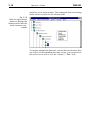
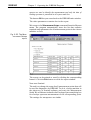
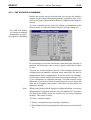
Start DREAM program, choose the Open command from the
DataBase menu. DREAM will open the database of Sentinel and
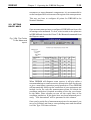
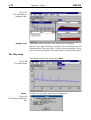
read all the plants' structure. After this DREAM will display in its
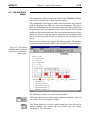
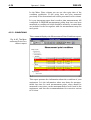
main window the names of all the plants from the Sentinel database:
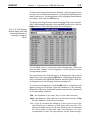
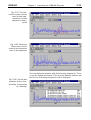
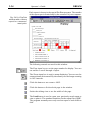
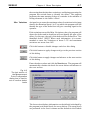
Fig. 3.1. Main window
of the DREAM software with the names
of the plants configured in the Sentinel
database.
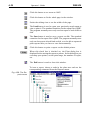
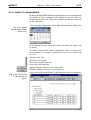
To display the names of the areas that belong to a plant, double-click
its name. The same way you can open the units, machines and
measurement points.