1
4.3.1
Image Information
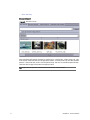
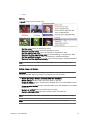
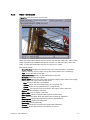
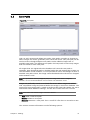
The Image Information panel displays the currently selected image and its meta
data. Some fields are auto-generated by the system, others are auto-filled based
on meta data appended to the image itself while some data is added manually.
The latter can be keywords which is often manually added to categorize the image
and to filter the search. Required fields are highlighted with a pale yellow color.
Viz Object Store reads image meta data attributes defined by the International
Press Telecommunications Council (IPTC) and automatically adds it to the
appropriate information fields.
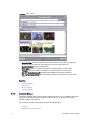
Below, a default set of fields are shown. It is possible to add new fields to the
Image information panel in the settings for Keywords, Additional Fields,
Organizations and Countries.
Figure 10: Image information
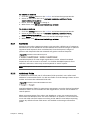
Auto-generated fields:
• Image ID: Sets the ID for the file in the database.
• Directory: Sets the file location based on the Save Paths setting.
• Filename: Shows the actual file name.
Chapter 4: User Interface
15