1
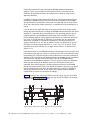
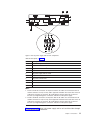
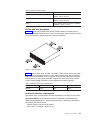
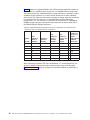
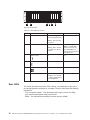
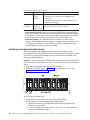
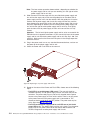
Figure 4. Rear view of drive channel ports
Table 4. Description of Figure 4
Number
Description
1
ESM A
2
ESM B
3
Port 1A
4
Port 1B
5
Port 2A (Reserved for future use)
6
Port 2B (Reserved for future use)
The ac power supply and fan units
The storage expansion enclosure has two removable power supply and fan units.
Each power supply and fan unit contains one power supply and two fans. The four
fans pull air through the drive from front to back across the drives.
The fans provide redundant cooling, which means that if one of the fans in either
fan housing fails, the remaining fans continue to provide sufficient cooling to
operate the storage expansion enclosure. The power supplies provide power to the
internal components by converting incoming ac voltage to dc voltage. If one power
supply is turned off or malfunctions, the other power supply maintains electrical
power to the storage expansion enclosure. To preserve the optimal airflow, do not
remove a failed power supply and fan unit CRU from the EXP810 chassis until you
are ready to replace it with a new CRU.
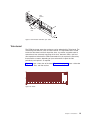
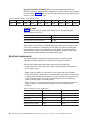
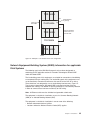
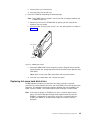
Figure 5 on page 9 shows power supply and fan unit components.
Note: Although both power supply and fan units (left and right) are identical, they
are seated in the EXP810 chassis in opposite orientations. If the power
supply and fan unit cannot fully be inserted in the power supply and fan unit
bay, flip it 180 degree and reinsert it.
8
IBM System Storage DS4000 EXP810 Storage Expansion Enclosure: Installation, User’s and Maintenance Guide