1
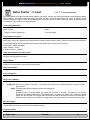
asileFX snowFlaKe (the MetaNode Collection v2.0) Users Manual
Distribution
Scaling
Color
Density
Output
Scale of Function
Function Scale
Function Scale
Function Scale
Scale
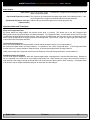
Material Origin This value is listed in the Effects Tab of the material editor, under “Origin of Material.”
Fine Tuning
Size This slider increases and decreases the scale of the material. This is a relative value, and not a length unit. It
is useful for small tweaks to the scale.
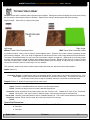
Threshold The material is a total descending gradient, the threshold increases the inner density of the output. This
feature is directly connected to the Falloff and gain, adjusting their total influence.
Falloff Adjusts the gradient falloff, or blending edge of the volume. Falloff of 10=Small Edge, 0=Very Smooth Blend.
Gain Increases the total number output, multiplied by the falloff amount.
For a very sharp edge, use the Vue Threshold Filter or Smooth Threshold Filter, connected between the output of sphere zone
and the controlled. If the output of the zone is beyond the current control range, normally -1 to 1 as a number output, you can
use the clamp filter node, with low at -1 and high at 1.
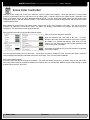
Invert Output
0=Normal 1=Inverted [ Slider ]
This slider will reverse the output of the node, it can also be used as a gain output.
Subtraction Roughness
0=Off 1=Input On [Slider on/off switch]
The top of the node contains a “Subtraction Roughness” input node (number). This can be connected to any number output,
like a fractal or noise node, to add variations within the volume.
This feature should only be turned on if the input is connected. You can also use this to turn off the roughness without
removing the connection to the input.
Note: The Invert Output option will also invert the subtraction.
Material Coordinates
Internal Uses the options under “Position type.” Default is Internal, World – Standard.
Input A vector input called Material Coordinates, allows you to input a functions Position or Normal inputs, or use
(vector) Position Options Input. The advantage of this is, you can modify the material vector before it reaches the node.
Zone Dependent
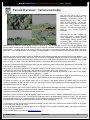
The Zone Dependent node allows you to make multiple connections to the same sphere zone. The sphere zone node must be
contained in an object graph or procedural terrain function, or the dependent will not be accessible. By using and External
Dependency Input node, you can select “[] Sphere Zone” from the list for the control object. Connecting to the Zone Dependent
gives you the ability to define some of the output settings, specific to the current function. If using the controls in the dependent
node, the “external tuning” number output will display the local results. To use the settings from the main node, connect to the
Sphere Zone number output.
Node Index
Contents
10