1
Online Learning System
Lecturers user manual
About this document
This document is a general user manual for OLS administrators in the OLS portal. The OLS is based on
Moodle system but many customizations have been applied to it, therefore this user manual is only
valid to the current version of the OLS, all legacy versions of the OLS are not covered in this manual.
Please note. This is not a technical document for development or applying major changes in the OLS.
Purpose
The purpose of this document is to define OLS lecturers’ responsibilities and providing a user guide
for them to manage and maintain the OLS.
What is the main responsibility of an OLS Lecturers?
OLS lecturers are responsible for managing and maintaining all semester course content in the OLS.
They should liaise with course coordinators to update course content/supporting documentation
prior to the commencement of each semester.
Logging in to the OLS
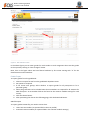
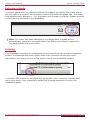
For logging in to APIC OLS, first open a browser (Firefox, Chrome, IE, Safari …) and enter the OLS
portal address (http://ols.apicollege.edu.au/) in the address bar.
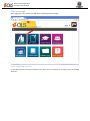
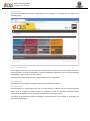
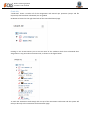
Then you will see the login page as per below.
Figure 1 Login Page
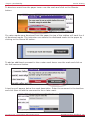
Then enter your username and password and click the Log in button.