1
Wireless network adapter
User manual
Figure 6-4
Export Profile
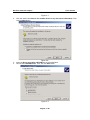
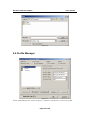
To save the profile(s) in a different location, click the Export Profile button. On the screen that appear
(Figure 6-5), direct Windows to the appropriate folder and click the OK button.
Figure 6-5
Import profile
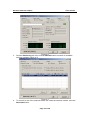
Click the Import Profile button to import a profile that has been saved in another location. From the
screen that appears (shown in Figure 6-6), select the appropriate file, and click the Open button.
Page 19 of 26