1
Completing the Installation
If all of these tests are successful, then your server has been
correctly assembled. Now you have two options:
On the server are some demonstration programs,
programming examples, and utilities. It may be of interest to
experiment with the server at this point. If so, proceed to the
next page. Note: once installation is complete, most of these
must be run from the client computer.
Otherwise, open the User’s Manual to help you connect to
your client computer and load the client-side software:
Start->AuSIM->Documents->GoldServe Manual
This launches an Adobe Acrobat .pdf file that will guide you
through the remaining tasks to finish the installation.
Demos
Please note that all applications that carry an “LE” suffix are
“local edition” applications. They will only run on the GoldServer
system directly, do not require a client/server connection, and do
not utilize the GoldServ application to access the AuSIM3D
engine. The exception to this rule is Rendograph, which was
designed to only run on the server, but then a client version was
developed as a response to demand.
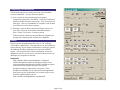
Nordjorvik
Start->AuSIM->Client-Server Applications-> Nordjorvik
AuSIM's Nordjorvik provides an interface to almost every
currently implemented feature of AuSIM's GoldServe system.
Please refer to the separate Nordjorvik user's guide.
Nordjorvik requires a client-server connection. Since
Nordjorvik is available only as a Windows based application,
Unix users can use NordjorvikLE run from the server to test
all of the AuSIM features; just run:
Start->AuSIM->DemoApplications->NordjorvikLE
Page C2 of 6