1
Simple Sequence Player
Utilities
Start->AuSIM-> Client-Server Applications->
CRE_TRON Examples->Sequence
ConnectTest
Start->AuSIM->Utilities->ConnectTest GUI
This is the source application for the simple sequence demos
described in the Demo section above. Do not confuse this
simple sequence player with RalphLE.
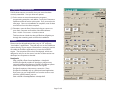
ConnectTest is a simple GUI for testing the connection
between a client system and a GoldServe. It reports hints as
to how to fix connection problems and has an added benefit
for programmers in that it employs a reset function for the
GoldServe if the client application fails to close it properly.
MultiFileClient
Start->AuSIM->Client-Server Applications->
CRE_TRON_Examples->MultiFileClient
This example application allows a client to direct the server to
load multiple wave files or select multiple live audio channels.
The names of the wave files or live channels are listed in a
text file, whose name has been specified on the application
command line. Position and gain level for each sound
source must also be specified in the text file. Head Tracking
can be initiated by adding /t on the command line. The
position is fixed for the listener at the origin (0,0,0) if tracking
is not being used. A sample text file has been provided in the
format expected by the application, which can be edited to
generate a new list of wave files or live channels. For long
files containing many sources, exporting the list from a
spreadsheet is recommended.
ScanCOM
Start->AuSIM->Utilities->ScanCOM
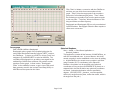
ScanCOM is a COM-port utility for interrogating a system's
RS-232 ports and their connectivity. If another ScanCOM is
running on a connected system, ScanCOM will report both
ports connected as well as the port performance. GoldServe
is aware of the ScanCOM protocol and responds with its
identity. This program is especially useful if you do not know
which port is which on your system.
Win32COM
Start->AuSIM->Utilities->Comports->Win32COM
This is a special low-level RS-232 utility for interrogating
RS-232 devices. It is provided primarily for the convenience
of AuSIM service personnel.
TACOM Demo
Start -> AuSIM-> Client-Server Applications ->
CRE_TRON_Examples -> TACOM Demo
AHMinfo
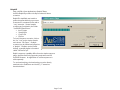
This example application launches 4 listeners on a
GoldServe, each of which can hear three of the first four live
audio channels on the system, as well as a wave file of an
orbitting helicopter. If each listener is miked to speak on the
physical input channel that corresponds with his or her
listener number, each listener will be able to hear the other
three speakers, but not his or her own voice.
Start->AuSIM->Utilities->AHMinfo
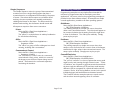
This allows users to learn more about HRTF data-set files
(AHMs) that have been included in the D:\AuSIM3D\HRTF
folder.
GoldServer DB Gen
Note: this demo is only applicable to license multi-listener systems.
Page C6 of 6
Start->AuSIM->Utilities->GoldServer DB gen
GoldServer DataBase Generator creates a file used by
programs like Nordjorvik to keep track of existing wavefiles,
audio devices, and AHMs on the server. If you add wavefiles
or AHMs to the server, run this program to update the DB.
The generated file can be used on the client machine for
proper reference to server files by client applications.