1
Notational Conventions
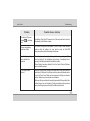
Throughout this manual, the following conventions are used to distinguish elements of text.
Note:
Identifies additional information that requires special attention.
Warning :
Identifies additional information that requires special attention.
Tip :
Identifies additional information that requires special attention.
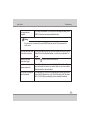
Caution:
Identifies important information that, if not followed,
may result in loss of data or damage to the computer.
Keyboard keys are shown in a bold typeset. For example: Press Enter to complete.
When keys are joined by a plus sign (+), press the first key, and, while keeping the first key down, press the
remaining keys, finally release all the keys. When necessary, keys are also shown in graphics.
A title, command, setup item, or button that you can see on the screen is shown in boldface.