1
Getting Started
Before installing or starting to use the FrameSaver NP, you should:
• Install the User’s Manual - Installation Guide so that you can access all the
installation, configuration, and operating information about the unit.
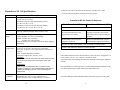
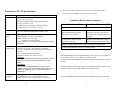
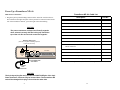
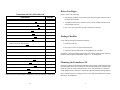
FrameSaver NP 110 Cable List
Description
Part No.
T1 or DSX network cable, RJ-48, twisted pair
135-982-0006
Dial Line (POTS) cable, RJ-11 connector
135-007-7200
ISDN BRI network cable, RJ-49 connector
135-981-0006
Console cable (to AUX2), DB-9 connector
135-000-0464
Adobe Acrobat Reader may be obtained free from Adobe Systems Incorporated, from
their Web Site at www.adobe.com.
Console cable (to AUX2), DB-25 connector
135-007-0400
AUX Port to router console port cable, DB-25 connector
135-008-0400
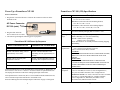
Using Adobe Acrobat Reader
AUX Port to Cisco router console port, RJ-45 type connector
135-990-0006
• Print sections you may want to reference.
User’s Manual - Installation Guide
The manual is in PDF file format. Your PC should be using Microsoft Windows 3.1 or
above, and have Adobe Acrobat Reader installed for browsing or printing this manual.
Adobe Acrobat Reader is used just as you would most word processing or text editing
programs. Start Adobe Acrobat Reader and open the file containing the FrameSaver
NP User’s Manual - Installation Guide. You can simply scroll through the pages, or
use the Bookmarks along the left side to move around the manual or the tables in the
front of the manual.
Contact your service representative, distributor or sales representative to order cables.
To print the manual or a selection of pages, select Print... from the File menu and then
select the range of pages you wish to print. Select OK to begin printing.
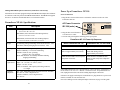
Ordering a Hard Copy of the User’s Manual
Contact Paradyne Corporation at the address on the back of this Guide to obtain a printed copy of a FrameSaver NP User’s Manual - Installation Guide. Always specify the
“latest revision” for each publication number:
Safety Instructions
Before proceeding with the installation, carefully read the Equipment Interference Notice, Important Safety Instructions and Preface sections of the FrameSaver NP User’s
Manual - Installation Guide.
2
15