1
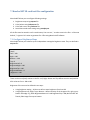
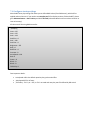
[Yellow]
Red = 255
Green = 255
Blue1 = 0
Blue2 = 0
The color balance works the same as in Fiesta(.NET) software.
7.3 Configure Color Fades
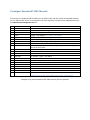
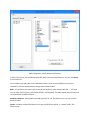
Sometimes your laser turns on at e.g. 30% of the fade range and is at maximal brightness at e.g. 60% of
the fade range. Then it’s good to use color fade curves to enhance color fade. You can use fades.txt file
to solve this problem:
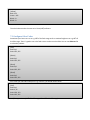
[Red]
Point=0,0
Point=255, 255
[Green]
Point=0,0
Point=255, 255
[Blue1]
Point=0,0
Point=255, 255
[Blue2]
Point=0,0
Point=255, 255
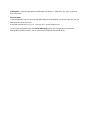
So to solve your 30%-60% example for e.g. red color, you would need to write:
[Red]
Point=0,0
Point=1,76
Point=250, 153
Point=255, 255
(76 s approximately 30% of 0-255 range, 153 is 60% od 0-255 range).