1
Documentation
Version: {docversion}
Table of Contents
1. Introduction ........................................................................................................... 1
1.1. Overview ..................................................................................................... 1
1.2. Files and Folder structure ........................................................................... 2
2. Quickstart example ............................................................................................... 5
3. Driver ................................................................................................................... 10
4.
5.
6.
7.
8.
3.1. File Driver .................................................................................................
3.2. HTTP Driver ..............................................................................................
Source .................................................................................................................
4.1. File Source ................................................................................................
4.2. HTTP Source ............................................................................................
4.3. JDBC Source ............................................................................................
4.4. Merge Source ...........................................................................................
4.5. Script Source ............................................................................................
4.6. XLS Source ...............................................................................................
4.7. OCS Source ..............................................................................................
4.7.1. General OCS Parameters ...............................................................
4.7.2. Using a source for OCS computers ................................................
4.7.3. Using a source for OCS SNMP devices .........................................
4.7.4. Using a mock source for development ...........................................
Mapper ................................................................................................................
5.1. No-operation echo mapper .......................................................................
5.2. Empty requisition mapper .........................................................................
5.3. OCS Mapper .............................................................................................
5.3.1. OCS Computers .............................................................................
5.3.2. OCS SNMP Devices .......................................................................
5.3.3. Black- and Whitelists ......................................................................
5.4. Script mapper ...........................................................................................
Asset field mapping ............................................................................................
Script Steps ........................................................................................................
Documentation guidelines ...................................................................................
8.1. Overall Flow ..............................................................................................
8.2. Important files and folders ........................................................................
8.3. Headings and document structure ............................................................
8.4. Writing .......................................................................................................
8.5. Gotchas .....................................................................................................
8.6. Links ..........................................................................................................
ii
10
11
13
13
14
15
18
19
19
21
21
22
22
22
24
24
24
24
25
26
26
28
29
32
38
39
39
40
40
40
41
Documentation
8.7. Text Formatting ......................................................................................... 42
8.8. Admonitions .............................................................................................. 42
8.9. Images ......................................................................................................
8.9.1. Images Files ...................................................................................
8.10. Attributes .................................................................................................
8.11. Comments ...............................................................................................
8.12. Code Snippets ........................................................................................
8.12.1. Explicitly defined in the document ................................................
8.12.2. Fetched from source code ............................................................
iii
43
43
44
44
45
45
46
List of Figures
1.1.
2.1.
2.2.
2.3.
8.1.
OpenNMS PRIS overview .................................................................................. 1
Worksheet with Router ...................................................................................... 5
Worksheet with Server ....................................................................................... 6
Output of PRIS server for both configured requisitions ...................................... 8
........................................................................................................................... 43
8.2. example.odp ..................................................................................................... 44
iv
Chapter 1. Introduction
If you have a large network and discovery doesn’t help, it helps to find a source of
truth for starting to fill your management system. The provisioning integration server
PRIS is a software which helps you to integrate OpenNMS to single or multiple external
inventory systems. It gives you several steps to integrate, transform, clean up, and
merge your extracted data before you provide the data into OpenNMS. The result of
PRIS is the OpenNMS requisition model which can be read from OpenNMS Provisiond.
The service is used to provide an integration point for OpenNMS external inventories
or home brew inventories. With pris the data is normalized to the OpenNMS requisition
model and can be consumed from OpenNMS provisiond. It is highly specialized to
enrich the requisition model with SNMP information i.e. SNMP interfaces, generic
SNMP attributes like system location, system contact, and system description. Besides
that, Provisiond can also run service detectors against IP interfaces and allows to run
policies to control the monitoring behavior. Pris is an instance in front of Provisiond, it
allows to aggregate information from different sources and manipulate them in a flexible
way.
The output from PRIS is provided as XML over HTTP and can be used in Provisiond to
import and discover services and SNMP data from. In OpenNMS a requisition is a set
of nodes (networked devices) that you want to import into OpenNMS for monitoring and
management. You can assign in OpenNMS services, detectors and policies to model
the network monitoring behavior. For this reason a good practice is to organize nodes
with a similar network monitoring profile in a requisition. The PRIS components are
shown in Section 1.1, “Overview”.
1.1. Overview
Figure 1.1. OpenNMS PRIS overview
The components from left to right are described as followed:
1
Introduction
• OpenNMS Provisiond: This is the internal daemon responsible to get nodes
(networked devices) into OpenNMS. Provisiond scans for SNMP information,
network services and has to model the network monitoring behavior for OpenNMS.
• Driver: The driver is the method how to present the data from PRIS to OpenNMS.
It is only possible to configure one driver per PRIS instance
• OpenNMS Requisition: The data model which has to be built inside of PRIS. This
is the shared model between OpenNMS and PRIS.
• Requisition configuration: The description of the integration of your external
datasource. A requisition configuration defines which source should be used or
which scripts should be applied to modify or transform the data before they are
provided into OpenNMS Provisiond.
• Mapper Script: The mapper script is the last script executed before the generated
requisition goes to OpenNMS Provisiond through the driver. You can use a mapper
script to enrich the requisition, remove nodes or replace OpenNMS requistion node
attributes.
• Custom Scripts: In some cases an external inventory has its own data model, e.g.
OCS Inventory. The script source can be used to map the external inventory-specific
model into the OpenNMS requisition model.
• Source: This is the specific implementation retrieving the data for from your external
inventory.
• External Inventory: The inventory from which you want to import data for
OpenNMS. It could be a free application like phpIPAM, idoIT, ITIL ticket system like
OTRS, a simple spreadsheet or just another OpenNMS instance.
1.2. Files and Folder structure
1
The latest release of PRIS can be downloaded from the github release page of the
project. It is recommended to extract the tar.gz content to /opt/opennms-pris . The
examples and the documentation are built based on this file structure. It is possible to
install PRIS in a different directory, but you have to take care about adapting the paths
in this documentation.
After extracting the archive the file structure should look like this:
.
1
https://github.com/OpenNMS/opennms-provisioning-integration-server/releases
2
Introduction
### documentation
###
|
|
|
|
|
|
|
examples
### fileExample
### httpExample
### jdbcExample
### mergeExample
### ocsExample
### scriptExample
### xlsExample
### global.properties
### lib
### opennms-pris.jar
### opennms-pris.service
### opennms-pris.sh
### opennms-pris.bat
### requisitions
### scriptsteps
### custom 11
### default 12
This documentation in HTML format; if you run PRIS in HTTP mode you can
access the documentation at http://<your-ip>:<port>/documentation
Configuration examples for requisitions for every available source
Default configuration for PRIS to run in HTTP mode on port 8000
Libraries for the different sources which can be used with PRIS
Main application file
Init script for CentOS or Debian systems running in HTTP mode
Start script to run PRIS on a Linux console
Start script to run PRIS on a Windows
Configuration directory for all requisitions to integrate inventories
Default folder for scripts which are used in requisition configurations to manipulate
the inventory import
11
Drop-in for your custom created scripts
12
Drop-in for default ready to use scripts
PRIS needs at minimum two configuration files. The first is called
global.properties , and controls the general behavior of the provisioning
integration server. A requisition is just a directory in the application server directory
requisitions and has to contain a file called requisition.properties . The
directory name is used to access the requisition.
3
Introduction
You can create multiple requisitions using different sources, by creating a
directory for each requisition with a requisition.properties inside. The
global.properties , the requisitions directory and the start script has to be in
the same folder. By default we suggest to install your PRIS archive to /opt/opennmspris . If you want to provide the OpenNMS requisitions via HTTP from the built-in Jetty
web server as a background daemon, you can use the init script in opennms-pris/
src/examples/opennms-pris .
4
Chapter 2. Quickstart example
To give an example we want to provide two requisitions from an poor man’s inventory
as XLS file (myInventory.xls). The first requisition has a worksheet containing all routers
and the second worksheet has all servers of our network. This example can be found
in examples/source/xlsExample .
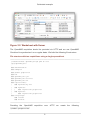
Figure 2.1. Worksheet with Router
In line 5, 6 and 7 there is a router defined with more than one IP interface. All three
interfaces will be manually provisioned. The private IP interface with 192.168.30.1 is
not used for SNMP agent communication. The services ICMP, SNMP and StrafePing
are forced on some IP interfaces. For all other IP interfaces you can use the OpenNMS
Provisiond mechanism scanning IP interface table from SNMP and the detectors for
additional services. The server will also be categorized in Backbone and Office.
5
Quickstart example
Figure 2.2. Worksheet with Server
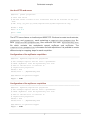
The OpenNMS requisition should be provided via HTTP and we use OpenNMS
Provisiond to synchronize it on a regular basis. We build the following file structure:
File structure with two requisitions using a single spreadsheet
[root@localhost opennms-pris]# pwd && tree
/opt/opennms-pris
.
### documentation
### examples
### global.properties
### lib
### opennms-pris.jar
### opennms-pris.service
### opennms-pris.sh
###
|
|
|
|
|
###
requisitions/
### myInventory.xls
### myRouter
|
### requisition.properties
### myServer
### requisition.properties
scriptsteps
### custom
### default
Providing the OpenNMS
global.properties
requisition
over
6
HTTP
we
create
the
following
Quickstart example
Use the HTTP web server
### File: global.properties
# Start web server
# The web server listens on all interfaces and can be accessed on TCP port
8000
# URL: http://${your-ip}:8000/requisitions/${name-requisition-cfg}
driver = http
host = 0.0.0.0
port = 8000
The HTTP server listens on localhost port 8000/TCP. We have to create two directories,
myServer and myRouter , each containing a requisition.properties file.
Both requisition.properties files reference the main myInventory.xls
file which contains two worksheets named myServer and myRouter. The
requisition.properties is the same for both requisitions. It is possible to create
different script or mapping steps for each requisition.
Configuration of the myRouter requisition
### File: myRouter/requisition.properties
# This example imports devices from a spreadsheet
# named "myRouter" from the myInventory.xls file
# Path to the XLS fils is relative to
# requisitions.properties
source = xls
source.file = ../myInventory.xls
### default no-operation mapper
mapper = echo
Configuration of the myServer requisition
### File: myRouter/requisition.properties
# This example imports devices from a spreadsheet
# named "myRouter" from the myInventory.xls file
# Path to the XLS fils is relative to
# requisitions.properties
source = xls
source.file = ../myInventory.xls
### default no-operation mapper
mapper = echo
7
Quickstart example
It is not necessary to restart the PRIS server if you change properties files or the XLS
file. All changes will be applied from the next request against the server. With the
given configuration you see the result of the OpenNMS requisitions with the URL http://
localhost:8000/requisitions/myRouter and http://localhost:8000/requisitions/myServer
which can be used in OpenNMS Provisiond.
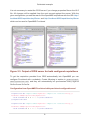
Figure 2.3. Output of PRIS server for both configured requisitions
To get the requisition provided from PRIS automatically into OpenNMS you can
configure Provisiond with a schedule. Create following to entries in provisiondconfiguration.xml and they will automatically be synchronized every night at
0h:0m:0s and 1h:0m:0s.
Configuration from OpenNMS Provisiond with provisiond-configuration.xml
<requisition-def import-name="myRouter" import-url-resource="http://
localhost:8000/requisitions/myRouter">
<cron-schedule>0 0 0 * * ? *</cron-schedule>
</requisition-def>
<requisition-def import-name="myServer" import-url-resource="http://
localhost:8000/requisitions/myServer">
<cron-schedule>0 0 1 * * ? *</cron-schedule>
8
Quickstart example
</requisition-def>
9
Chapter 3. Driver
The driver determines how to provide the generated OpenNMS requisition. It is a
required global configuration item for the PRIS server. The configuration for the drivers
has to be specified in the global.properties file. It is possible to configure exactly
one driver for the PRIS server. For the PRIS server you can configure a global log level.
The loglevel is also located in the global.properties file and can be configured
with the following values:
loglevel = INFO
Level
Default
ALL
TRACE
DEBUG
INFO
*
WARN
ERROR
OFF
Changing the log level requires a restart if you run PRIS as a daemon
in HTTP mode.
The driver is configured in global.properties which is located in the root
application directory.
/opt/opennms-pris
### global.properties
3.1. File Driver
This driver offers the ability to generate an OpenNMS requisition directly into
the filesystem. To use the file driver you have to set the parameters in the
global.properties :
10
Driver
Parameter
RequiredDescription
driver *
set to file to generate OpenNMS requisitions as XML file
target *
path/to/output/folder for XML files to generate
requisitions
parameter as Java regular expression filter for the requisition name
Example configuration for a file based requisition
### File: global.properties
# Generate an requistion and create an requisition file to target
# Create a file for all requisitions matching * (Java regular expression)
loglevel = INFO
driver = file
target = /my/output/folder
requistions = *
3.2. HTTP Driver
The HTTP driver starts PRIS as a web server to provide the OpenNMS requisition over
HTTP.
Parameter
RequiredDescription
driver *
set to http run as web server and provide requisitions over HTTP
host
*
Network interface for listening, e.g. 0.0.0.0 = all, 127.0.0.1 =
localhost
port
*
TCP port to listen for incoming requests. Default is 8000
Access to the requisition can be tested with a browser to URL http://<yourip>:<port>8000/requisitions/<name-requisition-cfg>. The path name-requisition-cfg is
the folder name which runs the requisition configuration located in your PRIS server
directory.
Example configuration for a web server provided requisition
### File: global.properties
# Start web server
# The web server listens on all interfaces and can be accessed on TCP port
8000
# URL: http://${your-ip}:8000/requisitions/${name-requisition-cfg}
driver = http
11
Driver
host = 0.0.0.0
port = 8000
12
Chapter 4. Source
A Source is used to get the data to build an OpenNMS requisition. Each requisition
requires a source definition in the requisition.properties file. Depending on
the type of the source, different configuration parameters are available. A JDBC source,
for example, has different configuration parameters versus an XLS source. The existing
sources with their respective configuration parameters are described in this section.
A source is configured in the requisition.properties for the requisition.
/opt/opennms-pris
### requisitions
### myRequisitionConfiguration
### requisition.properties
4.1. File Source
The file source allows to read a requisition file from the filesystem.
Parameter
RequiredDescription
source *
Set file to use this source for the requisition configuration
source.file
*
relative path from requisitions.properties to the OpenNMS
requisition xml file
mapper *
Mapper script changing the requisition. For no operation use echo ,
apply a Groovy script set to script
mapper.file
If set mapper is set to script , relative path to your groovy script
for modifying the requisition
This source reads an already-defined requisition from an XML file. The file to read has
to be a valid OpenNMS requisition already.
Example configuration for a file-based requisition
### File: myFileRequisition/requisition.properties
# This example uses a predefined OpenNMS requisition
# Path to the myCustomRequisitionFile.xml is relative
# to the requisitions.properties
source = file
source.file = myCustomRequisitionFile.xml
13
Source
### default no-operation mapper
mapper = echo
4.2. HTTP Source
This source is similar to the file source. Instead of reading from a local file, it can read a
requisition via HTTP from another OpenNMS instance. The location for the requisition is
given by an OpenNMS provisioning ReST URL. It is possible to provide authentication
credentials to be able to consume the ReST service.
Parameter
RequiredDescription
source *
Set http to use this source for the requisition configuration
source.url
*
OpenNMS requisition ReST service base URL, e.g. http://
demo.opennms.org/opennms/rest/requisitions
source.username
OpenNMS user name for accessing the requisition ReST URL
source.password
OpenNMS user password for accessing the requisition ReST URL
mapper *
Mapper script for changing the requisition. For no operation use
echo ; to apply a JSR-223 script set to script
mapper.file
If set mapper is set to script , relative path to your JSR-223 script
for modifying the requisition
The given example configuration reads the requisition from the publicly available
OpenNMS demo system.
Example configuration for an HTTP-based requisition
### File: opennmsdemo/requisition.properties
# This example reads imports the requisition name Latency from
# the public available demo system.
source = http
source.url = http://demo.opennms.com/opennms/rest/requisitions/Latency
source.username = demo
source.password = demo
### mapper to set asset longitude and latitude based on a surveillance
category ###
mapper = script
mapper.file = setGeoInfo.groovy
14
Source
4.3. JDBC Source
The JDBC source provides the ability to run an SQL Query against an external system
and map the result to an OpenNMS requisition.
Parameter
RequiredDescription
source *
Set jdbc to use this source for the requisition configuration
source.driver
*
JDBC driver, e.g. org.postgresql.Driver
source.urlJDBC URL, e.g. jdbc:postgresql://host:port/database
source.selectStatement
SQL statement
source.user
user name for database connection
source.password
password for database connection
mapper *
Mapper script for changing the requisition. For no operation use
echo ; for a JSR-223 script set to script
mapper.file
If set mapper is set to script , relative path to your JSR-223 script
for modifying the requisition
The following column-headers will be mapped from the result set to the OpenNMS
requisition:
Column
RequiredDescription
Header
Foreign_Id
*
will be interpreted as foreignId on the node
Parent_Foreign_Id
defines the foreignId for the parent node. Used for path
outages .
Parent_Foreign_Source
defines the foreignSource for the parent node. Used for path
outages .
Parent_Node_Label
defines the nodeLabel of the parent node. Used for path
outages .
IP_Addresswill be interpreted as an IP address for a new IP interface on the node
MgmtType
is interpreted as snmp-primary flag and controls how the interface
can be used to communicate with the SNMP agent. Valid are P
(Primary), S (Secondary) and N (None).
InterfaceStatus
will be interpreted as Interface Status. Value has to be an integer.
Use 1 for monitored and 3 for not monitored.
15
Source
Column
RequiredDescription
Header
Node_Labelwill be interpreted as node label for the node identified by the
Foreign_Id
Cat
will be interpreted as a surveillance category for the node identified by
the Foreign_Id
Svc
will be interpreted as a service on the interface of the node identified
by the Foreign_Id and IP_Address field
This source also supports all asset fields by using Asset_ as a prefix followed by
the asset-field-name . The city field of the assets can be addressed like this:
yourvalue AS Asset_City and is not case-sensitive.
Every row of the result set will be checked for the listed column headers. The provided
data will be added to the corresponding node. Multiple result rows with matching
Foreign_Id will be added to the same node.
To use additional JDBC drivers, just drop the JAR files into the
opennms-pris/lib directory and set the source.driver and
source.url accordingly.
Example configuration to import nodes from phpIPAM MySQL database into
OpenNMS
### File: phpipam/requisition.properties
# This example connects to an phpIPAM MySQL database and imports the
# data and maps the result an OpenNMS requisition.
# Hint: the MySQL driver has to be manually installed to the opennms-pris/
lib
# directory
source = jdbc
## jdbc source parameter to connect against phpIPAM on MySQL
source.driver = com.mysql.jdbc.Driver
source.url = jdbc:mysql://phpipam.foo.org/phpipam
source.user = user
source.password = secret
source.selectStatement = SELECT \
id AS Foreign_Id, \
dns_name AS Node_Label, \
'P' AS MgmtType, \
16
Source
description AS Asset_Description, \
INET_NTOA(ip_addr) AS Ip_Address, \
owner AS Cat \
FROM ipaddresses;
### default no-operation mapper
mapper = echo
Example configuration to import nodes from another OpenNMS database
### File: opennms/requisition.properties
# This example connects to an OpenNMS PostgreSQL database and imports the
# data and maps the result a new OpenNMS requisition
source = jdbc
## jdbc source parameter to connect against PostgreSQL
source.driver = org.postgresql.Driver
source.url = jdbc:postgresql://localhost:5432/opennms
source.user = opennms
source.password = opennms
source.selectStatement = SELECT\
node.foreignId AS Foreign_Id, \
node.nodelabel AS Node_Label, \
ipinterface.ipaddr AS IP_Address, \
ipinterface.issnmpprimary AS MgmtType, \
ipinterface.ipstatus AS InterfaceStatus, \
assets.description AS Asset_Description, \
assets.city AS Asset_City, \
assets.state AS Asset_State, \
service.servicename AS Svc, \
categories.categoryname AS Cat \
FROM \
node LEFT OUTER JOIN ipInterface ON node.nodeId=ipInterface.nodeId \
LEFT OUTER JOIN ifServices ON ipInterface.ipAddr=ifServices.ipAddr \
LEFT OUTER JOIN service ON ifServices.serviceId=service.serviceId \
LEFT OUTER JOIN category_node ON node.nodeId=category_node.nodeId \
LEFT OUTER JOIN categories ON
category_node.categoryId=categories.categoryId \
LEFT OUTER JOIN assets ON node.nodeId=assets.nodeId;
### default no-operation mapper
mapper = echo
17
Source
4.4. Merge Source
The merge source allows to merge two provided requisitions accessed by URLs. You
can also use provided resources by PRIS recursively. The example below shows how
to configure the merge requisition for two requisitions A and B.
Parameter
RequiredDescription
source *
set to merge to configure this requisition as a merge requisition
source.A.url
*
URL to the requisition A
source.A.username
username for access
source.A.password
password for access
source.B.url
*
URL to the requisition B
source.B.username
username for access
source.B.password
password for access
source.A.keepAll
if this parameter is present in the config all nodes from requisition A
will be present in the resulting requisition.
source.B.keepAll
if this parameter is present in the config all nodes from requisition B
will be present in the resulting requisition.
This source is reading two already defined requisitions via HTTP and merges them
into one new requisition. By default the resulting requisition will contain all nodes that
are present in both requisitions, identified by the foreignId . The A-Node (from
requisition A) is enriched with the data from B-Node.
Example configuration for a merge requisition
### File: merge/requisition.properties
# This example merges two requisitions
source = merge
source.A.url = http://localhost:8000/A
source.A.keepAll
source.B.url = http://localhost:8000/B
source.B.keepAll
### default no-operation mapper
mapper = echo
18
Source
4.5. Script Source
This source is provided to give you the flexibility of building your own source without
1
the need to compile from source. The source uses JSR-223 Scripting Engine . The
script language can be changed by setting the property source.lang in your
requisition.properties file. By default groovy 2.3.3 and beanshell 2.0b5 are
ready to use. If you want to use other supported languages, you might need to provide
the language jar in the lib folder of PRIS.
Parameter
RequiredDescription
source *
set script to use JSR-223 Script Engine as source
source.file
*
path to script source relative to requisition.properties
source.lang
JSR-223 Script language by name, by default the file extension is
used to detect the language.
source.<name>
you can have access to a parameter name in your Groovy script if
you name it with the prefix source.
You can find a working Groovy source in the examples/source/scriptExample
directory. A custom parameter name count is passed into the Groovy script.
Example configuration to generate a requisition from a Groovy script
### File: myGroovySource/requisition.properties
# This example creates a requisition node from a Groovy script
source.file = myGroovySource.groovy
source.count = 3
### default no-operation mapper
mapper = echo
4.6. XLS Source
The xls reads an XLS spreadsheet file and creates an OpenNMS requisition based
on the worksheet content.
Parameter
RequiredDescription
source *
1
set xls to use the XLS source for this requisition
https://www.jcp.org/en/jsr/detail?id=223
19
Source
Parameter
RequiredDescription
source.file
*
path of the XLS file to read relative to the
requisition.properties
source.encoding
encoding of the xls file. Default is ISO-8859-1
The structure of the spreadsheet has to follow these rules. The source reads from
a sheet named after the requisition you are requesting. The first row of each sheet
is reserved for column names . These column names have to start with certain
prefixes to be recognized.
Prefixes
RequiredDescription
Node_ *
IP_
*
will be interpreted as node label. It is also used as foreignId if no
ID_ header is present.
will be interpreted as an IP address as a new interface on the node.
MgmtType_
*
is interpreted as snmp-primary flag and controls how the interface
can be used to communicate with the SNMP agent. Valid are P
(Primary), S (Secondary) and N (None).
ID_
will be interpreted as foreignId for the node. If no foreignId is
definded the Node_ value is used as foreignId .
Parent_Foreign_Id
defines the foreignId for the parent node. Used for path
outages .
Parent_Foreign_Source
defines the foreignSource for the parent node. Used for path
outages .
Parent_Node_Label
defines the nodeLabel of the parent node. Used for path
outages .
InterfaceStatus
will be interpreted as interface status. Use 1 for monitored and 3 for
not monitored.
cat_
will be interpreted as a surveillance category. Multiple commaseparated categories can be provided. It can be used multiple times
per sheet.
svc_
will be interpreted as a service on the interface of the node. Multiple
comma-separated services can be provided. It can be used multiple
times per sheet.
This source also supports all asset-fields by using Asset_ as a prefix followed by
the asset-field-name . The city field of the assets can be addressed like this:
Asset_City . This is not case-sensitive.
20
Source
To add a node with multiple interfaces, add a subsequent row with the same node label
(Node_). This row will be added as a new interface based on the data from the IP_,
MgmtType_, svc_ columns.
The order in which the columns are arranged is irrelevant. Also additional columns can
be present.
Check the format of cells to avoid problems with data like IP address.
Example configuration for the requisition myRouter from an XLS spreadsheet
### File: myRouter/requisition.properties
# This example imports devices from a spreadsheet
# named "myRouter" from the myInventory.xls file
# Path to the XLS fils is relative to
# requisitions.properties
source = xls
source.file = ../myInventory.xls
### default no-operation mapper
mapper = echo
4.7. OCS Source
OCS-Inventory NG is an inventory and software management software. It handles
computers and SNMP devices as separate entity types in its APIs. For that reason
there are two different sources available to import nodes from OCS. Some parameters
are part of both sources and described first.
4.7.1. General OCS Parameters
The following parameters are required:
Parameter
RequiredDescription
source *
Set ocs.computers to import OCS computer entities and
ocs.devices for OCS SNMP devices
source.url
*
The URL of the OCS web application.
source.username
*
A OCS user with rights to access the OCS Soap interface.
source.password
*
The password for the OCS user with rights to access the OCS Soap
interface.
21
Source
Parameter
RequiredDescription
source.checksum
*
The inexplicably-named ocs.checksum parameter controls how
detailed the data is that the integration is requesting from the OCS.
It is important to request all the data you want to map into your
requisition but not too much, since a higher checksum causes the
2
request to be significantly slower. Read the OCS Web-Services
documentation for more information. The default checksum for the
default mapper is 4611 .
source.tags
OCS supports tags / custom fields. If a tag is added to the ocs.tags
list, just computers and snmpDevices that are marked with all
the tags will be read from the OCS. This feature can be used to tag
computers as testing or production .
source.target
This parameter allows to specify a file to write the result of the source
to. The resulting xml file can be used for debugging or test reasons.
4.7.2. Using a source for OCS computers
This source reads computers from an OCS instance. It supports all parameters listed
as general and the following additions:
• accountinfo = accountinfo data is based on custom fields managed in
OCS. These are managed by the Administrative-Data section of the OCS web
application. The name of the custom field is presented in all caps. The value of the
field as provided by the user. The ocs.accountinfo parameters supports a list of
accountinfo that must be present on the computer. If any of the accountinfo
is not present the computer is skipped. To add multiple accountinfo values,
separate them with spaces.
4.7.3. Using a source for OCS SNMP devices
This source reads snmpDevices from an OCS instance. It supports all parameters
listed as general and no additional at the moment.
4.7.4. Using a mock source for development
For development and testing there are ocs.computers.replay and
ocs.devices.replay sources available. These sources require a file that contains
2
http://wiki.ocsinventory-ng.org/index.php/Developers:Web_services
22
Source
the computers or snmpDevices as an XML file. The file has also be referenced in
the configuration.
Example configuration to import OCS computer into OpenNMS
### File: computers.basic/requisition.properties
# This example imports OCS computer devices into
# an OpenNMS requisition. To convert the OCS
# computer into a requisition the mapper.groovy
# is used.
source = ocs.computers
source.url = https://your-ocs-webapplication.ocs
source.username = ocs-user
source.password = ocs-password
source.checksum = 4611
source.tags =
### mapper to convert OCS computer model into OpenNMS requisition model
mapper = ocs.computers
mapper.ocs.url = https://your-ocs.webapplication.ocs
## Run a custom mapper script
script.file = mapper.groovy
### CATEGORIES ###
mapper.categoryMap =
Example configuration to import OCS SNMP devices into OpenNMS
### File: computers.basic/requisition.properties
# This example imports OCS SNMP devices into
# an OpenNMS requisition. To convert the OCS
# SNMP devices into a requisition the mapper.groovy
# is used.
source = ocs.devices
source.url = https://your-ocs-webapplication.ocs
source.username = ocs-user
source.password = ocs-passowrd
source.checksum = 4611
source.tags =
### run the default mapper for snmp-devices
mapper = ocs.devices
categoryMap =
23
Chapter 5. Mapper
A mapper can be used to map the result of a source to an OpenNMS Requisition model.
The mapper receives the result of the source. The source is not limited in the data
model it provides to the mapper. The mapper has to provide an OpenNMS Requisition
as its result. If the source provides a custom data model, the mapper has to map it into
a Requisition. Some sources provide OpenNMS Requisition directly in a ready-to-use
form; in those cases the echo.mapper can be used. Complex sources like the OCSSources provide OCS specific models and require their own specific mappers.
A mapper is configured in the requisition.properties for the requisition.
/opt/opennms-pris
### requisitions
### myRequisitionConfiguration
### requisition.properties
5.1. No-operation echo mapper
The echo mapper is a mapper that forwards the result of the source verbatim. That
requires the source to provide a ready-to-use requisition and not a custom model. This
mapper does not change the result of the source.
5.2. Empty requisition mapper
The null mapper is a special mapper that just provides an empty requisition. This
can be useful to handle the entire mapping between the result of the source and the
OpenNMS requisition in a script step.
5.3. OCS Mapper
Mappers are used to map the bifurcated OCS data model centered around
computers and SNMP devices to the unified OpenNMS data model for
provisioning nodes, interfaces, services and assets. The OCS integration provides one
default mapper for computers and one for SNMP devices out of the box. Additionally it
provides for script-based mapping via script steps. The default mappers for OCS are a
simple way to map computers and SNMP devices to OpenNMS nodes.
24
Mapper
5.3.1. OCS Computers
To use this mapper, configure your requisition config to use ocs.computers as
mapper. This mapper requires a checksum of 4867 to get all required data. It elects
the OCS-Source-IP as management-interface of the node. The black- and whitelisting
is applied against the interface. If no interface is valid, the node will have no interfaces
and a corresponding log message will be written. The elected management interface
is enriched with the interface description, if available. The SNMP and ICMP services
are forced onto the management interface. Additionally the comment field of the node
assets is used to provide an HTML link to the computer page of the OCS instance. The
assets for cpu and operatingSystem will be mapped from the OCS computer too.
The computer name is used as both foreignId and nodeLabel .
Accountinfo to Category Mapper
The default mapper for Computers supports a mapping between OCS Accountinfo
data from OCS to OpenNMS surveillance categories. To use this feature add the
mapper.categoryMap parameter to the requisition.properties file and
reference a properties file following this syntax example:
# generic example for a properties file that maps OCS Accountinfo data to
OpenNMS surveillance categories
ADMINISTRATIVEDATAFILEDNAME.data=OpenNMSCategoryName
# the Accountinfo for ENVIRONMENT is mapped to the OpenNMS surveillance
category "Production" if the Accountinfo value is set to "Production"
ENVIRONMENT.Production=Production
# the Accountinfo for JOB is mapped to the OpenNMS surveillance category
"Mail" if the Accountinfo value is set to "Mailserver"
JOB.Mailserver=Mail
Accountinfo to Asset Mapper
The Default mapper for Computers supports a mapping between OCS Accountinfo
data from OCS to OpenNMS assets. Accountinfo entry values can be used as values
for OpenNMS asset fields. To use this feature add the assetMap parameter to the
requisition.properties file and reference a properties file following this syntax
example:
# generic example for Accountinfo mapping to OpenNMS assets
ADMINISTRATIVEDATAFILEDNAME = OpenNMS-AssetName
25
Mapper
# The value of the Accountinfo entry "TAG" is mapped to the OpenNMS asset
field "region"
TAG = region
# The value of the Accountinfo entry "SERVERRACK" is mapped to the OpenNMS
asset field "rack"
SERVERRACK = rack
5.3.2. OCS SNMP Devices
To use this mapper, configure your requisition config to use ocs.devices as mapper.
This mapper requires a checksum of 4099 . It validates the IP address of the
snmpDevice against the black- and whitelists. For the election of the default an IP
filter can be used. If the IP address of the snmpDevice is blocked a log message is
written and the node will not have any interfaces. The interface has assigned ICMP and
SNMP as services. The foreignId is mapped from the OCS id of the snmpDevice .
The nodeLabel is provided by the OCS name of the snmpDevice . The assets for
CPU and operating system are mapped against OCS. Additionally a link to the OCS
snmpDevice page is added to the asset comment field.
5.3.3. Black- and Whitelists
The OCS Integration supports black- and whitelists to control the selection of the
management interface for the node. OCS itself does not define a management
interface, it just selects one ip-address as default and maintains a networks-list
for every device. For the election of the management interface, two IP filters are
implemented in the IpInterfaceHelper class. Both read the black- and whitelist from
the requisition configuration folder. Name them blackList.properties and
whiteList.properties . Every line in those files is interpreted as an IPLike
statement to offer ranges.
Default ip-filter
This filter accepts every IP address as valid that is not blacklisted. IP addresses that
are whitelisted are preferred over unlisted IP addresses.
Computers
The first IP address of the ocs-networks-list that is whitelisted is used. If no
IP address of the ocs-networks-list is whitelisted, the first IP address that
26
Mapper
is not blacklisted is elected as the management interface. If no IP address of the
ocs-networks-list qualifies, the ocs-default-ip is checked against the
blacklist. If it is not blacklisted, it is elected as the management interface (no interface
description will be available). If it is blacklisted, no interface is added to the node.
( selectManagementNetwork )
SnmpDevices
The IP address of an snmpDevice is elected as management interface as long
as it is not blacklisted. If it is blacklisted, no interface is added to the node.
( selectIpAddress )
Strict ip-filter "WhiteAndBackOnly"
This filter implements a strict black- and whitelist approach. Computers and
snmpDevices are handled independently.
Computers
This mode is just accepts IP addresses that are whitelisted and not blacklisted. If there
are multiple IP addresses listed on ocs-networks-list that are whitelisted but not
blacklisted, the first such one is selected as management IP. If no IP address from
the ocs-networks-list passes the black- and whitelist, the ocs-default-ip
is tested against the black- and whitelist. If the ocs-default-ip is whitelisted and
not blacklisted, it is elected as management-ip. If no IP address matches the blackand whitelist, no interface is added to the node. If the ocs-default-ip is selected,
the interface of the node will not contain any additional parameters like description.
( selectManagementNetworkWhiteAndBlackOnly )
SnmpDevices
If the IP address of the snmpDevice is whitelisted and not blacklisted, it is elected as
management interface. If the IP address does not pass the lists, no interface is added
to the node. ( selectIpAddressWhiteAndBlackOnly )
IPLike expressions in lists
In both lists the IPLike syntax can be used to express IP ranges and wildcards.
1
Follow the IPLike description at IPLIKE documentation .
1
http://www.opennms.org/wiki/IPLIKE
27
Mapper
5.4. Script mapper
This mapper is used to give you the flexibility of building your own mapper without
2
the need to compile from source. The source uses JSR-223 Scripting Engine . The
script language can be changed by setting the property mapper.lang in your
requisition.properties file. The following example runs your script in the the
3
JavaScript Rhino engine:
### File: requisition.properties
## source configuration part
source = ...
## Run a no operation mapper
mapper = echo
# run mapper script in JavaScript
mapper.lang=javascript
mapper.file = myJavaScriptSource.js
If you don’t set the language lang property the script engine tries to detect the
language by evaluating the file extension.
Parameter
RequiredDescription
mapper *
script to use JSR-223 Script Engine as source
mapper.file
*
Path to script source relative to requisition.properties
mapper.lang
JSR-223 Script language by name
You can find a working example in Groovy in the
configs/examples/
script.mapper directory.
In addition to any other mapper, a final script mapper can be used by specifying
script.file in your requisition.properties` file. The specified script will run after the
configured mapper and can be used to transform the mapper’s output further.
To specify the scripting language, the script.lang property can be used (see
mapper.lang ).
2
https://www.jcp.org/en/jsr/detail?id=223
3
http://en.wikipedia.org/wiki/Rhino_%28JavaScript_engine%29
28
Chapter 6. Asset field mapping
The asset field mapping can be used in xls.source and jdbc.source .
OpenNMS requisition asset field mapping
Asset_additionalhardware
Asset_address1
Asset_address2
Asset_admin
Asset_assetNumber
Asset_autoenable
Asset_building
Asset_category
Asset_circuitId
Asset_city
Asset_comment
Asset_connection
Asset_country
Asset_cpu
Asset_dateInstalled
Asset_department
Asset_description
Asset_displayCategory
Asset_division
Asset_enable
Asset_floor
Asset_hdd1
Asset_hdd2
Asset_hdd3
Asset_hdd4
Asset_hdd5
Asset_hdd6
29
Asset field mapping
OpenNMS requisition asset field mapping
Asset_inputpower
Asset_latitude
Asset_lease
Asset_leaseExpires
Asset_longitude
Asset_maintContractExpiration
Asset_maintContractNumber
Asset_manufacturer
Asset_managedObjectType
Asset_managedObjectInstance
Asset_modelNumber
Asset_notifyCategory
Asset_numpowersupplies
Asset_operatingSystem
Asset_password
Asset_pollerCategory
Asset_port
Asset_rack
Asset_rackunitheight
Asset_ram
Asset_region
Asset_room
Asset_serialNumber
Asset_slot
Asset_snmpcommunity
Asset_state
Asset_storagectrl
Asset_supportPhone
Asset_thresholdCategory
Asset_username
30
Asset field mapping
OpenNMS requisition asset field mapping
Asset_vendor
Asset_vendorAssetNumber
Asset_vendorFax
Asset_vendorPhone
Asset_vmwareManagedEntityType
Asset_vmwareManagedObjectId
Asset_vmwareManagementServer
Asset_vmwareState
Asset_vmwareTopologyInfo
Asset_zip
31
Chapter 7. Script Steps
After the mapper has delivered its requitition, multiple script steps can be used to
customize the result. These script steps can change the requisition initially provided by
the mapper. Script steps provide a requisition as their results, which allows the chaining
of script steps. Every script step has access to the latest version of the requisition. The
first script step reads the requisition from the mapper. The second script step reads
the requisition provided by the first script step and so on. Additionally every script step
can access the configuration of PRIS and the raw result of the source. The script steps
are executed by the JVM following the JSR-223 specification. Therefore all JSR-223
supported languages can be used to write script steps. By default runtimes for Groovy
2.3.3 and Beanshell 2.0b5 are provided out of the box.
Every script step has to provide a Requisition object as its result. For every request of
a requisition each script step is reloaded.
Script steps are configured in the requisition.properties for the requisition.
/opt/opennms-pris
### requisitions
|
### myRequisitionConfiguration
|
### requisition.properties
### scriptsteps
### default
|
### reverseDNS.groovy
|
### requisitionRename.groovy
|
### IgnoreNodeByCategory.groovy
### custom
### myScript.groovy
How to add script steps
### File: requisition.properties
## source configuration part
source = ...
## Run a no operation mapper
mapper = echo
# run script step
32
Script Steps
script.file = ../../scriptsteps/default/requisitionRename.groovy, ../../
scriptsteps/default/IgnoreNodeByCategory.groovy
Example script step 1
/**
* This script renames the requisition to the value in the newName
variable.
* If newBuilding is set to true, each node gets the newName set as
building
*/
import org.opennms.pris.model.Requisition
import org.opennms.pris.model.RequisitionNode
logger.info("starting requisitionRename.groovy")
String newName = "myNewRequisitionName"
Boolean newBuilding = false // true
requisition.setForeignSource(newName)
if (newBuilding) {
for (RequisitionNode node : requisition.getNodes()) {
node.setBuilding(newName)
}
}
logger.info("done with requisitionRename.groovy")
return requisition
Example script step 2
/**
* This script step removes every node from the requisiton that has the
"ignore" category assigned to it.
* The category match ignores case.
**/
import
import
import
import
org.opennms.pris.model.Requisition
org.opennms.pris.model.RequisitionNode
org.opennms.pris.model.RequisitionCategory
org.opennms.pris.util.RequisitionUtils
logger.info("starting IgnoreNodeByCategory.groovy")
final String IGNORE_CATEGORY = "ignore"
List <RequisitionNode> nodes = new ArrayList<>();
33
Script Steps
for (RequisitionNode node : requisition.getNodes()) {
if (RequisitionUtils.hasCategory(node, IGNORE_CATEGORY, true)) {
logger.debug("node '{}' has to be ignored", node.getForeignId())
} else {
nodes.add(node)
logger.debug("node '{}' is ok", node.getForeignId())
}
}
requisition.unsetNodes()
requisition.withNodes(nodes)
logger.info("done with IgnoreNodeByCategory.groovy")
return requisition
Example script step 3
/**
* This script step sets the nodelabel based on a
ip interfaces.
* It reverse dns lookups all interfaces for each
dns name for a node.
* If a dns name was found it is set as nodelabel
the nodes will be checked.
* If no dns name was found the nodelabel will be
*/
reverse dns lookup of the
node until it findes a
and no other interface of
changed.
import org.opennms.pris.model.Requisition
import org.opennms.pris.model.RequisitionNode
import org.opennms.pris.model.RequisitionInterface
logger.info("starting reverseDNS.groovy")
for (RequisitionNode node : requisition.getNodes()) {
for (RequisitionInterface myInterface : node.getInterfaces()) {
String ipAddress = myInterface.getIpAddr()
String dnsNodeLabel =
InetAddress.getByName(ipAddress).getCanonicalHostName()
logger.debug("For foreignID '{}' dnsNodeLabel for IP '{}' is '{}'",
node.getForeignId(), ipAddress, dnsNodeLabel)
if (!ipAddress.equals(dnsNodeLabel)) {
logger.info("Using '{}' as NodeLabel for foreignId '{}' based on IP
'{}'", dnsNodeLabel, node.getForeignId(), ipAddress)
node.setNodeLabel(dnsNodeLabel)
break
}
}
34
Script Steps
}
logger.info("done with reverseDNS.groovy")
return requisition
Example script step 4
/**
* This script forces a hard failure if the requisition is empty.
* This can avoid provisioning an empty requisition,
* including removing the existing nodes, on a failure of a source or
mapper.
**/
import org.slf4j.Logger
import org.opennms.pris.model.Requisition
logger.info("starting failOnEmpty.groovy")
logger.debug("Amount of nodes in the requisition '{}'",
(requisition.getNodes().size()))
if (requisition.getNodes().size() == 0) {
throw new Exception("The requisition had no nodes. The
failOnEmpty.groovy script is failing the request on purpose.")
}
logger.info("done with failOnEmpty.groovy")
return requisition
Example script step 5
/**
* This script provides backwards compatibility with OpenNMS 1.12 in
regards to Assets.
**/
import
import
import
import
import
import
org.opennms.pris.model.Requisition
org.opennms.pris.model.RequisitionNode
org.opennms.pris.model.RequisitionAsset
org.opennms.pris.util.RequisitionUtils
org.opennms.pris.model.AssetField_1_12
org.opennms.pris.util.AssetUtils
logger.info("starting OpenNMS_Assets_1_12.groovy")
List<RequisitionAsset> assetsToRemove = new ArrayList<>();
35
Script Steps
for (RequisitionNode node : requisition.getNodes()) {
for (RequisitionAsset asset : node.getAssets()) {
if (asset.getName().equalsIgnoreCase("managedObjectInstance") ||
asset.getName().equalsIgnoreCase("managedObjectType") ) {
assetsToRemove.add(asset);
logger.info("Remove from node '{}' the asset '{}' with the
value '{}'", node.getNodeLabel(), asset.getName(), asset.getValue());
} else {
for (AssetField_1_12 assetField : AssetField_1_12.values()) {
if (asset.getName().equalsIgnoreCase(assetField.name())) {
String assetValue_1_12 =
AssetUtils.assetStringCleaner(asset.getValue(), assetField.maxLength);
if (!assetValue_1_12.equals(asset.getValue())) {
logger.info("For node '{}' asset '{}' was
changed from '{}' to '{}'" , node.getNodeLabel(), asset.getName(),
asset.getValue(), assetValue_1_12)
asset.setValue(assetValue_1_12);
}
break;
}
}
}
}
node.getAssets().removeAll(assetsToRemove);
assetsToRemove = new ArrayList<>();
}
logger.info("done with OpenNMS_Assets_1_12.groovy")
return requisition
Every script step can reference variables from the runtime of PRIS. The following script
shows the provided objects:
Example script step 6
/**
* This sample script step demonstrates all objects provided by the pris
runtime.
* The objects are casted to there exact type and logged.
**/
import
import
import
import
import
java.nio.file.Path
org.slf4j.Logger
org.opennms.pris.model.Requisition
org.opennms.pris.util.InterfaceUtils
org.opennms.pris.config.InstanceApacheConfiguration
36
Script Steps
logger.info("starting Sample.groovy")
logger.debug("script '{}'", ((Path)script))
logger.debug("data '{}'", ((Object)data))
logger.debug("requisition '{}'", ((Requisition)requisition))
logger.debug("logger '{}'", ((Logger)logger))
logger.debug("config '{}'", ((InstanceApacheConfiguration)config))
logger.debug("config '{}'", ((InterfaceUtils)interfaceUtils))
logger.info("done with Sample.groovy")
return requisition
37
Chapter 8. Documentation guidelines
Other than writing documentation, you can help out by providing
comments about improvements or reporting bugs - head over to the
1
issue tracker for documentation to do that!
For how to build the manual see: readme
2
The documents use the AsciiDoc format, see:
• Aciidoc Reference
• AsciiDoc FAQ
3
4
• AsciiDoc cheatsheet
5
• AsciiDoc Cheatsheet
6
Here you can find other resources to get familiar with AsciiDoc, see:
• AsciiDoc User Manual
7
• AsciiDoc Maven Plugin
8
• AsciiDoc discussion list
• AsciiDoc issue tracker
• Docbook to AsciiDoc
9
10
11
• How to create handsome PDF documents without frustration
12
The cheatsheets are really useful!
1
http://issues.opennms.org/browse/PRIS/component/11369
2
https://github.com/OpenNMS/opennms-provisioning-integration-server/blob/master/README.md
3
http://www.methods.co.nz/asciidoc/
4
http://www.methods.co.nz/asciidoc/faq.html
5
http://powerman.name/doc/asciidoc
6
http://xpt.sourceforge.net/techdocs/nix/tool/asciidoc-syn/ascs01-AsciiDocMarkupSyntaxQuickSummary/
single/
7
http://asciidoctor.org/docs/user-manual
8
http://asciidoctor.org/docs/install-and-use-asciidoctor-maven-plugin/
9
https://groups.google.com/forum/?fromgroups#!forum/asciidoc
10
http://code.google.com/p/asciidoc/issues/list
11
https://github.com/oreillymedia/docbook2asciidoc
12
http://blog.rainwebs.net/2010/02/25/how-to-create-handsome-pdf-documents-without-frustration/
38
Documentation guidelines
8.1. Overall Flow
The documentation for the OpenNMS PRIS is organized in as Maven Module. After
building, the documentation is generated as HTML output on the file system. The output
is generated in the target/generated sources folder. Asciidoc documents have
the .asciidoc file extension.
The structure is organized as the following:
Note that different ways to add documentation works best for different cases:
13
• Tutorials and How To’s should be published on the OpenNMS Wiki . For example,
You want to explain how you used the JDBC source to integrate OpenNMS PRIS
with your vendor specific inventory database.
• The documentation you can find in the source code can be characterized as a nonemotional technical documentation which explains concepts in detail and should be
complete.
14
If you want to contribute a patch to the documentation, just fork the project on github .
Make your changes in the branch called develop and send us a pull request. After
the review of the pull request we will merge it and your change is in the next release.
8.2. Important files and folders
Directory
Contents
README.adoc
Description how to build the
documentation from source
pom.xml
Maven project settings for the
documentation module
src/asciidoc
Folder with adoc source files
src/asciidoc/index.adoc
root file which includes all the document
parts
src/asciidoc/images
directory for including images and
screenshots in .png or .jpg format
src/asciidoc/images_src
directory for including original format,
e.g. .graphml
13
http://wiki.opennms.org
14
https://github.com/OpenNMS/opennms-provisioning-integration-server
39
Documentation guidelines
Directory
Contents
src/asciidoc/configs
configuration and script examples
referenced in the documentation
8.3. Headings and document structure
Each document starts over with headings from level zero (the document title). Each
document should have an id. In some cases sections in the document need to have
id’s as well, this depends on where they fit in the overall structure. To be able to link to
content, it has to have an id. Missing id’s in mandatory places will fail the build.
This is how a document should start:
[[unique-id-verbose-is-ok]]
= The Document Title
To push the headings down to the right level in the output, the leveloffset attribute
is used when including the document inside of another document.
Subsequent headings in a document should use the following syntax:
== Subheading
... content here ...
=== Subsubheading
content here ...
8.4. Writing
Put one sentence on each line. This makes it easy to move content around, and also
easy to spot (too) long sentences.
8.5. Gotchas
• Always leave a blank line at the end of documents (or the title of the next document
might end up in the last paragraph of the document)
40
Documentation guidelines
• As {} are used for Asciidoc attributes, everything inside will be treated as an
attribute. What you have to do is to escape the opening brace: \\{ . If you don’t, the
braces and the text inside them will be removed without any warning being issued!
8.6. Links
To link to other parts of the manual the id of the target is used. This is how such a
reference looks:
<<community-docs-overall-flow>>
Which will render like: Section 8.1, “Overall Flow”
Just write "see <<target-id>>" and similar, that should suffice in most
cases.
If you need to link to another document with your own link text, this is what to do:
<<target-id, link text that fits in the context>>
Having lots of linked text may work well in a web context but is a pain
in print, and we aim for both!
External links are added like this:
http://www.opennms.org/[Link text here]
Which renders like: Link text here
15
For short links it may be better not to add a link text, just do:
http://www.opennms.org/
Which renders like: http://www.opennms.org/
It’s ok to have a dot right after the URL, it won’t be part of the link.
15
http://www.opennms.org/
41
Documentation guidelines
8.7. Text Formatting
• _Italics_ is rendered as Italics and used for emphasis.
• *Bold* is rendered as Bold and used sparingly, for strong emphasis only.
• +methodName()+ is rendered as methodName() and is used for literals as well
(note: the content between the + signs will be parsed).
• `command` is rendered as command (typically used for command-line) (note: the
content between the ` signs will not be parsed).
• Mono+\+space++d is rendered as Mono+ space +d and is used for monospaced
letters.
• 'my/path/' is rendered as my/path/ (used for file names and paths).
• ``Double quoted'' (that is two grave accents to the left and two acute accents to the
right) renders as “Double quoted”.
• `Single quoted' (that is a single grave accent to the left and a single acute accent
to the right) renders as ‘Single quoted’.
8.8. Admonitions
These are very useful and should be used where appropriate. Choose from the
following (write all caps and no, we can’t easily add new ones):
Note.
Tip.
Important
Caution
Warning
42
Documentation guidelines
Here’s how it’s done:
NOTE: Note.
A multiline variation:
[TIP]
Tiptext.
Line 2.
Which is rendered as:
Tiptext. Line 2.
8.9. Images
All images in the entire manual share the same namespace. You
know how to handle that.
8.9.1. Images Files
To include an image file, make sure it resides in the images/ directory relative to the
document you’re including it from. Then go:
image::opennms-logo.png[]
Which is rendered as:
Figure 8.1.
.example.odp
image::example.png[example.odp]
Which is rendered as:
43
Documentation guidelines
Figure 8.2. example.odp
8.10. Attributes
Common attributes you can use in documents: {docversion} * {docVersion} - rendered
as "{docversion}"
These can substitute part of URLs that point to for example APIdocs or source code.
Note that opennms-git-tag also handles the case of snapshot/master.
Sample Asciidoc attributes which can be used:
• {docdir} - root directory of the documents
• {nbsp} - non-breaking space
8.11. Comments
There’s a separate build including comments. The comments show up with a yellow
background. This build doesn’t run by default, but after a normal build, you can use
44
Documentation guidelines
make annotated to build it. You can also use the resulting page to search for
content, as the full manual is on a single page.
Here’s how to write a comment:
// this is a comment
The comments are not visible in the normal build. Comment blocks won’t be included
in the output of any build at all. Here’s a comment block:
////
Note that includes in here will still be processed, but not make it into
the output.
That is, missing includes here will still break the build!
////
8.12. Code Snippets
8.12.1. Explicitly defined in the document
Use this kind of code snippets as little as possible. They are well
known to get out of sync with reality after a while.
This is how to do it:
<service name="DNS" interval="300000" user-defined="false" status="on">
<parameter key="retry" value="2" />
<parameter key="timeout" value="5000" />
<parameter key="port" value="53" />
<parameter key="lookup" value="localhost" />
<parameter key="fatal-response-codes" value="2,3,5" /><!-- ServFail,
NXDomain, Refused -->
<parameter key="rrd-repository" value="/opt/opennms/share/rrd/response"
/>
<parameter key="rrd-base-name" value="dns" />
<parameter key="ds-name" value="dns" />
</service>
If there’s no suitable syntax highlighter, just omit the language: [source] .
Currently the following syntax highlighters are enabled:
45
Documentation guidelines
• Bash
• Groovy
• Java
• JavaScript
• Python
• XML
For other highlighters we could add see https://code.google.com/p/google-codeprettify/.
8.12.2. Fetched from source code
Code can be automatically fetched from source files. You need to define:
• component: the artifactId of the Maven coordinates,
• source: path to the file inside the jar it’s deployed to,
• classifier: sources or test-sources or any other classifier pointing to the
artifact,
• tag: tag name to search the file for,
• the language of the code, if a corresponding syntax highlighter is available.
Note that the artifact has to be included as a Maven dependency of the Manual project
so that the files can be found.
The file will be searched for lines including START SNIPPET: {tag} and END
SNIPPET: {tag} , the lines between those will go into the output. Be aware of that
the tag "abc" will match "abcd" as well. It’s a simple on/off switch, meaning that multiple
occurrences will be assembled into a single code snippet in the output. This behavior
can be user to hide away assertions from code examples sourced from tests.
This is how to define a code snippet inclusion:
[snippet,java]
---component=opennms-examples
source=org/opennms/examples/JmxDocTest.java
classifier=test-sources
tag=getStartTime
46
Documentation guidelines
----
This is how it renders:
component=opennms-examples
source=org/opennms/examples/JmxDocTest.java
classifier=test-sources
tag=getStartTime
47