1
8: Using the Web Interface
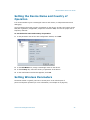
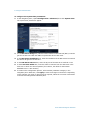
To configure the system time parameters:
1. In the navigation pane, expand Configuration > Advanced, then click System Time.
The system time parameters appear.
2. In the NTP Server Usage list, indicate whether Network Time Protocol (NTP) is used to
get the current time. NTP uses GMT to synchronize device clock time.
3. In the NTP Server IP Address box, enter the IP address of the NTP server from which
the device will get the current time.
4. In the NTP Server IP Port box, enter the IP port of the NTP server. Default is 123.
5. In the Local Time Offset box, enter the offset in minutes from the GMT time in the
time zone in which the device operates (for instance, the offset for the Eastern
Standard Time is -300 minutes).
6. To continue the configuration process, select another parameter category in the
navigation pane. Otherwise, click Apply to save the changes in the device. Depending
on the changes you made, a reboot may be required; follow the on-screen instructions
in the Device Configuration Submittal pane.
137
Verint Video Intelligence Solutions