1
4: Configuring and Installing a Wireless Bridge
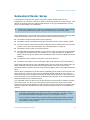
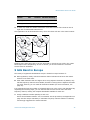
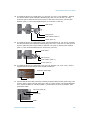
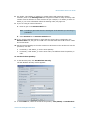
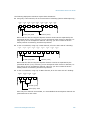
1. Plug the supplied outdoor Ethernet cable (the end with the weatherproof connector)
into the network (RJ-45) connector of the S4300.
2. Plug the other end of the outdoor Ethernet cable into the DATA & PWR port of the
injector.
3. Connect one end of the indoor Ethernet cable into the DATA port of the injector.
4. Connect the other end of the indoor Ethernet cable into an Ethernet equipment or your
computer.
Note: The combined length of the two Ethernet cables cannot exceed 246 feet
(75 meters). For example, if you used the supplied 82-foot (25m) cable in
step 1, the maximum length of the indoor cable is 164 feet (50m).
Warning: To avoid damaging your equipment, ensure that your cable is connected into
the DATA port of the PoE injector, and not in the DATA & PWR port.
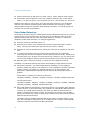
5. Power the S4300 by plugging the power cord between the injector and the outlet.
12V DC/24V AC Power
Use the supplied power cable to power the devices.
Note: CE and FCC compliance testing has been performed with the MTA572415 (CE
24V AC) and MA572416 (24V AC North America) power supplies respectively. They
correspond to the PS2440 power supply offered as an option by Verint.
Power supplies other than the approved ones require verification of operation with
the S4300 before use.
If you are using a power supply other than the one supplied by Verint, you need to
ensure that it has a minimum capacity of 1.6A (for 12V DC) or 25 VA (for 24V AC).
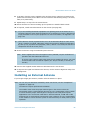
To power the device:
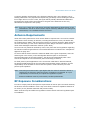
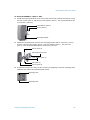
1. Plug the power cable on the main connector of the device.
2. In 12V DC, connect each power wire of the power cable to the corresponding wire of the
power supply: the red wire to the input (+) wire and the black wire to the ground wire
(-). For more information, refer to the power supply documentation.
3. In 24V AC, connect each power wire of the supplied cable to a wire on the power
supply. Both wires are used for power.
4. Connect the electrical plug into the outlet.
57
Verint Video Intelligence Solutions