1
Manual Software Pro-Access
Page: 20
•
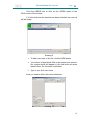
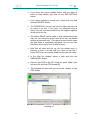
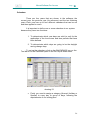
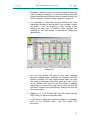
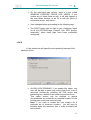
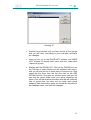
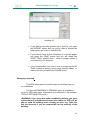
In this LOCK VIEW window you can change the time
delay between presenting an I-button and the electronic
furniture re locking by entering the time delay in seconds
in the OPEN TIME (sec) box.
•
For people with disabilities you can use the DISABLED
DELAY TIME box and enter a different time to the
standard open time setting. This allows the I-buttons of
users who have the USE DISABLED DELAY box checked
to operate with the extended setting. (It is recommended
that this time should be double the standard setting).
•
Note that you should take into account that the electronic
furniture locks in two ways: by action or by time. If you
present an authorised I-button but do not touch the
handle, the furniture will lock after the opening time.(in
seconds) . if you operate the handle, the furniture will lock
immediately after release.
•
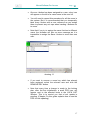
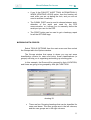
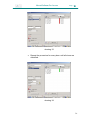
To set up which users are allowed access to each lock
mark with an X who is going to be allowed through the
door in the locking plan user list.
•
Note that setting up the locking plan of users and doors
can be done here or in the user detail window. The result
is the same.
•
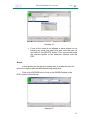
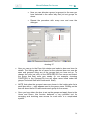
Note that the system assigns 24 hour access (ALWAYS)
to every authorised user of a door, unless a time zone is
defined for a particular user. To assign a time zone to a
user ,just select the user from the list and click on the
button which has a clock symbol. Then we can modify or
create time zones as required.
•
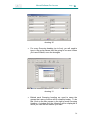
More than one time zone can be set for each user. How
to use the Time zone function will be explained later in
this guide
•
The SAME AS button can be used to assign to the current
door, any group of authorised users that have been
previously assigned to another door.
•
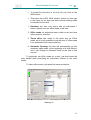
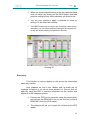
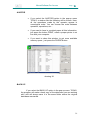
At the left lower corner of this window you can see a
button called FIRMWARE. This button will be not active
until the first time the lock is initialized. From the
initialization point onwards, this button will provide us
access to information about the electronic furnitures serial
number and its date of manufacture.
20