1
User’s Manual
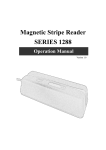
MSR 1218 series
5. After the installation completes, please select " Finish" and restart the computer.
1218 USB Driver for Windows
Specification.:
1. Support Microsoft Windows 95,98,ME,NT,2000,XP
2. Support Visual COM port.
3. Plug and Play.
How to Install:
1.When you plug-in 1218 USB, Windows operating system will detect
new hardware.
a. Follow indicated steps to install the drivers (Please select the driver in the
disk) and finish the installation.
How to Test Visual COM:
1. After you installed 1218USB driver, then hardware will assign an USB
simulated COM for 1218USB. So, you have to check the USB
assigned COM port from “Device Manager” of windows operating
system before you starting to get data from 1218USB .
2. Use COM test software to open simulated com port .
Setting COM port as 9600-N-8-1.
3. Swiping the magnetic card, tracks data will be shown on the screen.
10