1
Intelligent Surveillance Solution
Software Installation
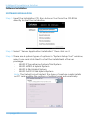
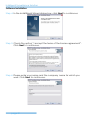
Step 7: Select “Complete Setup Type” or “Custom Setup Type” to install the
System.
COMPLETE SETUP TYPE
Install all program features into the default directory.
- Check the option “Complete”, and then click “Next”. All
program features will be installed. [Require the most disk
space.]
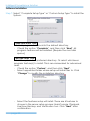
CUSTOM SETUP TYPE
Install the system to a preferred directory. Or select whichever
program feature(s) to install. This is recommended for advanced
users.
- Check the option “Custom”, and then click “Next”.
- Select appointed folder where setup will install files to. Click
“Change” to modify the installation directory.
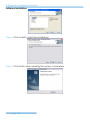
-
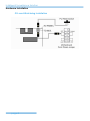
Select the features setup will install. There are 4 features to
choose in the server setup process: MainConsole, Playback,
LiveView, Backup, and Verification tool. Click “Next” after
confirmation.
page-22