1
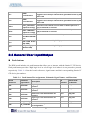
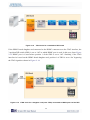
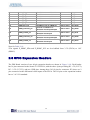
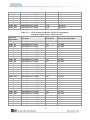
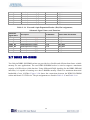
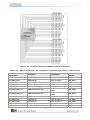
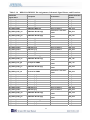
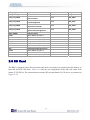
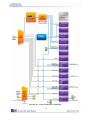
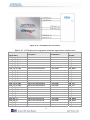
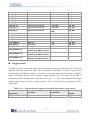
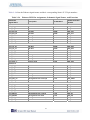
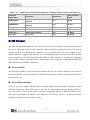
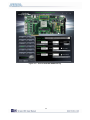
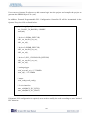
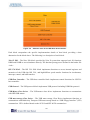
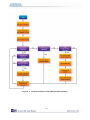
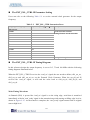
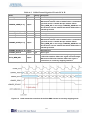
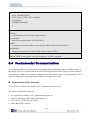
Table 2–32 Temperature Sensor Pin Assignments, Schematic Signal Names, and Functions Schematic Signal Name TEMPDIODEp TEMPDIODEn TEMP_SMCLK TEMP_SMDAT TEMP_INT_n FAN_CTRL Description I/O Standard Positive pin of temperature diode in Stratix IV Negative pin of temperature diode in Stratix IV SMBus clock SMBus data SMBus alert (interrupt) Fan control Stratix IV GX Pin Number 2.5-V PIN_A9 2.5-V PIN_E11 1.8-V 1.8-V 1.8-V 1.8-V PIN_AN18 PIN_AP18 PIN_AP19 PIN_AP20 2.19 Power The DE4 Development Board has two selective power sources to choose from which include the DC power input and the PCIe edge connector. When the DE4 is connected to the PCIe slot, an optional 6-pin PCIe external power connector can be connected to a PC power supply in case additional power is required on the DE4. It is recommended that users connect the PCIe external power connector to the DE4 when either the HSMC or GPIO interface is occupied by a daughter card. The DC voltage is stepped down to various power rails used by the components on the board and installed into the HSMC connectors. Power Switch The slide switch (SW5) is the board power switch for the DC power input. When the slide switch is in the ON position, the board is power on. Alternatively when the switch is in the OFF position, the board is power off. Power Measurement There are 12 power supply rails which have on-board voltage and current sense capabilities. These 8-channel differential 24-bit ADC devices and rails are split from the primary supply plane by a low-value sense resistor for the ADC to measure voltage and current. A SPI bus connects these ADC devices through level shifters to the Stratix IV GX FPGA. Figure 2–29 shows the block diagram for the power measurement circuitry. 69