1
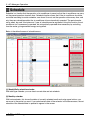
3. AC Manager Operation
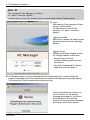
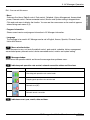
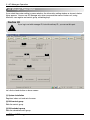
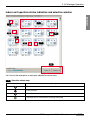
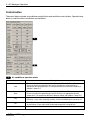
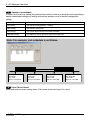
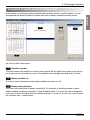
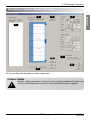
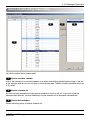
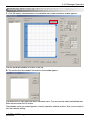
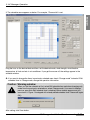
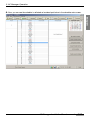
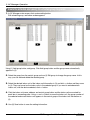
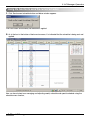
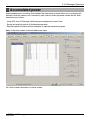
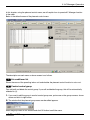
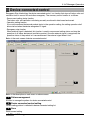
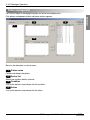
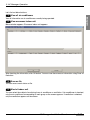
Following information appears on the monitoring screen.
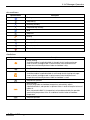
<Air conditioner>
Item
Name of Air conditioner
Description
Shows currently registered air conditioner name.
Operation mode
Shows the operation mode of the air conditioner set.
Operation status
Shows the wind strength of the air conditioner set.
Operation lock
Shows whether to set the temperature lock function or not.
Indoor temp
Shows the indoor temperature with the air conditioner.
Setting temp
Shows the desired temperature for indoor temperature.
All lock
Temperature lock
Prevents the operation status of air conditioner from changing.
Prevents the temperature of air conditioner from changing.
Mode lock
Prevents the mode of air conditioner from changing.
Wind lock
Prevents the wind strength of air conditioner from changing.
Wind strength
Wind direction
Temp setting range
Error
Shows the wind strength of air conditioner.
Shows the wind direction of air conditioner.
Shows the temperature range of air conditioner.
Shows the error status of air conditioner.
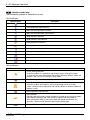
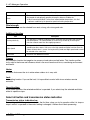
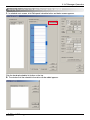
<Ventilation>
Item
Ventilation name
Address
Description
Shows the ventilation name registered in current system.
Shows the ventilation address.
Operation mode
Shows the operation mode of ventilation.
Operation status
Shows the operation status of ventilation.
All lock
Additional function
Plasma
Prevents the operation status of ventilation from changing.
Shows the additional function of ventilation.
Shows the plasma function of ventilation.
Heater
Shows the heater function of ventilation.
Wind strength
Shows the wind strength of ventilation.
Error
3-81
AC Manager
Shows the error status of ventilation.