1
17
OPERATION - GETTING STARTED
Please make sure you read the safety instructions very carefully
and follow these guidelines!
Make sure that the battery that supplies the system is fully
charged and in good condition.
Make sure that the caravan is free from the vehicle and the
handbrake is on. Also make sure that the corner steady feet are
fully raised.
•
Turn on the battery power isolation switch (29).
•
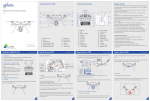
Activate the manoeuvring system by moving the slide switch to “On”-I on the
remote control (Fig. 18A). The green LED (Fig. 18H) on the remote control
handset will illuminate and you will hear a short beep. The remote control is
ready for use.
•
To activate the system press the two (Fig. 18I) buttons for three seconds. The blue
LED (Fig. 4H) will blink fast during these three seconds and every second there will
be a beep. This warns you that the system will be activated!
•
•
After these three seconds the motor powered rollers will be pressed against the
tyre and the blue LED will illuminate constantly. Now you can release the two
buttons. When the motor powered rollers are pressed on the tyre strongly enough,
the blue LED will switch off and the system is ready to manoeuvre. The colour of
the traction indicator label (Fig. 19A) should be in the green area.
Straight forward (18B)
Straight reverse (18C)
Left forward (18D)
Left reverse (18F)
Right forward (18E)
Right reverse (18G)
Before operating the manoeuvring system, release the
handbrake.
Now you can choose the movements according the symbols
shown on the remote control (Fig. 18)
In addition, the left forward (Fig. 18D) and right reverse
(Fig. 18G) buttons or right forward (Fig. 18E) and left reverse
(Fig. 18F) buttons may be pressed at the same time to turn
the caravan around on its own axis without moving forward or
backward. When you drive straight forwards or reverse (press
button 18B or 18C), it is also possible to adjust the direction by
additionally pressing button 18D or 18E (when driving
forwards) or button 18F or 18G (when driving reverse).
Because of the “soft start” technology, the caravan will slowly speed up. Because of the “soft stop” technology, the
caravan will stop slowly. This allows you to manoeuvre your caravan even more accurately without any shocks.
WARNING: When the buttons on the remote control handset are released, the caravan will slowly
stop after 0.5 second and continue to move about 6cm (depending on final speed). If the buttons
of the remote control handset are released when the system is still in the “soft start” stage
(slowly speed up), the caravan will stop immediately.
After the “soft start” stage the caravan moves accordingly one fixed speed. The speed can increase a little when going
downhill and decrease a little when going uphill. TIP: The manoeuvring system is more efficient when reversing the
caravan up an incline.
When the caravan is in position, you need to secure the handbrake. To deactivate the system,
press the two buttons (18J) for three seconds.
•
Press the two disengaging buttons for at least 3 seconds to disengage the motor powered rollers (Fig. 18J). The
blue LED (Fig. 18H) will blink fast during these three seconds and every second there will be a beep. This warns
you that the system will be activated!
•
After these three seconds the motor powered rollers will be released from the tyre and the blue LED will illuminate
constantly. Now you can release the two buttons. When the motor powered rollers are completely disengaged the
blue LED will switch off and the system is ready for transport.
•
After manoeuvring, deactivate the manoeuvring system by moving the slide switch to “Off”-O on the remote
control handset (Fig. 18A). The green LED (Fig. 18H) on the remote control handset will turn off. Store the remote
control in a safe place (out of reach of children or other unauthorised people).
•
Turn off the battery power isolation switch.
Before you start driving always make sure that the both drive units are fully disengaged!
CAMEC ELITE PRO® 2
EM305
Ref: ELITE PRO 2 EM305-0715Rev.A.