1
Group number
Grupa 01
01 03 06 12 13>
Controller number
Next symbol
Press or to change the displayed group definition (01 to 16). The bottom line shows the numbers of controllers in the group (group
items). The first item is underlined. Up to 5 items are shown due to the screen size. If the group contains more than 5 items, the first five
items are displayed, and the ‘next’ symbol is shown on the right side (). Press to move the cursor (underline) right. After reaching the
last item, and if other items are available (‘next’ symbol shown), press to show the next item and hide the first item on the list. A
‘previous’ symbol is shown on the left side (). The cursor can be moved left (press ). The screen shows up to 5 items. The screen moves
right or left, if there are any items available on the left or the right side of the screen (indicated by and/or on the left or the right side,
respectively) until the end of the line is reached.
The bottom line shows Pusta !!! if the group does not contain any items.
Press (asterisk) to add group item. Dodaj xx ? is displayed in the bottom line, where xx is the item (controller) number, which will be
added to the group. Press OK (yes, confirm) to confirm. The number depends on cursor position and items added so far. Only numbers that
are not already assigned to the group are available. Press or to change the number. Press M/C to cancel.
Press # (hash) to remove group item. Usun xx ? is displayed in the bottom line, where xx is the item (controller) number, which will be
removed from the group. Press OK (yes, confirm) to confirm. Press or to change the number. The number depends on cursor position.
Only numbers that are already assigned to the group are available. Press M/C to cancel.
Setting date and time
The internal clock stores its setting even after disconnecting the central control unit power supply. Current time, date and weekday must be
set for automatic timer-controlled open/close programs to operate properly. Select Zegar ? from the main menu. A request to set time is
displayed, e.g.:
Time (hours, minutes)
Ustaw:
12:02
Wto 26/11/2002
Weekday
Date (day/month/year)
Press (up) or (down) to change hour, minute, day of the week, day of the month, month or year. The cursor (underline, initially under
the hour setting) indicates the value being changed. Set date and time and press OK to confirm and return to normal operation mode. Press
M/C to return to normal operation mode without storing any modifications.
Registering the remote controls
Up to four remote controls (1 to 4) can be registered in the system. Each remote control has a two-digit code on the inner side of the battery
cover. The code includes numbers 0 to 9 and letters A to F. Enter the code to register the remote control. No remote control is assigned 00
code, and if entered, no remote control is registered. Select Piloty ? to display the remote control codes:
Piloty :
00 00 01 02
Remote control code
Press or to change the remote control code or press or to move the cursor.
PARTIALLY OPEN FUNCTION
The central control unit allow to define the partially open function for individual roller shutters. Select Rozszcz.? from the main menu. The
‘partially open’ function can be set for all controllers (1 to 64).The time can be set from 0.5 to 8 seconds, every 0.5 second. The display
shows numbers 1 to 16 corresponding to: 1 to 0.5 s; 2 to 1s etc. Press or to change controller number or move the cursor. Press up or
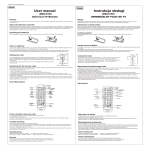
down to select. PIL-99 GS REMOTE CONTROL
CAUTION!
The remote control is in stand-by mode to save the battery life. Press
(
,
, ◄, ►) to activate the remote control. The last selected number is displayed.
Operation mode and changing operation mode.
The remote control can operate in two modes.
Full mode including all controllers (01 to 64) and groups (01 to 16). Simple mode with limited access.
Press 3 and 4 simultaneously to change the mode. The selected mode is indicated with a letter P - full mode or S - simple mode and four
digits, where the first two digits are a maximum controller number, and the other two a maximum group number.
6