1
Selecting controller or group number in full mode
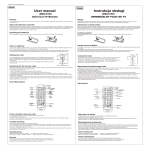
Individual controller number (01 to 64) and group number (01 to 16) can be selected in full mode. Procedure:
•
Press left button 3 to change or confirm left digit. Press up, down to change value.
•
Press right button 4 to change or confirm right digit. Press up, down to change value.
•
If no number is changed, up, down and stop buttons will issue open, close or stop command to individual
controller or group of controllers.
•
Press OK to switch between individual controller and group of controllers, the display shows G to indicate
group. Press OK again to exit the group.
Selecting controller or group number in simple mode
•
Press left or right button 3, 4 to increase or reduce the number of selected controller/group from 01 to
maximum number set.
•
Press up, down or stop to issue open, close or stop command to the individual controller.
•
Select the maximum number in full mode and switch back to simple mode.
Adding names to individual motors or groups of motors
Each channel can be assigned a name including up to 16 characters (capital letters or digits) in two lines, 8
characters each. Press OK and
simultaneously to enter edit mode. The cursor indicates position that can be
changed with up or down. Press 3, 4 to change cursor position. Press STOP to delete character. Press OK to save
changes or press
to cancel.
CAUTION!
After the batteries are replaced, all simple mode settings are lost and must be set again,
whereas the controller/group names are stored.
7