1
IMAGE LIBRARY
2
GRDC Image Library
User Manual
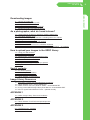
Contents
Introduction
4 – Purpose of the image library
4 – Who can use this library?
4 – What is in the library
4 – Reading and accepting T&C’s
How the library works
5 – The software and the administrator
5 – Uploading and Downloading
5 – Talent Release Forms
5 – Image Library Resources - and where to find them
6 – Understanding the Privacy Act and your responsibilities
6 – Archive policy
Setting up an Account
6 – Available to registered users
6 – Password protection and obligations
6 – Lost passwords
6 – User Account Settings
6 – Logging out
How to delete your account
7 – Account expiry
7 – Account deletion request
Conducting a search
7 – How to search
7 – Category folders
7 – Advanced search
7 – How does a search work?
7 – Using the search results
How to use the library settings
8 – Viewing modes
– Files and folders
– Files only
– Timeline
8 – Other viewing styles
– View style
– Thumbnail size
8 – Options once you open a folder
– Thumbnails per page
– Sort order
– Caption
9 – Actions Tab
Using a Lightbox
10 – What is a Lightbox?
10 – How to use a Lightbox
10 – Adding images to a Lightbox
10 – Removing images from a Lightbox
10 – How to share images in a Lightbox