1
GRDC Image Library
User Manual
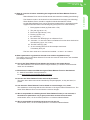
11 – Choose an image size
11 – Intended use field (history note)
11 – Accept terms and conditions
11 – How to credit an image you download
11 – Private information and appropriate use
As a photographer, what do I need to know?
12 – Understanding the Privacy and Work, Health & Safety Acts
12 – The Talent Release Form
12 – Technical and quality requirements - including what not to upload
12 – Adding metadata to images
12 – The importance of metadata and captions
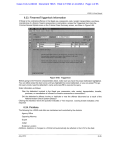
12 – Essential metadata
13 – IPTC Core and IPTC Extension metadata standards
13 – Adding metadata using Adobe Photoshop or Photo Mechanic - an example
How to upload your images to the GRDC library
14 – Using your web browser
14 – The confirmation email
14 – Administrator completes the upload process
14 – Uploading Talent Release Forms
14 – Metadata for Release Forms
14 – Why an image may be rejected
14 – Always retain a copy of any files you upload.
15 – Log out
Useful contacts
15 – For access queries
15 – Online help documentation
15 – Upload/download questions
15 – Talent Release Forms questions
Image Library Resources
15 – http://www.coretext.com.au/image-library-resources/
15 – Talent Release Form – downloadable PDF
15 – GRDC Custom “File info” panel for Adobe – downloadable ZIP
15 – A copy of this GRDC Image Library User Manual – downloadable PDF
15 – A list of signed Talent Release Forms – updated monthly
APPENDIX 1
16 – GRDC Image Library Terms and Conditions
APPENDIX 2
20 – Talent Release Form FAQ’s and upload process
APPENDIX 3
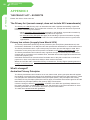
22 – The Privacy Act - excerpts
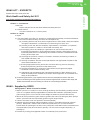
23 – WH&S Act - excerpts
IMAGE LIBRARY
Downloading images
3