1
·
·
·
·
-
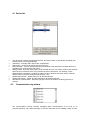
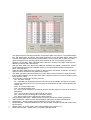
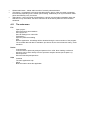
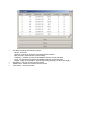
The table consists of the following columns:
Device - device ID
Channel - channel on which the audio sample was recorded
Date and time / date and time of the recording
Frequency - frequency measured immediately after the record was taken
Level - the signal level measured immediately after the record was taken
Length - length of the sample in seconds (see dialog Settings | Audio record length)
Play button - play the currently selected record
Delete button - delete the currently selected record
Close button - close the window