1
Chapter 3 Features and Functions
Remote Interface Configuration
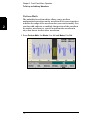
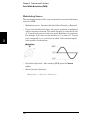
Subnet Mask (LAN) Subnetting allows the network administrator to
divide a network into smaller networks to simplify administration and to
minimize network traffic. The subnet mask indicates the portion of the
host address to be used to indicate the subnet.
• Contact your network administrator to find out whether subnetting is
being used, and for the correct subnet mask.
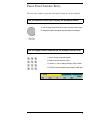
• Enter the subnet mask using the numeric keypad or knob.
• The subnet mask is stored in non-volatile memory and does not
change when power has been off or after a remote interface reset.
3
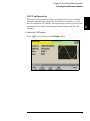
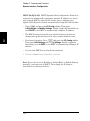
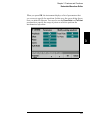
• Press
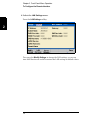
and press the I/O Config softkey. Then press
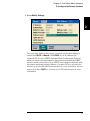
LAN Settings and Modify Settings. Finally, toggle the first softkey to
read Manual and press Subnet Mask to enter a new subnet mask.
Enter the appropriate mask (for example: 255.255.0.0).
• Remote interface operation:
• SYSTem:COMMunicate:LAN:SMASk “<mask>”
Default Gateway (LAN) A gateway is a network device that provides a
connection between networks. The default gateway setting is the IP
address of such a device.
• You need not set a gateway address if DHCP or Auto IP is in use.
• Contact your network administrator to find out whether a gateway is
being used, and for the address.
• Enter the gateway address using the numeric keypad or knob.
• The gateway address is stored in non-volatile memory and does not
change when power has been off or after a remote interface reset.
• Front panel operation: Press
and press the I/O Config softkey.
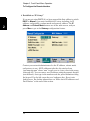
Then press LAN Settings and Modify Settings. Finally, toggle the
first softkey to read Manual and press More and Gateway to enter a
new gateway.Then set the appropriate gateway address.
• Remote Interface Operation:
SYSTem:COMMunicate:LAN:GATeway "<address>"
178