1
Graphics Mode
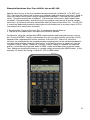
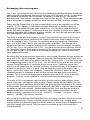
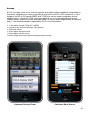
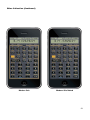
i41CX+ supports a special graphics mode that provides full control over the display (main and
stack display if stack display is visible) when running programs. This enables the display of
custom characters and shapes that are otherwise not possible with traditional means. In
graphics mode, all individual segments of the main display become independently
controllable as are the contents of the stack displays. As shown in the diagram below, the
i41CX+ main display consists of 12 characters, each containing 17 segments, including the
segments used to display the period, comma, and colon. Incidentally, it was not normally
possible to display a semicolon on an HP-41 but this is just one of the new possibilities with
graphics mode.
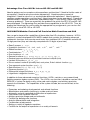
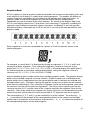
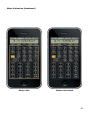
Each segment of a character corresponds to a power of 2 with the powers shown in the
following diagram.
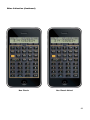
For example, a capital letter O is displayed by turning on segments 0, 1, 2, 3, 4, and 5 and
turning off all other segments. Thus, setting the segments value for a character on the
display to 2^0 + 2^1 + 2^2 + 2^3 + 2^4 + 2^5 = 0x3F = 63 would display the capital letter O.
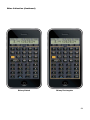
As another example, a semicolon could be displayed by setting the segments value of a
character to 2^14 + 2^15 + 2^16 = 0x1C000 = 114688.
GSCRON enables graphics mode and GSCROFF disables graphics mode. The graphics display
buffer can be cleared using the GSCRCLR function. Graphics mode uses a dedicated main
display buffer that is independent from the normal display and its contents are retained until
the application is quit. Therefore, clearing the graphics screen has no effect on the contents
of the normal mode display. Each character's segments can be set to the desired value using
the GSETSEG function which takes two arguments. The value in the X register specifies the
character location (0-11) and the value in the Y register specifies the segments value for the
character. The current value of the segments for a given character can be obtained using the
GGETSEG function which takes the character position (0-11) argument from the X register.
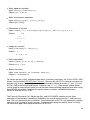
The stack displays (Y, Z, T, and L) can be controlled in a similar fashion. The GSETST{Y, Z,
T, L} functions set the contents of the corresponding display to the contents of the Alpha
register (up to a maximum of 6 characters) and GGETST{Y, Z, T, L} copies the contents of
the corresponding display into the Alpha register.
21